PowerShell post-exploitation, the Empire has fallen

Show transcript [en]
get the clock up if you haven't seen flicky oh it's kind of cool here's your little clock stays doesn't lock the screen taken no time it is hello San Antonio [Applause] we were louder in Austin just saying it it's nice to be back I wasn't not here last year conflict Kahn whatever the heck that where's that but it's nice to be back here again at San Antonio it's nice to see this move on from Cindy myself and the other people that used to run the besides Texas stuff so it's nice I have time to do more stuff like interesting PowerShell research and write a tool called log Andy we're gonna talk a little bit about that but mostly
this is about PowerShell detection how many people here know what version of PowerShell is running in their infrastructure oh wow really nobody then you're really gonna like this talk or how about your own PC except for Fred on a Mac well you power show that runs on a Mac so he couldn't even do it America so that's that's the point I'm trying to make here is the fact that you don't know is kind of a big gap I would call this talk or this exploitation or this risk or this vulnerability wait windows's of vulnerability so just Windows in general this is probably the number one concern you have in your environment right now if you have how many people here paid or
gotten pen test servicing red team servicing done it all in their organization whether you admit it or not maybe that's part of the problem too many government people won't raise their hands dang it so the red teamers love power show the bad guys love power show so that's what this talks all about is how can you detect things like power shell exploitation so Who am I I am a blue team defender ninja malware archeologists I'm a logger holic hello my name is Michael I'm a logger holic ok got to make sure you stay wakes the end of the day so that's the way with I love properly configured logs because they tell us who what where when and
hopefully how what happened to your system ok and it's really powerful but unfortunately windows in this case by default sucks by default Microsoft does not enable PowerShell logging with a very small exception I'm also the creator of some cheat sheets how many people here have heard of the Windows logging cheat sheet series fair amount so one of them is the power show Windows PowerShell logging cheat sheet if you're not familiar with that you really should be after this talk but it is a series of these things together I also give examples in a spunk logging cheat sheet and we just added our seventh with the who me Oh logging cheat sheet whom you know probably
nobody in this room sort of but it is a competitor Splunk fairly new really good solution and for all of you that want to log your stuff at home and learn how to do better logging they have a free solution that hold 2 terabytes for a week you can do 5 systems in your home with all these cheat sheet things enabled there's a whole bunch of queries I've created for you and you can monitor your home fully turned on it's awesome and it's free did I mention it's free did I say it was free and then they have obviously paid solutions as well but kudos to them I'm also the co-creator of this you know billboard I'm wearing
called log indie we'll talk a little bit about that in the course of the presentation but focusing on that I'm also the co-host of breaking down Incident Response anybody watched breaking down secure watch listen to breaking down security podcast or or PDR people don't be there so we did this podcast solely to help share this kind of information with the public because we really lack things I can take back to work and do when I listen to podcast that's what I want when I go to talks when I go to trainings when I go when I listen to things I want to be able to take this back hey deaf card is a great con can you do 80% of what you listen to
back at work the thing that pays our checks and that's what we're trying to focus on is things you can actually do and we did release a subversion to hear a little bit back we're about to release version 2.1 and you'll see a sneak peek of that in the course of the president so what's a challenge malware loves PowerShell and mainly to download the payloads it kind of changed dramatically about a year and a half ago we hardly saw PowerShell used and then all of a sudden everything now is PowerShell a matter of fact it's rare I don't see malware using PowerShell to pull stuff down why the bad guys can write less code because they're gonna
use what's already living off the land they're gonna use PowerShell it's or in the Box to make calls to go get their dropper to execute their dropper so now they can write less code it's quicker it's easier and Microsoft has provided all of dotnet at their disposal with PowerShell so they have lots of opportunity here red teamers love this stuff and you'll see why in a second with as many exploitation kits that are exist out there and they love to hide ok so that's something we have to uncover but PowerShell does make noise you just have to know how to detect it so where do we start check your settings now you know I asked the question in the
beginning how many people here know version of power so Tyrone you have to know what version of power show you run because for the love of all that is security everybody in this room and your organization's need to upgrade to PowerShell 5 you must do so because if you do not you cannot detect the type of attacks I'm going to talk about today at all well and if you're using PowerShell v to profile at ps1 which I recommend in the cheat sheets to turn on populate with a couple variables which sets process command line logging to occur in older versions of V 2 V 3 before the problem is all Bower that I see always
execute - naah / - no profile so the profile ends up being useless this is why you need to upgrade to PowerShell 5 one of many reasons and of course execution policies I still see companies that just can't pick one well we turn around where we need to this is not a security thing it is a way for you to help detect bad things in your environment because what they do in the course of executing PowerShell yeh Microsoft they gave us as powerful powerful tool and some settings and guess what you can bypass them all yeh exq some policy bypass and poof whatever your policy is does not work so how do I check my systems for this how
do I figure out it how do I add up them how do we get a report how do I start the process you gotta help me turns out free tool called login D we do a pro version - I'll tell you that right now full disclosure but what we do when you run it with our legal test copy guy when you run it the first thing it's going to tell you when I do a log in D which is default - one is we're gonna tell you what the policy of your box is and what version you're running because it's so important that we can get you guys up or at least knowledgeable about the fact
you're not running PowerShell v5 and the fact that if you do have v2 on the box that there's downgrade attacks are possible downgrade attacks there's a couple dll's two or three dll's that actually are PowerShell system management automation DLL and another one and that is actually PowerShell it's not PowerShell exe that's just a fancy GUI thing that runs the PowerShell the powershell power is in the DLLs those things reside in the box they cannot be removed they're hooking to the system you're stuck with them too bad for you and Windows 10 in 2016 there is an option saying disable it yeah all it's doing is turning off the ability to call it from your perspective
but not from the bad guys perspective so log of me will spit this out to you so you now have an idea where you stand that's the first thing also we give you a report it's in text which means for anybody here's a consultant you can I was a consultant for many years sort of still I'm I do consulting is I want to be able to cut and paste what I need to into a report so we just make it clear text you can make it whatever you want this is an interesting aspect of what this looks like here what are all those fives we compare with the windows login cheat sheet is all the recommend Rick
settings that I tell you guys to turn on and everybody who wants to do security well from a long perspective and the CIS and USG CBS and Aussie cyber standards are also something login Detex for so we check all the audit settings and we say how are you compared to these standards and also the windows logging cheat sheets and you can see the only thing that's yes is the one with Windows logging cheat sheets the five indicates these standards that we all use in compliance that we're told to rely on don't even mention enabling Perisher logging so there you are by about five years behind they're just now discussing putting this into their benchmarks and
and standards documents are just starting to come out from the government side and that's a flaw because so many pen testers uses the hackers are heavily using this if you talk to somebody who's been owned at a targeted attack they will tell you they predominantly see PowerShell being used so that is the bummer so now we have this next report you now have action to go and help and put in tickets and do what you need to do and get PowerShell enabled you have what you need to audit the next thing you have to do is enable the logging of course there's a thing called a Windows PowerShell logging cheat sheet who thought and this will tell you what to
turn on okay they're all GPO is only about four settings you really have to worry about you have to upgrade to version 5 of PowerShell for this to be at all useful and yes use the profile which again a - an apple bypass but the cheat sheets are there to guide you so now you have a standard to take to work saying we fail here I want to get to here and you're about to see why and yes thank you Microsoft for having all these bypasses I got this off of actually an article a guy wrote I worked at the vent sentry on some PowerShell stuff and they published this as this table comes from
something else but they threw this together I thought hey it's actually pretty good because it does list the windows there's actually two partial logs by the way the Windows PowerShell log of n IDs and again for reference please download this and really consume and study this and then also the PowerShell operational event IDs there are two we did not list nobody in the right mind would enable these except your pen testers and attackers that would generate so much noise if I wanted to hide my activity I would enable these kick off a script completely flush your logs by rotating them out in a matter of minutes with 4105 and 41 sixes so these are very bad but worth
mentioning that's what they be used for just talk to any and any red teamer if they don't know about this this attack or a way to flood the logs then hire somebody else typical malware lots of PowerShell almost every download I see now comes and comes from PowerShell Windward calls command shell calls w script called C script doesn't matter and eventually PowerShell will go out and fetch it because built into power shows the ability doing web calls and again most of our we see it I'm hearing it more and more on the targeted attacks you read the reports from the IR firms you're gonna see that they're gonna reference power shows use PowerShell use the pen
testers and talks you hear about living off the land that's what we're talking about what can we use it's already on the system alright the white listing application by past exploits the Casey talks about all the time our things that I can run on Windows that are trusted because they're Microsoft sign that can go out to the internet and download stuff and then I don't have to actually use malware or write something I can just live off the land pen testers love this stuff and again there are tons of post post exploitation too kits I'm here to tell you that the Empire has fallen you can detect these if you pay attention to this presentation there are lots of them
out there the red teamers love this stuff here's your proof they've written so many exploit kits post exploitation kits and I don't even think I put Metasploit on here but nevertheless Metasploit is included so blue team baby I think it's the most sexiest thing you could ever do as a job people say our red team sexy when I pop the box no you know what's sexy me kicking the Chinese out of my environment that's the biggest thrill I've ever gotten in my security career period so if you want sexy kick out a bag forty six eighty eight these are process creates again thank you or fu Microsoft for not enabling this by default this watches on your system the
things that execute as they occur but again off by default you must enable them follow the windows login chichi this is an example of login D output and what you're seeing here is windward a windward document at the top calling again parent-child relationship calling command shell which then spawns power shell which phones home you can't understand what's up there we'll get to that as we as you progressed then download some our launches two versions of it why because a lot of EDR says you want to kill that process that's evil yes I do I just cleaned the box no the other ones gonna start it back up they have a check and balance they understand
load-balancing DRM BCP in malware so yeah they launched two copies of them out are very very common and you can see down here basically word caught calling power command dot exe calling power show which gets the droppers launches the malware and the malware launches another copy of itself to protect itself this is actually but that blurb looks like anybody think that's normal okay so the goal here is to figure out what's not normal and make it stick out more okay and there's many ways we can do that one of which is the fact that it's so friggin little arch okay but there's a lot of large normal but it won't look like this so let's look at
that a little bit tighter i got rid of 42 of the lines of all that garbage and now what we see is the top and the bottom and we can start seeing things that are obvious to us there's a bunch of there's there's some calm specs so we know they're doing some variables although all these sets and the percentages so we have an idea they're doing something with a bunch of variables basically they're off you skating they're trying to hide what they're doing did that look normal to anybody unless you're the evil guy and if you are then i'm teaching you how to be more evil because i'm teaching you how to catch yourself but anyway the
forty six eighty eight process execution is the core of Windows everything in execute some windows that login the security log will catch anything that executes almost anything there are ways to execute stuff without logging stuff but for the most part this is how it works and you can catch this just by enabling process command line or process create with the addition you should enable the process command line stuff as well because that's where all that food just saw occurs is in the command line but I might catch passwords and we'll talk about that so again any time you see word calling commands C script W script anything after that flag it this is how most eighty yards will flag
just documents being loaded whether to Word Excel or anything else and so that big blob looks interesting so let's dig into that so the power show bypasses I talked about this the beginning right the - not so what you see here is this Windows hidden why the bad guys don't want you to see the power show window that pops up great Microsoft gives you a minus H they do it for the admin so the admins don't interrupt what you're doing but the hackers love it as well and use it pretty extensively also here here's the - knob that means the profile that I tell you to set the variables in to do the process command-line logging in
PowerShell v2 well no longer work because they're bypassing your profile and there's all that other garbage so the buzz words of the things that make it look like it's being bypassed are things you should look for here's a home you know logging solution that has it and you can see here PowerShell non-interactive notice the scenario of uppercase and lowercase now they do that because a lot of email scanners being linux based and whatnot case matters Windows it does not matter long and does not matter but in the course of the the message being inspected case does matter so they do this which for which is almost funny to me because in the Windows environment this is really
useless but nevertheless it makes it stick out more so yeah execution policy bypass don't matter what if you're set to there bypassing it and they're using you hit in Windows so you don't see it right there so they do this to hide what they see right you can capture this behavior in a 46 88 standard procedure of word calling commands show calling PowerShell whatever they execute with PowerShell in the initial call will be collected on that command line but you must enable process command line it's another option in GPO you must turn on you will get some flack for it you'll catch my domain admin creds good if you're stupid enough to type your domain
admin credential password any script or store it in a script that means you're violating possible policy because you're storing a password I'm clear on the disk that sit there all the time that I can find if I just scan for any kind of text file there's other ways you can pipe it there's solutions you can pipe it but if I find it in the logs you can remediate it if you get to a point where I can't remediated it's something really weird and custom fine I can tell the log management solution this combo of things don't send to log management and then I can't see it and you'll identify the fact that it still occurs that box
should be isolated because the admin creds are in the clear on that box so I don't have a problem finding passwords and I rarely seen this I've been doing this for 15 years I've come across more passwords in user name and fields in the logs and I've ever seen in a command line process and again the bypassing with the v2 stuff this is why v2 so worthless now the bad guys have figured out everything to do even our puppets and chefs and chocolate ease and bamboos by default I actually chewed out one of the bamboo guys because they execute the stuff of the - execution policy so he started setting off when they deployed bamboo they started setting off my alarm
that said any time you see the word - bypass throw an alarm and I'm the guys like under gave us the script so we had to call the third party vendor through Atlassian and say hey what the hell are you doing and they said well we do that so nobody has to change a configuration you know this is a complete violation right and this is why they changed their product for us and gave us one that didn't do that and so these are the conversations you have to have don't allow good tools to execute stupid things that the hackers do because you'll end up excluding the good stuff and also the bad stuff so yay for
Microsoft to build in the bypasses and there's lots of ways to spell the bypasses that's what's worse you don't have to do the whole word no profile not will work no PR will work no PR Oh we'll work our shell has that autofill capability which makes it really hard to look forwards but we can deal with that parallel shell logs and version two and five you get these lower numbers so the lower numbers means it's in a Windows PowerShell log which is off the roots of application and services and underneath Microsoft Windows below that will be the power show operational logs which has the larger numbers and so the four hundred and six hundreds are something
you should definitely look at the five hundreds are around with v2 as well they'll give you the process command-line but in the knob the - knob will bypass that but it's worth looking at the four sixes and eights are something you should collect and should focus on and there's a lot of duplicates okay because every time a part of a script executes there's a script lit in a script and a command and a prompt and so you'll get four entries or six it's generally six entries for the same thing so you have to learn how to deep dupe that information as we call it with Splunk so web calls well what does a web call look
like in 46 88 well they look like that new object systems dotnet dot web client dot download string blah blah blah right and then HTTP now if they're in the clear then the buzzwords that I mentioned right here will work you can set up an alert that says when I see this string or these strings send me an alert power shells downloading something that's not normal and if your admins doing it that way you'll need to figure out exactly what where and whine and where he's doing it and then set a rule up that says okay don't detect it when this system by this user is doing this string set okay and then you can say
throw that out because then everything else is bad but the problem is there's lots of ways to spell these like encode or encode it okay so you can't just look for the word dotnet dot web plan okay but there are are few stations of that and here's an example where they use an encoded command and again there's the encoding and so what does this mean is this good or bad the fact that's encoded is bad and if you follow the parent tree if something like again command shells calling it from word you know it's bad but they're doing this in order to try to get past the defenses the things that you might see to me the minute I see
that I'm like a uppercase lowercase and a blur our admins to anybody's admins do this anybody know they just don't so fetch that's what they're doing they're basically going out and fetching the item here's an example of a fetch same thing I just showed you but now they've off you skated it yay PowerShell lets you put tics and carrots in in the middle of the words and they ignore them so now if I want to look for a web client guess what I can't damn it now what do I do well you look for the office keishon right so here it is there and here it is there same thing but in two different ways and there it is again some more
information and there it is again more information you see the download screen so we want is the ability to take this and turn it into this anybody care to guess how he did this here's a thought I read Jack's out all the special characters and then I rewrite it now I don't have now I can pass this right lots of ways we can do this in logs so basically foreign code that's what we saw now one of the things that basic c4 does is often puts an equal or two equals into the code there's another example or you see two equals but if you do the pasta if you do the four bites correctly there'll be no equal so you can't just
say well I'll look for anything that has a bunch of characters in an equal there is base64 that will not end in an equal but the fact that it's large is an indicator and base64 is what a through z capital a the capital Z zero through nine okay all the other characters do not matter count those and now suddenly I can trigger under the tection of this you can also take that big blurp right there go to a site and say hey please translate that right this is kind of how you do it manually but you don't need to because in PowerShell v5 there's a 4104 called module logging and guess what it does it translates that base64 into what
we can read so the translation occurs automatically in the logs and yes you have to enable module logging it's one of the settings in the cheat sheet and now suddenly I can see things that are odd I can see that you know kill power show so when I launch this thing did your powers did your Excel die yes and guess what it went out and saw that download of that Mauer suddenly now I can read it because the decode occurred when it actually got written to the log so thank you Microsoft and you can see down here and now read the fact that web client is going on so very cool so in fact that he codes it now means I can
take a blurp that I can't understand and I can have suddenly looks like a now suddenly read it that's the cool part so this is why 4104 s are so important and why powershell 5 is so important stuff that they're trying to do and get my suddenly nows decode in your logs and you don't have to do anything other than enable it so let's look at that base64 blob here's an example of one that has two equal signs right big-ass blob what does it do here's an example of a whom you output where I'm actually counting the base64 block so I have an alert that says if you are a through Z a through Z 0
through 9 and you're above 50 60 100 200 I think I got a set around 500 characters then take that block call it block and then I go look at the 40 104 message and I can now see what the heck it does and they're still trying to off you skate stuff there's some combination of IP address in here probably and you can see now we got assistant lot management automation PS credentials so we now knew they're doing if they're doing creds this is probably something to do with the cred and then convert to secure string etc etc right suddenly now we can see stuff so this is who we are BAM that's what we're after right there
so 46 88 and 40 104 is 46 eighty eight's won't decode anything the 4104 will show you the powershell decode decoding and then the 400s are in the older version of PowerShell but used in the newer new ones as well so let's look at a few station and what we can see in those you soften the big blurps hey if it's base64 it's a big blur there's nothing special other than the size and the lack of other characters in it and the way they call it but that can be off you skated the obfuscation are the use of these funny characters including carrots and tics and pluses right they'll take this and this and they'll put this together and they'll
make up the word PowerShell so that you can't use buzzword checks you know my trigger for - not - no profile - exp - execution policy but they're not working because they keep putting ticks in there and that's the idea that's what they're trying to break and they use dollars and percentages for variables and whatnot so what you're focusing here on is the odd characters surprisingly it's not that bad it's there's all the things they can do if you really want to see what can be done with a few station go watch Daniel Bohannon's talk on PowerShell off you station and you can thank him for this stuff actually you should probably refer to him as this because of the fact that
that's how he's trying to teach you how to write power pwnage but the fact that you're doing this is very detectable because what happens if I start counting those characters suddenly this code on the Left which clearly looks funky to me I can now take out all the special characters remember when I said I stripped it out and then I reposted it that's how I got the difference of obfuscated and not now that my buzzword checks will work I strip out all the known characters so now this stuff gets crammed together unless they've done some other rearranging and things and I count it look there's a hundred and thirty-eight ticks and two hundred and sixty-four pluses I defy you to find a
legitimate PowerShell usage that does that this is how you can catch those kinds of scenarios I cannot read it but I definitely can see there's ticks in it so there's something more to do it's very very telling once you isolate that so here's an example of one as well this is normal I can read this data and inside the data are the typical back slashes and things you can see now this is actually you you read all this right so users hack me app data so lots of back slashes a few parents and so now suddenly you can see the makeup between what a normal scenario count looks like right twenty two and three and the makeup of it and
what bad looks like big huge difference very obvious so in your log management solutions a little bit of regex you can detect this very easily and you can do that with all over forty six eighty eight's because they'll put the ticks on there the 4104 is like the last slide and also the 400 so it depends what version powershell same example savings after the last one same thing load tick count in a four hundred event and you should look at all of these because they all do something slightly different in in the powershell so script by logging powershell is broken up in these blocks of script you'll see one is 6 2 is 6 3 6 or 6 etc
and in those they do different functions this is how you'll see your bamboos and your chocolate YZ and all those work right big long ass scripts then it get broken up based by functions but the cool thing is it tells you right at the top the thing hey i'm a script lock and i'm i am one up in this case 101 here's my my strip for turning on file auditing in powershell and and so it tells you it gives you an indication this is going on okay and in this case it's a verbose log it's not a warning or anything else but the cool thing is when they do trigger these script blocks they're big okay now
if I saw this just from looking at data but this isn't very useful to me because of the fact it's so big if you output this to excel your your your rows gonna be this tall it's really hard to manipulate so what you have to do is say what can I look at well if you look right here I'm counting the command length so now I have a trigger about how long I have an office keishon to count how many pluses ticks everything else so the combination of all these events I've got a big block it violates the counts that I'm looking for they exceed 5 50 100 200 etc I suddenly can not only look
at a big script block in the sighs I have a secondary mechanism says and it's off you skated trying to do something funky okay and so that's the cool thing I would say start at about a thousand you will get false positives real real stuff that executed very large blocks like a bamboo chocolaty etc but that's okay we'll talk about that in a second so this is one of those normal big blocks this is big but guess what I can actually read that but I don't know if it's being used for good or for bad that's the problem with the hackers the pen testers will do this the hackers will also do this they can use the real
normal I'm just gonna query the system like for inventory so I wouldn't be able to tell if this is an inventory script or whether the bad guys trying to inventory our system because he just wrote a PowerShell script or pulled the one down from the internet that doesn't inventory that someone wrote and just executed in your system but it's bad or it's being used for bad but it's big but it looks normal so we have to figure out what the combination in this case this one is ninety five hundred and fifty three large pretty big the big difference is that one's readable that one is not so suddenly large size means it's readable or not and this one has
ticks right so we know we can identify that so now we have to determine how do we separate readable good script blocks from readable bad script blocks well though office gate it like I just showed you in the last one 100 38 tick counts 230 264 pluses boom here's all this code you can see down here there's some normal ones that's bad these two little short guys are good small counts so now you can see all three of these examples I've shown thus far together what do you do you think that would stick out to you and all you think that'd be something to focus on they're definitely module Augie this is cool because in module Augie
when you execute something in PowerShell that violates a built-in partial rule and and I've been doing logging a long time I generally tell people that the level of the log just ignored it it rarely is an indicator of anything except in PowerShell Microsoft at least says hey there's a violation that's executed yeah I think I can figure out the violation it's all that crap right and so pay attention to the fact that in these event logs there are warnings in a couple of n IDs and they will help direct you another item you can focus on to say this is potentially bad PowerShell I got a warning does it have a large tick count yes does it have a
large block count yes does it have base64 no let's look at it let's see what's gonna do so thank you for that finally a warning that's worthwhile in Windows and this is what actually triggered a warning on so there you can see it right at the top pink right there warning and here's that badge lupa script so now we're starting to put all the pieces together look for warnings large blocks off you station etc this is definitely bad this does not look normal no way nohow and so here's what it looks like in the actual event log itself you can see the word warning and so it's flunk you would basically say level equals warning you know event ID 4104
bam give me a table of the output and then you have an idea what's going on okay and there's the actual back end data warning warning so warning what do you know actually something you can use and you can also see translations in the PowerShell operational log for the event ID 4100 it will take some of that data again a violation of a power strong rule that Microsoft says we're executed this but there's something not right about it and unfortunately don't tell you what the violation is but suddenly you can any right here missing closing in expression there's some there's some data in here but it doesn't help just a warning but this thing did execute it did the Box
definitely got affected right but it translated some of the stuff that executed in the course of that link burps of plusses you know all blah blah blah blah plus plus plus plus plus plus boom and it's trying to give you an indication of what happened in that big large script block so again a warning in the 40 100 good warnings and 4104 good for us detectors not for the bad guys and here's a case what it looks like inside the log so there's the 41 Oh 4100 there's the big blurb of data and it will tell you that invoke expression occur do you see that's a short and it also gives you the username that's
another cool thing there's two usernames right the username of the box versus the username of what's executing you can see that in one of the other identities and so the 40 100's and Splunk here's an example of them again I'm looking specifically for warnings and suddenly now you can see I can read this down here but I see that up here so I can start comparing things make them stick out to me okay so we're starting to see some false positives we got a deal with that warning warning warning I can read that I do not read that partial 500 events the 200s 400 500 600 800 s have a lot of overlap the overlap generally is
host application right here now if you do the profile ps1 and you actually and you actually don't get the - not you will collect a command line execution in the 500 event that's only if they don't do a - not and so suddenly now we have a base 64 you can see the two equals here at the end it won't translate anything okay that's what you get but hey you just see right here PowerShell name right kill Excel so you saw that from the prior event so it knows at least enough that kill PowerShell was executed after the encoding was done to trigger this for you but unfortunately it's in the older logs it's not a warning it's
just informational but again you can use it because it is big blob you can count it you can look at the fact that it's base64 and start building your and triggers off of it okay and yeah here's an example of two that they don't have to have two one or they can have zero so 200 events also again very repetitive see host application same thing here's the big blur if I'm interested here's all the J's HS and DS and whatnot and again but this cool thing gives us a warning so similar to 500 but the 200 gives you a warning they call that this is called the command health is it is command healthy did it
xq correctly and then of course the answer is no it'll give you some translations in here there's an error boom warning warning Will Robinson post application blah blah blah blah blah get something our show ie X anytime I see PowerShell ITX I worry so we have a lot of this stuff all right you can detect stuff now you can see the things and the behaviors that they're using pretty typical now we saw some false positives so how about white listing power show on the logs okay that's one of the things we're going to do so here's an example what the heck is this is this good or is this bad I can read it I can totally
figure out what the hell the power show is trying to do but is it being used for good or for bad well if we look a little deeper or further down the script we'll see that this is something chocolaty kicked off suddenly now I have something that I can focus on to exclude okay that means now in this execute if I say specifically comes from this chocolaty directory not the greatest way to do it what is set in here in some aspects some string I would call these create comments in your code or ask the guys to go add some comments to it you're not going to break the powershell scripts but add some comments in there so the
comments show up and all the script blocks like this is not the script you're looking for right pound pound pound then I can put that in slunk and say not this is the script you're looking for pound pound pound and now when I run my queries anything with that in it will drop out the bad guys will never know this and suddenly now the good noise can start being filtered out and you can do it however you by text by path anything you can come up with try not to do it by the actual command because the bad guys can use the same good powerful commands for checking your system as the inventory software will do as well so please get them to
sign in some way for manner of course you can actually sign your scripts but generally that's not going to happen people aren't going to do that too often we're looking more for buzzwords in there that we can use to exclude from log management to make it easier to filter out the known good so the bad filters out and actually if you do a good job at this no matter what you're using the bamboo and all that other stuff you'll actually be able to baseline your lock your stuff and Splunk to the point where nothing lights up until somebody installs something new some new module that they add to bamboo or whatnot and then it will trigger and
then I have to go chase that down figure out tell the guy can you put a couple of comments I like the 38 line so I get it in the second script block and I can filter that out sure he adds a couple of comments I run it again poof it's gone because they use the bud words I told him and that's what you're looking at that is like a secret key or a code
social engineer your car make it rain so the path is awesome because a lot of utilities are scripts that guys write will put a path in there so if you do see this have them execute the stuff from a specific path in gaming that's exactly what we did we had a path that we created and said put your stuff here and then we excluded by that path and by the name of the script and that's how we threw out a lot of the good PowerShell that the gamers that the game developers were using again secret code to be even better because if the bad guys figure out that the path exists they might drop their script from there and you might
accidentally filter it out because they've listened to this talk because it's actually online thank you iron geek and so that's a trend that they'll look at oh let's go look for powershell scripts and put our bad stuff in the directory as we see other power strips of script because mike said it they'll filter that I was Splunk it and they won't see it so you see the logic why scripts putting them in the directory of scripts is bad you want a secret code or some sort of key and literally it's just comments added to the power it's not gonna break anything or of course sign your stuff once you create these queries you can trigger on the PowerShell launching so
all that stuff I just showed you here's my alerts for the inbox that I have for these items all right of course you got to tweak out the known goods like we just talked about so here's a ID 400 francs flunk powershell obfuscation tics I'm counting the special characters I just call it ticks but it has a bunch of the special characters in there so it triggered an ID 400 I've got a bad eye PTSD Wireless so that means in this case I've added the IP to a bad IP list and that I know this PowerShell is talking to and it triggered for that right because I'm checking the firewall logs and then PowerShell PS web call so we
did at 46 88 it saw a web client it was in the clear I can tell that because it's in a 46 88 off instigation and a 46 88 so I can see this all the process command line that means I know I'm seeing that I'm gonna get replication there's a bypass which means they did the - knob so this is a V - box I now know that that's not gonna work I'm not gonna see any 500 call again the 400 and then I can see again a bypass of the 46 88 so suddenly now something that's normally noisy just triggered like crazy okay and this is actually what you're trying to do and accomplish this is this
makes these are good alerts that box is owned without a doubt there's all the items logged goodness so enable the logs for the cheat sheets PSV - even if you have PS p by p sv v is still on the box you cannot get rid of it so here's my suggestion I will be adding this to the file auditing cheat sheet I finally got the information from Lee Holmes about the DLLs I should monitor and so the recommendation here is how do i how do I check to see if someone's using powershell v 2 attacks downgrade attacks you set file auditing on the two dll's and then that way when they call them there'll be a read and normally the
system should not be using them because your empowers will be v and so this is a way for you to check on the down Dre attack and so that's an option right so I'm going to add that to the file auditing and shall she cheats for you haven't got around at doing any cuz I'm doing a lot of cons the last month collect the items into PowerShell v2 logs 200 400 500 and 800 you will get a lot of replication we call it D duping and Splunk but basically if you see a lot of duplications you can get rid of them and then narrow it down I'll show you how we do it long and D in a second and that's
the Windows PowerShell log right so that's under application services Windows PowerShell it's way at the bottom and the PowerShell v5 logs you want to collect the 40 140 100 fours 41 3s are somewhat useful as well there's some information and it's useful and they are the way Microsoft Windows PowerShell operational so it's another layer down in the logs and then the windows logs you definitely want to collect the 46 88 so with the process command line so this is the list of things you really want to focus on I would say start here there's security log 46 88 you're gonna see process executed hey PowerShell launched or command dot exe or word command in PowerShell launched like you saw in the
log in d example the very beginning you're gonna see a bypass executed - not - execution policy - bypass you're gonna see some suspicious buzzwords web client download HTTP unless they off you skate it then you'll start counting and seeing ticks so you can see how building all this together will kind of overlap well I'm gonna get around there they're looking for the buzz words by obvious skating it you have an uncounted ticks so screw you and I'm gonna strip those out and then I'm gonna do a buzz word check BAM gotcha okay so we can definitely go after them and you're gonna go after all these weird characters and then of course we're gonna look for large script blocks
because sometimes you'll just make huge blocks where else will they put large script locks or PowerShell code Somebody Anybody there's a big database on a Windows box called the registry so suddenly now large reg keys become something I can look for because if they hide scripts which they do in the registry because it's just a database it's like SharePoint they're just going to attach a file to it and then they'll call a key read the key drop the stuff and execute it or worse they're really good they're going to call the DLLs that they downloaded from windows box and they'll inject them into memory and they'll never touch the ones on the disk and do that attack but
that's more complicated and they're still executing something on the box that you can detect okay so now we can look at these large script blocks and the base64 as well so we can look for all these indicators together and you saw what my email alert looks like in PowerShell B to command health the 200s a lot engine life cycles for hundreds in the command lifecycle five hundreds and again the - snopp is not your best friend if you're doing that that's why please upgrade the PowerShell v5 and oh by the way there's PowerShell b6 and the command is now p WS H dot exe and it's under Program Files not under windows system32 Windows PowerShell v10 block
right so now Microsoft has put it in two places and change the items so be sure not to forget about your friend PowerShell v6 with PWS c sh w XE power shall be to look for the 200 and 400 you want to look for web calls you want to look for occupation characters parse script block size or greater a thousand of course to base64 blocks and of course warning warning something's fishy about this script and in PowerShell v5 you want to look at the 40 141 3 these are the execution pipelines they will trigger a warning if there's anything in these it's a warning focus on those and then look at the size and the ticks and
the counts and all that stuff ok and again no obvious case in here they've stripped it out and they've translated it in some aspects some of it will still be in there but a lot of the massive plus you saw will actually be translated especially in base64 it's now completely readable they decodes it in a 4104 of them very awesome also in a 40 140 104 you can do the web calls suspicious command buzzwords again because maybe it was off you skated in 46 88 now that it's D off you skated or encoded now it's decoded and now suddenly I can do my buzzword searches and I can look for a web client now to see if there was a
download so yay and I can obviously look for large counts and everything else base64 and again the warnings do matter here so very detectable and then there's a funny little 800 not much not much talked about it is used it is inconsistent but I finally figured out how to trigger it all the time I will make an update to the power show along in chichi there's actually another module named entry you have to add with an asterisk asterisk Splatt Splatt global global in order to tell it to register all modules and so that you can actually pick what modules you want to register if you really want to do them all it's not that noisy that has to be
set for the 800 to be consistently logging fairly new fine for me and again you're focusing on host application that's where the big blurps will occur and all these all these zeros are events system on anybody heard it's this month so since mom gives you the added feature my internet Sun Benton anybody know who Ben 10 is you had to be there to understand the joke but people actually think he's my son and we're just going with it after some jokes and Twitter and whatnot but there's an idea ID seven and system on I tell people do not rely on system on I'll use this pond for everything yeah I'm gonna own you to Sunday if you
don't believe me go watch Carlos Perez's talking the subject you know tell you how you can get my system on because you lose change your register keys until system on not to collect certain things and system on will not record that occur I can also just add something in the bottom of your config reloaded and it'll work the config as it requires a config to log anything and if I Bork your config you're not logging anything so I don't like system on for all the things but it's good for these things ID seven is module loading so what you're gonna see now is DLLs so when malware dot exe or funky been ten dot exe execute and he
makes a call and loads system dot management DLL doc management automation DLL wherever it is in the box v2 is version or B fives version I will catch that with an ID seven with system on so we are interested in system on you do want to collect that sevens they will generate a lot of log traffic but you could set up an alert just for anything that's not PowerShell exe loading those dll's it will not trigger unless something bad is happening okay so system on gives you a lot of power the windows logging service would be a similar thing it's an agent that replaces a spawn Florida or but a government wrote it really cool
basically a syslog agent that you can run it does lots of that stuff similar to I called system on steroids so there are other solutions that do this high-end security there's another one it's kind of a kernel hack think of it as EDR it's called secure crap can't think of it we talked we covered it on the podcast last podcast with whom you know one of their clients uses it service garbage service guard does a similar thing and blogs all this I just actually saw the customer just gave me a walk through what they do same scenario he has triggers based on exe is calling those dll's that are not PowerShell to catch the bad food so
there are some additional ways or whatever tools you have you can see DLL loads which windows does nothing for ok you have to add something to it to do it you can catch these these specialized backdoors that people like Benton because people say oh I watch for powershell exe or PowerShell underscore is exe and now PWS HIV you seen Benton allow fetch in say are you looking for not PowerShell this is what he's talking about so how do I hunt for PowerShell if you haven't figured it out by now log management right it's pivotal here because this is where you can read Jax's Regan account because we're getting strip and and show all these things that
I just showed you but of course what how many people here do not have all this kind of fancy log management I assume there's Mayfair set of hands in a room that will agreed on San Antonio a lot of government people they won't raise their hands but a lot of us don't have fancy ass log management or we have log management we want something that helps us do these things more intelligently so here is snap a quick peek at login Dee version 2.1 whoops and what we did is we took all the power so we have a report called powershell reporter underscore powers your line text because the big blurbs make it text not and we said
let's take all the logic of all the stuff we know that occurs of all the bad things we do we're just gonna label it and we have a settings file that you can go adjust it well five ticks is too few let's make it 10 ticks because my bamboo keeps triggering that now let's make pluses let's make it 12 to 12 pluses or 25 parents or 30 backslashes and you can adjust the numbers so that you'll get down often occurring you should pay attention to it and we also deep dupe it at the same time so suddenly now you can see the event IDs on the left I don't have six of every four hundred six of every
five hundred six of every eight hundred I only have the ones are important because I'm telling you what's in the multiple items in one column you want to do this with your log management as well but we hard-coded it and made it and then we tell you what's violated your hundred thirty eight takes two hundred sixty-four pluses that was that big blurb I showed you that had the arrows pointing to so suddenly now I can run this across my entire varmints command line so now I can go hunting in the environment and say once I figure out what's normal and I've run this and done my testing and tweaked my settings file I can push this out with SSE n
PowerShell bigfix taenia and whatever you're using run this and it should be blank you should get this down to zero if they trigger something investigating stuck the report back because it has data in it and then we give you the first hundred fifty characters or so of the actual payload because I can generally see if it's bad in the first five fifty characters and so that's a sneak peak of what we're doing and how we're trying to help it make it easier to detect PowerShell pwnage with logon D so in summary again it will login DS free download it to check your system not at your system you've got it upgrade to PowerShell five I beg of you this is
this is worse than Java Adobe not patching Microsoft ok because this is power to the red team power to the to the pen testers power to the hackers that's on your box they could give a rat's ass whether you're patched got Adobe or Java on the box ok they're gonna get a user click on something they're immediately gonna go to PowerShell and so the user is the bad link it doesn't matter of the others this is a huge wrist or tore environment now and again use the cheat sheets all right turn it on figure out what it is you're doing well what do I turn on use a cheat sheet you've already figured out how to audit it create reports and
alerts in your log management sim whatever to look for these conditions after you figure out how to do it in your in your McAfee nitro or Splunk or elf stack or whatever you want to use I don't care the spot cheat sheet and who me oh chi Chi's both have example of regex Ignis out I did give examples in those cheat sheets so that people can cheat and use those queries and tweak them I have received a couple tweaks from those queries one queries for sure much bigger audience and it helped you get started help you get an idea of how to do this in log management and of course send us your improvements if you
come up with something clever that you think we're missing please share so that we can include it and and if we like it we think you're on to something by all means you may want to be anonymous you know you may be afraid and want to be anonymous you don't want to say that public but we'll do it and tweet it out saying hey thanks to a credit we you know somebody came up with this and then but most mostly start turning this stuff on even if you're just collecting it locally and use PowerShell or log MD I don't care what you're using to go query for this information in some automated daily weekly or monthly way so you can
catch these bad guys because that's how they're gonna own you now it is incredibly powerful what you can do with PowerShell here's we can get the stuff the website login be the the president will be on our archaeology and their resources it already is look for the show-me Khan I was just here and show me Khan last week with this Prez oh and so it's it's this Prez oh look for the show-me con item and go get the cheat sheets and log away with that I want to give some serious kudos to this and Vincey a blog what buzz words I always get this question so before you can ask the question I'm gonna tell you what buzz words should I
go looking for I understand they're gonna be obfuscated or potentially can be obfuscated so how do I then after I do a few skate them what buzz words do I look for before and after the occupation they went out and analyzed like 2,000 samples of malware that used PowerShell and gave statistics and all the ways these things were were shortcutted obfuscated did some examples to say is I do this really good because in the end if you read that blog post you'll have your short list of items to put in to log in these settings to go hunting for so really kudos they did a really good job of what actually is occurring Daniel will say but I could do that but they're
not Daniel 99% of the cases are doing it this way I know you can do it that way but they're not and you gotta solve for the 80% okay you just won't get to the 20% unless you saw the 80% first so please do this first and then worry about the Daniel type but I can get around it with that and then figure out if maybe we're quick to you here's a bunch of stuff Daniel's links to the obfuscation and then of course one of the things that Carlos Perez former colleague of mine at HP he wrote a mouse flight module that goes out and looks for the logging that I tell you to turn on so he can
determine whether or not he can do this without getting caught oh shoot they're doing all the cheats stuff I can't do those because he'll catch me now he has to do a different attack okay which means if you audit the keys better in the cheat sheets that he's doing in the Metasploit module and he reads them you're gonna catch it just say I love you Carlos but I can catch you here's we can find us and again my blog and the cheat sheets are there and please listen to our podcast we have fun with it I got some nice little noise bits that I tend to make me laugh anyway and with that we'll take questions shoot I don't
see you today I'm only don't be a person holding you back from beer but come on
PR easy he now works for binary defenses with Dave Kennedy tell him I said hi I think I just did Aiko's yes
do you have to be an admin should they be doing that you don't have to powershell we're on roll we're on as a user context it's depending on what you're accessing so it's the same limitations you have as you know command shell you can like again anything user space all the HQ user key and all that stuff they can do they can run PowerShell they do queries they'll only get rejected if they're doing admin stuff they'll they'll escalate privilege for sure but bad guys if they get that deep they will escalate become admins but you don't have to there's a lot of PowerShell you can do it not an admin any other questions I build with you
drinking beer so you can always come
yeah so the question there is couldn't I just modify an existing script the answer is yes this is what they do with
that you see script the current VBS script right and those just add their clue to that and so when it triggers normally you know Dan actually updated the database they tweak the script so the hashing
Related talks
 58:13
58:13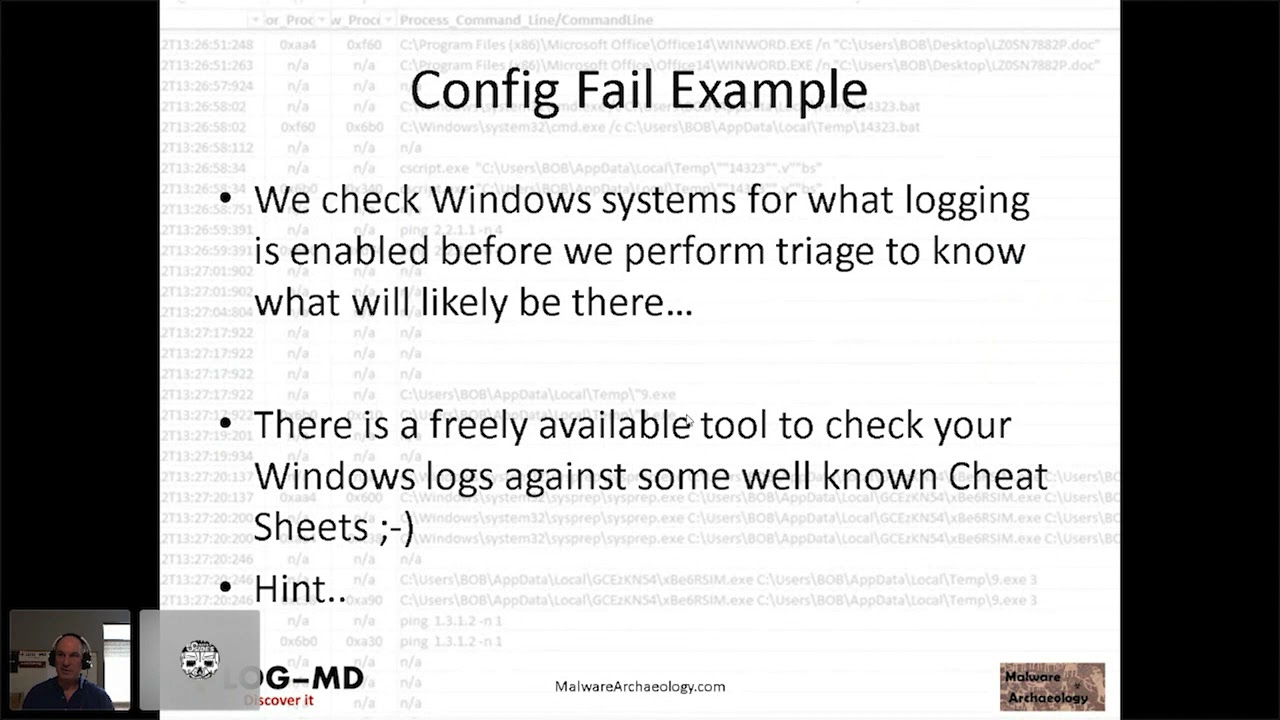 58:39
58:39 38:53
38:53 51:46
51:46 47:47
47:47 30:07
30:07