Poor Usability: The Mother of Invention (Converting a proprietary OTP gui to Google Authenticator)
Show transcript [en]
thank you very much appreciate everybody coming for you know what in hindsight is probably the least exciting topic title ever so we'll try to make that up with some material why I want to be here today is you know I've been doing security for quite a while and I have the fortune of going to a lot of conferences and seeing a lot of really great talks and for me the greatest talks are not the ones where they always just drop the tool and they do the demo I like learning the story about how how someone got there you know because I think there's often the tendency to think wow that person's just naturally genius and you know there are natural
geniuses and there are people like me who just Google for everything constantly and try to make something work so I think I hope that there's a value in there in in the storytelling you know and I want to share a couple key points about you know what I consider you know to be good usability good security we're gonna talk a lot about you know some tools there's tons of live demos so you know that always goes very well never has a problem so I think we'll it would be the same here and you'll see QR codes up if you want to scan the QR codes it's fine they're not connected to anything there are demo codes you could play around
with the quest defender soft token or you could play around with Google Authenticator if if you like so how is it that I come to be here today principally because of a piece of software that is just absolutely I would say unusable especially for non security people it's called the Dale formally del now quest one Identity defender product it's a one-time password system you know that has obviously a GUI a way to present you know one-time password for multi-factor authentication and it has a you know a series of back-end hooks so you can easily add OTP a multi-factor off to let's say VPN or let's say system login and it has you know some nice
Enterprise II type features they support a whole bunch of tokens so they support their own bizarro token has a grid on and you have to select stuff they support SMS token messages they support Yubikey and you know what it looks to be vasco rebranded tokens i mean so they have a whole range of token support and they also support software based tokens right these are tokens that work on android that work on iOS they work in Windows Java even blackberry and Windows Mobile so and that is really this the scope of the talk today that I want to share with you not really interested in the background infrastructure today not really interested in hardware tokens or custom
tokens I'm only focusing on software based token the principle reason why I'm focusing on the software based token is because this has caused me the most pain right so if you can imagine you're an organization and you release you know you get a new employee you give them a laptop and maybe you pay for their phone and you say that's great go ahead and VPN into the network we're just gonna need you to sign up for multi-factor authentication and you might have worked somewhere where they did that well and that seemed okay to you until you receive this email that said download the app and enter approximately a hundred and ten characters on your phone with no error
correction or indication that you have it right until you press the activate button and then it either tells you your token code is invalid or not it's if you remember playing mastermind where you had like six digits and you had to figure out which is the digit well now you have a hundred and ten so horrible horrible horrible and I said I'm a new here but I think I can help you right so we went to make you our codes because the Android version of del quest defender soft token actually supports the ability to scan QR codes so that's great so let's scan the QR code if we select scan QR code unfortunately the token app does not
actually build the barcode scanner into it they tell you go to the Google Play Store and download barcode scanner and install that yourself great usability and then when you do so you realize that in order to activate multi-factor authentication you are now giving a fourth party access to all of your contacts all of your Wi-Fi connection information because that's a critical component of you know barcodes apparently so that doesn't seem right here you know and so that on its surface would warrant further inspection further modification so if we switch to iOS unfortunately the story is even worse because in iOS you're presented with the same crippling usability you know you've got enter in these characters you've got
to hit done and they don't tell you that you have an option to scan right so you know the world's flagship phone ecosystem you know with a 12 megapixel camera is not able to help you import your multi-factor authentication token you must use a third-party QR reader that you find by yourself if you have to create a QR code you have to then scan it you have to extract the activation code by using copy and paste which is universally so easy on mobility devices and then paste it into the software token you know which strikes me circa 2001 right it's just not acceptable nowadays too we can't treat people this way from a security perspective it's
it's not right and you know it it gives security I think a bad name when you're just trying to protect accountants and people in marketing and people in sales and you're making them go through these hoops I mean if the hoops are bad enough that people who are in the information security field who understand the value of multi-factor authentication who know what a one-time password is know the value that it protects and then still choose to like hate the system like this that's a bad sign so what I wanted to look at is hey there already exists a very usable one-time password token keeper it's called Google Authenticator let's look at the token that is
generated by the software token app and let's figure out if there is there an opportunity here is there a compatibility between the data the essence of these third part of these proprietary software tokens and being used in Google Authenticator so I'm gonna say we're going to perform you know what I call you know a little bit of deductive reasoning in airplane mode which means if I turn on airplane mode and the phones have no network connectivity whatsoever I'm still able to import the token and I'm still able to generate valid one-time passwords valid six digit tokens so that tells me that these strings of all lowercase characters through a through Z they must contain the token serial number because
you can see the serial number in both instances right and that's not made up somewhere else and it must contain the data to generate the one-time password we would generally have to stop there but they were also nice enough to tell you that the token type is o'the compliant sha-1 when I say something like and of course we know or I say something that sounds obvious what I'm omitting in parentheses is I googled for this okay so of course both complied sha-1 tokens are an RFC for two to six standard related to kind of h mac one-time passwords right which is the easy thing to google for so i've got a lot of hope you know when i'm starting
this adventure i know that whatever the activation code is has enough information to generate a one-time password and I believe that the one-time password is going to be compatible and compliant with an industry standard which Google Authenticator also agrees to adhere by so I think I have a syllogism here right I equals B B equals C equals C so I think I'm good and my goal for the rest of this talk is to turn that phrase of text characters into a QR code so that it can be loaded in Google Authenticator and I can throw away the old code so and now we're going to do that I'm gonna want to reverse engineer the application well it's an Android
application so what you're looking at is a screen shot of a console accessing a rooted android device right that is like a big google search there how do i root my device how do I get access to log data where does system store information I mean each one of these is as valuable google searching so I run this command adb logcat it dumps the log and i grep for the word token because if i'm really really lucky they really really instrumented a lot of logging and that would be ideal right from a researcher perspective if they said hey this is your activation code this is what we think it is in blah blah blah so
unfortunately they don't do any of that so that's not a value to me so my next step is to look at an android decompiler so if i'm on if i copy the APK file right which is the what is it is the java archive data file so it's a jar file it came from the end device and I know that and remember I know that means what I googled that apk files and jar files are zip file so I'm going to unzip it and now I've got a Dex file okay what is a Dex file well a Dex file is dalvik Dex file right ok very good very good so now I say I do some more googling I'm
saying I'm going to dump this so I'm going to convert this because if I try to edit this file it's binary it's it's not really usable for me so I'm going to look at that I'm gonna I'll call it output that jar then I'm gonna unzip output that jar and great it gave me you know a bunch of text files that should be the decompiled codes that's you know this is a very exciting day and I'm thrilled to be doing this and let's just look at dump text but unfortunately and I you know didn't go to a programmer school by trade this is not the easiest piece of code to digest right a lot of labels that are just you know
random letters and numbers for variable definition you know it's not really goto statements I don't see my common you know I don't see a lot of parentheses this is not code that I not a smart but very lazy man I'm interested in working with so I'm like I'm out okay so then the next thing I do is I say well hey you know I could use Ollie debug because dal quest they make available the Windows version of the java token that's fantastic a ladybug I hear is this great disassembler let you look at all the code that proves even a worse idea for the lazy and unmarked okay so we looked at it I looked at it
there was threads involved there was not common naming constructions and I was like yeah I'm not gonna do that so I just move on right that's a that's a process for me is to try something when it's too hard move on to something else and when that's too hard go back to the first thing and say hey can now can I make this thing work and so they also make a generic Java app so I say okay there's a generic Java app and that is a jar file which we know is zipa below we unzip it and it puts it in the same kind of space so I'm gonna go to crest token DT alright and these are class files and
I know that if I look at class files my eyes go cross-eyed because they're not readable so I remember a long time ago I used this thing called java decompiler so I'm gonna run it I'm gonna run it on the same file so we can kind of compare apples to apples and it makes this dot Java all right well okay hey this is pretty usable right so I've got function names that I can understand right so debug probably makes something go out you know hex dump that probably dumps hex code so I'm like oh I'm gonna fixate though I'm gonna fixate on this code for the rest of the of the exercise okay so I so now I'm here what I want to do
is figure out where in the code is the activation code being processed right I could read all of the code find the main right where is the code initialized see that it's probably multi-threaded because it's gui-based and look for the handler that has the activate button and look for the callback that initiates you know the processing of your text but that looks kind of complicated so I you know googled and found a better way and that better way is to use a program called Java snoop Java snoop is a wonderful wonderful tool and it's a Java based tool that essentially hooks in to the Java Virtual Machine and is able to interact with other Java processes
within the JVM all right so I'm gonna start a new process I find the jar file that is you know the Java executable and I start the process up process waits for a second to instantiate and then loads the GUI that mill lets me manage it and say ok so I have this screen here that is the screen that manages Java snoop and I have the application under test here the defender soft token so let's just try it and see what happens just to make sure it's working so I enter the token and I click activate ok activation code is invalid for this platform oh by the way quest defender decided to restrict the activation codes to only certain
platforms but I I can worry about that later so I'm okay what I want to do remember is find out where in the code my activation code is being processed cuz that's the code I want to I want to modify so they make a great thing called canary mode canary mode is a system that you input what you're looking for I'm for the letter e occurring four times and everywhere that that string a string that contains four letter e's is processed the Java snoop is going to dump what function that is okay so see how that works go demo and eee and if you could see that there these are the functions you know first the system
calls activate token then it calls check token then it calls DT check platform that's probably checking for word the platform right so Java versus Android versus iOS D serialized blob and from printable strength so my guess is that the code that actually decodes that activation code is probably this from printable string all right reasonable guess turned out to be right which is probably why I'm now claiming it was reasonable and and I didn't have to like I didn't have to read and follow the code right I used a tool to tell me where to look so that was very enjoyable so we do that so now we're back and we are and this is where we came to right
so we know that from printable string to serialize blob DT check platform check token etc etc now we're going to work our way up back up the stack so to speak so to do that I'm going to use another tool that I searched for because I wanted to write I wanted to convert so I went in to to the code from my jad file and I copied out the section of code and I'm trying my best to understand how does it work how does it take these lower case alphabetical not alphabetical but alphabet characters and turn it into something that that means something to the the token I wanted to write a utility that would convert these for
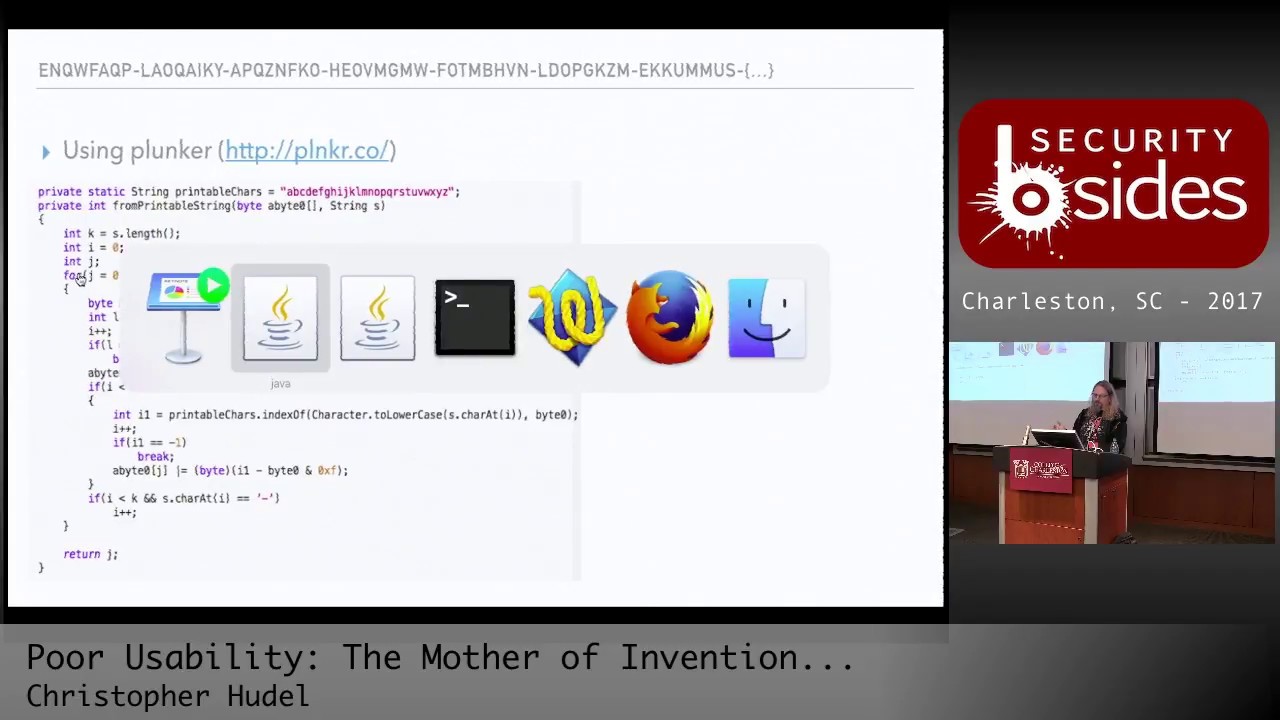
everybody to use and I wanted to write it in JavaScript mostly because JavaScript and HTML could make a reasonable GUI without much effort on my part and it could be self-contained right I don't want a release code that like uses a web service to receive your activation code and give you the QR code right that might be a poor security architecture decision so I'm going to use a piece of software called plunker if I'm pronouncing it right I hope so and what plunker is is it's kind of like a little mini rapid prototyping engine alright so for making code that executes in in JavaScript right so it has an index file it's going to execute the
code in this script and this script I've copied all of the code from the jad file and I've added a little you know hello just to make sure that this works and I'll just click run and of course I learn that these things are not generally compatible right if I if I remove the comments from my java code this will not compile all right but what's great is for someone who maybe is not a programmer it's highlighting all the errors for me right and so I'm saying well ok you're defining a private static string I'm gonna Google for how do you define strings and I'm gonna learn the JavaScript just use of the word var and I'm generally correct
because the GUI made that red x go away right this is natural compliance engineering you get rid of the red X right so I'm private int ok it's actually a function so I learned that that is the word function still has problems because I learned that JavaScript doesn't cast very very czar doesn't apply casts to values so you have to get rid of things like string because it's going to figure out the type itself and that goes away so I go through the code and then I'm probably gonna do some stuff like this console dot log J right I mean I'm not a complicated individual I use printf as my debug right you could use gdb or you
could just use printf so I go through the code and I just keep running in till I get something that works and eventually I'll come to the realization of something like this I'll just output everything and you can see up at the top of the slide is the activation code so you can follow along on the right-hand of the slide I could see for the first loop the character was the letter e the index of whatever that is it's the number for the second character is the letter n the index of is number 13 and then the value whatever that is a byte 0 is Oh X 14 that appears to me to be made up of the first value 4
and the second value 13 simply represented in hex so I follow this along a little bit and I'm able to discern the pattern what is the algorithm here right it's the algorithm turns out to be relatively simple you have letters A through Z that are numbered 0 through 25 that looks like a common like Caesar cipher right you just have a letter it's going to become a number and then in and kind of two blocks at a time each value is it becomes you know the high and low order bits of a byte of a character right so 0 for D is made up of 4 which is the letter E and 13 which is the letter M
and then the tricky tricky part of those folks at Dell or Quest is every other pair they add 10 to it so all I have to do is subtract 10 so if I look at the letter Q Q is 16 subtract 10 is 6 that becomes 6 W is 22 subtract 10 is 12 that becomes C and then it repeats you know a is 0 becomes 0 and 50 etc so I'm able to now you know write some code that is a little more intelligible than just copying and pasting from Java into the system and I have looking going up the stack so we did this code we did from printable string and we were able to
decode it so we check we decoded the activation code what is left to get at the contents of the system well there is on 4 fortunately some encryption right said encryption key get encrypt soft digest I look at the code there and look at the jad files and it's 400 lines of code there's a lot of math there's bit shifting I mean these are things you know that I try to avoid okay and especially trying to go from Java to JavaScript with a bit shifting and a lot of XOR and stuff it wasn't a good recipe for me so I'm like there has to be a better way so we'll just Park that and then there
appears to be a couple loops so there's one loop that has an install key and a DES decrypt okay then there's something that is a loop that XOR is a value okay XOR is a common cryptography hiding thingy and then it does it again and makes a loop again and then it makes a different XOR with a different value so what I want to do is use Java snoop and another tool that I'll showcase called cyber chef and I'm gonna learn that a couple things one without even you know really having to learn what do we think the encryption algorithm is it's des right because they named it des decrypt right and I don't think I meant that des
encrypt the data for you right so it's definitely des and it's it's interesting it's eight bytes at a time because you can see in the for loop it's plus eight you know it's it's I equals I plus eight right and that tells me you're going eight bytes at a time and how am I gonna figure out the key I'm going to figure out the key using Java snoop so in order to do that I have to use another capability in Java soup called adding hooks so I'm gonna browse for the functions okay and I'm browsing for the des function no there we go hold on here there we go and I see that there's install key so I'm gonna add a
hook for install key I'm gonna add another hook yes and the other co hook was des decrypt write for DES decrypt okay hooks our capabilities in Java snoop that let you tamper with the parameters or tamper with the return value there's no return value so it's not letting me tamper with it I don't really care to tamper with the value but I want to learn what those values are because I know you know from you know I think this is now common knowledge right to encrypt and decrypt something you need ciphertext the part that's encrypted you need a key and you need an algorithm so I think install key might be the key just a wild guess and the decrypt
function is gonna have to have that information in it so let's go ahead and enter an activation code and see what happens all right so we'll go demo nine activate great so I'm at my first install key so what do I do I edit it and I copy this value I am just you know essentially opening a notebook where is it there we go essentially opening a notebook and sang install key is this value okay and I've gone ahead and kind of done a lot of this you know it's like Betty Crocker right you you never see her make the whole cake she puts it in the oven and just magically comes out so I copy the
install key all right and I go back to go back to Java snoop oh great okay now I'm on des decrypt and I see some more values okay okay so I copy those values over to TextWrangler and I could see those are my values what's interesting is already I can see some commonalities this is my decoded key and this is the text this is the these are the bytes that are being sent to the decrypt so it's clearly what's happening is des decrypt is going to decrypt the ciphertext that I decoded it's also a nice win because it validates that we were doing the decode function properly okay so I accept the changes I go
through can I look at the next install key I copy that I paste it down here don't know that there's is there anything interesting here the kind of is hey look some bytes of the install key are now the first set of bytes of my decoded key that is very interesting so I'll copy the DES decrypt function value and then I'll do that like one or two more times I'm always trying to just figure out you know I'd say higher-order function what is the system doing how is it doing it well in order to figure that out I've got some data now I have install key values I have ciphertext values and look at this the second time
I call des decrypt the first eight bytes are no longer the eight bytes of my decoded value this suggests to me that this might be the decrypted value so if I can get some kind of program to take the key to take the ciphertext and produce this output I think I'll be well on my way to figuring out how this works so in order to do that I'm going to use cyber chef cyber chef is a fantastic fantastic product it's free and what's really great about it is it lets you I say rapidly prototype modifications of data right so I could do this I could say I want to go I want to take something to base64 and then I want to
make a hex dump to hex dump and then what if I type this in you know it gives me the hex dump right and it's they call it recipes because you're a cyber chef worlds I mean this tool is just awesome it's open source and published okay and they have which is great because I did not care to write an encryption and decryption functions they have des decrypt so they have the decryption function for me I don't I need Python I don't need you know and if I code something up myself I'm almost always confident that I made a mistake so if it doesn't work I don't know if it didn't work because I'm a
horrible horrible programmer which is a truism or you know if I'm misunderstanding something so as much as possible I try to rely on other people's code to validate sometimes they're wrong though which we did which I did learn so let's go back to round zero install key is this value okay so the key goes here and it's in hex format I mean that's super easy I don't have to do much you know which is stuff something in there and the input is the ciphertext right and what I'm going to do is I'm going to say look I'm only going to input the first eight bytes because only the eight bytes changed right why make more work
for myself it's um you know I just want to be simply so I'm gonna take the first eight bytes a ciphertext and one two three four five six seven eight yep so now there's a lot of variables and configurations for des decryption as simple as it is so I might play with some of these values and say hey okay if it's CBC mode it's definitely not that padding that's not getting me a result oh that's okay so that didn't go very well also I want the output to be X okay so I did get some value there and remember the value I'm looking for is for 107 so if you see for 107 let's let's stop okay
so I'm going to say okay let's find you know cipher block chaining I think that's cipher feedback mode I'm not getting my code counter mode not getting a code output feedback block cipher maybe not working ECB none of these things are working okay that's that would normally be bad for the demo but I've expected and anticipated this all right so what what could some of the issues be well if I look at Mikey Mikey is actually 16 bytes Dez quick Google search is how many bits of strength 56 but they technically use 64-bit keys and it's just sloppiness that drops it to 56 so I only need 8 bytes so the question is is what 8 bytes make up the key well
I know if I go to the end of the file and I remove data my output doesn't change it doesn't change because only the first eight bytes of being used so I know that the information is not in the first eight bytes or would have already given me an answer so what I'm gonna do is just delete two bytes at a time you'll see my output change okay but I'm not getting the code I want so I just keep holy right so that's good because now that was a good positives for dramatic effect right because now I have with the key and what turns us to be the last eight bytes of the install key variable I now have this input that
generates f10 7 9 f8 3 DAC 6 so I have successfully recreated in other code the decryption algorithm that's really cool all right that's really it was a good day when that happened so we can repeat those steps but in the interest of time I won't but we could XOR right so the other thing is we could use we could make sure is this really working or not so they have an XOR function right and the XOR function goes what's the value a a right ok and of course the output is hex so I have to go from hex which makes binary data i XOR the function and then I go to hex and now this would be the first eight
bytes through the install key des decrypt loop and the and the next XOR and then I repeat this for the next install key loop and it turns out they use a different algorithm not a different algorithm but they get the first eight bytes a little differently but it doesn't matter because my approach still works and now what I'm left with is the decoded activation code the cipher text we know of what it is because we decoded it the key is very simple the key is that blob that first eight byte blob plus the rest of my activation code so they're using the activation code the kind of decrypt itself just slid over eight bytes right
which you know if you think about it maybe that wasn't the only option they had because they had no network connectivity they couldn't exchange keys etc and it the code has to work on every platform so that is what they have and that this is the DES decrypted plaintext if I repeat these steps I now have in that long text those long hexadecimal values that is the completely decoded activation code that's fantastic but it doesn't really help me enough and yet what I'm looking for is remember I said the token serial number is probably in there and there has to be data to generate the H Mac one-time password where is the token serial number well I
know that the token serial number is three oh five three whatever but my activation code when decoded went decrypted it's not in decimal so I just used Google to say what is this number in hex and I get this value Baker six zero two three David zero four do you see that value anywhere in here yes and no you see it but it is Indian I just say it's Indian because I always get my bigger little mixed up so I just abstract it to say there's an Indian Asst about the data which is the case and I can see the second to last 4 bytes appear to be where the serial number is okay so it's great
cuz all throughout this exercise I'm getting like a positive feedback loop from the research telling me I'm probably on the right path because the serial number was there the last byte 82 is probably just an integrity check or checksum that just seems something that programmers can't help themselves from doing okay so I want to take this now and figure out where is the secret data that generates the sha-1 H Mac one-time password so to do that let's just take one little sidestep to do a little further google research into h OTP right i mentioned it was this RFC standard it has components that are shared secret that generates that and it's counter based right the other common one-time
password compliance system is totp time-based time-based is technically the same as HT OTP except the counter instead of being like 1 then 2 then 3 the counter is like the number of seconds since the epoch you know divided by 30 or 60 all right so the counter it's still the same function it's just how they calculate the counter and then we want to make this work in google authenticator so we have to do a little more to say you know the base 32 the key has to be based 32 encoded alright that's good to know and the C is the increment encounter that's just a number and truncate google authenticator while completely compliant with the standard actually only supports
the six-digit version of these codes so that's just stuff I need to be aware of so now I want to say how can i generate these these tokens right so my goal is to figure out I've got this amount of data these are the bytes somewhere in here must obviously be my token right the data that generates the one-time password I don't know where it is so I grab a very quick Python script I actually made the Python script minus the imports and I basically say I'm gonna go through you know starting at byte zero and for one bite all the way through the end you know through all the bites I'm just gonna calculate one-time
passwords over and over and over again make five make the first 500 TP calculations and save them to a file and then when I grab for my token and I find the x and y values I'll know positively the start and stop of the secret fantastic it would have been better if it had worked okay so that didn't work all right which happens you know from time to time all right and so that we have to throw away I also tried nd in this right so I tried just you know the serial number was ND and decoded right so it would make sense you know that they might do that too so there's a script in there where you might say I
calculated the endianness but literally I just wrote that wrote the hex bytes backwards it had the same effect right and that didn't work either so now remember I can go up the stack and I could figure out actually what is the secret right I'm using Java snoop so why the heck don't I snoop it and figure out what the actual bytes are and compare it to my decoded value all right so let's go ahead and do that so I'm back in the Java snoop land and accept all the changes all right so I'm at a problem I threw my google searching and finding freely available activation codes for research did not find an activation code
that worked for the Java client so I don't get the ability to generate the one-time password but I have complete control over the application so I might have an end right so what I'll do is if I go up the stack if you remember here right so we do this there's this you know what does it do activate token calls check token check token is a boolean I didn't even have to google what boolean metz okay it's true or false so my guess is if it's false it didn't check out so I'm gonna modify that and see if I get some joy all right so I'm gonna add a new hook I'm gonna look for oops I'm gonna browse
the SDK this is where it is oops and I'm looking for it was check token right I miss it [Music] check platform no I don't think that's the same one hmm well yeah it wasn't in DES so that's good one I'll tell you what we'll just do bill just oh actually you know if I was smart I would just go here look at the code go one over and they got play get the nice visual effect okay all right I get there later all right so here yeah it's in quest doc token right so I had the wrong class all right so easy mistake anybody could have made it I swear all right so we add a new hook and I'm
looking for I already Fred ja token right and it was [Music] no I wouldn't forgot it again quest quest star token dot Java dot token now see I see see I went too fast everybody quest token dot Java dot token all right cuesta token that Java but took a quest token okay yeah so that's it all right and I've got it's a boolean I'm looking for boolean check token name nice try but that's not it boolean check token okay so add the hook and there's at this time I want to only tamper with the return value so okay very good so I will do that enter my activation code demo Shazam click activate and the value is false
I am gonna change this to be true now in the interest of time I'll save the 30 minutes it took me to figure this out if I click true and click accept change it won't work because the GUI wants you to like exit the cell that was not a good day for me when that happened okay because I thought I knew how programming worked you know even a little bit and that didn't work so but now Shazam there's my token nine one seven six two two I know since I've generated a token I've clearly generated a one-time passcode so let's make another hook add another hook let's go for word one time password algorithm and generate OTP
fantastic and look it even has a series of bytes and you know some numbers so I'm like it's gonna be a good day I think all right so go here we're going to tamper with the parameters I'm just gonna refresh my token and there are my values 6 2 2 D 7 4 etcetera etcetera etcetera which turn out to be right here alright so I know exactly for this token what value was used to generate the OTP and I'm able to lay that out and now I'm able to figure it out right so I have for whatever reason they dropped 3 bytes out of the stream all right and then the rest of the bytes so it looks like I
think maybe 20 or 40 bytes long there looks to be some unused space the night at least didn't figure out there's a platform type so seven is Android we know where the serial number is etcetera so all I have to do is take this binary data and if you trust me that I that this works there's a base 32 encoder and I just put that in there and then I generate this one-time password right that is the secret URL that if I make a QR code will generate otps that are compliant and synonymous with the defender tokens so let's see how that works in practice we'll go to a demo i used plunker to build this
assist right so and I learned a lot about CSS and divs and blah blah blah okay cuz previously my HTML is limited to geo cities versions right which was just h1 h2 maybe B for bold alright so we've we've stepped my game up considerably and so I've got I put in this Android code I've got some fancy debug output and I know that my token value is nine one seven six two two and I generate the Google Authenticator compliant token that's awesome okay that's really really good I went ahead and made some other enhancements because as ah-ha as a counter based token this functionality is great when you get the token when you get the activation code
and you say I don't want to use del defender one-time blah blah blah when he was Google off because I use it for AWS and LastPass and I don't know World of Warcraft I use it for everything so I don't want another pieces crappy software so you got to figure out where is the token value and every incrementing value you can see the token value changes and the QR code changes so if you know the token number right which is available in the view token information you can get that but you could also be really smart and say if I know what a token is if I enter that I'll know that that is counter value 537
so I provide in this utility a way for you to enter your current token on the defender app enter the activation code and I'll generate for you the QR the QR code that Google auth will map to to an activation code that you can use inside Google auth and you can throw away the poor usable defender token which is fantastic a couple of gotchas about that right is that you have to be careful you can't use start using two tokens at the same time right why is that anybody right exactly the counter will go bad on you right and you'll see this in my lessons learned I had the pleasure of doing that to myself because I was
refreshing too many times and I became out of sync with the server and I had to ask for another activation token and maybe there were some questions around what I was doing so you know generally generally you want to avoid that okay so that was the demo and it worked so now a couple takeaways you're looking at because I think of not enough I was serious when I think oh not enough people you know showcase thank you showcase the steps they took to get where they are this is a word cloud of all of my Google searches that led me through the exercise today I put on Twitter this morning like a short video of the actual searches I looked right
and I would say it's humbling right to see a grown man claim that he had to Google for what is 13 and hex all right but this is how we make improvement all right so you know how do you write a for loop in Python every time I write a for loop in Python I have to Google how to do it so whatever all right good security requires good usability I would say it as information security professionals we have got to stop making people go through the nine gates of Hell to authenticate to VPN all right it's it's not right and you know security has to be easy to use to be secure all right
get out of this you know we need you to hop and dance in some ways to take away was this was easier than it should be there was no code obfuscation all right there were plenty of sample tokens to play with right a Google image search for vendor activation code and I got enough tokens to play with I didn't actually code a whole lot of this stuff up the des function the OTP function the QR code generating function even the CSS file came from the World Wide Web right so it's very easy for me to make this work and in some ways and honestly in honesty I made this harder for myself right so I
used old tool sets that I was familiar with at the time dad is like your father's decompiler okay because there's Gen X now and it has a GUI it let you see all the code at once it does a much better job I talked about the token drift even cyber chef is being constantly maintained so you know you know organized plan upfront would be good there's always a security trade-off right a lot of people use the time based tokens because your phone is NTP aware because the telephone network requires it the backend server is correctly timed because they require it so it's very easy to use time based tokens and you say well only a fool would use a
hardware counter well maybe but you got to understand is if you steal a time-based token the victim never has the opportunity to learn that if you steal a counter based token they may cause the drift so there is a plus and minus two different token types I think the last takeaway is activation codes or secrets and they must be treated as such just because quest defender says it's only good in Android and it's only good in our app and it can't be used anywhere you might have a researcher who's upset a bunch of poor usability and discovers that's not the case so maybe you shouldn't email activation codes all your employees because then a breach of
the email system now breaches the multi-factor off last note I want to make is about reverse engineering because we did kind of peel away and look inside of something and I highly recommend you know I'm a big time supporter of the Electronic Frontier Foundation and they have a great website and a great article about reverse engineering and they also can make available legal advice and I had a great experience with them in this regard so I encourage everybody before you go taking something apart you may want to understand what your risks and liabilities are and that's it and this is on github so it's my first github public repo where they wasn't trying to fix somebody else and it's called open
fender which was probably a better cooler sounding name the topic and any questions no I'm sorry I should have looked yes that's a great question so the question was just for the camera was when I was doing the demo there wasn't actually any reference to the initialization vector I believe that there is actually no initialization vector it's just in cyber and cyber chef if that value does not exist you get a different result than if you then any value so I could have put the letter Q in and I would have got the right toko so don't really know you know why but my get my belief is there's not an IV in the decrypt function it was an artifact
I had to inject into a nuance of cyber chef to make it work great question and good pickup yes great any other questions will you all oh yes
I have no idea they're entirely welcome to run a Google Alert for their own company name find out hence the conversation with other people but but great not also a good question I don't know what their response would be we'll find out yep very good alrighty you all were a kind and gracious audience to host me thank you so much hope it comes across that I love this stuff and you know if anybody wanted to work on stuff together you know I would be more than happy to do so and thank you all for your support [Applause]
Related talks
 36:12
36:12 43:49
43:49 27:45
27:45 40:50
40:50 45:56
45:56 47:48
47:48