Modern Web Application Vulnerabilities
Show original YouTube description
Show transcript [en]
hey everyone my name is carrie hooper i'm here to talk about some modern web application vulnerabilities uh first off thank you to the b-sides dfw staff i really appreciate you all and also i appreciate you the viewer thanks for coming and thanks for viewing my talk first who am i said before carrie also go by hoop i'm on twitter at uh no pant root dance i'm a red team analyst i have some offensive security certifications also assist p and i like fishing both types and some golf and i love building things regardless of whether it's virtual or physical so why why have this talk why listen why care so over the last year i've done some
deep dives into some some modern web application vulnerabilities specifically things that i've seen both in the wild and in clients i wanted to have a deeper understanding of all these bugs and also the applications themselves so i ended up building a platform i like python so i built a a vulnerable platform in python in order to implement some of these bugs because in order to better understand it i figured i'd want to build it myself and play around with it also i'd have to come home every night and my mind was filled with all the oauth top ten you know injection cross-site scripting uh all these new vulnerabilities that i was learning and i wanna share with my significant
other she had no idea what i was talking about so i decided to build these into some sort of demo application to showcase them to her and better explain what i did how i did my work and and what i was excited about when i came home so in order for this uh this dem these demonstrations that i'm going to demonstrate today i built them into this web server it's on github at the link below i'll distribute in the discord server as well this is a program written in python specifically the cherry pie module some javascript and html in there but mostly mostly pretty much in python there are three pdf modules that were utilized and we'll
get into more of those later so that's what you'll need at home if you decide to replicate these with these bugs but also built it into a docker container it's also a docker hub if you'd like to take a look so what are we going to talk about for the first is angularjs template injection second is unsafe pdf generation and the third is the man the bootstrap man and the middle vulnerability and also the importance of hsts which is http strict transport security headers and also https everywhere so more and more uh there are application security trends of three main things one the reliance on client-side frameworks hence we'll talk we'll talk about xss and angularjs
also more reliance on integrating third-party tools server server speeds are getting faster and also they're getting cheaper and cheaper as companies move to the cloud so the server load isn't as much of a big deal anymore as it was 10 years ago therefore application designers can input these third-party modules without any additional decrease in speed or efficiency of the application therefore we're seeing a lot of this plug and play behavior especially the generation of pdfs which i've seen more and more as i've investigated this vulnerability and last as the network attack surface is shrinking uh network security parameters are being more hardened uh we will see more and more client-side or or attacks as evidenced by the the data
breach investigation report from verizon phishing is becoming a greater attack vector but i believe we'll see more man-to-middle attacks especially with all these misconfigurations so let's get started so angularjs who's heard of it i'm gonna give a chance for all the hands to get raised all right i see i see some hands i see some virtual hands there we go so angularjs for those of you that might not know is a front-end javascript library what you really need to remember is that it makes things pretty it makes things beautiful in the browser it runs runs client-side or runs in the browser it's also open source and was created by google in in 2010 it is different though from technologies
such as angular vue react they they do very similar things they're all generally mvc frameworks model view controller frameworks and they run in the front and they run in the browser now it's very confusing angularjs is not to be confused with angular and when i talk about these vulnerabilities all these vulnerabilities are specifically in angularjs so when i say angularjs it's everything below version 2.0 angular it's everything above 2.0 and there's a big difference between the two it's not easy to upgrade at all there's actually a complete revamp of the framework and that that actually contributes to why this vulnerability is still present in a lot of web apps today if you think about some of you might have been on teams
developer teams upgrading from jquery or upgrading from like php5 to php7 it's uh it's a big deal it might be difficult to upgrade it might be more importantly costly for application teams to to upgrade and everything breaks if you try to use that that new framework you really have to rewrite things from from the ground up so as a result development teams will use this older framework even though it has some of these some of these weaknesses once i started looking for angularjs once i started once i knew what it was i would find about 50 of the time they'd be using the newer version of angular and 50 of the time the older version of
angular all right let's discuss templating as well so angular uses this concept called templating and we can use this as an example of seeing seeing what angular might look like say you right click in the browser view source what exactly are you looking for well one angularjs will have will have ng directives and they'll look they'll look like those attributes if you look at the body attribute ng-app ng-controller these are all attributes which cue in at the angularjs library to pay attention to those you also see some script imports in this case it's importing the the angularjs uh script as well as references to app.controller or scopes all these are angular like things and and you may also see these in the
other front-end frameworks too that's how you know you're dealing with this mvc framework you'll also see these templates which are delimited by those curly cue brackets surrounding message in this case and we'll talk a bit more about how templating works so template injection so these templates are are present within the page and the javascript library replaces those on the fly with that javascript logic some of you may have heard of server-side template injection maybe maybe not i encourage you if you haven't look it up look up on payload all the things let's google it there's a ton of good write-ups on that but essentially in server-side template injection user input is handled unsafely by the server-side templating engine some
examples of this would be twig jinja 2 or velocity however in client-side template injections the exact same thing untrusted input is being handled by that client-side library by javascript but it's also being executed by the the templating engine so the result for server-side template injection may be as bad as uh what i'll give you a chance to think in your heads what what might it result in some of you might know rce remote code execution you can execute code on the server but in contrast to that client-side template injection remember it's javascript only if you can execute javascript the result is going to be cross-site scripting so through this injection technique we're able to inject
javascript into the client browser into the victims browser a lot like reflected or stored cross-site scripting so putting it all together angularjs template injection deals with templates there are certain expressions that are delimited with these double curlicue brackets and these are replaced at runtime the javascript library is accessed and that that object and attribute of the object are replaced at runtime now this attack was uh introduced by mario heydrich in 2016 also also works for cure53 so six years after this front-end framework was actually created mario came up with with this injection technique and the reason why this works is because he was able to access objects within javascript and draw off their primitives in order to
construct payloads that would that would result in client-side code execution now angular actually the angularjs team introduced a sandbox to to help prevent some of these attacks after mario gave his talk in 2016 2017 september 2017 they came up with a sandbox which attempted to limit the scope uh in which these javascript objects could uh could operate so since 1.1.5 this sandbox was running um and and for those of you that might not know what a sandbox is it essentially limits um the scope that these angular objects had access to so it couldn't access any of the critical objects such the document or the window since since the sandbox was created there are multiple multiple
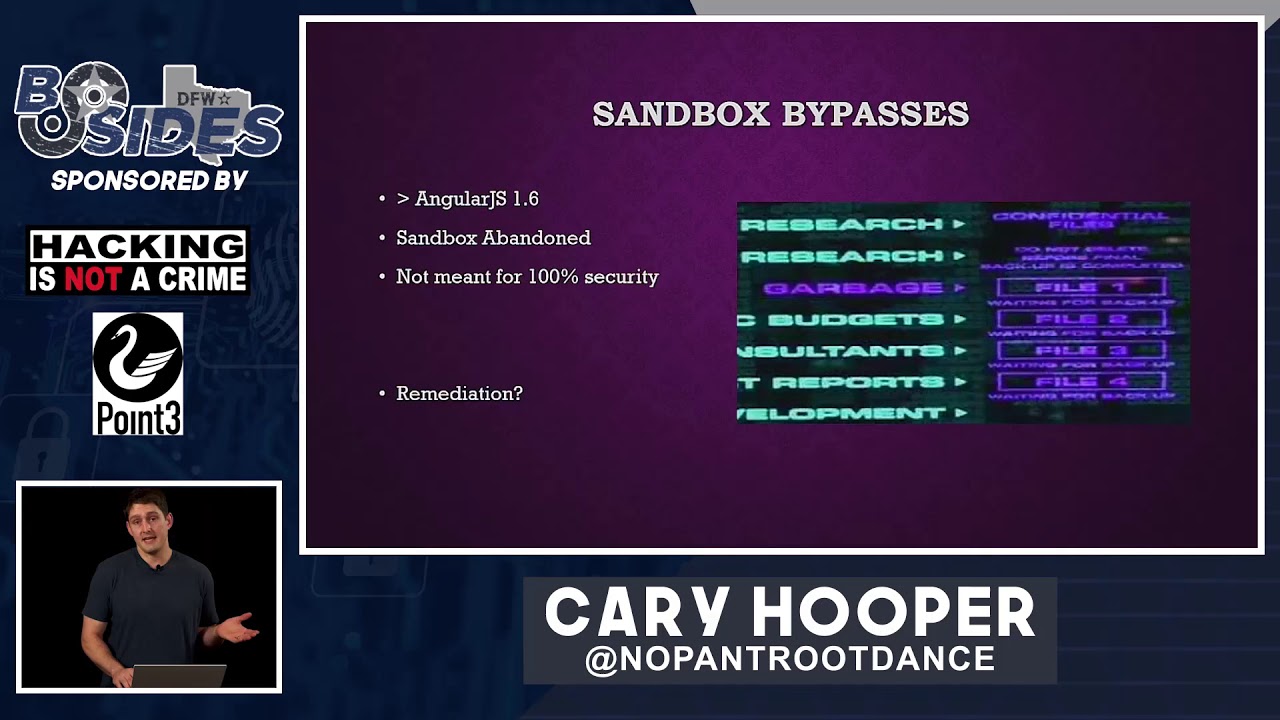
multiple sandbox bypasses i've got i've got this link i'd encourage you to take a look at this article great article great link containing all of the known at least all the ones that i know of the sandbox bypass of the angularjs now i don't pretend to know exactly what all of this javascript means the crit jan horn created one in that bypassed the sandbox in 1.2 gareth hayes in 1.3 and ian hickey in 1.5 and all of these were just ways of breaking out of that sandbox context in order to access that primitive javascript objects in order to execute code i would highly recommend gareth hayes b-sides manchester 2017 talk awesome awesome explanation if you guys
are interested in more research and finally uh version 1.6 bypass came out mario heydrich the original creator came up with this this primitive bypass constructor dot constructor which was the the the nail in the coffin for angularjs and actually after this the angularjs team didn't even create they didn't implement the sandbox anymore they threw it away and basically threw it in the garbage so that why were they able to bypass this in so many different ways that's mainly because javascript is weird javascript is so weird anybody who has programmed uh in javascript knows this so uh brian heisel presented presented this topic in besides augusta 2018 and he talked a little bit about quote lists strings
and javascript types and in the top box there's the the exclamation point with two square brackets now javascript interprets that as the boolean value false it also interprets just regular square brackets as an empty array or possibly an empty string and he showed that by concatenating them together by adding those together in javascript it actually equals the string false yeah javascript's weird so with the string false you can then access this the string primitives or the string functions you you can uh call this from charcoal method and come up with many many different ways of executing arbitrary javascript code someday i hope to understand exactly why all of these are the way they are if you know let me know i'd love to
learn a little bit just understand javascript is really weird and many times there are dozens of way to ways to accomplish the same thing so that's why there are many javascript bypasses the sandbox was eventually abandoned and the angularjs team said that it wasn't actually meant for 100 security and so what's the remediation we'll talk about that after the demo so this is my angularjs app it's a hello world type app that basically takes in one parameter from the url a get parameter and it places it within the uh within the dom pay attention to those three uh red boxes this these are these are hallmarks of an angular app you've got the ng directives
you've got the angular import you've also got references to controllers and scope you can also detect this with a really cool tool i want to introduce called wapalizer it's been around forever some of you who are pet testers might know about it but it's a it's a browser plug-in that plugs into both firefox and chrome and it can detect exact versions of certain things running on websites and it's great if you're doing bug boundaries as well anyway so this this application takes in untrusted user input and puts it directly in the into the page some of you might see this and automatically think hey that's some reflecting crosstalk scripting right there let's let's test it out all right
i'm going to mirror the screen and let's check out the demo so i've got the demo here this is a this is the app running on localhost as i refresh the screen you might be able to see those templates reflecting within the page for that split second the javascript hasn't executed and then the template is visible to the eye obviously we've got some reflection going on this burp suite would call this reflect input reflected within the html we can change the the name in order to change the name that's presented in the page but what evil things can we do with this well some people might try putting in a script tag in order to try to execute html but
as we see the script tag didn't execute it was just reflected into the page looking at the source we might we will see that ins that the uh the application is putting some input sanitization in place it's actually sanitizing those angle brackets and replacing it with the html encoded ampersand greater than semicolon so how do we get around this we can get around this with angularjs xss so by crafting this angularjs payload which bypasses the sandbox for 1.6.9 we can execute an alert within the application whereas we wouldn't have been able to before with with standard payloads
all right moving back to the presentation extend
are we good cool all right so what happened uh we weren't able to use those standard payloads this this was meant to mimic some php type functions like html special chars or html entities which would normally sanitize effectively that user supplied input but using this front-end technology we were able to bypass those traditional cross-site scripting remediations and actually execute script within the context of the user so we talk about remediation user input is always evil this is a this is a hallmark of application security you know i think 6 out of the 10 of the owasp top 10 deals with this untrusted user input and when i talk about user input i'm talking about everything from
parameters not just parameters but cookies user agents headers everything everything should be untrusted until it's properly sanitized and vetted the more that i saw this front end framework the more that i tested for client-side template injection and angularjs xss and i started seeing it everywhere i maybe it was attribution bias maybe not but i started seeing this in app after app after app and even um even one of the technology giant's flagship apps i saw this and i found client-side template injection normal sanitization doesn't always work to remediate these and that's why front-end frameworks have to be kept in mind the user experience is is always king and it's uh it's going to contribute to
these front-end frameworks being used more and more in the past so user input is always evil that's one of the themes of the stock next i'd like to talk about the next class of vulnerability unsafe pdf generation this wasn't intuitive for me at first but again much like angularjs or client-side template injection once i saw this and understood the vulnerability sought more and more in applications all over both in my organization and on the internet so as as server resources are not as much of a priority uh web app complex web app web application complexity has been increasing and increasing increasing developers got a sticky note on on the to do board uh it's so much easier just
to plug and play a third-party library and and get that functionality within your app rather than build it from scratch so so we're i believe we're going to see more of our reliance on this especially for something as complex as pdf generation which may require the parsing of websites and html however the inclusion of these third-party libraries may also include those security bugs or or short-sightedness on on the um from the developers and the security teams maybe maybe they didn't uh think about the whole picture before including these in so in order to talk about this i first need to discuss server side request forgery i know many of you may be familiar with this already but i'd like to like to
discuss just make sure we're all on the same level so typically in a service i'd request forgery the client or the browser is able to send a certain request to the server and cause that server to make some sort of other request usually this is an http request so if i can contact the web server in the cloud and cause it to make an http request that would be a an example of server side request forgery and so what can you do with this you can you can bypass firewalls you can scan ports it also allows you can also access localhost data sometimes secrets sometimes aws metadata this was uh showcased in the capital one
breach a couple years ago capital one's cloud platform was able to be uh completely taken over at least their cloud account was taken over by server-side request forgery in the cloud so ssrf can be incredibly powerful um it's it'll it'll i believe it'll fall in with the os top 10 specifically a1 injection and orange sci really took this to the extreme to demonstrate how big of a deal ssrf can be in the form of protocol smuggling i encourage you to take a look at this blog after the presentation this is one of the screenshots from his blog he's able to chain together four different weaknesses in order to result in code execution on the remote server now i don't expect
you to understand all of this but just i'll give you the high notes here the first bug in red is a harmless ssrf it's constrained that is the uh the the url uh encoded um the ur the url encoded resource was just kept as such and wasn't treated as bits and bytes it wasn't url decoded however he was able to chain this with a second ssr of bug in light blue and there that was an unconstrained bug using that unconstrained ssrf he was able to manipulate that with the use of url encoding and that your the url encoded bytes were decoded by the server and then he was able to smuggle that additional protocol in
and eventually resulting in unsafe serialization uh unsafe deserialization in a ruby gym highly encourage that blog post one of the best i've seen well two two security researchers uh both at the time i'm not sure if they still do both of the time work for for hacker one they presented on this topic in defcon 27 owning the clout through ssrf with pdf generators this was ben sadagapur aka namsek and sarah brochus aka dakin and they did a really good job i'd encourage you to take a look at that talks on youtube as well they they discussed they discussed a story about how they were able to they were able to hack a ride sharing app they found that the ride sharing app
put in or gave them invoices in the form pdfs and their user input was able to be was was taken trusted and put into that pdf and they were able to manipulate the html that was being rendered well they figured out if they were able to manipulate the html they were able to possibly inject script tags or break out of style tags and eventually they found the ssrf they read the manual extensively on the actual pdf generator that they were able to find which uh which i believe was was was wheezy print the one that they exploited and they found they found these bugs they were able to own the entire cloud environment by accessing the metadata
strongly encourage watching their talk so there's many pdf generators online just google free pdf generation online there's a good chance that they're going to be generated on the server side and i would guess that many of them are vulnerable pdfs are everywhere users love pdfs app application teams love pdfs i guess our society is just in love with pdfs i see them everywhere so uh how how does it work generally well in order for a pdf to be created either there's either going to be an image that's going to be put into the pdf format or it's going to render that html and there's two ways to do this one with html renderer and one with a
headless browser i'll get into both on the next slide or two just a quick google search for free pdf generator where we get to 242 million uh that's that's a lot of results so difference between a headless browser and html renderer headless browser is generally like a browser without a gui some of you might have heard of puppeteer headless chrome those are the ones that come to mind and it typically executes all the javascript to correctly render the page now on the other hand an html renderer it parses the html without without the logic of a browser engine and typically i say typically because sometimes they do that typically doesn't execute javascript however for both of them when they're
rendering pdfs untrusted html is bad and at a minimum if parsed if parse untrusted html it can result in ssrf and also xss cross-site scripting which is execution of javascript in an app may result in javascript execution on the server side which has some strong implications that technically would be remote code execution so i've got three examples i want to walk through i've got three examples that i'd like to demo the first is using an open source library called wk html to pdf this this is the app that will be used on the background it uses a rendering engine called qt webkit and we can use an image tag if we inject an image tag we can invoke
an http get after all it has to reach out and it has to reach out and grab that image in order to include it in the pdf so if we have it reach out to a server under our control we can reveal the user agent in this i developed a quick and dirty python script echo user agent dot pi it's on github if you want to if you want to steal it or make it better however i'm going to use that in this demo in order to to show that we can reveal the back-end server-side pdf generation technology with that user agent and causing an ssrf to a server we control here's here's an example of this and
specifically that shows the wk html to pdf within the user agent and sometimes even it gives a version we're gonna do both these uh so what else what else can we do uh let's let's show and let's show in a demo how bad this can be i'm going to take it off presentation mode let's go one sec please let's duplicate let's let's check out this ponies via pdf generation so this is the app create a pdf right generate a pdf we in this case we show the the front-end technology wk html to pdf however most applications won't actually do this so let's catch the user agent in order to figure out what we're dealing with
here first you might test the functionality see what happens in this case as in as is the case that i've seen a lot the pdf will be stored on the server if the pdf's not stored on the server i've also seen it stored in the cloud and in some sort of storage bucket be it aws azure or google cloud platform so let's uh let's test this with a primitive payload to invoke that server-side request forgery name it test two all right we've got h1 tag in html that's that's a header right it should be it should be big and bold and then we've got the image tag down below and the image tag is a reference
contains a reference href to a uh to an image online in this case it's cat well once we generate the pdf look at look at the pdf we should see a picture of the cat that tells us that the server went out and grabbed that image of the cat and put it into that into that pdf so we've just caused the server-side request forgery and that's the most primitive is is just catching an image or getting an image in an image tag but we can use that by requesting an image in a server under our control we can see the user agent so here we go we're going to localhost which i've got a listener on
on port 80 capture user agent as soon as we generate that pdf we should see we should see the user agent and this will be a whole http request all the script is just parsing that request and putting a user agent to the terminal and here we go there's the user agent there's wk html to pdf
all right but how can we take this further what what are we worried about what is our nightmare scenario with the server side request forgery now this is just an html renderer so what we can do potentially is access secrets on the server itself that may not be accessible to anybody externally it may not be accessible to anybody except for localhost and this is a way to to expel secrets from logos but also from the intranet because there's a good chance that this server is in a dmz and it has special access to internal resources so we can do that with an iframe we can put the source of the iframe equal to a privileged resource just for this demo
we had a slash secret and then we submit that the pdf generator is going to reach out grab that secret and then render it within an iframe let's see how that looks oh yep outside frame and we've got the secret right inside so this is one example of uh pwnage we can we can reap with just wk html to pdf which is html renderer all right let's move on changing the screen again all right all right what's the next baby we can kick oh this one was kicked before at defcon 27 this was weezy print this is called a visual rendering engine and uh wheezy prints a uh is called on the website a smart
solution helping web developers to create pdf documents easily it's really easy to install it's a pip install however it does have quite a few dependencies most of those dependencies are already satisfied on linux however with windows it's a bit involved to get those libraries on on board please reach out if you want to try to replicate this i can help you through so in this in the in the exact same way as before what we want to do is try to try to extract the user agent we're going to figure out what's the back end technology so in the same way we should catch the user agent just as easily as using echo useragent.pi we could send we could
catch a response say in the burp collaborator if you're if you're a burp suite pro user or or any other of those third party services and you'll be able to see the all the headers for example not just the user agent so here we see the user agent is wheezy print luckily the developers give us the actual version as well that's real nice let's uh let's see how how this could look now there's there's a little bit more to this demo and and i want to surprise you all because this is not intuitive at all and this is the coolest part of uh the defcon 27 presentation owning the cloud in my opinion so the same manner as before
we see user print let's catch the user agent we already know how that it creates a pdf we've got that running already let's take a basic user agent payload create a pdf all right at this point the browser is going out and it is uh excuse me the back end weezy print is going out and grabbing that thinks it's an image and uh we capture the user agent wizzyprint47 now one of the cool things about weezy print is that it gives the developers the ability to include local files this is not intuitive at all so given a crafted payload we're able to include a local file as well i want to show you here that the the iframe payload doesn't
actually work with with this particular um headless browser the iphone just shows up like like garbage well let's try to include a local file in order to do that we're going to use an a a tag in html also called an anchor tag and i've got the payload right here let me paste it in
so uh during the def con 27 research ben sadegapur and sarah brochus found that by reading the documentation that this was actually possible that they were able to include these local files using the href which is a reference to a local file on the c drive when the pdf was generated it was it actually showed up as as a link however the file was embedded inside the pdf let's see that in action i'm going to use a a script i'm going to save this this pdf locally then i'm going to use a script that goes through and parses the pdf object extracts all of those encoded objects within and then decodes them and hopefully we'll be able to see the file
that was embedded inside the pdf first i'm going to save it locally
and then after that we'll uh we'll decode it and there's no encryption going on here this is just a a flat deflate encoded file and here we see the uh the password file that happened to be on this in this temp directory really cool right now uh i mean in a terminal is cool and all um let's let's move the terminal out of the way and we can see by clicking on the actual link in the pdf document you uh you'll be able to see that we can download the file directly from the pdf with that uh with that file href there it is really cool all right moving back to presentation mode all right we just saw this um in this
case we got wind.ini um great now example number three this is where it gets super cool i don't have a demo for this one but i'd like to show you in uh in these screenshots so chrome headless chrome who's heard of it uh probably half of you actually everyone in this room great oh wow we got some all right here we go we got some tackies in this room all right so this is basically just chrome.exe with the dash dash headless flag this was shipped by default in chrome 59 and 60. so there's a good chance if you're using chrome right now you can use it with the headless option and i've actually seen this more and
more in web applications specifically chrome because it's so easy it's plug and play so you can invoke it with this command chrome tactic headless tac tag disable gpu they recommend disabling the gpu on windows i don't know why and then the print to pdf option goes out and it sends chrome to a website or a local html document and then it creates a pdf out of it and this is a full featured headless browser so this is how it might look in the when we catch the user agent it will actually say headless chrome it doesn't use the traditional chrome user agent which i think is pretty cool and it renders the pdf like that as a
non-existent image so this is a full feature browser this can do everything a regular browser can do so what can we do with it can we do job javascript execution so when when submitting this javascript to to the pdf generator chrome is going to go take that html try to parse it see that there's a script tag try to execute that javascript and as a result document.write is executed within the pdf you can do a lot more than with this and i'm i don't have i probably don't have to explain to most of the audience members we now have code execution on the server in the form of javascript so you can do things such as
utilize the request api for example in this in using the the fetch api the request interface of the fetch api we can create web requests this can request an internal document fetch it and then with that do something with the response for example you could take you could then take that response send that out to an exfiltration server you could send that to a burp collaborator instance you could send that anywhere you want and not only that you could do this programmatically and try to access all of those internal endpoints hey maybe all the all the ports on those external and internal endpoints and you could really wreak havoc especially especially given unbridled access to uh execute javascript
on a server that is in in the dmz there are some limitations of that browsers have internal security mechanisms one of those is called the same origin policy or sop so an origin in http is is a tuple of a scheme a host name or domain and then a port and those three things all make up an origin now the same origin policy says that javascript on host a cannot go out and access a totally different host if they are of a different origin it can't go out and access information and bring that back in so that that's enforced by the browser specifically so how do we bypass the same origin policy how do we how do we
bypass that well there's this nifty little tool called cross origin resource sharing so crop cores or cross origin resource sharing is a relaxation of the same origin policy and it uh it allows resources to be to be shared between different origins now there's many different ways to to identify a misconfiguration in cores but a few of them are reflected origin or having a null origin or just a website has access control allow origin header which is just metadata with a with a star symbol i'd highly recommend uh any of those those of you interested in this to go to the uh the pentester sorry the web security academy uh there's some excellent course challenges there
so there are often many times ways a ways around this and these can be achieved through this javascript execution on the server there's also a thing called dns rebinding which can get really nasty and i'm not going to go into it here because that's a whole nother talk and i'd love to give that talk some other time maybe maybe at a hack fort worth or a dc 214. so dns for binding essentially tricks the browser into violating the same origin policy and it does this with a malicious dns server and javascript execution this allows access to private networks by tunneling traffic through the the victim browser which is essentially a zombie browser and it's it's a really cool attack not
only that there's been a number of tools that have been released lately specifically ncc group singularity that makes this extremely easy whereas before it took minutes now it's taking seconds so remediation for this untrusted pdf generation so i would recommend creating these pdfs within a client within a client-side library if you're not parsing the html on the server these vulnerabilities can't can't occur also don't trust user input that's again one of the themes of this presentation do not trust user input sanitize and prevent this from from getting ingested directly by the html renderer next and finally i'd like to talk about the bootstrap man in the middle vulnerability and the importance of https let's start
with a quick primer on like what a man in the middle looks like think to yourself close your eyes go to your happy place and maybe think of a think of a man in the middle what does it look like all right well we've got one here on the screen this is an example of an arp spoofing attack if you're on the same lan as a victim you can impersonate the router another one might look like a wi-fi pineapple like a hack five wi-fi pineapple another one might be your isp or internet service provider passively collecting traffic or collecting what you're looking at online the next is a an https decryption utility which many many enterprises used for security
purposes that pat that decrypts that tls traffic and then re-encrypts it for inspection and then perhaps maybe a legal man in the middle maybe an fbi court order or a freedom of information act no patriot act that's it there's a really cool example of a man in middle vulnerability uh released in 2005 years and years ago now maddie aroni the i think he's still president of offensive security came up with his blog post the tiny url is is in this in this slide i'm not going to get into this attack because i don't think we have time but i'd highly encourage you to to go out and seek it it involves spoofed udp packets resetting the cisco ios
router configuration enabling tftp and then reconfiguring it to make your gre tunnel with with you in the middle in 2009 moxie marlins bike at moxie i released a tool called ssl strip at black hat 2009 really cool tool um so this this allowed uh this made man and middle attacks so much easier for https traffic has anyone heard of this maybe yeah this is a nasty tool this is essentially moxie trying to defeat session encryption or that that https encryption well he found that he was able to insert himself between a victim and and the server by matching and replacing uh by taking advantage of that first http request that came in which is in complete plain text taking
off the http put it on the https and then forwarding that to the server they would then uh he would then forward that response from the server and give that back to the victim and and this was a really smart tool and it made man in the middle so much easier so let's talk about http real quick http headers when you send over when you send a http request to twitter what does it look like you have some sort of verb a get post to delete something in in the first line and remember this is all part of the http protocol you have some sort of resource that you're looking for and then the the
protocol and version in response you might receive an http response code and in this case 301 means moved permanently and then a bunch of data back in the form of headers and all all you need to remember is that headers are just essentially metadata in this case the location is extremely important because when paired with 301 it tells the browser to redirect to another resource in this case https the secure resource so the browser makes this next request to twitter.com a whole bunch of other headers are returned but one specific one that i'd like to talk about is the strict transport security header so strict transport security max age and let's let's dissect this a little
bit so http strict transport security also called hsts if you want to read the manual it's rfc 6797 and it allows sites to declare themselves accessible only via secure connections so breaking this out we have the the header and then the directive which is the number of seconds to abide by https in this case it's two years includes subdomains directive that means this applies to all the subdomains as well and then the preload directive which states that this value should be pre-loaded into the browser so once this header is returned to the client the client will no longer use unencrypted methods it will only use encrypted https and that's how powerful this is because it
effectively prevents man in the middle attacks barring some sort of certificate or or encryption vulnerability that could just shatter the entire ecosystem so for example let's talk about homedepot.com as a case study user visits homedepot.com and an http request is sent if you type that into your address bar press enter if you've never visited that site before http unencrypted is going to be sent home depot is going to go back redirect you the browser is going to go grab the https the secure version of the site and then you're going to receive the response back that's how that's generally how the flow goes however next time you visit homedepot.com the exact same thing is going to happen that first request is
always going to be unencrypted next let's take a look at cdc cdc does it a lot better on the first request the cdc user types in cdc.gov they want to figure out what their uh what the latest guidance is on covid an http unencrypted is sent they respond hey 302 you need to go check out the the browser needs to check out the secure version of the site the secure version of the site is retrieved and then cdc sends that back in an encrypted channel uh all of the content but with that extra hsts header and that extra hsts header instructs the browser and the browser saves this hey never never again go out and reach
out for http don't go unencrypted always trust me in an encrypted manner so when the user returns to the site the next day because he forgot the guidance already that browser will refuse to send that that unencrypted request and instead it will only send that encrypted request thus protecting the user especially if the user is on an untrusted network such as a local lan copy shop wi-fi etc there are many examples of hsts misconfigurations i'm not going to get into all of them but they're widely misimplemented on the internet one example is microsoft live.com for example if you visit live.com it redirects you to https outlook.live.com ola and it issues the hsts header so why is this an
issue well strict transport security or the hsts header is counted per domain and the sub domain is not the same as that domain so when that hsts headers response is responded it only applies to outlook live.com so client's going to make an unencrypted request every single time they put live.com into that browser bar so live.com is put in the browser bar an unencrypted request is is made they're redirected to outlook.live.com they go out get the encrypted version and and they're sent back uh an hsts header however the next time the user visits live.com this hsts does not do its job because that hsts header is never applied to live.com and only unencrypted requests will be
made because of this in this configuration this might happen when a user gets a new browser it might happen when users use a private mode in some browsers or it might happen when the user has it's our first time visiting a site but this is documented in the rfc actually it's called the bootstrap man in the middle of vulnerability it's been around for at least 10 years this has been published for 10 years and it's a known issue there's only one way that i i know of preventing this we'll get into that in a bit so potentially right today an attacker could could man in the middle a a live.com visit on an untrusted network
using ssl strip still 20 years excuse me 11 years after moxie released that tool so the solution to this is hsts preload preload is a mechanism in which these hsts sites can ship with the browser the browser is downloaded and it's automatically stored it's in the code it's in the repository as long as the site meets certain specifications includes subdomains has safe redirects and the max age is sufficiently high if this site is pre-loaded if a domain is pre-loaded no http sites will load no unencrypted sites will load at all even for internal sites so watch out if you want to do this on your corporate network however i would highly recommend https everywhere all right hop on over to the demos
duplicate the screens you can check yourself and i actually love to to show this one you can check yourself within a browser and i'm gonna show you the developer tools this is exactly uh as as we saw before go to cdc.gov and that first request is gonna be unencrypted if we look at the network tab go to cdc.gov
and click on the request to see more more about it click on that first one and you can see with the lock with the slash through it right there that's an unencrypted transmission now cdc correctly redirects the the user to or redirects the user agent or the browser to that https site correctly issues that hsts header and then the very next request will be encrypted
let's show the hst is preload hsts preload can be uh can be viewed on hstspreload.org it's a chromium project and the chromium team thankfully assembles all these domains into into a repository and they actually ship with with the main browsers the main browsers being uh edge firefox and chrome i'm sorry i mentioned edges as part of those big three i had to anyway we can check this at hstspreload.org it's got the submission requirements but more importantly you can check if your organization's domains are safe or not for example if we type in cdc.gov it states no they're not pre-loaded and this is why it's doing everything right but it's just not issuing the preload directive we put in live.com there's a
number of issues with that the redirect one there's no hsts header supplied for the https version and the http doesn't redirect correctly so this is a good way to check and audit your website to see if it's completely safe i've put in my website hooperlabs.xyz into the preload list so it actually shipped with every browser and i think that's pretty cool so when we actually go in the browser to my website the first request even though the cache is cleared even though even though the history is cleared first request is always secure and i think that's pretty cool
all right let's move back to the presentation
all right remediation so what can we do to prevent this type of attack we can implement hst as preload but preload means security everywhere inside your organization and out and this mitigates many man and middle threats it protects your users not just the server but it protects your users and it requires one single header to be sent but it can do as much as protect every single user on an untrusted connection this concludes my presentation these have been three classes of modern web application vulnerabilities thank you besides dfw thank you for watching and i look forward to your feedback and i look forward to answering your questions in the discord server once again i'm carrie hooper thank you
Related talks
 22:50
22:50 53:01
53:01 26:10
26:10 31:31
31:31 49:29
49:29 1:12:41