BSidesBUD2022: Github Actions Security Landscape
Show transcript [en]
guys hello everybody good morning we are ilya and alex from cyclode and in the next 45 minutes we will present our research on github actions internals including how we discovered and disclosed critical vulnerabilities in popular open source projects that were using those actions so on the agenda we will talk about what are github actions and why it's such a powerful build system which kind of misconfiguration it can have we will understand the consequences by exploring its internals and we will speak about possible mitigations so my name is ilya i previously worked as a developer and are in the team leader on the ips product in checkpoint i later on moved to fireglass a security startup which
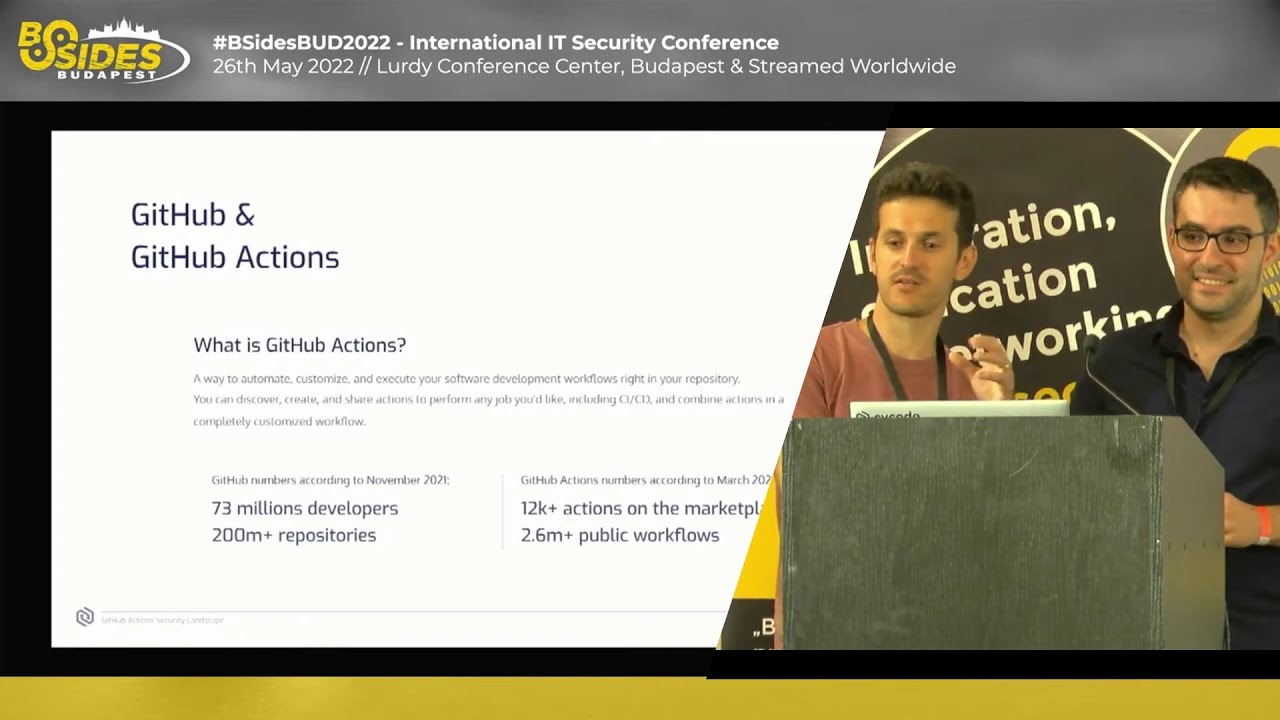
created the first web isolation solution and currently i'm working as a back-end technology lead at cycle and i'm alex silgaiv i'm a senior security researcher at cyclode previously i were investigating malwares at checkpoint research a reverse engineer with some interesting piece of malware both crimewares and apts and at the moment i'm searching vulnerabilities and researching mitigations for the software supply chain security that's it okay so you all know github and its code storing capabilities and in 2018 they stepped up their game and decided to create a cicd platform called github actions which allowed its developers to automate their development workflows it really became very popular quite fast and mainly due to its rich marketplace and currently it holds more than 2 000
public actions on it marketplace and also provides free free ci cd for public repositories according to the their numbers github currently has more than 73 million developers and stores more than 200 million repositories so what are the possible usage of github actions the main usage is cicd as i mentioned for example running tests on open pull requests or static analysis you can build your code into containers and upload them to a chosen registry such as docker hub or ecr you can schedule tasks that will scan vulnerabilities in your code you can use it to automatically label issues and pull requests you can send issues to ticket handling systems and much much more so here's an example of a github action
as you can see it is just a yaml file that contains when and what to run so in the you can see their own uh keyword which means that this action should run upon every push every new push to the repository and it contains a single job in the single step just to print hello world to create this workflow you simply need to put this code inside dot github slash workflows and that's it every next push will trigger that workflow so let's speak about a little bit about how it works so github runner is an open source project that what it connects to the github action service fetches the jobs and then executes them it can run on a github hosted machine
which is the popular use case and you can also run it on your self-hosted environment the gita boasted runners will run as a thermal environment which means they're created upon a workflow triggering and will be destroyed after it ends and for each workflow a new temporary github token is created for the possible api interactions so be before we talk about the github token itself a few words about access tokens in general so in order to access and modify github assets you need to provide an authentication token that details your permissions so as you can see here when creating a token a developer can choose which permission the token will have which are basically a subset of the user's
permissions uh inside that specific token so i as a user can have access to many organizations and many repositories and this this token will basically provide those permissions when i use them another thing you can see that these tokens can be created uh with with or without expiration which makes them a lot more strong meaning that these tokens have a privilege to do a lot of damage and it can even not expire at all so github when they designed their github actions they really wanted that developers would not use those personal access tokens inside their workflows so to overcome this they created something called github token and the github token is provided for every workflow that that starts running
its default permissions are read and write for most of the events and the permissions are only for the repository in which the github actions is currently running the token is valid during its action the action execution period or 24 24 hours at most and it uses a default parameter in many actions and is this is the preferred method to invoke github api functionalities an important note are forked pull requests which which are basically used when uh contributors want to contribute to some open source project they fork the repository and create a pull request with the suggested changes and if you think about it if that specific repository has a github workflow which for example runs the cic
test or static analysis this the developer can basically use that github token with the right permissions to modify the content of the repository by committing via api or stuff like that so github has different mitigations for forked pull requests but the basic one is in those scenarios the github token receives at most read permissions so these scenarios won't be possible another core mechanism in github are the secrets so any meaningful cicd workflow will need to use some secrets for example aws access tokens or or passwords for registries and gita gives us the option to store secrets they save it in a well encrypted manner and if the workflow wants to use them it decrypts and adds it to the to the
payload of the workflow there are several options on how to create secrets some of them are on the organization scope on a repository scope or even a repository environment which we will talk about a bit later and here's the first example of a vulnerable action so the sample workflow you can see that the keyword is on issue created on opened this means that this work will run every time i will open an issue in github for a github repository you can see that it has a single step which runs a script and an important note here are the curly braces that are used throughout the script which allows developers to use dynamic parameters in their workflows so github provides
parameters on the event triggered for example the issue title and the issue url and also the github token that we discussed previously and this specific workflow basically checks if the title contains the word bug and if so it performs an api call and adds a new label of type bug to that issue so this looks innocent enough but let's see how it can be exploited on the right you can see an issue title that we provided for that workflow and on the left you can see what happens when it is actually executed this title is planted inside the curly braces that we saw before and you see here that the if statement is is not
non-existent it's it jumps over the if and then runs a code on the runner itself this example just prints cycle to the screen and the fact that this crafted issue uh knows how the workflow looks and it knows how to start the if and how to finish the if in in a way that the syntax is is valid and the workflow runs so is it a bug or a feature according to github's best practice papers it is well known and they cite when creating workflows you should always consider whether your code might execute untrusted input from attackers which is very nice and very friendly but i'm not sure that all developers in the world start by reading the best
practices documents before they start using the platform itself so we wanted to know how how popular the usage of these batters are we used a tool called github search and which is currently in beta but it's a very nice tool you can just add keywords to the search here and it will search all public repositories in github and will return the results you can sign up and try it out it's really fast and really nice and you see that we search for the github event issue in curly braces and also the keyword run as you see we have two hits here in which we find workflows that indeed can be exploited in the way i just showed
so is it widespread we saw we found many many a popular open source projects such as liquid base which is a tool for handling database schema changes wire which is an open communication platform and many more and we can see that according to the downloads of those open source projects and the their usage these vulnerabilities are are potentially affecting millions of users so here let's dive a bit into one of the use cases of the wire specific one and here you can see a part of their workflow you can see that it is triggered upon any issue comment and an important note here is that an issue comment is used when you add a comment to an issue and also when you
add a comment to a pull request so github users are using the same event for both of these scenarios and you can see several steps the first step is basically checking that the github that the command body contains some keywords zenkin's review so if we add a pull request comment with the word zenkins review we will go past we will pass this if we go to the next one and here it just checks that whether the comment is on the pull request or not so if it is we continue to the next if here it checks whether the title starts with some keyword then end with some keyword and if it doesn't you can see the two echo commands and
the second one is basically printing out the issue title for debug purposes and this is exactly what can be used to exploit this very popular workflow on the right you can see that after we disclosed this issue to wire they were very fast in patching the problem and it was very simple you simply need to use an environment variable so you see the end at the top storing the issue title in that environment variable and then you can just use that and it is already escaped and the code will not run when you use it in this format so what are the consequences of a build compromise you can expose secrets as we mentioned in order to create a meaningful cicd
pipeline you are probably using secrets so in this way once we we have code that is running on the runner we can use it to expose the secrets to the sensitive assets we can also use the github token the one we discussed before to commit to the repository as i mentioned by default you have read write permissions to that repository so we can create a workflow an inject code that uses github api with that token to commit code that is not really part of the pull request inside that repository in such a way an attacker can really create critical supply chain incidents without being really reviewed or approved in that manner and the much smaller risk would be the malicious
active ability to run botnets or crypto miners using runner infrastructure so in this point i will allow alex to dive a little bit deeper to the vulnerabilities and the mitigations [Applause] yeah so so thank you very much ilya let's dive a bit deeper technically deeper so ilia explained what could be the the consequences of such build compromise and will soon explore how an attacker could actually reach these consequences from technical perspective so for that we created this intentional vulnerable workflow which we'll explore through our example so this workflow first will be triggered whenever a new issue is created it defines the new environment variable for demonstration purposes soon we'll see while we're doing that and it has a three steps
it has three steps the first one doing checkout this is an external action it's using the checkout command which basically does git clone to the code into the runner environment very simple and it has two additional run commands the first one just prints the issue title and description and the second one is run runs a c url to the github api to update this issue a label with a new issue so as ilia showed previously this echo is susceptible to injection attack because they are not sanitizing the the the title and the body so an attacker a malicious attacker could potentially run his code at this point exactly this exact point so what could he who is
fetching in this uh in this sample he could get on the one side connect this this github token and use it for his malicious purposes or he could get this additional bot token which comes later in the strong command and see how we how he does that first in order to er to ease the testing of this random infrastructure instead of creating workflows and testing each workflow when he runs we created some lab environment in which we [Music] made a reverse shell from the runner environment to our personal computer for that we use the popular tool called ngrok which does basically a tcp or http tunneling even if you're behind firewall or not so it's really a really cool tool we just
run the ngrok with the we installed the tool on our computer we run android tcp 10000 tcp is the mode it could be run in each http also and ten thousand is the port in which we want to to listen after running it we received from a android android cloud received this end point which will use it later in their exploitation and then we just create a simple netcat listener on port 10000 and at the end we created this simple bash script which does the the reversal it's you could find the script easily in google so combining all together when we were sending this issue title this looks quite complex but we explained how it really combined when we when we send
this to the github repository and while we get our reversal we have a control on our computer on to the runner infrastructure so we can explore it and find it any interesting stuff in there so we won't overload you with all the reconnaissance with it on that machine you are welcome to check our full blog for that but we found some interesting pieces of data which we'll use later as we as we will show in this in the slides so let's go back to our previous example so first very simple thing an attacker could do if if we have a code execution capability is to print environment variable this simple command and find for some
interesting stuff in the environment variable for example we have this github token defined as an environment variable which the attacker could just print the variable and get it and use it very simple it also happens in real world scenarios not in only our our sample a second scenario that attacker could do is use the checkout command as i said this command just does a git clone to the to the code but it also sends a default parameter which we are not seeing here but it sends the github token as a default parameter to the external checkout this github token is also used as a terminal authorization token for the git clone so wherever we're using a git
the git set tooling also know that whenever you're doing git clone with some token it also saves that token in a that git slash config file so because we are running as an attacker after that checkout was made we can access this dot git slash config file find the authorization line in that file and just pipe it through base64 decoding and we get our github token which it will use which was sent to that action and used to to clone the code so as an attacker we have another method to to fetch this sensitive token this was the second scenario the first scenario is a a bit more complex and during a reconnaissance of the runner
environment we noticed that each run command we have two of these here each one of this before it's been executed it's also is saved on the file system as a shell file and the runner saves it and then executes it so why it is interesting because in our case where as an attacker we have code execution at this point we didn't receive the second command yet so we have only this single run command you could see here as a as we're printing the directory the render type directory which saves this shell file we have a single shell file that contains the same content as this one but instead of the curly brackets placeholders we have the
real values which were inserted as the action triggered so if we'll get this second-round comment somehow it contains also this secret the secret bot token which will be placed as a as a real value which as an attacker want to grab so if we get a foothold on this run comment we also get this bot token this secret but as i explained the attacker have caused execution at this point so how can we fetch the the next one that hasn't been executed yet we have many methods to do that a simple method either thought well off was just putting some persistent script on the runner uh what does it mean it means a simple uh
you know our case was python script that was monitoring this directory and whenever a new shell file is written to the directory this file would be immediately sent to some control server as me as i'm simulating an attacker so i created the server and whenever the new file will be there it will be sent to me so what will be the steps creating a some server that records all the all requests creating some python script that records modified shell script in that directory i packaged it all into some docker container to ease the deployment and i run that container on the runner in a detached mode mapping the volume and and indicating the url which you would
send the file to uh we'll soon see in demo how it works all together so these were the three scenarios we showed how to fetch secrets but there are many many more they were really simple and more sophisticated attackers applied sophisticated methods which we won't include in this in this slides or in the article additional methods could be inspecting the the memory layout of the process inside the runner try to extract some in sensitive information from within the memory it could be a monitoring created processes so maybe the secrets were sent through environment variables to the processes so we can fetch maybe interesting information there and there are many many more methods for further research
so let's start with the demos uh for the first demo we'll show how can we exfiltrate secrets we will do it in two steps the first step will just send our simple github token as we explained through the environment variable and the second phase of the situation we'll put some persistent script on the machine and wait for the second command that will be sent also to our server so let's see first we set up the server our control server and we're sending the malicious issue to the repository this issue contains several commands if first it will call the github token which is the first phase and the second one will run the the docker run as you can see we got
already the first token which were very simple through the environment variable and and we got also the second phase with the exfiltration you could see we have here i don't know if you remember but wherever the complete script that was the third step for in the sample workflow we have the conflict complete the best script including the token contained in that script so actually we managed to get it so for the second demo we'll show how we're able to commit malicious code into the repository without the knowing of the maintainer of that repository for that we have we provided is really simple a bash script that contains it that receives two parameters the first one is the the file that we want
to commit is a url from where we fetching that file and the second parameter is the path in the in the directory where we want to commit the file to it's a really simple script it fetches the file and the does some several git commands like adding the file configuring the the code the committer we can put here whatever we want we want we can impart impersonate other committers and then we commit it and push the code so on the runner side we just we will fetch the script and write it with some a simple malicious file with simulated so let's see that in action you can see as a demo repository with a directory and a file
then we we are adding a new issue
this issue is previously show contains several comments first it fetches the script which uh which we saw previously it gives the proper permissions uh to run on the runner and then he runs it with the malicious file some some simple file uh so we we're going back to the repository we can see we have additional file added to the repository you also you could also notice that the latest commit was made by maintainer name with innocent commit message we have complete control over this data and the fir the third demo will be a bit more complex we are showing an additional concept for a for attack vector up at two to this point we show that we are
exfiltrating secrets that were in that specific workflow but uh there are additional secrets that could be defined that weren't used in that workflow there could be it could be secrets defined on the repository level on organization level they could be used in other workflows not specifically that one it maybe we have some method to fetch them as well how can we do that we show that we have the ability to commit to the to the repository so let's commit a new workflow that all his always doing will be to exfiltrate all possible secrets that he is exposed to so how we do it we'll define this this workflow that that all it does is is a taking all the secrets is supposed
to writing it to that secrets file and then run c url to our some control server but we have some minor issue because we need to trigger this workflow somehow from within our runner github has some it's not security mitigation but they're denying the the activation of workflows within other workflows it's to deny a circle of triggering so we already come with the idea with we're using workflow run which tells this workflow to run after another workflow that called vol will be will be finished uh running and this is the one that we injected in the first place so we are injected as a workflow and we're committing an additional one and when this one is over the one we created
will be triggered automatically by github so this solves us our issue and also on the on the runner side we're just going to run this simple command invoking github api this comment contains the the commit message the email the content this content will be this workflow base64 encoded and we're telling the path in which we want to commit this file to so let's see how this works
first we're set up in the server of course
now we're running the malicious issue command it's quite long because it has has the complete workflow as a base base64 data and it uh as we said running serial command with put i mean with using the github token which we as an attacker previously fetched to to invoke github api we using the contents api of github and adding the path of the file together with a commit message committer the email and everything so let's see what we have received in our server we received the the bot token which we previously get in our first demo from that for the second run command we received a github token for that specific uh repository for the specific run and we also got the
two additional secrets that could be either defined in a repository level used for other workflows or in organization level and this is additional tokens called additional sensitive assets could be aws tokens could be azure tokens and etc this is pretty cool so now we'll show possible attacks and exploitation let's see how can we mitigate it the first mitigation is to avoid avoid any run steps possible for example instead of using this command that is susceptible to injection attack we could use an external action it's called labeler that does exactly the same as this command it also received the title but it's not susceptible to injection it's not always possible but whenever possible it's really recommended to do
that the second method to mitigate this is to sanitizing the input which is probably the most effective method to mitigate this specific attack is instead of using the curly brackets inside the run you just define them outside in the environment variable and use that variable inside the inside the command this is this the this mitigation exactly as wire did as elias showed previously is very effective because we have uh the stronghold just simple best script which does this and it is sanitation uh for us another method for a post exploitation mitigation is to limit the token permissions we can add inside the workflow this permission tag that will define the maximum level of permissions that the github token will receive
so even if will the attacker manage to uh to exploit and run code on our build you won't be able to do whatever you want because you will he will be limited for example in our case we have a we need only read permissions for contents we need to clone the code and we need right permission to issue because we need to update a label so this will be sufficient for our sample workflow another method that's uh effective for the third demo that we showed is to limit secret secret exposure every secret define secret defined organization level could be defined for what repository he could be exposed to so even if an attacker would be able
to to expose it to ex filtered every second as possible you won't be able uh if this mitigation will be applied um and i another minor mitigation will be to require approval for outside collaborative collaborators it's additional mitigation by github the default parameter is to require approval for first-time contributors it's mainly applies for public repositories each if a contributor haven't committed code yet to the repository he should be allowed the manual by maintainers to run his code and the last one will be to use the environment in branch protections it's a second yeah it's a [Music] rather new mitigation by github that the only enterprises github enterprise allows it that gives you the ability to define secrets
on environment level so what will be the takeaway from this talk first of all um even when github does most of the security for you for example it gives you a github hosted runners it gives you ephemeral environments it gives you vm based isolation etc we are wanted to to understand that your build pipeline still could be compromised and you should you should know that the second one is as we've seen in github best practices it does most of it's that some of the the it delegates some of the security to the developer i myself a developer and i know the developers do make mistakes so this should be handled carefully the third one is the the consequences
that we've seen in the demo of such build co promise could be a really disastrous could be it could cause potential supply chain attack for that vendor it could attack many many clients and the the last one is that securing a pipeline isn't a matter of faith in we'll show that github as an example it supplies many security mitigations that all could be applied and we wrongly suggest you to use this as well and that's it thank you very much you are welcome to check the full technical blog in the cycled blog and thank you very much besides for hosting us here a really great conference that's it good question
thank you alex and elia do we have any uh questions at this time yeah yeah okay here we go hey so yeah just one thing came to my mind that what what options do you have to check for attacks happened in the past like does github do any logging or you just search for like tickets with very strange names or like whatever do you asking how to check if you were attacked yeah kinda yeah unfortunately github doesn't supports many editing it has some but it's not very verbose and this entire like ecosystem of ci cd security it's really it hasn't developed yet like other standard security industry so the you know there isn't much of you
to to to know that but that's why we're what we suggest like to to mitigate it from the start not to allow it in the first place and and of course for big organizations this is exactly what our company does it monitors automatically your commits your pull request looks for vulnerabilities such as this one and alerts the maintainers automatically
anybody else at this time okay one more
hello uh so my question is why the hell is github not sanitizing these uh like input fields like it should be shouldn't they yeah this is a terrible question yeah i was waiting for that um [Music] no i had this talking several times they're all asking it because they actually they can't i mean they're allowing you it's code execution as a service they can do that it's not really possible they're allowing you to run bash script they can't do that for you thank you but they can do other various stuff like warning you like telling me something alerting you or something like and they do don't do that unfortunately just as a note uh it's it started like
very raw and people were starting to um approve pull requests from inside workflows so they added configuration whether you can or can't approve uh pull custom workflows and then the open source tools where people just were running the for pull request just running and using the token and then they understand there's a problem and added this mitigation to for the maintainer to manually approve one and then to manually prove everyone so as you can see they learn they they step up their security posture on the github actions but yeah they can't do it like
anybody else well in our case alex thank you very much [Applause] you
Related talks
 47:16
47:16 30:48
30:48 50:48
50:48 25:35
25:35 48:35
48:35 53:45
53:45