There's no place like 169.254.169.254 - (Ab)using cloud metadata URLs
Show transcript [en]
data URLs afternoon thanks for coming out that's my talk today so before we get started let's let's just kick off a little quiz here called uh know your eyepiece all right just shout it out if somebody knows all right cool all right this one should be pretty easy all right yeah ipv6 this ones this one might be a little tougher here's a little clue this is how you get into the matrix alright lastly started a show that's why you guys are here right we're gonna learn about a cloud metadata URLs and gonna cover some basic use cases for them like legitimately and then how you can abuse them so kind of the inspiration for this
talk came from this t-shirt that I've seen a seen different people wear over the years for different cons and stuff that says you know there's no place like one 27.0 that's 0.1 and it's pretty common that most IT professionals know this this IP address so I'm like well you know a lot of stuff is going to this thing called the cloud and a lot of workloads and apps and stuff and a lot of system admins and whatnot are gonna be gonna have to become affiliated with the 169 dot 254 not 169 to 254 IP address so it was just like well we'll just we'll throw that one in there so the whole point of this talk is to kind
of raise some awareness around that IP so a little bit about me during the day at day time I work at Rackspace on our threat and vulnerability an analyst team and we do both mostly vulnerability management and pen testing and little red teaming here and there my colleague Rodney he's going to be doing a talk right after mine about some of the cool attacks that we see Rackspace and some of the cool bugs and stuff that he's found within our own infrastructure in terms of certs I have my OS CP and recently I got my AWS certified Solutions Architect if I had to draw an analogy this would be kind of like your certified ethical hacker for
like the cloud stuff it's a very broad cert that covers a lot of different technologies doesn't go very deep but its AWS specific and I'll talk a little bit later like why I decided to do that I'm probably the world's most mediocre bug bounty person for cynic last year in partnership Rackspace we open-source they distributed em map scanner called scantron that I gave a talk at besides Austin this year you can follow me on Twitter or github there and lastly I I wrote a book called the cyber plumbers handbook and this is basically the definitive guide to SSH tunneling port redirection and bending traffic like a boss so this book is always free for students as long as you have a
educational email but as a token of my appreciation for you guys coming out today I'm giving away free copies as well so I'll keep that up there for a couple minutes if you want to or a couple seconds if you want to take a screenshot of it and then I'll have it at the end too and you can always just hit me up if you forgot it or didn't write it down anywhere see a couple more cameras oh alright last one cool so where does the con where did the inspiration for this talk come from it was kind of last summer so at Rackspace we have a lot of developers and system owners who work with a lot of bleeding
edge technology whether it's in the different cloud environments or with containers and kubernetes and all this stuff and as a security team where you tend to be kind of chasing after the car like hey wait wait wait you got a you need breaks in the car or you need this type of security and stuff like that and a lot of the system owners we were talking to or you know kind of not talking over our head but like dropping a lot of acronyms and words and phrases like I you know I just I don't know what what they're talking about I need to I need to figure out and learn this cloud thing and the second component was a
hacker one report that I came across last summer as well I don't remember how it came on to my radar but somebody was basically able to query a bunch of metadata in an AWS instance through a reverse proxy and at first I was like oh cool I didn't even know you could you could do that with curl to like to go through like a reverse proxy so to kind of level sled on some of the definitions here so you're all probably familiar with a traditional HTTP your web web-based prot proxy so you're sitting in your corporate environment you want to get to a website you know your company forces you to go through some sort of appliance
or proxy in order to prevent you from browsing too bad known bad sites or whatever just think of it with Reverse it's just the opposite so it's traffic that's coming into a corporate environment so metadata is basically just data about data URL you should all be pretty pretty familiar with this Uniform Resource locator and when we combine these metadata URL that's basically a URL that allows you to query and retrieve data from a cloud server so there's a lot of legitimate uses for metadata URLs it's mostly with configuration or management you can also query it to get instance information I'm also in a little bit here I like your IP address your public IP address MAC address a lot a lot of
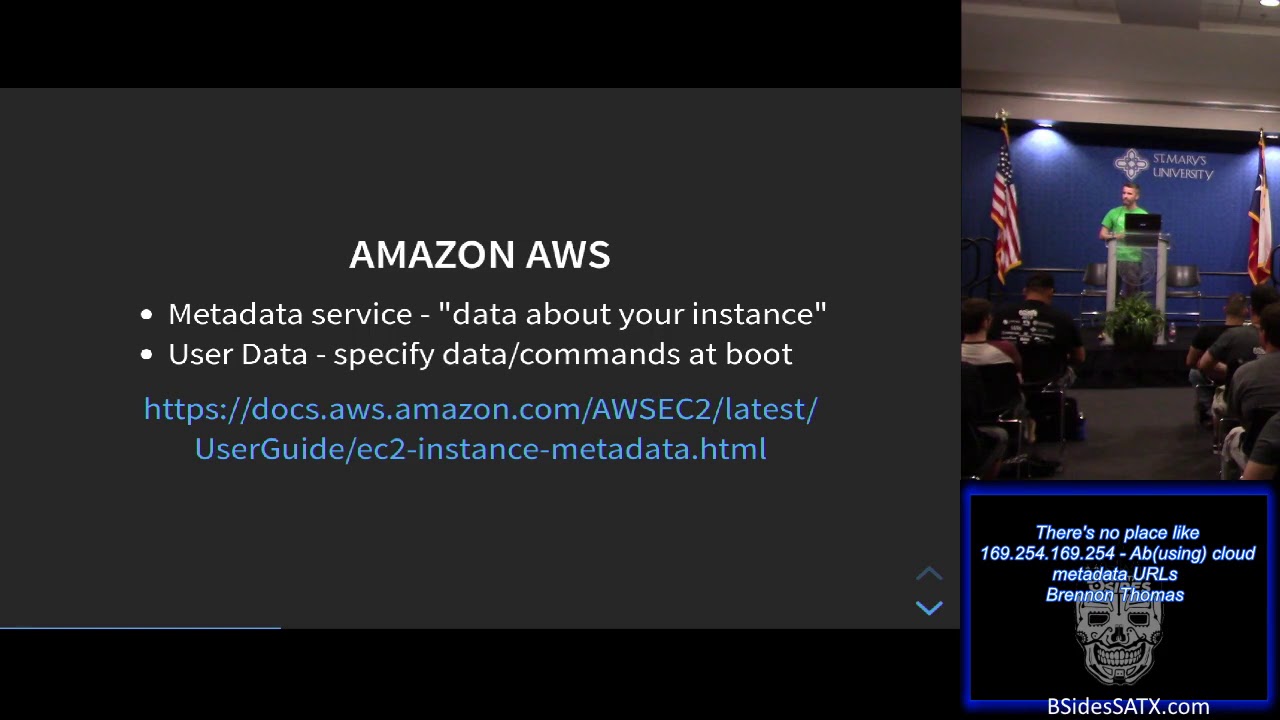
different juicy information you can get out of that also when it comes to scripting with I'll show an example with like in Python you kind of want it you might need to know what available availability zone you are in so you can query the the meta day and pull that metadata and pull that out for your script so it's somewhat agnostic work you don't have to really care where the script is smart enough to come and know where it is in life so Amazon describes their metadata service as a data about your instance so if you're familiar with their ec2 instances they're elastic cloud compute it's basically like a virtual private server or you know your
traditional just server in the cloud they also have something called user data where you can plug in and specify data commands that are executed at at boot time so if you want to run like apt update or app upgrade that's somewhere we can put that information as well
so here's an example of using curl if you're actually on the instance itself in AWS and what happens as it returns a string object and it's not something pretty and formatted like in JSON that's a lot easier to use programmatically and when you look at it it's kind of like a pseudo file folder structure so anything that doesn't end in a slash you can query it and get information in that but if there's a slash it means it's it's a there's folders or information under that as well so here's an example using the photo three Python library and in this case we're trying to determine the the region that we're actually in because we need to pass it to create a
simple Q service object so we use pythons requests to query the availability zone do a little data manipulation on that and then just pass it to the sqs object there so this script can live in any different availability zone we don't have to worry about it breaking or hard coding like you know US East One or something like that so with Microsoft Azure there's a slightly different the endpoint is a little bit different I mean you also have to include a header and API version date however they do return a JSON object so go Microsoft digitalocean so this is their endpoint again slightly different they do provide an option to return a JSON object and one of the nice
things is they actually include the user data in that same endpoint with AWS you have to query two different endpoints so
here's an example and there's a digital ocean so you can see here we have like the ID host name others that included user and the region and here's just retrieving the the JSON endpoint on that and piping it to a cool little utility called JQ so anytime you need to kind of pretty fie or clean up JSON au pot Jason JSON output you can just pipe it to that alright so now that we were kind of familiar with how we're supposed to be using these metadata URLs let's take a look at some of the ways that we could abuse them so about maybe six seven eight weeks ago a gentleman that works for this company called summit route
released a pretty nice little white paper that focused on AWS security and just basically common best practices in order to harden your environment and so you take a look at that and you know the first one there is the publicly accessible s3 buckets and elasticsearch clusters like that the talk I talked about earlier today leaked access keys you know if somebody actually dumps somebody includes them in github or something you could take that and you know obviously do something malicious with it but lastly this one was compromised I am role so these are identity and access management roles through SSR f which is server side request forgery or RCE remote code execution against an ec2 you
last a cloud compute resulting in access to the metadata service at the IP that we obviously care about today so I'll just mention a little bit about server side request forgery so you're kind of familiar with it basically it's when you have a take advantage of a web app that is supposed to go retrieve data from some other URL or something and you you use it to query like itself or query stuff that it wasn't really designed or meant to do there's a cool little github project out there if you want to play around with that and also like a tool to kind of do the the SS RF mapping stuff but that's the most I'm going to be
talking about that today so going back to the kind of the inspiration for this talk taking a look at the the bug bug report for this so this person who's using curl to pull the metadata URL and they were specifying a reverse proxy with the tac-x there and then including this two five six zero three port which isn't really a common well-known port so I saw that and I was like well you know what like you know how many how many like legit reverse proxies arm is configured to allow communication with the the one six nine IP so this was you know taking going after ports that are a little bit more well known to be reverse proxies or at
least proxy ports in general so the first step was collecting data so part of this was I created a just wrote a little Python script I'll have the link to that at the end but the point of this was to go out and actually pull those IP blocks from the various service providers so Amazon is pretty nice and generous that just give it to you in a JSON object so you can parse and slice and dice get whatever information you want with Azure it's the same thing they they publish those so it's all public
and then lastly digitalocean they don't provide these publicly I had a do little copy pasting and command line foo from an IP and photo site right there to get those out so the next step was to do some scanning for the the top proxy ports and the tool I used to decide the tool I decided to use for that was masks can just specifying the ports there one of the neat little things is you can a little pro tip here is you can specify the user agent so if your perhaps a website or something and you don't specify that it's going to have basically mask and in the user agent and a lot of defensive appliances and tools
will see that and block it as malicious so a little pro tip there if you're trying to avoid that so then we're also scanning all those different IP ranges and they're now putting it in a JSON format and with Amazon I think it took about three hours or so so it wasn't too bad against all their whole IP block so once I had that JSON file with all the open all the open ports and our IP IP or basically open ports I used another tool that I wrote for the scantron project to convert it those results interest to an IP port pair to make it a little bit easier so I had a some IP responded on
one of those five proxy ports so the cloud metadata extractor Python script I wrote it collects IPs you can test for vulnerable reverse proxies it dumps all the data it provides just some nice paste the bowls if you're trying to do some post exploitation and then lastly logs all the results for you if you have to go back and you know take a look at it again and I'll have a link for this uppy some of the features it's all it's asynchronous it's really fast again probably took a maybe two three hours on average for each of the different providers retrieves header information and as well as does like a reverse DNS lookup and with the header information
that was to try and glean some get some hints as to actually who owns these IPs because a large majority of them like it was hard to attribute it to anybody that actually owned it it was just you know it's just an IP up there you can't tell who actually owns it and with the reverse DNS lookups that was to take trying to determine the domain that's actually associated with an IP even though I did this I don't think any of them actually had those records so that was kind of a lost cause but in the event that one did pop up it would provide that for you so one of the cool little functions I got to write was to
pull all the AWS data recursively so if you remember it just returns this kind of old-school string object and there's this pseudo file folder structure and it's really hard to you know go through and like pull out the exact data you want so I wrote a little function you just basically feed it a base path and then it just goes and keeps and pull it keeps pulling all that information that returns a nice JSON dictionary for you so here's running that script in action just specifying the provider there so in this case it's AWS giving it the IP port pairs that we we have so one thing I didn't really mention there's another endpoint where you can pull out dynamic
data with with an AWS I coded that and there wasn't really a lot of interesting stuff in it but I didn't know at the time so I was just pulling it it also you can give the option to pull the metadata or and/or the user data as well since those are two separate endpoints with Azure it was a little bit more straightforward just changing up the the provider digitalocean no same thing so is the internet on fire I'd say no maybe yeah so taking a look at this reading this so they're on AWS line they're about two hundred ninety one thousand boxes that came back with one of those top where with one of those
ports open and of those eight hundred and three were vulnerable to being able to access that that metadata URL through the reverse proxy and lastly this isn't really adjusted or normalized for the IP space so you might look like Oh Amazon that's you know they're the worst out of these but you if they have for example like 5% of the IP space then it's really not that bad so it's just the the the numbers aren't animal normalized for that one so in terms of service breakdown I know this is kind of an eye chart here it was just across the board with like different tools and and services there was a patchy in there golang jetty some
PHP stuff I think the big majority one was a lot of squid proxies tornado it's like a Python web framework nginx and then lastly tiny proxy so most of the vulnerable proxies didn't really have a whole lot of juicy information I was able to query like the metadata URL on it but there just really wasn't a lot there but you better buckle your seatbelts because there were some some of them did have some interesting stuff so first up at some sensitive data there were some Salesforce passwords there was a bit bucket repo in there they had a username and password for the Spring Framework which i think is a something Java I mean the hostname that actually
had a domain so that would helped with attribution and like figuring out who actually owns this the security group itself was basically a DNS domain there was a lot of user data that had passwords so in this case when this box fires up they just echoed in a password and change it to root and this is this is not good because you know if they weren't using SSH keys or something like then you have that that root username and password and you could you know potentially SSH in with that this was an application called airlock I wasn't too familiar with it this one had a zip password username and password as well and then there was some random stuff so
if anybody recognizes this stuff just shout it out I'm kind of curious the first one was this Eddie Jay whole script no idea what this was I think I found something last night it was like a facebook messenger PHP plug-in or WordPress plugin or something like that but that one was mostly across the the AWS instances that were scan a DM manager saw this across all the providers dark side black saw that across providers - and park side load balancers I could not figure out what that was if it was a company or what but that one was mostly and only an AWS as well and then a lot of the 80 of us ones
had in their user data this thing called three proxy it was a it's basically it's a proxy that you can go and play with and I couldn't figure out why they all had this same configuration set up or script basically like trying to figure out if it was like pulled from a repo or something or maybe I mean they might have all been the same one but that was kind of kind of one of the challenges is like trying to figure out you know what systems might have been grouped together and the same ones or if they were just you know truly despair at once so for this research this is kind of where I
stopped I just kind of collected data figured out which boxes we're actually vulnerable to this I didn't do any further enumeration or exploitation of this however if you have the authority to do it there's a lot of kind of different attack vectors you can do with this in order to kind of land and expand into their environment so we saw earlier with the root password one of them there was private SSH keys so I could have tried using that on the actual box itself or in their install script they were I think it was actually to their github repo to as well there's a lot of third-party application type stuff here so we saw the Salesforce ServiceNow type stuff
that you could you know test and hypothetically move around and within their different networks so when it comes to privilege escalation and pivoting with digitalocean and azure the the user data was mostly where you were gonna be able to find that that good stuff they don't they don't have a lot of the I am role type stuff that we're gonna see not in the next slide with with AWS so if they did have user data in the in those ones S word you know that's where some of the juicy stuff would have been with Amazon it's a little bit different so we're pulling stuff for I was able to pull stuff from the user data and do
basically identity access management role abuse so an example would be so if you spun up like an ec2 box with Amazon you can assign it different roles and privileges so you could say like this box is only able to write to s3 buckets and maybe read from a queue you know it's like kind of the analogy is you don't want your secretary running as domain admin so if you could if you're familiar with at least concept of least privilege it's kind of the same thing so within AWS you can dump the access key ID the secret access key and a token and when I say dump I make it sound like it's somewhat hard but they literally
just give it to you so you can use those two as part of another analogy think of like passing the hash so you can use those credentials to perhaps spin up new infrastructure or execute commands or you know there's kind of a wide variety of attack surface that's exposed because of that and it's mostly because of these over privileged roles so taking a look at this these were some of the roll names so when you sign up for AWS like you you basically get like a root-level one and they tell you you know don't really use this create a different one so looking at some of these if you saw like admin role or you
know root or something like that with those with those credentials if they were privileged enough you could spin up your own room for structure you could do a whole bunch of different stuff that there's actually a couple exploitation frameworks out there for that the first one is nimbostratus this one it's like five or six years old but I think is one of the first ones out there I haven't played with it too much but it you basically feed it those this the access key so you could access key and token and then you can kind of determine what you're able to see with that the next one is PACU it's from the folks at Rhino
security this is probably like the Metasploit of AWS exploitation so it's a whole framework around that it's very modular you can again do like recon you can determine what level of access the you have they have just a couple different pretty cool modules with that I just started playing with that so I can't talk too much to it though so lastly responsible this disclosure so this was going through manually a little bit doing some corrupt food trying to figure out you know of these boxes that were vulnerable who actually owned them so I could you know let them know that hey you might want to get this is fixed so looking for domains or any clues as
to who the IP owner might be I did manage to determine a few of them reached out through LinkedIn Twitter email and also through company contact pages and anybody that's ever done any kind of responsible disclosure it can be kind of frustrating sometimes cuz you're like oh you got this big problem you should get this fixed then that's just like radio silence so still have a couple cases open with a few of these companies as well but for the most part it was really hard to determine who who actually owned him just based off either the user data or the metadata that was returned you know if I if I take in those EWS creds and started trying to
enumerate more the the account I might have been able to figure out something but I didn't so when it comes to defensive countermeasures first of all just know that these exists if you're setting up any kind of infrastructure in the cloud just know that they exist that you can leverage them for good but also that if you don't know necessarily what you're doing or your application isn't configured correctly that they can be abused again practice least privilege for assigning roles to different AWS instances and services if you are running a reverse proxy make sure that there's no unauthenticated access to any of the maybe even localhost but in addition to the 169 IP there's also you can enable a
host-based firewall in this case here they're denying traffic to that IP unless you're a root so you know you shouldn't obviously run like a web app as root so some of the future work probably expanding the ports a little bit looking at you know TCP 80 443 sometimes those could be used for reverse proxy there's a couple other cloud platforms out there as well Google cloud platform they have like an internal DNS that you can query there there's Alibaba cloud they want to be a little bit different and have a different IP metadata URL IP they're looking at maybe integrating some of this with within the PACU framework that I just mentioned and also IP filtering bypass so you may you may
configure your application to say like whoa yeah I want to block the 169 to 50 for what's called you know the dotted dotted quad I P address but you may not block like the octal IP or the hexadecimal IP or the integer IP which are all valid like if you if you did like a ping of yahoo.com took that IP address and then put it in here and I grabbed a the integer IP and it HTTP colon slash slash that energy IP that will resolve to to Yahoo so just kind of a interesting little tidbit there so lastly I just released the the code actually need to make the repo public so it's probably not accessible
right now but it is like it is slightly neutered right now in terms of the actually pulling the data from these different cloud providers because I'm still working with on some of the responsible disclosure stuff but once that kind of expires in terms of yes I gave you them enough time to to you know fix this I'll make that publicly available so that's it there's any questions there's my email on Twitter also there's the voucher code again if you're looking to pick up a cyber plumbers handbook without further ado that's it are there any questions
coin once twice sold alright thank you [Applause]
Related talks
 30:07
30:07 45:08
45:08 28:16
28:16 23:15
23:15 46:38
46:38 28:50
28:50