for "better" in [training, research, operations]: do Open Stack
Show transcript [en]
make sure to try to get sardar full attention training research operations
okay so that was actually like a for loop FYI it doesn't come off that way when you read it but so I'll just start off with the obligatory about me and this is like pseudo llamo so just take on and get you used to that because we're gonna look at a lot of yeah Mille formant formatted files today so this is just to kind of like break you in slowly but my name is Sarah I'm really happy to be here a little bit about me obviously I love to teach and I love to learn and I've always been able to learn more through teaching because I I just push myself to understand things more and better and
again you know do OpenStack better and in that I'm forced to learn so I like to share the things that I pick up along the way um and and this talk is really about you know using something that a lot of people tend to think is a really difficult thing to use and and I'm not here to say that no it's actually really easy it's not just like any good tool it is probably hard to use and it is probably going to take you some time to be able to use it but an analogy that I've used a few times is if I give you a screw and some boards and a hammer I mean you can get that screw through
those boards with a hammer but that's not really the right tool so OpenStack really isn't the right tool for everything but if you know how to use your hammer and you get presented with you know a bag full of nails then you can do a much better job at doing whatever it is you need to do there's a lot of different interesting applications and I will talk a little bit more about that I'm just from a broad perspective like why would you use OpenStack again it's about what do you need so I'll try to elaborate on that and then down here and I'll make sure that anyone that's interested has this link for later this is the area on
github where you can find the get pages there's a tutorial every that I'm going to go over today is probably gonna be a lot and very fast and I know that you know sometimes you need something to go back on and so there's a more robust write-up of all the different things inside of OpenStack that you need in order to create an environment to work inside of and so that's what this github pages and then also the github repository and it's all public are all the examples that I'm doing today so that you can actually use those and play with those and at the end if you want to come you know get with me
and and just like leave me your email I can get you access to an OpenStack range so that you can actually test these yourselves and and play on that for a limited amount of time I will ask you to sign something that says you will not do bad things but outside of that again all the templates I'll be they'll be there for you to use and replicate what I'm doing or get creative and try to build on those and really you know kind of see what it's all about so again about me trash Panda is the github handle and I'd just like you to know that I I do very much relate to raccoons trash pandas are
adorable cute fuzzy little creatures that for me are like a favorite animal right under cats but I think cats like everyone and I saw a guy here today with a cat on the back of his shirt writing a shark that was vomiting a rainbow so I think I'm in good company I figured I would highlight my my dual love for the trash pandas alright so before we get into how to create the environments inside of an OpenStack project we kind of have to get a foundation of OpenStack what you would use it for I need to talk you through some of the vocabulary because honestly even if you've used virtual machines before some of the vocabulary that we'll
use or see inside of an OpenStack flavored environment is a little bit different so specifically when we're talking about using OpenStack I want everyone to just remember if you don't know much about it I'll let you know that it's not a hypervisor it's a cloud framework so just like AWS is a cloud you know OpenStack is not the best option if all you're looking for is a vizor because guess what VirtualBox is free right put that on your computer EXI is free if you don't want it managed under vCenter or something you need a hypervisor just use a hypervisor but if you need a cloud then use a cloud and there's a lot of things that you can do
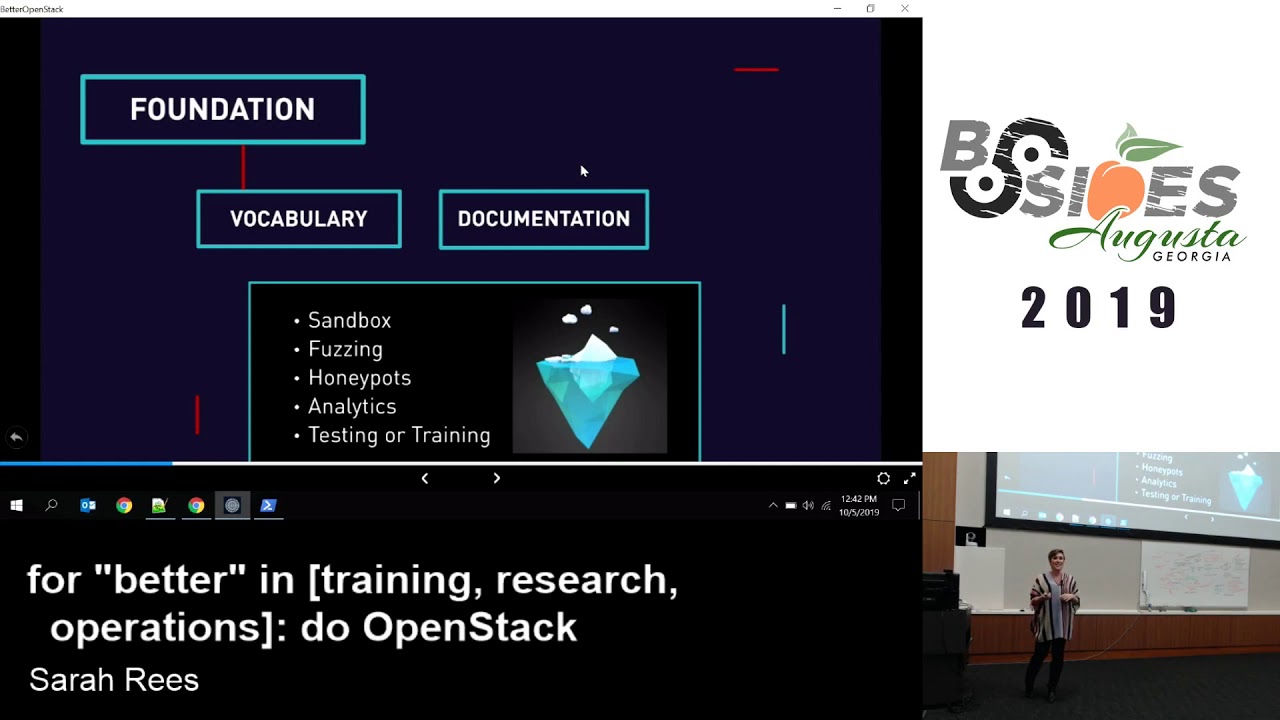
with the cloud because a cloud allows you to take a large pool of resources and manage and allocate and manipulate those from dis separate areas it allows a lot of flexibility with scaling and at least under OpenStack you have a lot of opportunity with the open API is that that whole premise that whole framework is built around so for security perspective and again there's probably a lot more that I'm just going right over in terms of what you can use OpenStack 4 but from a security perspective having a way to very easily create a secure sandbox where you can you know do malware analysis or whatever fuzzing I think honey pots would be a really fun
thing to you know be working on and putting out there on a cloud analytics is another great one because again the scaling power that you have there allows you to kind of you know consume the resources you need but scale out as necessary so again when we look at security and analysis and things like that those analytics that gives you a really great opportunity and of course testing and training I didn't mention it before but I've been training for a long time as in like training individuals in different you know aspects of Technology and security and I find OpenStack a really great environment for creating you know playgrounds to train people in one of the things that I specifically
like about it is the way that you can create templates and you can start from fresh and you can deploy things and when you need to make either a minor or a major adjustment that can be done in a really simple quick fashion versus me booting up my VM going and making all my changes saving a snapshot of that and then that's my next glob of stuff right I can capture all of this in a code repository I can use version control to look back at the changes to compare the so there's a lot of flexibility with putting things in a templatized version or a templatized format and and really kind of focusing on the code so that's
that's why I think this is cool and important in a nutshell I hope you're still with me um so let's talk about vocabulary before we get into the technical stuff and I will warn you that at some point I'm gonna switch out and I'm gonna do like the most dangerous thing you can do which is live demos and so I'll be opening up a PowerShell window and then I'll switch to the code and so it's gonna be all over the place a little bit but some vocabulary that you need to be familiar with so right here you'll see a template right and a template is it has many different pieces to it the template itself you'll see hot
and CFN we're going to be discussing hot which is the heat orchestration template not CFN which is the cloud formation that's AWS there is compatibility inside of OpenStack force the offense to an extent but we're really gonna focus on hot because that was the most robust set and obviously it's fully compatible because it is the OpenStack standard so that template can be represented in llamo or JSON for example Gamal is the style that is preferred in hot CFN of course you can see JSON or Gamal I don't know how many JSON fans are in here I'm sorry I don't like it okay how many Python fans are in here okay so you know how in Python indentation means
something so that's how yeah Mille is so if you've never experienced Tamil it's a beautiful thing because indentation means something it's also a terrible thing because tabs will screw you up because it wants to spaces always so if any of you ever done that before and it's whitespace it's it's not fun but again I that's kind of one of the things that I love about ml versus JSON is I just get a little confused with all those curly brackets I like the indentation and it's familiar to me based on having you know a Python background so looking at the template itself the template is what is going to define for you what you are going to
deploy into check and when I say project again remember that we're talking about a cloud so in this cloud as a user on the cloud I'm going to apportion you allocate you some resources so that that portion of resources that are yours however many CPUs and however much ram that is that's your project inside of that project you can build whatever you want you can put one VM in there and I save him now just to like easy one slowly I'm gonna start calling them instances which is what the language is inside of your kind of OpenStack world you can put one in there or you can put many that are on one network or you can
put many networks and you can put appliances so you can do all sorts of things in there but the template is what defines all of that it's really the code that configures your environment and and and puts those resources there and so the template itself has several different sections to it so that first section parameters that's optional parameters allows you to feed information in and and and that you'll see more on later when we actually go into the examples for me I don't know about you but it's a lot easier to absorb some of this when I see it happening and I see the application so that's why there's going to be a lot of
live in demo so that you can see the application of how we evolve and create these templates so parameters can help us to define certain values we can pass those in and they can be used against resources resources are the things so it could be a server for example and and I say server that's what the resource is called we're gonna say that that's a VM or an instance so it could be a server it could be a router so there's a router inside of this and that's a software-defined thing that is able to connect multiple networks that you know you can add routes to you can you know do whatever you need to do you can
filter so those are your resources and there's many many many more and we'll look at some of them but those are the basic ones that you know you're gonna need so that's where we have to start is with the basics and then some other optional areas here you'll see at the bottom outputs and conditions and so when you look at a template the first part is parameters and then you have resources then you have outputs and condition at the ends again those are optional but we'll look at some you know fairly common and easy to recognize reasons why you might use output or conditions inside of your template so everything inside of that template like I said
that's that's basically in code and architectural drawing for what's inside of this project all the things that you want to have that gets passed off to heat heat is the orchestration engine working on behalf of OpenStack you might have noticed and you'll now you'll definitely notice when I pull back out all those like funny little pictures at the bottom of my presentation there was like cinder and swift and Keystone and glance all of those are projects inside of OpenStack and so here you'll see that heat heat is doing the orchestration but what facilitates that and really what it's working with are those other projects like glance for images and Keystone for identity management and Nova for your compute and all of those
things so all of those are feeding into heat and heat is using the specifications you've given it in the template along with those projects in order to produce those actions and you get a stack and so the stack is the collection of those resources in whatever configuration you've defined and so you see there I have this little snapshot of like a network topology that you would see from the horizon dashboard of OpenStack and so you know heat deploys your stack and there you have it now I can go in and start to operate on and and mess with my my different items in their routers servers etc so in a nutshell again these are some pieces and
you'll hear me talk about this more why templates I'm just gonna stress again templates are very useful it makes it a lot easier to deploy things to make changes and and that's really important when we talk about the lifecycle of software and capturing that from a security posture if this one thing needs to be updated it's a lot easier to do that from a template again as opposed to spinning up this glob of information making that change and then saving it again is another blob of information it's also really important to think about again from a security perspective automation and orchestration as added-value automation is kind of cut out the user error risks and it
happens I'm a terrible type or you guys will probably witness that today unfortunately but automating repetitive tasks and orchestrating things can really streamline what you do and cut out a lot of that user error so with OpenStack I will tell you this the documentation is a little scary and and not only is it scary but as a beginner if you dive into the documentation and you don't know where to find what you're looking for or you're not exactly sure what you're looking for you might give up on OpenStack and I can understand that and I won't hold it against you but I'm going to tell you that if you know where the documentation is and you
start to try to find those places it's going to make what you do a lot easier so right here I have two links one is for Red Hat's documentation and the others for the community-driven documentation for the OpenStack you know the community driven code so what I highlighted in these is 14 and rocky okay so on Red Hat we're talking this is 14 that's where we're at and an in the community version that's rocky so Rocky is the version that I'll be doing the demos on and then you can see up here I have some of the subsequent versions Stein and Trane so those are as that evolve so again if you're looking at something that's rocky and you want to
look at the Red Hat equivalent it's 14 so don't jump into 15 or 16 because you're not gonna see this the same thing and I don't think I have to preach to you that if you're not looking at the right documentation you might not be getting the right information and so there might be compatibility issues or more commonly syntax and inconsistencies or changes that are gonna mess you up and that's not fun alright and so last thing before we kind of jump in is accessing the cloud so you're gonna see me access this cloud environment in two different ways you're gonna see me in the horizon dashboard which is the GUI way of doing things by the way if you
use OpenStack and you're going into the GUI and you're spinning up everything like you're creating your subnet you're creating your router you're creating all vm's through the GUI cuz you can if you are doing that that is taking you a lot more time than is necessary I promise you and its really annoying and that's probably why you've given up on OpenStack so I will tell you that it's good for beginners and it's to kind of get an idea of what's in there and what you can do but ultimately getting your hands on the the client and really you know just kind of working with the templates is just much better so I'll switch between these two the dashboard is just easier
for me to show you you know after we make that template go do its thing I need a visual representation and the consul's to prove to you that it's not just smoke and mirrors so we'll jump into the GUI to look at the environments that we're spinning off out of these templates and then API I'm not going to go over that today I was playing with it a while back and you know I got the session you know the token and I passed that off and it all works but it's also terrible it's terrible and it's not really something you need to worry about unless your developer you're administrating it or you know there's some sort of implementation that you're
trying to work but to be honest as terrible as it is to work with I just hate it the documentation on it isn't too terrible and this is coming from someone that really doesn't enjoy it it's not too terrible it is out there I will caveat as well as far as for client use when you go into horizon there is a place where you can download a file you're gonna source that in your bash terminal and I'm not gonna be using bash I have a Windows client with me please don't hold it against me but I'll be using PowerShell so there's no real good instructions online there's actually a guide on installing the client and using
it with a Linux machine that's very easy and simple to follow but as far as using it on Windows it's actually very easy you just download that file and in that file you're going to see all of these variables just create environment variables with those names and put the value in it and it works in PowerShell it's that easy it really is so again I'll be using it in PowerShell alright so now we have to get started so I want a single instance remember that's a virtual machine that's all that is so I have to start slow and I want a single instance okay if I go to the documentation online for the open source
code okay and you see that highlighted there this is what I have this is sort of terrible okay the resource type now that's important properties I have a long list ok flavor string Diskin fixer this is a long list of stuff ok now I would have to actually go to and I'll highlight that again the document that gives me the definitions for what's inside of these different resources so you see there it says type OS Nova server that's the resource that I'm looking for so when you see os Nova server that's just like a a VM ok and so I have all of these different things that I can specify for that and if I go
and I say ok well it says that the flavor is a string but I'm not sure what that means some of those things you are going to be able to find fairly well explained inside the documentation and some of it I just recommend you go find someone that's already create a template and still what they did because there's just not a lot that defines what should be there again some of it is there and some of it is a little bit but again I think that this can be overwhelming for someone that has just started so let's break this down before we jump in there let's look at what we want I want one single instance a single VM
and it's going to need two CPUs two gigs of ram and 8 gigs of disk space an IP address so that it can talk to the world and passwords it's pretty simple requirement isn't it that's like that's really it then I can go into it and I can do whatever it is I need to do so in order to accomplish that this is what I need this is the template and you can't see the very bottom line let me fullscreen my thing for you yeah you still can't quite can't quite see it there's like one line there it is ok so that's the whole thing and this would be shorter if I took out my silly comments
okay so based on what we saw from the documentation versus this and my requirements it's a little less scary now is anyone still really scared because if you are you should go the rest of the stock is not for you it's gonna get worse okay but again this is not so bad so we still have the definition of the type of resource and here again I've named it Linux host but I have the definition type OS Nova server so I know this is you know some sort of a computational like this is a computer or a server basically and then in my properties I just have the things that I need now again going back to the documentation it
will specify what is a required field versus what is an optional field all that stuff you saw a lot of it was optional if I don't need it and and I'm not worried about that I'm gonna leave it off these are things that are required though so name that's just like your host name image that's gonna be what the host is is this in a bunch of hosts is a Debian host is this a Windows host and you'll see most of my examples are Linux hosts because of how long it takes Windows to stand up I do have an environment file that you guys can play with on your own I'm just not trying to
sit here for five minutes while Windows 10 gets my environment ready so I have my image that's the type of you know computer that I'm going to be running my flavor is basically the specifications as far as the CPUs the RAM the disk space right so if you're familiar with Amazon you know AWS cloud then it should be somewhat familiar familiar to you what we're doing here networks networks actually when you look at the specification for this resource networks is gonna be something where you have a list and you only need any one of those you can't include more than one in this case I just said I'm just gonna say network is public that's a predefined
network that exists in here that's allowed to nad up to the network or to the world so again it's a list so you'll see in this contacts that we have the the the two spaces to indent things so resources is left justified and then anything under resources of course comes to spaces over so the Linux host comes two spaces over and then beneath that type and properties again get those extra two spaces but I say that to just keep in mind that the syntax were working with and for a list you have some options you can use your square brackets to denote items in a list what I kind of prefer because I don't like the the line feed and having these
really long lines I like to actually come down and do like you see here with my - okay so I can list a number of different items in that list underneath networks and then user data this is just raw input for cloud in it which if you need to know more about there is a link and information on the website that I said I had prepared for you guys but this is just a bash script that's saying okay I want to create a user the name is user and I want his you know password to be security exclamation point and there's my root user so that's just configuring the host so that I can login
keep in mind if I don't do that I can't login it'll still create the host but there's no way for me to log into it alright so I recorded this one because it's really not that exciting oops I
don't know it's not playing that's fine we're gonna do it live anyways basically you feed it that file and it produces one host I did it in a movie because I I was gonna type something wrong and I'm like I'm not gonna just waste time on that first example so now we have a VM that's not very exciting is it it really wasn't so how do we get better again we're just sticking with the concept of one VM so I have a lot more options and I'm gonna start to add those and then we're gonna get a little crazy and then you're really gonna ask what I'm doing up here and then I'm gonna tie it all
back together so parameters functions conditions and outputs let's look at those this is where I have to break out and it gets scary alright so are you guys familiar with like net plus plus notepad plus plus sorry okay so this was my first one I'm gonna open my second one so basically this is adding some fanciness okay all right so I know this is super hard to see alright so parameters if you remember we had name that was like my host name just a way to identify that in since I'm just setting it there image okay right here you'll notice I have image and again I have to define a type it's a string and the default value for
this parameter is Debbie and Buster which means that's going to be default what it is but you'll notice under constraints I have a list that lists right there with Debbie Buster and a bun two will show up as a drop-down in the GUI when I go to the dashboard and I try to deploy this and so that allows me to specify the only values that a user can use and/or change but also have the variability of saying well if you don't like Debbie and that's okay here's Buster sorry here's a bun - okay flavor very similar right we have type is string default is going to be CY small so it's going to take that value by default and
then I have allowed values here so you can either choose smaller medium user and and password okay those are self-explanatory those get fed as parameters into the into the bash script I'm going to actually zoom in just a tad for you I think it'll make it better
or not I'm just gonna break something alright so down here this is where we start to incorporate functions so I define some of those parameters up top and I said okay image is defaults to Debbie and bus Buster right so here under image you see I have get underscore per am to get parameter function that's saying go get a parameter but I have to tell it what parameter I want it to get okay so image is the name of the parameter in my parameter section and so it's going to pull the value for whatever I set there in this case the default if you remember was Debbie and Buster so those are pretty simple to understand and then
you'll notice on flavors I actually have an if right here so that actually relates to a condition so in order to understand that we have to actually jump down to the conditions so the condition section of this template is where I'm going to set something so in this case this is very arbitrary this is for training purposes okay I said image size so here is here is my condition if it equals and then I'm saying get this parameter for image so whatever whatever is in the image parameter up top which again remember the default is Debbie and Buster if it is left to that so whatever I get from there if it is it should be a
bun - okay so it should equal unbunch right so we have equals get this parameter should should equal and bun - if I come back up here to the if this is harder than it looks if my image size which again it was gonna get that parameter for my for my flavor or sorry for my for my image right which is Debbie and Buster if true this is what I get I get CY small so if you remember it's setting bun to didn't it so if my image is in bun - if that's true make it a small size VM if it's false I'm gonna go to the next thing which is CY median which means when I
deploy this if I leave the default which is Debian then what happens I will get medium right okay if the user toggles too bun two and that parameter is pulled in and checked does this equal and bun - yes it does then I get CY no right so there you have a very simple condition now again I used Linux just because Windows takes forever but say for example you have a very you know small headless Windows machine versus a Aris are a small headless Linux machine versus I have something a little beefier it's Windows I need more right then you can actually build that condition into toggle so that you're taking away the error portion of a user doesn't know
better and they choose a flavor that's too small for what they're trying to deploy all right so the other thing that I will highlight here and user data remember before we went ahead and had that bash script well that's ugly because that was a really short bash script imagine like that doesn't really give me a lot I don't want that inside of my template I want my template to basically be the infrastructure the guts I want to put somewhere else because those are gonna get messy so if you notice here underneath the user data I have template and that says get file and this is actually pointing to the repository and if I was to scroll all
the way to the right you would just see that that is a dot sh it's a bash script that has the same thing that my template had in it before understand that it's getting this template because it's going to be feeding parameters into that template so you'll notice here there's a string replace call and that string replace is going to use these parameters user and password and it's going to feed those values into that template so again the template is the bash script and so anytime inside of that bash script it sees the variable for user or password what happens is get the parameter user or password now mind you these match coincidentally but they don't have to
this right here the you know the the variable for user that is what I'm calling inside the template the get per am this user that's actually referring to the parameter name right so that parameter name is where I'm gonna pull that value in feed that in to my template for that string replacement okay and then the last part on here is outputs so I said that I wanted an IP address I hope that this magnification isn't making anyone dizzy but if I blow this up too much it starts to cut things off the last thing is the IP address that's going to be my output so in this case it's just a very simple value that
we want to know after creation because I didn't assign a static IP I asked it to just pull some IP from this network that's predefined and so in my output section after my stat creates I can check my outputs and I can get the for Linux hosts which is the resource the first address so I'm getting an attribute and I have to point to what resource I want the attribute from and then what the attribute is that I want to pull and so that will become a value that's output to me that I can go and look out later now this is one use case and we won't get to demoing it in here but I do have and it's included in the
different templates that I've provided but we have one where for example you're creating users for your OpenStack environment so the users get created based on an iterative list of you know user 1 user 2 and I want to give them some pseudo random password but I want it to generate at creation I don't want it to always be the same thing and that's the output value so that's probably a better example where you're going okay yeah that that would be something if it's randomly generated but much like an IP that was dynamically pulled I would need to output that all right so this is much better do you guys want me to to spin this up or do you
want to fast-forward to the next one and see how to make it better I'm happy to spend this up okay let's do it you guys are like we're calling her Bluff let's see she can do it okay so you'll notice I have a URL quick rough guide let me open it here because the templates and the environments and we haven't gotten to environments yet but they're all hosted on that github repository it's all public facing for you guys to use and play with but I don't want to type that into PowerShell because we'll be here all day so I've created this so that I can pull them easily so right here we have basic resource better gonna copy that so I've
got it all right so we're in PowerShell at that again terrible typing OpenStack there we go okay so now I'm inside of OpenStack so what I'm gonna do and I'm just gonna show you this real quick stack create there is help I don't even know yeah I didn't type that right so there is help and it gives you all of what all the things that you might need are if you just type stack create like I messed up and said oh I don't know what goes there I put something in there this is a little easier because you just get all the flags in case you forget we're literally gonna use two flags in here
maybe three you just need to know tak T is template that's easy tacky is environment that's easy and we might get to the point where I show you how to define a different parameter value so that you can override a default you're like well I don't want the default parameter I want this other one so we might get there so we're gonna do stack create Marisa attack t4 template and then I'm gonna put in that horribly long URL and then the last part of that if I don't know if y'all notice is stack name you have to name the stack and so when we jump into the dashboard you'll see where that exists but we have to give
the stack a name so I'm gonna call it better test okay guys you're lacking from what laughing you're like dang it we wanted to see her sweat so you can see right now that the stack is creating it's in process and I could go ahead and look at the stacks in here as just as the same as I could look at the VMS in here but I'm gonna show you inside of - the dashboard because it's so much prettier and we can take a look at the little network and all that and it is important that you if you've never used it before if I was going to create this just through the GUI just to show you I
would go here to orchestration and under stats and you'll you'll see that it's already in there so there's better test I would launch a stack and then here I could use a file on my local computer or I could give it a URL or direct input if I'm just crazy right same for environment sources interestingly enough the environment sources inside the GUI will only let you pull a file or do direct input but you do have the option to pointed at a URL in the client and so that's what I'll be doing so here if I was to put that in and I'll just show you this for the purposes of this so remember I was
saying earlier how there would be drop-down so here you have Debbie and Buster again at prefilled Pat that's the default value that I set these are the two allowed values and so these are the things that show up there if I didn't constrain that basically that means the user could type in anything they wanted which means it might not be an actual image they can use so maybe provide them a drop-down if we're talking about users that just don't have that level of depth in here so again here's where you can change some of those values I'm not going to create that again here we're just going to look at here if I click on
the stack here you'll see that it said create complete if you mess something up it'll let you know you'll get an error message usually vague and unhelpful but if you come in here and you go to events it'll tell you exactly why it failed it might be that it just didn't understand something or it couldn't create something and so in the events and this is just my personal opinion you you get a lot more information to help you get over what it of whatever it is you're having issues with so I find that very helpful in overview you can see right here I have outputs I mentioned oh my god I mentioned outputs was something that
we'd want to see um so here we have the outputs and then I'll just show you very quickly cuz apparently I just talked a lot I have to go faster here's my little my one little sad guy right here right and I can open the console and get into him but I'm not going to go into all that because I want to show you the next template alright so the next template is even better so at this point we're going to incorporate an environment file instead of having all of these parameters listed out I'm going to put those parameters as default parameters into my parameters on my environment file and I'm going to use that
file and then the other kind of unique thing here is see where I have the resources and I have my host defined type says OS Nova host if you actually go into the documentation that's not a thing there's OS Nova server and that's it this is a custom resource that is defined in my environment file um you can actually feed it just a yeah Mille right there but the reason I love the environment file is because I put something really generic here it says host I can feed it different environment files depending on what I want that to mean so if I put a static Amal in here it's always going to point to that one
thing and that's a Linux you know yeah Mille right if I put host I can have an environment file that's Linux and I can have an environment filed its Windows and that gives me that that bit of flexibility and so that's what I actually did so in the environments you'll see like basic Linux you'll see OS Nova host this one points to a yeah Mille which is basically remember that first one it was just the basic that's what it is it's actually refined a little because it's it's nested and then it also uses functions to kind of compress it so what you're probably wondering at this point as I'm looking at this is yes area that's cool but now
we have environment files to worry about and I didn't even open those well I did I opened it and this is just a simple one so now I have to create a fountain environment file and I have this file and oh by the way this is just pointing to another nested Hamill so now I have three files you just overcomplicated making one host right I mean I did it it's okay you can agree with me here I did but the point was to demonstrate how to do it with one host that's not why you would do this with one host you would just use one animal but if you have a large environment and that's where a large
kind of you know project that you want to set up that's where it becomes really useful that's where you don't have this super long thing and so in an easy three nets if you take a look at that yeah Mille what I'm able to do here is specify sizes of these three networks so it'll allow me one five or ten hosts or I could leave that blank and just say it's a number put anything in there and then if I come down I have networks that are defined I have subnets that are defined which again you can actually make all of that variable information that pulls in I didn't want to do that to you because it
was a lot I have a gateway router inside of that environment to separate these three different subnets and then here's what is kind of cool Linux host group one you'll notice type is OS heat resource group so this actual Linux Group one is a group that spins off any number of Linux hosts and that's a custom resource that I have in my environment file so this is registered as a custom resource os Nova Linux host one points at a very specific nested Hamel so it will spin off as many of these as if you'll notice it says get parameter for network size 1 remember I had those defaults of 1 if I change that to 5 it means it spins off 5 of them so
it takes that nested Y Amal which defines one host and it makes 5 of them so now I have a network of 5 or 10 or 100 or whatever it is that I want okay so let's spin up that one real quick just to see the difference because I am running out of time so we'll take this one so that you can see that
so I'm going to first put the template in and then I'm going to put the environment in so let me grab that and this environment has three networks ture linux one is windows and it also has a web server they're on their own networks and I'm actually I had set the default parameter for one of each on each of these I'm going to try to set the parameter for one of them to five so we'll say parameter for network I spell it right one size equals five because I know that's an allowed value and then I'm gonna say easy test I cross my fingers
all right it's there it created so now you can see I've switched back over to the GUI I have easy test if I go in here this just another note you'll see see how they're gray and flashing so those are still spinning up these are boxes right here those are the groups and so I don't see the host to find it individually in this view I see it as a group because that's the resource type that I defined I said it's a group okay the group itself is a number inside of these nested yeah moles which contain just one resource each but if I come up to network view I can get that fancy sweet topology overview and you can see
what this looks like and then you'll see my other lonely host off to the side so there you see I have that's my lonely host up there that I created that I just directly connected to the internet and then here is the router that was defined here are the subnets that were defined and each of these networks have a number of hosts these two both had just one is the default this one had a web server as well as the five that I defined 1 2 3 4 5 and if I hover over those I can get the information that full index host 1 Linux host 1 that's what's inside the template but you can change that in any
way you want ok so come back here alright I know that was a lot at lightning speed so we went from getting better to the environment files this is just a view of those 2 different environment files one for Linux one for Windows where I have that resource registry saying that OS Nova host could be this URL which defines a Linux gamal or it could be this URL which defines a Windows Hammel by the way I'm defining like a single instance inside of that if it points at a Yambol which is five different hosts you know a web server an FTP and whatever then that's what that resource is how cool is that right so
you can see that there's a lot of flexibility and modularity in the way that you can approach this so some of the things that I wasn't able to go over dependencies as you're creating more robust and complicated things you need to think about if something needs to get something else then you have to use the depends on condition inside of that resource to stop it from trying to create something before whatever a dependency is is completed okay so that's a consideration conditions are very helpful nesting of templates is key again this gives you that flexibility and modularity so you saw those those templates and what was in them when I found the Trump hair OpenStack I kind of had to use it I just
found it okay and I had to use it so just you know you know threat through everywhere get better at the tools you're using and my thing is yeah it's hard but don't let that stop you from learning how to use it well and use it for what you need it for not just for everything so that's it in a nutshell so I'm gonna try to open it up to questions cuz it's probably questions or not yes heat so that's actually the project name for the opah the orchestration for OpenStack for the OpenStack framework heat is that project name so like Nova for example is compute that's the project name so when you sayno that
that's what you're referring to Keystone is the identity authentication piece of it so each of those names are related to that and so like I said you see some of them up here cinder glances your image Neutron is network so those are all their questions yes
um so this was really more focused on using the projects right um I think Chris yeah I'm calling on you he has a lot more experience with like what he he might think is the best thing to build it on I would agree with that I saw a question in the back yes so with with Neutron I'll tell you that I've already kind of had to look at that with Neutron I really didn't really look for something in that flavor what I decided to do was go with a CSR 1000 and I'm talking about inside of a project for training purposes was to go with the CSR 1000 V which is a cloud router from
Cisco when deploying that you have the same ability that you would on any like cisco iOS iOS XE whatever so you can mirror everything that pushes through that on to another port and connect your sensor there because it's all software-defined
yeah I'm looking really at from a user's perspective and creating this for a user environment and their questions okay so I'll just finish off with I think I have to give things away I feel like if someone can tell me what hot stands for that would be pretty good go ahead yes that is right back there okay um let's see let's get let's get crazier if I wanted to refer to a parameter and pull that in to define a value for a resource to depend on how would I get that parameter what kind of function like what's the function call go ahead yep these aren't very hard question um okay and is OpenStack a hypervisor or
a cloud framework see like so easy what is it okay so easy thank you and like I mentioned before if you would like access I have the URL on here and I can um if you search trash panda with five instead of an S it's uh num github and it's all public so all these templates plus the website are all public so if you'd like time on a OpenStack range the same one that I demoed all of this in order to be able to play with this yourselves and customize these templates please let me know and I am happy to get that to you trying to pull it up so this is the these will just take you to the
repository area where all of those are at the basic information goes over a whole bunch of the stuff that I cover today as well as points you at CLI instructions and then this is a step by step getting started just in the GUI and trying to use it again and then this is the instructions if you want to use the CLI and that's all
you
Related talks
 51:37
51:37 30:27
30:27 55:35
55:35 51:32
51:32 41:33
41:33 51:33
51:33