Cloud Chatter: Defending Against Cloud C2 by Dagmawi Mulugeta
Show transcript [en]
uh thank you everyone for showing up I know it's kind of a busy season with the Christmas stuff so I appreciate everyone making the time to come to this talk uh we do have something very exciting prepared for you today so I hope everyone has a little bit they've taken away with them so that they can make their environments that much more secure now with that being said I'll I'll get started my name is dagmai muligeta I'm a threat researcher at netscope threat labs and today we're going to be talking about a specific attack technique that we refer to as Cloud CG awesome so so uh we talked like this I typically try to have an outline so that people
have an idea of where we're at and what's to come um so we're going to start with introducing what cloud C2 is what do we mean with this you know crazy wacky term and we'll talk about how that's different from traditional C2 and then we'll take an offensive look into things and then we'll uh we do this by doing a deep dive into how you can simulate this in your environment and see what the controls you have in place are willing to detect and then we'll take a defensive look into things and see why um you know certain to certain detection methods might have challenge detecting this technique and then we'll move to how you can actually try to
detect this using a new set of behavior signals and that'll be this takeaway section and then finally we'll conclude everything by reviewing the key takeaways from all this awesome so let's get started um so what is cloud C2 right so before we get into Cloud C2 let's talk a little bit into about what community control is right so command and control for that maybe one person that doesn't know this in here right it's a stage in the Cyber kill chain the Cyber kill chain is a set of steps an attacker uses when they compromise the target system right it typically starts with uh doing some reconnaissance though you then use this the information they've gathered from uh Recon to find a
weakness that they'll use to find that they'll use to you know generate a payload against deliver that payload this payload will exploit this weakness they found during this Recon phase and then that will install a particular piece of malware that'll phone back home and pull for additional commands all right so this network communication of polling for additional commands is what we refer to as command control traditionally this has been done by mediums like https and DNS directly to the attacker controlled server and if you wanted to simulate this you could do this with Cobalt strike and Powershell Empire right so that's a quick crash course into what command and control is right so what is
cloud command and control so traditionally what attackers do they'll set up uh you know their own servers their own domain their own IP addresses right their own infrastructure to pull these commands back and forth and you can see this in the top right where a compromised device is going to reach out to the attacker controlled infrastructure to pull for commands but and this has been tough to detect but I know the security Community has done a pretty good job of using threat intelligence feeds to identify uh this attacker-owned infrastructure and block communication to it so what attackers have started to do more of recently this is actually not new but we've seen a large uptick
recently as they started using abusing Cloud applications as a medium for command control so they're using things like Dropbox folders Google Drive slack channels to send these commands back and forth so why would they want to do this well firstly it's a very minimal setup right same reason why most of us want to use this right it's very cost efficient most of these apps have a free tier so you can quickly get set up and get going for free and it's that much tougher to detect I mean almost everyone has a Google account where I have the Google Drive so if you want to blend into existing traffic using one of these apps makes it that
much more enticing as an attacker so how often does this happen in the real world though right so this is a little bit of a noisy slide so I apologize to that but what I wanted to show are the malware samples and the cloud apps they've abused for command control and you can see uh box con Nimble Mamba and crutch of abuse Dropbox graphite and blue light have a beast one drive a clip has a view slack we've seen GitHub abuse Google Drive abuse Twitter Tumblr Blogspot Google Docs Google scripts pasteman one Hub telegram right all these apps have been abused for command and control and this is actually a very select list a much more detailed
list can be found on miter's page as well and you can see that there's really no Cloud app that's immune to this it's not you know just one Cloud apps problem an attacker can use any Cloud app for command control and they have cool so that's a very quick crash course into Cloud C2 and how it's happening right so let's now take a closer look at how you can simulate this in your corporate environments and take an offensive look into things right cool so we're going to look at three tools primarily here uh Empire C3 and Covenant some of you might already know these tools um and we're gonna take a look at two apps in particular Dropbox and slack
these are the apps that are generally more uh popular with attackers and uh individuals as well in corporate environments so we wanted to start look at those and then for each of these apps what we're going to do is we're going to talk about what the cloud op is meant to do and we'll talk about why an attacker might prefer This Cloud app and then we'll go over one real world example of an abuse of this Cloud app and then for the bulk of this exercise we're gonna we're gonna go through a detailed walkthrough of how you can simulate this and you're uh you know they've never read the team engagement or a penetration test assessment
and then finally we'll briefly look at a behind the scenes look just under the hood of how this Cloud app is actually being abused for command control cool so the tools we used a lot of tools in this research but the three primary ones are Empire Covenant and C3 so Empire is a Powershell and Python 3 post exploitation uh free markets open source maintained by BC security it's a really cool tool it kind of get set up and get going it's a Linux based tool um Covenant on the other hand is Windows based it's a net C2 framework it's also open source and it's also a great tool to play around with and then the third
tool we're going to use is custom command and control so this might not be as popular as the other ones uh but it's actually really really useful um to test Cloud Q2 specifically because it provides a vast variety of mediums to send your commands through and it integrates with Cobalt dragon covenant so it doesn't really worry about the command execution and interpretation bit it kind of also offloads that on Cobalt striking Covenant it'll just provide a vast variety of these mediums you can use it's also maintained by f-secure labs and all of these three tools are you know highly recommend them to kind of get set up and get going cool so let's start the Deep dive with
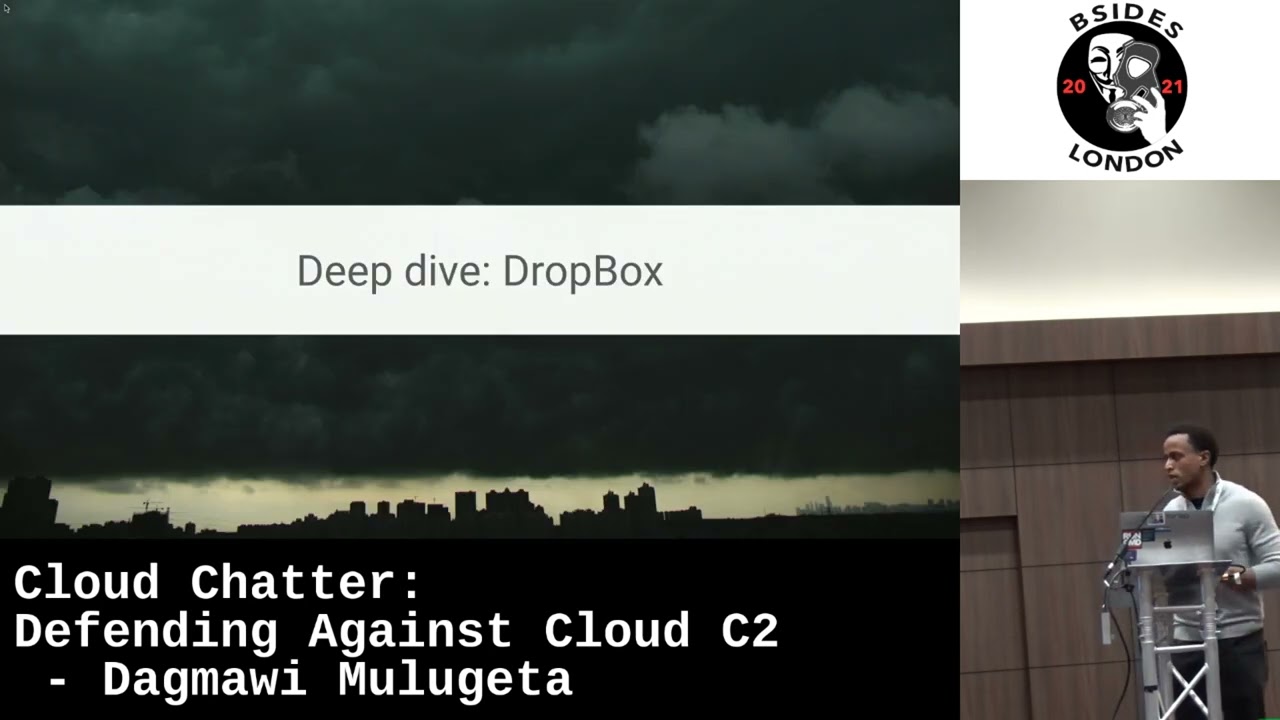
Dropbox right Dropbox is a cloud storage app and like most cloud storage apps you've seen they tend to be abused by uploading downloading and deleting encrypted and encoded files this caught up actually you know provides a very flexible app development interface and just quickly you can get set up quite quick and as a bonus for the attacker it exists as both the Enterprise and personal cloud so if you're going after a company that may be an Enterprise level customer of Dropbox you know as an attacker you're that much more entice to use the this app for command control cool so uh just going over one real world example of abuse uh we mole rats this threat actor was
found abusing Dropbox for command control earlier this year uh now this threat actor is known for being stealthy and they've used this technique before with using Cloud apps but what was interesting in this case was they were using multiple accounts for communication so you can see an attack flow here where a malicious Office document gets downloaded that downloads and executes uh that executes a Powershell command 9 that downloads a net backdoor right that was reaching out to the attacker via multiple Dropbox accounts right and they were uh separating responsibilities out through these accounts so they were using one for you know Community Control another for file infiltration and a different one for backup C2 and they were doing
this for resilience right so if one of these accounts gets burned they have other ways of communicating to the compromise machines so how can you simulate this we're gonna you can do this using a variety of Open Source tools Dropbox C2 see-through Empire we're going to use Empire here but that's somewhat arbitrary you can really do this with any of the other tools we're going to follow a four-step process right we're going to create the account we're going to set up the Empire listener with the access token from the account we're going to generate the payload and deliver that directly to the victim now normally with this step what you'd want to do is maybe you want to
simulate you want to have like a phishing campaign that compromises a that a you know victim will fall victim to right and it'll download a malicious Office document then this is the next stage payload but for the sake of brevity we're just gonna directly just compromise that machine just simulate a compromise and go from there and then once we have everything set up we're going to interact with the compromise device by uh tunnel and commands through the Dropbox account so the full attack flow will kind of look like the following where the Empire server is going to upload commands to Dropbox the malicious process or the agent on the victim is going to pull the those
commands down execute them upload their results back to Dropbox and then the Empire console is going to pull that down cool so first things first we're going to create the attacker control Dropbox with the access token so we signed up for Dropbox here and we've created an app named it Empire C2 and we're going to give it full read and write permissions to this account and this is free right it took maybe like three minutes to do this and then what we're going to do is we're going to set up the Empire listener here so we've downloaded an installed Empire we've configured uh Dropbox listener here with all these configurations and we're going to pass it the API token
from the previous step and if we've configured everything correctly when we type execute you can see that the Dropbox listener has successfully started and what this does actually in our account uh is the following race so it's going to go in and create this Empire folder now this is um doesn't have to be Empire you can change this we just stuck with the default name but it's gonna get go ahead and create this Empire folder and then three subfolders underneath it like result staging and taskings right so you can kind of see it's kind of laying the foundation here for that communication that's about to happen and then we're gonna go ahead and generate a payload and deliver that
directly to the victim right so we're gonna on the attacker side set the listener to Dropbox download this or sorry create this Windows batch file um copy that to the victim and run it you should see this Powershell process startup and then on the attacker side you'll see an agent check-in right and this will have details like agent ID uh the language it's running as which is Powershell the IP address the username process process ID uh the delay in Jitter the last time it was seen and most importantly here the medium is communicating through which is Dropbox cool so let's see quick demo for this looks like this works okay so this is on the victim side you can
see we have this batch file we're going to run it as administrator because why not and you can see this Powershell process startup and then on the attacker console you can see it just takes a few seconds to get fully set up but you can see this agent has checked in um it is a multi-stage deployment so you do need to wait a few more seconds for it to get fully set up then yeah that's why these are blank you just needs a one more second possible so you see now we have all those details we saw in the previous slide right and we're going to go ahead and interact with this and we're going to ask it uh
to run two commands who am I and a list of the processes that are running uh while this uh does take a second to kind of fully propagate we can go ahead and look at the Dropbox account to see what that communication looks like you can see it's um doing it's sending these commands back and forth through these text files right and the name of these files is the name of the agent so that's kind of how it's managing its bookkeeping internally [Music] so if you go back to the attacker console it does take a while to get voice out but that kind of happened quickly so you see a list of the processes here right the process process
ID the you know username Etc so if we take a look at the victim side we're going to look at this tool called Fiddler so Fiddler is a debugging proxy we've used to look at the communication going outbound if you take a look at what's happening from this Powershell process you can see it's trying to grab details around this file right and if we try to see what the contents of those file are when it tries to download it you see that you know the data is kind of gibberish right it's encrypted encoded you can't make sense of it at this stage at least in the middle
cool do that again
awesome so we just looked at um how this communication is happening right we saw it was through these text files that were being uploaded and downloaded we've tried to look at the content of one of these text files we can't really make sense of it and that's because it's encrypted right you can look at the routine and the code that's actually doing that as well so that's I know that was kind of quick but let's quickly summarize what we just saw for Dropbox it's a cloud storage app that's abused by uploading downloading deleting these encrypted files if you wanted to simulate this you can using Dropbox C2C through Empire and depending on maybe the certification level you're
trying to model you can do a few different things right you can if you're trying to model not very sophisticated third actor you could use the default configs if you want to model a model it's the sophisticated thread actor to customize the configs or a little bit and if you want to model a very sophisticated threat you could do like what we saw in the example which is use multiple accounts to send uh commands back and forth so the responsibilities are segregated awesome so let's do one more Deep dive with Slack so slack again I think most people are familiar with it but in case you're not it's a collaboration app and it's useful for sending messages internally within
an org uh and attackers tend to abuse this by creating channels sending messages or reading and writing to messages so replying to messages this also exists as an Enterprise and this is personal cloud further which further enables an attacker to want to use this right uh going over one real world example so this is uh you know malware sampling eclip was abusing slack for C2 I think a year ago now and it was targeting an airline to steal reservation data and you can see in the attack flow on the right side in what was interesting about this is they were using different channels for communication so they were using slacks features to kind of make
their lives easier as well right so they're using uh one channel to send system information upon compromise a different channel for sending commands back and forth and then a third one to send the results of these commands as well as any result any files that might have been requested right so they're kind of uh really getting the most for from this uh subscription from Slack cool so if we do the same thing we did with Dropbox we can simulate this with stock or slack C2 bot or stock show we just use see-through covenants because they have very uh detailed set of steps that we could use again we're going to use a four-step process here we're going
to sign up for the account create a you know set up C3 and Covenant with the um with the stock account that we set up then we're going to generate a payload and move that to the victim machine and then we're going to interact with the compromise device by commonly coming into slack right so um first things first we sign up for the stock account create a set of application credentials that we want to use then we're going to use these credentials to set up uh C3 and Covenant um and you can see C3 has this nice graphical interface that you could use we're going to go ahead and set up a slack Channel we're going to give it the
the token or the credentials that we created and if we set up everything correctly you should see a graph like on the bottom right side where you have the Gateway and that's communicating out to the to through that channel one thing to note if you do this is see-through and Covenant are two different repos so we had some issues with integrating them that commit hash works the best for us we did something to make a note of if you do end up going through this exercise so what this does similar to how we saw that Empire directory being created in Dropbox is this is going to go ahead and create up a create a stock channel for
us to use right so the six Eep channel gets created and we see the C3 uh bot gets uh joins that stock channel so it's kind of setting that groundwork for that communication right so what we're going to do at this point is we're going to generate this payload that has a stock token it's all auto generated we're going to download this payload that's called a relay in C3 we're going to copy that relay over to our victim machine and run it as admin cool so what this does is it's once we have fully set up you can see on the right side this is going to create that whole uh tackle where you have the
Gateway it's communicating through channels to the victim machine on the right side and we have Covenant set up with the whole thing so we can run commands like who am I and get the card directory and that'll kind of flow through slack all the way to the victim get executed and then come back to the to the Gateway and show up on our console right the results will show up on our console so if we take a look at a you know quick video this we can request the processes here and you can see the request getting written out to the slack channel the victim's gonna download all that stuff and delete it and then upload the
results here um and then the attacker is going to download and delete it and show it in their console so if we just take a look at that one more time that was kind of quick we ask for a list of the processes here from the attacker side and then the stock channel that request gets written out really quickly right it's encrypted encoded you can't really make sense of it here um and then the results get written back it's deleted and it shows up in the attacker console cool again that was uh very quick but just to summarize everything we talked about to collaborate stock is a collaboration app that's abused by sending commands through slack channels
um if you wanted to simulate a threat actor doing this you could do this using it using uh tools like C3 and Covenant and depending on the sophistication level you want to model you could do a few different things for this as well awesome so let's talk about the fun stuff right uh defenses so what can you do to defend this but before you get into that why can't in my existing C2 controller just detect this in the first place right why do we have to introduce this whole new Cloud C2 concept um so here is a screen cap from um Fiddler so we had two different processes running here uh the first is the GitHub desktop
application that's you know valid executable from GitHub that we downloaded and installed um the second was a malicious process from sheet3 called the relay that was abusing GitHub for Community Control all right you can see in both of these cases the malicious and benign case right the traffic is going to the same domain it's epi.github.com right the domain is a valid clockwriter domain and the traffic is encrypted the same way using the cloud provider certificate right so if you have an IP or domain based block list here that's not going to work because all this is going to GitHub servers unless no one in your org uses GitHub you definitely don't want to lock this uh GitHub servers right so you need
a different kind of approach to detect this particular type of C2 so before we get into how we're going to detect this I just want to give you a quick layout of what our typical victim machine looks like so we had the following three types of processes running so we had the nine processes like browsers uh you know your Chrome's and your firefoxes etc those were installed in running we also had these native apps that we call sync clients installed as well so these are like the slack app itself the GitHub app itself from the website right these were installed and running as well and we had people using them like how they would normally and then we also had some
malicious processes running so these are like C3 payloads Empire payloads that are used to generate this malicious Cloud C2 traffic those are installed as well and all of this traffic was flowing through Fiddler and we used Fiddler to get log that data exported out as a DOT SEC file for analysis all right this is what a typical victim looks like right cool so what does our detection logic look like at this point so from our victim machine we had this traffic that we call inline traffic right and we had this inline traffic coming out of this victim machine going to the internet and we wanted to extract a set of signals right these signals can be categorized into
five groups the first were signals that tell you about beaconing that might be present in the traffic second are any anomalous behavior that might be different from the Baseline you've come to understand for the user or the Org the third is that content what's the nature of the content that's flowing user encrypted or encoded in any way the fourth is host access patterns do we see any host access pattern that's relate they're closely relates Cloud C2 type of behavior and then lastly our sequences are there any sequences here that we identify with C2 that's abusing Cloud apps right we're going to extract those signals from that inline traffic and then feed it to this decision
component that's then I'm going to say is this benign Cloud traffic in which case it's allowed that's fine or is it malicious Cloud C2 traffic in which case it's blocked right so we're going to look at the traffic extract a set of signals that we're going to then going to use to decide is this okay to let to the internet or not right so what are the signals that we uh just briefly talked about right so the first set of signals uh give us information around beaconing so here we have two um screen caps in this Slide the top is uh Empire using Dropbox for command and control and then the bottom is C3 abusing GitHub so in both of these you
know two different tools two different Cloud apps and we can see in both of these cases that there were frequent checks to the same URL rights iterative at a regular time interval just checking uh we see it's a repeated request and a response so it's a a 409 on a get request at the top and then it's a 200 on a get request at the bottom right we can see it's an unusual process making this request it's not the browser or the same client it's something else and there's not much deviation in the data that's being sent back and forth right and we're going to extract these features or these signals and that's going to give us information
around whether process is weakening from a system now uh one thing to note I should have done this earlier none of these um tell us and none of these are the Silver Bullet like you know at least by itself is going to tell us this is cloud C2 right we're going to use these signals to make an educated decision as to whether this might be Cloud C2 or not right so that's what we're going through here um the second set of signals or anomalousness signals so this is going to give us information around whether um you know there might be deviations from what we understand the Baseline to be for this particular user so the first
set of signals are unusual Cloud entities so things like slack channels GitHub repos Dropbox folders Etc right different a different set of cloud entities than what this user typically accesses the second is an unusual user agent or you know even worse if the user agent is associated with the known malware right um if typically what malware authors will do they'll find that you know popular user agent at a given moment and use that as part of their communication flow that might be different from what a normal user uses and if that's the case we want to flag that as well the third is if there's an unusual username that's being used to log into the app so typically in a corporate
environment you know a user has a handful of these usernames that they use to log in if you see a new username pop-up that's something you want to flag as well and then lastly is if there's an unusual authentication method so it's again typically in corporate environments there's for these SAS apps they'll use like an SSO solution like OCTA to log into everything right now if you see like a token being used to communicate to GitHub or something we want to flag that too awesome um so the third is content right we saw earlier I think a few times as if the data is encrypted or encoded that's something we want to make a note of and
you can see on the on the right side that the attacker is using GitHub to communicate and it's you know encrypted and you're encoding these tasks files and committing them to the repo the victim's gonna download that and upload its own encrypted encoded results right same thing for a Dropbox as well these text files contained encrypted and included data right so if you see that you want to make a note of that too the fourth set of features we actually got from uh f-secure's blog they have a really nice blog of how to detect uh C3 specifically so I do recommend looking at that but what what they need a note of is first um well if no one uses slack and you see
communication to slack.com obviously that's a giveaway all right but let's say you are using slack you see that the actual um slack executable communicates the different set of hosts that you know malicious process that's just using slot the actual slack executable reaches out to a variety of other hosts to grab you know CSS to grab avatars to grab you know gifs Etc but you know malware process that's abusing slack really only reaches out to a handful of things it's slack.com and files.slack.com so if you see a difference in this deviation we want to make a note of that as well because that may be indicative of something that's just abusing slacks API for communication um
next up is sequences before I dive into sequences we also want to flag any known hard-coded endpoint so again this is not we just don't want to alert just on this but if we see communication to endpoints we know are hard-coded in these tools or these you know what malware typically reaches out to we want to see if there's any spikes in these right so if we see that one day suddenly a user is reaching out to the Dropbox download API you know 500 times more than normal that's something you want to make a note of as well and we also want to see sequences right like how we saw in the beginning on the
offensive side typically communication is a download from Dropbox right a delete from Dropbox and then upload to Dropbox if we see this over and over again right that's not really a human interacting with Dropbox it's more of a like a robot right so if we see that we want to flag that too cool so I know we just covered a bunch of these uh signals for our POC that's kind of starting at this point we're going to use a select list of these signals to help us identify Cloud C2 um and this select list is on this slide right the if we see a low number of domains that are being communicated to if there's a low number of preferred
traffic so malicious traffic or C2 traffic generally isn't referred um if we see a set of known Cloud C2 domains that are being contacted if the data is encrypted or encoded in any way right if there's a not much deviation between requests right so if it's every five seconds if you see a beacon go out um if there's an unusual authentication method unusual user agent unusual Cloud repo unusual username slack Channel apps or Bots we want to flag these as well and we're going to use this um we're going to use this and send this to the decision component now this is an area that's still in research but for the sake of you know just completing the
process and seeing it for Orcs we uh created our own decision component that just says if the traffic from one process to one domain contains more than five of these signals we're going to raise an alert right so that's just a simple check at this point ideally we want something a little bit more robust you know something that's a little bit more statistical but for the sake of uh you know just doing the POC we just went with that particular detection so just revisiting what we're gonna do one more time uh we have these victim machines that have benign emulsious processes running right we're going to extract that traffic from that traffic we're going to extract the set of
signals that we're going to pass this decision component and if more than five of these signals are present we're going to raise an alert right cool so let's go over a quick demo of how these signals look so first is Empire using Dropbox like we saw so Empire uh this is what the attack flow looks like so the Empire console is going to upload commands to the attacker control Dropbox account the agent that's running on the victim is going to pull those commands down execute them upload the results to Dropbox and then uh the Empire server is going to pull those results down and show them right so we ran this traffic for um about a day a day and a half on this
victim's machine we extracted that data and we want to take a look at what these signals might show us right so if you take a look at that so um here we have that dot SEC file that we exported and we're going to just do what we said right we're going to extract those signals see if see if there's anything useful there it is a day and a half worth of data so it does take a few seconds to fully process um yeah so we have about 4 000 sessions here a session is uh you know one process communicating out to one domain you can see most of this is the browser Community communicating out to a large
variety of these domains but we see we flawed one process communicating to one domain as likely Cloud C2 and we want to dive into that a little bit more to see what the indicators were thank you cool so if we see we saw this Powershell process communicating to content.dropboxapi.com and that was flagged as likely Cloud C2 right and why was this we saw uh we're like telling us that it's because it sent 865 requests to only two domains none of this traffic was referred the authentication method being used here was a Vera token right the content was encrypted their time interval between requests was two seconds with almost no deviation right and the user agent was unusual for this
user um it's actually a default for Empire and it sent requests to two known domains associated with Cloud cheats and because of this we flag this is likely Cloud C2 tracker right and if we repeat the process for GitHub uh and C3 you can see uh we just used you know a different Cloud up in a different tool we flagged two instances in this case uh both the relay communicating out to apigithub.com and then the second one is raw githubusercontent.com right so two different domains uh in both of these cases it's a large variety of it's a large number of requests to only two domains none of this traffic was referred right it was a token that was
being used for communication the content was base64 encoded the time interval between request was five seconds and we can't see it probably from Far Behind the time interval is five seconds with two second standard deviation there was communication with unusual repositories here and you can see that the you know reached out to a vast variety of these uh Cloud repos and it was actually uh also using an unusual username to talk to these uh Cloud repos right in this case it's like Insider threat 648 or something right and it's the same similar set of signals for the second domain as well and then we can repeat this process for slack and C3 as well uh you can see
large number of requests only two domains in order for Vera token the content was encrypted and encoded the time interval is five seconds or two second deviation there was unusual usernames that were being used to communicate out to stock unusual stock channels so you can see that six Eep slack channels there as well the hacking Channel uh communication with unusual apps unusual Bots the C3 bot was there and it reached out to seven known endpoints associated with Cloud C2 because of this we flagged this is likely cause YouTube traffic awesome so hope that was um yeah a little bit earlier um awesome so you know we covered a whole lot but just going back to the
beginning and just concluding you know all the points that we hit on we started by asking what is cloud c2s how that's command and control that abuses Cloud apps right and we saw that you know which apps are abused for cloud C2 we saw a vast majority of them can be abused uh we saw how you can simulate this in your traffic we can use Empire and C3 in a four-step process to you know quickly get this set up and test for cloud C2 and then we went over why this is hard to detect and it's because the traffic is going to a valid cloud provider server and then we talked about what defenses we can put in place and we
saw that we can use a set of behavior signals to identify uh Cloud C2 traffic awesome so I'll be happy to take questions in just a second but in case I don't get to it or you'd like to stay connected my Twitter handles at dog mulu my LinkedIn is demo geta and we'll have a bunch of updates on this and future Cloud application research on our blog so please do give that a follow um outside of that I'll be happy to take any questions if anybody has them
[Applause] hi in terms of Frameworks and detection uh environments are there any open source or is this all proprietary rule-based Frameworks around no detection so we weren't many could you use the microphone again sorry microphone oh sorry so so the question if I understood it correctly is for the detection aspect are there any plans of or open sourcing or do we are there any available open source tools for this so we weren't actually planning on it but we've gotten that question so much that's making me wonder if I should go back and you know clean this up and release this so that people have access to it so yeah maybe maybe I will yeah great question
hey uh thank you that was really interesting um where are you sorry there you are okay um I guess whose problem do you think this is for example for should slack be scanning their customers and go oh we think you're using us to do party too or do you think they should step back and say this isn't our responsibility yeah that's that's a great question I think that's probably uh the first question I got from my research team when I brought this up with them so um yes it's it's definitely both people's responsibility and I see that because the cloud providers are actually doing you know their best to kind of detect this so um f-secure the team that
wrote C3 they actually wrote A Blog about how Microsoft is making it harder for them to abuse these uh these apps and that's because they're kind of being proactive but if you take a look at it from their side of things it's really just what they see is these files they didn't uploaded and downloaded so they can't really tell what the content is or if it's being malicious in any way right it's only when someone reports it they can be proactive and take it down or reactive and take it down right so they try to Art they try to do their part but at some point you have to realize okay this is something I need to do I need to
be better at on mine as well as a Defender so I would say it's kind of it's kind of
okay all right um during the course of your research did you see any evidence of people trying to hide the C2 Communications Saints like just by encoding them as innocuous chat about the weather or yeah so not often but we did see it so there was one example where we saw a person was abusing YouTube comments to send C2 and they were saying oh my keyboard doesn't work and then it was gibberish after but it was actually encoded commands they wanted people to execute right so they they kind of get crave over the clever with it typically um you know especially for a little maybe moderately sophisticated not that often but if someone really really wants
to evade that kind of stuff um they can you can still use some of these signals against them uh in that case so I I guess my answer is you do see it sometimes but it still works to use these signals for the vast majority of attacks that we see uh thank you very much for the talk um one question was when you saw this being abused in the wild were was this cloudy too often the first initial access or were they trying with a traditional C2 for example to go to get the initial access and then dump the processes and see what's on the box before they tried to blend in with that traffic or do they do that kind of front
heavy on the Recon before they even attempt to get there so we've seen a little bit of both I would say um I'm trying to think how is but typically the initial delivery is not uh but we see it from like you know a Google drive forward or something like that but they're still like EDR Solutions and traditional approaches to detect that but once they've uh set up Cloud C2 that's when it gets a little bit more challenging and that's when we started thinking about this the initial deployment we haven't really looked at too much in depth so I would say it's maybe 50 50 but I'll have to go back and check just to be sure that's a
great question by the way hi there yeah uh thanks for all really interesting uh I want to ask so the the whole point of being Cloud that you send like the commands through the distractions right uh I mean for example the slack Channel and where is the Empire server for example sitting would it be Cloud as well or would be like on the attacker's side oh um so the the Empire Dropbox configuration specifically right the Empire would be it would be separate right it wouldn't be uh running in the cloud just be abusing the cloud sorry let me understand your question so here you asked um with the with the attack setup specifically is the Empire listener is
that running also in the cloud yeah um I mean you can run it like on an AWS server or something but uh it doesn't necessarily have to be in the cloud right it just that first interaction from the victim side is where you want the cloud to be after that you can even change that with using like traditional C2 which attackers generally do is they'll use like uh you know their normal server and then at the front of that they'll have like a Dropbox account or slack account so they are like multiple stages before it gets to them just to be that much more resilient yeah thank you do you have any more questions one more back
and thank you for the talk uh you are talking about um the communications between being encrypted um did you look into what sort of encryption scheme they were using we were using anything particularly strong yeah so we did not we just tried to see if the content was encrypted or not but that is an area we're trying to look into a little bit more so the next phase of this that we're doing just like a slight preview for people is exfiltration uh and with that we're doing a very deep dive into like how the content is encrypted you know what kind of encryption works if maybe encryption and coding and then another level of encryption or something like that would
work better that kind of stuff so uh right now we just saw the content was encrypted or not yeah great questions is there more questions thank you very much awesome I'll be hovering around so if anybody has any more I'd be happy to thank you
Related talks
 28:37
28:37 47:15
47:15 33:48
33:48 49:41
49:41 34:45
34:45 10:48
10:48