Getting Insight Out Of and Back Into Deep Neural Networks
Show original YouTube description
Show transcript [en]
this is Richard Frank he's going to be talking about getting insight in and out of deep neural networks he's a principal data science scientists we're so close if you guys have cellphones please turn them off and yeah I mean well turn them on silent feel free to use them silently so long as it's not bothering anyone else everyone's adults can do what works for you anyways so these talks are all recorded and if you can use the microphone in the middle of the room which is actually now on it wasn't earlier very sorry about that but it will be nice for anyone in the recorded questions if they can hear what you're asking and not just the answers
huge shout out to all of our sponsors bear spray / tippity tenable source of knowledge and Amazon and all of our other sponsors as well because without them we would not be able to be here today and I wouldn't be able to have all these great speakers come thank you also to our speakers and to all of our volunteers and everyone who came here today to talk about important cool stuff if you have feedback on the talks there is a website Sadd org that you can go submit any comments that you have that you think would be useful for us in the future and without further ado I present dr. Richard crank think or yes yes
[Applause] so afternoon so as the title suggests we're gonna talk about what do we really learn when we use a deep Learning Network right so how can we get some can everybody hear me okay is this is this any better thanks so what can we actually get out of these neural networks once we've trained them and used them to do all these fancy tasks so I'm told that I've got a sort of in the first two minutes preload this with what I want you to take away from the talk so here it is I'm gonna show you how even when you have a really simple binary classifier you can actually use this to get your hands on
some actionable intelligence out of this network and once you have that actionable intelligence then you can do things like diagnose why your model might not be working in cases where it's not working and use that information to sort of do an intelligent iteration on both the features and the structure of your model the next time around so you can put a little bit more intelligent design forgive me into the model construction process as opposed to the sort of educated educated guess and then check that characterizes a lot of learning model construction these days okay so Who am I why should you listen to me I've been in this area of network security and machine learning host-based
security for about seven years now give or take I spent five years with the army research labs and that was mostly focusing on machine learning for network security and privacy and the past year so I've spent with in Vincey which has now become part of Sufis working almost exclusively on deep learning for host-based security so I've been playing around with this for for awhile and I've been exposed a little bit I don't pretend to be an expert but I've been exposed a little bit to sort of the analysis side of things and how in my analysts actually sometimes run into these machine learning models and kind of hit a full stop so why should you
care about deep learning so I'm gonna sort of walk you through this table here I have three columns that I'm showing right now so the leftmost column is the false positive rate of the model and what I'm going to do is I'm going to pick a threshold an alarm threshold for my model so that it hits this false positive rate on a set of validation data and that's data that the models never seen before and that we actually acquired after the model was fully trained so it's new data coming in the middle column is what you get if you run a support vector machine at those thresholds and if you don't know what a support vector machine is don't worry
too much about it basically it was state of the art machine learning or one of the state of the art machine learning models before deep learning sort of burst onto the scene and and made everything you knew a lie this last column here is what I'm going to call a simple deep learning model quote-unquote and this is what you get not a whole lot of feature optimization not a whole lot of structure optimization this is the true positive rate the detection rate you get at these various thresholds and so what I hope you can kind of take away from this is you know if I'm running at a false alarm rate of one in ten so that means for
every ten totally benign totally safe out of the you know no issue at all HTML documents my model is paranoid enough to go oh my god is bad for one out of every ten of those right totally useless in practice you can't run this in production nobody would tolerate that false alarm rate but if you're willing to close your eyes and not think too hard about that you can actually catch with an SVM ninety seven point six percent of the malicious HTML pages you come across with a toy off-the-shelf deep learning model you can actually get up to like 99.98% rate you catch almost a hundred percent of the malicious HTML pages at least the ones in our corpus
all the way down to a one in ten thousand right false alarm rate our poor SVM is now not doing very well at all it's catching less than five percent and we're still getting about 50 percent detection rate with a deep learning model right so it's not amazing but it's you know and it may be kind of sort a usable deployment rate if you do some false positive suppression with some other techniques you're still getting half completely half of the completely novel HTML malicious HTML that we're in your training set if you spend a little bit of time optimizing and fine-tuning this deep learning model you can actually get some really I think some really impressive performance so at
a false alarm rate of one in 10,000 with a good deep learning model careful data curation careful structural evaluation and some tweaking of the features that you put into it you get up to about an 83 percent detection rate at a false alarm rate of about one in 10,000 okay so this is I hope I've convinced you that this is at least worth the thinking about even if you're not entirely convinced yet so what I'm gonna do now is I'm gonna take a couple steps back I'm gonna try and give you the crash list of crash courses I can on what a deep learning model is and how it looks and how it's all put together then
hopefully that will kind of motivate why getting sort of actionable intelligence out of those models is actually really difficult and then finally I'm going to show you how you can do it anyway and I'm gonna go for a demo fingers crossed and then take the information that we get out of that demo and sort of talk about how we can roll that back into this pipeline for a machine learning classifier and then at the end I will take questions and maybe we can try I haven't completely embarrassed myself already so deep learning from almost almost almost scratch so what we have here is two different classes of wheat seeds the red dots are rosa wheat the
blue dots are Canadian wheat the x and y-axes are just two numbers that we can measure about this week right it's the perimeter and the groove lengths it doesn't matter what they are just notice we can get two numbers out right and what we'd like to be able to do is say okay just based on those two numbers can I decide whether a given wheat seed that I see is rose OE or Canadian Lee so if you're just staring at this plot right hopefully I can get some agreement that yeah it looks like this should be totally tractable right we drop a line on it probably looks something like that and anything above that line is probably
gonna be Rose OE anything below that line is probably going to be Canadian right so that's great eyeball analysis is wonderful but how can we do this automatically here's how if your math phobic deep breath this is the only equation in this presentation and it's not that important the main thing that I want to take away from this is sort of a network diagram notation so anytime you see one of these circles we're gonna call that a node that's gonna be one of two things that's either gonna be a number that I put in in the case of X 1 and X 2 or it's gonna be a number that I compute from the lines that are coming
into it in the case of Z down there right so it's either a function based on the stuff that's coming into it or it's a number that I give it but in in either case what you end up with is just a single number the two lines are going to be what we call weights those are model parameters W 1 and W 2 and so Z down at the bottom that equation up there is just the function that you apply to the inputs the way it's to get that next output the next thing we need is we need something called a loss so hopefully this isn't too much review I don't know how much of this was
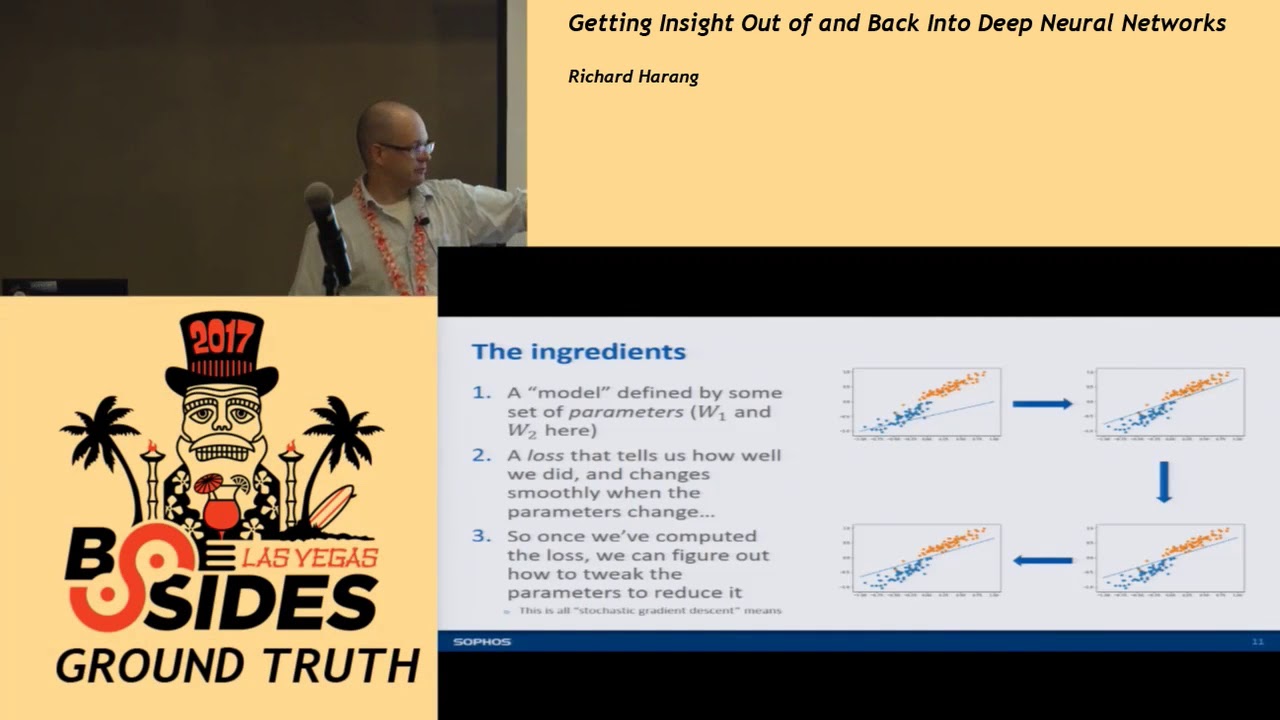
covered in the previous talks but basically all the loss does is it says this is how good the model is on this data that I just showed it and the loss has to satisfy one important property property if I wiggle the weights just a little bit I know how much the loss changes and it has to be kind of a smooth relationship right so I wiggle the weights the lines gonna change just a little bit the loss is gonna change just a bit and this gets us to sort of the key training process right so I calculate the loss the losses in my first plot up here on the upper left it's going to be awful because it fits
the datings the data set in totally terrible way but I know how to wiggle that line so that the loss will go down so I'm going to change those parameters and wiggle that line so that the next time I evaluate it the loss is going to be a little bit lower it's going to be a little bit of a better fit to the model so I do that I take that small step wiggle it again take us to take another step wiggle it again take another step and eventually by iterating through this process I'll find this set of ways it gives me this nice clean separating line between the data so if you like to torture yourself with the
academic literature on this topic and you see something called stochastic gradient descent this is basically all stochastic gradient descent is and almost all deep learning models are trained with some variation of this technique so like I said this is basically all deep learning models do this is how deep learning models actually learn these classifications you pick some set of parameters for your model right those those W 1 W 2 you put some random numbers in there and if you're reading a paper it'll say we initialize the model rates blah blah blah that's what it's doing they're picking some sort of random numbers to put in your weights you evaluate the model against your trainings that you
compute your loss then you tweak the parameters if you're not also then it gets better it has a lower loss the next time around so you take a step by 4 stochastic gradient descent and basically you just alternate between 2 & 3 until you've got a model that you're happy with okay so where it is the depth come in so a straight line was okay for that weak data set that was something that we call linearly separable which literally means if you take a straight line you can separate the two classes real-world data isn't right real-world data tends to be clumpy tends to be blobby they tend to overlap each other and you might have something
that looks like this this is a totally made-up data set right and again red and green are my two different classes and I'm trying to sort of separate them I'm trying to come up with a model that will say you know on this side of the line it should be red on this side of the line that should be great so if we try and fit the same sort of simple straight line model to it we get that right and this is basically completely useless as a classifier right you know if I say hey everything about the line is going to be green right well what about that big red blob there everything below the line
should be red well we've got that big green blob there so we've done a terrible job separating this data and that's just because a straight line isn't Wiggly right we got to find something that can loop around and curve and split up these different chunks from each other but what if we had four lines right if we drop four lines in the right places we can actually split up all these different flops right so here's what I'm kind of like there might be the aha moment so we know that so if I get four straight line models so these are all just sort of schematically represented exactly the same way my one straight line model was I know that
those four can carve them can carve apart this sort of tricky problem so I know that each of those pairs of nodes those are just my sort of X 1 X 2 X 1 X 2 X Alexius I'm going to collapse them all together and if you sat in on some of the previous deep learning talks this should start to look a little bit familiar right we've got two nodes we've got a whole bunch of the first crossing lines and then we've got another row of nodes beneath it okay but this only really tackles about half the problem right I've gone from having two inputs on one output to two inputs and four outputs I don't want to have to figure
out where each of these four lines goes on my own right this kind of defeats the whole point of the the whole purpose of the exercise what I'd really want to do is find a way to get from these four outputs to a single classification well we already saw how to do it bro me too let's do a single classification so really we're just gonna bolt another layer on to the bottom of this right and we're back to the original setup of the problem we put in our two numbers up top it gives us an estimate down at the bottom we compute the loss off of that estimate and now instead of two weights now we've got one two three four five
six seven eight nine ten eleven twelve ways that we tweak but we can figure out how to tweak those twelve weights exactly the same way as we figured out how to tweak the two weights in the easy version of the problem and then we just iterate this over and over and over and over and over and over again until we've got a nice clean separation between our classes so technical sidebar if you're a little more into this field you'll notice that I skipped over something called a non-linearity you have to do something a little bit special in these four hidden layer nodes don't worry too much about that if the phrase non-linearity makes you twitch a little
bit just know it's it's not quite as easy as the summation in addition that I shared from the first slide we're gonna use something called rel you it's a rectified linear unit again you don't need to worry too much about what that is just know that there's this one Winkle that we gotta throw them in the middle here okay so that's cool we've basically reinvented the very first artificial neural network this is called a multi-layer perceptron let's go ahead and turn this up to 11 right so now we're back to something that I'm sure you've seen a couple of examples up in these previous deep learning talks right we've got two inputs we've got this very
dense network of connections and then we've got this single output which is going to be sort of the score for our class again nothing in principle is all that different here right we've still got two inputs each of these nodes is still a single number each of these lines is still a weight that we're going to be multiplying the node value by and we train it exactly the same way right we can get the ways in which we've got to tweak all of those weights that go on all of those lines exactly the same as we get from the very simple linear case where it was just two inputs and one output in the bad old days this used to
involve an army of graduate students doing very large amounts of very messy calculus and taking their advisers today we've got ways of letting the computer do it all for you right automatic differentiation but it's worth noting right beforehand we had this very simple linear model we had two weights right you can sort of think if you go back to I know I said there was only gonna be one equation I lied I'm sorry you think back to like y equals MX plus B right I've got a slope I've got an intercept from two weights I can kind of figure out what the models do it right it's saying okay well on average they're kind of like this but then this is that these
two weights in shariah interplay right now I've still got two inputs but now I've got 60 weights to think about how they all interact across all these different levels of the model so already sort of the representation of the model has become very complex but the good news is in this case complexity is kind of our friend because it lets us fit this problem that we couldn't fit before right now I've used exactly the same learning process and it's drawn these nice smooth curves around my different classes and it's done a pretty good job classifying okay this is only in two dimensions right so it's very easy to visualize I've got two inputs here's where the
lines should go what happens if we have more than two inputs right what happens if we have say a thousand at once it's actually not that hard you just imagine n equals two and then let n go to a thousand right that's a topology so maybe let's make this a little more concrete a little closer to home right you get this HTML file right some customers come to you and said I went to this site is it bad right those of you sitting up front or squinting might be able to already give a guess as to whether or not it's bad and why it might be bad please I thought I had an hour I'm sorry I've got a five minute I do
okay good I'm sorry yeah I know I got five minutes um okay so imagine we get this HTML model the customer goes is it bad you say don't worry I come equipped with the awesome power of machine learning and machine learning model says it's 91 point one four percent malicious and your customer just looks at you yay Hazama what do I do with this right do I have ransomware on my computer now are my banking credentials on their way to a bulletproof hosting service provider somewhere in you know Eastern Europe did I just click on black hat SEO so I don't really care too much but still it's kind of it right and then what if the file is 100 kilobytes
instead of just this little 1.6 kilobyte scrap that I've gone up there okay so model understanding right we're kind of looking for understanding and intelligence and useful information out of this model so what do we want we want human interpretability right we want a Y to come along with our one so it's not enough that our model comes through and says hey this is ninety one point one four percent likely to be malicious maybe there's on an end point right if you're going to deploy it you just want to make a block don't block decision that like but when you're actually handing this off to an analyst to say hey what just happened to my computer this 91.1 4%
doesn't actually get you anything if we can get an explanation out of it a why to go along with our what what is our model think is good or bad about this information this lets us actually do a lot of other neat things we can sanity check our model we can look for things in our data and extract new patterns for our data that we might not have found just digging around on our own and this gives us ideas on how we can improve the model both in terms of the feature and the structure in kind of a principled manner and I'm hopefully going to show you the examples okay so this is an ongoing area of research this is a very
active area a lot of works been done in this area but it's almost all been on images and so I caught the tail end of Hiram's talk I think he talked a little bit about this images have this nice property where they're kind of smooth right and it's very obvious we've got you know these monkey brains with tons of cognitive apparatus dedicated to image processing so if we highlight a bunch of pixels so the computer says hey I think this is why this is a boat you can look at it and go yeah that's definitely why it's about or no you idiot that's a pier there are no boats in this picture why are you telling me
that there's a boat well because boats appeared with piers so often and so maybe it's confused piers and boats so there's a whole bunch of methods there you can look them up if you're interested Google just came up with something based on a cognitive psychology which is a trip if you want to read about it it's on declines page but there's two notable exceptions that don't sort of play narrowly in this image space the first one is something called contextual explanation that works this is the first citation don't worry about copying it down I'll make sure these slides get up online somewhere the problem with these is you're locked into this contextual model and if the
contextual model doesn't work for you then you're kind of analog the second one is lime and that's what I'm going to talk about and kind of show you the demo of today this is something basically it's like counterfactual analysis you look at different bits and pieces of your file of your artifact you drop them in and out you say how does Michael classification change how what does that tell me about what my model is thinking about when I give it this file so this is great I think it's really useful it requires a little bit of plumbing I'm gonna try and convince you that this plumbing is not only necessary but helpful and it can be a little bit slow
but there's ways to work around okay so why don't we just do what we did with the images in addition to the salience II problem there's also this problem of feature extraction so you're in general your deep learning model doesn't see this blob of HTML if you have actually deployed a sequence to sequence model that can work with long long sequences like HTML files come talk to me afterwards because I'd really like to talk to you but in general you do some sort of feature extraction on your HTML file so you tokenize it and you count the number of tokens or you do some sort of like hash based feature extraction or you take it in segments and then you
just look at the number look at Engram counts or something like that and what it leads you to is about 90 rows of numbers like this and it's really useful for the machine learning model to be able to classify but if you say hey look increase that number by one and then tell me what HTML file that corresponds to and what sort of malicious you know feature that might be you're kind of out of luck most the time it's a very hard to go from this numerical representation back to kind of the general class of HTML files that might actually be malicious okay so how does lime get around this problem the basic idea is
you design something called human interpretable features so I'm going to use the an image based analysis just to sort of let us all exploit these nice you know processing power of our monkey brains imagine that I've got these two street scenes up above right and I've got some classifier that's just supposed to tell me whether this is inside or outside right and we have one classifier comes back and says you know our classifier comes back and says hey that top one that's definitely inside I'm a hundred percent confident that this photo is of endorsing and the bottom one comes back and says I am a hundred percent confident that it's a photo of an outdoor scene right so we've got one
where it got the right answer but then we've got something else where it looks totally plausible that it's an outdoor scene but our model is absolutely convinced that the wrong answer is correct right it's totally convinced it's inside so how do we figure this out so what we'll do is we'll take these take the segmentation on the right right we'll design that by hand and say here's something to chop up this image right each of these swatches of color we'll call a super pixel and what we'll do is we'll drop these super pixels in and out of our image right so I might take that red super pixel that's the facade drop it out replace it with nothing but no
lights feed that back into my classifier and say okay now you tell me if you think this is inside or outside and what we might find in this hypothetical example where everything works beautifully is I can remove the cars and it still thinks it's inside I can remove the trees and it still thinks it's inside but I removed the road and all of a sudden it's convinced that it's inside right and that gift that tells me something that tells me that my image classifier has kind of wrongly fixated on this notion that the only thing that makes an image and the image of the outside is a road right and once I know that then I can go back and see okay do
I have too many Road images in my training dataset it's not why it's got this various correlation right have I waited my Road image is too high does my test set my validation set have different features about the roads than the training set so that you know when I segment out the roads they they look different somehow right it gives you a starting point for understanding okay this is why I'm so confident than this upper one is inside right it doesn't have a road in it so there's a whole bunch of stuff that I could go into about linear models and you know weighted regression and stuff like that but we'll get that a pass for now and
talk about what we're going to do for specifically for HTML files so you can look at each human interpretable feature which I've abbreviated to hif because I got really tired of writing now you can look at each hif it's kind of a way of a different viewpoint on analyze right so maybe I just want to look at each quarter of the file and say hey is there bad stuff in this quarter of the file right if I just drop that part out of the file and put it back through my classifier what happens look at the content of specific tags right what happens if I drop various scripts out right does it still look bad to my
classifier leaf elements of the Dom tree what happens if you pull anything that has a text element out right you drop the text element same thing for source elements or if you have specific tokens that you're looking at and I'll show you example of that hopefully in the demo what what happens to these different classifiers right and as you go through these different human interpretable features and you examine the model through these different lenses you can kind of not only get a sense for a particular file why it came to a given classification but also what features your model has learned to extra' for what what attributes of these HTML files your model has learned to fixate on in
your data so not all of these human interpreter will feature gives you results on all files so this sort of leads you to different section strategies for different kinds of files and might suggest ways to sort of separate out your test set and then sometimes you get better human performance from some features than others and that might give you a sort of a guide to have select features for later iterations on your model okay wall of text don't need to read it this will be online basically too long didn't read there's the version of lime as written in the paper and then there's what we actually implemented to make this work for the HTML problem within our context
we had to make a bunch of changes to it none of them are super interesting unless you're deeply into this stuff but yeah we did have to make some tweaks to actually make it so with that out of the way I'm gonna go for a demo okay and this looks like I actually have to drag it over to this screen okay oh good I didn't think this bit through okay I can't see this screen over here I'm not quite sure what I'm showing so what we've got here this is just sort of the setup I am using a deep learning model so this is with tensorflow as a back-end to Kharis but the main interest where is
my mouse there we know I had a wall step there we go the main bit of interest here is we're defining a couple of different human attributable features full disclosure this is actually pre-rendered because I didn't want to risk doing it completely live but this is an actual ipython notebook that I did actually execute as is and there is timing information throughout it so you can see how bad and slow my feature extraction process actually is so here we're just sort of defining these different tags and these different pieces you know how many pieces of the file are we going to chop it up into are we going to look at scripts we'll just pull out the script elements we'll just
look at the text tags we'll just look at the source tags so first thing we're gonna do is start with the malicious example this is on virustotal you can go check it out there yourself if you're so inclined we run it through our classifier and it says yeah this is 99.99% malicious right so it's absolutely confident that we found a malicious HTML file and we've got you know it's 102 kilobytes so if you feel like digging through that by hand god bless you so the first thing we're gonna do right so hif pieces basically just says I'm going to chop this file up into 32 pieces I'm gonna remove some of them and concatenate the rest and feed it
back through my deep learning model and I'm gonna see if it still thinks it's bad or not right and if it comes back as good then I say hey that piece one of those pieces that I just deleted is actually really important to classifying the mod classifying this file is bad so if we do that because it's 102 kilobyte file by the time we split it up into 32 equal chunks it gives us back to chunks but it's still more than I feel like digging through again if you're paying close attention you may have already spotted what this model thinks it's bad about it don't spoil it for your friends so I end up with two numbers here this
is something called the log odds ratio again if that doesn't make any sense to you don't worry about it basically bigger means much more likely to be be sort of key contributing factor to classifying this file as malicious so here I've got something that's scored a seven point seven seven here I've got something that's point seven eight so really this is much more likely to be where the badness is living then this this bottom half okay so thirty-two chunks is maybe too big so let's go ahead and I'm going to chop it up now into 128 chunks right and I'm just gonna look at the look at each of these piece by piece and so now
here we've got seven and it drops all the way down to one point five so really again we're pretty happy that this is where the bad stuff lives and so now if we dig into it a little bit those of you that have had the dubious pleasure of maintaining WordPress may recognize that jQuery min dot PHP PHP wait a minute we should be seeing jQuery and dojo yes this is a trick that a lot of people use to try to inject malicious JavaScript in a way that's designed to maybe kind of sort of evade manual inspection right you see jQuery it up man you know like oh I know what that is everybody imports that except this is PHP and it actually
has JavaScript bundled inside of it or it might actually be PHP that pops up in a tiny iframe or who knows what but it's a it's it's a it's a no trick or I think I don't know if it's part of a campaign that's a question for analysts to answer but this is a known malicious trick and this is the bit that gives us you know again the highest score and human interpreter pool feature for this data and it pops it right out for us right we don't have to go digging through all hundred and two kilobytes so if you dig through the rest you can actually see here it's got the beginning of the
jQuery here so that might be what it's keying off of there and then these two are both really low scoring so you know less likely that there's anything of interest there if you go through and you just pop out the script here we are again right we're back to our jQuery Dom in PHP so our most malicious script our single most malicious script and in fact or this particular file for this particular method the only script that it thinks is malicious contributing delicious score is this and again it does take a little bit of thought to go through you probably not an analyst yourself you probably didn't want to talk to an analyst about it but this will give you again a really
quick and easy way to sort of dig into what the most important business of the model actually are or what am the most important bits of the file actually are so what happens if we examine the texture attributes you can stop me if you're seeing a theme here right it's the same script just without the script tags and so now here's a little bit of an interesting one if we look at source elements right so this is just anything that's it's you know it's got a source equals element in it suddenly it goes through it and it tries to different thresholds first it says okay at our normal threshold anything that's more than 50% malicious we're gonna call
malicious do you find anything that says that I don't find anything at all at a second threshold where we're actually saying okay raise the classification high enough so that if you lose even a tiny little bit of malicious scoring now it's gonna look safe find something that you know looks most malicious out of it it says yeah no no right so it actually happened this is telling us actually that the source tags don't mean anything I can delete all of the source tags and the file still looks just as malicious as when I started right so these source tags don't have any sort of active interest to us and we can probably sort of skip on and you
know if we're looking at say the history of how this executed we maybe don't have to think too much about loading external you know let's just JavaScript so I'm gonna look at a slightly more complicated example the slightly more complicated to analyze and I think this will show us a little bit of how you can sort of diagnose model failures so again this is the sha-256 it's on virustotal feel free to examine it and play with it yourself and our model here comes back and says yeah this is about ninety one point one four percent of malicious so this is actually the sample that we looked at a few minutes ago that I should have given text above so here if
we chop it up piece wise we see that okay all of these kind of score high and I don't really see anything that looks super exciting out of it that's right maybe this is kind of hexie and you know maybe that looks a little bit like obfuscated JavaScript if you don't think too hard about it so maybe it's keying off of that we've got some weird anchors here but really there's nothing in there that jumps out as like yeah that's that's got to be the bad bet okay so now what we're gonna do is we're gonna look at the text elements and if we look at the text elements again it pops back and it says I'm not getting
any results for any of them but it's actually getting no results for a slightly different reason right so rather than all of the different perturbations being bullet malicious now anytime I drop one of these text elements all of a sudden my classifier thinks it's benign so that doesn't mean that none of the text elements your malicious that means all of the text elements for malicious right and if we go ahead and I'm so the segment method just pulls out the different things that was including or dropping from the file and I print those out here are word my mask oh here are the two text elements that it pulled out right doctype HTML 5 which for arcane
reasons that I'm not going to pretend to understand is not a valid doctype declaration I gather it's supposed to be doctype HTML so that's a little sketchy right on the face of it and then login paypal I have no idea what's happening there that looks totally legitimate to me you know okay but again so it doesn't dump it out for us but it gives us enough information to say hey go look at these things and you look at it and say okay login PayPal I know what's going on right so to go back to my example of the customer that says okay what do I do with 91.1 four percent malicious they say well did you put your PayPal account
password into it and then once they say yes or no to that then you know how much to tell them to panic okay so if we look at the source elements here's where we get into the model diagnosis we look into the source elements we have one source element that looks kind of sketchy there if you look at this source tag so me not being much of an analyst to me this looks okay right nothing jumps out at me about that that says hey this is really bad if you go sort of like a corpus scan of this right even just use scrap right dig through all of your training data and say okay fine stuff that looks similar to this
you actually find out that this website underscore logo token is over-represented in the training set associated with phishing sites right so that possibly reflects a bias in our data right it might be a valid indicator or it might be something that's a spurious correlation in our data if you look at the tags you get the same yeah [Music] so good talk okay sorry our person not getting me to talk it's getting me to shut up so if we look at the tags we get the we get the same issue right this we get the thing where it says all of these tags contribute to a malicious score and again you go through you can print them
out you can look at them none of them look particularly damning to me again someone who's more experienced at analyzing these webs these kinds of websites might have a better insight into it than I do but again if we go back and we do some corpus statistics on our training data which you always should be doing if you're doing machine learning and we can see that these specific tags again are over-represented specifically with paypal phishing sites so maybe this was one campaign that just happened to be really effectively scraped up in our training data but our model has kind of learned to obsess a little bit over these and so whenever it sees the set of
tags that goes AHA I know what this is so already we're getting good information out of this that lets us sort of figure out where our model might actually be kind of learning the wrong things from our training data and so the the execution time for all of those scripts on this sort of second segment that was a little over a minute and it's worth digressing to say this has more to do with my feature extraction code than it does with the actual line method because I have to reiax tracked the features every time I modify the file and so it ends up being a bit slower than I might otherwise like so finally what we can we can look
a totally benign document and we can see what pops out of it right so can it you know if we have a document so think of this in the false negative case right we're pretty sure that we've got a malicious document here but our model has assigned it a low score anyway right our models come through and said yeah it's three percent right but we think it might actually be malicious can we still use it so we go through we'll chop it up into sections right 32 pieces and again the highest-scoring section not by a huge margin but by a small one has or to go like this is hard has this chunk in it right here right and so this is this
big string right it's modifying it a little bit then it's writing it into the document it's JavaScript obfuscation right we've got something that's being injected into the document that's encoded in such a way that we maybe don't want to take too close you know whoever did it hopes we don't take too close to look at it the rest of these there's not a whole lot you can see if you start at for a while you start seeing that there's like document rights that pop up in it there's some you know script tags so maybe kind of sort of that's what's going on there but again this is a malicious but this is a benign file that we kind of torture our
classifier and like analyzing for us anyway right we said I don't care that you think it's benign find me the most malicious looking stuff out of all of this benign stuff so if we go ahead and we this is one that's within my meager capabilities to Diop this gate we go ahead and we pop it out and this actually looks okay to me this I so each raft net wasn't in any of the usual OSN sources but to me this looks like just like a tracking site right so this doesn't look like anyone's trying to get JavaScript or something you know into your page I could be wrong again but this is where you start this is where
you start taking stuff to the analyst that they can actually take a closer look at and give you some some good feedback on so I'm running a bit low on time so I'm gonna kind of breeze through the rest the the short short version of the rest of this is if you look at the scripts you don't see anything that really jumps out as being awful but again you see a lot of document rights you see a lot of extra loads this model for some reason unbeknownst to me really doesn't like Google ads and Google syndication you can look at that as a bug or a feature if you take a look at the text chunks
again you get a document right I have so many questions and finally if you take a look at the external loads right we don't see a whole lot that's going on the external loads aside from the fact that again it doesn't particularly seem to care for Google ad services so the other thing to note here is our office cated fragment isn't in a source tag so we wouldn't expect it to show up in this particular human interoperable feature okay so the last thing I'm going to do so again running all of that between the last time stamp and this one this was a little under three minutes right so it's not like batch analysis useful but for
one-off so you can you can do it without a whole lot of overhead and if I optimize my feature extraction code it would probably go faster still okay so here this is just inserting an HTML chunk into my DOM and what I've got here is I've got a malicious import a pardon apologies for the salty language I didn't write it we've got a couple of different obfuscated source segments and so if we take this and take these and we stick them back into our benign file we get first off the malicious external load so this call to an external source of JavaScript this actually scores really low it actually makes the file look more benign right this is not good
this is a problem with our model that we want to diagnose we would not have known about this or not known about this easily without looking at it through this kind of analysis the obfuscated portion of the low scoring sample so again this sort of benign obfuscated JavaScript this doesn't do a whole lot to the benign file it doesn't really kick up the classification too much so that's that's good and then if I put any of these other kinds of obfuscated scripts into it it blows the classification it blows the maliciousness score off those charts so if we look a little closer into the malicious external loads right what are we gonna what happens if we stick
that into our benign HTML file and then tell it okay find me the most malicious looking external loads nothing pops up so again we've got sort of additional confirmation here that our model really does not know how to find these malicious external loads very well so we've sort of identified this weak point of our model and we've confirmed this weak point of our model and now we know what we have to do to go and fix our model so that we can catch these better the next time around and you know in the in do I have a time check eight minutes okay yeah I think I'm gonna go ahead and I'm gonna go back to this oh god it
worked huh okay so sort of key takeaways from this right given 100 kala kilobytes of HTML documents we can actually triage it without a whole lot of trouble even when our document doesn't give us a malicious score we can pop out stuff that might look malicious right and sort of present it for further evaluation if you look at these different human interpretable features different ways of chopping up and analyzing this file it actually can tell you a lot about what the strengths and weaknesses of this model are and so that gives you a guide to improving your model down the road and finally if you take these if you take like a malicious chunk from one
file and you stick it into another file that was some of the demo that I skipped this gives you a good sort of way of evaluating the contextual sensitivity of the features right if I have a file with a whole bunch of JavaScript and I stick in a malicious external load does it do better or worse on that than if it wasn't a file without a whole bunch of JavaScript right so you can analyze things like that in a pretty straightforward manner okay so how do we put the insight back in I think I've kind of given an idea of this but so in the first example we saw that these H ifs the you know the human interpretive
features we always ever got back these really small chunks of the file so in general in a lot of cases I think what this is telling us is that malicious files tend to be kind of sparse malicious content is sparse within these HTML files so maybe we want to look at some sort of sparsity enforcing model something that operates on individual sections of the model rather than the model is one big monolithic block we have different structural modifications that immediately seem reasonable based on our analysis of this data our current feature set has this obsession with some of these very specific anchor tags we probably want to do something about that do we want to down weight the weights do
we want to like put a lower weight on this particular campaign do we want to maybe change our feature selection to you know and then the third option is you know talk to an analyst to talk to someone who does this on a day-by-day basis does it for a living and say hey is this reasonable if I see this exact anchor tag is this worth saying hey yeah this is part of this PayPal phishing campaign right so you know it's it's a good way of sort of starting that interaction that feedback loop between the data science team and the threat analysis team finally the model really doesn't do well with you know importing Java Script malicious JavaScript from
another site we definitely want to do something about that maybe we can try going through walking through the Dom when we've got a file and pulling out those source elements and building a feature set from those specifically and putting that back into the model there's a bunch of stuff we could try but the point is we know about it now and we can do something about it okay so to kind of do a wrap-up and hopefully leave some time for some questions complex models are complex shocker it makes it really hard but actually not impossible to get actionable intelligence out of them this line method so they've got to get hub here with some working code it's also got a
link to their paper again these slides will go up on line probably on the sufis website in the not-too-distant future so you can you can get it from there they've got a link to the academic paper if you're into that sort of thing but the github is is very nicely built and assembled and documented you do have to tweak it a little bit but you can actually use line really affect of Lee as part of sort of a triaging and analysis of potentially malicious HTML files we use it internally to sort of examine the features and examine the performance and you know hopefully someday boost the accuracy and finally I guess I kind of stole my own thunder
there right if you apply this in more of a data science setting rather than in a threat analysis setting it gives you hints for what specific bits of the corpus to look at what's corpus statistics you should be collecting in order to you know improve the not only the curation of your training data which is important but also the feature extraction and the structure of your model so with that thank you I appreciate your time and I would be happy to take any questions any questions I promise not to talk about reproducing kernel Hilbert spaces unless someone asks me will the demo that you did with the modified lime that ipython notebook be available even as a PDF or
something since I may be in case you used you know intro up there or something but will that demo be available we can probably have a static render of the ipython notebook I don't because ink some of the code that gets imported is like our internal model yeah we won't be able to share that yeah I wouldn't understand that yet to say the static would be great yeah we can definitely do that so my question is in in the examples you showed I could definitely see where like some of the malicious code might be you know sort of between chunks have you considered doing some sort of overlapping so that you can actually like sort of if you get two
chunks that are right next to each other it you can drill down a little faster as well as catch those sort of things so yeah we did consider it I didn't include it in this because I didn't want to get bogged down talking about sliding windows got it so I went for the simple dirty approach because it worked on my examples I promise you those examples were only very lightly cherry-picked okay all done thank you very much appreciate your time [Applause]
Related talks
 51:51
51:51 32:48
32:48 33:48
33:48 54:33
54:33 31:06
31:06 20:51
20:51