Script All the Things, Reverse All the Malware: Jython-Enhanced Reverse Engineering with Ghidra
Show original YouTube description
Show transcript [en]
all right all right can you guys hear me okay all right welcome to script all the things reverse all the malware an introduction to JSON enhanced reverse engineering with the aedra so before I get started I just want to introduce myself a little bit you so you guys know what I do I come from a computer science background software development as well I'm gonna so see it on the coal fire systems the federal labs team so that means on a day to day basis I can be doing any number of things ranging from Network or application pen testing to malware analysis and looking at breaches all right so what are we gonna cover today is my goal and then during this
presentation is to take a look at a new tool that was released by the National Security Agency back in March of last year and kind of highlight some of the features that you don't see that often in online tutorials on how it works I think are a really powerful part of the reverse engineering process especially for malware analysts so I'm gonna start by kind of talking a little about what the problem is during when we do static malware analysis and what makes it so difficult I think that's important to understand why these tools are so powerful and then I'm gonna take a little bit of time to talk about deidre and some of its core features and some
of the things that really set it apart from other solutions and the big part of this we are going to look at do a case study of a real piece of malware that's been found in the wild take a look at some of the things it does and ways it hides from analysts and then we're going to use Gilders features to take those apart undo them and learn a lot about what it's actually trying to do and then last part takeaways and I'm going to talk a little about next steps things that I'm working on that will maybe see you next year and then open up time for questions once we're done so we're going
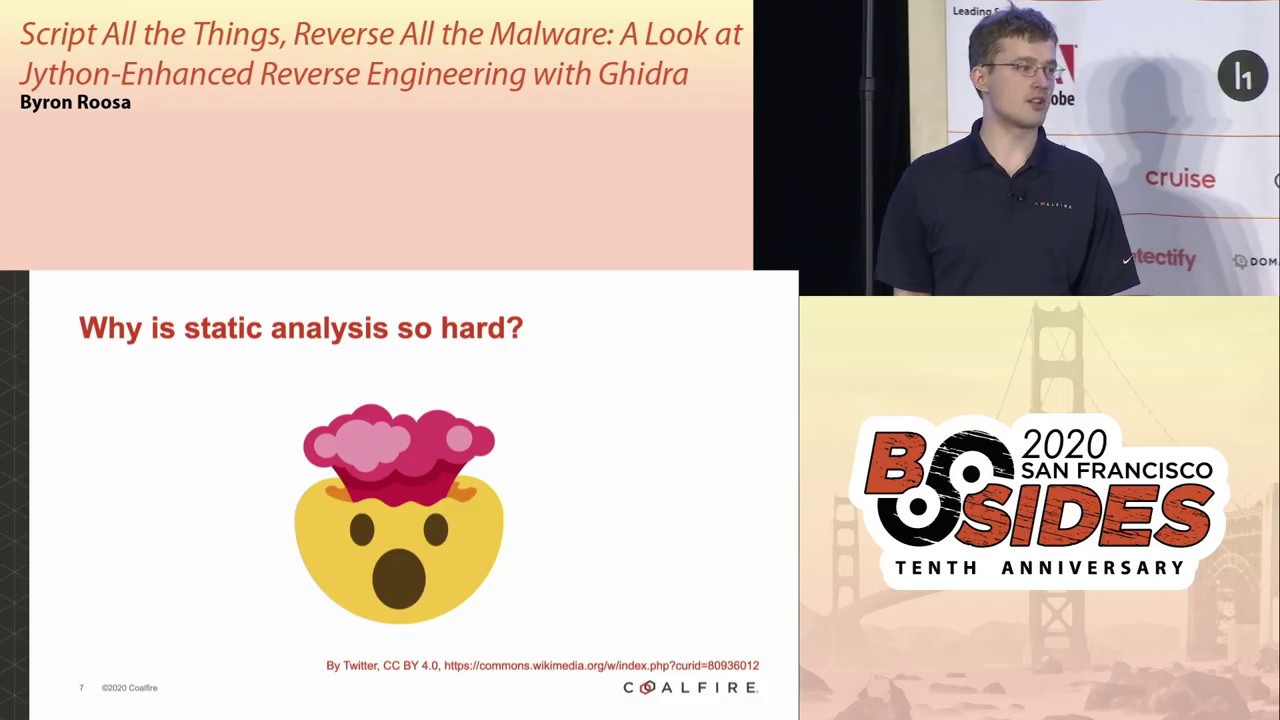
over there first question why is static analysis so hard it's by this we're talking about we have a piece of malware from an incident response or something like that if you're on a blue team and we want to take it apart one of the things we're gonna do is we're gonna look at it a binary level and problem with is that from a analysis standpoint we have a pretty big lack of context this is the key to why these things are so hard to take apart part of this is kind of inherent to any compiled code once we go from source code to a binary it's designed to be easy for a computer to interpret not for humans we lose a lot
of the context that you have in source code things like variable names and function names and parameters and all the stuff that kind of gets stripped out most of the time so the job of a reverse engineer especially the malware world is to be able to go back and kind of try to figure out some of that context because that's how we tell what is this thing trying to do what kind of things is it trying to get to and that's that's really what we're trying to find now once you introduce a piece of malware that's actively working against you and it starts adding things like obfuscation encrypting itself encoding you know packing things really get crazy and
there's a picture I think I found it's actually an emoji that I think represents a pretty accurate representation of an analyst when he's working on a particularly hard by on what malware there's a lot of been times when that's what I've looked like all right so on the other hand luckily technology had give us as if benefits is that we've been able to develop a lot of tools to make this process easier now in most cases this involves static analysis tools commonly heard one is called Ida some of you happy how many of you have actually had a chance to use it oh ok awesome so that's been the big one for people who are getting learning is a little bit
there's a free version as well and then there's a also a decompilers another feature of that isn't that on but we got a us reverse engineers got a little bit of an early Christmas present last year in March the NSA open source deidre which is a open source completely free full-featured reverse sound and now reverse engineering platform for software and to sum it up it's pretty awesome first of all it's written in Java and C Plus this the B compiler is the one part that's really written in C++ the most of the rest the user interface is written in Java at its core it's a disassembler and AD compiler it supports 15 different architectures that's not if you include
variants like 32 64 bit 15 different types of architectures and we're going to talk a little bit why that's so easy indeed draw a few slides in a few slides and on top of that it's also got a pretty robust set of analysis capabilities we can do things like detection functions in binary code we can do control and data flow analysis we can tell what functions are accessing what variables what focus functions are calling other functions things like that which are really useful during their verse engineering process and they're pretty critical to what we do it also does metadata metadata analysis as part of the analysis process it does all the things like parsing de binary headers to
figure out a lot of different de that we can use to determine whether something is malicious or not and it also has and I have to admit I haven't experimented too much with this but it also has ability to function fingerprinting can take known signatures of known code blocks for example binaries from a certain library and it can take a executable you put into it and they can identify okay this is something from I don't know boost which is a library you know commonly use it has a bunch of different tools to supplement standard libraries on Windows or Linux and that's kind of like I guess I just flare it so it's kind of a counterpart to that and
this is one of the really cool things it also has a pretty in-depth data type and function database has pretty much all the different windows API functions that you might use if you're doing a low-level Windows programming it's got them in there it has their names what kind of types they pass much like structures that you would use if you're a C programmer and it can annotate the D compiler output with a lot of this cool stuff so as far as features that really set it apart I think the first one I'm going to talk about is how it does analysis of code a lot of pieces of software that do this all kind of as one big monolithic
process but Peter takes a slightly different approach it's completely modular when when you start with a binary it's first you start with machine code which is x86 machine code that will interpret and instead parses this into what's called P code this is a architecture agnostic language kind of akin to what a compiler would use for those you work with compiler internals it's really a register transfer language and basically this allows us to totally separate the CPU architecture from what's happening within the actual CPU State this is part of the reason why we have fit for 15 different architectures because we can just add a new architecture by basically creating a configuration file that defines how each
CPU instruction changes the CPU State and then once we got this P code we can then go from there and do analysis that allows us to generate pseudocode not actual like a level above assembler which is makes the whole analysis process trying to figure out what's going on a lot easier and on top of all this we have a Java API which is perhaps the coolest part now I know I adapt for example has their Python by libraries or C++ cool part about this is it's on one level above what you see in other pieces of software we have the ability in the gauge or API to work at the level of okay I want to look at a certain
function and that data once the analysis is once we've gone through this analysis process can be exposed and we can take a look at what's going on do some kind of whatever kind of analysis you want and then annotate your disassembly or decompiler output to show you what you found or edit it or add comments stuff like that so it's super powerful just give you an idea what it looks like this is an example of a couple functions I pulled out of to get your API this is at the Java level there's also a Python interpreter which I'll talk to you a little bit more in a little bit just for example here let me see if I can pull
this I'll do without a pointer there's this is kind of the kind of things you'd be interacting with for example it has an object a class a Java class for a function this is a piece of something that you would call for example use an example a Windows library function load library for example that would be something that would you might bill timed and something like this you can for example look at the parameters it takes you can look at what functions call it what functions it calls we can even interact with the output of the analysis and put a comment there to say ok something else is going on here and we kind of do that whatever you want and
for example in a CPU instruction at a lower level we can you know get its address where is it in memory we can figure out what instruction is next for example if you have a bunch of data that's in between two instructions it'll automatically skip all that and go right to the next one and like for example if an instruction takes data as input we can see there's a get it get input objects for example how many of you guys work with x86 on a regular basis assembly look at it ok good number them one there's an instruction called a push instruction which is used to put data onto the stack and generally what you do is you have
push and then the name of a CPU register and using this get input objects we can figure out what register that is and in some cases even figure out what its value is and then there's also get results object which basically tells you what that instruction changes now to interact with this API you can basically write scripts either in Java or in Python using JSON which basically integrates with Java bytecode any Java library it can call it as if it's built-in you can see here from the screenshot I don't know if you can see there's out of the box there's more than 200 different scripts that the NS a included in here these vary from
actually useful tools to just kind of examples to get you started on your own project and normally what you do you can edit it directly in a piece of software or you can do it in equation of the clips so you can actually connect the two and be editing your script in eclipse and have it go back or Theodora which is super useful or you can just write it in the your own text editor if you want to now to run one of these you can also see that there's a column there that's mostly empty you can actually take get your scripts and bind them right in there you can bind them to keyboard shortcuts so if you have
something that using a bunch you can put in the keyboard shortcut you want to use and from then on you can launch that script just by putting it that keyboard shortcut so it's pretty powerful and it also has I might add a if you're doing this and you don't want to actually write the script out there's also a full-on Python interpreter as well they can use it to interact with the analysis and results yeah it's pretty much access to it you can do it in the user interface you can do it in a script which is pretty awesome all right so now we talked a little bit on goodra and its features I'm getting into talking about
spy I this is give me the subject of our case study really for those of you who don't know what it is it is a piece of banking malware that originated in Russia and I think was around 2009 is when I was first discovered has a lot of cool features if you're a cyber criminal I could do things like steal people's passwords it had a key logger in it it could steal inputs from web browsers it would actually interact directly with Internet Explorer and inject code into your webpages so that I could steal your banking information right off of it it should be it's detected and should be detected and pretty much any endpoint solution nowadays since it's pretty well
known and well studied but it's a cool that's actually if you're learning want to get into malware analysis and reverse engineering it's actually a great place to start because it has a lot of these cool reverse engineering or anti reverse engineering techniques kind of obfuscation z' that are pretty common in the malware world but not enough to the point where it's really a pain in the butt to take it apart it's just it's I would like to say it's interesting but not too interesting so now I got this binary I'm gonna start and start into this reverse analysis process the first thing I'm gonna look at is look at how it interacts with the Windows system
this is kind of the key if we can figure out how a binary interacts with Windows we've solved half of the problem because we don't have to reverse the window stuff we know what its gonna do because there's documentation so at that point we're gonna look at the first thing we do is look at the binary it's got some interesting data in there a second that get your parses out and one of things is import tables for those of you who deal with Windows internals this is a list of libraries and functions that a binary needs to you needs to use because Windows is changing its libraries all the time and changing the functions and how they're implemented
where they're gonna be in memory changes all changes a lot so it could be one one time you run it if you run it two months later it could be totally different place so that guy sends the whole thing of dynamic library loading and the way Windows deals with this is it uses function import tables get your policies out and we'll tell you what Windows functions a binary will use I've got this as an example I've got a legitimate executable this is actually process Explorer it's its internals tool and I can see if I can see pull this up here a second I could pull it my mouth so I can point it could you guys see that okay so
we can see that there's a bunch of different functions close handle create thread and create process a bunch of different stuff that it wants to use this is really powerful losses and analysts we can tell a little bit about what process Explorer is trying to do now process Explorer is I guess a fairly good example because it tries to do a lot of stuff it's pretty tightly it does a lot of interaction with Windows so we can see there's a lot of different functions this is just one out of four or five different libraries that it tries to use and get draw it does a lot of cool stuff with this information if we pull up the D compiler which is one
level above the disassembly at the pseudo code we can see that it actually annotates any time we try to use for example in this a leave critical section that's in the import table it can identify that okay this isn't called leave critical section it renames it in the decompiler just super useful this is pretty close to what you'd see in NHD program and I don't if you can also see it but it also is able to interpret data types so for example leaf critical section I'll go over the mouse you can see that the first thing in the Windows documentation the first argument that it takes is of type LP critical section this is the Windows API structure and
Diedre has I basically said oh yeah that must variable then must be this you can kind of see it's a little bit lost over here on the side you can see that variable is a LP critical section structure and it's able to put that in as an extra information now it's a little bit different if we look at that spy I this is what we get keep in mind I said earlier it does a lot of stuff it can interact with Internet Explorer it is able to do key logging a lot of things that it does interact with Windows but if we look at the list of functions that it imports pretty sure something's going
on here so just to give you an example what that this kind of does both in the D compiler and to the person breeze reverse engineering it it's not quite as useful we can see here that all these functions that we have are just text and SML values they're used by addres to tell which functions which they're basically you have the fu n tells you that it's a function and the other digits are where it is in memory so we got to figure out what's going on here all right so next step is to talk I want to take a little quick detour to go a little bit more detail about how import Able's work because it's useful I've
gotten here is just an example kind of what we're dealing with here we've got I kind of like to think of it like a menu at a restaurant we've got a list here this piece of software has a list hypothetically of software of libraries and functions it wants to use it doesn't know where they are what before it starts so windows when it's launching an application will take a look at all these it will load each of those libraries in this case it was load win32 dll and it'll load when I net dll into memory and then it will go through and say okay where are each of these located so it'll say ok where's file create a
whereas virtual protect and it'll fill in those addresses so now we know that where all the addresses are in memory whatever application has this import table can say ok we've got all these different things we can then access the function so whenever you want to call go create file a it goes ok we need to go to then use this function at 7f f four zeros are eight so something's going on here move to further on in the reverse engineering process we're looking at a little bit of function and there's something interesting going on here anybody recognize what that well this is happening here it's those two highlighted functions I have so we can see there's this the first highlighted
line we can see that PC bar one is you can see that there's a code a pointer to code for those of you C programmers basically what's happening here is the result of this function that's being called that function 200 400 400 to 0-8 6 is returning some kind of address of some function in memory is the key part of what gage is doing it was able to tell based on the fact that this PC var 1 was used to call a function it knows there's a function there and then it can go through and say ok we need to analyze this like it's code and then later on we take the result whatever address is
returned from this weird function we don't know what it does and we call it with the arguments that are passed so as reverse engineer from a Windows perspective we say ok this is doing some kind of function lookup and if we take a look at that first function a little bit deeper we go look at it in the be compiler we see some interesting text anybody want to Windows libraries hmm we might be getting a little bit closer to what we're looking for this is a big hint here it's trying to load these basically what if you go look at this function it's loading these things in the memory and doing some other stuff which I'll get to in a second so we know
we're at least getting a little bit closer to the right track and if you look at these this is the cross-references this is the where this thing is used this function that we don't know what it does yet we can see that it's used in a lot of different places in this case 9 that tells us that this is kind of a framework thing it's using a bunch of different places it's probably pretty integral to how it works so I'm gonna skip over a little bit here now that we kind of got that framed if we've gotten this far we know where this is function is probably doing its function lookups getting the addresses of all these windows API functions that
it wants to use I'm just gonna go right to kind of how SpyEye does its its function lookups and replaces this window function out windows functionality i talked about earlier so basically what it rolls down boils down to is when it was being developed what the SpyEye authors did is they took every single function name for Windows normally these appear in the binary you can actually just basically look at it in a hex or text editor and all those functions that we saw in the function import table will show up so as an analyst I can take a look at it and say ok yeah this is using this one I don't even have to decompile it so that's even
starting out that's pretty useful but what SpyEye does is it hashes all these ahead of time so instead of seeing all these strings you see some if you leave and if you look at the D compilation you see a hex hexadecimal number I actually forgot to mention it but you can actually see this hash right here there's this 32-bit number this is the hash that you use is some string that's been hashed we're going to reverse that a second so what it does is the instead of using Windows spy I loads these libraries into memory itself so it uses an undocumented function to do this which actually bypasses or at least at the time we'd bypass a lot and a virus
checks and basically it goes through each each exported function in the library for example if we're kernel32.dll we'll go through each of them and usually these functional cups are done by names so those not names are included in the binary and it goes through each one one by one and you've already you've supplied this lookup function 32-bit hashes you want to see it goes through and checks and hashes each export and function in this library and sees what it's matched what you've asked for and if it does it then okay figures out what the address is of this function and returns it basically for in Windows terms it's get praça address if you if then you do payload development stuff
like that but it's a lot of stealthier doesn't show up in the binary itself and going a little bit further down this path eventually come to this hashing function which is going to be the key to this whole process going on later on so what it is it's actually pretty simple it's just takes those strings does a little bit of bit shifting and exclusive warring it's up here and see if you're interested in see what it does and from those strings that generates a pseudo-random not really but value 32-bit value that it uses to identify this function just an example if you run this get hash function on load library a it's going to generate 0 XC 8 AC 802 6
so if you if this malware wants to call it will library a you're gonna see instead of load library a you're gonna see that value so next step how do we go this we know we have a pretty easy to get a list of all the windows api functions that exists you can look it up line there's tons of lists of them and we have we know the encryption function what you do with passwords when you got this you generate a rainbow table now it's a little bit interesting because the number of different possible values is a lot smaller just based on the libraries that SpyEye uses there were only I think 8,000 well it's still a lot
but there were 8,000 values so this is something that normally you know take you hours to generate on a GPU for passwords but since it's enough it's a small enough data set here it's actually pretty quick we can generate it on the fly whenever we use the function that we're gonna develop earlier so the next step of course is to write some code to generate this rainbow tables and when I was doing this analysis initially I just basically wrote it and see because that was what I was comfortable with for doing bitwise arithmetic which you can see is used in the function and just to show you what this does we tested it out just to see if this matches up kind of
makes sense so we take the 32 bit value I have in this code we had from the earlier screenshot and I have developed here you can see in the command I have ahead of time I've got a list where's my bell stairs of kernel32 functions I just picked one so actually I forgot to mention earlier but this zero in this lookup function that's why I have tells what library it's fun it's just if it's zero it's in this library if it's one it's in another and in this case it's in kernel32.dll and ahead of time i generate i had basically scraped off the internet scraped a bunch of the list of functions of this library you could
actually if you wanted to use goodra to generate that list as well by going right through the actual binary headers but so we got this list i then basically do some text processing to generate all these hashes for all those functions and basically create a mapping between those 32 values and the names so was that and then i can just use grep to figure out okay this nine seven six a nine seven nine a is it in that file sure enough shows up we can see that it says the numerate time format so that's windows function so we know that when in this particular case what it's trying to do is trying to call the numerate time
functions there are two numerate time formats sorry so we've got a pretty solid process here we've can go and we can take any one of these functions take that value and go look it up and figure out what is actually trying to do but it still it still addresses one problem we saw that earlier that it was used in nine different places there actually if you go and look at it there's a couple different lookups at a dozen slightly different ways I haven't quite gone into the deep enough thing to get make sure I had all them but that still represents a lot of tedious work of knowing okay here's the value we're talking about a
program that may have hundreds of thousands of instructions it still pain in the butt to go do that so we need to automate this so all right let's see all right so we're going to develop an algorithm about this I want to preface this by when you're doing this kind of process we don't really have to think about this as being kind of interactive programming I don't know how many of you guys have had a chance to work with a system like our for data analysis or Python like interactively an interpreter but one of the key things is when you're working on this it's important to remember that what you're doing here doesn't have to be pretty it doesn't
even have to be efficient it just has to work and usually when you're doing this kind of stuff it's on some kind of time frame so it's important not to get too picky about pro-quality you just need to make it work and it's even doubly so with malware because whenever you develop for spy I if I go and go down and I'll say working on configure it to be totally different I have to do something totally different so you got really gotta treat this as okay I'm doing analysis and I need to use this to support manual review of the code this just basically takes the steps that we would do we could do manually and just
makes the computer even alright so talking about what we're gonna do here what we're gonna do here we're gonna take advantage of Windows calling conventions for those of you don't know when we saw the function with all the parameters when there when a function is called all of its arguments that you want to pass in this function are pushed on to the stack in Reverse so we had argument one two and three what would happen is that in the instructions we would see three push instructions we push the third argument we push the second one we push the first one on the stack and then there's a call which actually moves the program counter to
the routine now we can take advantage of this when we're going through once we've done the analysis and gidran it generates our disassembly and decompiler we can just basically use those push instructions to find those values so we do we've generated we generate our rainbow tables ahead of time it only takes takes less than a second so we can actually just do this whenever we're on the script and then we sweep once we got those look-up tables the rainbow tables generated we can just go through the store library or the entire binary starting at the beginning and just look for every push instruction ginger has a function to do this I'll show it to you
in a second when I pull up some source code of the script I've got and we take a look at it and say okay is it 32-bit is it pulling pushing a number and if it's pushing a number we then okay we'll say okay is it in our function lookup or in our lookup database and if it is we basically add a comment in the disassembly so we can see it later and rename the function that the push instruction is in because most of the ways and I think I'm beginning to question this assumption now but I looked at a little bit closer I think it's a little bit not quite right but at this point what we're basically
the way I eye does it function look up says it has a each each windows function has its function that's my eyes implemented so basically all that function does is it uses spy eyes lookup code to find the address of the windows API function and calls it so if we if we rename that external function that has a lookup in it we can then just say okay yeah that's essentially like the windows API function we can move on from there so I don't know if you guys can see this okay cuz it's readable yeah questionable okay I can actually try and let me see if I can actually do a little bit of that better let me try this one more
time
we'll start here nope that didn't work at all how kind of did their so what I've done here is I is not the entire script I've just pulled out the parts I don't I didn't include up here I didn't include the the generation cone for the rainbow tables cuz it's just reading from a file and writing back to it but what we here we can see that there's this custom hash which I basically taking what I've gotten from the binary and ivory implemented in Python just the same thing input and get the output I just want to add at this I actually meant to talk about this in earlier slide one of the cool features that we
were talking about how features modular one of the cool features that you can do that would replace this is we can actually because of this fact that we can go from binary to P code to pseudo code we can actually emulate the CPU instruction by instruction for little sections of code and we could just use the binary code binary code that was already in there to do this for us I didn't do in here because I've only haven't had much of a chance to play with it yet but that's kind of one of the next steps I'm gonna be talking about later anyways we've got this function to do that and let's go back here alright that did not work anyways
that's gonna be little bit more challenging at work what we do here I'll pull my mouse first of all this is our function we currently get the program that's have active in the editor this is just basically okay what are we working on and we just do some a little bit of setup and our first step is to get the address of the first instruction in memory this is the first thing that successfully just assembled into a x86 instruction and we basically loop through every instruction in the binary against doesn't take long it takes maybe five seconds to run and we first of all check if it's if it's not a push instruction we don't care about it we
can go we can continue on and we just skip the next one and if it is push instruction we want to get whatever is being pushed onto the stack so we use I talked about earlier we use get input objects this basically says if it's a register it'll tell you what the register is if it's a constant value you'll be able to see that cost value and if it's if it's a scalar number as in if it's an integer or a float we then check about 32 bits and we get its unsigned value after that's pretty simple if it's if it's in the function database that we've already generated ahead of time we know that
it's a Windows API function that it's probably trying to handle here and if it is and it matches and it shows up we basically take the name of the function and annotate the source code you can see there's a set common command this will show up in the D compiler and the disassembler and initially this was just all I did it didn't do any renaming of functions or whatnot but I added that a couple days ago I added the renaming and then finally we get we get the function that the push instruction is inside because it's generally one function lookup and then you call it that's it and we rename it all right so the process actually from a for those
of you who are interested from user interface standpoint we had that function the script manager I showed you earlier with the 200 scripts I've got loaded in there I've got the spy search spy which is the source code you saw earlier in the previous slide double-click it and we see some console output and it tells you okay I found that this address I found this windows function things are going well and the upper is pretty cool we can see it before and after this is basically the code segment we saw where we've been kind of working on from the beginning and we can see that there's a couple of different changes here we can see that
the functions been renamed first of all so we know that that function more or less is an analogue for enumerate time formats and there's actually one more step you do you could a few buttons and it also says okay I now know what kind of arguments it takes so we know what types there and you can also see that it's renamed some variables as well because this basically matches the windows Doc's now and I think this is this is one example but I think it's more illustrative is when you have functions that call this one because those will look a lot different we can see on the left this is before it started this is another function within
the within SpyEye because he's a lot different we can see for example that a bunch of different variables in this function which previously were listed as undefined which is basically deters way of saying we don't know what this is we just know it's 4 bytes or 32 bits and since we can see that the windows functions that spiah has tried to use have been labeled and also the types that they take so we know that since create mutex a will know that none that lowest arrow since each object right there is the result of a call to create mutex a we know that it's got a certain type based on the specifications that windows have or that
Microsoft has released for this library and we can see above in the variable definitions that or I think it's in there maybe it isn't that the types are made to match you can see the wind bool handle those are all just from what Ghidorah knows about the windows api and the fact that we've renamed all of our functions to match it's pretty awesome so next I wanna go take aways kind of what I want you to go away end up coming away with first of all Deidre's api is super powerful it's extendable you can write all this stuff to it I mean literally what I've showed you here just scratches the surface I talked about its ability to
emulate code it's gonna make my life a lot easier once I figure it out and future features are I'm gonna make it even better there is talk that there is integration with debugging debuggers in the future it's been a little while since they said they were going to do that but that's me pretty awesome and it's still time-consuming and tedious but this kind of automation it's important to learn how to do it as part when you're learning how to be a reverse engineer because without it your effectiveness is pretty limited because it's just the amount of time it's gonna take but I think even with all these tools it's also important to say that having an
underlying platform knowledge is still critical to being a good reverse engineer along those lines if there's any CISOs in the room I just want to say that I cannot encourage you enough to get your team members using a tool like this there's no cost to you as far as money it's open source and the skills that they will learn if it's even if it's taking something that's been detected by an antivirus tool or something maybe that isn't that kind of a suspicious but didn't didn't rip any detections have them take a look at it and learn about it because the knowledge you'll gain from that is pretty invaluable and if you do use it contribute back to it
because the more people use it and contribute and write code for it the better it's going to be twitch is really awesome and with that type of questions before I just want to go into questions I want to thank a couple people calling Coolidge from segment for being providing invaluable advice from all this presentation is in the works and especially my team at coal fire federal for also providing and put it on as well all right with that let's get into questions here for a second I will pull them up does anybody got from the audience before I Benny are they in here yes ah okay awesome so yes he asked what the process is for working with a team on a
single Gator process your project is actually an interesting question because one of the features that get your has is actually has the ability to do collaboration at this point it's kind of basic so there's a server application that you can put on a server it can be on your local laptop it can be on a VPS somewhere and then that server setup you add Billy add users to that and then you as part of the project creation process you just see that basically they say okay I want this to be a shared project say okay the server is hosted here it goes and it does all stuff I will say that its features are good but what I
was kind of expecting and what it was hoping would be was not quite match that it's a little bit at this point it's a little bit closer to being a version control system really tailor taking what Guidry does its features are you know check in and check out get code but it may change at that time you know more people may develop those kind of solutions which would be really cool to see the ability to do like Google Docs style of reverse analysis reverse engineering be awesome I don't think it's there yet but I'm hoping it gets there at some point any other ones as far as versus Ida Pro I haven't had a ton of time to compare the two directly
there's some things and this may be a matter of matter of perfect that by the way he asked how does it compare to Ida Pro as far as in this maybe it matters of personal preference there's some things that I like about goodra and how it lays things out and does certain analyses that I really prefer I would say that having in the what direct comparison I had done it is pretty close to being the same I haven't been able to get like a lot of the we talked about datatypes and windows and be able to detect those and annotate those I haven't really been able to get Ida to do that quite as much I think it may
change a lot if you get hex raised the decompiler I currently don't have a license for that right now because goodra has worked pretty well for me so far so there's really been a need but I think it's pretty close I haven't looked at far as much as far as performance the decompile ourself incident C++ so it's not terrible it's pretty good and so at some point I'll get to comparing those but it's been that's it for someone who's getting into the getting into it it's amazing I think it's very very near parity even the fact that you have as many support for many architectures if you were to buy Ida with this many architectures and you're
getting close to you know tens of that well easily tens of thousands maybe hundreds of thousands of dollars to get all those so almost the same and I think a lot of that again personal preference but it's pretty pretty darn close yeah
yes so the question that was asked was a what libraries are there any libraries available as far as skeeter scripting it's an interesting question one of the struggles I've had in going through Gager and learning over the past you know almost a year is that the documentation is kind of there but at really at some point you end up coming down to the point where you have to read the Java Docs which they are and they're very good because Java Doc's are and that's one of the awesome features of Java and I will say that as far as libraries I'm haven't seen any external ones yet and may just not have seen them I say in a lot of cases I would question
the ability often when I'm dealing with the kind of things I might take a script like that and there's little teeny things that I wanted to do but it doesn't quite do so my dinner and my approach has been take the features engage your API apply them specifically to the piece of the sample that I'm analyzing and then when I go to another sample you do that process again there are places where you can generalize some of that but I at least at this point I haven't really develop scripts that work on everything and I think it approaches to expression in these cases develop for the software that you're bigger analyzing you can do it on the fly it
does that be pretty like I said but as far as libraries I haven't seen anything out there there is a big list here Paulette scripts and I had a chance to play with but I haven't seen anything other than that out there you just yet one more from the audience if there isn't and I'll go to the slides slide oh let me see a close-up okay let something final zero want okay I know if you have slight Oh up if you and be able to see my phone might not be working but yes you able to see questions yeah yep so a gentleman over here asked whether we've encountered in situations where there's been collisions
as far as the hashtag algorithms and I think this is actually an important question I wish I had covered look I probably should cover a little bit more but in this case there is the potential for there to be collisions I think since the amount of data that you're working with okay there's eight thousand two billion possible hash values and eight thousand instructions the chances of that are going to be pretty low and it's something to keep in mind in this case there was I had a very there was a very uh in my case it was a very conscious decision to avoid trying to be too specific because in this particular case if I get a pulse false positive it is in
the end of the world I at some point it's gonna come up and I'm like this doesn't seem right and I'll see that and I'll say okay yeah that's some weird edge case it's more important for me in this state since there's since spy I doesn't weigh there's multiple did ways of doing the same thing to some degree it's more important that I get all get all of those or close to all of them so in this particular I wrote that script with that in mind which doesn't take into account collisions or you know pushing on some value the stack that happens to be some hash of some windows function so it's something you should
keep in mind when you're working with these but in this particular case I haven't seen anything yet all right any from the room since there's not on there yes okay I don't want ask as far as fingerprinting is there a global database for like what we say with flair there are databases available on github I think there what I've seen and I may have forgetting something I've seen in the past there are the FI DB function and it's the function ID is the function that is the functionality what they call in deidre there are databases available for some libraries and here's one for boost and a lot of like the general Lib C libraries in Linux I haven't really seen one too
much for Windows more the analysis that I've seen done so far has come from pulling out the imports and I will say that in my experimentation with the function ID so far I haven't had a ton of luck and getting it to detect with the databases I've had and so I don't a really good picture of how it works yet but there are databases there is there one that's comprehensive I haven't seen one yet there are combinations of smaller ones that are specific to certain libraries but I guess that is that answer your question okay yeah they're out there I can think of one I can come after I can probably pull up the one that I have but as far as
Windows I'd have to look somewhere to find it any others all right well thank you guys so much come out I'll put my contact info we'll be up here for a second ironed out rows on coal fire comm that'll work or I do have a Twitter account it's kind of a ghost town right now I don't really use them much but I'll keep an eye out and then over the next few weeks I'm at some point I'm hoping I need to talk with people at coal fire to make sure it and just make sure everything's in line but I'm gonna try to take the Python script and put it up somewhere that'll probably be through their online
presence all right thank you you
Related talks
 26:38
26:38 19:11
19:11 27:59
27:59 35:42
35:42 13:22
13:22 53:54
53:54