Hardware Hacking Workshop

Show transcript [en]
e
e
e
e
e
e
e
e
e
e
e
e
e
e
e
e
e
e
e
e
e
e
e
e
e
e
e
e
e
e
e
e
e
e
e
e
e
e
e
e
e
e
e
e
e
e
e
e
e
e
e
e
e
e
e
e
e
e e
everything looks good by I think we should be thank you so much JIS for joining us uh uh I have no words to you know do the introduction so take the floor and come on start man I mean okay do cool uh good morning everybody it's quite early here most people have not woken up uh this early in the Netherlands um I uh just had a couple of hours to sleep for this one and I really really uh want to be here uh thanks to my friend B for getting me involved in uh in this one and uh yeah there will be uh cool things spinning off uh from uh uh from this session so my name is y
kandik uh I work work as a hardware hacker for uh Deo um uh but this will be a personal story and I think making this a personal story will be good to connect uh to the story and I want this to be not just a hardware hacking work sh I want this to be something that helps you get started on Hardware security so um I want to start off by saying I I will not take uh responsib responsibility for your actions uh but you should as your actions will have consequences if you do stuff that you're not supposed to it will uh get you in trouble like for the people in the Netherlands uh there's like the law uh
138 AB uh which states that you have to go to prison for four years or uh have to pay a fine up to 20,000 for breaking the law so um I want some interaction as well so my question is uh as I started with a lot of stuff uh yeah one of the most important things of doing Hardware security is also coding so um I would like to know from the audience if you already uh do code what language do you code so to have like a little bit of a feeling of um the the people watching this this stream watching the the workshop uh so I will be able to tailor it to your
needs so this is by the way uh some XKCD uh Comics so if some someone could give me uh like a keyword some keywords back would be
fun sorry julus can you tell me what do you need sorry yeah yeah uh if it's possible for the people that join uh I think through Discord I don't know if it's like interact interactive through uh YouTube uh if they are already coding right now yes a few people have seen their this mentioned that they can code in python and a few the languages as well yeah cool uh I I think that if you code I started myself in uh assembly because there were not many uh languages at that time on a simple uh home computer but nowadays you have languages such as Python and I think python is very good example because python allows you to
interact with Hardware as well so I am able to switch off uh on uh switch devices on and off for uh doing Hardware hacking using language such as python another thing is uh do you already um yeah participate in uh hacking uh ctfs um um yeah Hardware security or software security so do you already have experience with the the security side of things
there is a bit of a lag but we're catching up to the chat right now yeah that's a couple takes uh a couple of uh seconds sometimes up to a minute I'm uh streaming myself and I started on Periscope and that take took up to like a minute of time for people to uh actually be able to respond to whatever question that I've asked so I think this is a cool topic about uh sanitizing your uh your database inputs that yeah you still see that a lot whenever you type in like a special quote into a field that the entire side breaks and I think it's good uh for teachers to train the students uh to code in a Q
away do you already see some reactions to this yeah a lot of people are impressed by your assembly background and okay uh let me talk about the assembly background I used a computer called uh Phillips video pack and I think it was uh branded uh uh Odyssey in the states and that was a uh home computer with a um uh that you could attach to the television and what you could do is like insert a cartridge and the cartridge would uh enable you to do uh 100 uh assembly commands so uh there was not a lot of uh uh place for code as well so the most advanced program that I made was like printing my
name on the screen in different colors while it was beeping but it gave me a sense of what a register was what a uh what new monics were how machine code worked so uh that that's a different start than most people that probably started using home computers and uh basic kind of languages so yeah uh you see that that now works my sons are 18 now I have twin twin sons and uh they are starting on assembly as well so we have a lot of interesting conversations about it any answers to people that are um doing security yes a few have said that they have been doing CDs hack boox and one as well Okay cool so at the end of
uh this Workshop um there will be a a a CTF like to practice whatever you learned uh through this lecture and uh what you need to do is log into a web page that will mimic a hardware device since we're not able to uh ship those and you will be able to practice whatever experience that you picked up uh another one do you thinker like do you build your own stuff do you work with arduinos do you work with raspberry pies do you solder pcbs that that kind of stuff so um to have an example uh when I uh went to school I learned how to create uh circuit boards but those were all by hand so I had to draw them by
hand and I had to um take off the the uh the copper of the the the board itself and nowadays you have these uh very cool programs where you can design your own circuit boards and this is an example that I recently uh built um and it allows you uh with uh 16 uh small computers that uh are 240 um uh megahertz and have three cores on them to um yeah access like WiFi and Bluetooth and other stuff and I have one other one which is very cool which I will show you a little bit later so is uh do you have like a a culture where people go to uh hacker spaces maker spaces here in the
Netherlands we have a lot of those where you can just go there and there are people that are like mine that that help you uh create circuit boards or uh 3D print something or laser cut something so is this something that you uh are able to do with groups or is this something that you are able to do by yourself uh do you have like shops to go to get those things
so someone has mentioned that they work with Raspberry Pi 4 and zero okay and in Pakistan I would say the issue with workshops and you know doing something that's actually related to Hardware or 3D printing yeah uh we'd have to monitor the cost as well because you have to realize the currency conversion and all that stuff it makes it a bit expensive to get all these things and all that stuff but hopefully we can maybe in the future proceed with this as well yeah B Bo and that's a very good idea yeah yeah I have some ideas about it as well which will come back to on a later stage uh I will show a couple of uh circuit boards
and connectors and uh if you are able for me to relay what the audience says that it is uh that would be cool so uh this is like the the the first one there's a connector on this uh this board so what kind of connector do you see what kind of protocol is being communicated over this uh special connector yeah perfect so someone's already mentioned that they work with microc contols are you know es32 oh wow that's cool that's good yeah so uh which uh connector or which uh protocol is being communicated over this specific
connector the one in blue let's see if we get any answers from the audience yeah and if not you can answer it as well it's kind of a spoiler but yeah I want to make this as uh interactive as possible so if people have questions please feel free to interrupt as yeah this needs to be uh so someone said USB type A yeah oh um even very specific yeah USB uh this one will be harder uh so don't know if someone ever uh has seen this
one everyone secretly uh reverse image searching on the device
and if they don't then I I can answer it or you can answer it if you know it's a very specific one just waiting for the chat to catch up yeah it's there now so someone's saying that they've seen this but they don't know the name of it very clever no no no but uh it's okay to describe the usage so where do you use it for is it like for connecting computers is it like for connecting speakers or uh where where do you use it for this this specific connector and uh I have seen these connectors on very old stereo uh uh um radios but that's not the one looks like it but it's a
different one so someone saying it's a DMX us Pro or nice yeah very very proud very proud yeah this is a DMX and the DMX protocol is commonly used for uh controlling stage lightning and effects and even fireworks to address those uh this one and uh this is a um connector I have it here as well so uh this is an ecosystem uh called M5 stack it comes from China and it is um like aimed for children but also for um industrial connections you you can build whatever you want I built a my own mobile phone using these gadgets they are very cheap and um there's an esp32 inside it has like a screen the ls
one even have a touchcreen and you can yeah really create whatever you want you can even hack a car using these so what is the name of the the connector uh on the site oh well you can even hack a car with this one you can even hack a car with this one as um they have um uh different connection so you could could add radio to it you could turn it into a web server but there's also con buus connectors mod bus connectors to interconnector to uh to other stuff so uh hacking a car in in itself is like protocol but this will feature the Hat the uh the hardware and the protocol to
uh actually address a car and the the combus connection and these are the connectors that go in there so there's like a black cable a red cable a yellow cable and a white cable but this is like very specific but yeah if there's people on the stream already knowing this that would be uh would be cool and if they are not then I I'll explain how it works so what what I can already can do is explain how it works uh so this is a generic connect action that will allow you to communicate uh different protocols so you can do seral communication uh you could do uh gpio which means general purpose input and output so like have switches or connect
lights to it and it can also do another serial protocol called I Square t uh that allows you to have multiple devices that can be identified by a number to uh to address them and if you did not see any uh result I can uh tell what this it is very specific I don't think we're going to get indicators for this one okay cool uh this is a a growth connector so the the growth allows you to have like plug andplay connections between uh different components so you would see this in uh like Arduino uh components you would see this in Raspberry Pi and this is another ecosystem where they use it just like if you have the Lego set setup they
use these telephone connectors those RJ 10 rj11 kind of kind of things Grove so this one and uh it is an easy one so don't think too hard uh about it just someone's asking a question yeah if we can use an esp32 SDR uh uh you cannot use an esp32 uh uh you might um so what you usually do is you have different components so esp3 uh 32 is a uh microcontroller that allows you to uh do Bluetooth uh um WiFi and address different uh side components so one side component could be a cc 1111 which is a chip that allows you uh to do software defined radio which is what SD stands for and allows you to uh send and
receive commands over the radio on a sub gigahertz uh range uh so my initial answer to that would be no you need a different component but there are special uh python libraries where if you just attach a tiny piece of wire like 8 cm of wire and you just send out uh little pulses to it you will be able to broadcast radio over a small area so I think you could hack software defined radio and even emit radio but usually the normal way would be to add a cc 1111 to it or something in in that range which is a uh Texas instrument component and and speaking about that uh this is actually a device that hosts a CC1 11 in
it it is a device that was uh intended for girls to have like safe communication with each other but there were two uh gurus on the internet called Michael Osman and Travis Goodspeed and they turned this device into a hacker device so when I bought those uh they were 15 EUR at the time they were made by Mattel and uh they would know longer be able to sell these as there were already smartphones and uh WhatsApp and all kind of uh short messaging uh so uh those were dormant in all the shops and then they found out that you could alter the firmware of this device to turn this into a device that would be able to listen to
frequencies so if you have a car key and you press the open Button this will indicate what the exact frequency is of the uh car key emitted the codes so that that was already cool uh but then semi Kar came up with a talk and he showed how to use this device to open all the garage doors so uh immediately it was like sold out everywhere in the world and I think they're running over 300 EUR now for people to obtain one of these so I had five I've given four away to friends and uh yeah uh it think there's a YouTube video as well of it on YouTube yeah yeah absolutely there's YouTube videos I think it's called his website
is called semi dopl but yeah you you should definitely look into it if you're into software defined radio those are my gurus Mike lman semic comar Travis good spe so someone answered this one the the the connector let me check no no takers for this one as well okay this is a power connector so this is the side of your laptop where just insert insert the adapter uh the the uh Power for for your laptop so it's an easy one this is a harder one so uh these are pins on the circuit board and um these pins are uh usually used to uh program a device so um whenever software is created uh there's a circuit board
and all the chips are still empty so there there's like uh a machine uh that transports these uh green circuit boards over uh a rail and then adds uh some um yeah Pogo pins uh to to the top of it to program the the board and uh um yeah program all the chips to have this machine working and also test if if it if it is working so what I want to know is what the name of this connection protocol is that we are
using so someone just answered that it's a DC jack for the last one um yeah it is it is and it is meant for power yeah
let's see if you have an answer to this one as
well and I think part of um being able to uh hack Hardware or to get access to a hardware as well uh is to be able to identify the different components on on a board so uh there's a lot of components that that you already see here so there's black ones and there's yellow ones and tiny black ones so um for instance the the tiny black ones are resistors and those are uh usually looking different like uh uh tiny cylinders with colored rings around it but here on the the smaller scale uh SMD components they are just black and have a number on them and if you have the same component in yellow it's a
capacitor so that's some extra explanation about some components that you see while you're waiting so someone saying your your teacup is nice hack n sorry someone saying your teacup is nice it's hack n uh hack five hack five yeah so uh uh heck five yeah uh uh there's some people um uh on the internet uh uh Sharon Moore shanon Moore and um Daryl forgot his last name uh they host a show on on the internet called uh heck five and they talk a lot about uh security software security Hardware security being able to transfer data over the air by using Sound by using QR codes like very inspirational show and they make a lot of gadgets for uh the red team Community
as well so there's like one gadgets called USB rubber ducky that is able to mimic a keyboard so instead uh the keyboard is usually thrusted because that is a user device while inserting useb is probably an external device so that should be checked by antivirus software and this is like you uh something that looks like USB stick but it's actually a keyboard inside and it's able to type very fast and one of the other things that they have is a Wi-Fi pineapple which is a Wi-Fi device that is able to uh mimic uh access points be able to uh kick people from the current access point and connect to this access point and relaying all the data through
while being able to EAS drop and uh yeah this is will be my cue to show my Gadget that I B uh built L uh lately so this is a lad lamp so this will show a pineapple but what I did is I added an antenna to it and in the inside I created the circuit board so whenever someone is like uh in my vicinity with a malicious device de authenticated uh de authenticating my network so kicking users of my network and trying to uh uh get them to connect uh to uh their Network this light will go on so I will immediately see someone with evil intentions in my neighborhood I have to walk outside see if there's a car in
front of my door to act upon oh wow that's that's really cool honestly yeah someone's already someone's already jumped in and said Wi-Fi pineapple I was about to mention that as well yeah yeah Wii pineapple and that there some some other cool I think I have most of their their stuff yeah they are affordable like yeah usually uh 50 60 Euros and depending on the model and if it's like something that's R mounted will be will be more but um yeah another thing that they have is um uh the packet squirrel that is able to do uh wire sharking on a cable so you don't need a laptop and special Hub and uh why shock to do it there's a
device that you install between two cables and it's able to uh capture all the data to a USB stick so it's good for blue teing it's good for uh solving uh issues with your network but also good for uh uh yeah testing the security of the um uh a company with approval up front so no answers to the name of this board no okay uh so the name of this port is a JTAG JT G uh which stands for joint Test action group and this like C collaboration of different companies that uh set up this protocol to test if uh all the hardware is connect uh uh connected correctly and there's no uh issues with the the the
communication so JTAG uh this is the one next to it uh which is for having um yeah console like um connections to your device so if you ever worked with uh switches or routers uh like in a uh company setup then there's usually this DB9 connector that allows you to configure your switch like a console Port so if the switch is not configured you need a way to set up this board is meant for the internet this board is meant for the voice over IP telephones that are on my device but the hardware does have a similar port and what I want to know is what the name of this specific Port is and it is a Serial
protocol so I remember back in Pakistan there used to be a thing called J teching your Xbox yeah the most people know J yeah that's exactly the the the same and people think that jte was created for hacking consoles uh but actually what they did is use the uh uh programming connection of your Xbox and you could even do that with a old computer and a parallel port and later there would be like those small uh pcbs that you clicked upon your uh uh connector or had like a flat cable installed connecting to a a circuit board and that would allow you to uh enable you to use different uh CDs for having home brew games or having
copied games but uh it was not initially meant for uh copying uh pirated games it was meant for uh uh installing the software on the device itself but most people know jte from yeah the console uh kind of stuff and if you want to know more about Hardware hacking uh there's uh a book called I think it's called hacking the Xbox that tells about this specific um yeah um ID of hacking your uh your console and how to be able to determine how to do that and uh the entire story behind is very cool book so yeah this topic just reminded me of do you know darket studed the Xbox absolutely oh such an amazing podcast so
epic this was so epic the the the story about where they had like a dumpster where they found a developers board yeah I really really really like uh Dark Net Diaries uh I actually know be from um uh the the UK uh infos happy hour and Jack resider was on that show so yeah that's that's very very cool there's a lot of interesting stories I think most of the stories are going towards red teing as as those are more popular stories than someone watching a screen uh turn uh from Green into red for the entire day like people climbing over fences and like hacking computers is like always the most epic story uh but yeah there's lot of things to learn
from that show so someone's asking what's the best shape for antenna for a Wi-Fi or getting long range uh it's just this is probably because of your pineapple yeah so uh what you see in here is that that there's an antenna and this antenna will actually move uh but the antennas are created uh to be related to the wavelength of the uh specific frequency so uh that could be like uh long wires there could also be curly wires uh it depends if you want to have a directional antenna or if you have an omnidirectional antenna I actually built my own Wi-Fi antenna U back in the days where I had pieces of Cox Cable cut into
parts and having them um uh interconnect so the the middle of one cable was connected to the side of the other one and then you had like pieces stacked and this was like the best design for having an omnidirectional cable so when internet was still very expensive uh I would uh buy like the best internet that was available and share the cost with all my neighbors so that that they could use uh the internet so I needed to design like a proper cable to allow me to to uh uh provide that internet to my neighbors as well so um there is something that you might want to look into if you're into antennas which is a Canna so there's a
bottle a box of chips or a can of soup that you can use and if you just solder in a connector and a small piece of wire this will be your best antenna that will allow you like the the amazing long reaches um I I was talking about this device the phone that I built I made a YouTube video about that and I used to burn a a phone number so I did not expose my personal telephone number to the world I used to Anonymous number so I could like record a video and as soon as I put this video online I was called by a guy from the states uh his name is if not pikee on on uh on Twitter and he
used a number that was like uh Elite lead uh in lead speak so it was 31337 1337 1337 something like that and we had like a a call for I think an hour or an hour and a half and uh we became friends and what he actually did is he sent me this optimized Wi-Fi antenna so this is a furry art uh antenna that was specially designed and tuned for uh Wi-Fi on 2.4 and 5. 8 gigahertz so um yeah there there's a lot of different antennas that you can have and you can make them into any shape you need special tools to tune your antenna so I I've seen people on YouTube taking a piece of um copper wire connecting it
uh to uh their uh um Wi-Fi dongle and then doing just a scan of how many uh Wi-Fi access point do I have in the neighborhood so this is a less scientific method but like having a DIY uh tuning of an antenna and just cut a piece of copper from the cable every time to see uh what the best results were so if you have like a 10 cm uh wire how many X points do I find I find five if I have a 9.5 uh uh centimeter how many do I have 35 hey that's a big difference so if I have a a 9.5 CM cable it will be uh uh will be better I really
like that ID okay so I don't think anyone's got this one okay but we pretty much C it ear think yeah so this one is called uart and uart is a Serial protocol and it allows you to uh connect with it the only thing that you need is three cables so you need a ground cable the RX meaning receive and the TX meaning transmit so having uh being able to connect three yse to a hardware device allows you to interact with it most of the times so open up a device connect three wires to it and be able to uh connect to it so we are going to talk about you later and how to determine
what these pins are on any specific device that you find so um there's also different forms of of U so this is a um connector uh 3 and half millim kinch uh that uh is also being used as a art so it can disguise in different way so uh it could be either on the circuit board but could also be uh like uh disguised as an audio connection so if you have a device then you need to open it then you voice your warranty uh but there could also be like a connector on your device that is already giving you Total Access to the device that's on the outside of the box this is a a different one and uh
this is one that looks pretty much like the DMX uh this is not an audio connection although uh this is my Xbox 360 keyboard so what is the name of this connection or this protocol so this allows me to send commands and being able to listen to music while it's not audio that's going over this specific connection and I've seen people use disconnection uh to uh make music uh with people all over the world so they uh use like drums and were able to send their uh uh hitting on a drums to someone on the other side of the world and being able to play a song together make music together honestly even I don't know this one to honest it
it is a cool one and uh you said well we do not have a lot of shops in in Pakistan uh when I started off a as had um uh tempering with with Hardware I think I was yeah six seven years old I used to go to these flea markets to thrift shops like buying old stuff that people did not use anymore and just tear it apart so we use uh existing Hardware a hardware that was being disposed of uh to take it apart and take the components out like have cool switch that you find like on a telephone or have a special speaker that that uh is in uh uh inside a radio and connect those all together
and make your own piano or do something like that that's like uh you do not pay a lot of money you create a lot of mess though exactly so I remember when I started soldering and because I was not able to get the parts that I wanted I used to go to and to all Hardware that I used to have or even I don't throw my old laptops away at all I just take them apart and try to find all the parts that I can get yeah that's that's so so good and uh my yeah there something that I will show L later on but um my parents had a grocery shop so they they were working all the time
and uh I spent a lot of my youth at my grandfather's uh house and he has those old radios in a in a box and I could play play with it I could tear it apart I can could unscrew it and that uh took away the um the fear of techn technology so you are inspired to look on the inside and you get to know how things work how dials work how speakers work and um and you kind of realize how hard soldering is as well and and you absolutely learn how hard soldering is like my uh my uncle gave me a soldering iron like the the the the really huge one like the pistol kind of one um and uh I
started soldering and taking off like the these small resistors and the speakers and and all all the other components but these soldering irons only work for a while since they they are 100 watts and um if you use those for an entire day the entire casing will melt so I had melting plastic on my hands at at the end of the day and the the device was broken and nowadays you have like these fancy soldering irons uh I like to use uh the ts80 myself which is a uh small soldering iron which is battery powered and that allows me to do work in uh like on Industrial plans and uh on the outside where I don't have
electricity and still want to solder to something so um yeah we have cool gear now but I started like with the crappy stuff and actually by starting with the crappy stuff you learn more than just having the most fancy equipment so someone is saying is it sip [Music] SI I don't know if they're it's a question mark as well at the end so I don't know if they're asking or telling uh [Music] uh sip as in sip uh for voice uh um now that's you usually using RJ45 like a ethernet connection uh this is called midi uh so midi is the protocol uh that is used by electronic musical instruments and it allows you to
communicate so if you have a keyboard uh the keyboard itself could make music but you could also connect this keyboard to another device that has like an entire library of different uh uh instruments so you could use a keyboard to play drums or a keyboard to play flute or to a keyboard to uh have someone sing in in a specific tone so uh it's it's quite a cool uh thing and you can actually get Arduino boards uh to do men in the middle of those kind of uh uh connection so there's an input and output and it's just just sending a number over the line so if you're able to alter that number you will be able to alter a song so
midi uh this one and this is the the back of a modern hard disk or modern SSD so what is the name of this one yeah they should be able to answer this one easily I think yes there will be one on the same one that is probably harder to answer so um when I started um um working on interconnected computers uh was in 89 uh I set up a bulletin board which is a computer with a modem and people were able to connect to it leave a message and I would send that message overnight to uh all the other computers so you would be able to to communicate and I bought a hard disk at
that time sponsored by by the company that I already worked for and it cost um 3750 uh gilders and you need to divide it in half to have like dollars um and that would only have 338 megabyte of data so having something that's like $2,000 for something with 300 megabytes it's not unbelievable now right it's not even funny like with even with ssds now you can you feel like if you don't have an nvmb or something like that you're wave hand people yeah yeah we're getting used to to the speed then we're all uh yeah we're increasing every time I had an I have a not so funny story where I bought a hard disk 10 terabyte hard disk so
that that's just one external hard disk that is able to stand store 10,000 gigabytes of data and uh I was like backing up uh old laptops to reprovision them with a new software so I was backing up at one site and I was creating a boot dis on the other USB port and uh somehow the Windows media creation tool mixed up both hard disk and uh o has overwritten the first 32 gigabyte of the 10 terabyte disk so I have some work to do recovering the files on on that dis so if you're ever using the uh Windows media creation tool be very careful on what devices are connected to your computer as it can be uh can hurt a
lot well that's that's a lot of data to recover to be honest sorry that's a I said that's a lot of data to recover yeah it is and actually uh the cool thing is is since it's a backup disc uh the the files are not scattered over the entire disc so all the files are uh just uh written in one piece so it's easy to uh recover all the data I can just recover all the data but there's one thing I lack the uh file allocation table so the name of the file and the location of the file is lost so I uh there there's a lot of uh pictures of the the kids on there from their entire
youth from being born to their 18 now and uh that will result in like one million uh JPEG files that are all like numbered file one file two file Three in One Directory so recovering is not that hard but like sorting them out to make sense again is is hard so someone just we've got a few answers for this one okay so I think most yeah s everyone saying s yeah yeah this is SATA and uh this is uh the the seral port on the left the smaller one and the larger one is actually for uh for power but on that same disc there's some more pins and this is kind of hard I don't
even want to ask you to the people because most people probably won't know what it is as I did not as well but I had a lecture by someone there's actually a uart on the hard disk itself so you are able to get to the uh processor of the circuit board that's on the hard drive uh to uh like Set uh the bed sectors on the disc to do all kind of uh debuging uh on the dis so you are able to uh interact with the dis using uh these spins but be careful uh if you set this to have like the wrong bout rate is enough to Brick your dis so don't do this with your important data
take like a scrap disc to play with it but uh don't do this on your like production data uh data disc but that there's also like debugging ports on hard drives as well I did not know that uh this one and this is a lead board small lead board with uh 64 uh RGB leads and it is connected so what you can do is you can chain all these boards um so there there's an um a Power Pin 5 volt there's a ground pin and there's one uh data pin so uh uh I would like to know what the name of this protocol is and uh this is uh sold by Ada fruit uh and adaa fruit is run by limor fre
and uh she has done a lot for the community uh for creating uh very cool stuff like Lego uh like instructions so if you are not familiar with Hardware uh you can buy such product and there's like a large YouTube videos on how to install it how to download the python code install it on your rasbery Pi so what I want to know is what the name of this protocol is that is using just one wire for the
data let's see if you get any answers with this yeah
and the way these work is um it's like putting a marble into a tube so if you put in like a red marble uh the the red light uh starts uh lighting up and if you put a green one into it after it like the first one will be green and the second one one will be red so you have to like uh fill up all the the leads by each adding each individual Le so you have to like map uh whatever position you want to have in in what color and the these are being used a lot I actually got this one yesterday uh don't know if you can actually see it but it has different
colors so uh this uh has uh five colors and they are changing and usually you had to address uh different leads so you you had your R your G and your B red green blue and you mix any of the 60 million colors that you're able to make with uh those three leads by putting more or less power on one of these leads and now you can just send a color code like uh in HTML file to this specific lead and uh yeah make entire televisions out of these LS so this very cool so someone's saying that it's is it for setting marer and slave uh no this is not for Mar slave uh so uh this is just for um uh
sending the the the data actually I already spoiled it uh this uh the name of the protocol for uh communicating over just one wire is actually named one wire so a Master Slave uh um uh uh Protocols are usually I Square t or SBI and we will come back to that uh later on in the presentation uh this one I already talked about this one this DB9 uh connector and uh you won't see those anymore on your newer computers but they were on your older computer on the large desktop computers and you will see those uh on the switches as well this is a Serial protocol and I I would like to know what the name of this serial
protocol is and uh they are identifi by the by the name of the the protocol not by the name of the the connector so if you now have a Macbook or a Chromebook or a a a recent uh uh laptop you won't find those anymore so most people confuse these by VGA but if you look closely this only has two lines of pins whereas VJ has three lines of pins so VJ has 15 pins and the these only have nine I'm glad you corrected me on this one because I was about to say VGA yeah most people would say VGA uh and uh we used those back in the days even to connect our mouses or our
modems to to it so uh there's bins in this connector that actually will tell you if uh your phone is in use we so someone is saying that is it i2c no this is not not i2c of I Square C uh that is one of the newer protocols that is being used to communicate with Hardware devices this is an old one so this is uh named rs232 and uh that's that's like the the far of all serial communication uh uh devices uh so yeah rs232 uh this one uh is a connector and it looks a little bit torn up so uh this is not a scar connector what most people think that it is but it is something that you
would gener ly find in your car if you take away the estray or open I was just about to say that SC yeah it it looks like scar actually I recently discovered that there's serial Communication in scard as well there's two two pins used for RX and TX and you are able to communicate uh with your VCR recorder with some VCR recorders overd those two uh data pins so if you're so I'm pretty sure I've seen this when you're hooking up your computer with your with your car absolutely diagnosis yeah that's it and if you take your car to a garage uh they will open up your dashboard and they will be able to read what is wrong with
your uh your car and actually uh when I drove home yesterday uh my Brak uh my brakes malfunctioned so I almost drove into a car so uh whenever I go to the garage on Monday they will probably connect uh their Diagnostics Hardware to this port uh to read out what's wrong with the with the device before even opening the hood let's see if we get an answer for this yeah I mean we pretty much answered it uh but let's see if they can someone said HTMI it's not an HDMI no it is not would be a really up close picture of HMI and no early version of HDMI maybe no there's a lot of pins in
HDMI so you could uh buy these dongles and here they are like € 10 10 $10 um and uh you will be able to uh use your cellular phone or a tablet to read out all the data from uh uh your uh device as well so not only the garage is able to uh interconnect with it you can also see how hard you press the brakes or how hard you uh press the the gas pedal uh even the uh number of degre your car is on so someone is trying Towing away your car it will notice on the car combus as it is in a different position no that's actually nope no one no one knows about this so this is uh um
OBD2 and OBD stands for on board uh uh oh it's OBD on board diagnostics as soon as you said it someone answered it okay yeah so on board diagnostics uh so uh this is uh wrong so it's OBD instead of ODB uh and uh it allows uh communication with your car to see uh what is wrong so in your uh car are a number of computers there's uh ecus and B uh bdms which are computers that uh whenever you press the brake for instance and it's slippery outside uh if you press it and it would immediately uh um trigger the brake then you would slide away so there's a computer in between that measures how cold it is
outside and will uh add a different uh traction to your uh Wheels to be able to stay uh in in track and all these computers are able to uh uh to do so uh I did a stream about Hardware hacking uh a week ago with Ian tber uh minet on on Twitter and uh we explain how this uh this particular protocols uh work so if you want to know more about how car communication work you should definitely look at either Ian's website or look at the at the stream uh this one this is the bottom of a uh circuit board and this is a router so what you see here is like there's three connectors on
the back uh usually to uh connect um uh other devices to it like your your computer or other stuff and it has eight pins usually the the connectors that are going in here are transparent so uh I would like to know either what the name is of the the uh connector or what they are uh uh um yeah what protocol is over this particular
connector so while we wait for the answer I I'll have a question for you as well yeah so did you see the Tesla hard hacking they did for the defon thing uh uh no I I did not but um uh I know um uh cyber gens Andre tyranny from pent partners and he did a lot of testing on the device itself so I've seen all the the circuit boards and yeah it's like really really sophisticated and really really cool cool stuff so I was thinking about you know yeah so I don't know if you saw the board for basically the whole system that Tesla monitors the car in every single thing yeah they immedately call you if you
open up stuff yeah yeah yeah so I was thinking about what how the o o DB connector works and it's not even I think it's not even in the Tesla so they have even a memory card slot in every single thing where they monitor everything and they store it right on the board yeah so you can take that stuff you can like reboot every single thing and you can maybe make it a brand new car yeah yeah like uh I'm in the process of selecting a new uh new car uh yeah my old one got to the end of the contract so I had to select a new one and what you now see is
that whenever you buy a new car all these cars are the same but all the options are set in software so if you want to have uh like um a lane control that's just one bit that's now a zero that has to be turned into one uh to enable that feature because the hardware and software is already in there the only thing that you need is like uh enabling it and sometimes it's as easy as uh uh hacking the car and setting the bit and sometimes uh people have like more mature models where they have like certificates and uh proper encryption uh but yeah you see that a lot as well in uh in Hardware I've seen
I think it was TP link where they had like a dumb switch that was uh uh just acting as a switch and a smart one that could be configured to have um Quality controls on it as well and the only thing that was different is uh the chip was on a different spot on the hardware so the hardware was exactly the same but the chip itself could be either on the left or on the right to have the different functionality so by desoldering the chip and moving the to another place you would be able to uh upgrade it to to another version so like from a manufacturer point of view it's easier to just have one
model uh but yeah you need to uh be sure that your Hardware is uh set up correctly to make it work like this any answers to it yeah sorry uh no no anwers I think we'll have to answer this one yeah what do you think it is honestly uh I have no idea these are the ethernet connectors so the RJ45 the network connectors W so but you you only so basic everyone should know this but you don't see it so sometimes you have to be able to determine stuff by looking at the bottom of the pins and uh uh there's no way you can get eight pins next to each other on a circuit board so what they did is they shifted
them a little bit so there's one row for the the uh you go like uh one two three four five six seven eight and that's how it works and since uh the uh ethernet port uh has like a higher voltage than the rest of the board uh you see that uh it is enclosed in a darker green area which is uh not conductive and and the light green area is actually where the the uh ground of the entire board is so they isolated this entire part from the rest of the circuit board to prevent any damage of the board whenever someone like misconfigured a a connection so uh yeah those are the two things that you
can recognize it from the bottom but uh we will come back to the the identifying the the components and I really made it very uh easy to understand as I want this to be like a beginners uh uh beginner track so uh this is like the interactive part I think it's very cool that we already had so much interaction uh uh before actually starting it so uh thank you uh very much um who am I uh my name is yunik and I work for Deo uh one of the big four companies uh I think where uh the in numbers of people the the largest ones and I work in the Netherlands I work in denh in the the office and uh I do a
couple of things so um I started my career um uh by uh creating maintaining and improving a blue team environment uh like a sock so that it's a um a room with a lot of large screens with a lot of data on it about uh security uh about um uh uh Banks of for instance that um uh to see if they are being hacked so those screens will indicate like uh uh what's the traffic right now do we see like art uh behavior on the network is someone from the inside side trying to hack the the device outside office hours uh so it's like Behavior Uh analytics uh that kind of stuff and then I started
bringing stuff to the office uh to uh uh have some fun with colleagues and uh that turned into uh having Hardware uh assessment as well like most of the uh colleagues were working on the software side of things so you have a specific device uh you connect your computer to it or you uh have a network you connect your computer to it you run tools like nmop and nessus and Yark and other tools to see if uh there's ports open to see if uh um everything is configured correctly if there's a certificate pinning and all that kind of things uh but people usually don't look at the inside of the boxes they only they they stop whenever
they are at the the uh the network cable like the last one that that we uh that we saw and I got really inspired by my grandfather by opening all these boxes so I said well we uh I have an old IP camera let's open it up see what's inside see how it works so what I did is I created a hardware hacking uh training uh which is three days I believe uh to um teach my colleagues on how to perform Hardware hacking tests and these Hardware hacking test is not about uh hacking stuff the hacking part is to illustrate uh the lack or security or to prove that it is secure um so uh this helped colleagues understand
the logic behind the hardware and whereas most um uh software test are blackbook tests so you connect to a device and you don't know what's in it if you do Hardware hacking you're able to get the software out so you're able to see the actual scripts that are on the hardware so you could Ki kick off nesses and probe for like specific uh URLs like is there a WP admin file no there's no WordPress on my router uh but if you're able to uh download like The the Ping do CGI or the the Ping Dosh you will see that it is uh running a script uh to to see if a network device is connected but it is running as a high
privilege User it's running as root and it's using this parameter called dollar one so if it's running as root and it's using parameter one uh uh one can I uh instead of just entering an IP address entering the IP address a semicolon and then shut down or cut Etc powd and then you will be able to obtain uh all the credential of that particular device but this is something that you have to blindly test on specific software but if you have the hardware and you're able to get the software out you uh are actually cheating on your software test as you already have the background in the information on it so um yeah for me like Hardware security
felt like uh the the uh software secury from the 80s um I also uh go to customers and tell them about security uh not only Hardware security but also physical security so I'm a member of tool the open organization of lock Pickers so uh what we uh like to do is see how things work so uh we try and open locks so not to break in not to steal stuff but just figuring out how this specific puzzle works so what pins do I need to Pi pin uh uh to to press is there like Security in there as well so you would uh typically see uh like uh uh lot of guys around the table uh with a
stopwatch uh and a number of locks and they use specific tools to try and open the lock and uh your timer starts you uh you work and you yell open when it's open and that time will be written down so uh that's like physical locks but also electronic locks so uh you see on the bottom right uh a picture of Terminator and they're using like a swipe card uh where uh they use a computer to mimic all the the connections in there and actually those attacks are possible so if you are looking at a semic comar side for instance he created a device that emits a magnetic uh wave uh to um uh mimic the codes that are on
the back of a credit card to um uh make a device believe that you just swipe the credit card so um and by securing your premise with a card that's not enough because there there's different systems so uh there's a system that just looks at the serial number so if you can get your hand on that card and just read that serial number and sometimes it's so stupid that that's that that serial number is even printed on the card so if I'm in a in a coffee shop and see someone wearing a batch and I'm able to take a picture secretly of that badge that contains that number I will be able to create a card that opens her door or
his door so um you need something that's really secure so um I'm um teaching people about this security and also pentesting this security by breaking into uh buildings breaking into logs breaking into uh vaults uh that that kind of stuff uh the other thing that I I'm doing and that's like uh since um a little over a year is um I am in the blue team and uh yeah blue team is like related to war gaming so if you're playing a a shooter a game uh then there's like the blue side which is the defending side and the red side is like the attacking side and that's also in uh in the security sector you have
like the blue side monitoring everything and installing patches and uh testing the the network and then there's the red team that will test uh if uh that is sufficient so pretend to be a malicious actor but with approval op front and uh listen to the dark net diary show to have more information about that uh but there's people uh that will test your security and and not test your security as in here here's the lock test on the lock which I do but also uh dress up uh act like an employee enter a building like Mission Impossible kind of stuff so people that are acting as a malicious uh actor to break into a building a site a
bank uh whatever so uh to make that as real as possible uh you sometimes need gadgets so uh we already talked about heck five and HEC five has some awesome uh gadgets that uh uh helps the red team uh do their stuff uh but sometimes we want to make something that's not recognizable as a uh heck five Gadget so uh what I now do is I create malicious devices um uh to help the HEC team uh the the red team uh uh perform their tests so uh let's say you have uh uh you enter the building and you see they have a specific coffee machine uh then you could send someone in the next day
replacing this coffee machine because it's old and the the contract expired and this new coffee machine will have like a malicious device in uh inside that will hack or give access to the network from the outside so uh it's not ready for sale stuff but it is stuff that uh uh is being used on on assignments to make it as real as possible so if we could come up with such a solution like Rogue actor uh will be as well so uh that's like the the four things that that I do for my work uh but I also um like to think of myself so my question was do do you think or do you
create stuff so um I was already doing Electronics as of my Early Childhood uh but I run into a uh friend uh via uh the photo website Flicker and he saw one of my circuit boards and he immediately started asking a detailed question about how it worked and he said well this resistor has the wrong value because so he was very very knowledgeable unfortunately uh he passed away so uh yeah uh he's no longer among us uh but he Tau me how to work on um detailed uh uh stuff so what I um got is like on The Middle on the the top there's a board uh stating change me connect to lead board and this is a
board that was used at the train stations to show uh the departure and arrival times of of the trains and they replaced all those uh uh screens with uh monitors nowadays so these are were available uh at uh uh dumpsite so uh you could get these for5 and there's like a lot of Ls on on those boards but the uh thing is it is talking a specific protocol over light so this is like interconnected fire not yeah maybe laser light or whatever but it's sending signals over light and the vendor itself did did not want to reveal the protocol so what we did is we had to take off the chip but at that time I did not have
like proper equipment to do chip offs and SMD soldering and I had this huge soldering to do my my stuff and uh he taught me a trick where he used like this kitchen equipment a Creme Brule torch uh to heat up the chip and smack it on the table and the chip fell clean off we connected a uh Arduino to it to be able to make this lead board into an interactive lead board so you could connect to a web server and uh uh just alter the text that you want on on the screen um the one on the uh right is uh related to a uh show on uh Netflix called strange the things and uh I go to
comiccons and I run into uh this lady carrying this large lead board with the Christmas lights and uh the uh the kid got lost and the only way that the mother could talk with with the kid was through uh light so the light would blink on on the wall and uh that would be the way to communicate with with each other so she was carrying the this carton board board with Christmas lights on it with letters underneath and I asked her is this interactive and she did not know what I meant by by that but that got me the IDE to make one myself so I bought a Le string on uh AliExpress for 8 I bought a ESP microcontroller for €2
8266 let me take some water and I created a captive portal so as soon as you connected to the Wi-Fi access point you were able uh to see uh the screen that you see on my phone underneath and you would be be able to make it blink whatever you wanted it uh to say so uh this was an ID that I saw and by uh buying 10 EUR of Hardware uh I was able to realize that into an interactive uh device and actually most of the software was already bundled uh with the Arduino so the the stuff to make it blink was already there the only thing that I needed to create is like uh if you look at the the string of
lights it's like uh AB 2m is like at the start and then the lights continue and start on zyx so the other way around so I had to create like an array to interact between the letters on the board and the actual uh um letters that were were on the board um I already told that I am a a tool member and uh usually I leech so I go and sit there and listen to the amazing talks that the people did but I thought well I have to give back to community as well I have to share whatever I did and whenever you are watching like a movie there will be like this villain breaking into a building
and having like this special device just like the the Terminator that uh opens the door is would something like this Hollywood style be able to uh really exist could you make some make something like that and a colleague of mine was working on a uh test for an internship on a a specific Smart Lock and he was looking at the radio side of the thing and uh whenever he was uh ready with it I saw that the front of the lock and the back of the lock were connected with uh three wires so that's VCC like the power line ground and one data line and yeah we just learned that one date line is one wire so there's one wire in which
the uh button that you pressed are being sent to the back that has the microcontroller to interpret the signal to open the door or not so um I thought am I able to mimic those signals so what if like evil me drill a uh hole into this lock uh with a power tool and take the wires out and the the cable was long enough was like I think 15 cm between the front and the back of the lock and just take the wires out connect an Arduino or ESP in in this case to it and record the signal so I record the signal on the specific device I press a one and it record like uh one z0 one one 0
Z lines or a line of ones and zeros and I record it and I bind it to the one so I do the same for two and three and four and five and what I notice is when whenever I uh pressed the the buttons uh the there was a um Le uh just above the two that would immediately indicate if my Cod was wrong or uh right so I was able to see on the outside if the door would open and that was really convenient because I could uh uh create a simple program that would just replay everything that I recorded and just listen to the Le to see if it was like green or red and if it was
green it would open the door and if was red I need to to continue so I created a large loop so just take any number from 00000000 to uh uh 9999 and just try them all out and uh within three hours I opened the lock so there was no uh gray spirit for logging out you would expect uh it to uh do only uh three times and then freeze or have some time in between but this measure could also be uh to Doos someone's lock so what what a kid could do is just press all the buttons and someone is not able to get into his own house anymore so uh it's uh hard to look at security
but yeah uh uh it is actually possible to perform such an attack using children's toys to uh uh open the door and uh I also wanted to learn more about Bluetooth communication so uh what we uh did and this is like with the the friend in the US and friend in uh Japan is created um a way to uh alter the text on these Bluetooth glasses that will show like text on on the screen so you have these glasses you have an app on your phone you enter the text and it will change the text on the on the glasses and uh but this was not authenticated so there was no pairing between the device it was just
broadcasting please change the text into this text so uh we discovered it by tapping into the Bluetooth uh signals on the phone itself and we were able to mimic those so if someone was wearing uh uh these glasses with an I am great uh Banner on top of it uh we would be able to uh stand next to him fire up our device and say no you're not so uh it needs to be protected and uh these things that I learn in my spare time really helps me think about security by improving large companies as well uh I'm a father father of two uh twins identical twins um yella and yur and uh they are 18 years now and
they are uh starting University uh but they had had a hard time at school so uh they were ahead in class and uh instead of inspiring them with uh other lessons other material they said well go and sit next door and go and read comic books so I came to school and so hey why are you in this different room and not with your classmates said well we finished our lesson and uh as a reward we get to sit here and read comic books well that's not okay so um I interacted with the the the school and started teaching as well uh so I set this class uh for Science and Technology so we did experiments
like you would usually see on high schools where you had like these Cola mentors fountains how to uh pop like a uh uh um popcorn mice uh like some corn uh with a highspeed camera to see how that that works but also uh other stuff so what we did is we went into the computer room which was actually uh uh a small cabinet with a desktop computer uh hidden inside and we uh connected the switch to it and we started wire sharking uh uh the entire stuff so uh I showed the the video Warriors of the net which is an old video created I think by ericon uh which illustrates how the internet works how the package are
transferred over the line if you don't know much about uh uh the internet about routers and switches and package you should definitely look at that a Warriors of the net if you Google it you will you will find it it's a lot of fun to watch and uh we did some other stuff as well so uh my grandfather once made me a present he made it himself like a wooden box and it has has like a flat battery in it there were like switches Bells lights and I could turn it into whatever I wanted to uh um turn it into and uh that specific box that my grandfather after which I am named and my children are named him uh as well um
yeah inspired me more than whatever education I followed after that so I want to bring bring that education to the children as well so at that time um the Raspberry Pi Foundation came up with the first Raspberry Pi a small credit card size computer that was $25 doll that you could connect to a television and insert your uh charger of your telephone uh card from your camera and u a keyboard of your computer and you have like a working computer that works on uh on Linux so uh I use that as a base and I created a box 30 by 30 cm uh squared uh with a lot of different sensors so there's a uh coin collector
which will recognize every coin there's a terminal uh printer in there there's like main buttons to uh do arcade gaming there's like helicopter switches there's text to speech and I named this box a Raspberry Pi button box so there's a lot of buttons and it's all connected by Raspberry Pi so this box did nothing on itself so children need to connect to this device using a laptop uh and Wi-Fi and create a Python program to turn it into whatever they wanted to have so could be like something that play the game play Mario on this machine or could be something that would print a poem or could be something that would show a video uh
could be something that allowed you to learn how to calculate with coins by inserting a special uh value using limited amount of uh of coins so you could say uh you need to program but if you give kids a goal to uh design their own stuff uh yeah that would work uh way better and I used the lebard that I showed earlier uh to uh um make them their own drawing so that they had to draw like in the pixels the lebard had um and every uh pixel that needed to be colored uh was a one and all the others were a zero and every set of eight ones and zeros was uh a bite that bite needed to be converted
from ones and zeros to a hexadecimal value and they needed to supply me a text file with all these heximal values I would load it onto the board and that would show their drawing so if they made a mistake there was like uh errors on the on the drawing as well and these were like uh over 1,200 calculations that they had to do so at the end of a lesson I said this is the homework so take this home you have to do like these calculations to make this into uh uh a drawing and then they said but what's the homework then well this is the homework yeah but this is fun what is the homework so yeah uh the kids
perceive this as a very different way of reading stuff and uh the one on the top right is actually a Nokia screen so even if you don't know uh don't have like a uh uh shop nearby that will provide with the the the proper Hardware if you have an old Nokia nearby 3310 or whatever and those things are indestructible you could solder off the screen and you could address it with a Raspberry Pi or an Arduino to uh make your own lebard or create your own game with it without having to buy it from like foreign shop just by stuff you find around you so don't throw Hardware away uh turn it give it a second
life so uh yeah that's what I did with with my kids as my uh grandfather had like this box uh on which I could could get out like all his old Hardware I um create a box myself so I called it the computer slope kist in Dutch which is computer demolition box so whatever I took out of computers like circuit boards like like uh uh other stuff I put into this box they could uh open it up take the circuit board out look how it works and initially they would just demolish it and hit it with stones and hit it with hammers and like make it into like some sort of art form and but
uh they were no longer afraid of technology so they really uh like expire experimenting on how stuff works on how you can break stuff uh um yeah now now they're doing like the the University Computer Science and Engineering and working upon that so I talked about um Yura earlier or maybe was even before the the stream but my one of my sons uh hacked his school and you should not hack your school as you get in trouble and you get expelled and but uh we tend to hang around with with people in the industry uh so um not only within our own company but also with uh people that are uh in uh that are our competitors because we're
one community and we do not have enough people uh to uh fight the dark side so we need we all need to collaborate and within this community it is not cool to uh do militia stuff so there's people from corporate there's people from government there's uh uh yeah all kind of people so uh from his early age yo already learned how to be responsible with hacking so um he went uh he run out of exercises for his math lessons and then his uh teacher told him do you want to learn how to program but he already knew how to progr R due to uh these lessons on the Elementary uh School uh that I provided so he said well I would like to
do security test on your network is it allowed to do security test so he draw this documents stating I would not share uh my findings with my fellow classmates or with anyone else before they are resolved uh I I will uh collaborate with my father to see if we can find a way to uh to solve all these and uh uh they agreed and he started working on stuff so what you see is that um teachers are less tax heavy so they have their uh projector connected to their computer typing in their password and people would write up whatever the password is and change their grades so that's not that smart uh there there's also um limit
uh resources limited resources for uh as in a laptop so people need to share their Hardware so whereas in a secure environment you would have like uh lockout time and your computer will lock and you need to unlock it with a password or with the with a hardware device uh that is even prevented on school so it needs to be uh open uh but not only teachers can enter that specific uh computer but the kids could as well and uh furthermore when uh routers switches printers are installed there's usually One technical guy over a number of schools that runs around with with his car installing these things and as soon as it works it's okay no one
looks at security so most of the time they will have like the default credentials so um y found out that there were default credentials on router Sprint the switches and even like the security system so uh he was able to uh look at the cameras uh Delete like the images and uh that's not something that you want and if he would have been malicious he would use that in his own benefit but now uh he uh did a the respon responsible thing uh instructed uh the uh The Tech Guys to uh solve it and now there is video footage if someone steals something from his locker so he makes the world a more secure place by uh um yeah bringing this in
responsible so if you go to YouTube and you search for Yura and hack you will find his video although uh it is Dutch content it is uh English subtitled so you will be able to to follow it and you will see like the uh director talk about this this hack um yeah we are in a lockdown since uh March um semi lockdown lockdown and and my wife watches uh uh videos on YouTube and said well why not share your knowledge uh using streams so um a couple of months ago I started streaming and this is like more a geeky thing so having friends hanging around and doing cool stuff like I've never hacked a car
before so I had someone explain me how to do it how to learn how to do it uh how to be more secure in this and uh uh like a few hours ago we uh learned how to do 3D printing how to design a case from the from the start so um yeah that really helps me bond with people all over the world and yeah happy to uh to be here today so I think uh we should all Inspire each other on being uh more related to the hardware we work with and uh yeah uh improve the the security so this is like the the first part uh are there questions from the audience or are
there any things or remarks that you have so so far everyone's really enjoying your your talk and they just commenting no question so far so if you want you can carry on Okay cool so uh this is the piece about uh Hardware security I already said well for me like Hardware security is like the software security from the80s so in software security we have seen so many iterations and stuff is connected to the internet we have showen nowadays we are able to connect to this nuclear reactor uh over the Internet uh but usually that's on on a software level by doing nmap nesses wi shock that kind of stuff uh Hardware security opening the box
people are not used of opening boxes so there's usually uh this uh uh seal on uh on the bottom stating uh do not temper warranty void when when open there's special security screws and people think that that makes them uh safe however since we have sites such as showen that will reveal whatever is connected to the internet uh if someone gets his or her hands on uh a particular device and opens it up and finds a vulnerability uh they could uh um uh yeah use that um um exploit to their own Advantage uh by uh firing off to the rest of the world so it is important to have devices be uh secure uh to um yeah have a more safe
environment but it's hard and uh yeah the the reason it's hard like there's a there's a lot of devices that are um uh connected to the internet like domotics like lights that you switch on and switch off and uh these devices are set for a large market so the more uh Market you have uh um yeah the more money you make so if you're in a market where this intellectual property uh is there and you come up with an ID you want to be the first to Market to have the largest share and make the the most money so it is a race for whomever is first but this race um yeah is uh being impacted by by a couple of
things so if you add like security to the uh to the device it will uh increase the the cost because you have to uh test it longer you have to code it in a different way you have to buy different chips that support like a proper crypto instead of doing like a software mathematical Cal calculations and sometimes if you like install the uh the special secure chips uh it will increase battery life or if you uh need to encode everything uh it will take up more bandwidth or uh yeah will increase the the the cost and will reduce the the lifespan of a device so you need to charge it so if this is something to track your dock with
wandering around with a GPS thing and it only works for an hour yeah it's not interesting so uh that's the thing and the other is like uh having your own uh crypto uh installed uh yeah it's probably not not a good idea because uh sooner or later someone will be able to dump that chip and will figure out how it works and uh if there's like so many uh devices installed uh over the world or in a specific vicinity that are enabled over the internet you could take over such a device and uh if you are able to buy such a device and take off the chips probably the storage is not encrypted as well so you will be able to read uh the
credentials from a device read the certificate to read the username and password or maybe it is encrypted but not uh encrypted in a secure way so you will be able to revert the hashes from the device because it's all technology using md5 instead of uh bcrypt or or whatever so uh if you uh are reusing that uh specific uh uh code that is in there and maybe key that protects it and this is the same for all the devices then having one device hacked meaning having all the device act so there's a lot of of challenges and uh you will usually see that uh when a device is there it will only be replaced if there's even a more
fancy thing or if there's a a malfunction on it but it will stay there for as long as the life is of the the specific device so if something is secure now and there's like a flaw in open SSL uh in five months and this device stays here for like uh seven years uh you are running around with an insecure device so if you have uh if you're working for a bank and you have this IP camera for instance that could be your entry uh to the rest of your uh corporate Network so be fair careful put those in a spe special VLAN uh isolate those uh because yeah th this is also a thing like if you
um have Smart locks in your hotel because it's convenient and you don't have to uh take care of logs and you can just replace the the code but there turns out to be a vulnerability those locks won't have like a Wi-Fi enabled environment because it will drain the battery and the janitor has to has to replace them all the time so someone could connect to the internet and lock up all the guests in the hotel and we have seen that so um careful and it it is it is very very hard and like all the measures that shoot preventive are actually security by obscurity like uh you have these seals that you can put on the devices
you can actually buy those seals uh if you use a hair dryer you can peel them off and put them back so there's these security screws that has like the these Tores with it the the the special um uh yeah insides and there's like a triangular instead of philli screws and there's like two dots you can buy those screws so there's I fix it that just ship sets for a specific iPhone or Android device to open up the device and we'll even show in a video on how to do that and um I already showed the the uart and the the jte of the device and sometimes you see people actually stating DX RX on the board so you don't
have to think you can just connect and sometimes they remove it but there's also devices that you can buy that will do all the measurements for you this is a device called jator it's made by Joe Grant and Joe Grant created the last Devcon not the the last one but the one before uh the the batch amazing guy uh and this device will do all the measurements to find out what is a u port and what is a jte port so you are able to EAS drop on the boot process and reprogram the software on the devisor extract the software on the on the device and it is as easy as connecting three wires uh uh and getting root especially
on Old the devices I I have to say that people are getting more and more uh aware of this and they're improving their security statue to um uh yeah have better products and not be as easy as th this is but yeah you still see it and especially in the cheaper iot market and uh it is cool to have a smart home and it is cool to be able to have Alexa turn out your lights but if that is the way that someone could steal your intellectual property it's probably not that cool so there's also more advanced uh attacks so uh these are like the the the simple attacks but you could also like Eve drops the communication between
certain components so uh we already talked about serial communication uh there's something like I Square C which is a Master Slave um uh communication type of thing where the the MCU communicates with sensors with memory modules and sorry uh you could just connect wires uh to the data lines and just read whatever is transmitted so if you have a special uh trusted platform module on your device uh it probably needs an uh a private key of some some sort to be able to encrypt the uh the data that that is communicated over the board if you are able to read the key in plain text then you will be able to decrypt the communication and if
this plain text password is uh used over all these devices you will be a able to uh hack another device as well and if it's connected to the internet you will make it very very easy another thing that you see is um um that security is not only uh the hardware Hardware is to get access like in a backd door kind of way to the the source code that's on a machine um but yeah it's combination of hard and software so it could be that uh this specific uh combination of firmware and Hardware is safe uh but the the next one is not or uh this one is not safe and the next one is so if you are
providing uh online access to the firmware uh then uh if you have an unencrypted firmware then you could just use a Cali installation and use tools uh to do uh scrap aping on the file like strings to uh look at data or binw walk to extract all all the commands or foremost or scap scap or uh whatever to extract all the data and then you could read the code so you don't actually need a device you just need the firmware to extract all the crown jewels from it but you see that people are migrating to more secure environments where uh the the files are signed and are encrypted but if you're introducing uh encryption uh then there will be a point
in time where you have to um have like an unencrypted version uh a change of uh uh the loading procedure of the the specific file that you either do by uploading a binary file uh using website or uh provision using tftp or insert the USB stick with a special magic name but that will um U yeah encode the file so if you have that one available online then people can use tools uh such as Ida or uh um gidra to reverse engineer those schemes uh to be able to decode how this uh spe specific uh procedure works and um yeah allow them to reverse engineer the code and use that code to decrypt the the
latest for firmware and uh there's a talk online I think Devcon or CCC about the moxa serial modules uh that use that uh so having these things online having this data online is also making you uh vulnerable to these kind of attacks so it's like from a convenience stand point you don't have to interact with your customer to have them update to the latest version uh yeah but this will introduce stuff as well uh we already talked about showen I did not explain what Shen actually is but show uh positions itself as the Google for refrigerators so whereas uh Google just looks at the web ports like Port 80 and Port 443 uh to uh see what kind of words
are appearing on your website and allow users via special um uh algorithm to find a specific site so I want to see like um a website on assembling computers or I want to find a cooking site I type in cooking and if uh my specific site has a lot of words uh related to cooking uh it will pop up but there's another site called showen and and this will look at all the ports of the specific device and will show whatever uh messages this is broadcasting so uh if you have a uh T net port for instance that is open on the internet port 23 then it would show tell net please do not enter you will be
prosecuted if you uh you enter username password and maybe maybe even a version and if this version pops up in a vulnerability database then you will know um that uh the the site is insecure and allowing users to uh log into your site since it was online so uh just putting everything online uh is a risk and sometime people don't even know that they they are doing that uh lately I bought like a NOS setup and uh it requested to open uh the UPnP uh no not UPnP the other one uh yeah I forgot the name but there's a way where you can uh automatically configure your uh and network ports or your firewall ports to
be open for a specific device so um you don't even know that your router is asking uh or your um smart light is asking your router to open up a port to uh read read that direct all all the data so it would be good to search for yourself or uh scan your network from uh a different uh Port like look at what the the IP address of your network is by what isy ip.com and uh then use another connection to scan your uh network from the outside because if you don't uh malicious actors will and if you are using a NOS in your home which has an open port and has a vulnerability but
contains copies of your passport uh criminals will use that and sell those data or will buy uh cars or houses or whatever with your and do identity theft so be careful what you connect to the internet and uh yeah monitor yourself as well so already talked about uh installing stuff and not configuring it properly there are sites online uh that you to search for uh default credentials so if you have like um a specific database or a specific router or you whatever you could just type in the name uh and the model of the device it will show well this used to be like root root and then they changed to root admin and now it's root admin
exclamation mark So change those passwords um and uh there's also more advanced uh stuff so uh what you can do is um look at the uh the devices itself so uh a specific component like a a microcontroller or sensor only works in uh under certain uh conditions so it needs to be not CER than 30° and needs not to be uh warmer than 80° uh and uh will only work if you supply it with that much uh electricity or uh cannot work if you have electromagnetic radiation so these are the limits of the device but if I have malicious intense I will induce Errors By altering the power by replacing the crystal on the board that has the pulse
in which it sends uh Hey microcontroller uh I want you to process this calculation now and now and now so what happens if I do this so much that that the uh microcontroller is creating errors could I use these errors to let me in the the the hardware as well so could I bypass uh authentication by uh Co cooling down something by adding light to it by uh replacing uh uh by uh turning a zero into a one by adding five volt on a specific moment so these are very complicated um uh attacks and usually most of the the uh the older Hardware at least has like the the previous attack like opening up a device
connecting a few wires pressing pressing enter hacker voice in but you could also like uh tear stuff apart like uh dissolve um circuit boards and Decap the data so you won't find this into your device as well but the you could like dissolve this in very dangerous uh asset uh to uh make these bins uh available and I was working on a device that had a lag uh cut off so I would was not able to connect to it and I used a Dremel to uh like sand off a piece of the the casing of the Chip and I was able to connect to that wire to get access to a device so even though the lag is gone the ins side
still has the connection so if you're able to get physical access to a device uh yeah that will allow you in uh yeah usually a lot of time uh uh to get into a device and uh there were some awesome talks about Hardware IO and where also as in wearing a shirt uh by Peter Bor and he did a talk on uh uh how to read a chip by uh looking under a uh self-crafted microscope uh at at a chip to see all the connections and all the transistors to be able to read the data on the chip on an old model of a uh mic uh CPU so this is an Intel slot uh to Pentium 2 so
um by looking at the imagery of a device you're able to read the data on the device and yeah that's pretty cool but this usually takes months and if not years another thing that you can do is um induce Errors By uh adding laser light to something or adding electr magnetic field or radiation or whatever so this needs um a specific setup a colleague of mine uh worked for her internship at riscure and did research on uh glitching software using uh um laser light uh uh in injection so uh imagine to have like a large grid and you move like a little bit every time and see if uh the processor still uh uh stays uh doing
what it's supposed to be or uh reboots itself or uh has like a different uh register and uh you could use that in your advantage but even on Simple Things uh just like a Raspberry Pi and I think this is yeah this the Raspberry Pi 2 there was a component in here that did not had casing and they discovered the flaw as soon as uh a photographer was taking uh pictures with a uh uh flash uh Xenon flash so it's like a high intensity flash uh the device rebooted so by having components that do not have enough um conductive material on the top you you can even um make a device crash and uh I'm currently um uh working
on this one and let me show you uh this is a a chip Whisperer and this is a device that's able uh to uh do side Channel analysis so imagine a specific calculation to take a specific amount of uh electricity uh you will be able to uh identify uh C sorry certain um yeah mathematical uh instructions in uh in the process so by looking up close to the power usage you will be able to read the uh uh indepth encryption of a key and by uh being able to uh do 40 or Force the device into do 40 uh key uh in instructions uh you will be able to read out the the key of the
Chip and uh if you like um more of this there's a uh a YouTube channel uh live overflow has epic uh videos uh uh like for the the the starters to uh work your way on uh Power glitching but also on reverse engineering and yeah really really kind kind kind uh so if uh you're uh producing Hardware using Hardware have your Hardware tested especially if you're in the corporate environment and if you're uh using like iot stuff adding it to your network uh segregate uh uh stuff isolated into separate Network so whenever something goes wrong you monitor whatever is is happening uh like if you have like this smart light and you throw it in the bin and it is a
simple smart light that just connects to WiFi this smart light will contain your Wi-Fi password so uh someone could do a dumpster dive get the light out get the chips off read the chips and has your uh plain text password that allows you to log into your network using a laptop and break into your infrastructure so careful how you dispose these uh devices all routers uh uh yeah have them properly uh disposed and it's even more cool uh to learn how to do this uh yourself and you're already watching uh this Workshop so uh you you have a start but there's a lot of people online doing this uh this stuff and for me like Twitter is a gold
Min there's a lot of uh cool people uh um Joe Fitz Patrick uh cyber Gibbons Joe Grant uh yeah if if you look on Twitter that there's a lot of people sharing their research online and uh giving you Insight in how stuff works so uh yeah go around watch Defcon videos blackhead CC bides uh there's a lot of cool and interesting uh information so uh yeah if you look at the the oasp there's a special oasp for iot uh devices and a lot of the stuff that you see in here is also something that you see in in software sites but yeah the advantage of doing Hardware hacking over software hacking is that you already have the
source code uh in in a way depends on uh what you're able to extract if it's like a microcontroller firmware or if it's like a uh file system containing Linux files sometimes uh a uh medical device is just an Android phone in a box so um yeah uh take a look at the oasp top 10 uh of the internet of things as well uh because they will guide you on how to make devices more secure and speaking of secure uh adding just a lock on your website as a relation to Hardware is not how it works so security should be part if the of the life cycle of uh creating a device so uh in uh Europe we have a
gdpr uh that will um tell you about how to cope with the the data so you have to think up front what is the data that I want to store how am I going to store this how am I going to transfer this data will this data be encrypted in transit will this data be encrypted at at rest will this device work forever or can I somehow disable this device if it is uh too old to prevent people from getting hacked like my banking app uh if my banking app is too old I can no longer connect to my bank because I need to install an update and if my telephone is too old to install the update I
cannot connect to the to the bank so those are all questions that you have to keep in mind uh by designing hardware and software as well are there any questions or remarks or do you have like questions or remarks
let me just wait for the chat to catch up and yeah I'll let you know because it's a lot of information so a lot of I saw a question in Discord regarding patch management and so basically what the question is that how is software security different than Hardware in terms basically meaning that in software you can just release a patch apply all to all the softwares that are running but in Hardware if a product is released and it's being mass produced uh it it is mass produced uh if you look at for instance the ESP 31 it features over the a updates so uh you are able uh to upgrade um uh the hardware but from a software side so if
there's a uh flaw in the implementation of of open SSL for instance and there's an update uh uh you can flash your Hardware uh with the new upgrade as well that that's featured in the hardware itself at least at specific devices such as esp32 however if you are using uh Hardware encryption that's based on a chip and if it's probably Hardware encryption you're not allowed to alter it as that will uh create like a vulnerability so it aesthetic if you have a UB key uh like the the OTP uh uh way of uh uh in a in a hardware way uh you cannot upgrade firmware so if there's a vulnerability in a previous version of UI key you cannot fix it by
by an upgrade by Design so you have to replace the device so what you can do is if you want to make it secure you can uh render it useless so if this specific Hardware device connects to your uh back back end and uh a new flaw will uh introduce uh a bridge on your back end and you're not able to solve it by altering your back end you could prevent the hardware device from connecting to your network so we've got maybe what seven ER questions right now as well yeah sure so do you want to tackle this question at the end or are you no no no do do them right now okay so
what sites do you prefer for reading about embedded chips information any good one which collect at all at one place so maybe like a dump or even a stash I would call it uh this is a very hard one um as um looking at the the hardware and we come back to that uh later where I explain it in detail um having information about specific chip requires you to read the DAT sheet and date sheet is PDF with like 600 Pages describing the limits of the Chip And the power that it needs and the instruction set that's on it and the levels that you communicate with it and depending on the vendor uh this is publicly available
information so uh like if you're doing like the alil or EST microcontrol stuff then you can probably just uh type in uh the name and the word data sheet and then uh the device pops up and uh maybe you could help by adding a file type colon PDF as those files are usually PDF files uh to pop them up but uh recently I run into a chip that has a specific number and I needed to have the converter that turned that specific number into a model that allowed me to uh read the data so there's a bit of obfuscation in finding these things as well so what I uh try to do is find a
chip that is as close as possible to the specific chip could be like a previous version since they did not release this one since I already have the device before it's a releaseed to Market uh but try and find it that way and the other thing I do is like connect uh L analyze or an oscilloscope to the pins to see uh this is a data pin and this uh communicates in Ur this communication SPI this communication i squ c and I have my logic analyzer interpret these protocols to see if there's something readable on uh on the chip as well and sometimes they even send up the send off the model numbers so you're not able to
see what the brand is and what the type is of the the Chip And what what you then do is you look at the housing of the the chip so this is a SMD chip which has uh 64 pins and then you look up all the available brands that have a chip in search a housing uh and look at their pin out so pin one next to the dot uh should be VCC so you measure with your multimeter if that pin is VCC and rule out any that are not and then you uh by measuring the chip try to correlate between that specific chip and the data sheets that you have available to read the data but
it's a hard one would be epic if there was like uh one side that featured them all that will will save me a lot of time okay so the second question that I have is OAS for iot is more towards software side can you describe some Hardware B ities uh the hardware vulnerabilities are usually uh the part where the the chips are not encrypted where uh you have access to the the physical device itself where it's not properly secure so uh if you look like um very secure devices like hsms which are used for um having secure uh payment transactions uh these devices have have like trip wires installed so whenever uh I take out the
device with force and shake it too much it will erase itself it will have like a cage around it so if I Dr try to drill inside the chip I will hit two wires and it will kill itself uh if I have like a pin terminal there will be switches that I trigger if I open up the device to kill itself so um the these are uh uh measures that will make the device more secure but they will come at a price so it's usually on uh getting your way to the uh uh the inside of the device more than uh yeah like most of it is software uh related so yeah usually my task is to
get the software so get the firmware get the the dump of the the file system and I will kick it over the fence to someone that is an expert in reverse engineering it so we all uh collaborate on hacking a device but I never do it alone I always collaborate with the guys from software as well I can do it but they are much much faster than I am so the another question usrp is quite expensive and can be imported in our country can you suggest some cheap alternatives for full duplex radio or if we can make our own um the the usrp is uh a very cool device as it is full duplex where where
the hacker is single duplex you can team up to hacker refs to make a full duplex uh device it depends on uh the fre frequency range that that you are aiming at like uh a lot of interesting frequencies are below uh the uh one gigahertz so sub gigahertz communication and that CC 1111 chip uh is a chip that will do um uh yeah with some holes in in the frequency range but at least like uh 868 and 433 and uh 170 something those are uh free frequencies that that you can use but a lot of the iot stuff is in that area so uh you will be able to uh read the key fob of a car and you will
be able to uh uh read the data that's transmitted from your weather station um and that CC 1111 uh you can get from Texas instrument as a developer kit so um uh yeah that might be a way to get your hands on that kind of software defined radio specifically for 433 you have Arduino components uh that's aref transceivers and they work either on 433 or on 315 megahertz which is American based and uh that could work as well and those are um more available uh and the CC 1111 uh if you have that kit you also need like like a programmer which will make it more expensive because the programmer will cost you another 50 EUR so you have
100 EUR in total um uh yeah but it's still single uh the um HEC five Shop features the yard stick one uh which is actually a cc11 on steroids so it is the the software defined radio that's able to transmit uh but it has like an amplifier uh on on the back so you extend the the range but yeah uh the usrp uh is um um a very Advanced device and there's not really something that would easily um uh replace it uh blade RF could could be a way toh to do as well blater F 40 which is around 4 500 which is full duplex as well are for these devices are there service manuals
or user manuals available online as well for example if someone's trying to find all the components and build it themselves uh or is there like propriety in for you know don't know that by heart there is something to I think yeah could be open source like Gerber files that you can create your own circuit boards and just acquire the components and assemble them uh but I I don't know know that by heart you have to look into that right so there's like two questions but I think they overlap a bit so I'll just combine them into one so for Hardware kits when you're trying pen test iot devices do you buy them according to what the engagement is
going to be like or is there a default go to k and the second question is uh if you can share some vulnerable Hardware iot devices that you can use to get your hand sty or you know beginner friendly as well yeah uh that's part of the the uh uh this slide as well so uh that's already included so I'll come back to to that later uh first part of your question is how does does it work do you buy certain devices uh if companies uh want us to test their Hardware we have to sign all contracts on how to work on that but they uh um will uh assign multiple people uh to a
specific project so there will be people uh testing the infrastructure so doing the the 10 the test against the back end of uh this ecosystem uh there will be people testing the software site of the the uh the hardware device and uh there will be people uh testing the hardware side of the device so there will be people on premise testing uh the infrastructure and there will be people remotely in our office uh testing the hardware and usually I get I want to at least break one device so uh I uh uh get two or three or four devices that I can totally tear apart so uh the first device I will document uh everything take pictures of the outside
take pictures of the security screws take pictures of each and every layer of the the device take pictures of all the uh the components the chips the serial numbers uh so I have a microscope under which I uh create all my evidence files and uh usually the first time I don't know how to securely open it but if I broke like the first one then I know oh if you slide it a little bit here or if you use like special tools and sometimes something as simple as a credit card in between would like tilt the the casing a bit so I can uh open it without any um uh evidence on it uh so first time I
break it uh and uh the the second time I'm able to replay the data but the the customer itself is supplying the uh the data I have to say that I'm very determined on being successful so sometimes I'm not allowed to do stuff on their hardware and this might be Hardware that is already available commercially so I buy a device out of my own my own Pockets to uh have like a spare device to test an attack that I want to perform but cannot perform due to the regulations on that specific device so then I cannot say this works but on a specific device that we bought and tested these attacks on uh I can
make this work so uh we recommend you to have this tested as well okay so a followup question on the last uh the ism ban in pan is 2.4 and 5.8 GHz yeah so that's the limitations and the devices you mentioned are also quite expensive as well yeah so I would say yeah any open source projects that you can maybe like after the after Workshop you can mention it or on your Twitter or something like that yeah uh uh let people reach out via Twitter I will answer all your questions as far as I can uh for Wi-Fi it's 2.4 and 5.8 GHz but usually there are different frequencies as well so uh if you have a
way to open your garage door remotely it needs to be uh transmitted and you don't need to get a special permit to have such a device so these are open frequencies so I think you need to look into uh the the guidelines by the department that um um sets these regulations uh uh but the frequencies for Wi-Fi are 2.4 and 5.8 GHz but there are other RF frequencies that you can use so if there's something Wireless and it's not using Wi-Fi must be a different frequency and we come back to that later as well uh as I can tell you what the frequencies are of those
devices these are all the questions so far cool thanks I really value the interactiveness of the the people so uh thanks so um how to approach uh stuff so there there's uh different levels in which you can hack Hardware so there's console ports uh the debug ports the uarts that allow you interaction and this is comparable like booting a uh windows computer and looking at the BIOS or uh booing a Linux computer and looking at uh uh whatever it is doing using bootup so uh stuff that you will usually see there is uh I'm booting this is my version number uh this is the person that built it this is his or her email address uh these are the IP
addresses these are the Mach addresses so this already contains a lot of valuable information so if you see uh that they're using busy box 1.25 you can already look up busy box 1.25 in the vulnerability database to see if there's a vulnerability and there were some crazy vulnerability especially in like Linux based systems where if you type backspace for 40 times you would defeat like a login screen or uh yeah have have different stuff uh the other thing is the jte port and there different kind of jte the picture is like SD link uh um um jte so this is using uh sswd uh single wire debugging uh having uh a clock and a data to uh program
stuff so all most of the iot stuff is using using this one but there's another one as well and this is binary data uh so um you won't be able to read this but there there's a software that you can use is called open OCD that allows you to uh interconnect with the hardware and you will be able to debug the hardware so uh you could run a program uh and connect uh um the uh open open w open OCD to it uh to uh Hal the software and change something and continue the software again so it's really Advanced and it's used to provision the device but also to debug the device and uh yeah can be used to to
assess devices as well uh you could read the communication between uh different components using a logic analyzer by just tapping into the wires and reading all the ones and zeros and the logic analyze software will uh usually tell you uh if I see this pattern of ones and zeros it means means uh someone is sending an A or someone is sending a special um number or a special code or whatever so you're able to read uh the the data so there's a couple of protocols that you see uh there's uh the the most important ones are i squ c and SBI as they uh connect to uh other equipment and to memory modules uh you
could take off the the chips and uh this is like a really simple uh uh model ch341 that allows you to read the content of the the the eom and the eom uh usually uh contains like serial numbers like default settings uh uh um model and Brand number maybe a firmware uh but you could also read like flash memory emmc memory that will contain the file system like as if you are reading a USB stick or an SD card or SSD device so the um the device itself will have like multiple uh file uh multiple partitions uh where you uh boot using one uh partition and then continue using another because the the way uh most
Hardware work is like a staging way there's like an initial part bootloader that allows you to refresh the device or check something and there's like a Linux part uh that uh will uh run the actual software and you could like uh introduce faults by modifying uh all the the the side things and this is the uh chip whisper and this is the the cheapest one so uh on the left you see like use a micro USB connection and on the right you see the the chip so this is uh a break of board is actually the device itself that's able to listen to the hardware and in induce like folds on the power lines uh and the right one is like
a a tiny microcontroller that is vulnerable to uh such attack so you can try and learn how these things work and I think this is priced at50 so it's really cheap to get started on this so uh I want to Deep dive into protocols so uh there's a lot of them so we already mentioned like iy SBI rs2 32 but there's also things I heard zip uh before we had like the uh OBD2 uh that talks combus if you have like longer range communication as rs485 so there's an endless list of Hardware but the cool thing is if you're working with a logic analyzer you just have to point out which are the specific data pins and you can just select any of
these protocols to be interpreted so uh that's very cool and if you want to get your hands dirty uh uh there's uh the ca that you can uh can use which is a very cool tool and if you are on a tight budget you can also get stuff um that work on open source software um pulse view is the the name of the open source software and it will uh allow you to do the same uh same thing it's less fancy but will still do the same so what I'm going to do is show you one of the protocols this is uart and if you know how one of these works you know actually uh how all of these works the the
interpretation is a little bit different but uh it's all about ones and zero so actually the logic analyzer Hardware itself is like a tiny fbga uh chip which is a software defined Hardware chip uh that is able to uh read data on a fast Bas it's like a multimeter measuring the voltage so is this five volt yes is this zero volt yes is five volt yes is five volt yes and just uh converting uh voltages into numbers and actually the software uh of the the uh logic analyzer is interpreting those ones zeros into uh a readable text or into interpretable B text so um uh this is a character and this is the oi character uh s which is uh Ox 53
in HEX and this is being transmitted from one side to the other and there's like a small animation here so the data is being sent from one side to another and since it's being pushed over the line it's being uh reversed and it's being put into buffers uh to uh yeah make this all work so this is how it is being transmitted but I want to go even a step deeper into this and have you understand the ones and the zeros so what we are going to do is we are going to communicate with a very old computer so this is a pdp1 uh uh in the Netherlands we still have those in the Musea where you can
look at the inside of those and we're going to use a very modern computer using Windows and puty puty is a device piece of software that allows you to communicate uh both uh on uh the uh network using ethernet but there's also a setting to set it up for serial communication so we're setting this up for serial communication and uh we need a number of things since we only have like a ground as a base level an RX and a TX and don't have a clock we need to have some sort of agreement on how fast we are sending and how fast we are listening because uh if we're uh we have different settings on
both sides it's like having someone uh talk German to someone who only understands French so you won't be able to uh understand each other well if you have a clock that will send like a pulse this is the time in which you have to read this is the time in which I'm going to send so uh as we uh do not uh all the data will start at a high level so if you are uh using your multimeter and just connect one uh wire to uh the ground and the other to the data pin it will measure a high voltage and that could be any value we'll dive into that a little bit later but let's say it's
five Vol so this is five volt so we're measuring five Vol and as soon as the communication starts it will pull down the data to zero so I'm pulling down to the uh to uh zero so it's low I'm starting the communication and now the data is being sent number of data bits and this is either seven or eight depending on the communication and since uh like now days were all Communication in uh communicating in bytes in eight bits but uh back in the days there were like systems that still use seven bits so if you are connecting uh like on Old infrastructure on power plants on whatever you might run into systems that still require seven bit uh
communication uh then there was this parity bit that you could set and this parity bit is actually some sort of a CRC but not a CRC of an entire program actually CRC or just one character so to be sure that the data that was being sent was being received at the other other side uh you could set a par bit and you had to determine what the parity state was so we set it to be even and for even uh the uh value needs to be uh zero uh when the numbers or ones uh is even so one two three four it's even so it needs to be a zero if it's not it will
um give an error depending on the software that you use that there there's uh data being corrupted if you send it over the line nowadays we don't do that anymore we just send a bunch of data we calculate like a Shah has your md5 has to see if the Integrity of the file is correct but back in the days you could even do this so nowadays we probably would say none disable the parity bit uh that will save like some time and some space as well but you could say um it's either odd or even depending on your preference so doesn't really matter same uh uh protocol but you need like to make a choice there's also two other things
so there's Mark and space and uh previously I showed that these data bits are in the reverse order so actually the last bit is the first uh uh bit so what you could do is um have a seven bit computer communicate with an8 bit device by adding a zero to the end and adding it to the end in a reversed order will make it like the first bit so you could um uh make everything uh like seven bits with a zero up front so if it's a zero it doesn't even matter uh but you uh are able to commun communicate between two different devices and have like the protocol uh do the migration in the data
so you don't need to retrieve all the seven bits data and then run a program to turn it into 8 bit that's actually embedded in the protocol itself so you could set it to Mark and uh prefix it by one or suffix it in the communication or uh set it to space which means zero so these are the settings like a lot of people have seen them don't know what they are this is what they are uh another thing that you could do is at a um stop bit that you have to do is add a stop bit to it so usually this is one so there would be eight datab bits no parity and one stop bit but you
could also do two or one and a half or 1.25 3 for all I care since the data is high now so uh in idle mode it is high so it won't do anything with the data unless it's being pulled down again so why would you use more uh bits this is like the uttering between words if I talk very fast then you won't be able to understand me but if I I talk slow so if I leave some spaces between the words it's easier to understand what I'm actually saying so the DMX protocol is a protocol that's very fast uh so uh to prevent flaws in the communication it uses some extra space between uh the
bytes so DMX protocol actually has two stop bits for the communication so and then we start all over again so this is like how the data communication is being transmitted over the line and this is uh the same for every protocol but like if you uh use i squ t for instance uh you have a number in front like Hello uh Master uh I am 34 uh or the master is doing the initiation so the master says Hey 34 can you uh tell me what the temperature is and then all the devices will listen but only Act if uh they are addressed with the correct ID code so if the the U ID code is 34 it will react
and this is my temperature and give it back so it's like a ring with uh different clients and only the ones with the cor the correct IP addresses will respond on the action so that's i squ c and um SBI Works a little bit different uh so it has like uh miso and MOSI so I'm send from uh master in slave out Master out slave in so that those are the direction like RX and TX only mean so much from one point of view wherein master in slave out Master out slave in uh determine which side the data is being uh communicated so from a client side uh Master out slave in uh is uh
receive and master in slave out is transmit so they're using different namings for uh different um for yeah uh different pins different uh communication lines and for SBI you have a special data line so you have to activate a device by setting a line so although it is a much faster communication protocol uh it needs extra lines or on your circuit board so if if you only have one devices it's okay but if you have 10 devices connected to your bus then you need 10 um uh cable select lines to uh your circuit board making it maybe too complex so um yeah already talked about MOSI and miso uh TX and RX only mean so
much uh in relation to the the side that you are uh communicating from so in a Ard connection uh connecting TX to TX is like Tin Can communication you have t two tin cans with a a rope in between and if you talk to one uh then if you talk at the same time you won't hear each other and if you listen at the same time you won't hear each other either so you need to connect the TX cable on one side to the RX cable on the other side and this is called a cross cable and we used to have like uh cross cables for ethernet as well and now it's like Auto switching so no one cares anymore but
this is uh uh how it's being set another thing that you see here on the the image of the uh red device called uh ftdi and ftdi is USB to uh a uart um uh device that actually the manufacturer is ftdi uh it has two voltage levels so this will indicate uh what the voltage is of a one so it could be either three to three or 5 volt for this specific device so uh this is the DB9 that we saw earlier and this was um initially designed for connecting modems uh to your computer and modem is like a device um um modelator demodulator that's the abbreviation uh that allows to turn data into Sound by uh allowing you to send it
over telephone lines and you still see that by people that using faxes uh so if you take up the phone you will hear this saky uh sound that will uh uh yeah be the data that's being sent of the image that's being processed so um uh you uh have the like the the the way where you communicate and test all the individual characters by having the Pary bit but there are some other things as well like the the pdp1 uh has needs some more time to process all the data than the Windows machine or that we have nowadays so we might want to stall the communication and there's a measures being built in to the rs323
communication uh called flow control so if you look at flow control um there's multiple ways to set it so there's a couple of wires in the device so we already have the ground the receive and the transmit data those are three wires but there's also wires that indicate request to send and clear to send and you can compare this with someone instructing a plane uh to land or to lift up by using the flag so I have certain uh ways of telling that you need to stop and you can accelerate uh this is on the the cables as well so uh I want to transmit the data so I sent a request to send a signal to the other
side and the other one said uh response with a clear to sense so yeah you're allowed to uh to send and uh you have the same one of the other way around so it's like uh listening the one way is sending and the other way is listening so request to send to clear to send and the other way around as well and there's also another method uh where you have a data set ready uh contained to data terminal ready and uh yeah you can select uh one of those two uh wires so uh uh the request to send has to be set set High by the clear to and it's the same with the DAT DET terminal already
but if you only have three wires and you still want to be able to stall the communication there's another method and that's called xon xof and xon xof are actually two uh characters in the esy alphabet so it's contrl s and control Q or Alt 19 and ALT 17 or hex 13 and 11 and uh these are uh characters special characters that uh pause the communication so if I send uh if I'm in a Serial terminal and I send a contrl s the other end will stop communicating with me so uh if you install puty from scratch it will be set to X on x off and I suggest you to alter that To None uh
and save the configuration as it will introduce errors come back to that uh in the next slide uh there's some pins in here that I did not uh talk about which is the CD and the R so since this was being used for communication with modems uh there's two states that you want to know so if someone is calling you on the telephone then you would hear like a ringing sound so you would know someone is trying to uh communicate with me so RI is actually standing for ring so uh this ring would uh actually send uh in the software uh ring as well so as soon as people see ring you could say answer this phone after two rings
after five rings or immediately after the first ring um to be able to outo auto answer the other could even uh look at the um uh telephone number so if it receives the telephone number and it gets a ring and this telephone number matches uh the calling uh party that is in the trusted list then it will answer the phone and otherwise will just keep it ringing so that there there are some security measures were in there as well and as soon as you send a command like for modems that were these hze commands and you will still see those in the GSM modules we use today uh there like at attention and then a specific
command so ATA is answer the phone at is hang up the phone atdt is a dial tone um and whenever you answer the phone and there was like a connection between so there was like uh some interaction I'm trying to send data on this speed and no this is too fast it comes in garble so let's drop down a frequency and then it tries to determine the ideal frequency for this specific infrastructure and then then it has a standing connection and as soon as it has a standing connection it would have like a carrier carrier detected so we have a standing line so the CD uh pin is actually for the carrier detect and all
Al though this is old communication you will see still see this on power plants in data centers and all the the other stuff and uh recently or recently I think year maybe a couple of years ago uh Joe Grant created this uh Gadget uh that you can build out of stuff that is in Old CD players like uh uh uh laser uh uh uh no not from CD Place actually from uh Radio Systems where you read uh light and uh what people did at that time is uh their fuel gauge to indicate if um data was being transmitted was not like a random blink of data this uh let was actually in line with the communication
of the receive or transmit button so there was a lead or there is a lead on that specific device that is connected to the receive button so all the ones are being the let on and all the zeros are being theet off so if you have physical access to this device and if you're able to read this you could just hold this device in front of the lead and actually read what is being transmitted so you could e drop on the data being transmitted from modem to modem by just having but just being able to see the light of the specific device and yeah that's like blew my mind so you see that by being lazy and
not um having like proper uh indicators on your device uh uh people will be able to use side channels to extract data from it so I talked about uh the B rates that are being set those are determined by a special component shiny silver component which is a crystal which will create a pulse uh every now and then and uh this one has 1.84 325 uh CB so that's uh 1.8 million times a second it will create a pulse and this is a special number and this is in um uh the the chips for serial communication so if you divide this number by uh a special divid you will see numbers that you might recognize if
you ever work with serial communication like 9600 uh like modems 20 K8 uh 57 k6 uh 115 200 so these are determined by this one component that's in there and by dividing this uh you will be able to read the data and and nowadays uh there's different crystals so you can communicate in like uh uh multiple Millions uh but uh this is how it works so every uh like if you go to uh 152 200 B uh then you will have like uh 115,000 times a second there will be a probe to see if something is either a one or a zero and if you probe that every 150,000 times you will read different stuff than when
you probe uh half of it every uh uh 57 uh uh uh yeah 57,000 times a second so if you do not have the um matching B rates on either sides then you will have like garbage on your screen so uh the challenge that we have on the end and we're now on slide 85 over 104 uh will have a challenge where you need to determine the bout rate so it will start like with garbled uh stuff so you you need to like set the correct bout rate to uh uh to get started and this is the same thing when you are going to a hardware hack uh connecting the three wires is not enough you need
to know the speed but there's like a table that you can use and in most of the cable times uh it depends on the time the device was created on what is the uh preferred B rate so could be like uh older devices could be 9600 and newer device could be 15,000 and something in between so you need to figure that out yourself so I already talked about uh whenever I uh start stuff I make a lot of pictures so I'm using uh one note since that allows me to collaborate with my colleagues take pictures put them online they will see like the serial numbers the vendors the model numbers and they can uh go in a hunt to find the correct
data sheets for it and uh using uh high resolution images you would also see uh What uh compon compents are connected to uh what other components so my worst enemy for these assignments is time and uh there's multiple ways of time so um uh my client only has a budget for uh testing this device uh for one person for five days or for 10 persons for 30 days depending on what device it is and how much time it will take to uh uh to test it so this is a certain budget uh that is spent on a on a device so um yeah I cannot uh spend more time on it commercially on assessing uh this
Hardware but mind you if I do not have root at the end of this session I most likely want to uh continue in my spare time and still find this vulnerability as that will make an impact to my customer and most likely uh result in having another assignment the next time so that's the reason that I buy stuff to test stuff on as well another thing is uh these devices are connected to uh their infrastructure most probably so they have a backend they have a server Farm they have an AWS uh whatever that it connects to and uh they spin up their test environment to connect to they will turn that off at one moment in time so I cannot do
anything uh with that and there's another thing is uh they uh bring me this device but there's this special chip and I need a special connector uh to be able to uh clamp on the chip to read the communication or to take off uh uh this uh special component or there's a special pin header that I need to solder to the port to have like a firm connection to uh to test it and I need to order these from China or America or whatever that will take some time even though I'm using FedEx or DHL and money is not an issue I need to have it in time sometimes it takes up to a month to
get my Hardware delivered so uh over time I've built on like a large stack of Hardware to uh cope with most situation but every time I run into like a new thing like this is like state-ofthe-art later stuff and will require some medical connector that I don't have and uh I still want connect to it I can cheat that and you can cheat that as well so if you want to look at hardware and you don't have the hardware on site uh under American regulation uh Hardware that emits um radio frequency needs to be registered uh with the FCC so if you turn a device upside down or if you look on your mobile phone in the settings or
if you look on your remote control there needs to be a sticker on the bottom that states FCC ID and a specific number so uh this FCC ID and I took one of my LEGO Mindstorms NXT brick uh has a specific number and if I go to fcc.io and I type in this number I will see the test reports and these test reports will show like on in the middle uh on the top uh the Faraday cage in which this was tested to see if uh the um uh radio frequency emittance was within the Border boundaries that the government has set for this particular country so you will see that this hard monitor or this remote control or this wireless
camera is communicating on 2.4 GHz 5.8 GHz uh 423 megahertz uh 1.5 kilohertz uh whatever so you will find that in the test reports companies can choose to not be there because of reasons uh but most companies are and this will give me already an Insight in what kind of device that I can expect so whenever I need to test something there will be sales Pro process on at the start so uh someone needs to come up with like the planning and uh have like agreement up front you can only test this from this IP range and there there's all kind of stuff that needs to be handled upon that I don't want to be
uh bothered with I just want to do Hardware hacking uh but this takes time so in this process I already asked the customer for uh like a a picture of the bottom of the device with stickers because I can already look up uh the ciruit board and see hey I see devices with uh 17 uh 18 pins I see BGA chips I see an USB connector I see micro SD card uh I see this specific uh device so I can already order the gear that I think that I need for this uh this device to be able to assess it so if you uh want to go on a treasure hunt go to FCC type
in uh names of uh uh vendors type in uh uh FCC IDs that you run around on uh radio uh uh controlled stuff and your question that you asked earlier is there something that you can obtain to get started on it as well yeah there is so uh you should uh ask all your non-technical uh relatives to do not dispose of any internet connected uh stuff like uh old routers old devices and especially uh routers uh there's a website um openwrt dog and this is the firmware on which the Wi-Fi pineapple was based uh uh this allows you to have like a router of a specific brand being repurposed with a different opsource firmware so a lot of
people uh made writeups on uh this page on where uh you can find the jtech board where you can find the uart board where uh how you can flesh it what vulnerability you can Inu to bypass the protection to install this open source firmware uh on it so if you want to get your hands dirty uh see if the router that you can obtain either secondhand Craiglist family relative buy cheap uh to see if it's already on this website and you can start by replaying whatever they did so uh I have to say that um looking at an this for instance is a linkis Cisco router wrt 45g Linux version uh there are different Hardware
models as well so I had this specific router that I want to perform like a test attack on and were 17 different um models of the circuit board so the initial one would like have all the pins on it and then they like cut out part of it so it was no longer squared and then they removed the the uh debug pins and then they so uh they improved every time with a new version uh so uh having just the Box version and the modern number on top you also need a hardware revision but most likely older router stuff will will be written on uh here so you could start by replaying whatever they did
before and if you feel confident enough you could uh do whatever I'm going to show you in the next couple of slides and if you got stuck you can fall back to the the documentation that's on here and this really is an uh uh Gold Mine uh in relation to Hardware security and router kind of stuff another thing you uh need is the date sheets and we already talked about it there's not one magical repo story where you can download all the stuff uh you need to find stuff on the vendor website and sometimes they only release it when you register yourself or if you're a trusted party so especially for the more secure stuff uh yeah it will be
hard but if you're doing like uh iot uh stuff connector stuff web it's usually either real Tech EST microcontrollers espressive uh yeah that's easy available and you can just uh uh read your way in and by looking at the pins you can already if there's no pin header for jtech for instance you can just look at jte up in the uh the date sheet and solder wires to the the pinch itself so uh you see s swd iio which is one of the swd jte headers uh that allow you to read the data from a chip if it was not configured correctly um there's a lot of components on the board we already talked about
resistors and capacitors but actually the only thing that I'm interesting interested in is uh components black components with at least eight pins so uh there's um the uh ones in the middle uh which are e promps uh and these are the ones that will contain uh the firmware or the settings or the serial numbers or the private keys so uh the tiny programmer that I showed earlier uh allows to read the data from these chips and actually the model numbers already um disclose what kind of chip it is so it's either start with 24 generically which is i s c or it's starting with 25 which is SBI and if it's s SPI you can just clamp like um
this uh special connector on top and uh read the the data um uh there there's a a talk about uh how to do the evil housemate attack where someone freezed up the the chips and uh reprogram the firmware of the computer to no longer have a password read the the bit locker key and obtain the crown jewels uh that's on SPI chips on the the 25s you can read the 24s as well but uh will be uh usually a little bit harder maybe you have to dis older pins uh usually I'm lazy and I just take off the chip put them in a chip reader and then place them back uh in older stuff in um uh like uh
industrial control systems in traffic light control system you will find the ones on the right eoms without the the pre fixing e uh an eom stands for electrical programmable uh read only memory and the e in front of it allows you to erase it as well so in the old one uh those are large uh components and they had like this glass window and in order to format them or to erase them you have to expose them to ultraviolet light so these CH uh chips will have like a um sticker on the top to prevent sunlight from shining in and damaging its content and usually it has a version number of the software uh written on uh that specific sticker
so um a mechanical engineer will drive to a traffic light setup open up the cabinet on the side of the road uh use a screwdriver to take this chip out and replace it with the ones that he has in the box and the ones that he uh um takes out could be reprogrammed to reuse again usually they will be replaced but uh yeah this is how it works and uh then the these other large chips um those have certain functionality so uh could be either microcontroller but microcontroller could host eom inside as well uh so uh microcontrollers are actually like CPUs with more components inside so uh we'll have uh like random number generator and
uh a memory module maybe a centors Time and other stuff so they're usually more have more functionality than a CPU uh but they usually work on a slower speed so microcontrollers um like the ESP worked works on 240 megahertz instead of gigahertz but it has more uh components the other one is the fbj an fpga is like a software defined U uh piece of Hardware that allows very fast communication and it allows people to upgrade Hardware as well so you said is it possible to upgrade Hardware using fbj it is so you U send out the definition of the logic of the Chip and uh on boot this will be loaded into the Chip And this chip will act uh according
these rules but you could also have like different chips like something that provides uh radio communication like Wi-Fi like Bluetooth Zig B zwave so those are usually the the the square uh chips with a lot of pins and could be even uh with pins on sides or could be with balls on the on the bottom there's like different models for for them so those are interested as well fpga uh not as much MCU could contain data is also interested uh but there's their rectangular chips and they either have like pins on the side on the short side or pins on the long side uh sorry uh the pins on the long side are the uh
ROM memory so uh random access memory and this is the uh memory that typically is being erased whenever you take off the power I might lie that's not true so over time the data will be erased but it will take at least a couple of minutes to do so and you can extend this uh period of time by uh freezing it either with a dust spray uh you can extend it for 10 minutes uh to still be able to read the data so if you have a device that is dormant or that is in sleep mode uh you will be able to extract data that is still in there like bit locker keys all kind of other stuff but since I'm
testing new hardware this is of no use to me because I get these devices powered off and maybe they even came from the factory so I don't even have any data on the device yet so I don't care about the ROM memory as Hardware e what I do care about is the one on the top left which is the flash memory and uh this will have like uh is is the same like USB stick or SSD or a a hard drive uh this is something that uh uh probably will be split up into different partition so might be a partition for the booting might be a partition for debugging might be a partition that contains like fallback
memory and this is uh something that whenever you turn off the device it will still contain the data this is where you will find the uh PHP files or CGI files uh that will run the web server or the scripts that will address the the hardware so if you're able to take off that chip and I did an exercise last weekend where I used like a chip off stuff to uh see the inside of the the chips I bought all the USB sticks on Amazon that were priced under five took them apart took the chips off to see what the chips were inside so I just showed you one that has uh pins on the
side this is another one and uh this actually has it's hard to see a USB connector so this is a chip but instead of having pins it actually has a USB connector in the chip itself so the entire chip is fabricated in a way that it can be concealed in only uh the top of the USB stick and uh this is one that you will see more and more it's kind of hard to see uh but this is uh uh a lot of of um um circles underneath and uh this is BGA ball grid array so these are different chips that have like a lineup with chips and they are set in such a way that there's balls of soldering on
the bottom uh that um uh allow you to connect it uh and not use a lot of uh space on uh on the device uh as it is um saving space it's also being a pain for me as I'm not able to attach a wire to a l of a a pin because the pins are underneath and since uh some of these circuit boards are uh multiple level it's hard to get access to it so I either need access to the JTAG to address this uh device or I need to take it off and use a your connector to uh uh dump the data of the chip so uh these are the devices take pictures from them and uh work my way uh
uh from there uh there's another way uh except for uh from looking at the data sheet and the pictures of the uh the device uh is look at the circuit board itself so if you look at the circuit board you see a lot of different things so uh there's a white uh symbols on there which is just paint uh there's a dark green color on the circuit board which is uh non-conductive and there's like a light green part on it which is H conductive uh but they are all shielded so you cannot make any short circuits and there there's like silver Parts on it uh that allows me to solder like switches to it so uh all these have like
special symbols there's s w for switch and there C for capacitor and there's R for resistor and IC for integrated circuit so uh this is the way that you can already look at uh certain things and what you will find out is that like most of the ground uh pins are um uh connected to the surface of the board so to the um light green part of the board and the um maybe I can use my mouse are you able to see my mouse uh the thicker lanes are usually for power distribution so uh by looking at it if it is connected like uh on all sides uh if you look at the switches for
instance uh the parts on the bottom uh have like connection to the entire surface and uh those are ground pins so uh on the right you will see the five Vol on the left you'll see the five volt pin uh being connected uh U uh to a thicker line to be able to distribute the power equally and most of the data lines will be uh thinner so by looking visually at the device even there if there was no wide area you would already be able to see uh which is which so I created a uh method for myself to uh test the hardware so uh what I did is uh if you use a Multimeter um and uh if you are able to
um do the continuing uh test so on the multimeter there's like this Wi-Fi symbol the sound symbol and if you just hold the probes against each other you will be able to um hear a beep to see if there's connectivity between one point and another so you turn off the device and you connect the device uh to uh uh like the the the ground of the the adapter and then you test any of the data pins and if it beeps you know it's gr so you can already rule out all the pins that are ground so if you have one ground all the grounds are connected if you have one ground uh you can uh test
another pin so the second time you just connect ground and connect the other pin to any of the data uh uh pins turn on the device and then you will have um three different readings could be either zero it could be a number or it could be like a variable number so if it's a zero it is a zero if it's a number then it's probably one and uh the uh um level of the voltage being either 3.3 or 5 volt will indicate the logic of the chip will communicate in five volt as a one or in three. three volt as a a one and if it's variable so if it's like uh 0 1.85 Vol 3.3 01 uh uh zero you're
actually looking at data so uh this will be most likely the transmit pin from the uh the debug Port from the UR Port so um a little bit of explanation about uh ground so these are uh a fan that you would have like in a desktop computer and MOX that you would have like on your older uh hard drive or uh CD Dr player and that fan could be connected to that connector so the black uh pins indicate the ground and the yellow was 12vt and the red one was uh 5vt so if you connect it to the black to the black and the red wire of the fan to the yellow one it would go at 12 volt
spinning very hard spinning very loud and if you connect the black one to the black one and the red one to the red one it will be five volt being not as loud but not uh um uh replacing the the the airor a lot so what you also could do is like uh not use the ground but connect between the um 12vt line and the 5vt line and then you would like have a PO uh potential difference of seven volt being like in the middle of the five and the the 12vt having something that is not as noisy but uh uh transmitting a lot of um uh air still so if you are me not measuring the
correct ground and something that is uh zero right now that might change over time by the software that's on the device itself so if you are measuring a device that is um Zer volt now will be 5 volt and you measuring with another pin that's 5 volt the difference between those two is zero so even though you think you are measuring to zero volt bins you're actually measuring to five volt pins because you did not measure ground so to measure ground uh uh get a multimeter that has uh at least the diode test or have has the Wi-Fi signal so uh the uh Wi-Fi signal will indicate that there's ground and that will save you uh uh a neck uh ache so uh if
there's no wifi uh signal if there's no audio no continuity test but there is a diod test then you will be able to hold the pins against each other and you will see Zero when they are uh connected but then you have to like hold the pins to your board and look at your multimeter and look back at your board and do this over and over again while if this multimeter would emit a sound then you can only look at your board and just hear if there's a connection or not so that will save you time and will save you like moving your head every now and then and getting a multimeter uh yeah that's you can get
them uh everywhere for uh reasonable amount I think I even have multimeters that cost me like three or four Euros you don't have to buy a fluke so if you have a fluke that's amazing best stuff ever but uh if you have something that makes a sound and is able to show the voltage you're able to do Hardware hacking so the uh voltages uh differ so uh you can have something that is uh only working on five volt on the left left so there are some tolerances so between 05 and 1.5 it's zero and between 3.5 and 4.4 uh it's a is a it's a one and the third one uh has like uh [Music]
uh U no I'm explaining it wrong between zero and 0.5 uh it's a zero and between uh 4.4 and 5 it's one uh but you could also have stuff that's uh tolerant for different uh frequencies um my idea is to uh just measure the voltage and if you see like that all the voltages on the pin header are uh top five then you need like an converter for 5 volt if you see that they're all uh 2.5 you need to convert for 2.5 volt don't play with it just keep uh using the the voltage that you measured never assume do not connect uh measure so and if you are able to see like the the the
data um uh in a variable way you will see data and there's this movie called The Matrix and at some point uh Neo is in the subway and he sees how the world actually works by seeing the Cod that's how I feel when I see the multimeter jumping up and down you could also cheat uh connect a logic analyzer and you would see like the uh ones and zeros over time but I think you should learn how to uh read the data using a multimedia because if you're able to do that then under any circumstances you will be able to do hard rcking and it's just uh getting old stuff uh that no one use anymore to get your hands dirty and
get acquaintance with uh with Hardware uh if you have a lot of money to spare uh there's a u a page on GitHub so you might want to take a picture of of this one uh this is uh the uh GitHub uh the hardware hacker tool kit and these this one has a lot of the gadgets from heck five but also B Pi uh uh different software defined radio we had some questions about what could be uh uh replacements for the usrp what data is there uh this is like create your own USB rubber ducky uh so most of the things is aimed at uh red teers penetration testers but there's stuff in here as well for doing test doing USB
scans testing Bluetooth uh uh yeah you might want to look at this so if you Google forget Hardware uh space hacking speci toolkit it is probably the first thing that uh that will pop up um I host a um YouTube channel where I take stuff apart and uh it is not about me it is about uh experiencing the path towards discovering new things so uh during these streams I do something that I never did before to like reinvent myself uh and start with something and uh walk along the road so these are long streams so this is not a slick stream this just ner nerds uh hanging out together uh I think we are episode 15
now and you can all find him back on on YouTube but this will take four hours to create communication with between laser lights creating your own cellular phone uh taking uh discovering the port so this entire process that I just described I have a video explaining it all like doing it on a scrap router so you you can watch this and see what I did and uh follow every step in mind to see how it works and it's actually not that expensive to start at Hardware hacking so what I did is I uh I have a box don't have it here around uh with all my gadgets some of them are very cheap gadgets I think the most costly is
probably 50 or 60 Euros that is in this box so if you uh go to this URL uh then you will find the entire thread on Twitter uh that will uh State whatever is in the box but you only need like 15 to get started so what you need is like uh wire the dupon wires to connect to the pin headers that are on the board you need a multimeter to measure the voltages of the uh device and uh to make it easier get the crocodile clamps and the banana connectors on the bottom right so you have a firm connector and you need a device to uh read the serial communication so yeah that adds up to 15
uh uh Euros about and that should get you started so if you go to the open WT site you will already see what kind of Hardware that you that would work for for these kind of exercises so this is slide 102 of 104 and I've been talking like the entire time uh so uh there's some fun for you as well so uh this is where I have some time for for me uh but this is where you have to act upon whatever that uh it is that I was telling you there's a CTF so this CTF mimics a hardware device so the only thing that you need is a web browser and you go to the website https col portal.
heaz on.org uh you need to to have an invite code the invite code is in a lowercase besides 2020 d49 D4 so you can use that to create an account on uh this platform this is our internal platform that we use to uh train our people so this is just one challenge that you do uh we have I think over a thousand is like Hector box but this is for us internally but I want to share this challenge with you um you need to create an account uh for it uh I don't care if you use your real EMA mail address or not or just use a 15 minute mail uh address uh I don't care about your data but we need
some way to uh be able to host as many participants as we have today as this is like my um uh largest group of people attending uh uh to it so uh all the stuff that you need to uh solve this is already on this slide so uh it starts off by uh you need to discover what the bout rate is of this particular device and I made it hard for you as this will be a Dev a different device every time that you connect to the pace so uh don't do an F5 as that will uh create a different device than you uh would previously have uh and then uh think about people not configuring their devices securely
so you have a login screen what can you find can you log in there's the s.net password that has like a uh that features default password so can you find those and there's even a complex one at the end where something is real cryptographically encrypted and are you able to decrypt it with the tools that are available on uh that thing so uh this concludes my part of uh this um presentation lecture part this will be the Hands-On area I will be available uh for you to help with any questions and I'm uh happy to answer any of the question that you still have after listening to me talk for a lot of
hours so are any questions from the audience or remarks Corrections so yes we do have a few more questions cool uh uh any resources for r5d hacking especially high frequency um not from the top of my mind uh approach me on Twitter and I will ask my fellow companions in uh the Twitter verse to come up with solutions for that I had not I've not worked on I I usually work mostly on sub gig so and another question is so GSM modules are banned in Pakistan unfortunately GSM modules yeah are banned in Pakistan okay so what are your reviews about oscom BB project you think it'll be stable at to the point where we can integrate it into
Hardware or iot devices uh I think it started uh the design for uh the gnu radio and having like modular setups to uh be able to uh decode uh radio signals and have like support for multiple U modules um I I really like how you can use old cellular phones to uh set up a cell tower uh uh and do that kind of stuff there's people doing um sniffing on wireless signals using software defined television sticks on a Raspberry Pi so uh you see a lot of spinoffs from that uh that project uh I'm not aware of the current state of the repository and how mature it is uh really like using G radio but there
also uh universal radio something uh there was a very cool CTF I think year ago by Hardware iio was made by Adam Lori uh or at least he participated in in it was called uh uh capture the signal uh where you had to um mimic software defined radio uh control so uh you had to listen to radio signals that had like in their spectr graph a text and then there was like mors code and then you had to switch to other frequency so you were uh hovering over the entire frequency band but like on a network level so it was all mimic so you were not really using it as that would have been illegal as well uh but you see
like software defined radio and radio hacking is uh getting more and more popular um uh if you want to uh start on Bluetooth discovering how Bluetooth works uh there's a project by uh someone named hack gar ha A C K GN a r on Twitter and uh what he does is he um has a CTF that you can host on the esp32 that will be your CTF platform as well so what you need to do is uh create your own tools and use the uh software that is available to uh connect with a Bluetooth device and uh that's an awesome experience so the first one uh was um uh blle CTF and the second one was
Infinity CTF so the first one was like challenges that were all based on the same code Bas and the second one is more like the C rolling version where you have like constantly new ver uh cdfs uh attached to it so if you can get your hands on esp32 uh you can Flash it with this software and you will have an amazing time you're on mute yeah sorry about that it's I think it's happened for to me like twice now yeah like so yeah yeah now carry on no I I was I'm doing this uh uh stream on on Saturdays and there was not one single day where I did not have any audio issues either not having
the mic on mic too hard double mics on like I'm using microscope GoPro webcam uh and a special microphone and sometimes you have like the the GoPro enabled and your microphone on so you will hear like some Reverb kind of uh issues so someone is saying that the invite code is invalid the invite code is invalid okay um let me just pronounce this it's bite 2020 49 D4 yeah with a dash in between with a dash in between yes yeah is possible for you to test it as I'm already registered to it I tested it yesterday and it was still open and in the meanwhile you can answer another question right yeah sure so someone's asking I'm doing a project
where I'm doing Communications using aora van where so what security point should I consider while doing this project and if relevant otherwise you can skip it uh I worked on Laura one and a colleague of mine actually found vulnerabilities in earlier versions of Laura 1 so you might want to search for uh research on that uh um to see if they're using the latest version of the Laura implementation as the earlier one had some issues the time I started with it was like five years ago and at that time uh the security was not mature and uh the ISS you for me with Laura one is uh you need to um keep in mind all the restrictions
that are set for Laura one so it's a communication over a certain frequency um and you H can send short messages over the the bandwidth but you should only uh do that in a limited time so if someone is using Laura one Hardware and not um uh using the correct protocols and uh uh not using any delays in between it will be a DS on the uh frequency uh so sending out the data in such a pace that it will impact all the connected uh uh other Hardware uh in that environment will like overload the environment so I would take a a look at the the stability in regards to doors and to the version looking at
the uh to see if it's the latest and the most cure
one yeah so I just checked as well uh the inite code is not working okay um then I need to escalate
it is that by any chance bid is in the B is capital or something like that or it's not case sensitive uh no it's not case
sensitive it's 49 D4 not 4G
I'm just bringing a colleague to look at it
uh is there a way for me to check it
see what's going
on
hold maybe you can tweet it out or maybe later on if that's fine with you as well uh yeah uh could do that could do that as well yeah
sure yeah the benefit of doing it now is that I'm available to answer any questions of the audience if they got stuck but they could use Twitter as a uh communication as well we we can do this and and close the screen uh stream if you want
then I asked the colleagues to debug it and I will come back and uh send it uh to the bsides account I think that's most uh that's the the way uh we should communicated I
think oh colleag colleag is uh uh looking at it right
now I think I'll just post this on the YouTube chat as well to okay everyone if it's not working they can just check it if you have a few minutes then I can uh tell you if it's solved or not no problem no problem
uh yeah I'll just post this in the chat right
now the invite code or uh no I'm I'm asking them to follow you on Twitter oh okay yeah perfect that would work
okay so
yeah for
Related talks
 45:56
45:56 40:53
40:53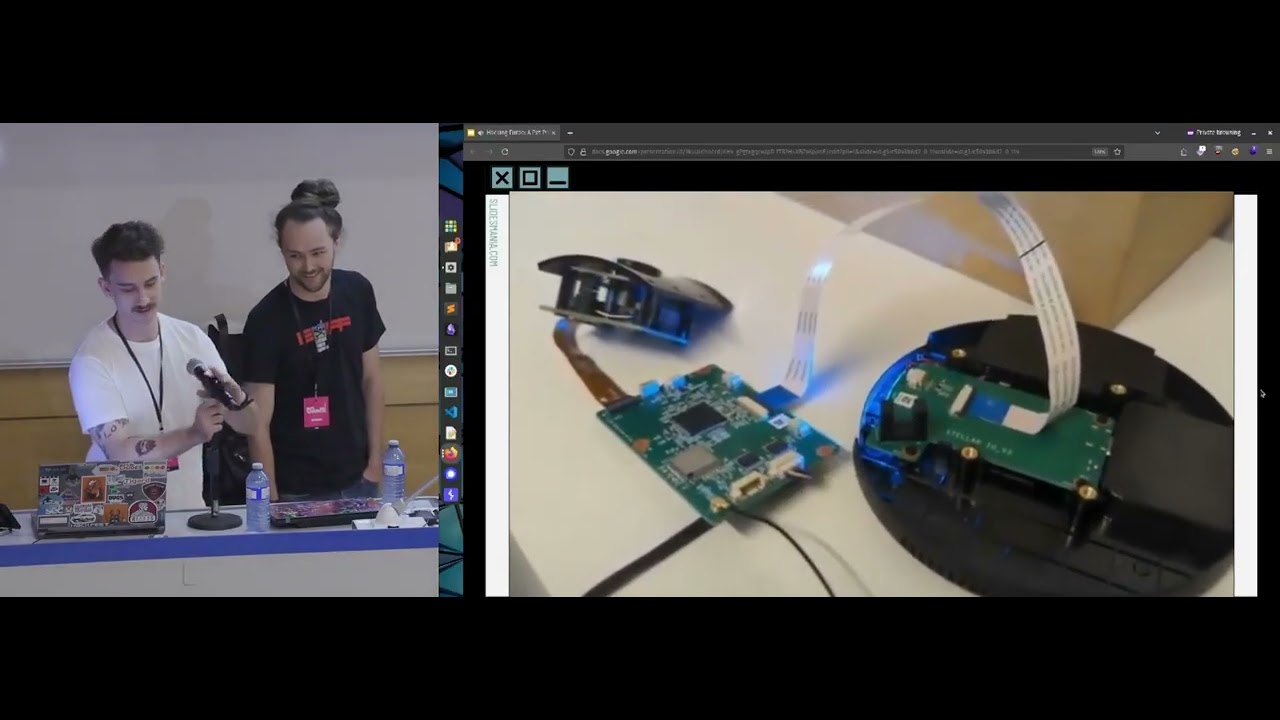 31:42
31:42 32:40
32:40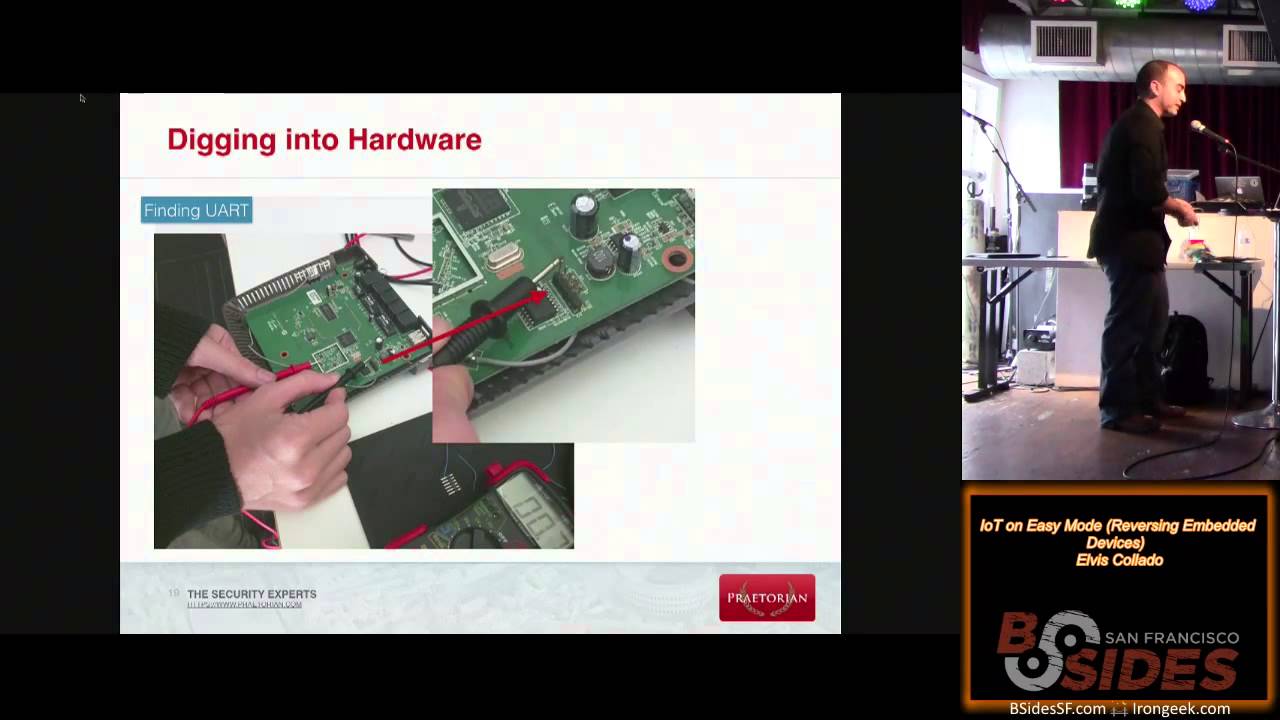 23:55
23:55 41:03
41:03