Doctor Docker: Building Your Infrastructure's Immune System
Show original YouTube description
Show transcript [en]
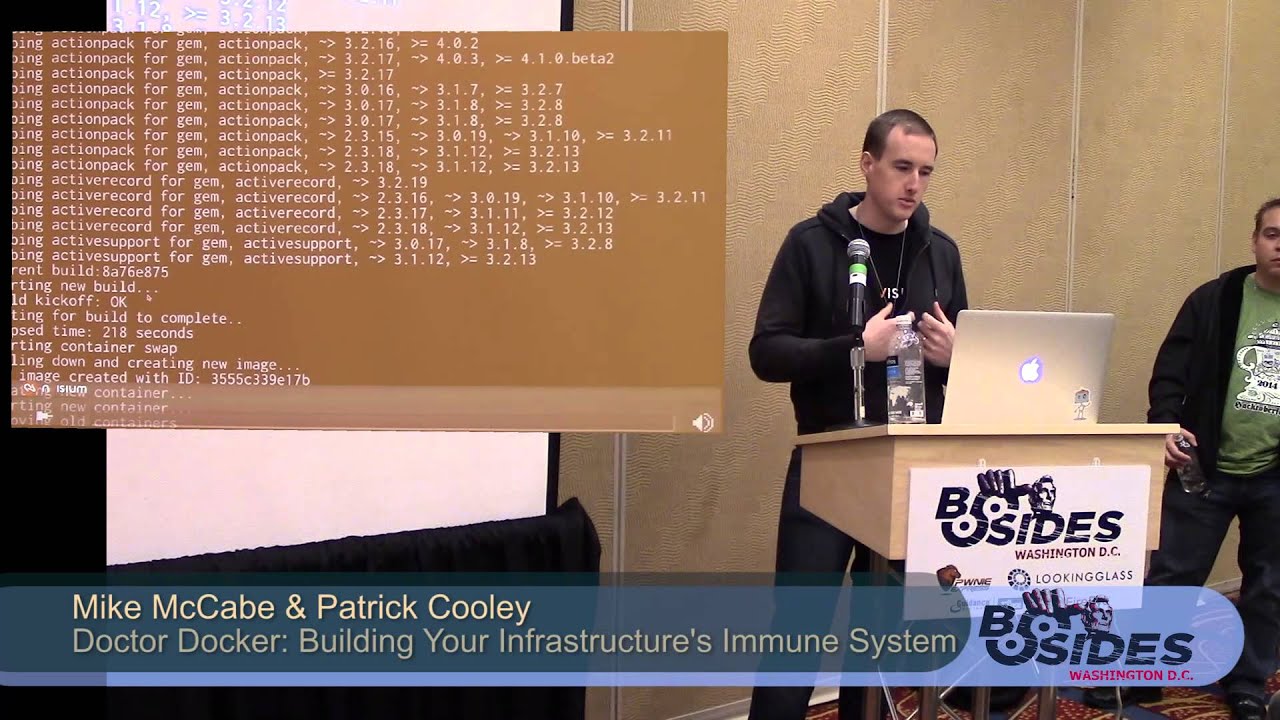
my name is Patrick Cooley McCabe we're from enthusiam we're gonna talk a little about packer and some automated security using docker containers anyone here familiar with docker or with Linux containers in general couple people back there all right a few people said I talked to some people during the conference on Friday and also yesterday everyone I talked to seemed that not even know what dr. was so it's good to know a few people in there actually have at least heard of it what's that all right so this is dr. docker building infrastructures immune system it's kind of a work in progress we're still there's still a lot of things that we're trying to get right with it but it's
it's a good start so I'm gonna start talking a little bit what docker is and then we'll we'll get into some more the interesting stuff according to doctors website this is kind of their understanding of docker which doesn't really help for me at least I mean an open platform distributed applications doesn't really explain a whole lot so start to go over to Wikipedia and see what they have to say and it's a little a little easier understand it was Jimmy asking for some money since we went there anyway what is docker lightweight systems allows really fast deployments you can take what was done with containers for years and years and years but now you can sit down and version them you can
deploy them across different places you can reuse parts of the images inside the containers so all your containers don't have its own image there's a lot of different things makes development a lot easier if your development environment your create development environment your production environment are pretty much exactly the same you don't have to worry about you know tweaking something here or there and the QA guy doesn't have some driver or something installed or some small little library missing so let's take a look a little bit virtual machines every time people think of they kind of always ask well what's the difference between that and a virtual machine today this is pretty good image virtual shoes have some pluses and they
have some minuses same thing with containers and using docker as you can see here pretty much the biggest thing a virtual machine has an entire operating system for every single machine which causes some issues and you know it's a little slower it doesn't have as it's got a lot more bulk to it but it separates everything a little bit better one of the biggest issues right now with docker and containers is because everything is built on top of a single host there are problems with containers breaking out of their container and getting access to the root to the host system or getting access to other containers that they shouldn't have access to so this is a little bit how
how image works you want to start with the underlying system and then you start building up images and different layers so you can have a docker container that's built it's image might have a different starting image like you might have your face ubuntu images and all your Ubuntu docker containers will start on for that same base image so you're not having to have the same image a hundred times on your machine once and then you start adding the different things you want in different layers until you get to the finer final image layer where you won't need an actual container take a little quick look about how an image is built so this is the
this is the official repository for Ruby on Rails and as you can see this front part shows that this is not started off its own image is actually starting from the Ruby image specifically the latest to 1:3 image and then from there where I was decided to start adding some more stuff so as you can see created directory inside the image for our application to run in and then start adding in the gem files setup bundler so it as soon as you start up this you build this image first thing that's gonna do is download all the all the all the gems with with bundler and it's gonna stick it into a layer so now
if I start tweaking this a little bit and add some new things towards the bottom because of the way cache works and the different layers on the image I don't have to worry about going down and downloading every single time all these ruby gems you know only if I am mess with the gem file or I mess with these particular on build lines will require me to go back and read on all those and we create that particular image layer a couple other things going on here is we're pulling down some stuff from an app cap you can see nodejs exposed to a thousand means that we're telling the container that when it runs to allow
docker to access port 3000 this doesn't necessarily this does not give access to the root host with expose there's a more commands you have to do but you can't if you don't expose it to docker docker can't expose it to the route to the host system when you need to do that later on and finally docker is designed to run pretty much one process that's the whole goal people try to get array and adds a bunch of different things going on at once but the goal is weren't a single process for a single container if you have an application that will show you a little later where there's database components then the database components running their own layers or their own
containers so that way if I'm just messing with the web application side and not the database I don't have to shut down the database I don't have to mess with that I'm only messing with the container running the website so a lot of people keep thinking containers and Dockers designed to be secure environments secure Sam boxes it's definitely not the case you can try to do that a little bit but you have to make sure that you design things properly as you can see here about last couple days ago they announced these three vulnerabilities the biggest one here as you can see is privilege escalation from child containers you know you don't really want that if you're not if you're
not trusting what's inside of your container so the things you don't ever run anything inside a docker that you don't fully control or you don't know what it is you there's the docker hub where you can download images and stuff but you should probably take a look at them and understand what's in them before you just blindly pull it down and run it because things like this can happen and you can't you know you can't run something that you don't know something you don't trust because it's not designed to be a security tool so I'm just gonna show a quick little video about spinning up our particular app that Mike's gonna talk about in a few
minutes and just gonna show how quick you can deploy this this this app I'm gonna show here it's gonna spin up seven different containers and it's gonna do it relatively quickly keep in mind this is happening a little faster because all the images happen to already be localized on me on the vagrant box first all we're typing is vagrant up and no parallel commands so that way we have a couple components like the database that needs to be running before the web tier runs otherwise it won't work right these are these seven containers we have a nginx proxy and that's setup so it's constantly listening for the web tier to change if I add more containers on the
web tier I remove containers web tier the nginx proxy is going to listen update its configuration file and reload on-the-fly so that way you can change things on the backend all you want and you don't have to worry about your your proxy having any issues with that and then we're doing some elk stuff which is log stash and cabana and elasticsearch for keeping track of logs and stuff for some of the future things we're going to do and there's seven containers to start it up we're gonna load up the application here and then also look page four Cabana you just see that it's all ready to get pulled in vlog from all seven containers pretty quickly
as I typed a little faster and there is there's goodbye running it was already about 500 entries into the logs and that's something from the first few moments that the containers of them running
I've quickly talked about this like I said earlier this week this past week a lot of things have changed a soccer first of all those three vulnerabilities you saw are fixed in this latest release in one three so suggestive for you using docker already you should definitely upgrade there's a couple tweaks you can do if you want to stay on one two to help plug some of those holes but for the most part some of the benefits definitely outweigh the downsides of upgrading so one of the biggest things that they added is docker exec which is actually pretty cool it allows you to inject new commands into our already running container so if you're doing if
you're running something and you need to maybe do an update or something you don't want to pull down the container you can do that typically though you would probably just run a new container put all your changes in that and swap out the containers rather than injecting new commands into an already existing one docker create is kind of interesting because use a little more control of studying up your containers it's something that we saw in the API already where you can basically provision a container before you actually run it so now you can do that from the command line if you want to you can route you can do docker create and the command line and prepare your container before
you actually start it up some of the new security things are adding now you can do custom SELinux and Apple armor labels and profiles digital signatures is a big deal like I said before there's all the docker hub it has all these images ready to go and they have now that they have a lot of them are official builds from rails or Django or any number of different systems and services and if you just blindly down them you don't know what's in them so what they added now is and they're still working on it but they added the idea of digital signatures so the images now have a signature when they download it will give you a warning right now it's saying
that this signature doesn't match so there's something wrong with this image in the future it'll automatically stop it won't let you run an image unless you explicitly wanted to this helps you know it helps make sure that a trusted image really is a trusted image and that nothing's changing in between docker hub and and your computer yeah so I'm Mike and so Patrick kind of went over what docker is why it's useful and I'm gonna talk about what we did with it so we kind of chose a couple different Pio sees to start with cuz it's all just an idea we had a hack when you use something that makes deploying applications super fast I can
use that for security so we thought of a couple different ways the one we'll talk about the day and the one we do and the demo is securing insecure libraries so how many people here work with Ruby or rails about the same amount as people who are good talker okay not our core audience today but so Ruby and rails they have well Ruby as this ecosystem called Ruby gems it's basically packaged libraries of you know code did different people write they packaged it up they put it up to this place called Ruby gems it's it's similar to you know have to get or jars maven that kind of thing so the issue is that people write this
code not everyone is that security conscious there's a lot of security issues that come out of it so we want to figure out a way to basically automatically and very quickly secure our applications against these security issues that come up but there are some other things we've looked into how to use docker using it to protect against active attacks or data loss prevention so these are kind of concepts we're going to proof of concepts we're gonna keep building into this into this system but right now we're just going to talk about the insecure libraries so to kind of give you an overview of how this whole thing's working so at the bottom you have your kind of it's a typical web
stack you have rails goat which is a intentionally vulnerable rails application it's an OAuth projects it's kind of a learning tool but we use it as our kind of sample insecure rails application you have a my sequel DBU which is just the back end for reals goat and nginx proxy which is just the web server Fernand and like Patrick said the nginx is doing load balancing and will will switch over to a different resource if the one it's currently using goes down or is unresponsive off to the right I have to give my directions correct we have the ELQ sec which you guys aren't familiar with that that's elasticsearch log stash and Cabana so that's that's
basically a log aggregation aggregation and searching tool so log stash grabs all your logs from different places they can take like your syslog your Rails ogz your my sequel logs and it brings all these things together and put it into elasticsearch Vlasic Church is great for searching clearly and so use that to pull back certain information and then cabañas kind of a front end which Patrick just showed to do those searches so that's what we're kind of using is our sensors in this example so we're basically throwing all of the information into elasticsearch and then pulling it back from into the brain awesome awesome brain image and we're gonna talk about that a little bit but
this is kind of our we try to model it off of kind of a production environment of how you'd have a rails applications set up so you have your nginx web server and your your rails application in the backend and your my sequel in the backend and then we kind of added the all the custom code is in the brain and that's that's what does all the magic pretty much that's what is the glue to docker and rails and everything else so so like I said what we focused on this time around is kind of securing a ruby application when there's an insecure ruby gem and ruby gems just libraries packaged up their code with a little bit
of metadata to talk about to kind of say what they do the red gem that do everything there's a gem that's the adapter for my sequel there's a gem that does ooofff there's gems that do pretty much everything rails itself is actually a gem so when you install trails are actually installing it into gem form and rails itself is actually multiple gems packaged up as one gem so it gets even more confusing a lot of times this whole when we were prepping this talk talking about containers and virtualization and gems inside of gems we we're thinking about inception the entire time because it's pretty much what it feels like so we use this tool called bundle or audit
basically what it does is checks for vulnerable versions of gems so you have this thing called a gem file it lists all the gems you use in your app and then bundle Auto reads that and looks for vulnerable versions if you guys are from the Java world there's a similar tool called dependency check it's really useful I suggest you use it because it will finds jars that have sea bees or other public vulnerabilities it's really useful we all depend on a huge amount of unsecure third-party software and so these kind of tools are very useful to help you secure your applications from these from these issues and third-party software insecure third party software is in the loss of top 10 - so it's a
pretty big issue and then finally rails goats the app just a sample app we used clearly you wouldn't want to run a vulnerable rails app in production but we use this just because it already had issues into it sorry built into it so it was a good example of an app that's vulnerable and we want to make more secure so here's sort of the demo of how everything works so we're actually have this running in a container but for the demo we're breaking it out of the container and just running it manually normally you'd have all these all of these different pieces running in their own separate containers and then they don't interact through docker
in this case just for the demo purposes we're running it manually so what we're gonna show is one thought about running first and this is gonna print out all of our all of our vulnerable gems and you can see there's a bunch of vulnerable gems there and then we run the brain yes it's written Ruby sorry I know no real work gets done a groove you but I like it we run the brain and this basically looks at your looks at your gem file it finds all of the vulnerable gems then it starts updating your code for all those vulnerable gems so it subs them out and and switches out the version that's fixed and uses bundler
audit to tell it which ones are fixed and then basically with docker it kicks off a new build which will use those new patched versions and we use something called and I'll talk about this in a second but a trusted build from docker hub which basically means your code and github matches your docker built in doctor hub then once that's done it pulls it down pulls down that image creates a new container based on it and then swaps out those two containers so what you get pretty quickly is an insecure library become secure and it takes about ten minutes of Rumble written it up for the demo so in about 10 minutes you went from insecure libraries to
secure libraries and just to be correct in production this would run without any manual interaction of you know a sysadmin or develop or anything like that you just have this running in the background and it would detects issues and upgrade versions without you doing anything clearly we're gonna build some notifications into it because you don't want your system just upgrading things without you knowing about it but for now it's doing it automatically so how does this all work so at the core of is is the brain again it's written in Ruby some people don't like Ruby but you can stick with Java then cuz I don't like Java but to code in at least so we have the brain dot RB
which has all the custom code in it that does all the decision-making and it runs all the builds it does all the pulling down a builds and then to kind of do those checks we use a modified version of one dilaudid so once again this is very inception because one thought it is a gem that detects other insecure gems so it's just it's sometimes tough to conceptualize how this works and then yeah docker hub has this thing called the trusted build which is basically you sync up your code to their build system and so that means your whatever code is in your github depository is gonna match that image that someone's gonna pull down and
that's important because it's a whole trust and you have to make sure that the code you can look at and actually audit that's open source matches the thing you're about to run in your system it also has a nice feature that since we have it hooked up like that they run the build for us we use their infrastructure to actually run the build which takes resources so we use all their systems we just have to pull the build down once it's done and then docker has a an API built into it it has both the the client the server kind of infrastructure that's that's that is docker but also has a remote API which we use a lot of that to
actually control the workings of our docker images and containers and that's pretty much what the brain does is interact with interact with that remote API the remote API doesn't match up 100% with the client API but it worked well enough for us so far and we're using this this other gem called docker - API to do all that control and clearly since this is pretty new this code has been you know worked on over the past six months and we're continuously changing things with it there's a lot of hacks built into it - and there's not a lot of I'd say it's a little fragile right now but we're improving that as we go so
these are kind of the steps that it takes to to get the work done so one of the things that we had to figure out was how to pull a file from the container docker has this really odd API where instead of just being able to pull a file it gives you a tart up version of the file so we had to kind of there's some work just to pull that across a HT P API and then pull that into the Ruby code and actually work with it and process it with under audit so we pulled that gem file from the running container so we know that the versions that are running in that container what we're
actually running are checks against and then we run bundle audit against that and that'll give us the results of all the vulnerable gems that are in in the system and then also the fixed versions that we should be upgrading to so that's the parse parse results and then we update the gem file which is kind of that manifest file that has all the gems all the versions we commit that code up to github and that's when the build really gets kicked off because once again docker hub it's a trusted build so any code that's in there matches the image that's on docker hub so as soon as you commit that code ability its kicked off and that process usually takes about
ten or so minutes we've been working on trying to trim that down as much as possible and it's actually mostly due to ruby gems installs so the more gems you have the longer that install takes once that's all done we basically have a we have a system running that checks for the new builds and compares it to the old builds to make sure we're actually pulling down the old build and then we swap out those containers so all this is done once again once this is running there's no manual interaction with the system at all there's no no one logging in no one Ness is aging into a server running any commands it's all just
running in the background no human interaction needed once you boot up all those docker containers and have it running well most of your state if you're using something like memcache or Redis to maintain some kind of state that would be running its own container you probably get a little bit a few cut connections if you know things were actually being actively processed in the in the web server not the nginx with the actual rails server since this we haven't run a huge amount of volume against it yet but it's typical for anything if you swap out same thing with normal deploys if you swap out code you're gonna have a little bit of maybe not downtime but maybe a little bit of
interruption for some people so I mean most of your long-term State is kept in my sequel so that won't change because those that container doesn't get touched but another also some ways and we haven't really experimented with it yet but there ways to kind of wait until all the connections are done and then initiate the swap but right now we're just we're just doing a straight swap so yeah the end result basically is we've upgraded an insecure library and there's zero downtime basically we brought up another container while the other one was running and then as soon as that one was ready brought the other one down so there's no there's no time where the
application wasn't available and there's no interaction either from anyone which I keep harping on and I think it's sort of important but I've worked in a security team where we had to do this kind of process where you had to upgrade rubygems all the time I don't know if well not a lot of people work with Ruby but last year there was a big issue with Ruby gems where well there's a vulnerability in Rails which basically gave you full remote code execution or sequel injection whichever whichever one of the worst web application vulnerabilities you wanted to do it gave you the ability to pull off any of them so this is actually a pretty painful
point of that whole Ruby ecosystem is upgrading these gems so anyway to automate it and make it faster and make it faster to react is well you're gonna work on this if we didn't think it was important so pretty important in our eyes and since it's zero human interaction another big thing with this this project is you don't have to track anyone down who can actually make these changes you know you might need a developer who can actually commit code to your repository or some kind of sad meant to make the change with this you don't need to track those people down you can react as soon as that CBE is public and in the
in the bundle bundler audit tool so that's what that's why you like about it and again zero downtime which everyone needs that so so weird there's a lot of places we want to take this tool it's you know sort of a Dockers kind of the new hot thing and systems administration so we figured we'd take a look at it see you know how we could use it for security a lot of people are talking about docker and its security you know whether it can be used as a sandbox or whether it's insecure by default all those kind of things we're now looking at it from that perspective as much Dockers one of the same things like
virtual machines and every other kind of kind of jail kind of system that it's as secure as its set up so if you make it set up to be insecure it's gonna be insecure it's not out-of-the-box gonna be a super secure system so we don't look at it from that kind of perspective we're looking at it how can we use this tool with that you know people not everyone is using it right now but very soon a lot more people are gonna be using it you know Heroku uses some form of it Google has their own custom version of containerized system that they use Red Hat and Boone two they both support docker a lot of more people are
gonna use it so how can we use these these this tool that's gonna be everywhere soon to kind of make security a little faster a little less painful for security people and systems administrators developers so there are a lot more places we aren't gonna take it and we're kind of looking for ideas for other ways we can use docker but some of the things we want to build into it or kind of monitoring for active attacks and I'm doing active patching that's sort of what we're already doing but we're thinking almost at the code level versus the library level so we have the whole elk stack built-ins we can monitor attacks that come in but we also have a
laugh spun up to that's that we have information to pull from so we're gonna talking about how we can use this to do more active defense versus just patching what are things we also talked about was you know if your system is being actively compromised using docker just to bring it down I mean you could use you could use anything for that you don't have to use docker but at least with docker you have control - yeah very you can very quickly bring a system down so we kind of talked about how we how we defend by doing something like bringing down the system if it was being compromised if you saw evidence of either remote code execution or sequel
injection or someone just you know exporting your database out just use the system and bring it down but there's a lot of other possibilities for how we can use this and we actually do have sort of a POC working for spinning up a laughs under attack so if your applications being attacked you can just swap in a laugh pretty quickly and the enhancements we also want to you know of course make it a more robust system and you know stop it from breaking as much it's pretty new code so it's not insanely well tested and the other part we need to build in is kind of a testing framework for the applications because we're basically bringing up a new
version of the application without really testing it that much that's something we have to build in is bringing up an extra container running the new code testing that and then swapping it in so there's some there's some work to do there and kind of figure out other ways we can enhance this but we kind of proved that with docker you can very easily build a system that can defend itself against insecure code so so to get started with this you need a couple things clearly you need docker at the at the root of everything docker currently doesn't run on anything except for Linux and so you can run it on OSX if you use this project called boot to
docker they basically uses a VirtualBox and boots up a very lightweight VM that runs docker and then you can just basically from command the command line send commands back and forth to that VM to do docker commands so you need VirtualBox and boot to docker for that and then we use vagrant for this whole system vagrant basically takes all those different docker commands and packages it up into one into one file and then boots everything out for you so you don't have to do 20 different docker commands at once the code for all this is up on github that's just a shortened link for it we'd love for requests or just issues and ideas of how to improve this or
contributors if you want to you know contribute directly just talk to us and let us know it's definitely gonna be changing a lot over the next couple months it's not close to its final form so expect a lot of breaking changes but it's gonna just keep on we're gonna keep on changing how you kind of structure things so it's nowhere near its final state and then docker hub so we use docker hub as the repository for all the docker images so you need an account on that it's that's just where we push and pull all of our images when we change things around and they offer free storage of images so it's pretty useful but basically that's all you really need
to get started and you can have this running once you have VirtualBox and weak the docker installed you can have this running in about 15 minutes so it's pretty lightweight see I think that's about all we have today but we have some time for questions if anyone has any questions
yeah more of that I mean like like we said there's not doctors pretty new and so new issues are popping up looking right it hasn't gone through a huge amount of security review and even the kind of creators of docker have said like this is not a security tool don't expect it to be secure so trust whatever you're running inside of it so yeah shared environments probably not the best idea to do right now at some point it'll probably get to a point where it is secure enough to do that and they're working to make it more secure but it's more of a single tenant I want to run I want to replicate you know my
environments across dev test staging and in production I want my you know I want what's running on the laptop of a developer to match what's instruction that's really that's really useful is that thing can be one-to-one pretty much cuz it's all just being I don't want say virtualized but sort of virtualized from from docker so and also just speed because you can I mean we had someone tell us earlier today that he on a pretty powerful system I think it was like 30 30 or 60 gigs of ram spun off about 150 docker containers at once with no problem at all so and you don't need a very powerful VM to run this the boot to
docker runs in a pretty pretty lightweight VM doesn't even have much memory and we've lit up all these pretty heavy services I mean my sequel's decently heavy the rails app isn't lightweight and it all spins up very quickly so
I'm sure they did a lot other things on the back end to make sure that
Oh
the process
we got no idea toxins
yes it's turn companies that come action back to the comp we are starting doc well that cloud actually changes the name formal mm there's no longer a company that web applications and now they just make doctor and of course they selling
yeah we talked about that a little bit and we want to make it I mean the goal in the end of make it just kind of plug in place you plug in the system that you want to use to do those checks so like I mentioned dependency check we could use that as long as we build a parser to parse out there was those results and then interact with the system it would be relatively straightforward I don't if there's any thick technical challenges we're just focusing on rails right now cuz it's the easiest but yeah maybe just as long as there are the same
yeah and one of the another cool thing which was actually kind of a big deal with Windows is going to support docker and the new version I don't know they're calling it like they're gonna skip the 20 years you said the next Windows Server version will support dock so and a lot of people without getting into dr. Alaine well it can't be real have any live gonna start actually allowing docker images even sooner so yeah we're gonna start accepting images
I think that's almost 70 tanners waffle times
it's not so bundle I can about a bundle updater bundle audit because there's different tools yeah so it doesn't it really depends on how they upgraded if they didn't do a semantic new semantic version then they'd probably just give you the breaking version so but we're using the closest next version available so if it's three one two or use three one three instead of 401 401 for example so we're trying to match it as close as possible to what wouldn't be breaking that's why we need to kind of the testing step to make sure there are no breaking changes but generally gems do use semantic versioning or something pretty close to it at least
yeah a lot people a lot of people wouldn't do it but that's why there needs to be a little more robust testing in this so oh yeah I guess we have to put this yes but definitely out production-ready if we didn't make that clear enough but please do not get clone this and then run it anywhere that there's real code running so maybe one day I will get there but right now it's just kind of a proof-of-concept so
any other questions cool well thanks a lot
Related talks
 46:32
46:32 39:54
39:54 50:30
50:30 32:55
32:55 15:23
15:23 26:58
26:58