G1234! - (Im)proper Database Authentication - Mitch Wasson
Show transcript [en]
welcome to besides Las Vegas ground one two three four track this talk is entitled improper database authentification by Mitch from Canada and we'd like to thank our inner circle sponsors critical stack and Valley mail and our stellar sponsors Amazon blackberry and silence please ask you to put your phones on silent and there will be some time for some questions after the talk just raise your hand I'll come by with a microphone and then the streamers I can now thank you okay take it away okay thank you so yes so you said my name is Mitch I'm a software engineer so not a security analyst and I work on Cisco's advanced malware protection for endpoints product so mate
that's about all you're gonna hear about Cisco though all right so it will we'll jump right into sort of the environment I work in one slide on this and I'll just describe a little bit about how endpoint protection is set up in the cloud in our case so we have an agent running on laptop servers phones sends data back to our command control servers it sends a definition so I think like behavioral signatures hashes some machine learning proprietary analytics I don't know I don't write endpoint software so there's probably a ton going on there I don't know about but the the part I want to focus on is this data it gets sent back we take it
into a streaming service and it gets forked off to either have detections run on it those generate alerts alerts get viewed by customers in their web portal the other side is the data comes through gets written to Cassandra another database and that raw data it's kind of like an abridged version of what happened on the endpoint so I think like event tracing from Windows you can get a ton of information out of there there's no way we can bring all that back to the cloud for 7 million endpoints so what customers get to view here's a bit of like an abridged version of what happened on the endpoints but it still is like a deep enough picture for
investigation and then the last data flow here is some generic summer information it's put in MySQL so you can think like admin names or whatever you configure in your your Cisco hamper endpoints web portal so we care about data security one because we're a security division be little embarrassing if we didn't and we're also storing for two classes of sensitive data here one is data about customer systems so I think like files like a PDF could have some valuable business information that hackers won access to we might have some information on that in here so we want to protect that same thing with their alerts in terms of like what's going on inside in terms of cyber
events in their system and then lastly kind of like your generic customer data you think about that gets leaked on the regular right now you see these leaks in the news so we want to protect that sort of stuff too it's now an important point to to bring up here is the scale of the data in our system and it's going to come into play why I care about certain things in database authentication so this data path right here is about two hundred thousand records per second in our largest AWS environment and it's like a distributed systems technologies evolved where it's it's not that hard I mean not that I'm saying our jobs aren't hard it's but it's possible it just
makes it a huge pain in the butt to for example do like a rolling restart of this Cassandra cluster not that it's impossible it's just that like for example if you want to change a password for a database user or drop the user we like if that happens regularly enough we don't want to be restarting the cluster if we want to upgrade that's fine but a routine thing like bread rotation should not be caused for restarting the cluster okay so the the interesting edge cases for me here are credential rotation user deletion and session invalidation and a lot of these are coming down from an audit we're about to go through and to pass an audit we need to and I like
rigorously understand what's going to happen with the different data stores we use so that's what will be the hangout will be evaluating MongoDB Cassandra MySQL is the three databases you saw in there as well as Postgres for good measure so four popular open-source databases think oracle still has the crown I didn't want to navigate getting an Oracle license for the purpose of this so it's not in here right and then the no downtime emphasis there a lot of the things I'm going to bring up that are like possible issues you might care about an easy way out is just downtime restart your databases so I keep that in mind none of this is like the houses on
fire type of stuff even if I think later on I will show you I guess it's a one day now vulnerability in MongoDB again it's nothing - like seriously panic about okay so this is a bit of an obligatory slide favorite meme there but it's a authentication inverse authorization just basically to convince you I know the difference I think in the the abstract I sort of alias thumb behind like the off short form primarily gonna be focusing on authentication though it's hard to talk about one without the other and we'll see some of these databases sort of lean on their their authorization features for authentication functionality in a sense all right so we'll go into some behavior
examples here for these four databases and first thing we'll look at is credential rotation so I know just like change the password those are two two passwords that came off like a top 20 list I found online I know it's like hey is anyone here use those passwords yes yeah I know I don't know who but I love you for their password it's that one just struck me as a little weird all right so I so this will be the format for the sort of like demo slides so here we have two terminals one on top one on bottom these are they're both user terminals for MongoDB in this case so I got the little
logo here so that the top one we log in to a shell and Mitch is a a readwrite user on the database that's the the pattern I'm using in most of these and you can see we successfully inserts and then behind the scenes in an admin shell the admin changes the password for the account niche and you can see we can still use this session to insert records and read them too but I just thought writing it's pretty shorter output on the console could fit on one slide and it sufficiently demos it and then the next one here is kind of like I'd call it table stakes for being a database company if you change the password then
you can't establish new sessions with the old password anyway no surprise there so you can't use the old password password one after it's been changed but you can still use your old session alright so we got the this table here MongoDB gets a agreeing no for use old creds and cred rotation and the yellow yes and use old session not necessarily bad you just just know about it yes all right so going to Cassandra similar behavior again you can insert I haven't changed the password still use the session to insert can't use the old password pretty straightforward cool so no surprise there Postgres again insert change the password and still insert with that same session and can't use the
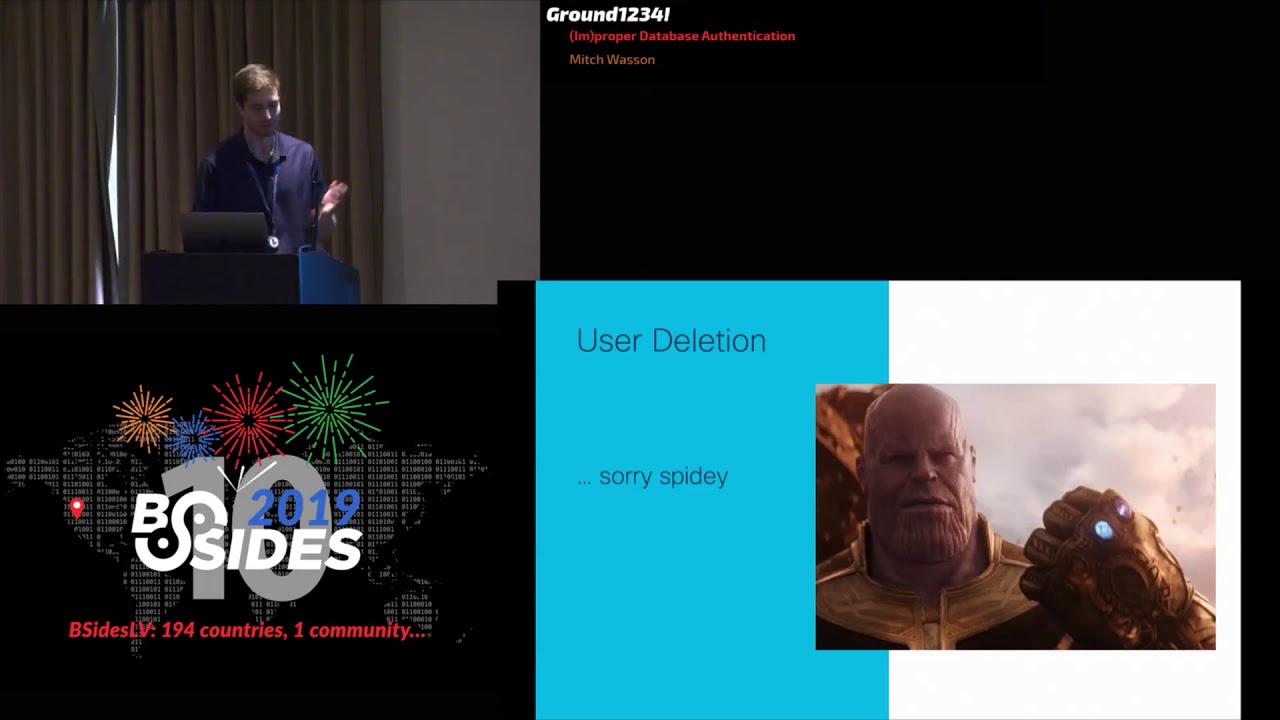
old password alright no surprises again there's a bit of a pattern here so MySQL exact same thing you can insert keep using your session on credential rotation we kind of handy behavior to have especially you want the ability to not kill all sessions you can think like we have all these apps writing to cassandra for instance and to kill all those sessions have them reestablished that probably caused a bit of a blip and our backlog might take a little bit to catch up provision more server or something like that so I actually kind of like this behavior again you just want to know about it all right so move on to user deletion now so sorry Spidey gonna get rid of
there okay is anyone like Avengers I haven't even seen this movie dude did I use the meme right I don't all right so uh so it first we'll look at user deletion with MongoDB so admin drops the user and we could insert previously we can't insert anymore so here's sort of like our first what I'd call interesting behavior you still have a session to the database even though your users gone and you can still sort of do stuff non-privileged operation so you can't insert but you can for example send a command to the database we'll see in the case of like MySQL PostgreSQL it'll parse it check if you can do it so it's not the same as having no
connection at all you have slightly more access and then again sort of the the table steak scenario you can't use the old user after it's been dropped so no surprise there all right so in this table here I'm filling that in as not really can't do what you could before still can do a nonzero amount of stuff even if it's not very much at all again not something to go nuts over just good to know about all right so Cassandra again similar situation you can insert admin drops user can't insert and then Cassandra you can get a little bit more out so in the one I just like ask for connection status I couldn't do something like this which
was described like what tables there are or describe what databases there are so Cassandra gets lets you get away with a little more but still very similar behavior and then Cassandra is also a unique case and that it's the only one of these four databases where authorization is optional so you can have a Cassandra database with user accounts and no authorization so you just log in and you have full access to everything so if you have authorization off when you drop the user you can just keep on going so you have a session established your account gets delete you're fine just just keep on keep on going I anyway so that gets it a read
maybe if you've decided to be lazy didn't want to do authorization you get this bad behavior again something to know about I'll summarize the things to know about at the end but anyway it's read I don't like it so now we go into Postgres again similar pattern where you can insert do operations until your user gets dropped then you can't except for unprivileged stuff so here I'm saying like show me all the tables that don't start with PG or SQL there's like 50 tables in there that start with PG and SQL by default so this is just showing the one data table alright so we get a not really for the use old session there
alright then MySQL can insert for users dropped after it you can't and you can still do some things like show me what user I am to the database alright so not looking that crazy though there was something in here that hinted that things might be a little weird so this Cassandra case where you turn off as a ssin off and you still get your session that's sort of hints that this database is leaning on authorization capabilities to enforce authentication so you don't have an account anymore you shouldn't have an identity with the database but it's using what accounts can do to enforce whether or not you have an identity so that sort of begs the question it's like okay so I don't
have an identity what if someone are sorry that what if you recreate an account with that identity so that's what we'll look at next is recreating the user and there are plenty of cases where you'd want to do this so the credential rotation remember we can still keep the session when you rotate credentials let's say you did want to kill those sessions an easy way around that would be dropping the user and then re adding it with a new password so it's definitely a case you want to consider and with Cassandra you try to insert admin drops the user then you can't insert any more and then Ivan recreates the user and you get a
successful insert with that same session so basically it's just checking like is there a user in there named Mitch yes there is all right Mitch has these privileges now because they were Reata dand you're good to go with the old session because it's associated with Mitch so not the best behavior in my opinion not something I like I'm gonna have to find some sort of mitigation or workaround for my environment at least so now we go into Postgres and Postgres this is what I wanted to see so you have a successful insert admin drops the user and it we don't even do anything on this session here no touching it admin recreates it with a new password and we try something
and it doesn't work we're we're back to the just regular drop user scenarios so this is this is what we want out of our database I'll assert so we get a nice yellow not really because it's the same as the drop user all right MySQL we're back to the behavior we don't like same as Cassandra where we insert I've been drops the user can't do it anymore Ivan recreates the user with a new password and then we're back in business and it's all right so now MongoDB this is the it's the CV that we're talking about so thought it would be nice to give a live demo of this one especially show sort of like why this is considered
a bug where spoiler the the other ones I showed it's like MySQL Cassandra we're not considered security bugs and they're sort of more like things you should know about so this right here is an admin shell for MongoDB so we'll start like oh yes thank you did not account for that actually when we do this here at this place okay so we got an add-in and shell here second is it large enough font in the back you're good you read it awesome okay so in this admin shell we've created a user Mitch password password one and it's a read/write role on this database all right so now we'll go over to another shell it's in this container
and we'll go into the database with the user Mitch password one all right so do things like show DB's show collections all right so we'll try inserting something that works all right so we're good and we'll go over here drop the user Mitch so now we'd like to not be able to use the session insert all right that's great requires authentication not my favorite that they mixed authentication unauthorized in the same Erika error code but hey it's the behavior we want so now we'll add this user back we'll use a different password password - again bad examples but again it choose good passwords please okay so here we we're gonna try and starting again and
we shouldn't be able to that's what we want okay sorry that's good now you'll notice here that we we put activity on the session in between the user being deleted and the user being added back so it was admin deletes user we try and insert something doesn't work admin adds the user back and then it still doesn't work so we'll we'll try not doing anything on the session so we'll login password - now we can insert drop the user again go back here this is the user shell we're not going to touch it no activity on the session and then we'll add this back so password three and then we try and insert again and it
works so MongoDB clearly puts some thought into the scenario where if you put some activity on the session it sort of Bork's the session and even if that user gets added back you can't continue where you left off but if there's no activity on the session in the meantime then you can use it so that's why when when I report this to them they considered it a bug whereas Cassandra and MySQL don't consider it a bug okay so MongoDB 408 gets a yes there you notice I put the versions here I think it's the latest version for all these databases except MongoDB MongoDB has had a fix out for a bit now for that one and I'll get into
that that fix in a second here okay so I wondered sorry okay so I was wondering that why why is this behavior this way between these different databases we have Cassandra and MySQL on one side as well as MongoDB and then the new MongoDB with its fix and Postgres on the other side so if we look at the the user table in Postgres we can see that there's this column called like you sis ID and PG user so here we have root and we have Mitch and this is an admin shell so we can go ahead and drop niche and then create niche again and then look up the user table and you can see this you sis
ID value for the Mitch user change so if this is too low up here it says 1 6 3 8 5 for Mitch down here it says 1 6 3 8 6 so you have like a unique user identifier for each user account when it's created even if the the name is the same all right so and that solves our spidey problem all right so in MySQL there's there's no such column in the user table and this has been around for a while on their website you're not meant to be able to read this warning but basically it just says like hey the drop user command does not take effect immediately the way they word it here it's a bit I
think pessimistic the the situation is better than they described on this page but basically it's saying like if you drop the user don't expect sessions to be like gone right away Cassandra they're taking that route as well not modifying the database but instead documenting it they did not have something on their drop roll documentation which is the the drop user equivalent tell them about this they added it so so that's nice there's a warning out there for everyone and then like I said MongoDB to their credit this is this is great that they recognized it as a security bug shows that they really took it seriously even though it's in my opinion not that crazy of a bug and the
fix they added and therefore dot o9 release as well as there are 3.6 and 3.4 which are also supported is a unique user identifier and in this case they used a universally unique identifier to basically distinguish between two instances of users with the same name across time ok so there's just a few possible actions here remember if your database has authorization capabilities use them it might be leaning on them for some other security things like authentication which is slightly different but related the workaround for there being no UUID in your database user table is just create your own user I you you IDs kind of so never make a user with the same name twice I think
that's the workaround we're going with so we're gonna do something like account name underscore the date it was created if you do that you'll never have this problem of deleting and recreating a user in bad sessions maintaining activity and then if you want that user ID functionality built in and you use MongoDB just upgrade you'll get it for free I think that's about it so open up to any questions if you want to get in contact with me please do watson labs comm it's just a personal website it's got email LinkedIn whatever and then if you like this kind of stuff cisco is hiring pretty much on everything but amp for endpoint specifically we work at a calgary
alberta if Canada is and your thing there's lots of security products as well in the United States and globally okay I thought it's a hand up over there okay and is there a way in Cassandra or my school or any of them to clear out sessions periodically can you disestablish sessions that have been established so that you don't run into this sort of thing over a long term right good question so I haven't found a convenient way I've seen answers on the internet I haven't tried out which are kind of like custom scripting solutions you might be able to do something in in like your firewall for instance to like sound like TCP packets that just stop
sessions and force them to be reestablished something like that might be might be possible yeah I don't have a super direct answer for you yep yeah well date will just wait for the mic sorry yeah who tried this before but have you tried to kind of change the role of the user while they have a live session yeah yeah yeah so that's a great question so for example like the the MongoDB one you delete the user add it back the old sessions inherit the new permissions so there's no kind of like keeping track of what permissions were what it's kind of like you have a session that's established with a user named Mitch and Mitch has these authorizations then you
can do it so so the CVE if you if you take a look at it it's got like a pretty high score i think like 7.4 my initial assessment was more around like a four and it's that exact scenario which it was Cisco Talos wanted it upgraded to that case in in case you take a user delete it and add it back with higher permissions it is what they were worried about other questions just weren't at the back there okay did you look at the cases where while there was an active session you changed the authorization that the user had how does it handle those cases yeah you get the new authorizations if I remember
correctly you do get the new authorizations yeah more questions I thought I saw a hand up over here no okay anyway I'll be I'll be sticking around I know it's lunchtime but please come up talk to me it's I'll be as candid as I can [Applause]
Related talks
 51:51
51:51 32:48
32:48 33:48
33:48 54:33
54:33 31:06
31:06 20:51
20:51