Isolated to Constrained Language Mode - Living within the Confines
Show transcript [en]
besides DC would like to thank all of our sponsors and a special thank you to all of our speakers volunteers and organizers for making 2018 a success this talk is about ice leave the constrained language mode living within the confines of it just curious does anyone like played with constrained language mode at all really Thomas you must had a lot of fun huh it's a great way to bash your head into things when trying to figure out how to write good code alright so gonna get started my name is Chris hunter I'm the co-founder of a security company out of Colorado called 14 or security my background is basically I started assistance administrator and kind of moved into
penetration testing the red team work there's someone I'm a huge open-source fan I like to write a lot of different code some of the tools I wrote about our veil along with a couple other individuals that I witness and a tool when the implant where if you were in my workshop today you would be someone familiar with that and I will talk about it kind of briefly during this talk so let's just talk about we're gonna be focused on constrained language mode what is it how does it work what are different data types that are allowed within constrain language mode what doesn't work that you would expect or maybe be surprised that does not work in
constrained language mode and at the same time what actually can you do within constrained language mode and finally we're gonna look at kind of like an old dog an old trick but in a different way to kind of get it done so we'll get to that a little bit it's a constrained language mode what is this well Microsoft likes the document constrained language mode and described it as partial Korean language mode is a language mode of PowerShell that is designed to support day-to-day to administrative tasks yet restrict access to sensitive language elements that can be used to invoke arbitrary api's so almost any code that you're gonna write that's pure PowerShell or you're gonna leverage powershell commandlets that
operate with pure powershell data types are allowed and can run if you try to run something like invoke immunity cast though or run some sort of shell code runner or inject she'll go with PowerShell in any way that's almost 99 times out of 100 as it may just completely outright block because the API so you're going to attempt to access and constrain language mode are inaccessible so where does this kind of fit in in kind of Microsoft's like maybe secure boot when it comes down to try to like not really secure boot but what where does it fit in to help protect the end point this is actually an image from Microsoft's I believe a talk that
someone gave about Windows Device guard or what's now called Windows Defender application control and device guard really kind of seek their seeks to solve this problem down here so we're not looking to secure boot we're not looking at UEFI UEFI security device guard is more interested in like kernel mode code integrity user mode code integrity and constrain language mode kind of fits in down in this area to help attempt to a help enforce out user mode code integrity so what does it mean like what is constrained language well again it it blocks a lot of dangerous data types so there's a lumpy largely you'll see in just a second unless you are using a white listed data type within
constrained language mode something that's allowed it's just going to be outright blocked a good way to think about it is if you can build your script in pure PowerShell and not try to invoke anything with c-sharp it's likely that your code should be able to run not otherwise it may not constrain language mode kind of came from I believe it was a look to be the default powershell mode on like Windows RT so like their tablet that they offered they don't want to provide full PowerShell language mode so they gave it constraint language mode take a quick look so the straight leg emoji at a data types like what can we work with well constraint language mode
kind of like I said introduces whitelisted data types so it kind of somewhat similar or not - kind of like application whitelisting except it's only white listing the data types you can operate with this is not a blacklist only protection protection and allowing everything else if you're using an allowed data if you aren't using a data type that's specifically allowed you're going to see an error like this and so what this is saying is basically either this method invocation is supported only on core types in this language mode so that essentially meaning that it's blocked from running constrained language mode only full language mode of PowerShell will allow to run so this kind of abstract were instantly working to like
how does this affect you day to day prior to that though okay let's so we talked about data types like what can you find us actually loud well one of the first things you can do try to look at MSDN they have some documentation on what data types are whitelisted and what's what's not and the next step is essentially okay let's find out what's documentation is missing from Hema Stan MSDN and then actually see what data types are allowed so I talked about Mac raver here he formed a PowerShell one-liner that enumerates all different types of allowed data types within constrained language mode I don't think you can give like a PowerShell talk at all without referencing Mac graver at
some point because he's pretty much ever touched everything that you can somehow a PowerShell so he gave this one line I think he tweeted it out and it makes life really easy and numerating it which we'll get to in just a second but some big ones okay like what's definitely not allowed from strand linguish mode well you can't use com objects at all you can't interact with them is gonna be blocked if you try to use ad the ad type camille it within powershell that's also going to be blocked custom powershell classes are blocked type conversion is blocked within powershell unless you're using like converting from one approved and whitelist of data type to another
whitelist of data type if you like to dot source your code that's not going to work you won't be able to do that and then and again it all comes down to this final bullet point has only approved net or really just approve whitelisted datatypes are allowed to run within constrained language mode so here's a list i believe this actually is the all-encompassing list from microsoft's MSDN so you can see we have a lot of like basic stuff right that most people are gonna think about like you can you have an int you have bull value so you can figure out true and false you have you ends there should be should yeah their string right there system net that
IP address so there's a good like a decent amount of type data types that are allowed but there's still a lot that is also missing from this list that you may encounter once you use at some point when you're in PowerShell code so I'll see you on the ice that's this a lot of data types but is that really all inclusive so almost the end states that that is the end-all be-all list well let's kind of follow like this trust but validate model and looking to see what sort of different data types are available so this is Mac ravers one-liner you can run this line right here just copy and paste it and what it does is it basically just
enumerates the different data types then you can interact with within constrained language mode it's got interesting the compare these there's also MSDN so here's kind of the output of what that may look like you can see here's just different actual types a lot of this is actually the same in comparison with what is documented on MSDN here's another interesting command so we're gonna test something in this case I'm gonna try doing create a sim session well here's the different types of data types I'm dealing with here's the PS credentials which we know is allowed which was documented within MSDN however I was talking like Carlos Perez and a couple other individuals I was wondering why I like these are allowed I don't
understand completely if this falls under this management class or management object if it's like a sub type of that and Carlos and a couple other people actually couldn't provide any sort of insight either so as of right now I'm not certain but this is a data type that's not directly listed on Microsoft's MSDN that actually is allowed so here's an example of what that Seche is it's a named sim session anyways there's an information there and here's the show at the bottom is this actually is running within constrained language mode so we are able to create some sessions we were able to create some session options and do different actions with these all of them constrain
language mode and this will why this is interesting as we'll get to this in just a second so long story short to get off the datatypes train there's still a decent amount of data types that you can actually work with when you're trying to write code and constrain language mode you just have to figure out if whatever you're trying to do is going to use that an allowed datatype or not the easiest way to test to see okay is this going to work is check MSDN docks look at Matt gray verse one-liner see if what you're trying to create is falls under any of those different data types or honestly the easiest way is to
just enforce constrained language mode on your system and just run a test and see if it'll work so here's where I actually referenced that last part you can easily set your PowerShell instance that you have running into constraint language mode by running this command what you're gonna do is you're going to set the hosts that run space that language mode equal to constraint language and at that point your current powershell session is going to be enforcing constraint language mode if you were to exit out and restart powershell again you're gonna be back in a full language mode so if you wanted to continue to test it you'd have to run this again so here's an example right
now where hosts run space that language mode is full language mode so that means obviously you can do anything you want PowerShell in this case we're just going to figure out the square root of 9 we can see the answer is 3 well let's go ahead and change that and let's enforce a constrain language mode on the system and because this is not specifically using an allowed datatype when we try to call a math square root 9 which you would think just doing the square a square root of a number and constraint language modes allowed it's actually completely blocked and so we get that error this method invocation is only supported in core types of this language
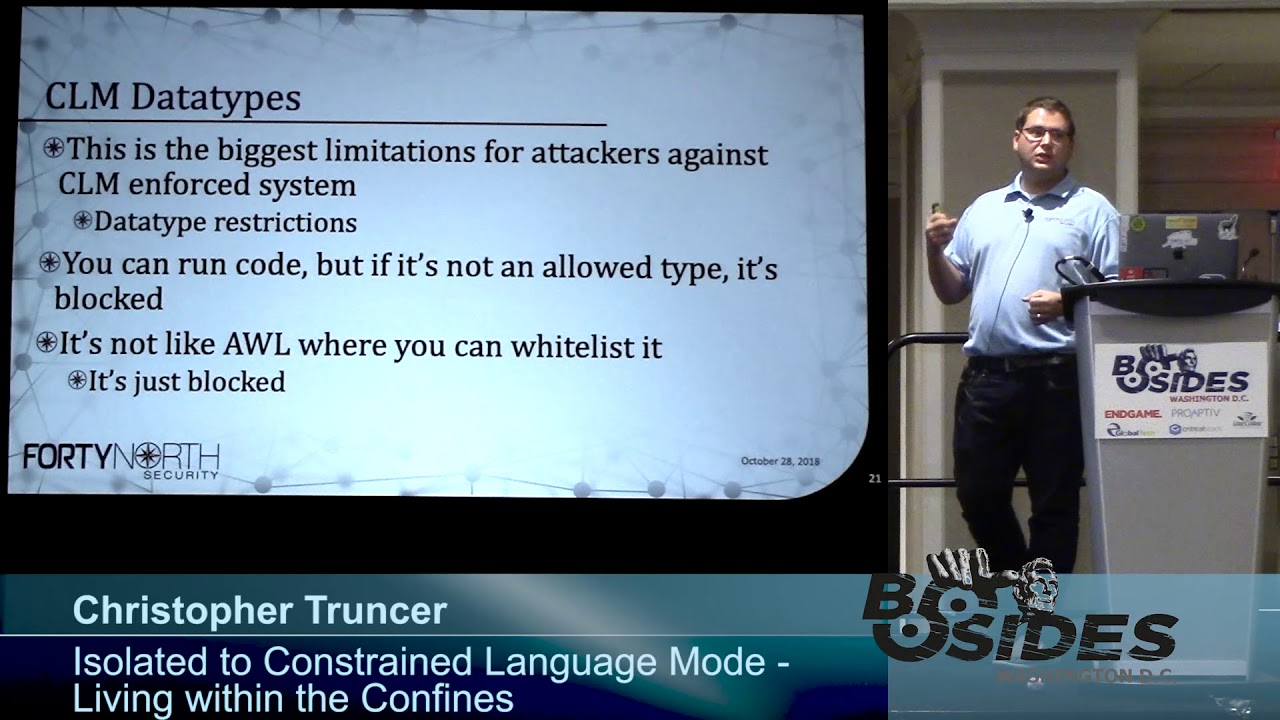
moment so you can't figure out can do basic square root math on a system that has constrain language mode enforced so this is the biggest limit when it comes to constraint language mode the limitation of data types really limits the capabilities of an attacker and what they can actually do you can run code on a system but again only if it's an allowed data type if it's not allowed it's not gonna work so it's kind of just like application whitelisting if you don't specifically trust either a binary or a digital signature or a hash or how it is that you're enforcing trust rules of the application whitelisting it's going to be blocked all right so that
was kind of abstract so let's translate that and see what does work and done what doesn't work so let's look at this let's rent some tasks to try some square root search some basics for encoding and let's do some shell code injection which like a normal attacker would probably try to do at some point so I'll show a video right here so what's happening is I'm calling host run space dot language mode you can see right now sinful language mode so we're not in constraint language mode okay I'm going to try this basic problem just running the square root kinda like we saw earlier this does work well what if I want to do kind of
like convert something what's it called base64 format well in this case I'm trying to take this string forward on three sides Augusta and then convert this into base64 string and you can see we get two base64 encoded results well just try the same step after we convert this into constraint language map so right here I'm enforcing constraint language mode at this point on we're gonna try calling square root again we do nine just like we expect it from earlier this is completely just blocked same thing here if we try to convert this string into bytes prior to converting to page 64 excuse me I go back a little bit
so if we try to get the bytes associated with this string prior to converting the bytes into a base64 encoded string that is also blocked at this point so finally the last step is okay I have this shell code injection PowerShell script so payload up ps1 this is just output from cobalt strike so if an attacker is wanting to use just again a loader for a beacon or the same concept for an interpreter we can look at this try to dot slash run it and this should just also air out and it's just completely incompatible and we can't run this code so it's a immediately kind of eliminating one easy method for an attacker to load arts it's to load
beacon or their malware on the system and kind of reduce your attack surface
all right so what can we do so with everything that's blocked what what's really left for you to write in PowerShell well if you're thinking of converting your C sharp code to PowerShell which a lot of times people will do with full language mode don't it's very likely not to work I would give it 99 chances out of 100 that it is not going to work with whatever code you're trying to convert but the big thing is if you're attempting to administer a computer it might work and that's kind of the whole point of PowerShell constrained language mode right like they said that constrain language mode is designed to let you administer a system without exposing any
potentially dangerous api's or access different dangerous functionality so again if you were in my workshop earlier I kind of hinted and we talked about some of this is mmm anti virus administration so you can enable quick questions anyone played with like I know you saw it back there is they're gonna play with like a s are rules they're gonna heard of a SAR rules awesome so a s oo I don't think anyone reads a hand a s our rules are really really cool it's only supported on Windows 10 and Server 2016 but these ASR rules are rules that Microsoft has published that allows you to enable a rule that prevent commonly abused features that attackers like to
use to compromise a system so an example one ASR rule is to prevent Microsoft Office applications from spawning child processes like there's no reason Word or Excel or anything else should be able to spawn powershot right I don't know if a single legitimate use for that well you can enable that rule using and it will instantly prevent any sort of office application from spawning a child process there's no tool you can do is if you like to use W my lon you can prevent processes from being spawned via WMI or p exact this ASR rule while enabled just completely blocks that from happening it won't work but the way I like to I like to look at this
too is so we can use different powershell commandlets to enable attack service reduction rules right at scale we can also use powershell commandlets to set antivirus configurations well if we can enable different configurations or enable different rules we can probably also disable the same thing right if you can set configurations for antivirus we can also probably modify configurations it's probably useful solsa got a specific command line and i'll show a video in a second the command is get MP preference so what this command does is it lets you obtain the antivirus configuration of the system that you're targeting so it'll pull back a ton of information it'll pull back a sr rule configuration states like are they enabled or disabled what
rules are enabled do you have any free antivirus let's say you have a directory that you if your malware reverser that you drop your malware in so you can reverse it like you if it don't scan directory this will pull back that information now the interesting thing is you can do this and pulls information from your local system or also from a remote system well how do you authenticate to a remote system sim sessions what do we just identified earlier that is allowed in constrained language mode some sessions so let's kind of look at how we can use this from an attackers perspective so right here I'm running get MP preference there's a whole lot of
information here up here our attack surface reduction rules in this case there are no rules here and nothing's enforced so we don't have to worry about that and down here I'm looking if I had maybe a specific extension that was always white listening so PDF or Jas or something like that it would be set right here and I would see what extensions are list are white less it if there's an exclusion path like don't scan anything under this directory that would be listed right here same concept for exclusion process well what we can do in constrain language mode is use this convert to search cure string now basically to create a PS credential object which lets us authenticate to a
remote system via a sim session so we're creating this PS credential object up here down here we're actually establishing the sim session because this new sim session command without an error that means that he sim session was successfully created and established so now I'm using git MP preference because I'm passing it a sim session it's not going to target the local system that I'm running on unless you were to create a sim session on your local system which would be kind of pointless it's in when you're using it for this case it's probably going to be for authenticating and accessing to your mo system well now in this case I can see this exclusion extension is a PDF or
I can see its exclusion path that allows the undersea users user 1 downloads and for the reason the exclusion process that is allowed is dolphin exe so we can get that information from using git MP preference well that's great now that we have this let's figure out ok what if I want to add to that what if I want to change the figuration in a way that allow me as an attacker to attack that system in an easier manner or I can use set MP preference set MP preference lets you set antivirus configuration settings for whatever system you're targeting the way this works is it'll overwrite an existing settings so if you only allow PDF and then you use set MP preference
and you say you want to all of a sudden whitelist all exe s this will actually overwrite the PDF and all that's whitelisted analyses if you use the add MP preference this will append to an existing existing configuration so in the previous example if you only allow PDF and now you want to add exe s and you're on add MP preference you'll know what be whitelisting both somewhere to get MP preference this also uses same sessions for authentication so here's an example I'm going to use set MP preference which is right up here I'm going to pass this sim session which I've previously created I'm going to now change and set the exclusion path to BC
temp and I'm now going to extend or change the exclusion extension and tell it to allow anything exe just don't run it or don't scan it and if I were to look at it from the system then like from an interactive standpoint these are the results all sudden I can do anything with C temp or you see like those are just no longer actually scan it's completely excluded from any sort of antivirus analysis so here's an example of what it looks like from a command line perspective the exclusion extension is now Exe and exclusion path is C temp this is the same exact concept with ASR rules so in that previous case we were setting what
are allowed exclusion directories what are allowed exclusion extensions well now let's either modify by enabling or disabling ASR rules that are enforced an environment like I mentioned earlier one of the rules it's like you can block processes that are spawned via WMI or P is exact amongst many other rules there's I think there's 14 right now if you like do a Google search for Windows ASR rules it'll be the first result that comes back and it will correlate like the rule with the GU it associated with it so you can modify this with set MP preference and the coolest thing is again because we're using white listed and allowed data types we can significantly impact the security of the
endpoint that we're targeting all within constrained language mode so here's an example of it we have this Akoo it right here is being a force the reason I know it's being enforced is because this value is 1 if it was not enforced this value would be 0 so next I choose to run the command set MP preference attack source reduction rules I give it the gooood that I'm interacting with which is this one oh that's actually not that one it's this one and I'm telling it for those attack surface rules I want that now to be in a disabled State so if I were then to run get MP preference again after running this the
big difference that you would see is that is no longer being enforced because the action value is 0 so let's look at an example of what that looks like real life
alright so in this case I'm going to be running the get MP preference command late I'm also passing a sim session that was created so this is dumping information and if I look at the top right here we can see the value is 1 so this rule is being enforced and that rule is specifically the I'm not allowed to spawn a process via WMI on the system so I'm gonna do now is I'm going to try to spawn a process when eww my of course and so I'm running invoked with me method I'm calling 1/32 process class I'm telling to create notepad.exe so I wanted to spawn notepad that exe on the system well as you can see what happened
is I've got a return value of non zero basically what I want is 0 which means it works if it's not zero then something failed and so was blocked and this little pop-up came up so it's not there's no antivirus signature there but just because we have the rule enable it's gonna say hey your IT admin caused windows basically prevent this action from happening which was spawning the process VW my alright so it doesn't work but because we have administrative rights within constrained language mode I'm going to try to change that so I'm gonna call the set MP preference command line I'm going to specify the specific rule that I actually want to change which is hey maybe now let me run our
spawn processes via WMI I'm gonna basically turn the ASR rule state into a disabled mode and then finally I'm going to pass in the same session that I had previously used to authenticate to the system on targeting so I get an error there so because I didn't get an error there that should have ran successfully we're invalidate that by calling gate MP preference again against the system to retrieve its current state and if we look go up to the top we can now see that it actually did change so what was one before is now zero so this rule should no longer be running so to test that let's go to invoke with me method
we're gonna call the win32 process class again we're gonna go ahead and tell it we're gonna create a process and the argument list is we're gonna call notepad as you can see in this case we've got a return value of zero the process ID of 944 and notepad actually did start so there's a lot of different things that you can actually do within constrained language mode that can impact security of a system both from an administrative Blue Team perspective and from a red team slash attackers perspective here's another quick demo just to show so we're gonna do the same thing again all in this case so I'm showing that there is a sim session already established with a specific
computer I'm gonna run the MP preference command again we're gonna call and use the sim session in this case we're gonna look at the different directories that are allowed here so right now we're allowing the exe file extension and the C temp exclusion path so let's say I want to change I don't say I want to allow so here's another example showing yes ASR rules are still enabled what if I want to allow a new folder or whitelist another file extension that maybe my malware uses or whatever it is I'm looking to do so in this case I'm going to say I want to provide a new exclusion extension and this right now to me PDF so that I gave up my sim
session and there was no errors so I'm going to check another instance of that and now all sudden with my sim session I am able to validate that right here that changed so we modified the output and it was able to mod change there's not the Alpha excuse me I modified the configuration of the antivirus system and I'm now able to if I have PDF base now where I can use that and it won't be scanned at all by antivirus and again all of this is clearly done in constrained language mode
so what else can you do there's good news and bad news besides built-in Commandments like that get MP preference set MP preference or other pure powershell commandlets there's not a whole lot that's really available from your training language mode you can do some basic administration tasks but common things that you would think are allowed such as base64 encoding doing basic math on a system may be outright blocked so it's kind of a bad thing but it's also pretty cool I think because you have this whole like vast area that really and really no one is kind of looking at right now constrain language mode and there's no there's not a whole lot of capabilities all things you can do with thing in
strain language mode I think it's kind of cool because you can start building something that just doesn't exist at all right now or maybe it does exist but not within constrained language myth another interesting perspective is any code that you write in PowerShell that runs on a constrained language mode protected system will 100% work and run on a full language system the inverse is not the same you can not all code from full language will work in constrained language mode but from CLM to full language it will work if anyone here is played with device guard or what's now called Windows Defender application control that automatically enforces constrain language mode on PowerShell any code that you write in a strain
language mode will work on a device card protected system all right let's talk about and like look into the concept of building out new capabilities there's really two methods for building out the ability kind of survive on a constrained language mode protected environment if you're really only isolated PowerShell one is to build a bypass or constrain language mode and really kind of Windows Defender application control when you build a bypass I hate saying this because it's not like an exploit but a semi similar to an exploit right so the first time that you use it it's going to be pretty effective right but as people start to pick up hey we are identifying this sort of bypass it's allowing code
execution in an unattended manner you can block these sort of things so you can think of it as only having a limited shelf life for your bypasses the other thing is constraint language mode and it's worth pointing out is really only useful if if application whitelisting is also enforced on the system so what's the reason for that well let's say you constrain language mode is running on a system but there's no application whitelisting so why would an attacker try to write their own code in PowerShell at that point they can just write something in c-sharp or some other language and gain the same effect of compromise in a system and completely bypass any sort of protection that
constraint language mode is unfortunate on the system so this is only really useful when also paired with an application whitelisting solution so the other way that you can kind of build capabilities for constrained language mode is look to live off the land so it's kind of explore these two different options oh this actually was just talking about where if you don't have constrained linkage mode with application whitelisting then it's not super effective so one option to subvert constrained language mode is to develop a bypass kinda like a mr. Lee I think it is similar to an exploit you probably only have one shot to use it you may have to consider it burnt after hopefully it's not if it's undetected
somehow then you can continue to reuse it until it is so KC Smith one of my friends has done a ton of Awesome research on developing bypasses now his bypasses are typically application whitelisting specific bypasses so they're using other targeting device guard and bypassing protections that the Vice guard op provides to an endpoint this is where he's using stuff but like MS bill install util olymic now I believe it was KC if I'm wrong it was Matt Nelson but one of these two I think is KC found another bypass for constrained language mode via a debugger so what this was application whitelisting it they basically trusted everything that was Microsoft signed right so I think he had win bag on the
system so as I develop a Microsoft and he was using that to look at it different code and debugger well he had PowerShell constrained language mode enforced on the system and he loaded PowerShell up into a debugger it was specifically C to be actually a C to be dot exe and what you did when he when he loaded debugger is he found I think it's like a specific variable within the debugger that if he modified the value of it he can immediately change PowerShell from running in constrained language mode and enabling full language mode so he tested this but I like again using c DB loading up powershell verify those constraint language mode change the value of us was
the location of memory and then all of a sudden if he ran any commands after that that process is running in full language mode so it's kind of showcases why you have to have specific trust or you have to kind of have application whitelisting also enforced on the system in order for constraint language mode to be effective otherwise you just figure out an easy bypass to disable country language mode so you talked about though is uh if you develop a bypass if it is detected your bypass can be mitigated if if it's on a device for a protected system device card uses what's called the code integrity policy code integrity policies define what you trust like what digital
signatures do you trust what binaries do you trust and if there's a specific binary that's abusing its functionality to allow basically unrestricted code execution you can block that binary interest in your code integrity policy and you can bypasses take research in time somewhat similar to exploits so you want to protect through use it is the guaranteed win unless it's not but it's it's a really an effective way to try to execute code when you absolutely need to so other option is instead of looking to bypass so why don't we figure out is there a way to kind of live within the constraints of constrained language mode itself can we build out some capabilities that you want to have that
may always be enabled within full language mode but part is with a trailing judgement well how do we want to start this approach and the easiest way is kind of like I talked about earlier is let's go ahead and just deploy device card on your system or enforce constraint language mode within your power shell process and that will sure that at least that instance is running within constrained language mode the first step really to do this is kind of like determine what problem you want to solve again I think it's super cool because anything you want to build out in stream language Road probably doesn't work right now so you can kind of just pick one thing maybe one figure out how
to do square root you really like doing math in PowerShell on your system so let's figure out a way that we can determine the square root of a number in constrained language mode that's a pop I say start small because if you're gonna try to tackle a really big problem you're gonna get pissed off because constrained language mode almost everything every line you're gonna write some code run a test and see that it was blocked and so you have to figure out another way to do what it is you're trying to do you're gonna fall and I kind of mention that here you're gonna sum what you're gonna follow something similar it's like a test-driven
development process and you're gonna do that because you're looking more for constrained language about violations versus bugs in your code now there are beliefs you you obviously will obviously encounter bugs at some point you're gonna just write something wrong but you're more looking for okay am I going to is wherever I'm running actually allowing constrained language mode or it's blocked the easiest thing to do is as you encounter invalid operations kind of research different methods to complete that specific task and we'll look at this in just a second with something I ran into with with me in plant so following this method this kind of like test case driven method almost you guarantee that you're gonna be
wanting to bang your head against a desk because every single other line of code is gonna say that this is blocked it's not allowed within this mode it's only allowed in court in the core language types so you're gonna have to really have to kind of follow that hacker mindset and try harder because it's possible you can rewrite your code and PowerShell to do almost anything you want but just gonna take a little bit time to figure out how to do that so again don't look at don't look to include c-sharp code within your powershell script it's very likely to be blocked look to recreate the same functionality that c-sharp is performing in pure PowerShell
so what exists so when we implant is a power show tool that I wrote which is fully compliant in constrained language mode again side benefit is it also works perfectly in full language mode it was developed to work on device guard protected systems which does have application whitelisting enforced and constrain language mode and forest so when the implant uses both powershell and WM i and the reason i chose to build this tool that leverages both of those either like either powershell self or the service with WMI is because i pretty much my decision was I think those are always going to be allowed on a device guard or application whitelisting a whitelist and protected system and
generally that is the case it actually uses WM I foresee to the means to trigger an action on the remote system and data storage so data storage and encoding were originally problems that I had to solve in constrained language mode so sorry it might be a little bit dark to see this but one thing that I wanted to have Winnie implant be able to do is I needed to encode files so let's say I wanted to upload a file to a remote system or download a file from it what's the standard everyone uses writes base 64 encoding that's how you just select it so you go to use what everyone does for encoding files but as you can
see I can't do that in constrained language mode it's completely blocked and it's only allowed in core type so this language mode so I actually started having a discussion with a previous co-worker Daniel Bohannon who is awesome and it's funny I was sitting with him I was writing some code with women plastic man trying to sell this problem I don't know exactly like what the issue is but it's blocked he's like what's happening that's like well I'm trying to figure out how I can encode data either binary or text I'm trying to do it within base64 but it's completely blocked within constrained language moment I was like and I'm starting to do this and like he interrupts um he's like I got it
here like before I even could finish solving the problem he actually had a one-liner that would just completely fix this problem so that's this also explain what it is basics t4 or it obviously converts binary to ASCII at some point well he's looking kind of similar but different approach if I what this says that this is just a string right here and says this is just sampled data I'm storing that strength within this test data well what I'm doing now is I'm taking each character and taking the character array of characters and converting each character into an integer and then that integer is then comma separated and can cap and join together into one string so
what does that look like that's actually this so like this is just sample data that's the T that's the H it's the I s that 32 is the space so you'll see like 32 they're there they're there so basically you can take just letters and convert them to the integer value store that as a are converted to a string which is an allowed data type under constrained language mode and just shove it in this comma separated array and you now have an encoding mechanism you can do the same exact thing with bytes so this is just a character for doing it to a string but if you read in the contents of a binary file you can follow this
same process and convert your byte array into an integer array and you can get your binary file into this format this is allowed and constrained language mode so is where I was kind of talking about you're trying to solve one problem that's going to be blocked and try to figure out is there a different way to approach it a different way to solve essentially the same issue oh and there we go actually just set everything that I just said on the slide so next up kind of an old dog an old trick in a new way so I wanted to try to solve the base64 encoding problem because that worked but I wanted to figure out can we actually get big 64
encoding you're working I wanted to learn okay if we're gonna do this I have to actually learn how to space 64 work which it's funny because something you take advantage of and it's really simple but it's interesting to look at according to RFC and this document or this screenshot is actually from Wikipedia this is the base64 table the way this works is whenever you get a value such as one that one is always equal to the uppercase B letter V of 0 its uppercase a if you have 21 its upper case V so use correspond whatever value that you're not with the letter in this chart so it's kind of simple the way it works is
you take three bytes at a time so let's say in the example I'm going to give it's just using the word man Capital m I believe lowercase a and a lowercase n and so it takes those letters converse them into their equivalent in fights so we're looking at eight bits for each letter so we have 24 different bits total it then takes those 24 bits and splits them into six bit chunks so now we have four six bit chunks better than that are that we have based off with letter we're encoding once we do that we convert that binary into those letters and you have a base64 encoded value it's kind of abstract like what does that mean here's an example so
again let's say the source text that we're trying to convert into base64 is this as the word man capital M lowercase a lowercase M here are the eight bits for M the eight bits for a and the 8 bits for n but what we need to do is split these up into four six bit chunks so here's the first six bits over here's the next six bits the next six bits and the next one so the next step is okay of this six bits in binary what does that equal in base 10 so in this case it's 19 this group is 22 this one is 5 excuse me this one's 46 so if we go back and look
at the previous chart so for like 19 and 22 we can correlate and fine there's T there's W so it's the same process for the rest of these that gives and that is actually how you do page 64 encoding it's just splitting these bits into smaller groups of bits and determining what the value is so the next question is what happen if you don't have like enough bits like if you run to the end of your string you don't have three just full bits to complete this well basics t4 pads it out so it basically assumes the rest of these are zeros because so here's in this case we're just doing just the letter M here's that first
eight bits and we can see we again we get that 19 value back but because the rest of this is just empty it'll pad this out to zero and so all of these values are 0 and so this binary value is equal to 16 well the rest of these when you do base64 encoding that's why you get equal sign it's because there's literally nothing even there so you don't pad out to 0 and get a like it doesn't work that way if you just actually have 6 bits of where there's literally nothing that's where your padding character with base64 comes in and you get this equal sum so that's why with this value just the letter M
the equivalent base64 encoded value is capital T capital Q equals equals to validate that if we just open up like Python 3 you can see it's important page 64 telling it to encode the string man and there's that same value twf you all right well let's figure out how to solve this problem so I actually again was talking about this with Daniel Hannan and we figured out it's possible to do this so the way that this us basically script will work is you can provide it the string that you want it to encode and first thing that it'll do is it'll if you provide an alphabet which we'll get to in just a second it will validate that the
alphabet you're providing is correct and it'll go from there after that the next step is if you want to Inc base64 encode a string you just provide a string and that's what this code does is it figures out are we actually encoding a string or we encoding a binary file the reason we care about that is because when we do um how we interact with the data when you know if it's like an ASCII value or if it's a byte so here's where we actually are doing that math to figure out what is but of the six digits when we break up three bytes and break it out into four groups of six bits what is that base64 corresponding value
so this is saying if it's not 0 0 0 0 then figure out the value if it is 0 0 0 0 we already know that that about zero is always equal to a so it's just setting that there this convert to decimal command late we'll go ahead and can Verte this value into this decimal value the binary value into a decimal value and then we can look at the corresponding base64 chart to figure out ok does 24 equals capital T or what is it so here's kind of same process is still going through we're actually in this part of the code is trying to look is there any padding associated that we need or that we need to provide to the
string that we're trying to encode if we split it into those six bit chunks or we just empty at any point where we need to add or remove that exclamation excuse me the equal sign for padding that's that we would need in our string so old dog new trick here's again showing that we are now in constrained language mode the easy way to now go from base 2 to base 10 math and figure out what value do we need to find that base 64 encoded chart would be to do this we're doing to convert to in 32 we have six ones right here and it's telling it hey right now that's currently in base two well that
is actually again blocked and constrained language mode we can't just convert binary to base 10 using this convert two and 32 chameleon because somewhere along the way it's using a restricted data or a data type that is not explicitly allowed in constrain language mode so another way to do this is this part right here where basically we are setting the powers up within this code block we're telling it figured out that the value so 1 2 4 8 16 32 64 128 and based upon the base 2 value that's sent into this command line this cost some function that will actually go ahead and return the decimal value it's doing this by looping this over and
going passing each object into a for each object and determining the base 10 value this will 100% work in PowerShell constraint language mode which does the exact same thing as this which does not work in constraint language mode so for example if I am now operating constraint language mode we can see here if I take this PowerShell script that I created and run convert to base 64 I tell if the string is man I kneel now get that TW fu value if I want to convert from base64 and use the strain and also provide what the basics for encoded value is TW fu I can now get man out so this is able to do base64
encoding and decoding purely with the constraint link constraint language mode when it's normally blocked one extra thing that this can do which i think is kind of unique is so we kind of i talked about let me showed an image of what base64 chart looks like on wikipedia right like there's known values associated with 0 0 is always a I believe 1 is always capital B but that's the standard base 64 encoded encoding chart well that's what they call like the standard basis for encoding alphabet what this script lets you do is you can provide an alternate alphabet so you can say hey I want the value of 0 to always equal C I want the value of 1 to always
equal at sign so if that's normally not within the base64 encoding chart now why is this interesting it's interesting because there are a lot of tools out there and software that's designed so anytime it thinks it sees base64 encoded data it tries to decode it and determine what the actual data is that's being encoded and make some sort of judgement it's malicious is it's not what type of data is this and so forth this you are now essentially breaking these automated systems now this is not in any way a roadblock any skilled person doesn't need to be reverse or any person that is just looking at PowerShell code can slowly like follow along steps to manually
figure this out but what this does is allows you to specify an alternate alphabet and like Imus showed before this section of the code block will actually validate is this a valid alternate alphabet is every unique as every value and character value unique if it's not unique it will not allow you to use that alternate alphabet and we'll stick with the standard RFC basics to form co2 value all right so let's give a quick demo of what that looks like
they want to run kind of the same thing as we did in screenshots but here we're just doing host run space language mode we can see we're in constrained language mode our kind of hello world test for that is let's try to do a square root of nine in this case it's going to fail again because it's not supported in constrained language mode so now we're gonna use the PowerShell code that we just created this case we're going to convert to basics T for string I think have like oh yeah string for north of besides I guess that in this case and so let's convert that and here's the value this is the base64 encoded value it
actually does work and converts the data so if you want to make sure that we can go the the inverse operation we're going to convert from base64 string we're gonna convert from base64 we're gonna provide the encoded string hit enter and we should get our results back and there we go so it actually does go back and forth this process also does work on binary files I don't I don't have a video of it showing it but let's say you downloaded like the Google image like Google logo right you just download from Google copy down your string to your computer well you can run this chameleon instead of saying you have a string that you want to encode you say you have a
file you want to code use provided the path to a file it'll then dump out the base64 encoded output of that binary which you can then decode again if you really want to and it will save it back to this if you were to run like an md5 or sha-1 hash against the original value and the decoded value they will be exactly the same because it is doing proper for proper base64 encoding and decoding so party thoughts with this is Microsoft's own words like they state that constraints modes at times designed to support day-to-day administrative tasks even though you are restricted and constrain language mode there's still a lot of things that you can do the reason
I started looking at this and developing when the implant and starting to develop like base64 encoding and looking at other things is that I want to figure out how can i encode data I want to be able to be prepared for when I go against a system that has locked down restrictions on it the have somewhat of a capability to still attack it or do whatever that I want to do an attacker the biggest thing is an attacker will hear admin tools as it means to enable their goals so I kind of looked at with antivirus like you can still lock down a system and enforce different ASR rules or allow or block specific types of file extensions or
directories but an attacker can still use that for their own purposes whether or not it's in constrained language mode because it's an administrative capability that PowerShell constrained lis in which mode still allows the biggest thing from that perspective is enable telemetry everyone all a lot of modern-day attackers are starting to kind of shift somewhat to c-sharp because there's not as much telemetry as there's power show powershell version 5 and after the Microsoft team is done an excellent job like they've they've created the ability for administrators to log PowerShell actions or commands that are issued on a system that way they can go back in the event of a breach and actually look at what commands were issued by an attacker what
did they do they try to determine how can they either maybe stop them on a future system or track where they're going so that's really it thank you for your time I hope this kind of helps just kind of give a high-level description of what constrained language mode is how it is possible to still do attacker based actions build out different capabilities and how to live within constrained language mode this tool is released and it's now live the basics for encoding library you can check it out in github and that's about it thank you for attending [Applause]
Related talks
 32:24
32:24 35:42
35:42 55:38
55:38 47:55
47:55 44:22
44:22 35:21
35:21