Hunter Hardman - Adventures in RAT dev
Show transcript [en]
yeah yeah okay you good now okay cool uh Hey everybody this is um Hunter Harman uh this is adventures and red adventures and red development sorry learn how to use the microphone so who am I I'm the security consultant at Manan former blue T turned red um I live in Denver Colorado right now and like tyan Lannister I I like to drink and also know a little bit about things uh so talk agenda uh I'm going to briefly talk a little bit about introduction to rats what is a rats then I'm going to go into talking about what functionality a rat should have as well as why you would want to wrate your own and then talk
about a little bit about security rest practices when it comes to writing rats uh and then my Venture and then lastly a demo uh so introduction to rats uh what is a rat essentially a remote access tool or commonly called a remote access Trojan essentially is just going to provide complete control over a system so some popular RS that have already been written mat obviously power power shell Empire Cobalt strike specifically the beacon functionality of cobalt strike others other ones like throwback and stuff like that um so if you've never used interpreter um you should well you shouldn't anymore but yeah besides the point uh that's a little bit about it uh this is power Empire I really like that
a lot and then a couple stres so as far as necessary rep functionality um these are just the bare basic there's a lot of other functionality you can include such as like screenshots key logging but uh I haven't had the time to implement those yet so uh so command execution file upload file download and then uh inmemory execution because touching the dis is bad so as far as command execution how you can do that so essentially what we want to do is execute a command and save the standard output and or standard a streams um in Python you can do this a couple ways you can do the subprocess P open function um C++ they have the same
P open and then the uh wide P open function and then a Powers shell in C you can use the process class process class class sorry uh which allows you to create processes with hidden windows and whatnot so really nice functionality um as far is file upload so this is going to be uploading a file to an implanted system um first thing what you're going to want to do is probably upload it to the web server that way the implant can access it and then the implant is going to Beacon out determine if it has any tasks and then it's going to determine that it needs a needs to download an uploaded file and it will uh pull it down from the web
server which can be done in a couple ways URL lip 2 or the request library and python uh C++ has the uh win API URL downloaded file function and then Powershell has the uh the net the web client download file function function as well as invoke web request um and then obviously after that pulls down that file you're going to want to delete that from the web server because having files on the website unnecessarily is bad now we're going to go on to uh file download specifically downloading a file from an implanted system so if you want to pull down somebody's C Windows boot.ini you could um I found the best way that I do this is just with a
multi-art form data post request which allows you to set boundaries um and it also allows you to send binary data without having to do any modification or mucking around um so what I do first is I would probably split the file and then you send the file in several chunks because nothing gives nothing gives the stock a better lead than all a sudden seeing a huge post of like a 100 Meg file depending on if you're having an archive or what not so I would split those up into probably around one or two Meg chunks and then uh post those each to the server at the specified Beacon intervals and then reassemble those back on the back end
and then once those are reassembled you're going to want to move that out of the web server and move that to more like a home directory or whatnot um as far as inmemory execution I'm not trying to reinvent the wheel uh Power splits and V reflective PE injection Works amazing for DLS and executables and then is if you want to do like a PO show process IID probably just do an i invoke expression and then like a web client or invoke web request so why would you want to write your own uh antivirus evasion I don't like being caught up by I I don't like macb writing signatures for my stuff and catching me on a that it hasn't happened
but uh as well as a learning experience um I learned a lot of different languages I learned like web pring languages as well as client side programming languages throughout this whole process um in cost uh commercial rats can be expensive uh disclaimer that I I am very frugal so expensive for your company is probably not the same thing as expensive versus me uh so rat security best practices first off server side I would never store files in the web route permanently I would harden a server exactly how I would like a web server so I'm going to disable directory indexing via HT access or MC or something like that I'm going to print information disclosure the sah
header I don't want to leak what version of Apache I'm running um as well as my security which I mentioned above lastly uh encrypting all post data regardless it's being sent over htps just because of the fact that blue coat has that htps inspection um and yeah as far as rat security practices for the client side I would I I don't wouldn't want to touch dis uh just because it leaves back it leaves behind forensic artifacts which the sock and Friends investigators can use against you to write signatures for your rep um and then last uh as far as like never hard coding credentials so never hard code database credentials or anything like that into the implant itself just
because of the fact that somebody can reverse engineer that and that's going to be a bad day um as well as lastly I Beacon interval Jitter so what that is is instead of beaconing every 10 seconds you Beacon 10 seconds maybe 13 seconds the next time and so on that way no one is like okay this is weird this is I see your request every 10 seconds to the specific PHP page or ASP page so a little bit about my adventure um initial interest I started when I was doing kill trans for a popular retail store I uh they would write signatures on our rat and I wanted to be able to customize and change on the Fly and without
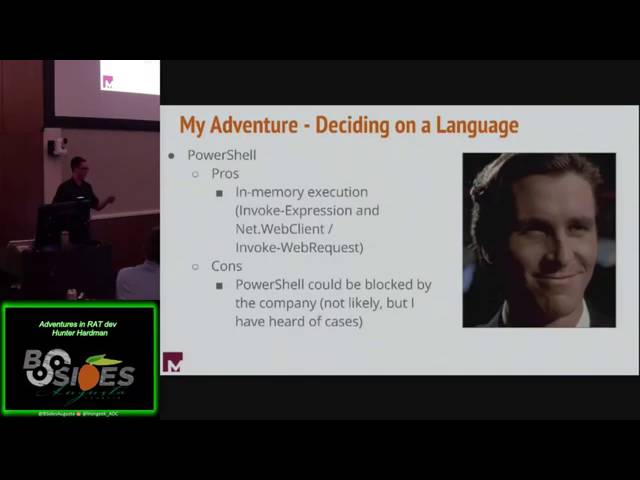
me without very little downtime so as far as deciding on a language that's going everyone's going to go through that deciding on a client language Server doesn't really matter too much I like to use PHP but uh we I I looked into C C++ python as well as Powers shell um C Pros obviously it's very easy to code in it's a very high level language cons uh tools exist to easily disassemble it so il. PE and then also you need NET Framework to be installed on the system this is usually not an issue within corporate environments but I don't like taking chances as far as C++ it's awesome it requires more resources to uh RSE uh but
and creating aesthetically link QQ is also awesome as but cons it's uh not as easy at least for me I'm not really a programmer by Nature so it was a little bit harder for certain certain things especially with dealing with like UTF um and then python Pros super easy to code in you're going to require some type of python interpreter on the system that you're infecting or you're going to require a third party tool which is like pexe to can create an ex cuble out of that python all right so this is where I decided I decided on a Powershell so Pros in memory execution the and web client and invoke R across either of those and uh I
haven't seen this yet but I've heard about it how shell the executable could be blocked by the CL uh like a company so that's just one thing to think about all right so evolution of my implant I uh originally I started this off as a proof of concept in Python just to determine if I could actually do this um and then I eventually migrated my code over from python to c c C++ and then a couple weeks ago when uh Linux po shell was announced I uh quickly started trying to convert my code over some C++ to power spell all right so this is the rat that I came up with crunch rat don't ask me
how I came up with that name I don't even remember but uh it's htps rat it uses self- signed by default but you can easily have this use a real certificate if you really wanted to um if you are using the self SCI certificate I would highly recommend you fill out that information because if you don't it's going to get triggered by snort on dummy on dummy uh self signed certificates so don't get caught like that that's a really silly way to get caught uh as far as features right now I have command execution I have file download file upload and then as far as I'm the only one writing this so uh I haven't had the time to code in like the
ability to take screenshots or key logging or process injection things of that nature um database set up so how are you going to track everything that was the first thing that I was trying to figure out how are you going to track beaconing hosts are you going to track tasks and I came up with a solution to just database everything uh so I created one rat database that encompasses everything so the host table which is going to track everything on the beaconing like all the beaconing systems at one point so as well as tasks so tasks everything uh every task that has not been executed at this point and then users so rat users so there's login portal that I cre on
the web end and uh that is what is quering and then the output output is everything that has been tasked at one point and the output like links to access that output um so here's the first one which is the host table so as you can see I keep track of things like host name date OS architecture how fast it's going to be beaconing back to the C2 server and then uh certain things like process ID and process file name for when I actually eventually start implementing process injection um tasks very simple I have task ID which I'll I'll talk about in the next slide user who TXS who tasked it the host name for which it was tasked
and then what the action was and what the secondary was uh again I'm going to talk about ID action and secondary here in the next couple minutes so lastly here's the users just username password I don't do anything really crazy with like salting or I know it's probably pretty terrible but I'm not a day adment or anything like that but and then the output so ID user poost name action secondary and then output which is going to contain a link which actually links to like command output and stuff like that um and then status so that's just a simple yes or no has this been executed yet um so tasking overv uh so I had just
created essentially just a series of beacons and updates so you system beacons out doesn't have anything tasked okay no beacons again doesn't have anything think yes it does okay and then it executes whatever the task is and then it updates it's so the task ID is the ID just a numerical sequential number that is used to identify the task uh the action is I just chose like a single word so single word action to describe the task so for command execution I just put command download download file upload upload uh and then secondary secondary is going to support the task action so if it was a command it's going to be like a netstat an or
who am I or host name and then if it's upload or download it's going to be uh the file so this is just an example of a beacon request uh as you can see every time it beacons I just I just keep this information and then based off that information it determines if something actually is Ted so in this case there's a task one it it's command execute and it's just a net stat I used HTML tags that actually weren't HTML tags to kind of parse out the fields the actions ID and the secondary so implant configuration I wanted pretty I wanted it as customizable as possible so C2 IP address user agent so every time the
beacon updates or beacons that's the user agent that it's going to be using uh as far as Beacon interval and then Beacon file and update file which please change those because default they're just Beacon PHP and update.php um so as far as end memory execution as I mentioned earlier touching the dis is bad just because the forensic artifacts left behind by touching to disc uh so I ended up just using Powershell with the IEX and then a web client or you could use a uh the invoke web request function executing memory so this is a simple command execution Beacon request so it's the same Beacon that I showed you earlier because they're all the same all the
beacons are all going to have the same information and then the response is execute the hero my command um so what that'll do is it'll execute the hero my command and then it will fill out the output parameter with that output and then the the update at PHP function uh file sorry will parse that out and uh say that to datase as far as a file download So as I mentioned earlier same Beacon request when it and then there's the file that it actually wants to down to download from the remote system so it's a burp suite and then this this is where I use the multiart form request sorry if I oh gosh I S Wonder but essentially it's
just the limited uh I have like a Meg of J burp Suite is like 12 Megs or something like that I broke it up into like that's like a one Meg chunk and it's a excerpt obviously again nothing new here with the beacon request and the beacon response is the file on the web server that we need to download and save to the implanted system so as you can see there's a text3 test 3.exe that I need to save from the web server onto the implanted system and that's just an example update request after it's already downloaded so it'll download and then it'll send a request saying okay cool I downloaded it here's updated update the status let
them know that it's on the system now and then sorry I kind of went that went through that a little bit fast uh as far as demo um demo I'm going to explain a little bit about the demo environment um which so I have a Windows 10 system which is the 144 um this is the system that we're going to implant and then there's a C2 server which is a Debian and it's at the 140 address um
so okay I do that um so this is just the main login page um default default credentials or admin changen admin change me so I'm just going to log in uh and then here at the home screen this is where I'm planning to implement a chat window where every different user every R user can communicate like in just coordinate activities but I haven't gotten there yet um host as you can see right now I talked about it's tracking everything that I talked about um there's no implanted systems right now so that's all the view out output tab that is sorry um go back okay view output that is going to be where everything that's going to be
pretty much your bread and butter um you're going to see everything that's been at tasked the output of the said task commands and and then generate payload so this is going to generate a Powershell oneliner I haven't implemented uh base 10 Basics before encoding on it sorry but what it'll do is you specify the IP address that you want to call back to as well as the implant file name sorry this is just going through a little bit of the functionality as far as like add users chain password so we're actually going to generate the payload now so there's the server the 140 and then I I CL my implant file and PS1 um so just letting you know that
it's so like I said I was going to change that that power sh command will be Bas 64 encoded here pretty soon I just didn't get around to it so I paste second actually so I paste that in there it executes you can see that poers shell is the process running you don't see it but and then now if I go over the host tabs I see that I have this host beaconing back so I'm going to task command and then you can test m b commands for the same system it's just the fact that only one system is in
there and that's the last command I'm just going to Ping Google because I wasn't didn't have internet access at the point uh just ping that one 1021 16811 so here's the output tab as you can see two commands already executed uh indicated by the output hyperlink as well as the executed is now yes so I just just refresh
this and eventually that that gets out Compu U and as far as seeing the alpha you just click the link um which will just bring you to a different page and then yeah the only thing I can think about right now is uh my my um my SQL has a limitation of 65 535 characters so you have to keep that in mind I have like a check but just keep that in mind when you're executing commands as far as here here I am just telling you pretty much to change your password as soon as you get log in initially um so that's the demo I went through pretty quickly I wanted to leave enough time for questions so does anyone
have any questions or whatnot actually shoot sorry uh I lied I have thanks slide
okay so thanks uh people I work with are really smart um as well as people I don't work are really smart specifically poell Empire um arm Joy Enigma um Roy AR col strike Steven fer who came up with reflective dll research Joe B and then Matt Graber who I believe is here so that's oh yeah here here's my contact information um I'm on Twitter I don't really post that much um keep in mind though my master branch is out of date I still need to update that from the dev so don't pull that down right now uh but yeah that's that's it on my end is there any questions
or
yeah oh I haven't I haven't done that when I was doing C++ I was calling a lot of like the wi API stuff um but then I I got I got a little frustrated not frustrated but I just kind of was like this it's so much easier just to do ower cell
any no I mean I'm just using because because they're like I mentioned earlier you can if you want to register your own like certificate you could
easily oh so okay so in power there's I believe it's the service Point manager you can actually tell it to ignore any SSL self sign errors so it'll still use HPS but it'll will ignore those errors because it knows so it's just like two actually one
yeah so Jitter right now is not uh I didn't actually get it fully implemented uh but it it shouldn't be that hard you take the beacon interval you either uh do some yeah you do like a Rand of between maybe like 75 and one and then add that number to to the uh Beacon to the interval sorry any more any more questions all right cool uh thanks everybody I really appreciate
Related talks
 51:37
51:37 30:27
30:27 55:35
55:35 51:32
51:32 41:33
41:33 51:33
51:33