BSides DC 2019 - Digital Canaries in Coal Mines: Detecting Adversarial Enumeration with DNS & AD
Show transcript [en]
besides DC would like to thank all of our sponsors and a special thank you to all of our speakers volunteers and organizers my name is he said is Steve borscht today I'm presenting digital Canaries and coal mines I may fill in today so thank you for showing up this is kind of last minute for me hopefully you'll enjoy the content this is kind of a rip from my latest blog post so I didn't really have anything prepared so I was up last night half asleep kind of putting these slides together so it is kind of written like a how-to but if you need to I've got links in here that refer to the blog post and its entirety
so thank you for coming Who am I I'm on Twitter I go by 4 to 4 f 4 to 4 F that is actually Bo Bo because I got that call sign in Afghanistan but I go by reverse shell as my hacker handle I have a medium account where all my blog posts get posted I also get cross posted on the spider labs Trustwave account and github which has a lot of terrible code that I write read at red teamer penetration tester I work for Trustwave spider labs the government solutions branch I also work for Trustwave the parent company so I do commercial testing and government testing as well and again I'm a terrible coder if you want to check out all my
terrible code it is on github so what does this talk about this talk is about fooling adversaries who perform enumeration in your network and then attempt to do lateral movement by providing them with false information and detecting them at certain choke points or detection points how we do that with the DNS canary enumeration so we've got server level at the domain controller or DNS server with DNS analytical logging and silk etw which is a great tool written out of fire I and six Monts this mons version 10 and above latest versions allow for DNS collection at the endpoint so we'll talk about that I wrote well I i ported a bit of SMB server from in packets and implemented a
Samer server which listens for enumeration so when a when an adversary comes in the network and wants to say well who's local administrator on this machine they do a query to the Samer service and then we respond with fake data and then alert on that query so this is derived from my blog post as I said it's more of a how-to but I'm going to skip some of the how-to for this so hopefully I come in on time so a fundamental part of any network is the domain name service adversaries at some point will probably need to interact with the domains domain name service within an organization so what that looks like is when they LS or remote
files share that hostname has to get looked up in DNS and you see the standard query in a little Wireshark down there so as attackers move through your network they're gonna have to interact with DNS some way whether that's you know pinging or LSA or just querying for servers and services it's gonna happen so it's a great great place to detect them since we control Active Directory and DNS we can control what the adversary sees right so as a domain administrator or as a network administrator this is a great spot for us to introduce fake stuff so I'm not so fond of the word honeypot but like honey tokens honey accounts whatever honey computer accounts we can add to Active
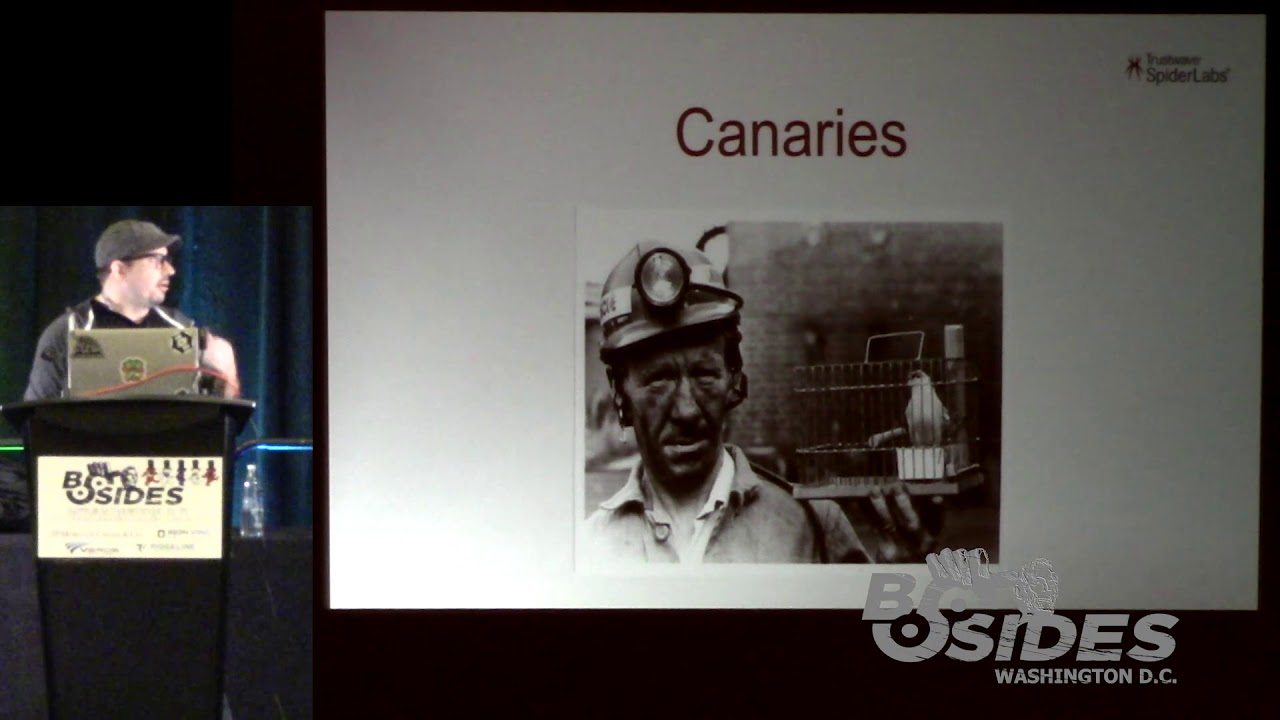
Directory where most people aren't supposed to be querying that stuff when you see it created in the network it's a great place to to alert on so in the early days of coal mining miners would place a little canary in the shaft of the coal mine which would allow them detect noxious gases in the coal mine so that's what we're going to kind of do here using calc silkie TW and DNS logging so this is a bit of a two-part so the first part we're going to talk about is the server side detecting from the domain controller or DNS server and then we're going to switch to doing host based detection so this is just
this is a little bit out of my realm so I'm a red team or an offensive person and I don't know why I came up with this theory in this talk but I just kind of wanted to I guess I wanted to learn more about what the tools I do are use actually do on the back end so that kind of got me to write some of this tooling and stuff like that so logging of DNS requests is a bit tricky it's noisy it's a lot of data so storage considerations and performance considerations in any organization should be taken into consideration we can do this again like it said at the server or host level and to do so the
server level we need to enable Windows DNS analytical logging there's a link here it's also on my blog and what that looks like is going into the settings and enabling logging where I have a check down there for Microsoft Windows DNS server analytical logging under event viewer and again once that's once that's running it's considered an event tracing log and unfortunately we can't view those live you can use tools like Microsoft message analyzer which will allow you to view alive but an event viewer since it's being actively traced you won't be able to read it yes Oh kind of a loop back to it so you can actually read it that's a good point yep yep yeah we use that here in this in
this example when log beats and and writing out to that and using a silk etw as well if you've if you played with that it's pretty cool so like I said here we use for our sim which is hell how many people have used hell core heard about it or anything like that it's basically hunting elk stack written by cyberwar dog it is a great great tool it's easy to set up there's a docker container for it and that's what we're gonna use here and then there's a link to silk etw down there at the bottom which allows you to send these logs directly to your sim as a service or as a standard application so here's the link to help
basically just follow the install on the wiki I'm not going to go through all that and this is what our network looks like in this simple lab so we've got a few computers and help running the domain controller on the Left workstation 1 and file server 1 which are forwarding of event logs with when log beat 2 to help so on the help instance there's a little bit of setup you have to do by default it doesn't listen on port 9200 to 0 0 0 if you're using the docker instance so you just have to go in there and add a setting to your to your help stack and that's what this looks like you just add the little
ports 9290 200 part at the bottom save and close now we can rebuild elasticsearch follow all this it's in my blog I didn't go over it and then next you need to actually set up the the post request so actually at the bottom of this link the data fields for DNS analytical logging are found at that link and that's what I use to recreate the the post request so this is just arbitrary data that I put in there so it knows basically just what to listen for and I am know I'm no threat hunter I'm no elk guru or anything so if I did something wrong it's probably wrong and I have really no idea what I'm doing
when it comes to this so I just kind of put some stuff together and it worked and as a hacker hey if it works it's good enough for me so we got to create an index pattern and the management portal so it knows what to see from the events and I'm going to define that as DNS queries and then set the timestamp filter and then we can run silk etw on our domain controller or a DNS server there is a good that's required and I found that by this TechNet blog which good to use for DNS analytical logging and we forward that information on to our health stack at port 9200 like we opened in in the docker container so it
starts tracing and starts sending and what we'll do is we'll do a quick nslookup within the environment to hackers comm we see it gets resolved to 14 whatever hackers com-shuk has that owned and then we want to check out what that looks like in our health stack so we go in there we do a quick query for event data queue name and WW hackers comm and we can see down there at the bottom that the queue name is hackers comm and we can see the source for the IP for where it came from so cool so we know that somebody queried in our environment for hackers comm and it came from that computer so now we can put
that to use into detecting actual adversaries so we're going to use some Canaries what that looks like is we want to create first computer object in a real environment you're going to want these to be enticing I'm naming it fake file server here just to be you know for demo purposes so we want to name it something fill in all the information description file server for IT admins whatever juicy data make it look legitimate so that somebody doesn't query and go oh that's well that's a honey computer account I'm not going to I'm not going to look that up and then we want to create the DNS entries for that so fake file server points to 10:00
to 3:00 to 82 0 7 or 87 and then we create a fake user account so we're doing this because some of the tools that adversaries use like Power View and bloodhound how many of people have heard of those tools those offensive tool sets all right great so we're all should be pretty close to on the same page and we'll go we'll do a quick Power View overview here in a second so we set a home folder that points to the fake file server so what we're saying is when this user logs in set their home folder to a share on the fake file server and we can detect when that is queried on the
network so quick tooling overview and I would just want to say up front that this this is really to lag Gnostic this is no dig against Power View or bloodhound or anything like that that as this is technique so when an attacker or an adversary looks up one of your Canaries and we're detecting it doesn't matter what tool that are using we want to be able to detect which hosts it came from and things like that so a quick overview you can find Power View here it's great defenders can use it to enumerate their stuff and see what's going on in their Active Directory environment you can do things like look up groups service principal name accounts user sessions
and much more local administrator groups things like that you can execute it from disk in memory or through a remote access Trojan like PowerShell Empire or any others where you can module e load PowerShell scripts so one of the functions in Power View is find domain user location what this does is it attempts to find a user's location on the network by enumerate ensue I log in and my home folder is mapped to fake file server if an adversary queries fake file server for sessions it's going to say hey Steve has a session from this computer so now the adversary knows where I'm logged in and can then attack me if they want quick this is under my
tower attack framework technique t10 for nine for those of you who like to follow a mitre even if they use the stealth flag within these tool sets it's still going to query for those users and see where those where those file servers are and then query the file server so it's still going to hit our fake file server and what that kind of looks like is find domain user location stealth let's see all the results al pacino has a session on headquarters fake RFS zero one and they're logged in their home computer or the computer that they're there on right now is 10 to 3 280 12 and how do we detect this kind of
thing so like I said the domain user location looks at these kinds of properties home directory script path profile paths and then it attempts to query that server from for more information than we can detect that with DNS and other methods which we'll get into a little bit later so what that looks like in our help stack is a quick spike we can see that fake file server was queried by 10 to 3 2.8 11 and 2 instances this got I think reflected in the network so it hit it twice but you can see the spike this is our canary our canary was triggered this is something that we should have an automated alert on and let us know that hey somebody in
our environment is looking at these objects that aren't supposed to be looked at so that's great DNS is loud there might be some rogue stuff in your environment that hits your Canaries and you got to filter out that stuff so how do we kind of add some fidelity to that how do we enhance that detection we do so with a something that I I modified impact its SMB server to allow you to put fake data in it like who's in the local admins group sessions you can put so Joe Blow has a session on this computer talking to this file server so you can make these maps look legitimate you can make it look like
it's a real file server with real people logged into it when in in reality it's all fake data that you're providing to the adversary so pretty cool stuff I think so we discovered some of the deceptions of detection while logging at the server level now we want to kind of move that to the hosts host level so what I do in this case is I use sis Mon you can download system on from there and then I use a configuration by Swift on security most of us are probably following them on Twitter if you're not you probably should some good stuff they have a Z alpha version XML which is configured to enable DNS logging and sis
Mon it's a great way to get a great place to get started so we're going to do is create a few more canary objects so fake file server will act really be a linux box or it could be a container or something running in your pro in your environment it's going to run our fake SMB server program to respond to session enumeration and local administrator or group enumeration and then we're going to make another computer object where that actually resides in this case we're going to call this one HQ Citrix 0 1 so we add those objects to active directory like so you have to add DNS entries for those as well so that when they're queried they
actually return results to IP to where those things are located and then we again we have a user account that points to the fake file server same thing fake profile could be the logon script path it could be the home folder either way and I would additionally add in your in your fake users add things like their desk phone number you know what department they're in things like that make this account look just like all of your other accounts in your environment so it doesn't stand out as a honey account so then the trap this is how we're going to set it up so this is the quick how to basically install impact it's replace impact with my canary
server which is on my github at github com4 slash reverse shell for slash canary server basically replaced the SMB server reinstall in packets and then place your JSON files which we'll get to in there so the the santur protocol is basically there's a good write-up on it here but it's it's what allows us to query those locals accounts on a box this is a quick snippet of what the JSON file looks like so you're going to put fake data in here right this is what you want to give the attacker so if you want them to think that a real person in your environment is logged in like a DA is logged into a fake account so that
you're going to tunnel that our funnel debt attacker to that location you can do so so you can start setting not just detection points but really pushing the adversaries in what in the direction that you want them to go so we have things like time how long have they been logged into this service or how long have they had a session on this computer idle time how long is that session denied 'el what computer is it coming from and then what user name is logged in then we have the user so this is the Samer data this is the session data so this is domain users as part of local administrators group right so for any
attacker on the network finding a computer where domain users has admin rights is a juicy juicy spot to attack so now we can move laterally compromised this host and we're going to be local admin like magic but in the in in this case it's fake so the user doesn't know that or the attacker doesn't know that so this is what it looks like if any of any of you have used SMB server before from in packet it doesn't look any different I didn't change the code to make it ASCII art and say oh cool Canary server or anything like that I just took what they did left their copy right in there because they're great people and they they make
great stuff by just modified it a little bit with the JSON code and everything like that so you can return what data you want and I'm going to do a quick live demo hopefully I can figure this out without breaking everything [Music]
maybe there we go duplicate
so this is the only make this bigger see it so this is the SMB server that's going to run on our basically honeypot or trap that's going to be in the environment Linux box docker container somewhere that you're going to have this hosted basically run that I use double quotes so that we're not actually sharing the directory it's just queryable by something coming by looking for sessions and Samer data we're running on 192 168 120 that one to nine I have power view I just I ext downloaded it and put it into memory on here and then what I'm going to do first is do a get net session so a function in Power View is say hey tell me what
sessions are connected to this host so we're gonna do a quick get net session fingers crossed bada-bing now we have what users are logged into our fake file server now these aren't this is the data that we provided so Sean Connery Will Smith Colin Firth Jennifer Aniston all these famous people are logged in to our fake file server now the attacker can be like ooh wow though these people and I know where they're coming from these other IP addresses now I can pivot my attack and go attack them log well no you can't because this is fake data so we're gonna do another one clear that and this is net get net local group member so this
is going to tell us who's a member of the local administrators group in this case its its Will Smith all right so now if we want admin to this we can put domain users here if we want so it's a bit juicier of a target but we're gonna say that Will Smith has local administrator on this host so if you're going to do this in a real live environment you're going to set up a few of these traps some to look like workstations some to look like servers just kind of make it look legitimate within your environment alright so that's a demo pretty cool right now if I can figure out how to get back
to the slide deck without breaking everything
from current slide area alright we're at so we've completed the demo now we're gonna actually perform that an attack with bloodhound or sharp pound sharp pound is the tool that collects the data for bloodhound in this so it's gonna do things like that are similar to power views find local admin access and get in that session find local users things like that through our cobalt strike beacon so we're going to run cobalt strike and then we're gonna run char pound with execute assembly char pound is going to run in memory on that whatever host we've initially compromised and it's going to go around the network and say where do I have local administrator access who are the
local admins on every host what sessions are logged in where are the domain administrators logged in and things like that so it runs and then what we see on our honeypot or our Canaries server is that Tiger Woods so the the compromised host had the user Tiger Woods running so Tiger Woods we have their hash whatever their weak password is in your organization so in this case it's Tiger Woods is logged into the spiderweb domain and somebody on that host is querying for Samer data so we can see the actual connection the IPC we can see the Samer connections come in after that and we know that there's probably an adversary on that host doing these
queries right and what that looks like on our map is let me get this handy pointer that I was handed and we have the attacker the adversary they're coming in through your fancy firewall the blinky box out there on the border they fished into your network there on a headquarters workstation 0 1 where Tiger Woods is logged into and then we're going to do things like get in that session we're going to do things like the DNS query so when it does that stuff the first thing it's going to do is hey where is this host what IP addresses to that now you can detect a DNS level and then you can also detect with your
honeypot down here at the bottom so when they query these things it's going to say oh now we get to here and our fake server is running and the sessions are all going to fake file server now we know that when they query fake file server this user is apparently logged in or has a session on that and then we know we can go down and query this and see that we're local admin on that box now we can attack it well you're going to spend all day attacking our canary server because that's where our fake stuff is running so those detection points if you're looking and he'll we can see the spike in that I found
something very interesting while running this in our demo environments not just the fact that you see the first query up there at the top we can see the process path the great thing about system honors it tells us which process is actually making the query at the host level so you can see things like well this first one funny enough is Windows Defender Windows Defender says hey something is querying we're going to query that ourselves okay well we've got Windows I don't know why it's doing it but maybe somebody else can tell me but Windows Defender query it's the same thing that you're querying and then you have your query from char pound that's coming in
there for HQ Citrix zero one we can see that it's werf fault exe because in cobalt strike we set that as our spawn to process so any time we run post exploitation with execute assembly or power pick or anything like that it's going to spawn a sacrificial process talk to a via named pipe and we can see that detection piece right here so we're fault exe is trying to query those services on the network so a bit of an indicator for you to pick up on
so basically in conclusion that the deception techniques here like I said our tool agnostic any queries for your canary file systems or your users or anything like that those DNS queries those queries to the Samer server when you if you want to modify my code I haven't quite gotten there yet it's like I said this this is a bit last-minute for me so this codes about half written I'm going to add some logging capabilities to this and some things like slack hooks Microsoft teams hooks stuff like that so that when you're running your your canary server when these things are queried you can get an alert as well as you know seeing the actual traffic come in and knowing
like okay well this this user from this host is querying my server which is now I'm feeding it fake data but why in the first place is Tiger Woods on workstation 0-1 querying my fake file server and my canary server so that's it hopefully you guys find this useful take this stuff to your your test environments or your your organization put these honey tokens and pots out there and find all the bad happy hunting if you want my tool it's up there on my github at reverse shell and under Canary servers so thank you for coming and any question yeah we'll do questions clap now yeah thank you last talk of the day all right
we're all tired so questions yes so that's a good question so he's saying if I'm an attacker and I'm in the environment and I query this stuff and I see an email address would I then pivot to that user via email correct well that that's quite possible if I'm if I go back to this slide you can see I'm fished into the organization so I probably have access to that person's email now if I'm querying and I see other people's email addresses yes then I could do an internal Phish I could I could use this person's credentials to send malicious payloads out now that I know the email scheme inside so that is a common thing once we
gain a foothold in in any environment we first pull out all of the email addresses in Active Directory and yes these Canaria accounts will be part of that yeah possibly yeah absolutely yeah you could set that up that's a good point yeah I didn't even think about that but sure you could set up fake accounts and everything all the way down the line so that all these attributes that you're putting in Active Directory are detectable sure you know the questions yes sir absolutely so if you go back to your my Twitter account I have it on my blog that's probably a better place to start would be all the way at the beginning it's already
available on my blog as a complete how-to so a lot of the stuff that I talked to I went I went over it kind of fast so on my medium account at reverse shell this is the the last blog that I wrote there's some other good ones if your guys are red teamers or want to detect people like me check out that blog for sure yep any other questions okay so the question is do we have basically somebody trying to hack back right and oh sure yes that is possible I have not ran into that personally but I have seen things like tripwire or other detection pieces like that that when we're fed fake data on shares as soon as we touch
it or try to download it somebody's alerted but that is that is a great point it's something to be wary of if you're an attacker or an adversary Red Team penetration tester yes some things that you open can be can be basically called back to identify your location yeah yes yes absolutely yep so this kind of thing with the fake honey counts and stuff like that you want to make it as real as possible so that the adversary has to do their due diligence and you're gonna catch that first we're going to catch the DNS lookups first but then the higher fidelity when they're actually querying those accounts and and enumerate enough yeah you you're going to want to go
ahead and make it as realistic as possible and that could include making putting them in the directory or creating LinkedIn accounts for them yes very good any other questions No all right great thank everybody for coming
Related talks
 48:21
48:21 49:52
49:52 34:29
34:29 34:19
34:19 51:35
51:35 1:05:41