How to Kill an AWS Access Key
Show original YouTube description
Show transcript [en]
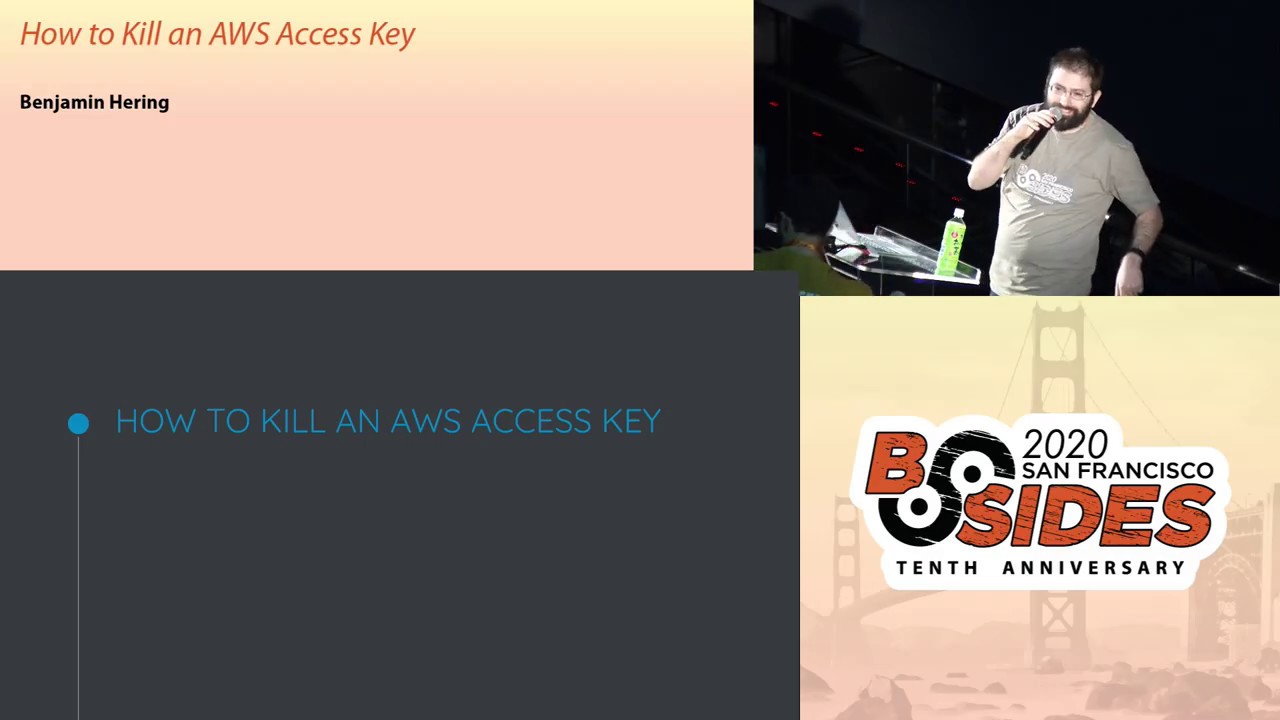
all right so welcome everybody see how to kill an AWS access key so my name is Benjamin Haring I lead the security engineering team at a company called ASAP and a couple of quick ground rules before we start going off copies of the slide for this deck are already uploaded as a PDF attachment to this sketch event for this particular talk so if there is anything that you missed didn't get the picture just go download the PDF slides also as you guys have been hearing we're using slide o with a hashtag b-sides SF 2020 if there are questions that you have for me if I do my timing right there'll be like five minutes at the end
for any questions and if we run out of time or you want to give me snarky remarks or all the rest of that I will be glad to read absolutely anything you want to throw at me at Twitter you can throw it at my handle which is off the side of the screen Thank You IMAX all right so let's talk AWS access keys so database access keys are probably the simplest and easiest way to understand authentication with the AWS api's gets your developer from nothing to being able to access everything in like 10 seconds when you use AWS configure the first thing that it asks you for is hey what is your aid of us access key but
they have some problems so they're static they hardly ever get rotated if they ever get rotated maybe they get rotated whenever you lose an employee and gain a new one they're always on disk in plain text and unless you've made you are I am policies very very particular if it ever gets compromised the attacker is able to use it from absolutely anywhere the AWS api's are really intentionally public so we also know that attackers are looking for them all the time this is a quick little experience that I did I encourage you to do this to yourself go to canary tokens out or again you can spin up a honey token which is a legit set of eight of
us access keys and that as soon as somebody access them you get an alert so I make myself a fake set of credentials I commit it to a randomly brand-new github repo and twelve minutes later somebody's already trying go after them so how do we get rid of these static access keys where we know they're everywhere we know that they have some problem there's kind of three big ingredients that we need to be able to mix together in order to to finally kill these things off so the first ingredient that we need is the AWS security token service and the AWS security so conserv service is a native API that returns back to you these
ephemeral access keys they can live anywhere for a couple of minutes up to about twelve hours and once their time to live is done they turn into a pumpkin poof go away which really dramatically reduces the blast radius for some compromised credentials but there's a bit of a bootstrapping issue because I need AWS credentials to be able to get AWS credentials so how do we solve that one well the second part of this that we need is the security assertion markup language or sam'l which is written in XML and you might be looking there and say couldn't you get a much more high res version of a sam'l assertion I said I could but if I have to look at that
much XML at the same time my eyes start to bleed so I fuzzed it over for everyone's safety so for as much as I dislike actually looking at XML it's really functional it's been around for basically forever and the part that I find most helpful about sam'l is it doesn't actually require a direct network connection between the service that you're logging into and the identity provider that is validating the identity so let's walk through a sample sam'l login flows so one of the ways this most commonly works is the clients gonna go to the service that they're gonna try to log into the service is ah you're not logged in let me redirect you back to your
identity provider so the client then goes back to the identity provider signs in and the identity provider provides a cryptographically signed sam'l assertion back to the client the client sends that on to the service who validates that that is in fact a valid sam'l assertion from the trusted identity provider and they login now what you don't see here any arrows that actually tie together the identity provider or the service there is a trust relationship that's implied because of the cryptographic signing of the assertion but you don't actually have to poke holes in your firewalls for these things to be talking directly to one another and the reason for that is when you're setting up the ability to
sign and by sam'l one of the steps is going to be adding this metadata and giving it to the service and there's a lots of different things about this that says hey what are the types of things you should expect in a valid sam'l assertion how should you parse it where should you redirect people to that aren't actually signed in but the big chunk of this you can see is a big old certificate which is how the service is able to figure out that the sanno certian sent to it is in fact from a legitimate identity provider and not someone typing randomly into notepad so great we have the security token service we have sam'l and our third ingredient
is the AWS native API assume roll with sam'l which mixes this together like peanut butter and jelly and all you got to do is send AWS a validly signed sam'l assertion and you get back security tokens service so we're done it's great in fact all you need to do is tell your engineers that they have to open up something like sam'l tracer to be able to figure out all of the network connections going back and forth click on the little icon for this ml figure out which one of these particular network requests have the sam'l assertion go over and pull out that drop it into your terminal pipe it into base 64 so you got the base 64 coded sam'l
version and then drop it at the end of this big old massive command and oh my gosh that's a lot of base 64 at which point they get the error that they didn't do that fast enough and the sam'l assertion has expired by which point all your engineers are saying isn't there a free trial version of GCP that doesn't make me need to do all this madness so obviously you need more than just those three random ingredients so what I'd like to do now is talk about how did this specifically at my company so I am gonna mention vendor names because those are the vendor names we news but it really doesn't matter what vendor
names you happen to insert here so for example our identity provider at ASAP is octa you can use octa you can use whatever you want as long as it speaks sam'l you're fine and there's a thousand and one other identity providers out there geez sweeping federate duo has their own South gateway as long as it speaks sam'l which basically everything for the past 15 years with enterprise single sign-on does you're good and then you also need something that's gonna take that and make that entire 10 set process a little bit more brainless and simple for your engineers so the command line tool that we ended up using and choosing ASAP is the u.s. octa however I cannot recommend
that you also choose AWS octa in fact if the second line of a github projects readme is if you're not using this you probably don't want to start you probably don't want to start using it so don't use that one but I have to say I'm not actually all that worried that this particular command line tool is going on indefinite hiatus because now that we've already got all the plumbing that we need for the identity provider and I am roles that people are signing in to we can actually slip out with particular combined tool that what you're going to be using without too much difficulty so I'm gonna talk about this kind of as an
example of what you can expect out of similar command-line tools besides you've listed down there there's many other other options and we use terraform as infrastructure has code I'm gonna use some of that up on the screen mostly to show you that is really not that hard you can do this in a handful of lines of terraform but you don't have to use terraform if all you like is clicking around manually the GUI you can still get a big security win without too much work so again I go through these a little bit faster and the you know oh shoot I miss a slide they wanted to take a picture every single one of these
slides is already up and attached on sched all of the terraform code that you see here is already up in a public repo it's also modular eyes so you can just steal it whole scale and plug it right in you need to actually be writing things down as we go on down so the first step is setting up the actual identity provider and again I'm saying that we use octa and I'm gonna be a little bit handling because octa actually has pretty amazing step-by-step documentation but on a high level once you've set up the app you again you got to download that metadata XML that I showed you before shows the public certificate and some of those
odds and ends and then literally more lines of terraform sets up that identity provider in AWS so once you've actually created that identity provider inside AWS you got to find the Arn copy it back into octa and that's all the setup you need to do seriously three slides now for octa they also want an api integration that's going to make your life a little bit easier this is a user that octa uses to go in and query and figure out okay what roles are assumable from this particular identity provider from this particular app to app and it makes the role assignment and and doing things in the octagoon a lot simpler and smoother and again a handful of lines of terraform
here you got one resource to create the user another one to create and attach the policy and you can see there the rights that it needs is really nothing to radioactive at all a bunch of an IM reap the missions mostly and in irony of ironies in order to get rid of static access keys i have to give octave static access keys but let's not make the perfect be the enemy the good this can still be in that win here now once you've done that now you need to make the new IM rules that you want assumable from this sam'l provider and it might look a little bit more complicated than actually is here it still fits on a
PowerPoint slide but the main chunk here that's important is the iam policy that states this this role assumable from that sam'l provider and if you attach that as the assumed role policy for whatever role you're using then you're good now again we're gonna go quick over Atos Act again I do not recommend to start with AWS octave but as an idea of how simple these types of command-line tools are installing it is like a line adding in the octave creds is one command it's gonna take the username and password and the configure information of what octa org stored in the Mac OS key chain and then you have to do a little bit of a
tweaks to your AWS config 99% of the AWS config file is the same stuff that you've done all the time before you have roles you can have secondary roles that are assumed for other roles the main deal is there's needs to be like a little bit in there somewhere that specifically outlines the sam'l URL you can pull that out of the xml metadata that just points the command line tool to the right place that it should go to try to pull a valid sam'l assertion from now we haven't even talked about mfa yet another benefit of killing off static keys most of the command-line tools that you will see out and github all natively support duo push time-based one-time
password some of the octave native apps not seen too much u2f but the way that a Turia's art that does that is during the first initial attempt to use the command it'll log into octa and keep session cookie so only the first time that your engineers are using this will they be prompted for an MFA push and then they're fine for however long you want to set the length of that session cookie and the way that it delivers these security token service credentials is by dropping them is in an earn it variable so for aw sake you can see the execution style there where you say AWS octa exact and one of our profile name you want to
assume and if i pop that into environment you can see there's a whole bunch of AWS specific environment variables which are local to that command and disappear as soon as that command is done now if you're using the native AWS CLI moto3 Python library or any of the other AWS natively supported methods of working with the ABI they'll automatically check these very specific environment variables for the credentials that it needs to execute you also see that it has the in token and security token has the same thing one of those got legacy and deprecated and they just give it both to you just in case the tooling that your users is looking for the old one and
this is this is how this worked out here at ASAP for our particular architecture so we're gonna start down in that lower left hand side there where if you start up with AWS octa it's gonna invoke the command it's gonna pull out the credentials from the Mac OS keychain send that into octa to get back that valid sam'l assertion and an eye SEP we had too many AWS accounts quite frankly so that we solved this problem by creating one more and this one that we created is a centralized identity account and this identity account has absolutely nothing in it besides I am role so the octa sam'l assertion is traded to the identity account for a
valid security token service credentials for one of those central identity roles and then so you have one of those central identity roles you can cross account a role assume a role in any other AWS account that corresponds to that which then those security token service credentials are ejected is environment variables back into your original command now a little bit of a note here we found that at ASAP having this idea of a central identity account was really helpful for us it dramatically simplifies the number of octa role assignments made my helpdesk people much less confused it means that they can just take one octa group and assign it to one identity role and they're done it's really easy to
understand rather than clicking through with every single one it's also been particularly helpful when it comes to tracking things down an incident response that I know that if any human being has taken any action anywhere in one of my AWS accounts there's always going to be some initial cloud trial authentication log that is inside the identity account that's been really helpful as a resource that said there's a big drawback as well normally security token service credentials can last to 12 hours but if you use I am roll chaining which is this I assume a roll and then I use that I am roll to assume yet another roll the max time to live for those security token service
credentials is only an hour because AWS reasons I don't really know I just know that this has been a pain point occasionally when we've been working drinks through we've had processes that normally last longer than an hour or a number different times would be really nice to be able to just tell an engineer generate your creds once for the day and then don't need to worry about it we had to put a little bit more wrench time in for some of the scripting that we had for these types of longer running jobs to automatically update and renew those credentials just something to think about and consider as you might be building this out at your own orgs if
you have a small handful of AWS accounts say five or less I might recommend that you go with just direct roll assumption rather than running and then some other odds and ends that were helpful from our roll out like an idiot's the first time I started doing this I tried to maintain this AWS config file manually don't do that that's dumb the number of different ways that you can screw up a config file by hand is pretty long and the more that we were able to automate this I mean it was a Python script we kind of clutched together in a couple of hours being able to standardize the same AWS config file across the entire organ you can have a
whole bunch of different roles that aren't actually authorized for the person to use without hurting or harming anything and it just the standardization really helps ultimately we ended up with a couple of thousand lines of a standard AWS config file we push it out through Central Management works really smoothly I think the second lesson that we learned from this was as I'm was making these very specific I am roles for humans to assume I also needed to cover the use case of how to get AWS authorization on the ec2 and says and previously engineers were copying up sets of their static credentials that they had on there hop up to ec2 instances which ya again
not great I'd really recommend that as you're building out these new I am roles assumable from sam'l make an equally privileged equally named instance I am role that are your engineers would be allowed to assign to the ec2 instances and is then accessible through the metadata URL again if you're using moto3 or the AWS CLI checking the metadata URL for ec2 instances and getting security token services is all natively supportive they don't have to change thing and then I think the last lesson that I learned that was a little surprising is while I certainly went out and started pushing this as a security when about halfway through the rollout I started getting back pressure from the business to go
even faster and the reason for that is they realized the benefits here of how much quicker this ended up being for onboarding I mean the old process was you got a new hire you open up a JIRA ticket yes I know sorry you poke them with a stick over slack until somebody maybe get stuff together oh but it's done manually and so maybe they didn't get the right group permissions that's all a thing of the past where an employee who's new hired automatically gets an octa account that opt account is automatically assigned to the right group that they're working in and then that group already automatically is authorized to the correct set of AWS rules so an employee within ten minutes
of showing up and open up the laptops cuting commands in AWS and as a security person I like to flip that better which is the deep provisioning is also instance it's really nice to know that as soon as my helpdesk team shuts off the account and the central octa identity provider everything else with AWS is shut down too so what I have if you guys have questions for me for the little bit of time that we have left go ahead and open up slide oh that hashtag b-sides SF 2020 I'll answer as many questions as people have right now and if we run out of time or there's other things you want to ask me my contact information is on
the screen thank you very much
hey yeah I'll ask a question so someone just asked a question and maybe you want to speak to this in the context of your talk but someone just asked what are some best practices for AWS cloud security so maybe if there's something else about securing access keys you can think of sure a best practice for AWS cloud security I feel like that is an entire talk in and of itself log all the things patch all the things get visibility to all the things come back next year or maybe I'll do a talk on that one another question here how do you address a single point of failure scenario if the external sam'l IDP or identity provider api's go down for some
reason as an example yeah I think this is absolutely valid so for our company our emergency break glass is the root account and in our particular situation the way that we've handled that is we've done kind of a two keys to launch new kind of deal where the SRE team has the passwords needed to log in as root and the security team has all of the multi-factor seeds so you can't just break glass because yeah I was a little bit annoyed with octave but like in cases of legitimate emergency we can still sign in and get into our counts I do think it's always good to think about the break glass scenario and quite frankly my company goes down a lot more
than Arctic goes down so I it hasn't actually been a practical consideration that we've needed to worry about another question just came in any tips on rolling out these changes when each team has their own AWS accounts yeah that's a great question I think one of the things that I've also struggled with is this idea of kind of fragmentation of ownership where it's really nice if you have like one central SRE team that owns all the different things but I think the the thing that I would say is that even if you the ownership of the AWS accounts isn't is owned by lots of different teams even if you don't have that you're still gonna have specific team processes that
need to adapt the new way anyway being proactive about your conversations with each team and understanding their AWS use cases and make sure they feel comfortable in everything they can do with the new one is definitely going to be a step in your right direction the easier that you can make this the better and if you need to help with from an authorization from multiple different teams to actually implement these changes then using something like terraform to make it modularized and simple to say look if you don't even want to think about it just run terraform apply and go the simpler that you can make this yeah I really would argue with everyone that I was trying to
do with this look this is gonna make your lives easier it's not just the security one but it's gonna make your life's easier you'll get a lot of questions here man so someone just asked you mentioned about I am creds being used anywhere on the AWS API can you speak to limiting this and they provide an example of allowing you know Mia's API calls from within an office network or VPN yeah so if you want to go down this path there is ways in which to do this with iam conditionals where you can do things like here are the rights granted for these resources with these actions if the source IP is one of these
source IP ranges or if the VP see that you're doing this from is one of these V PC ranges you got to be really intentional about these things though because it's obviously really easy to break stuff the defaults are always wide open allow it anywhere in the world but there are some fiddly bits that you can fiddle with if you want to make that in fact not be the case I think we have one more minute so maybe one more question where and how do you retain the master creds and is that done differently between security teams and devops teams so yeah I mentioned the master credential for an AWS account is the root user and the root user I don't even
know if it's possible to make assumable from sam'l but I wouldn't recommend it even if you could that particular user again in my instance we split up the credit two sets of credentials needed to sign in so one team has the password in a dedicated encrypted offline password vault a second team has the MFA tokens needed in again those QA seeds are stored in a separate encrypted offline password vault and then only wouldn't those two things are able to go together can somebody sign in this route uh if you guys have more questions again Twitter handle email up on the screen please reach out I'm happy to answer whatever other questions you have thank you for
your time everybody and let's go get lunch
Related talks
 46:38
46:38 42:51
42:51 30:01
30:01 28:52
28:52 33:46
33:46 25:10
25:10