Samurai WTF Web Testing Framework Reboot
Show original YouTube description
Show transcript [en]
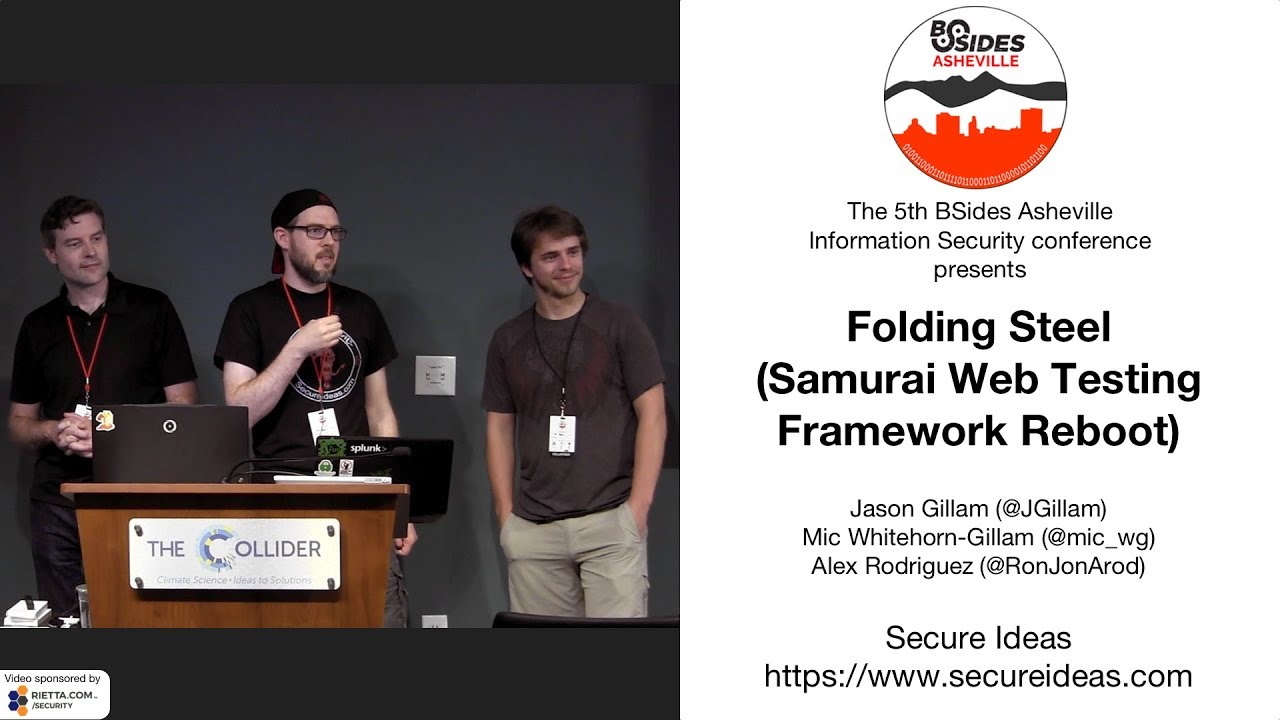
my name is Jason Gilliam this is my brother Mike and we are going to talk about samurai WTF some of you've probably heard of this before the project is actually this is its 10th anniversary this year so it's been around for quite a while and what we're gonna do is show a little bit about where if the project has been in the past and then where we are taking it now and what our future plans are as well we do have I'm gonna start off with some slides kind of going through where it was and then Mike's gonna jump in with some live demo e stuff hopefully it all goes according to plan and and show you
what it's doing now so the samurai WTF stands for web testing framework that's I promise that's what it was when they came up and we we're in the process actually of changing this because although it started off with this idea of hey let's put all of the tools kind of like a Cali thing right put all of the tools into one spot for doing web app testing what's actually happened is over the years it's evolved into more of a teaching environment so it's used very often for when we're teaching classes on web testing because we actually include several vulnerable targets in the builds okay so this is a these days it is a virtual machine based solution you can
bring it up it's got targets already in there it's got tools already in there and you can play around with it and practice so on and so forth so the it started in 2008 The Boss Big Boss CEO of secure ideas Kevin Johnson he started the project cuz he was bored so he didn't get his talk in at DEFCON or something like that and then he started messing around with this idea and then shortly after that Justin Justin Searle he he joined as well and at the time they were both working for n Guardians so I don't know if any of you ever familiar with in guardians that's that's where they were working at the time
now in its first iteration it was a CD I so this was Kevin playing around with a tool called remaster sis which was which I understand is basically bash scripts or something like that I've never used it it had some some there were some cool ideas here for one thing we didn't have to install everything anybody wanted to use it didn't have to install everything themselves everything was inside of a distribution which is pretty cool right that's what we want to do with these things you could because it was a live CD you could put a CD you remember the round things that you could put inside your computer yeah I can't do that anymore
you could it looked like this right here you can slide it in there boot up the the computer and you would have it would just pop right up in front of you and then you had an installation right on the desktop you can install the rest of it that way so really cool usually works especially if you're booting if you can boot from a CD could also is because it's an ISO you could also set it up to install off of a thumb drive which is something they started doing later and it was hosted on SourceForge so and you can still find up to version 3.0 on SourceForge as well so that's out there it's not a live CD out there anymore
it's a virtual machine and I'll get to that next there are some problems with building an ISO for a distribution like this maintenance is a bear it's you can you just imagine if you have multiple people working on a project but every time you make a change you have to basically build a CD right - in test it make sure that's all working so there are some issues with that it also made it very difficult to kind of backtrack if you made a mistake on something you've already written it to an ISO and then you try to install it's just a very lengthy process I also consider that we're talking about a time frame when
computers were slower than they are today so it took even longer than you would expect to to get through all of that so the next step was hey there's got to be a better way we moved to VMware so there for several years samurai WTF has maintained as a VMware image lots of advantages there for number one you could snapshot things so you could you know go so far or try it out I hope that didn't work backup restore from the previous snapshot and that didn't take too long to do so that was really good we didn't have to build out an ISO each time and it but it also had some other problems so maintenance is still a bear
except this one has snapshots and collaboration but collaboration sucks right so we have three four people trying to work on this project at once and the way this would happen is because I was involved in these three or four people working on it it would be like one person would say oh I can't I have possession of the VM right now the gold version of it I'm making some updates because I'm teaching a class in a few weeks so no you can't go and make any changes right now and so it would be you know trying to coordinate all that and if it's just one or two people you might be able to make it work once you get to
more than that it just gets it just wasn't working it was very difficult and we saw we from here what we did is we tried a few other solutions so I played around with that a little over a year ago where was it two years ago I can't remember two years ago I was I was playing around with Packer i/o as one option I had a debian package so you could hopefully you know install that but that had a lot of the same problems building out an ISO really because you still had to go through this this every time you made a change you had to rebuild the entire thing so that was problematic as well and in the end what
we were looking for really is a way that we could collaborate on something with you know change control maybe something sort of like source control and be able to easily rebuild an environment from scratch that would be handy so in the end what we decided is this and this is actually an idea that Mike started with and very thankful for that this has made things a lot easier so now samurai wTF is in its own github repository and most of it is a collection of script files for setting things up and in a vagrant file right and we'll go through exactly what that is because I'm sure that a lot of some of some of you
probably know what vagrant is hence people have used it okay so maybe a quarter of the room at most so vagrant is basically it's tied to a vert vert box or VMware or whatever the provider is and you have a script that says this is how to build this VM and so you just basically Mike's gonna demonstrate this but basically with a couple of quick commands it just pulls everything you need and stands up the machine for you and it has everything all installed and all ready to go which is pretty awesome now from testing to teaching so we started like I said this was initially a testing environment we were going for we want this to be more of a teaching
environment so one of the things that we have to maintain on here is our vulnerable targets and we start running into issues if we have if we try to put too many targets on there it gets really hard to kind of manage which targets where which port is a target on because what we're talking about here is a vulnerable web application so some of you probably familiar with webgoat we don't currently have web go installed but what we did is we installed several using docker containers alright so this is kind of the new way of doing things that's what I've been told but we we have some hipster developers on our team now so they told us docker is the right
thing to do so that's what we did right so so we have docker containers for several targets already built so dvwa am vulnerable web application the most recent version of that we have Matilda a to juice shop and then these two at the bottom if you've ever taken like a sans class or any any class that features samurai web tests framework it probably goes through dojo basic and dojo scavenger and so those are those are older applications we we include them to keep it complete but also we're you know we're trying to improve on those a little bit as well but these other ones at the top so dvwa and matilda they're actually very similar in in their style so if you're
familiar with the Oh us top 10 top vulnerabilities and just want to focus in on certain vulnerabilities those two applications are a great way to do that okay because they they actually have a menu of here's Hawass top 10 number a one injection flaws and then it goes through a whole menu item of all the different types of injection flaws that are built into there that you can practice they even have different difficulty levels on them as well so you know from easy there's no controls preventing the sequel injection from happening to you know medium where there's some controls in place it won't be straightforward to to do the injection to you know difficult or
impossible juice shop is is we'll show you that briefly that's juice shop is actually really cool it's my favorite vulnerable app right now it's uh it's a full-blown app so it's it's not a menu style of vulnerabilities instead it's an actual like online store for buying juice hence the term juice shop and it it has it's it's built as a modern application so this is a node-based app it's single page it's very has a very modern feel to it so it's it's not like like all of these other ones here they they work for what we used to consider but what I would call like traditional web application pentesting so if you throw an automated tool at something
it's going to be able to at one of those it'll be able to find injection flaws and prostates scripting clause fairly easily but if you try to do the same thing with juice shop it might not find them because it does there's a lot more logic on the front end on the on that the browser side which is what we're seeing a lot in applications these days so juice shop is if you're doing any web app pen testing you should definitely look at juice shop and try to get yourself very familiar with with how to do a test with that type of application so I guess at this point we will switch over to demonstration stuff so we're gonna trade
mics here because we only have one mic mic needs a mic alright can you hear me good all right we're gonna exit a presentation mode because that's not where the demo lips I'm gonna start by hopping into the kind of live running samurai VM this is from actually last night's training so you got burp in there it's done in a web testing that'll be familiar the scrolling by the way is for presentation purposes normally when it's on your machine what I would suggest is fullscreen it bump the resolution and full screen it but when you're projecting that's sort of a different issue so here we were doing some cross site scripting type stuff targets targets are
there we got rid of so Katie was the desktop environment for old up to three samurai it was Ubuntu based it was KDE and so one of my frustrations with it that kind of led to this was it got big you got really big so I had thumb drives I have a training class coming up I built a new target and it bloated up my VM and I couldn't put it on my thumb drives anymore so I went and used the old version of it and then after I got through that training class like went home got pissed off and started ripping it apart rebuilding it in vagrant okay so I cut a lot of that kind of desktop
environment wait by going to so this is open box it's it's got a menu you right click for that it's yeah it's a lightweight kind of window manager it's got a couple of utilities but not a lot baked in other than what you're actually using okay so that's kind of its kind of eight about that part these I actually bookmarked for last night's training class they're not currently they're not baked in the the bookmarks but these will preload on the first time comes up these are some browser extensions that are commonly used in our training classes at least the Oh foxy proxy their lap eliezer retired Jas if I go on over to to most
Mattila day you know gives you that sort of information stuff that I commonly use actually on pen tests as well it's all kind of nicely baked in and then we got these docker eyes containers for the apps so if we have current targets future targets anything that has a conflicting dependency we have some level of segregation between them that gives us a lot more flexibility of the targets and this is I mean this is there's nothing kind of too fancy or magical here this is the environment really but it works well for its purpose that's the burp suite Community Edition that's baked in along with those that attack proxy the OAuth man-in-the-middle proxy and if you ever lose track of what
your targets are you can always you read that yeah you can always cat out your Etsy hosts cuz they're there so not nothing too shocking or surprising there some of these and some of those are we're also customizations that I put in for last night's training class they're not quite ready to be baked in yet so they're not in the master repo that's just the bottom two that I'm referring to the other ones are there so the way it works is there's an engine X reverse proxy that takes incoming traffic and in my host native it redirects it to the appropriate port on the docker container that it belongs to so pretty standard stuff nothing too fancy how does the
whole thing fit together well if you pop on over to the github page over here this might be a reasonable interface to view the code so vagrant is essentially a way of describing a virtual machine that you want I guess is how I put it and there we go so there's a vagrant file in the directory when you run vagrant commands from the command lines as a command-line tool we run vagrant commands from the command line it always so it looks in the current directory from a vagrant file and then moves up to the parent directory and checks there for them didn't find one in the current directory and so on so you can any
subdirectory working and still writing diagram commands and it's Ruby syntax because it's Ruby actually and it's really just sort of configuration instructions one of the things that sort of changed is our primary hypervisor that we're really targeting most of the time this VirtualBox at this point which I personally it's been good to me VirtualBox has been good to me VMware has not been very friendly to me I gather for my colleagues that's the opposite of a lot of people's experience but we find when we fire things up with vagrant it does tend to work particularly well in VirtualBox and it's accessible it's available on all the platforms all the major desktop platforms it's free this is nice right
you don't have to either run a demo of VMware Player or workstation or well pay for a license generally hyper-v would be a nice target as well but hyper-v of course is Windows although so generally that kind of pulls things together nicely there we go and so it's got stuff describing the VM he's got some virtual boss specific instructions there to open the GUI otherwise it would be headless mode it's got a name for it it's got memory allocation etc and then down below that it calls a bunch of provisioning stuff and there's really no you cursed it so something yeah something else what say something else yeah is that good that good that I can do it and I will
okay so well welcome back everybody on the livestream so what we went to we went going to github we opened up the vagrant file and github I'm gonna leave this up because nicely if you look at the very top right now you can actually see where the git repo is I think we have that on a later info slide as well I'm seeing a head shake over here so that's there it's actually it's nicely indexed by things that like do Search Indexing and stuff so it should be findable if you use anything that's not Bing that was a cheap shot that's not fair alright so yeah vagrant file it describes a VM for like in this case VirtualBox is the
main provider we target although there's nothing fundamentally wrong with using this to target VMware vagrant can do that or hyper-v as long as the base box supports it in the particular base box on on this one right now is it's a bento which is managed by chef which is another orchestration tool obviously has a veg shaking yes I get that a lot actually in the office somebody will throw out a random word and I'll say yeah there's a tool called that it's a sort of a running joke with Kevin so it's a kind of a vanilla debian box that we build everything up on top of and you see there's a shared folder there it has
the VirtualBox guest additions baked in usually that works sometimes they can be version mismatches that cause problems and currently we're kind of manually dealing with that but long term we'll be able to automate that part of the solution so we if we go down into our some some VirtualBox specific options you know the name to bring up a GUI instead of going in headless and then we have provisioning scripts below that bash scripts that are run on the VM when it is built when it first comes up to provision it there's not naming convention to them probably because I'm unconventional but so there are if you scroll down further what's actually happened here is I got
to zoom out to on scroll it what I've done is I've set up multiple different VMs one of them is a default look good there we go all right everybody motion sick now good so there are multiple multiple there actually a couple of different builds of the VM that call only a subset of provisioning scripts and then there's the the main default one that calls all of them and essentially that's broken down into just a target server which I would caution is not tested very often although you can always raise a issue on github and get a fixed promise pretty quickly or directions on how to fix it yourself is probably more likely and then you can
submit a pull request which should be awesome but also it's helpful for us if I'm trying to do something with the target I don't want to rebuild the whole machine every time because some of those provisioning scripts also like update packages and stuff it can take a while for me somewhere around five minutes probably which is still a much faster way to do it or it of builds but it's not super super fast to sort of solve that I've broken it down I've got a target server in there that calls those provisioning scripts I've got a desktop environment that just does those just the desktop no targets which allows for faster iterations when doing development
work on it and so it's essentially it's the same layout as the one we just looked at but calling a smaller subset instead of four provisioning scripts there are two for the user environment
so that's I mean that's that does your vagrant file really in a nutshell in terms of future direction for it we have some ideas some pretty I think somewhat ambitious ideas at least I like to think they're ambitious such as having like a yam will config file that is these are the tool sets and these are the targets that I want for this particular class generate this give it to my class and it will build it with just those particular bits in it possibly even taking that to the point of having an interactive kind of script when we run the vagrant up command to say well you don't have a config file do you want all the targets or you want to
choose them that sort of thing because it's still it's it's Ruby if we can figure out how to write that in Ruby then it it should be possible to do I believe people have done some some work in that area so what because that doesn't mean you won't write it ok I will zoom in a little bit here we're not gonna watch the whole build because as I said it takes several minutes but I'm gonna do a quick so this is one I've renamed this machine so it should show as a separate machine hopefully this doesn't like explode it or anything but if there is something that's gonna explode in live demo mode it's going to
be this and I moved that magnifier out of the way because it's in the way we run a vagrant up command so first thing it does is imports the base box in my case it's got that cached on my system because I've been using that base box that looks bad it I have two of them kind of going at the same time ok so that's that's probably what that is but yeah that's because it didn't clean up properly last time when I tested building this box but really truly if you run that command it just kind of does its thing it grabs that config file it runs through and it does the provisioning of the box and then you end
up with a GUI with a login there's a text-based login we didn't actually put a login manager on it says here your standard and Linux login and then it will load into the desktop environment and it's really that simple when you're done if you were successful in building it which you will be trust me you will then vagrant destroy in this case is obviously it's saying that the other ones were not created this one says was and you just yes and it should should clean up correctly and just take it out it'll take a note of VirtualBox what will still be on your system is that Debian base box so next time you build it I won't have to fetch that
again it's kind of it you know we will see we'll see I'm not I don't believe it well because I believe I already did that yeah the fix when this happens by the way is to actually find where VirtualBox is put that machine and blow it away which is not as difficult as it sounds but I'm not going to do it right now
yeah so what are the one of the provisioning scripts doing without going into incredible detail because really you can go and look yourself if you want so I've got this broken down into I'm zooming sort of stuff is grouped into two directories there's the install directory which is stuff to run there's the config directory which is random config files that I don't want to figure out how to generate on the fly so I've just written them and included them in the repo but also that way they're properly version controlled and we can see when somebody changes our config and it breaks stuff we have that kind of audit history on it so quickly what sort of stuff is in here
well yeah this sort of stuff so what open box starts when it comes up there's the definition for the the menu that I got when I right clicked some various scripts that are available to it somewhere in here there's a ah there it is ngx nginx config for the reverse proxies that sort of stuff is grouped in under here and now that you know it's there you can actually go and pick it up and do stuff to it and make it better and submit a pull request because that would be awesome there is the install stuff is those provisioning scripts that you saw doing various different things I'm not going to walk through each of them because
that's gonna get dry and boring really fast but you can see here stuff like setting the hostname so some of this is is a little more on the kind of Linux technical side I don't look for something that's a little bit less so
yeah so some of this is just stuff like installing Chrome for example simple package install II type stuff you have a runtime there you go so WP skin I also use this docker it's the way that we fetch it there are other ways that sort of thing pretty simple stuff just bash script fetching stuff if you're familiar with the linux environment none of this would be challenging for you to write yourself but you don't have to because it's here that's kind of the bulk of it this was the so that's the user environment one the targets one and I'm the reason I want to point out the targets one is because I want people to add targets I
think that'd be great if people would add targets oh there's a target bootstrap here so our team Nate Cory who's floating around the conference someone over there he is yeah either he's our he's our he's our docker hipster so he's done the dvwa and Mattila day one seeds pulled in the docker wrappers for them so fetching them at this point is just pulling the docker images which he's nicely indicated with some echo statements there juice shop is from bjorn kim a niche who is the project manager basically as a no-loss project he's also by far the main contributor to it and doesn't sleep and like does five new builds a day and as far as I can
tell as a cyborg or something it was a fantastic target environment as Jason said so and then there's the release kind of sketchy samurai dojo stuff that might or might not have my name on it where I kind of so as a rapper that has the original maintained project as a sub repo get sub repo so it pulls that from its original source and then wraps it up in docker and builds a container kind of on the fly there are different ways of solving different problems there that's really all there is to actually the whole thing it's scripts for building now currently yeah scripts for building it config files a vagrant pile which is really a config file written in
Ruby windows environment like windows containers Windows operating system I'm gonna take that as a yes well Windows servers currently there or not if if there is a particular one out there already floating around that we can pull in that would be great otherwise when we write it well yeah which one yes yeah that's a good point if you have requests like that feature features ideas we'd love to hear behind I head on over to the github and open an issue not if the targets are license in a way that is shareable it's not a commercial product yeah potentially yeah we we did we'd have to figure out licensing for it which currently it's not it's not a path we've started down I
can see the appeal of it it makes a lot of sense considering the number of environments we test that are mostly Windows servers right of course you can they got core now the question was can you run down that on Linux
[Laughter]
I'm not alright sure what team a made alex is gonna come over and do a vagrant up we're gonna see if it breaks twice or or redeems itself this could go either way
[Laughter]
he's furiously typing in a dark room with code projected onto his face so we're so we're currently in the same ride WTF folder right now we're gonna just do vagrant up one two three and hey if you don't have the Debian image it actually goes and fetches it one thing to watch with the bento ones although they're actually so hashey cores the company that does vagrant they do some commercial tools for infrastructure as code type stuff one thing they recommend using the bento ones for like Ubuntu and stuff but one thing to watch is Debian 9.4 is a separate base box so if that's changed in my vagrant file for samurai and I go into a vagrant up I'm gonna end
up with two base boxes sitting on my system and probably want to go and clean up the old one that I'm not using anymore unfortunately in that case it's not really automated if a vagrant box with the same name is updated you get prompted to download the update if you want to so there as long as it maintains the same name it's sort of version controlled but not if they renamed it like they do for that particular project on the your right stage right stage right side of the screen there's a it's it's opened up so this is sitting on a command line the machine has actually come up but it's still doing a whole bunch of
provisioning you get to that part don't mess with this window just kind of leave it there people will try to log in right away because they've got a login prompt so it looks Interactive is not really ready to go it will restart at the end and when it restarts it will actually have the the samurai WTF hostname that's how you know that it's done or by watching your output window doing your vagrant stuff so that's just happily running away I saw docker Community Edition just got installed there that red stuffs not bad so something is patched through a W get and it will put some red I think is one of the big ones that gives you a big block of red it's
not necessarily errors there can be errors some of them are okay but that's not one of them yeah so that's really kind of well what else do we want to do with it oh yeah so yeah in terms of kind of future direction better support for some of the other provisions would be great that's something we would like to do better hyper-v stands out because people that run hyper-v can't also run VirtualBox at the same time so making them disable their one hypervisor and install VirtualBox to do a training class sucks right it's obviously something that would be better not to have Packer is something that we're looking at again it's matured quite a bit which
would allow us is basically to maintain a vagrant base box for samurai so instead of it doing all of this updating and build steps it would have a base box as a starting point that's got everything installed I like the idea of maintaining both kind of at the same time not because I like more work but because I like the transparency of starting with a clean Debian build and seeing everything that's being put into it and what's being run what's being changed as a user as a somewhat security paranoid user you would probably like the opportunity to see that in some cases so there's that no rewriting it in Python no I'm gonna rewrite vagrant it's already in Ruby
until they migrate it to go which they haven't announced they're gonna do but it's a ruby project so it's probably a safe bet yeah so adding in mobile support for mobile training targets and mobile tooling would be definitely on the roadmap sooner rather than later somehow I'd have made myself the guy who gets tagged with a lot of the mobile stuff that works so it just makes sense for me to shove that in there too I don't know why I think it started with me routing a device and then suddenly I'm the guy who does that stuff so the moral there is don't do stuff that you don't want to continue doing find some find someone to pawn it off to because
otherwise you're a victim of your own success or the way my dad always puts it is the reward for good work as more work which my wife would say I subscribe to you by sucking at things like doing the dishes [Laughter] more targets and we actually the targets there are definitely open issues they're open issues and github for several other targets node go rails go but basically a whole bunch of goat once a whole herd of goats and there might be a few others in there currently but again if you have a target in mind first of all you can open an issue and say hey I'd like to see this in there too it's a side project but when we get the
chance we'll put it in or you do it yourself it submit a pull request because that'd be really cool it's so as a project that's we would like more input we're kind of as long as it's just the mainly the two of us working on it we've got Alex looking at the Packer options as well as Long's mainly our little group looking at it we don't have that outside perspective and we welcome it so it would be great to have other people throw in ideas input I shoot down your idea it doesn't mean I don't like your idea but the idea of docker izing the targets came out of a conversation while running a training class at a
b-sides event like this one somebody in the class said have you thought about doing this and then Kevin was there and he was like I'm not really comfortable docker I think it's easy he gives pretty honest answers and and at the time that was his feeling he's getting comfortable with docker or at least with delegating docker work so question over here
yeah you can read usually what I would do is destroy and recreate you can you could get on to the command line and run you usual docker commands yeah but it's not no it is no sort of automatic updating yeah that's likely to work it might also throw some errors for stuff already being there it's not necessarily gonna be graceful but it should more or less work so the suggestion over there was yet do a git pull and then do a vagrant provision which will rerun the provisioning scripts on the existing VM it's meant to be destroyed again so it's supposed to be yeah vagrant kinda came about as a development tool it's I'm running my development version of my app
I'm running my development server on my machine and I want to be able to just destroy and rebuild it at will which is which is why my kind of attitude and I think in general are out is here just as usually we want to blow it away and that's a lot of red okay usually we want to blow it away and rebuild it and we I do that for pretty much every training class I teach when I set up the class VM and then generally export it and stick it on thumb drives for anybody who doesn't have the VM that doesn't have the the vagrant build on their machine but I will say one of the best training
classes I did instead of in terms of not having technical issues was the one where we sent out a message a week in advance and said hey everybody go get this and run vagrant up and we had a class full people show up with working target environments rate from the start of the class if that rarely happens for anyone who's taught a class in the first hour you're gonna be going around troubleshooting people's issues on their machines a little bit so that was to me that was sort of the proof that if we do it this way and we are vigilant about kind of testing regularly and going through the process that we can hand it out to a
training class and see it work really well your colors are weird it's because it's tunneled over SSH and VNC okay yeah
VNC seems like there's a terminal aw the environment is up at this point that gives you a little bit of an idea how long it takes to do a fresh build yeah
[Music] that's cool yes and it quick let's move on to questions questions I know we kind of been answering them on the fly but around if you have any ideas questions questions come up later things like hang yourself first question it's not something we've discussed going to external targets I wouldn't say it's off the table as at least an option but most of our focus has been on internal targets because one we're we're gonna teach a class somewhere we don't necessarily know for sure that we have internet yeah it's a good I think it's a good idea to have that sort of as an option as well yeah so open a github issue and maybe think about submitting a
pull request I'm gonna stand a little closer to the middle so that we get a questionnaire
the gods of our community I like doing both when I pentest I run burp on my native machine I have it installed there as well as a plugin in the VM I don't think we know of a way to automate the installation of burp extensions so we'd have to take the students through manually installing it for them to have it whereas with Chrome I have it set up so that it actually fetches and installs it when it first launches so for me I actually prefer to have it inside a burp I prefer running it inside of burp for the reason that I even if I navigate away it's the information is captured in history right so it's always there as
passive results inside of burp whereas inside your browser you have to actually be looking at the page that has the problem in order to be able to see the results it doesn't it doesn't cost anything so well it's Chrome and always cost something yeah I think it as far as I'm concerned it comes down to preference and I do both as a test so the question was as a test of the environment once it's up to to the state that it is on the screen how do you know what do you do is sort of a smoke test that it's up and working I would open burp because you know you're gonna need it and I would open at least one of the
targets in the browser you could you could iterate through all of them definitely if you know you're going after a specific it's an obvious choice you're gonna test that target but those are kind of the main things making sure the targets came up making sure your tools are there if you've got that you're pretty much good to go
yeah some so there is how the how the targets come up just because it's a sort of a point of interest if you do encounter any issues there's a there's a bash script sitting in the a hidden slash dot scripts folder off of the samurai users home inside of that so there's that bash script that's set up on a cron job so if that hasn't worked not offhand it's I think it's startup targets that Sh we're out of time right now we're we're getting the cue de to get offstage so but we'll be around we'll step out into the lobby if anybody has any other questions about this just you know approach us there or open an
issue on github yes [Applause] because I just gave you this [Music] [Applause]
[Applause] [Music] [Applause] [Music] you [Music]
Related talks
 29:54
29:54 27:23
27:23 28:57
28:57 50:35
50:35 16:09
16:09 52:23
52:23