BSides Cape Town 2018 - Hacking and weaponizing the NES Classic Mini - Ross Simpson & Dale Nunns
Show transcript [en]
hi everyone yeah I talk scald shall we play a game hacking and weaponizing the NES classic mini which we'll look at in a moment my name is Ross I've been involved with besides a bit before spoken previously here and it's the icon and gave this talk recently in Joburg at hex con by day I'm a web security and dev guy so very much involved in the software world which is not what the NES classic is which is why Dale's here and yeah so the daily juice hi I'm Dell I'm a software developer by day and I guess a hardware hacker by night yeah I got invited to do the talk to help out on the hardware side yeah that's it so
we're both really keen in retro computing and consoles so the NASA's you may know from your childhood was this old 8-bit device and we like hacking breaking making fixing stuff so that's kind of how this talk came about so combination stuff that we like but I also found this device to be quite a cool way to look into embedded device hacking which is not something I know about at all like I said I just know about the software side of things you'll hear just now there's sort of multiple layers to this which is why I think it's such an interesting device it's also quite affordable and easily accessible so you can still buy these on take alot
they cost a grand which is a bit of money but it's not ridiculous it's not a hard to find device you know if you try and get into embedded device hacking there's a lot of guides but very few sort of step-by-step things like buy this product buy this product plug them together tight this come on now you know stuff it's quite abstract there's like roots or hacking you have to try and find the root - whereas here I'm kind of hoping that we can present here's a device and a bunch of steps that you can go home and replicate you don't have to bring stuff in from Amazon like I said available and take alot and
if nothing else the device is fun to play with so you've actually got something that you can hold on to give to your kids or just enjoy unless you break it so about the nest mini this is not the Nintendo you may have grown up with it's modeled after it so it's got the same look and feel with the controller but it's been drastically resized it's made a lot smaller but yeah it looks a lot like the original one that you would have had especially if you were in America it's not able to play original cartridges like I said it's not hard to find if you want to Gumtree or ebay you'll find people selling these for
like four and a half thousand around don't buy it there they obviously think it's some kind of rare collector's item certainly not yet still in production still available don't pay a fortune for it it's also not just a Raspberry Pi yes you can do things like a retro pie but if you add up the cost of a Raspberry Pi a case a controller and SD card getting it all working you're pretty much at the grand mark anyway so this is just an all-in-one device that just works no moving parts no corrupt SD cards if you want to Ross P PI for US peopie reasons by all means get it I'm not saying this is a replacement but for a gaming
console I definitely think this is a great way to go it's also not meant to be modified or customized so it's no moving parts you can't insert the original cartridges you can't insert anything other than the cables they give you so it's intended to be sold as a like desktop box that you plug in and use as is which is why we have this talk because we do not want to just use it like that so to use be powered HDMI output and comes in various models so that's the one that you'll likely to find on take a lot it looks more like the American model if you had a knockoff Famicom growing up like I did that's the
shape that you would have this is available on Amazon but its target at the Japanese market they've also brought out super Nintendos it's basically all the same parts inside just different cases in different rooms that's the European Super Nintendo and you also get the North American Super Nintendo so they do different things different rooms but all the internals are pretty much the same so as I mentioned I think it comes with 30 games it's got a basic UI for selecting the game that you want to play they use their own Bolton emulator called hack G hack Chi so though it's their hardware from Nintendo it is still emulation under the hood and the use of
common programming set of libraries called STL and other open source tools which they make available but not really in a way that you can recompile the you eye or the platform so they sort of satisfying the legal requirements of providing the source codes but not providing their whole like development environment or toolchain but that's their official link if you want to go and look at their source code that they've used so this is the UI when you boot up you've got some config options along the top to sort of change your video output and things like that but ultimately you've got this long ribbon that you scroll through for selecting the ROM that you want to play in this
case Super Mario Bros 1 is selected and they'll get a fairly good range that it ships with so now let's do some software akan I mentioned that I'm a software guy I don't like the idea of soldering onto my board or breaking my device that I spent a grand on so just sticking within the software world quickly there's a great mod called hack G it was originally made by a guy called mad monkey and they've been three separate revisions so he sort of created this program somebody else picked it up and took it a bit further and now there's sort of more of a community effort taking it to its third generation the first one looked like that
some buttons on the side to do pretty complicated things not very user-friendly but it allowed you to do some hacking of the device that's good revised by a guy called cluster em so it does all the same things under the hood but it gives you this interface where you can add custom roms make various changes hide some of the built-in roms and that's then being forked into a community edition much of the same functionality but a few extras and this one seemed more active development the previous one so this is the one that you want if you want to modify one of these devices the same software works for all four of those devices that I mentioned the nests and
the super nests so what it does is changes the firmware change the startup scripts remap some paths and ultimately allows you to put custom nests roms on the device so it's sort of changing the normal behavior but not necessarily putting your device at risk so as I mentioned custom roms I made one for a P sites game in 2016 it's a usual video snippet of it visible in the ribbon and playing in their emulator so that's I guess sort of the first use case that you would have for wanting to hack your device putting all your favorite runs onto it it's got some USB functionality if you have the right adapter so Dale's going to speak about usb OTG host mode
it's quite difficult to find the right adapter these ninety-degree adapters seem to work really well they're just a little tricky to find and you have to make sure that you get the right orientation the HDMI and the micro USB adapters are pretty close together so the image on the left you just can't plug the HDMI adapter enough to plug in micro USB in which is a little inconvenient you can also get USB storage working if you want to put a whole lot of roms onto it also not very easy there's that github link where there's a tool that'll format your flash drive correctly NTFS seems to work well although this fat32 and EXIF air support
when the hack Qi mods your device and not all flash drives seem to work but the Sanders Cruiser blades available and take a look do seem to work pretty well and they end up mounting into /media when you've got access to the device so we'll mention that a bit later so you can kind of add on storage to the device the hacky mode also gives you FTP and SSH support it creates host-only networking on that IP one six ninety five four one three three seven and you can SSH in as root so at that point your device is rooted which is obviously the goal but if you followed the McAfee Hardware wallet like so what you got
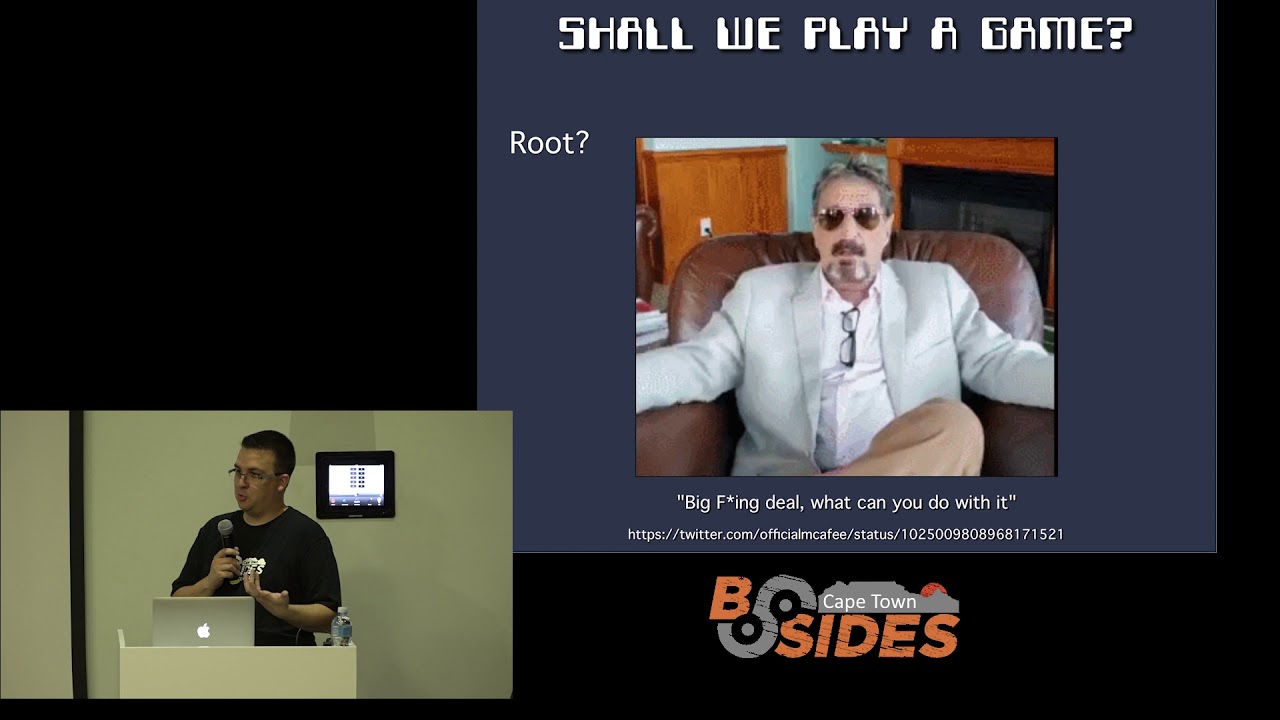
root what are you gonna do with it was sort of his response to those hackers routing his hardware want it so what are we gonna do with it I said I'm a software guy I've spoken on game hackie before I quite like the idea or hacking games and who doesn't want hack Super Mario Bros 1 so normally when you're hacking a game you want to do things like scan the memory find a value change a value and memory change program behavior but how do you do that on this device you know nothing about you don't have any tools you don't have like a Linux desktop environment to use it ships with busybox which if you know
anything about it's like a super stripped down of some of the common Linux tools and yeah so with very little tooling I wanted to see what I was able to do and as it turns out using just bash and some of these tools you can get the process ID of the Nintendo emulator within the virtual path you can get that processors memory map and highlighted there you see the heap so in the second or third column different sections of memory have different permissions on them you can't just go and read all the memory otherwise the device resets and does weird things but the heap contains all interesting values that we care about so when it simulating a game and you have a
number of lives that's going to exist somewhere in the heap so that's kind of cool like now we can see stuff with almost no tooling but if we go step further we can actually read that whole chunk of memory and write it to file using just some basic tools so we've got cat we've got grep we've got orc we've got DD and now we're able to dump the whole emulators memory to disk so now we can start analyzing and poking at it if we can read all of it we can read just a bite of it so this is just a helper script that I have that some other scripts use where I'm able to give it an
address and pull the bite out of memory and I was quite pleased to find you can do the opposite not only can you use DD to read but you can also use DD to write so I've got the inverted script that pushes a bite to a certain offset in memory so now we can start messing with the simulator and start changing games with again zero tooling other than the basics that hack Qi gives us so I've installed a mod here by a guy called comp comm what it does is listens for a controller input when you've got the device running shows a custom graphical memory menu over the normal interface and from there you can quite easily
script your own things so what I've got you'll see in a moment is a custom menu that's running custom bash files using those bash files than we just looked at so here I'm on world 4.2 and Super Mario Brothers 1 I've got 36 coins and just running a little script of mine this is the custom menu and it's run my bash script that's just read certain memory addresses in order to output effectively to terminal those values may be not so valuable but as well here just now think of this as a different embedded device think if there's a security system or a medical system or something like that separate from what's going on in the
game some other tools can extract all these pieces of information maybe there's like hard-coded passwords or credits or something like that something else we can do is trigger events based on in-game activities so the emulator is not open source we can not compile emulator we've not reverse-engineered the emulator but we can pause the emulator and trigger custom events when certain events happen so watching a value in memory in this case the size of Mario whether you've got the mushroom whether you've got the firepower we can basically set hooks that pause emulator and do custom things in this case is going to play some videos when we get the mushroom and when we get the firepower and emulate is not
aware of any change the time is literally the whole emulator just pauses we're using just the Linux process tools just to pause that thread and then resume it so we've literally hooked into an app without sort of modifying the app in any way game genie codes are super fun on nintendo it's basically a way that you can cheat actually does allow you to patch your roms when you're putting them onto the device but what if you want to dynamically turn them on and off so at the end of the day game Gd cheat is just a patch to memory so I've written a script that does exactly that it takes an offset and a code and it
pushes a value into memory and I've wired it up to the same little web in custom UI so here I've lost the the mushroom power because enemies hit me jump into the custom menu enable invincibility game genie cheat another state of the game has been changed we've patched the actual game logic which is running inside emulator which is running inside this embedded device all just from the bash script with no custom tooling so that's sort of the software side and some fun we can have like I said the value for me is I don't have to do any soldering open anything up this tooling that pre-exists has allowed me to SSH in and tamper with it but there
are multiple more layers at which you can sort of attack this device and this is where Dale is going to explain some of those ok the way to think of this device is it's not although it looks like a console and everything else it's basically a tablet without a screen it's reruns a system-on-chip made by all winner or we're gonna make a range of chips normally used in tablets it's all one is an interesting company they're basically licensable the technology from the various manufacturers like arm etc and then build these chips but they don't actually menu and they just relicense it to places like tsmc you manufacture the chips otherwise on this device there's a 256
Meg Ram chip a 512 Meg NAND flash storage chip a little power management chip that makes sure that everything boots up and powers up and supplies all the voltages and an HDMI chip the HDMI is required because this particular Allwinner R 16 is what they call the IOT version and basically it means it's got no HDMI output so it only outputs LVDS and a few other formats and then the HDMI chip converts that and displays it on the screen the reason that I got interested in this device was because the same chip bore some of the chipsets are used in devices like tablets and things like that so the other nice thing about all winner chips is all all winner
chips have this fel recovery mode it's baked into the actual chip it's not part of any of the other storage which allows you to get low-level access to the device poke memory stuff like that it's the S Ness and the nursin that has a USB port on the back that's normally used for power the catches that their ports wired into the all winners USB on-the-go port which means that because it's on on-the-go ports you can use it with the right cable and that's to actually access the chip and do other things over that USB connection with the correct kernel modules and that kind of thing you can run a network connection over that USB connection you can also make
this device show up as a mass storage device or as a serial device or as a keyboard or anything else like that oh TG is an interesting USB standard it's basically allows you to take what a device to be both a client and a host so modern-day phones will do this kind of thing where you can take normally you would plug something an external device in and your your devices acting and say the client so you take your phone you plug it into a PC it shows up as a mass storage device but then ot G allows it with the right cable the right settings to mount for example plug the flash drive into the bottom of the
phone this device has that capability as well so this is the internals of one of these Ness classics now all of these models all look more or less the same each revision they just tweak a few things and make it slightly cheaper each time around on the left is just the the in the top offers a couple of board for a couple of the buttons and stuff like that on the right is the main board all nicely hidden behind shielding you take all the shielding off you'll see that's the main board when I say this is not a lot on this thing there isn't there's four chips on the side of the board top left is the power chip the big one is
the allwinner chip the one below that's the RAM and the one to the left of that is the flash that's it there's a couple other little bits and pieces you're in their small passive components that but there's not much on it if you look on the other side of the chip there's the HDMI port in the HMI transceiver and that's it there's no other real components there's a little bit for power and things like that so from a hacking point of view this thing's all-in-one it's basically just all ownership and the small little bit extra external bits and pieces so this is the actual layout of the or when it's shut as you can see it's got four a7 ARM
Cortex chips so it's a quad-core chip it's got the Mali GPU which as far as I can tell isn't really used in the nests unfortunately anyone who's played with this kind of stuff that's Mali GPU isn't open-source so you need a binary blob to make use of it and get any kind of hardware acceleration the display outputs as I said it's got LVDS and a few others but it doesn't have HDMI the connectivity they are a bunch of a GPIO or general purpose I opens those are used for the buttons on the external side in that there is a spi bus that's not really used there's a UART bus which is serial which I'll talk about later
Twi is similar to a protocol called ITC but basically that's being used to connect the controllers the controllers used on the nestled very similar to the old Nintendo Wii controllers they just tweaked a few things so they're not quite compatible but you know find a way to sell a few more as I say this is basically like a tablet chipset so it's got camera but it's not used it's got a whole bunch of security features including lock bootloaders sign boot loaders all that kind of stuff none of those features are actually implemented on this device so from a beginners I want to hack something this thing's wonderful because they it's just hard enough that it's not you know you
you have to work a little bit to get into it but there's no you're not breaking weird you know crypto stuff or anything like that otherwise it's got a DDR interface to some Ram and like I say the flash and the audio codec and things like that so this is the layout of the internal how everything's wired up I won't go into all the detail you'll note there's a MMC there that's actually an SD card the device doesn't have an SD card inside however the pins are broken out to little test points and if you brave you can solder on an SD card and get it to work in this device if you go in sit
around you'll find a few people have done that I'm not sure I'm that brave yet but one day I'll get around to it the other interesting thing is you'll note that things like the power button and the reset and that I'll just wired into GPIO pins the same as with tablets and phones and things devices like that pushing the power button doesn't actually cut the power all it does is send a signal to some daemon running in the background that says hey switch off and then your machine slightly shuts down this device works the same way so even when you put switch it off with the power switch it doesn't actually turn off it shut runs a
shutdown script and shuts the Machine down so you can actually hold the shutdowns and all those kind of things you can grab the reset and do your own thing when you push the reset button if you like okay so when you're hacking a Linux device whether it's one of these things phone a root or anything like that the the main thing when you're looking for an embedded device every one once is the serial console the reason you want your serial console is generally it gives you access to things like the u-boot the Linux console and things like which you wouldn't normally be able to see on screen so on this one I thought it would it's normally hidden on board
it's depending on the manufacturer and sometimes they market most the times they don't on this particular one it runs at eleven five two hundred board at 3.3 volt and you just need a USB to serial adapter one in the FTDI or this h four thirty or any of those kind of things and that you would use to hack normal hardware all of these things are easily findable so when I opened this particular device I was hoping that I was I had all my stuff out and then I turned the board over and they marked on the back the original Ness classic doesn't have the marked but it turns out that when they did the revision they
decided to mark all the pins which makes my life a lot easier so once you've got your serial console on and you power the thing up you'll see on there there's you boot starts up right in the top gets a little bit lower you'll see there's a mention they have no battery that's why I say this is actually a tablet device all over the system you'll see little hints that oh it's looking for a battery it's looking for things like that lower down eventually you boot then launches into the Linux kernel and the system will boot eventually giving you a normal logging prompt now the magic of this device and of all winner things is
this fel mode fel is very very nice from a hardware hacking point of view you can't break the device fel is in a boot ROM on the ownership although it might be possible to override it generally speaking even if you do something stupid you won't remove that but as long as you can make your way back into FAL mode you can restore all your configuration your firmware everything else from there on with fel mode so you can do various things like read memory you can actually do code and stuff like that so what I did was fel mode is used by all the things that Ross was talking about and the hachi and those things they've
wrapped this fel system so that they can pry the device what I decided to do was I wanted to know how hot she worked if any of you have ever been tried to do this kind of thing when you look at someone else's project you'll see that they generally all open-source the one thing they forget to do is document anything this thing is no different so in the end I managed to figure out how they were doing all the hacks and I decided to make them all just as a series of bash scripts rather so that I knew what was going on Sun xif al is the lining so Windows command line tool that talks to
fel mode the FES one bin so we knew in fel mode on this device the Ram is not initialized so basically you switch device on you put it into FL mode and then you can't do anything on the device you can't access RAM or anything like that because it's not initialized so the first step is you upload this FES one bin which contains a smaller bit of code that initializes the RAM after it's initialized the ram it then puts the device into this FES mode which basically allows you to read and write a longer string or longer bytes and memory than you used to be able to end it pure fel mode so you push that on you execute
it and if you're watching on your serial console you'll see it does that what it's doing there is just setting up the timing for the RAM once you've got that loaded and executed you've now got access to the entire Ram space so you can now start doing other things so the next step is you load you boot you boot is a boot loader so the boot process on this thing is it loads the boot rom which contains the FAL and a few other little bits and pieces the boot rom initially it jumps to a certain point initializes the ram and then hunts down you booth you boot then loads into memory you boot then gets the nand
storage up and running and then from there hands over to the linux kernel and the kernel carries on so what you do to dump this device is you compile your own you boot you pusher you boot onto the device you then patch you boot and that middle line is the magic line that it took me a while to figure out you basically patch the you boot code so that in amory on the device so that you boot no longer runs its normal Linux boots process it runs that command instead what that command does is sets up the nine storage once you've done that you can now just do that and dump the kernel that's now reading straight off the nine
storage you can dump the kernel image or for that from there it's hacking like any normal embed advice you can take the kernel image apart pull out all the bits and pieces like the key file and that kind of thing and then decrypt the rest of the storage if you want to write all the stuff back you just change the read to a right put your new kernel on and you can push it to the device and that's it cool so the other part of the talk is actually weaponizing this so be it a device that you won't have in your house for plausible deniability is just a gaming console or perhaps be at a device
in your home or business that you think is totally harmless it may actually be something far more sinister on your network so we've looked a little bit of the sort of game hacking but let's let's try and make this more about sort of cyber security I guess to weaponize it you really need to give it some connectivity at the moment it's just a device that talks to your screen to show pretty pictures we mentioned that you can do host only networking with it which isn't too exciting even if we got networking without tools it's kind of pointless and as I said maybe it's something malicious on your network so if we if an attacker put those things on
it what if they backdoor it it's so we had a look already how we can hook the emulator and do various things in the same way if somebody were able to backdoor your device it could be doing all kinds of things without you noticing while still just playing games for you so in terms of the connectivity there's a mod that you can get for hack G called WP a supplicant and it's basically your Linux Wi-Fi tools enough to boot the why the Wi-Fi protocol you need the correct OTG cable and adapter those are the things that I showed you earlier so it plugs into micro SD it breaks out to a full USB adapter and then you're able to
plug a network dongle in the RTL eight one eight eight seemed to work there easily available on eBay and all over the place they're quite popular and they just really well what you have to do with all those components in place is drag the WPA supplicant mod into hack G to install it I'll show you screen of that in a moment then you SSH in you run a bash script that they've provided and enter all your Wi-Fi credentials the problem with this is there's no indicator that it works after you've run the script you have to reboot your device and just kind of hope and pray that it logs on to the Wi-Fi so when you drag the mod into hack G it
props up this option you select the mod bottom left that you want to install tells you a bit about it and who made it and that will then put these extra files on your nests you then SSH in login as root with no password you run the Wi-Fi setup script ask you for your SSID and your password and the instructions there are really long-winded but you literally have to turn off the device plug in your OTG adapter plug in your kness sorry plug in your Wi-Fi adapter and then give it power the problem is these OTG adapters break connectivity over the USB data line so you can't both be connected to hack G or SSH and be on your Wi-Fi
network so this device effectively vanishes from your connectivity until it shows up on your network and it doesn't output anything over HDMI so you also can't see what IP it's been assigned so you need to kind of like find your DHCP allocations on your rooted to try and find the thing or scan it but if all works well it behaves much the same as it used to you can FTP an ssh in an upside is then you have a device which is actually now Wi-Fi and internet enabled so adding tools to it I mean Wi-Fi is fine but you can't do anything without some extra tools there's a site called hack few resources which gives
you all kinds of mods and extra emulators and games and things like that but they've also got an experimental section where they provide some additional wireless tools and network tools in gdb so there's a few things there which might be a little bit interesting to to play with but what about adding our own tools so a tool I use quite often is go Buster it's job is to brute force files and directories and web servers to discover things that developers probably don't want you to find it's written in go which happens to be really really really easy to compile or cross compile to this device so there's a bunch of command-line options there that you run once you've downloaded the
source code but most importantly you're telling it to compile for ARM version seven statically and the output file at the bottom is identified as an arm static library so you can just drag that across to the Ness or FTP it across and Here I am running it again through that custom UI obviously you wouldn't really use that because you can't specify a host but just for illustrative purposes that this is really running on the Ness and not just an SSH terminal here is that binary that I've compiled copied across and run against my site luckily just a robots.txt file found if you don't want to compile stuff yourself you can sort of pick up binaries and copy
them across so Kali Linux is available for arm HF which is the chipset this needs and you can run that arm HF on the Raspberry Pi so they'll get the Raspberry Pi images you can also run these and obviously Carly comes bundled with a whole lot of tools so let's go and grab nmap but first if we check the file output of it we see bottom left-hand corner it's a dynamic binary which isn't too problematic like we're halfway there it's an arm that we can run the problem with dynamic libraries is they come with a whole lot of dependencies and this isn't even the full list so if you run ldd on nmap on your Raspberry Pi against nmap you see
all these other libraries that you need to bring across okay you run copy all these parts across get them off your PI onto your PC from your PC you push them onto the nares and then finally you can run them putting them all in the same directory and using an environment variable LD library path you can tell it hey don't go look on the Nasus filesystem for these libraries are all right here so it's you've kind of made like a static folder of an app although it's not a static binary and you're then able to run it in the command line once again I've hooked up a bash script to the custom UI so here's nmap running
against itself on NES classic so cats Rogen mentioned a bit earlier this sort of speaks to the backdooring side of things just a very super useful networking tool for joining various ports and protocols and you can do all kinds of crazy things with it there is already net cat as part of busybox on this device so it's totally plausible you could actually set up a net cat reverse shell on somebody's nest classic listening to the outside world and do all kinds of crazy piping and they would really never know this also compiles pretty easily as long as you're using the GCC on compilation libraries so you do need to change the config to do a static build
you need to change the make file to use the cross compiler not the standard GCC that you might have available but then you can just run make and again you get a static binary ready for arm that you can just copy across and run there isn't really a way to show this so I don't have a slide for that just to kind of compare the different compiling options you could also compile stuff on your Raspberry Pi running cardio mhf the problem is raspberry PI's are not very powerful you spend a lot of time compiling things so it works and it outputs the right file but it's a pain you can use GCC which is a lot easier
you can use a cross compilation as I've shown there the catches you need GCC version 4.9 or lower a lot of the newer Linux distros come with newer versions so you've also kind of got this need for an old version of Linux you might need newer libraries for the thing you're trying to compile so it does get quite fiddly there's another cross compilation option which I really like called dot cross but that just doesn't work at all it ends up outputting a binary for a newer version of the kernel so you get a fatal kernel to old era when you bring the binary across onto the device so don't go that way so the terms of
compiling things these slides these yeah so these slides the device shows up the screen shows up as a normal frame buffer which means that you can compile normal applications and just write to a standard frame buffer to display things on the screen the problem is is that the built-in emulator is constantly in UI is constantly drawing to the screen so you have to pause or stop the standard emulator once you've done that you can draw anything you like to the frame buffer the joystick show up or the the controllers show up as standard joysticks so if you used to using those on Linux you have no problem controlling those things like reset buttons and stuff like that show up as normal inputs
USB button presses stuff like that okay yeah so going what Dale just said we could write an app that just constantly loops reading for events and listens for controller inputs to determine whether you push the left or right or alb buttons and it could then increment sort of a counter to determine what slide you're on and play a video or image without using a MacBook just using NES like we've done here so our slides are running on a custom app just interacting with the device and not using the MacBook at all but thanks for watching so the way we're doing that is using ffmpeg which is a popular video file player so this is almost a bash
script it's literally just checking if an mp4 with the right file name exists calling ffmpeg and then it returns to our app and the guys who made the initial hack G have a program called decode PNG which takes a PNG file and outputs it to the frame buffer and like I said these slides are luckily running from the NES classic so I think we've got a little bit more time there's just like a whole lot of stuff to run through the hacky mods are just tarji just tar files nothing special about them so you can even gonna look at the mods that are available you could have multiple firmwares on a single device so your NES
classic can look like an SNES and a Famicom and all the rest so that's quite fun there's very active reddit and discord community around this if you're interested so that's definitely worth looking into and there's even a VNC frame buffer app that you can run to kind of pipe the HDMI output to your screen but it's really really laggy with a lot of tearing Dale mentioned the inputs and things like that are pretty much the software buttons we did want to make a bot that would play joist sort of pre play the joystick commands to play Mario but that just didn't work out very well a popular mode is retroarch it's a popular emulator and it supports all
these different engines so you can even run DOSBox on the Ness yeah Sega Game Boy all sorts so this is why it's such a fun device to hack and mod it can just play like all the things and a whole lot of stuff sucked so I'll let Dale cover that okay so the hardest thing one of the hard steps we had was trying to find one these on-the-go adapters on the go is relatively sort of it's quite common nowadays the problem is is that we have to power the device through the unlit on-the-go connector so what happens is we had to go and find what they call an on-the-go hosts cable I think it's a little bit hazy as to what
exactly it's called but basically what it allows you to do is gives you the on-the-go USB portion plus allows you to put power in over the five volt and ground instead of taking it out like you normally would one of the fun bits is this is all done for the device detects this by putting a special resistor value on pen five of the little connector and it appears that all the documentation we could find is incorrect I built quite a few of these cables and none of them worked and in the end I think Ross stumbled across one magic adapter that kind of worked so yeah it's interesting USB and Wi-Fi the problem with like
mounting USB drives or getting the Wi-Fi to work is you're doing it all blind unless of course you are brave enough like I was just solder the serial console so you've got the serial one otherwise you're doing a little blind you don't know if it's working it doesn't give you any kind output to the screen so it gets a little bit crazy the first few times you know it doesn't work don't want to show up and that kind of thing if you trying to build software for one in these devices you'll see all over the internet people say just use bold route now bold route is this magic I want to say one giant big series of
hacks on top of hacks on top of hacks on top of a hacks on top of undocumented hacks all wrapped up in some sort of weird make script what it allows you to do is build an entire Linux system it builds all the cross compiling cross compilation and stuff it means it then proceeds to build the kernel the root filesystem plus all the libraries plus everything else it means and it's got this very cool menu system sort of based off of the standard kernel build menu so you can select all the bits and pieces you want click go and it's supposed to build you an image now Nintendo actually used us but Nintendo didn't release how they did it
they didn't release the build root configuration they did release a bunch of their source so in theory you can take the same build build root version stick or their source into it right one or two low patches and it should work kinda I couldn't get that working then if you go and scour the internet you'll find tons of people who reference it and say they got it working here is my configuration that link there is just one of the many you'll find they also all missing some other key piece you can ask Ross I spent two weeks or something every evening trying to get this thing to work eventually I got build root kind of
working my eventual aim was I wanted to get X Windows running on this device yeah we'll get to that so the other problem is you can't use the new versions of GCC the version that ships or the other kernel and everything else the chips on yeah you need an older version of GCC which means you've either have to compile an old version or find in all the version or Linux to build everything they use a standard SDL for the graphics in that except it's a particular version with a particular set of patches on and if you don't compile against the same version your code won't work so again like I say I was trying to
get Paul Drude working with the aim of building their version of STL so we could compile and Link against it the other thing about this console is it was never built to run anyone software but entender so it will crash a lot if you pull too much memory it crashes if you max out the CPU it crashes if you do too many things at once it crashes if you look at it funny it crashes if you poking values in the memory it crashes it's you if you have about bad USB supply it crashes if you're using it as a games console it works as rock-solid we'll carry on working perfectly if you start doing like we were you will spend
a lot of time crashing there's some cool tricks one of which is you basically just constantly tail the syslog dump it to a file on your own machine over the network connection do whatever you want and when it crashes hopefully it got a chance to log to syslog before it crashed and you get to see a few lines of your error yeah we I got pretty good at doing that figuring out what was causing the problem but yeah so these for those of you who download the slides these are just some links on a working on the go adapter one on Amazon one on eBay where you can find all the community staff and links to
various resources otherwise both Ross and I have written all our notes on those two sites on mine you'll find all the notes on the hardware plus all the FEL stuff and how to dump further kernel and all those kind of things I'll probably add bulb roots on at some point my aim is still I want this thing to boot and run X and that is my aim like I say it's a Linings machine that y'all still haven't quite gotten that one to work cool thanks guys I don't think we have time for questions but we would love to talk to you we do okay we've got time for a few questions no questions just want to talk to us
afterwards about retro gaming and hardware hacking yeah
well I think the the default chip security measures that won't be yeah I mean in this particular case so normally they'll do you want bare minimums signed bootloaders you want to be able to boot signed code so that's ideally you can't do it disable all the debug interfaces so that people can't just wire into it and pull information which there's a lot of those kind of sort of basic level things that for example on this device they just never bothered it maybe because they wanted to sell more of them and hoped all the hackers would buy them but in general you'll find it on a lot of devices where they just leave all the like JTAG gets enabled left switched on
all the serial ports get left switched on or things like they'll boot in encourage you like if you just implement the bare minimum you probably ahead of a large portion of people already yeah I think I think from a software point of view there's chips very much geared towards Linux so you're opening yourself up to all the kinds of tools that we mentioned there I mean the fact that netcat just runs that's I mean that's a backdoor device so don't use a chip that can run netcat is probably the best way to keep the like really low-hanging fruit away right at the back like three
yeah so there's so much stuff that we wanted to do one frame back so this whole portion here is quite a bit of space in theory if you lob the network adapter for Raspberry Pi it will probably fit in that space yeah so you could the hacks I've seen where they add the SD cards there's also space underneath the board so you could fit and the hacks I've seen is they'll break out their little small slot in the side they put an SD card in the back behind this board and then you can go and put like your Wi-Fi and everything on the top one you would want to use be hub as well so that you can
still have USB outs and various other things like that so you could and you could still get it all crammed into the thickest yes yes yeah yeah exactly yeah yeah yeah sorry yeah if you they're literally running an emulator here with all the wrongs so you can go and download more roms off the net put them on here and so they've been a bit of a contest for people seeing how many roms they can fit on without using USB storage and you get into the hundreds so yes you can put all your favorites ROM games on there so yeah it's the it's the their mapping and stuff so a little bit wrong so not every image ROM image will
work but a bunch of people have written patches to make those that are incompatible with the emulator so that they do work ya know no one I read yeah you're not gonna get too much so they there is a built-in like graphic settings where you can put in like CRT mode and anti-alias so they've tried to provide some visual filters and there are some add-on patches that will allow the Bolton emulator to do various sort of upscaling and softening and things like that so you could try and squeeze a bit more life out of these games if you really wanted I think Rogan has the question so yeah so I'm not a Linux kernel dev so I don't
know enough about this stuff but it uses the standard joystick messages so they've got a timestamp they've got like a message type there's sort of a couple of fields that go into it I assume that it had to do with the message date being wrong I don't know if I'm gonna find this slide no but what I was able to do quite interestingly was cat the reset button device to a file push the reset button which obviously the UI did its own thing but I was I had a cat file I could control seeing how they kept file and if I kept to that file back to the device then the device could reset so I
could just keep feeding it back but that same behavior didn't work for the joystick commands for some reason so then I try to do part of why I enjoyed your talk I tried to actually read those commands out swap out the time Samson real-time and feed them back in via orc and grip and the things you mentioned also by just sitting like really future date at times but they just didn't work at all which I found quite strange looking online it's definitely standard for Linux to allow the joystick device to be written to because you've got your force-feedback joysticks so I thought maybe it was a read-only device which it wasn't so it's one of the things I really wanted to get
done embedded sort of Wi-Fi is something we wanted to get done we wanted to try USB Ethernet so there might be another talk in the future here there's definitely a lot that we want to do poking at it but yeah I couldn't I would love to bought it I really just want about playing Mario on this device
cool yeah I don't know anything about that as I say the reset button worked so I was like hey I can do the same for the joystick and that didn't work so that's cool I would definitely like to take a look at that because I could I could absolutely record those events and analyze them offline see cool here's the timestamp here's the event type and I can console.log what should be happening I just couldn't turn them back into commands okay we're out of time but the device looks like this which was super tiny and that's what we've been running off of and do come chat to us afterwards about anything like retro or 8-bit and hardware hacky thanks guys
[Applause]
Related talks
 44:52
44:52 27:44
27:44 38:26
38:26 45:10
45:10 42:33
42:33 39:34
39:34