PG - Catching Linux Post-Exploitation with Auditd - Eric Gershman
Show transcript [en]
okay folks we're going to go ahead and get sorry about that we're going to go ahead and get started here I like to introduce Eric risham who's going to be talking about uh detecting Poli expectation with audit D Eric hi everybody uh so my name is Eric gersman and we're going to be talking about detecting post exploitation using audit the Linux auditing system so the first time I configured a was back in 2011 when I was working as a Linux systems administrator for Department of Defense project at the time uh the project was undergoing reaccreditation and audit D was needed to keep it running uh I thought that audd might be useful for helping forensics but I
didn't really think about using it to detect attacks and to use in a live investigation so a few years ago I switched to doing information security full-time and I've been working in high performance Computing recently we investigated malicious behavior that appeared to be coming from local hosts but we needed to find the source we suspected SSH tunneling and uh we we had a couple of op options one option was to turn on SSH debugging but this could reduce performance and impact CIS log another option would have been to actually patch SSH so that it loged the behavior we were looking for and this had a number of pitfalls uh including lowering the security and impacting the uptime of the
system In The End by logging Network Sy calls using audit D we were able to collect the the evidence we needed without degrading performance or the security of the system so what's the motivation behind this talk most of the audit D examples I've seen focus on aiding forensics by pretty much logging as much as possible there seems to be few examples of detecting attacks another thing I've noticed from Reading reports and um and responding to incidents is that attackers can take some time to reach their goal once they make it on a system whether that be hours days or even months and uh I think that by combining host intrusion detection with autod we can increase our chances of stopping an
attacker because before they cause any real damage so I'm going to be skipping a lot of background information on configuration best practices and performance a lot of that is covered in the Man pages but I've also created a GitHub repo uh that has some of the information uh don't worry about writing this down right now uh there's a I created a short link at put it on the bottom right hand of the slides so they're going to be on most of the slides coming up so here's the layout of the talk first we're going to get started by looking on at spying on processes in Linux and then we're going to go on enough information we're going to go
into enough information about audit D to write a few rules and interpret the results finally we're going to end the the talk by putting our rules in action and looking at a simulated attack scenario so AUD D spies on the system by logging specific CIS calls in their parameters I first learned about system calls as a as a systems administrator when I was troubleshooting Linux programs using srace using srace you can look at CIS calls and signals in a program by feeding it as an argument so srace isn't just good for troubleshooting it's also a great way to learn about calls Julia Evans created a Zen called how to spy in your programs using estrace in it she uh she calls system
system calls are the interface for your operating system they're basically the way that programs interact with the operating system for example if you wanted to open a file you call the open sis call and then read call read or write to it let's say you really wanted to send pictures of hats over the internet you would uh you would call the open call the uh socket sis call to open the connection and then send to and receive some from pictures of cats so I printed uh I printed a bunch of copies of the Zen it just find me after the talk if you want a copy so getting back to audit D it was originally designed to answer who did
what to whom and what was the result oi has been around for quite a while uh it was first introduced into to the Linux colel in 2630 and into red hat ENT Red Hat Enterprise Linux 4 by Steve grub and it allowed red hat and other operating systems to meet the autog requirements for standards such as pcidss and the department of defenses stick shortly after all of this it was also chosen as the login facility for SE Linux and it's included in many distributions that that have SE Linux deployed already such as Susi red hat and Fedora so if you've dealt with SE Linux if you've used audit to allow or SE troubleshoot you've already worked with the audit
logs so one of the first configuration files you should look at it is audit.com this handles log rotation failure actions and client server settings the uh the log volume from a d really depends on your rule set and the system activity uh your your rotation settings that you set in audit d.com should really reflect what your log volume is or you can uh you can run into a lot of pitfalls so the other thing I wanted to mention is that this is also the place where you set failure actions if the disc Runs Out of Space you can do something as innocuous as uh is log the event or you could force it to go into
single user mode or even Hal so in that case you would be favoring log Integrity over system of time there's three types of audit rules the first ones are control rules and they're used to manage the auditing system for example you can uh you can set a control rule to make audit rules and configurations immutable [Music] and that would require a system reboot to actually make changes to the audit system uh CIS call rules are used for matching on the entry or exit of a CIS call and also for matching on the arguments finally file rules are are used to recursively watch using uh operations on files and directories so most autod D packages that you find they're going to have
example configurations under usershare doit d here's a CIS call example from the Department of defense's uh security technical implementation guide so can anybody tell me what this CIS call is doing uh I'm going to go over the the options first um the dash a option will match on uh match on add the rule to a list and then match on a an action there's two main actions there's always and never so you could say that you want to log in event or you don't want to log out p the- s is for uh is for the CIS call field and it's for matching the CIS calls you can put multiple D s's in there and they're
going to be ored DF is for the fields and these are anded and then finally we have Das K which is a a user setable string to Aid in reporting and and uh searching so does anybody know what this this rule does yeah it checks for changes to file permissions by looking for CH mod fch mod and F CH mod at CIS calls and what does it exclude so it's looking for audit user IDs that are greater than equals 500 or that aren't and that aren't unset so this large number is the um the end of the data structure so it's a negative one or unset so here's a file watch rule it's watching Etsy issue and uh the DW takes
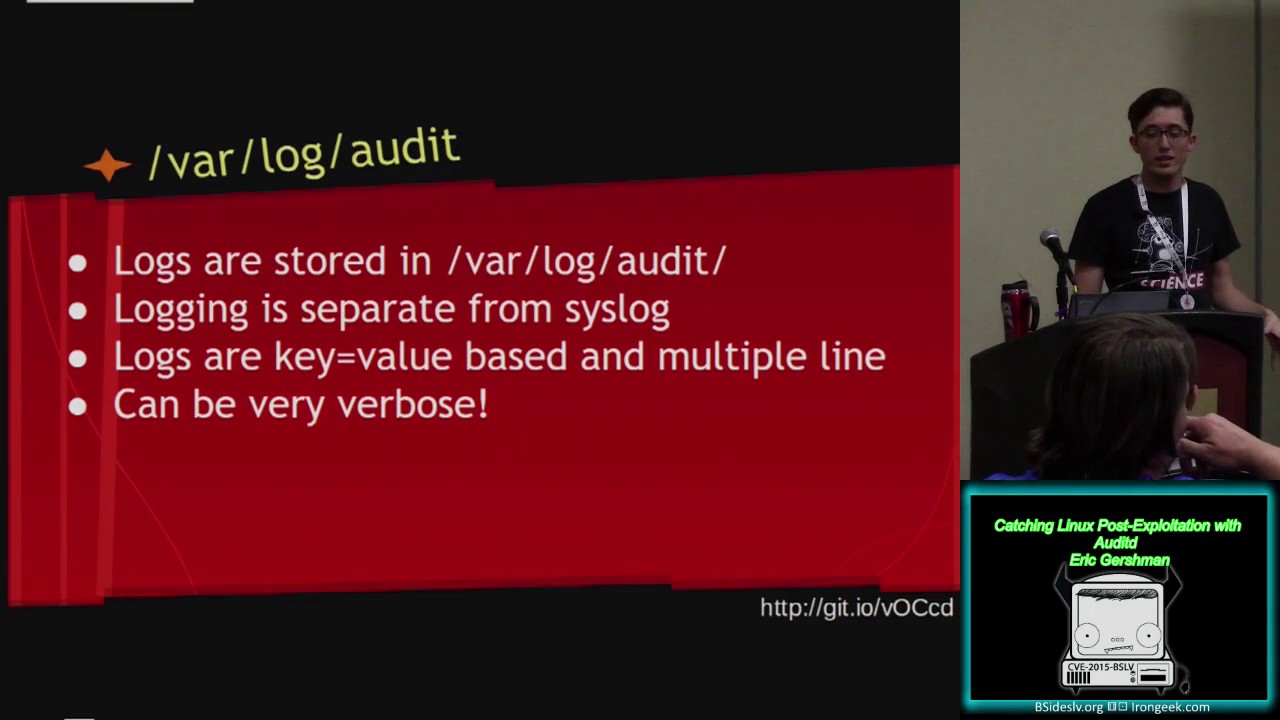
in a path and you can put a directory and it'll look for all look at all the files in that directory recursively dasp matches the permiss permission access type so in this case we have rights and attribute changes so it's only going to look for rights and attribute changes so now that we've looked at the rules let's go over the logging logs are stored in Vlog audit and are actually separate from CIS log for a few reasons one that the audit logs can have sensitive information such as passwords in them the other reason is that by having a separate logging uh system we can maintain Integrity even when CIS log fails the uh the entries for the logs are key
valued paired multi-line logs and they can be really verbose this is is an example of one event uh thankfully audit D comes with searching and Reporting tools built in AU search is used for making queries against the current audit logs uh we can do something as simple as look for a specific event with D- event to something more complex such as looking for chod Cy calls from U1 uid Z that were successible so a report is used uh uses a predefined set of reports to summarize and print the logs in a much more readable format uh here we have an authentication report and a failed login report example one of the great features is that both these commands can be combined
by pip the raw output from Au search into Au report so here we have an au search where we're searching for executive e sis calls and then we're piping it into Au report to create an executable report can anybody tell me what an executive CIS call does yeah it's used uh execve is the CIS call that's used to execute other programs so let's say you you're writing a program in C you call system it executes a program behind the scenes it's going to use an exec Eis call so using Au search we can search for the specific event that we had up on the screen earlier that really long example and we can type it into a report and you
and create the executable report and also run D- interpret D- interpret will take uh system values and convert them into common names so here's the output of our report it's a lot more readable and it's a lot easier to read this way but we may miss a lot of detail I've generally found that the these features are really useful for summarizing a uh summarizing results when creating reports for management or when documenting an incident so now that we've gone over the background let's create a really simple attack scenario using some of our favorite tools here we have an attacker running metas and a vulnerable Drupal server it's uh it's vulnerable to SQL injection so we set up our attack can
everybody read this mostly so we set up our attack uh using the drup ageddon exploit and it runs the exploit and then drops us to to a shell and we run a few commands here's a closer look at our shell we run who am I and the server returns that we're the web server or the we're the web user www data so what kind of rules can we write to detect this what kind of CIS calls could we search for to detect this kind of behavior
we can use um we can actually use execve so let's start by logging all execve CIS calls we're doing the exit of the CIS call we're logging exec e and then we're setting a key to programs so let's rerun our attack we rerun it and then we search the logs using the key again I'm using D- interpret here's the results the biggest thing that stands out is that the audit user ID is actually not set and this makes sense when you think about it because the audit user ID it mean is used to track original user sessions so audit D wasn't able to find out who the original user was because there wasn't one an exploit ran
and then it gave shell no one actually logged in uh it's still shows who the ACT who the user ID uh what the CIS was running as www data and it shows our Command that we ran so you might be asking what about false positives um really we can manage false positives by focusing on the way normal changes are made to the system so in this example um I created an example that a lot of systems might use to troubleshoot a web server they may use pseo SU bin bash to become the web user so that they can run commands in troubleshooter web application so I rerun the the search looking for this event and here you can
see the audit user ID is set to the user to the original user system so if you needed to fine-tune the rule in order to increase performance or reduce the logging amount you could do so by being more specific you can search for other fields like the uid matching on www data um you may also be asking what about other post Behavior what else can we detect on so we could try to detect on hash dumps by creating file watch rules on Etsy Shadow and Etsy password we could also try to detect pivoting Behavior by monitoring Network calls like socket and connect that can get very verbose and uh a little Troublesome one thing I've seen recently
uh in the last week is that the audit system has the ability to look at anomalies in CIS calls so you can look for CIS calls that don't return properly this was originally created to try and uh to try and detect detect uh exploitation and attackers I haven't seen a lot of uh adoption for it though so how are we going to watch all this all this data thankfully there's a lot of solutions I've seen a spunk app that was created to Parts AIT D logs I've also seen examples using log stash o SEC it's a host intrusion detection system that's one of the the really promising um pieces of software you can use OSF to trigger on uh
multiple events so it can look at multiple events and create a high priority alert by correlating between them one other thing is uh that I that I've seen very recently is the a bro framework there was another talk uh recently on bro and using the AUD bro framework you can look at events and then correlate them with different Intel it was created by Scott Campbell uh he's presenting it at uh F broon this week unfortunately that's not here the Bro the broon organizers actually conflicted with Defcon this here they don't do as good a job as the iron geek team on recording talks so there's the talks probably not going to be recorded for a few months released
for a few months pardon [Music] me so you can try and look that up uh the other thing you can do is you can do alerts based on suspicious Behavior you can look at changes that are made through configuration management and how those are made using audit and then try to alert on changes that aren't through CM so for example if you're using puppet you can look at how changes are made through puppet you could make sure that all the system in are only making changes through puppet and then you would alert on anything any other activities the other option is you can uh you can use tools like OS and bro to look at suspicious Behavior such as
running who am I or running unset history and try to associate that with other Intel so thank you everybody uh here's my contact information here's the GitHub again you can find me on Twitter under Eric gersman and also on fre node uh my username is hexus if you have any other questions uh we're going to do that at the end of the end of the talk before that I I'd really like to thank my mentor Jim mlead and also thank all the Proving Grounds and bside staff you guys are awesome it's been a really great experience and I suggest everyone if you're thinking about doing Pro Proving Grounds next year just just submit a talk and do it so thanks
[Applause]
everybody do we have time for questions yeah so if anybody has go ahead there's a microphone right there loud yeah um when you were looking at the performance of whether you should you know log s log um what were your key kind of indicators you looking at PR I was the main driver so Rd was a lot of times you're going to try to yeah the um the question was what were the performance pack factors that you're looking at when deploying aut is that a good summary yeah so uh performance a was created with performance in mind they tried to keep it slim down as much as possible the thing is you have to look at your rule
set and the type of activity that's going to be on the system uh I I had a friend actually do a pet a benchmark using a Pache bench on a uh un like a dual core atom system and he used this uh this website called um PHP CIS info which which runs a bunch of programs and he only saw about a 5% increase in load so you really have to just look at the rules and look at the activity and do testing so it takes time and for go ahead hi um as a noob for audit D I was just curious seems like the barrier to entry would be mostly in writing the actual rules are you aware if anybody
has written like a library of known examples or I mean is that what's up on your GitHub I I put in the well I guess everybody could hear the question thank you um so the question was uh is there like a repository for auto rules and that was the main reason I I I kind of created this talk is I saw a lot of audit rules that were based on compliance and that weren't really based on trying to detect attacks uh the most promising thing that I've seen is the Bro Auto framework so if you look at that that's really trying to supplement the Bro network security monitoring by you looking at what's happening on the
host because in the end we're uh we're going to be a little blind with HTML 2.0 and htps
everywhere so if anybody comes up with any questions later I'll be right outside the room and I'll also have the uh the sisol zine thanks everybody [Applause]
Related talks
 51:51
51:51 32:48
32:48 33:48
33:48 54:33
54:33 31:06
31:06 20:51
20:51