How to Frustrate a Penetration Tester - Justin Forbes
Show transcript [en]
so get started with our next speaker so we have Justin in Forbes he'll be presenting on how to frustrate a penetration tester a little bit about Justin so Justin Forbes the team lead of the applied Network defense team at CMU / SC isert he has been leading penetration testing team to the past five years targeting federal state local and critical infrastructure organizations Justin earned his master's in telecommunications from the University of Pittsburgh in 2010 and his bachelor's and Information Sciences in 2008 his typical Primanti Brothers order is the ragin Cajun chicken sandwich and it's all I see light I'd say that's pretty solid combo if you ask me I'm with you [ __ ] let it go all right he
said without further ado let's welcome mr. Justin thank you very much it's good to be here so this talk is gonna be about how to frustrate a penetration tester by doing the right thing security-wise pretty often when we're doing tests we end up just doing the same things over and over and for the past probably three years the same techniques have worked I would say 90% of the time and the organizations that we go to so I just want to run through a lot of those common techniques and ways that you can counter those first disclaimer all the statements that you're about to see our mind and mine alone they do not represent my employer they do not
represent anyone around me don't implement anything I'm recommending without actually figuring out if it's going to affect the business first patchen's great but certain systems you should not just automatically patch so you want to make those decisions after consulting with the system owner I might swear I don't really know I'm gonna be telling some stories and there may be some swearing involved there's lots of memes so if you can't handle those you probably want to leave now and last disclaimer I'm very tired I actually just got in at 4 a.m. this morning because my flight from Chicago was super delayed so I have not had much sleep so continuation of my introduction so I am
the team lead for the applied Network defense team at sei CMU cert we have a bit of a branding problem we don't really know who we are we're a little bit of everything I'm also now teaching the ethical penetration test testing class at CMU so if anyone is enrolling in the master's program there and wants to take that I will probably be a good teacher I hope so over the past five years I've been leading teams doing penetration testing I've done 50-plus assessments now all over the United States earlier this year I was in Hawaii I haven't been to Alaska yet but I really want to go so I'm hoping we get an assessment up there
sometime soon it's been eight years of beard growth everyone always the most common question I get every restaurant I go to anywhere is I gotta ask how long has it been always worded that exact same way it happens everywhere and then the last point I'm still learning and failing every day without failures you don't really learn anything so it's important to embrace them so what is a penetration test there's a lot of people that have different opinions on what a penetration test is there are some organizations out there who create vulnerability scanners who consider themselves penetration testers because they go in and they run a vulnerability scanner and they have a rapport with five million items that you
need to fix because those are issues in your organization I look at penetration testing as actually measuring the amount of risk that those vulnerabilities represent and also looking at how exploitable they are I've seen some penetration testing reports that are reporting on issues that are on a one-off machine that can't possibly compromise any data in the organization and it's just like why even write this down if it's not there's always going to be more pressing matters to deal with than a system that's just sitting in the corner and it's only job is to control a display board that's not something that's really worthwhile going after then there's also threat emulation which is sort of a step before what
considered red teaming in my opinion that's where you're trying to emulate either nation-state attackers or any sort of malicious entities out there ransomware the crypto miners anyone that would be trying to compromise a system and do anything negative to it the big difference between threat emulation penetration testing and red teaming in my opinion is red teaming is really focused on the training component it's all about having a competent blue team that you're testing as a red teamer to make sure that they're able to detect and react to the actions you're taking without the training element then it's just threat emulation and not really a red teaming exercise so frustration is very good it's something that should be
embraced it can be good and it can be bad a lot of times lately this presentation was spawned out of bad frustration and that bad frustration is every organization I go to does the same bad things and so it's rinse and repeat do the same penetration test over and over and report the same findings and no one seems to really be moving forward so I want to create good frustration I want organizations to address these issues so that I'm forced out of my comfort zone and have to actually push a little more come up with new techniques and tactics and do more than just run the same tools over and over again so the current state
of penetration testing is basically get on a network and by lunchtime day one you have domain admin and then you're asking the organization well what is it you guys do so that we can actually show impact in this report and you get answers anywhere from nothing important to we control financial records for like 20% of the world and the ones that say nothing important are always hilarious because it's they're running critical systems for local governments state governments one guy was lit we're like what's a critical system that you have here that people rely on he's like I really don't think anyone would notice if we went away I'm like you're the local government I think someone would notice
like something would go wrong but he was also the head of security who did not have an internet connection at home so he was a little distant from the field so how do we get domain admins so easily all the time so there's a couple different techniques that we use that are fairly reliable and we're gonna go through each of them phishing lack of basic cyber hygiene is something that still shocks me to this day password hashes if you're dealing with a Active Directory environment password hashes are flying all over the place and a lot of people don't realize it and then there's a lot of Active Directory misconfigurations that we often take advantage of and it seems like every
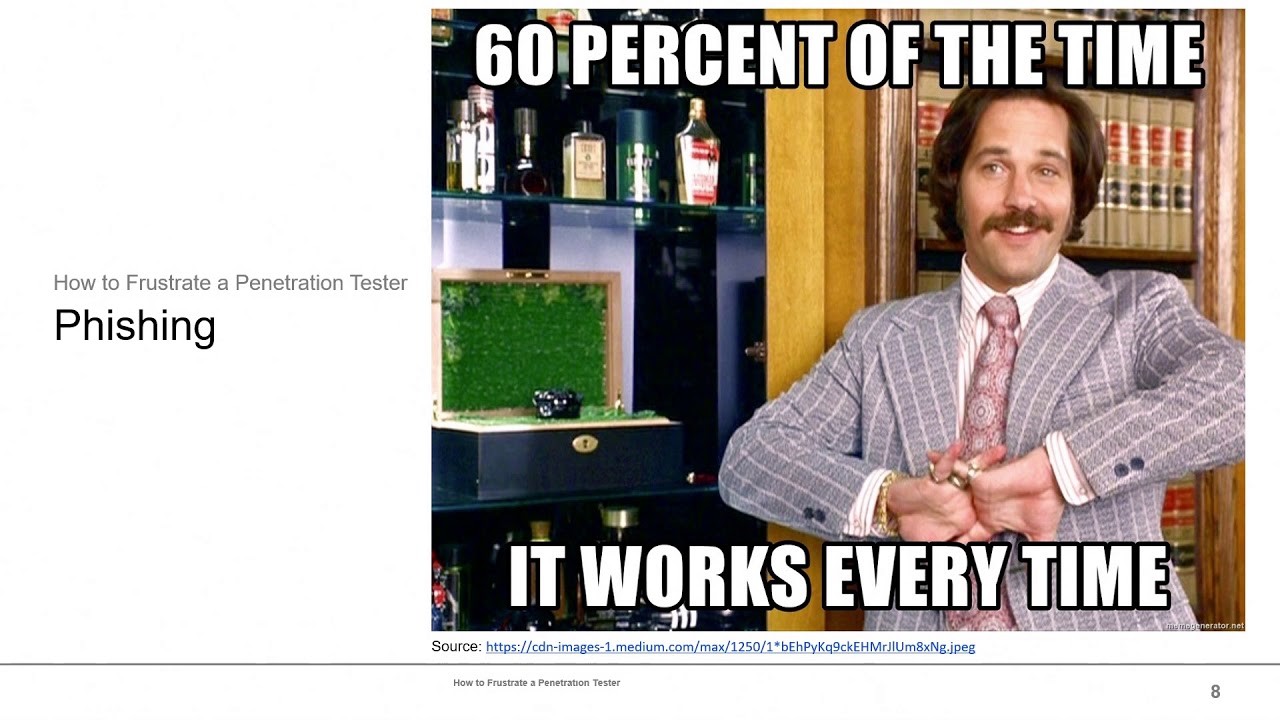
time we brief defenders about the issues they don't they're not even aware of the tooling we're using or that these issues are out there so phishing is one of those things that it always works I've not had a correction I've had one assessment out of that 50-plus where fishing didn't work and that was because it was a ten person organization and as soon as the first phishing email came in they stood up and everyone else was in the room and they said don't click on that that's really the only time fishing doesn't work if you're talking about a really large organization phishing is always gonna work there's just too many people and there's also what I like to
call the super clicker and in every organization once you get over about 25 people there is one person who will click on anything that comes into their inbox doesn't matter what it is and really we can't blame them for that because a lot of people their job is to read email and react to it so they've been trained their whole time working they're like you have to read those emails you have to click on it find out what it's about and then do whatever it says and if a bad guy sends one and they do it they're just doing their job it's not it's not their fault that they got tricked so two of the main goals when we
do phishing campaigns is we're either phishing to get credentials so that we can get into the environment or we're fishing to gain access to the environment a lot of times we focus more on gaining access but as more and more organizations are moving to the cloud using office 365 things like that just getting their credentials to be able to gain access to their inboxes their onedrive any of that stuff is actually more important than compromising the system that they're running it on because they may not even have a domain that they're tied into when fishing for access the testing of payloads it's really about figuring out what kind of environment you're getting into we've had organizations that are running still
running Windows 7 throughout the entire organization and it is a much different phishing attack against a Windows 7 system then Windows 10 with up-to-date Defender is actually really hard to get payloads working on I've tested a payload with a customer work just fine six hours later their definitions updated and that did not work anymore so moving to the newest stuff is definitely helpful so here's an example of a office 365 credential stealing website so one of the big things to notice is you see the lock in the corner back in the day everyone all the training was look for the lock look for the lock if you see the lock then you know you're on a safe
website well when let's encrypt came out that advice sort of went out the window and is no longer applicable every single infrastructure we set up when we conduct assessments is always fully SSL TLS encrypted with a let's encrypt certificate so everyone can get that every bad guy can get that and definitely even back in the day nation-states are well-funded actors could easily get those as well because it was just an additional cost but now there's not even any additional cost to it's free so how do you protect how do you protect those credentials one of the things that was in the previous talk that I agree with is password managers password managers are really good
because they can identify the domain and they won't even give you the option to autofill because it's like that's not office 365 we're not gonna show your creds you are gonna still run into situations where if someone doesn't understand how that password manager works and they're just forced to use it they may copy and paste the credentials out of the password manager right into there that's always going to be an issue that one you really just got to stick with user education to get around that and then even with a password manager password manager should have multi-factor authentication and any internet facing login page for an organization should have multi-factor authentication if possible if it can't I
highly recommend putting it behind a VPN that has multi-factor authentication we definitely see a lot of times on assessments customers that are still running with outlook web access just facing the Internet anyone can log in they have no multi-factor authentication on it so if we fish for credentials we can immediately just get right into their Outlook Web Access and start moving around looking at emails jumping into different users inboxes so this is an example of a phishing email that we use all the time and has great success I would say we get anywhere from 7 to 20 percent click rate sending this phishing email with a link to a malicious payload we have run into some problems one time
we fish an organization that was a union organization and because we were telling them to do something without getting authorization there were union grievances filed against management that it brought us in so that's one thing to watch out for when phishing organizations make sure you're not violating any Union rules when you send a phishing email so when you're when you're attaching payloads I say attaching payloads when you're linking payloads I don't know that anyone actually attaches payloads anymore because everyone knows that most mail filters are gonna scan those attachments and look for any malicious content within them it's way easier to just put a link and rely on their IDs so that's never gonna see anything to try
and block it so a lot of the common payloads office macros still work anyone if you're targeting anyone in a the financial department odds are they have macros enabled because most of their workflow is macro based HTML applications HTA documents these are just heaven right now they work so well if an organization is using Internet Explorer it cuts out so many steps all they get is one prompt saying or you want sure you want to run this they click OK and we're off to the races there's also a whole set of scripts the living off the land binaries project tons of awesome built-in windows services and functions that can excellent execute payloads or you can
even use some of them to pass hashes out by trying to authenticate to a server that you've stood up on the Internet so as far as stopping payloads there's a lot of different ways to go about this if you're running Windows 10 and some of the latent latest feature updates the attack surface reduction rules are really amazing because they stop office programs from spawning child processes so if someone's running so using a phishing payload that's a macro usually what's gonna happen is that Office document either Word or Excel sometimes even Microsoft Access files they're gonna execute a a macro that's going to spawn a either command C or PowerShell DX's child process underneath it with attack surface reduction turned
on that's no longer possible so that helps mitigate a lot of those macro based attacks right another thing is changing file type associations so I said that H TAS are amazing they work all the time the reason they work so well is because HT a file types in Internet Explorer are automatically associated with the MSHDA executable so they're going to run automatically I have been to an organization before that actually associated HT a files with notepad so it just opened them up in notepad so that the user could view them and that immediately took out that whole swath of payloads that we typically use so you can push that out as a GPO once again
one of the major things to first real figure out is find out if you're using HTA's within your organization before pushing that out because the last thing you want to do is push that out and find out that oh we just broke a bunch of stuff because I know that like when you download and install Chrome I believe they use an HT a little downloader program that they use but yeah you can push out a GPO you can modify the registry on individual systems so on to the lack of cyber hygiene so this is something that we see in large and small organizations there's just a lot of things that people are still not doing so a lot of people talk
about the CIS security controls and everyone talks about penetration testing red teaming all these cool awesome things and guess what that's like the last step organizations should be doing a lot more before engaging in pen testing and red teaming and I don't think I've been to an organization that has mastered step numbers 1 & 2 people always have stuff on their network that they're like I have no idea where that is or what that is we actually scanned a network probably two years ago and I was like oh this must be a false positive because it says there's a Windows NT system on the network and there's no way you guys still have a Windows NT box on
the network and the guys face just went goes white and he was like someone forgot to unplug that and he took us down to the basement and showed us where it was sitting there in their data center and I was like I can't believe this is still running but tons of organizations have no idea what's running on their network a lot of times when they bring us in to do pen testing the one of the key things they want is they want that nmap report showing all the systems that are on their network because they don't even know when you get a scope from a customer they're like do this whole slash 8 because I don't
know what's out there and I want to find out and so we spend a lot of time just scanning empty swaths of network because they're not sure if something's there or not what was that I mean almost everything I'm mentioning in here people can do themselves but people get people pay for services so they don't have to do it I pay for someone to come and clean up my dog's poop because it's something I could do myself but I'd rather pay someone else to do it so one of the major issues we see with lack of cyber hygiene is people are putting stuff on the network without modifying the defaults at all they're just like
plug that into the network and we're good to go like or one of the big problems of default installs are developers because they love to spin up CMS systems and web servers by just next next finish keep all the defaults I just want to make sure that this page is working ok it's working deploy it and forget to uninstall everything so now you've got ColdFusion whatever all of them are vulnerable to something because that's ColdFusion so it's now sitting on your network even though it isn't being used to host anything you see things like Jenkins Tomcat all these things with default credentials every time I search for a printer or network device Google automatically puts
default password as the guests as to what I'm gonna search for because that's what I do is I get on a network I scan find everything that's out there anything that has an HTTP or HTTPS port I put into a tool like eyewitness or aqua tone and they go through and take screenshots of all of those pages then I go through each of those screenshots and I go okay what's this let's check see if default credentials work most of the time they do printers printers no one changes the default credentials on printers because they don't want to have to deal with telling someone what it is if there's a printer problem because printers are always causing problems
I've actually gotten domain administrator from a printer because they had the printer tied into Active Directory with domain administrator credentials so that they could scan their documents to whoever's user folder they needed to so they had to give a domain administrator credentials it just made it so easy but once you go into the configuration you can then point it at a new IP address and test the connection and this one wasn't even sending a hash password it just sent clear text passwords so you just sniff traffic and here's clear text domain administrator credentials that one was a lot of fun because the customer was a jerk about everything like that Network access controls on so we were like how can you
turn that off so we can plug in and start scanning and they were like you're the hackers figure it out so we just cloned one of their printers MAC addresses and got on the network and then we were like do you guys want an authenticated vulnerability scan as part of this because a lot of organizations don't have necessarily will give you an authenticated vulnerability scan it's yours to keep like we don't really do anything with it we don't use it as part of our attack path and they're like yeah that'd be good we're like okay like do you want to just type in the password that you want to use to authenticate for this scan and
they're like no you guys are the hackers figure it out and so like five minutes later I was like oh we're doing that vulnerable that vulnerability scan with your domain admin creds so don't worry about it we got it and the last bullet point here we're always looking for systems like I was talking about earlier ColdFusion Jenkins Tomcat systems that can deploy and execute code and are usually running with very high privileges on the system so usually if we find one of these without credentials or with default credentials it's one step away from us fully compromising that system and then once we have system level access that enables things like stealing clear text passwords password hashes and moving
around the network which we'll get into in a little bit so patching still an issue to this day in almost every organization a lot of organizations are starting to get Windows patching under control but they're still failing at a lot of other patching there's so many outdated I think I saw ESX for running recently mmm that's really old at this point and has a ton of vulnerabilities in it people don't really have a strategy for patching any of their Linux or UNIX systems still mainframes who patches their mainframe I haven't seen that very often and then we've seen some organizations that are actually they claim they're too big to patch I went into an organization and it was about a
year after I'm a 17-10 and we scanned and looked around and we were like okay you have like 250 instances of systems vulnerable to MS 1710 and they're like but we're at 95% patch level so we're good like we just could you please take this critical down to a high because we can't get to the rest of them and I was like no that's your problem not mine like I can't imagine running an organization and just being like yeah we'll just let these vulnerable systems just float around and just call it a unsolvable problem and then the last point it's important to patch things like user workstations cuz they're gonna constantly be going out to websites
they're gonna be getting emails any vulnerability that's within any of the browser's are critical to get patched on user workstations because they're at the most threat to being exploited by those your servers you want to patch them but it's not as critical to patch them right away because your server should not people shouldn't be browsing the internet from servers people do but they shouldn't so they're not as critical to patch right away but there are systems that you just can't patch there's industrial control so that are running on Windows XP and are unable to be patched and the key there is isolating them there's always multiple ways to solve problems in security I think that's one of the
things that I love and I'm sure everyone else loves is its it's like a puzzle there's the the simple solution to just patch everything and then there's the more complicated solution of finding ways to secure that device without relying on patching and that's anything from firewalling it off to isolating it from the network completely on a air-gap network or just accepting the fact that there's always going to be risk and heavily monitoring that system so that when something does happen you're alerted and you can react quickly so one of the things we see very often we've seen organizations who have been hit with ransomware they've been hit with crypto miners or even just discs wipers
and the first thing that happens is as we're seeing with Baltimore there's a massive increasing budget all of a sudden they're gonna go out and they're gonna buy everything they can they think that they're gonna be able to just buy security by putting a bunch of boxes out there and that's gonna help protect them but the reality is if you don't have the basics covered then the blinky blocks is they're not gonna do anything for you we had a customer we did that had gone through ransomware they'd recovered they'd spent millions and millions of dollars in order to secure their network almost every host every workstation in their environment was basically a malware analysis box they had multiple
endpoint defense products on there all this stuff but they still like they were catching all the typical stuff our HTA's things like that we were getting caught but the problem was because they had so much stuff on there they increased their surface area that they're at risk of being attacked on and some of those security products required the installation of supporting software so every one of their work stations had Perl and Python installed on it so then we just used a payload based in Perl and we were just fine and they thought they thought for sure they had everything locked down they were like we're not seeing anything you guys are dead in your tracks and we were just like yeah
your network was fully compromised again and if we wanted to could have put ransomware everywhere just like the last people no I mean the big sources of ransomware are gonna be HTA's executables that are then using some stuff we're gonna get into later like local administrator password issues a lot of times or what they're taking advantage of there are some take advantage of exploits like ms 1710 but those are more rare it's usually taking advantage of security misconfigurations we'll talk there's a another section on local administrator issues so it is interesting now that Microsoft actually has Python in the Microsoft Store there's a lot of stuff going on with the windows subsystem for Linux Python being
like Microsoft is now the open source darling like they there's the era of Linux on the desktop is here thanks to Windows but it's gonna be interesting to see how attacker tactics develop based on that because I could see a having a Linux system within a Windows environment as an attacker sounds wonderful I would love to have a powershell one-liner on a compromised Windows system to download and install Kali right there on that box and hide the window and give me access to it so I can SSH into it then I can have all my tools on-site I don't have to worry about bringing stuff in so it's a lot of stuff that I think the research is very
young on there hasn't been a whole lot especially because the windows subsystem for Linux just got a lot better in the latest feature update so you can now actually run and map whereas before you couldn't really enter with the network interfaces so I don't think pipe like I'm not aware of Python or Perl being used in ransomware attacks it's typically just standard windows execution of programs Stuxnet I'm not a hundred percent familiar on everything I mean that was targeting industrial control system and also was layered up with zero-day exploits so it's it's a bit of an outlier the standard ransomware is as complicated as it needs to be to get the job done and no more so as I was saying
less it's less attack surface is huge some of these products just increase the amount of issues you're gonna have on your network you are deploying an endpoint agent to every one of your systems and guess what if that gets compromised I can now deploy code on every one of those endpoints as well if you're familiar with McAfee Z policy Ipoh we have used that to push code out to every single system checking in on that network in the last line there marketers are not security engineers so they'll tell you whatever you want to hear to make that sale but the reality is much different and just because something's capable of preventing certain attacks doesn't mean it's default configured
steady state is able to that the guy who didn't have the internet that I was talking about earlier who's the head of security they had a very expensive product in their network but they didn't have the budget to afford training for it so they got it plugged in and then it just sat there and they didn't know what to do with it because no one was able to get trained on it so that's really just a waste of money at that point you're better off hiring a person as opposed to spending the money on a blinky box because a person can Google a person can go on github and pull down projects and look at implementing them the Box can't
do any of that
so some of the solutions for dealing with those problems a lot of times you need to let executives know that there's certain exploits like the blue keep one that's out there right now it's there's no POC that I'm aware of that's publicly available but it is a remotely exploitable RDP vulnerability and anyone who has first off don't put RDP on the Internet just don't do it put it behind a VPN and VP onion and then RDP but people have done that but you need to stress to executives management that this is a big deal because as soon as a public POC does come out if someone in your network in the network gets exploited with fishing or drive-by
download anything like that every system inside the network that has that vulnerability still present is probably gonna get ransomware installed on it so when you're dealing with the systems that have default passwords and/or no passwords it's important that you have some sort of system validation process before anything can even be plugged into your network all of that configuration should be done before it's put on the network too often people are like okay let's get this on the network get it up and running and we'll worry about securing it later and later never happens it just sits there probably changes hands to the point where no one even knows who the system owner is there anymore and it's just a relic sitting
there there's countless systems we've run into that as soon as we notified the POC they just went and turned it off because they were like oh yeah we don't even need that I don't know why that's still in our network and then if you want a guide to improving your cyber hygiene the CIS controls are an amazing first couple steps to get you going if you take care of the top five you're doing better than like 80% of the organization's I've seen in the last point hire people not boxes so password hashes this is an issue that has really become huge with ransomware because people are taking advantage of this to spread ransomware once they get
inside an organization so here's just a quick rundown of some of the tools we use responder is our number one tool it's been winning us da on assessments for the past couple years really quickly I just was on an assessment this past week and respondent was really the only thing that was working because they had their patching under control they had a well segmented network so we actually were having a hard time moving around but responder was great at grabbing all of those hashes that were running around out there and their password policy was horrible so for those who don't know how responder works responder as the name implies responds so it sits on the
network it stands up a bunch of different services and so by default it'll just sit on the network and just do analysis of what's going on around it but if anyone tries to connect to you on any of the port's that it's running like it's running SMB HTTP HTTP FTP SSH and it's just capturing any authentication requests that people make to it one time I was actually running nessus and responder on the same box and we had a guy with us on the team who was didn't typically work on the team he was just trying to like follow along and see how we work and he went to login to Nessus and I got all excited because all of a
sudden I saw like new password captured and I was like awesome and I look and I was like who just put our necess password into responder because responder will grab any password you put into it and when you go to the HTTP site it's just a default login page so anyway responder once it's on the network it's running at services and then it's listening for requests for systems that aren't present in DNS so when you're requesting a share you're gonna ask the DNS server like hey who what's the IP for this year I want to go connect to it and get my files and the server says I don't know it's not in my records and I wasn't able to retrieve it
from any of the records that I looked up so then your box goes okay let's use LL M&R link-local like it on the name link local multi name resolution multicast name resolution or NetBIOS name resolution and so what that's gonna do is it's gonna broadcast that to your local subnet on the broadcast address it's gonna go hey does anyone have this address because I'm really looking to connect to this share and responder sits on the network and goes yep that's me connect to me I've got your files and that person is gonna send an SMB request to mount that share and we're gonna get that password hash now the nice thing is once you grab that password hash there's
a lot of different things you can do with it if the organization has SMB signing disabled you can just relay that password hash right along to another system so we'll set up responder we'll use either ntlm relay or multi relay and as soon as we get a password hash a lot of times we'll look to see if like the domain controller or file server somewhere where a couple users might have sessions or have SMB signing disabled and we'll try and relay password hashes over to them the other thing you now have this captured password hash so you can start cracking it if an organization has a password policy that enables them to have less than eight care eight characters or less
like any character password in the entire space of possible passwords can be cracked in a day with a gpu-based password cracking rig a lot of organizations still don't even have a password policy requiring eight characters the one I was just at had no requirement on length so you could have any password I've seen a lot that are seven still some have had four characters which four characters I can run hash cat in a VM and crack that password so once you've gotten that that password and passed it around if you find a system where there a local administrator you have a system level privileges on that box which enables you to do all kinds of fun stuff so some of the ways
to stop responder first off disable LM and r and NetBIOS name resolution their old protocols that you don't really need anymore if people are trying to connect to shares on your network it should be in your dns server if it's not people shouldn't be connecting to it enable SMB signing so SMB signing is great because then we can't relay that password and gain a connection it basically hashes the hash almost with each connection so that way it's a unique connection that we can't get in between and be in the middle of and then disabling ntlm is probably getting to be a good idea at this point we just had some major vulnerabilities in ntlm we're
even enabling SMB signing didn't do anything because if you sent the right packet it was just like okay I'll skip that check and still let you relay this hash I mean it's it really he's asking if disabling ntlm has impact in a modern enterprise if you're able to do full Kerberos authentication for everything and not use ntlm then you're doing pretty good but you are gonna have some of those organizations that have legacy systems that don't fully support Kerberos authentication like I've still see Windows 2000 boxes out there that people are using because a lot of election infrastructure requires Windows 2000 boxes because vendors don't upgrade stuff
yeah exactly like if you are keeping your systems up-to-date and you're running a full windows 10 environment Server 2016 or above then you should be you should have no impact disabling ntlm the only issues are going to be depending on how you interact with printers printers sometimes they want old-school authentication so if you have printers that you're authenticating to that could be an issue and then there's there's a handful of legacy devices or older devices that maybe you have an old network attached storage device that isn't fully updated a lot of network attached or devices are still running SMB v1 so that's a disaster but you have that issue with old old stuff but that's
why you really before disabling it you need to investigate and make sure you can disable it so test first and disable it on your own system before disabling it on a user system because the last thing you want to do is knock them out so there are additional things to consider that responder is capable of doing so ipv6 there's a great way to run a tool called man-in-the-middle ipv6 main in the middle six what it does is it spins up a ipv6 Network and gives Windows hosts on the same subnet ipv6 addresses and says that I'm the DNS server Windows by default prioritizes ipv6 networks over ipv4 networks so now you get all those DNS requests first so
if you want to tell them you're the system they're trying to connect to you can do that with ipv6 and that way you don't have to use El M&R or NetBIOS name resolution so if you don't have an ipv6 Network it's probably a good idea to disable ipv6 on your Windows systems
yeah exactly like a hands hands up in the room who's running internal ipv6 right now that's why the memes there but so there's also W pad which is a automatic proxy configuration Windows has had problems with W pad for a very long time and there are still organizations that don't have all the updates so with W pad when a system connects to the network it's going to request from the DNS server the W pad configuration if the DNS server doesn't have a W pad configuration responder can say here's your W pad configuration now all your browsing sessions are coming through me and then anytime they go to access a resource I can pop up a
password box and make them put in a password you can definitely take out a network with that configuration though so be careful with that one and then there's always good old-fashioned art poisoning to get in between hosts and force traffic through so Active Directory misconfigurations there's a ton of them we're gonna we're getting low on time so I'm going to go through this a little quickly so these are the top tools that I'm using what I'm evaluating someone's Active Directory configuration bloodhound is amazing it's probably the greatest defenders tool that I only know of attackers using I know very few defenders that are actually using it but if I went into an organization and they had run bloodhound
and trimmed out all of the ability to get their domain admins like I would run it and just be like what is going on here I have been in an environment that Microsoft themselves configured and it was an absolute nightmare it was just like there's no way to actually move around in here because funny enough Microsoft knows how to configure Active Directory but it costs a pretty penny so one of the big issues is users with local administrator privileges I've seen this went to an organization giant financial organization and every single user in there was a local admin I was like what are you guys doing right now and the security people were like no but there's nothing we can do about
it because the users go to their management and go I bring in 8 billion dollars a quarter and I want to install Spotify so give me my local admin access and the manager says he brings in 8 million baby'll 8 billion yep give him Spotify let's do it but there's no reason that you don't just include Spotify on your base image so that everyone has it and then they don't need to be a local administrator so a lot of the reasons for people being local administrator is just because you haven't found the problem that they're there they need local administrator access to solve so figure out why they need it and then get rid of it the same
local administrator account across organizations you see this usually it's split in two so there's one local administrator account for servers because they're all deployed from one base image of a server operating system and there's one local administrator account across all user workstations because they're using that same image everywhere when this happens this is where ransomware runs wild because as soon as it gets a local administrator on one box it's able to dump hashes or dump clear tax credentials using mini cats or any tool has the ability to dump hashes like with Metasploit I use cobalt strike all the time and once you get that hash you can then use pass the hash to just send that everywhere and you have system
level access on every box and ransomware would definitely have a good time with that so stopping lateral movement so both of those issues enable attackers to move laterally within the network Microsoft has a tool called laps and what it does is it sets a randomized local administrator password and then stores it within Active Directory so that you can lock down who has rights to access that password so you can give the helpdesk local administrator passwords if you have some reason to give the loop and the helpdesk that access but the nice thing is that it's randomized and it can update on its own and change the password often so that it keeps rotating disable remote local admin access
there's a lot of organizations that are running it it's like why do you even need remote local administrator access there's no reason because everyone's within one building if they have a problem you just walk to their computer and log in you don't need to be able to enable someone to do it over the network and then I've not been on a network that I can think of where they actually enabled the Windows Firewall but it's a great way to stop people from moving around users don't need to talk to other users users need to talk to servers and users need to talk to the Internet sometimes but they don't have any reason to talk to each other and so you
shouldn't have workstation one connecting to an SMB share on workstation to the SMB share should be on your file server not on their system so if you actually turn on the Windows Firewall block users from talking to each other correction I said I never saw I saw it one time and I am now remembering how much I hated it because it was just like I can't move like fish the user on the box and can't go anywhere so you we were just locked in place at that point there's a couple other issues to look for in Active Directory so trusts are a big one I've seen organizations mergers and acquisitions create Active Directory nightmares because what they do is they just they
take that other organization and they just create a trust and just merge them together and they're like all right good to go and so you're inheriting any attacker that's inside that network is now inside your network that you've just merged with and it becomes a nightmare of actually figuring out who's where and what the users are logged in where when you run bloodhound you can actually map the trust and you can get some really interesting Maps with large organizations and you can look for users who are in foreign groups that are logged into the network that you're currently in which can create some interesting things as well where you're like wait where's this person coming
from DC sync and DC shadow so with me me cats you can basically pretend to be a domain controller and then ask the domain controller for pass hashes so as soon as we get like domain admin we will DC sync a bunch of other domain admins the enterprise admin just to make sure we have access that's gonna last for the entirety of the engagement password policies as I was talking about earlier organizations still have really bad password policies if your password is under 12 characters it's probably not a good password complexity doesn't matter the latest guidance has proof said that complexity is not important length is important so the longer password you can create the better if you have a legacy
environment you're gonna run into problems if you use the Azure ad you can create a 255 character password if you're using Active Directory odds are you can only have a 16 character password because if you have legacy systems they can't handle anything longer than that my wife at her previous job she actually set a secure password because of being married to me and security finally filtered down through all my communication she set a super secure password and completely destroyed her account because the system couldn't handle it and it truncated it and it didn't even just truncate the end off it truncated it some other way so that they couldn't recover the password so gotta look out for legacy systems that don't
support that type of author attend ocation so key takeaways so security is hard it's not simple we can't just flip a light switch and say this network is secure we're good to go businesses don't care about security because security doesn't make money security costs money the key there's a handful of security businesses the security IPO market this year has been very hot so there are businesses making money on security but the majority of businesses have another industry there in outside of security they make cars they make services anything like that and the key with security is to just keep moving forward too many organizations and people just give up they're like we're never gonna be secure
so why bother but you can move forward a little bit every day make a couple small changes and slowly work your way up being a more secure organization who wants a job who wants to be a pen tester because I'm hiring so if you want to talk to me in the vendor area I'll talk to you in the vendor area no matter what but if you want a job definitely talk to me in the vendor area because we are hiring at sei for penetration testers especially if you want to do pen testing and you have some developer experience because we're also doing a lot of development now and have some interesting things we're working on and
would love to talk with you about that I like to talk about security in general so if you just want to talk about security go ahead and reach out to me on any of these social media and whatnots and last but not least hack the planet thank you [Applause]
Related talks
 31:04
31:04 46:29
46:29 41:39
41:39 8:42
8:42 47:11
47:11 49:06
49:06