Attacking .NET Web Services
Show transcript [en]
all right so can everybody hear me all right good so I'm gonna do a talk on uh attacking uh.net web services uh this is more of a talk kind of uh about my general process on how you know I kind of go through some of these things uh as she said I am Ryan winsey I work for Spira uh I do a lot of uh bug hunting uh where we do primarily red team work for the Navy um I have uh my history here some some advisories that I found some of the cves I've gotten when I've looked for certain types of bugs as well as a link here to the last talk I gave uh that's kind of
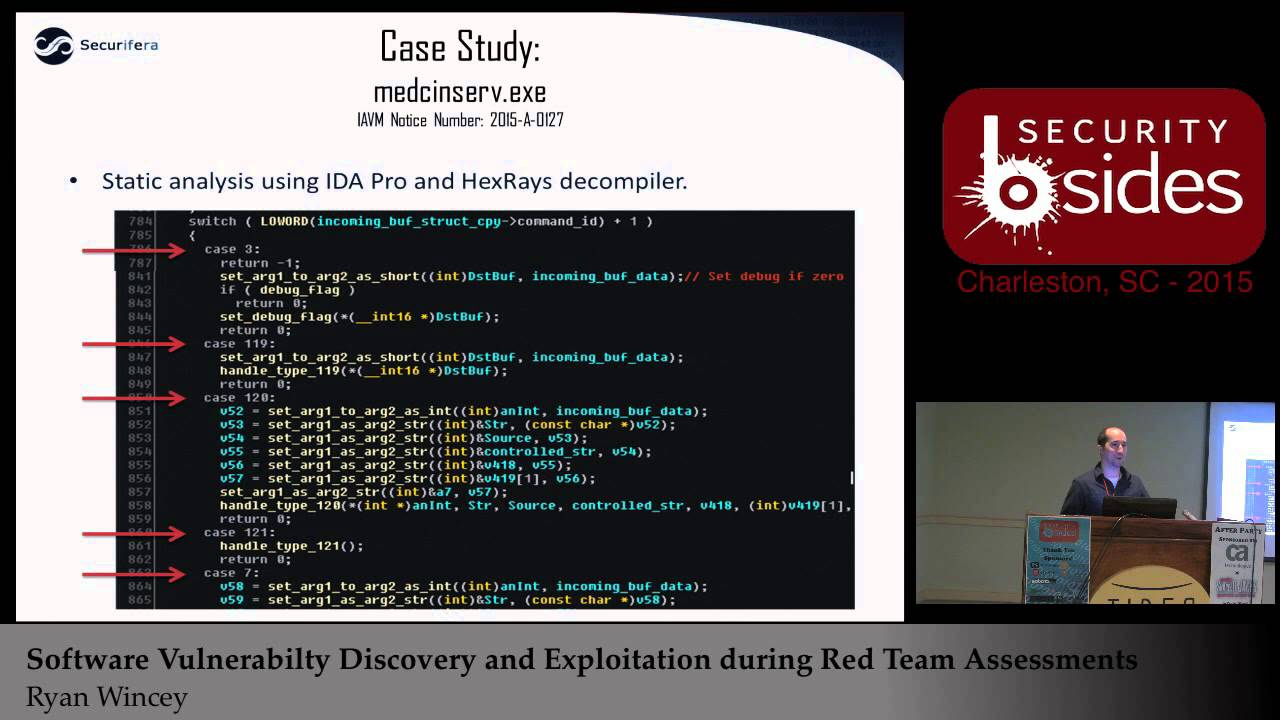
similar to this uh here at besides in 2015. uh it was a similar kind of walkthrough but more for memory corruption type bugs uh where this one's going to be more uh web services kind of the newer type things that are out uh since memory corruption seems to be kind of going away in a certain regard thank you all right so kind of to go through what I I mentioned a second ago so this this talk is going to be um kind of more process related uh in regards to you know hey I had a Target that we got assigned to uh we're gonna be doing a kind of white box code review uh of the the software here
um our customer kind of gave us a couple weeks they said hey we want you to find some vulnerabilities we want you to prove impact uh tell us why we care um so as we walk through this you know that's kind of the the goals here we're going to be looking for vulnerabilities uh interesting things um as well as kind of displaying some of the tools that we had to do or to use to do so um and then at the end of it I'm going to show okay based on some of these bugs it might have found uh here's some of the ways that you would exploit them uh to kind of show impact
yeah a few of the tools that I've note that I'll go through here um moans mostly for reversing uh and debugging as well as kind of the exploit phase uh we got dnspy and Dot Peak uh they're gonna be primarily for the.net reversing as well as the debugging uh and then the last of course is burp Suite that's going to help us kind of walk through some of the the web exploits and sending those packets to make sure that uh we can actually see some effects foreign so our Target here uh this is a a piece of software that's put out by uh Siemens health and ears it's called Cinco Dynamics uh we had this on a customer
Target uh it's used primarily for doing kind of cardiovascular Imaging but when you look behind the scenes it's really just kind of a thin wrapper around a whole bunch of net web services um so that's kind of the basis of this whole talk we're going to be using it as kind of our example on what you would look at if you uh were trying to do something similar all right all right so again kind of giving context here um you know if you were given this task one of the the primary things you're gonna have to do first is kind of get access to the software um so in our example you know we were
kind of given um you know access to these systems that has the software installed um so one of the things we like to do is try to model this environment uh outside of the system so one of the things you would do in this scenario if you couldn't get access to the software is grab what you can off of that Target try to get it over to your environment uh try to model it yourself on a similar you know VM or something of the like make sure you try to get it configured and that sort of thing so some of the details you'll see later on here is kind of going through that process of
here's what it would be like if you were able to actually get the software and how to try to get it up running yourself uh so you can go through and actually try to look for vulnerabilities and debug through it
so one of the first things when you're looking at say you know a.net web application uh unlike you know a regular service binary application where it's super simple and you're like hey here's this application that's running I know where the code is um you start reversing it with web services it's not as clear-cut first you kind of have to find it so one of the easier places to kind of start that that path there where to look as you start looking in the configuration files for IIs one of the first places to look here is your inet server config as you can see here it's going to start telling you where on disk some of these things are
installed to start prodding further that leads you to your web configs for the particular application so you see here in the bottom right when you start looking there it starts kind of giving you ideas of here's the particular classes Here's the the the different paths they're going to be mapped to to kind of give you a better idea of hey this is where I need to start looking these are the places I need to start investigating to see if I can track down where the code is for this web application
so if you follow those through and you start looking on disk where you know the config files are pointing uh we take example one right here is called data transfer services you're gonna find a whole bunch of these files in a SVC um so sorry starting sound like web services um you open one up and you start seeing some definitions here that say simply and it has you know pretty generic names like okay data transfer services but it doesn't look like a particular file so you you're getting a little closer but you're still not kind of exactly you know what this file is or where it is but you're on the right track
so in that config file and reference something called an assembly so if you look at what assemblies are in.net here's a quick kind of explanation for Microsoft tells you assemblies are typically you know an exe or a dll um it's going to be in your your.net application so you're in that directory that we saw earlier so you start poking around see if you can actually find any dlls or executables in that same directory structure so you'll see here I just brought up search in that same directory that had all the service files and just start looking for dlls and executables they're in that actual directory structure there and you'll see pretty quickly uh the name of that service that we looked for
in the config file there's a dll that's named the same thing so there's a good chance this is exactly the file we're looking for
so at this point you kind of want to crack that open you want to start looking at you know what's in this dll is this actually the the uh the code for the web service that I'm looking for and what's that going to look like so one of the first tools that we're going to show here is uh jetbrains dot Peak um dot Peak is you know something you can load a dll into with this uh you know.net and they will actually reverse that for you it'll show you all the code that you need and you can actually start looking at it uh one of the nice things about um jet brands that makes it a little bit
different than some of his um other Alternatives is it also allows you to generate pdbs um this is something that will come in handy later when we start talking about debugging um could be useful something we might have to have uh going forward
as I mentioned one of the main Alternatives a lot of other folks use is called the inspy it looks almost identical uh the developer I assume just kind of used jetbrains probably as a you know a template for what they wanted to look like this is open source um last similar functionality the big difference between this and jetbrains is this allows you actually do debugging which is going to be very useful when you get to the part where you actually want to run your code and see what you can do with it um but yeah otherwise you can see you know it's almost identical um in this particular example we're looking at our data transfer services uh
that we were looking for earlier uh this is a class here um and one of the interesting things to note I have brought up here is there's something called contracts when it comes to these web services and if you're very familiar with coding in general and the idea of things like interfaces um a contract is kind of a similar idea where it says okay here's the functions that a service would actually expose think of it as the different things that you could call through your web service so this is going to be very important to us when we start trying to actually utilize our web service and the different you know entry points that we're going to start looking at when we
start reverse engineering so again you know we got a handful here and at this point we're going to start kind of digging deeper and pick a couple out and start seeing how would you actually look at the code where do you go after you you have a contract or an interface uh to actually start doing something useful all right so we have uh dot P but D and spy does the same thing they have all the same functionality so if you were to click on one of your contracts here let's ride on over to get go to implementation foreign
this particular example um you start seeing some useful things has has to do with files which is one of the key indications of things I like to look for uh when you're looking for web services uh some of your common vulnerabilities are like file uploads file rights those types of things so already this kind of jumps out to me as something that could be interesting to look into thank you uh this is the later part of that same function super small um as you can see here it opens up a file it actually reads it and then it just passes it straight back so this is already kind of sounding interesting this might be a possible you
know local file read uh just straight from you know remote procedure call which is one of your your entry points into this web service
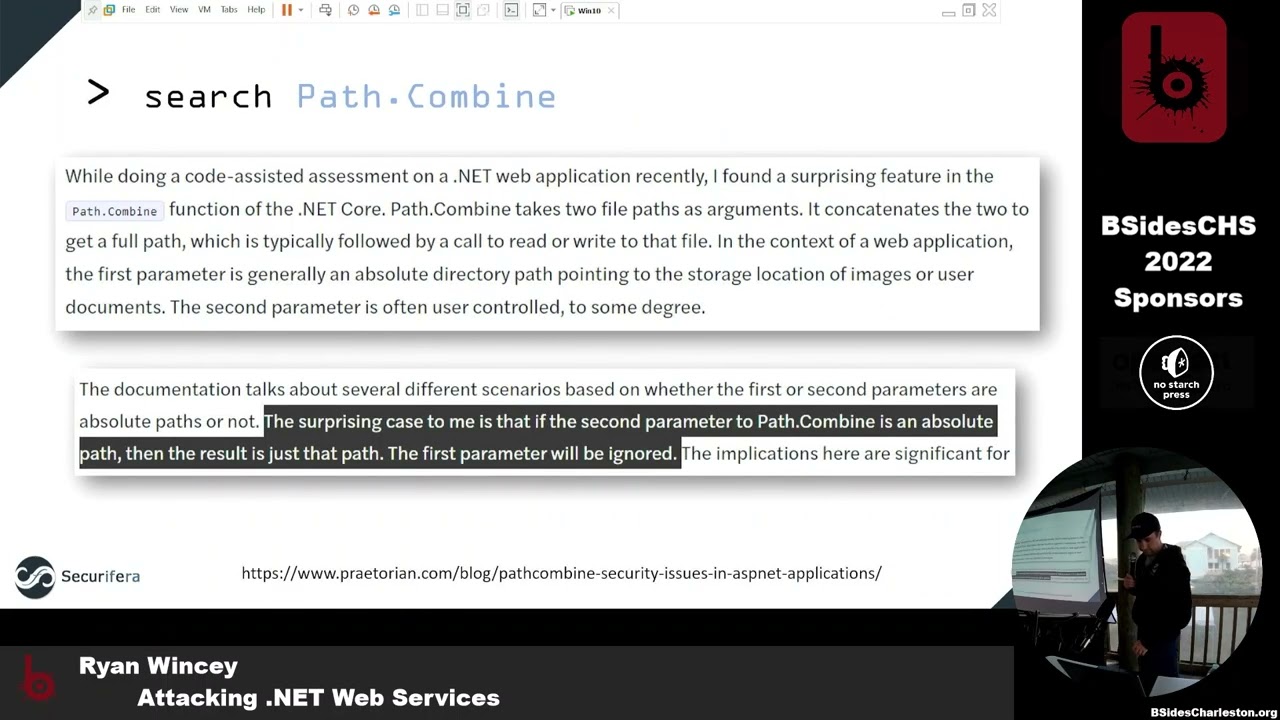
so another thing I meant to point out here uh that also it was interesting that I wasn't super familiar with at the time so you start actually looking through some of this code uh the one of the things that looks interesting is that one of the arguments that you have here is this dysfunction our file name that we actually control is passed into this function called path combined it takes in you know what looks to be some kind of configuration path to the root and then our file name creates you know a combination of that through path combined and then it passes it on to actually be red so at first glance you probably think
okay well that sounds normal right like you're going to have one argument that you don't control one that you do they're going to safely combine those together no big deal how's any kind of vulnerabilities here but we skip forward here and you actually look at this article that Pretoria put out a year or two ago uh they found a very interesting effect here which was passing behind actually will take both of those parameters and if you have one to say absolute path it will just ignore the other one so super interesting because now we always have the equivalent of a you know direct Universal or something similar where we can arbitrarily control the path um to whatever this argument that comes
in so we got lucky here and that we have what we thought this is a local filing thing so pretty interesting right get all excited and you're like okay this could be interesting all right so if we skip back to our services here uh when we're looking for the code earlier you know usually once I get to this point where I'm like okay there could be an interesting finding I really want to see if this is real you know now you actually want to start constructing some kind of POC some kind of payload so you can actually confirm your findings right so how do we get to the point where I'm looking at code in this weird you know web services.net
stuff how do I convert this on over so that I can start sending packets because at this point I have no clue how to put that together so all I see is service contracts I don't know what that is how that works so if we take a look at some of these you know naming uh you know terminologies or whatever think of it here as our WWE root and then of course into our directory here that in this example it's data transfer services um our WWE that's going to be just like regular website right starting there at root everything behind it to you know your url so if we're gonna just guess and say okay how could I get to one of
these Services I'm probably just going to type in data transfer services and I'm going to pick one of these these SVC files to see if I can get there so here's an example we picked commonservices.scc within our data transfer services we're going to put it in our browser and just see what what comes up what's the service look like with.net so this is probably going to be your most common example of what that would look like it's going to say service it's gonna not tell you much else it's going to say your metadata is disabled and you're like okay well that doesn't tell me much how do I actually use any of these functions that we're looking at
how do I send a packet to this I don't understand so the cool thing about this is it actually kind of tells you the answer says okay well if you actually want to enable metadata AKA get more information about what's going on here go into the config file you put in this new configuration point and it's going to start showing you more information so we're going to navigate over to that same directory we're in as our SVC so we're going to open up the web config we're going to turn on the metadata here and see it's highlighted we do it for both HTTP HPS it's enabled now we're going to see what happens all right so if we go back now we get
this new thing okay so it's changed still not super interesting I don't know what a whizzle is I don't know how to get a request out of this but Something's Happened something's changed and hopefully you can start getting more information on our next step so if you click on that link it shows a wisdle you'll see here we have some kind of protocol specification kind of shows okay these are all the things that this particular service exposes and all the different ways that you can interact with it it's all on XML most of us can't read this I don't know what this means so I mean we want to figure out how can I convert this into something useful
because I want to start creating web requests I want to actually send something to these endpoints I want to see if I can read a file luckily burp has a nice big plug in here called Whistler you download this through extender you can pass over any of these XML whistles and they'll actually parse it for us just like so and it'll start showing okay so we we go to that page it's gonna show it here in our history and then if we parcel it over to Wizard and say parse wisdle then it's going to bring up this other page under the extension it's going to show us all the different operations here that we can use and then very
conveniently below it it actually gives us a template here a little example request on how to actually get to it so super nice you'll see here we have one highlighted here that download patch update now I have a really simple way of actually just going in here and I can pass this straight to repeater and I have an example for how to send this request foreign
you're actually seeing the name of our function there uh it looks very similar kind of the contract that we were looking at earlier it takes this update ID it takes the file name and that's it so super straightforward it's got everything done for us so let's just go straight straight to it and actually just pass in a full path and see if what we want actually works so sure enough let's see over here on the right I passed the path to Nancy host on Windows and we actually get Etsy host super interesting this seems like a big deal all right so a lot of times at this point you know we've actually you know done something
interesting but I also kind of want to get to the point where let's say it didn't work first time or we actually get to these other functions that we actually want to start digging into right or let's say I didn't know what that first argument was and if you know I needed something specific to it you know I actually want to figure that out so at this point I'm kind of going to dive into the next piece of let's say we actually needed to debug it right so it didn't work the first time I actually need to see in code why it broke and how to go further so we're actually going to start trying
to figure out how to debug all right so now if we switch over to the inspy we've got jetbrains you know dot peak's big brother or little brother it's a brother whatever right you go they have a debug menu here uh inside it actually has the ability to attach to a process so if we bring that up you can see listed here any of the IAS processes uh that are running currently if you don't see one you can send a request and it'll pop up one of the interesting things to point out here at the bottom here it kind of gives you a little hint if you don't see anything after you sent that request it
wants to remind you there is a chance that you could have architecture issues right so like if you have inside IIs you know this is a 32-bit application and you're running 64-bit D and spy you're not going to see anything and so you have to make sure that you know exactly what architecture your is running at so kind of give you a little help there if you ever end up there because I did in this particular uh scenario you can go to your application pools uh configuration for IAS you click through advanced settings here and you'll have this nice little figuration Point they'll tell you whether or not you want to enable 32-bit or not if you do you
can click on that uh and kind of Define how that particular application is running and then run it with the appropriate architecture
all right so now we've got debugger running and so you're like all right so I'm about to start seeing some you know ability to step through my code and uh unfortunately you see this error so typically when you have a debugger running and you put a break point in the far left there that'll turn into a little solid red dot if it doesn't and it gives you that little you know sign that says there's a problem you load over it basically it's telling you hey yeah I'd love to debug for you but I don't have any symbols so this is where we were talking about earlier the differences between the Inspire and uh dot Peak so luckily with
DOT Peak you can then go and generate those those symbols it'll create a pdb and then you can actually take that file and you can drop it in to wherever your service is and then it'll have its symbols and you actually start debugging here's a slide that kind of uh goes through that process so open up dot Peak go to the top of your project here generate your pdb drop it in and you should be good to go all right so now we were to step through the exact same function as before and we're trying to debug through it you'll see here we're actually stopped here at our particular line where it's taking in our
path combined it's taking in the parameter we control along with what should be the right directory and we can verify right now down here the line is following it it's going to check whether or not my file exists but we can see in our debugger it is actually our full path rather than the right one so this kind of gives us more granularity again so like if we really want to dig into something else being able to have the debugger handy on an application that's already running that we don't have source code for uh these tools make it very simple to make it seem like we do and we're actually the developer even though we're not
for fun here I've kind of highlighted the little bud there for you know both of the examples here where it's taking a path combined and using that in a way it shouldn't all right so we've verified our bug we stepped through our bug what's kind of the next steps here you know when you're doing some kind of source code audit and you're like okay I got something interesting is this just a one-time thing or they do this all over the place because they don't know about this so if you're in Linux you know you'd probably just start grabbing stuff right well in IIs in Windows environments they have a similar tool grip win and so one
of the things I like to do is just say okay let's dump that source code because we already know that both the Inspire dot P can do that so we'll dump all the source code and then we'll just bring up the equivalent of rep on Windows and we'll just pop in path.conbind right we're going to look through the whole source code base here and see all right how many times does it use it uh is there a chance that it's doing similar things on other endpoints that we can also get to so this is kind of quick and dirty easy way of doing it not super efficient because we still have to go through 50 some odd you know examples of
this but as you can see in the bottom here there's a lot of examples so there's there's a good chance that they're doing it more than once or say you want to get smart so nowadays you know there's other tools out there sim grip's a good example right Sim grab it's think of it as the same ideas grip but it starts adding a lot more kind of programmatic kind of analysis to the code that's in the background when you're gripping so say I want to you know look for this thing but only when this happens and it has this has to either be in a class or a function or asked to return this particular thing
allows you to add a lot of logic to it to actually find more specific things and kind of parse out the stuff you don't care about so here's an example of you know if you were using a Sim rep rule uh to do what we want to do uh so this in this particular example I'm looking for path combined but the interesting thing is I want to make sure that the argument that it's taking comes in directly from the function so let's say okay we have our function has an argument and that gets passed straight in a path to mind so super simple like not a hard thing it should be able to find that right
foreign ly for me this didn't work and so this took a little while figuring out okay why doesn't simgrap work this should be super basic okay it supports.net but I'm only getting two findings where grep is getting like 40. and I went manually checked and sure enough you should have found more things so why why is this not working for this particular example well for me I mean some regret's pretty new and so still has some limitations uh this is just more of a fun thing to throw in here uh if your your function happens to use these things called lambdas in.net which I also learned about for the first time uh it doesn't work in taint mode so if we were to go
back and actually look at some of our code here we'll show you this one example right now yeah I know you all really care too much but right here it's on every one of their functions they have these weird lambdas which is basically for longing purposes but the gist of it is they have their function they call another function and then it has a callback that actually has a foldable code in it so unfortunately with Sim grip they are blind to everything that's happening inside this Lambda so unfortunately for us we couldn't use simgrad so back to the boring stuff all right so moving forward we have grep wind we have all these examples of
things we want to look at let's start looking at some of the other things that they could be doing with path dot combined then we might care about um up until this point we have the one it's a file read is there anything else so we're looking at a different one here it's called Write preferences uh it takes our path to bind and instead of reading this one does it right so that seems important uh if I can control a path to wherever I want seems like I might be able to write file anywhere I want sounds like fun what can we do with that so we go through the same process we went to before uh we go Whistler we
create a request uh we pick you know a nice fun place to write to we're just gonna go windows 10. uh we get a response it looks like it might have actually worked and if we go in there and look sure enough our files there along with the content and so arbitrary uh place to write arbitrary content right so this seems fun and very bad what else all right so here's another one uh very similar to the other one except instead uh when it takes our file path in it tries to read it as a connect smell document so not as useful similar uh but what can we do with something like this this is still bad
so it turns out you can actually put in SMB pass here so even though it doesn't matter if you can actually read it doesn't matter if it's you know something useful that's going to come back to us we can actually point it wherever we want which you can actually point it like I said to uh an IP address that's anywhere else think of this kind of like a ssrf vulnerability so we're going to say hey I'm going to give you a place that's some other network and I'm going to say all right go out there and look for this file and it's going to go out and it's going to try and the interesting thing
about it with SMB is it's also going to try to authenticate um which is fun because it's going to say hey since I'm authenticating I'm going to give you my ntlm hash and you can capture that so also back
all right so we use a few different examples of the different types of bugs that we've all found just with this one path dot combined and we kind of alluded to some of the interesting things you can do so now it's like okay well let's take this a little further right you know our customer is going to want to see actual impact so we need to actually write up some exploits and say okay what's the cool things we can do with an arbitrary file read an arbitrary file right and this ssrf
all right so since this is a website uh one of the things that we like to try to read that's interesting to us uh is you can actually get to the web config file for the particular web service so the reason this is interesting is because if you read that web to Big File a lot of times they use these decryption keys and these validation keys uh the interesting thing about a decryption key and a validation key is is uses these to do encryption for a lot of uh interesting variables that get passed back and forth uh with IAS one of the most interesting ones that we care about is if it uses things called view state
so if the particular application uses the view state it encrypts it on the back end it's actually decrypting that using common serialization libraries that can then be manipulated to get code execution so basically if you get the decryption key the validation key very bad uh common tool here that's used for this type of thing is called yso serial.net um super simple you download it if you have all the right parameters here that we just pointed at so you've got our decryption Keys validation Keys uh you put in the you know the uh location of where this is going to happen uh the URL it'll generate a nice little payload for you and then all you
have to do at this point is find a uh endpoint that takes view State you plug this in and uh pretty much whatever you have here under our Command it's going to run on the back end so you get code execution right away very bad so here's an example of what that would look like if you were looking in burp and you're actually looking at your request uh you would find your view State you just copy in that payload straight State there and fire it off all right so moving on to our arbitrary file right so probably one of the most common things that people do when they can write to a web you know application
directory is they start putting up things like web shells so for those that aren't familiar a web shell is pretty much just a web page that has code in it that allows you to execute arbitrary code um so you would use some kind of vulnerability some kind of something to be able to upload that to the website um then at that point whenever you make additional requests to that particular website endpoint that you just uploaded now you can run whatever commands you want so if we take our file right vulnerability that we just talked about uh we can tell okay I want you to go to our W root I want you to put it in this
aspx endpoint and then this particular one takes base64 which is even easier for us because that way we could send binary if we really wanted to it's going to make sure that's all sent nicely packaged up decoded and then decoded on the outside or decoded here we go so now if we were to navigate to our aa.aspx it has our nice little code over there that's going to take whatever command we put in and we're going to execute it and we'll see that this particular one's running as a service account that actually comes pre-packaged with this web service thank you all right moving on to the last thing here so let's say again that we didn't
have the more extreme reads and writes all we have this ability to pass it a pass and it's going to go look for it um so we have our ssrf um the tool here that I didn't I don't think I explained it originally to catch these things full responder so let's say that you have responder it's listening out in the cloud it's going to catch that you know SMB connection that's coming in you see our hash here okay so now what would I do with that okay so that brings in hashtags so hashcat most people know is kind of the successor the John the Ripper whatnot does a lot of cracking of hashes uh using you know gpus rather
than CPUs but I I assume it does both but just dividends we've taken our ntlm hash they have a nice little chart here that says okay here's the hash type you have you can have the particular ID you have so that you can actually put that into your command here to run you go download it you put your hash in a file you say okay it's this particular hashtag Kick It Off and hopefully you have you know a really big file of passwords or dictionary that you're going to run this again and hope that they did a really poor job with their password complexity yay so lucky for us I'm guessing so they just did a keyboard
walk which we see a lot of these um so using hashcap we were able to actually get that password out and so okay well now we have a password what can we do with that not super easy right so this is a web service it's gonna have RDP open we already know the user that came in offer hash or off of our collection of the hash now have the password login also rce
all right so that kind of wraps that the whole Discovery the process the exploitation now you're the point where okay I told someone about this I freaked out what do I do right they're like I don't know how to talk to this vendor about how to get these fixed like they just gave us the software they said it's great and wonderful what do we do we say okay well we've done this before we can reach out to them we can disclose this to them so a lot of times this doesn't work out that great but sometimes the better bigger companies that it does so what's that look like so if you're the researcher and you're trying to figure
out the steps to take these are kind of our first things to look for right go see if that particular company has a disclosure program right so okay look around search about hopefully it's not that hard to find if they're actually doing things right it'll be super easy to fight right so you can say okay is there an disclosure program are the contacts available and then you just follow through the process super easy luckily in our case for this one that was the case can't find that look around try to find contacts for their security people right anything to do with security or technical people if you can't do that last thing we've done is go straight to
the social media right it's like I've surprisingly get more replies from Twitter than I do anything else like you can blast your emails all day but they'll reply to their Twitter account all right so once you get a hold of them okay you start this process you say hey I've got these bugs I want to talk to you about them I want to figure out how to walk through this and actually get to fix for my customer what's you know this look like typically for us so usually we'll put together all the details we can as much as possible you know if you have the ability to show them code and actually point out exactly
where the bug is do it it's going to make it a whole lot easier in the end sometimes they're going to want possible solutions they might not listen to you but that's fine you can give those if you want and then a lot of times we'll actually start putting in disclosure timelines so places like you know uh Google and others have kind of set a standard okay this 90 day disclosure we're going to try to fit you know that into your schedule so we usually kind of put that out there and say hey this is what we'd like to see because in the past we've had companies where you put it out there and they just say thanks and then you
never hear from them again they never patch it and be in right so we can't have that because we're doing this for a customer and our customers want to get it fixed too um and then the last thing here um if the people don't actually have a program they don't have a disclosure process a lot of times they say okay yeah we'll fix these but how do we actually get these out to everybody these you know and so what we found is if there isn't if they aren't a cve you know uh registering Authority you can actually go to miter directly and say hey look all right we found these bugs uh these guys don't know how to do anything with
it so can you give us some cbes and they will and then you basically just work the process when they're ready to disclose them you just tell them they put them on the internet and it's taken care of foreign bringing it back to this particular instance uh this was for Siemens uh luckily you know the whole process within was super great like they're very professional timely receptive uh went through the whole process with them they patched everything up uh they actually just put out a release last week or so they actually had a patch for these issued seven cves for it um so we were super happy to work with them uh looking forward to it again
hopefully for us hopefully not for them um but yeah so that's kind of the end of the story and it was a a good one to end with all right so that kind of sums it up uh if y'all have any questions I'll field whatever you've got
Related talks
 33:49
33:49 30:03
30:03 36:12
36:12 43:49
43:49 27:45
27:45 40:50
40:50