BSidesTO 2015 - Mike Zuppo

Show transcript [en]
he
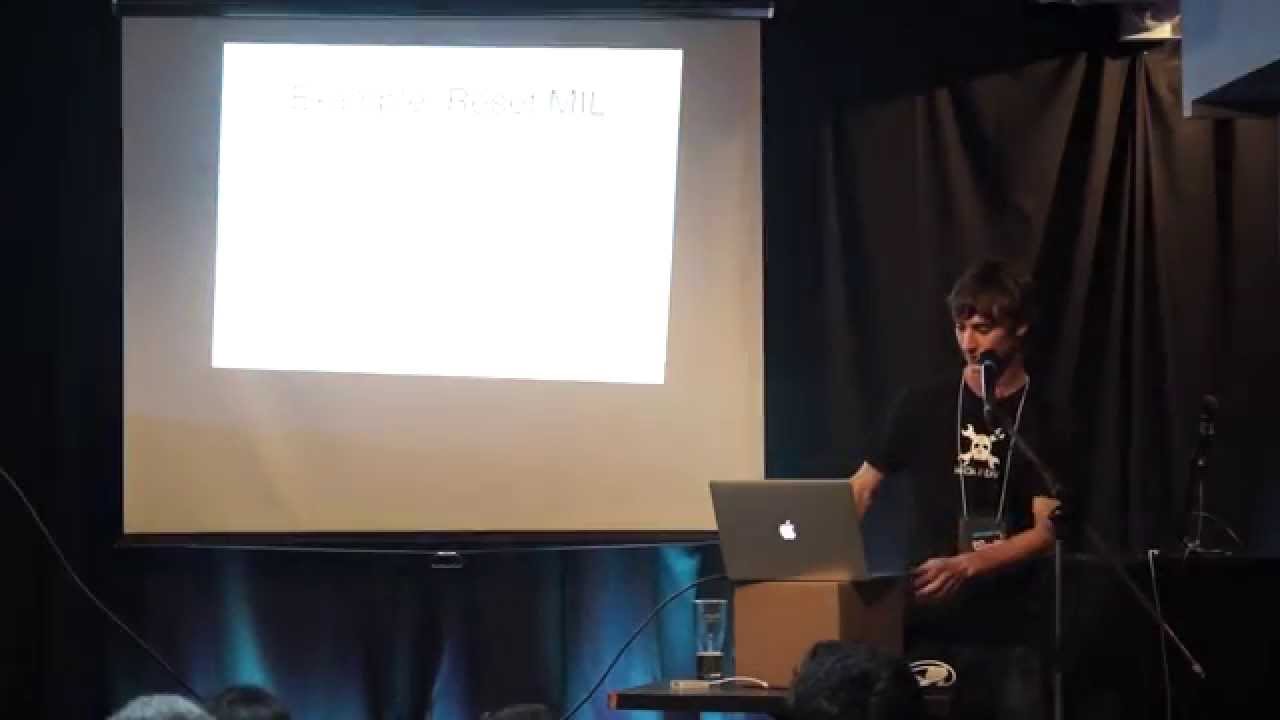
all right good morning everybody holy smokes there's a whole bunch of people this is great all right so let me just get this up
here okay so welcome to my talk rethink think repurpose reuse rainell um I have to I feel like I have to put a legal disclaimer up and I'm sorry it's because some of the things that you can do with this type of Technology could be used for bad but that's up to you it's also it's your responsibility to educate yourself and others but how you can use this type of stuff to protect yourself to see what other people can get away with and what they're going to do to you so you know what angles they can come at you um it's I I I will not be held responsible for anything bad you do or
any devices that you break which may happen as as a result of this so um while ago one of the closest people to me uh dragged me down to Las Vegas and uh they got me to oh sorry thanks uh they got me to go to my first Devcon and uh I was blown away um there were so many different fields down there that I didn't realize how advanced things had gotten um there categories like cryptography uh Hardware hacking Wireless hacking lockpick and everything felt like it was it own type of trade it was like where do you start so it seemed like backtrack that type of L Linux distribution had all kinds of tools on
it already for you to use um so it something else caught my eye in the market area where it was called the pone phone and Pony Express was a company that came out with this uh maybe back in 2011 and it almost had all these types of tools and the functionality that you'd get out of your desktop computer but in this itty bitty device and I'll get more of that later but it's running on an N uh Nokia N900 and that came out in 2009 and it's still half decent so um to put it simply um ideally we'd like to get any Linux distribution running on as many devices newer Legacy that we can so maybe an old device that
you have line around an old Android that can now be a sensor or a Mini web server or even something that just broadcast MP3s throughout your house how can I unlock it to to get this functionality that I should have had with my Hardware to begin with but make it a little more interesting how to get Cali and other programs associated with that running on everything we can you know like a microwave um so it's a different age right now um Market competition in Mobile Computing is really exploding right they're pushing out new models so fast uh the old ones aren't really obsolete by the time the next one comes out so what do we do with all these old models um
there's uh there's a lot of chipsets to consider there are pros and cons when working with them but sometimes you work with what you got um something else to considers Intel starting to pick up and gain momentum um some devices have atom processors that can run other operating systems but how can we get that far um there are many out there that seem to be affordable to start experimenting with and uh ideally that's where we'd like to get with where I can run one any any Linux Distribution on any x86 device that I buy instead of having to be forced to use their OS um a lot of this comes from Community work because I mean all the ideas are
open source exchange if somebody kept this to themselves you'd never be able to put it together so a lot of it's peace PEC meal work and it's taking somebody's good idea and just repurposing it for your own um okay so uh research is is key here um you can spend all day trying to look for something and you know you'll never find it if you're looking in the wrong part of the internet sometimes it's it's a very complex Forum post that runs on and has many people contributing to it something for like a Galaxy or really popular device um and you know it's vetted it's it's a lot of people have come back with feedback on it and you
understand what you can use here um or maybe it's just a single post on a form that's not even in your language but use Google Translate you look through it and all of a sudden this has a piece of firmware or a little patch or something that you can use um and sometimes the only way of understanding of what it's going to do is to run that in a controlled environment hopefully it's small enough that you could look through the code maybe if it's like a shell script you can actually take a look at it and you know have an idea of what it's doing uh otherwise it's up to you to take that risk it go either way but that's the fun
with experimenting with random code um I'm going to have a Blog I'll put the contact stuff at the end of the side uh I'm not a big blogger anyways but I wanted somewhere to to organize all my thoughts for this type of thing so when I slowly get you know different files or how to to do um certain devices I'll throw any of my information up there ideally I'd like to brainstorm with anyone uh just email me if and my information will be at the end and we can talk about any type of device that you have uh I'd be glad to sit down and try and figure it out it's like a crossword puzzle for
me okay so things to consider before starting um you can do almost anything to your device if you can back up and recover it um it'll save you lots of stress time and money um but be kind of painstaking to do so uh depending on what you're working with um if you have some of the types of developer devices sometimes factory images are available to you and that makes it so much easier otherwise if you can make a backup yourself that's also bonus um sometimes that involves installing a custom recovery ideally it'd be better if you didn't have to modify the system and you can do a you know like a DD type of copy
and just go bit forbit but it doesn't work that way right now if anybody's got any good ideas about that I'd be glad to hear them um for now it still seems the best way to get a recovery is to I either have factory image available or um do it yourself if you can do like an Android backup on Android devices um for x86 you know it'd be easy enough to just be able to use live Boot and you can throw on the original operating system again but we need to get that far hopefully the bias will let us through all righty so N900 um so this thing did come out a while ago but it's
still pretty useful one of the interesting things on it it still has 32 gigs of storage which at the time was probably a lot and a little FM transmitter that can't really use um the best thing though is it's got injection drivers built right into it so as far as Wireless stuff goes you don't need a really fast processor to start wrecking Havoc so even this little thing with its tiny processor just the fact that it's got those injection drivers hidden in it could play all kinds of damage on somebody's Network without them knowing and good luck trying to pinpoint it um and that was where of the inspiration that I got to to start
looking into other devices how can I carry this so that any other device that I have can have that same type of functionality so the nicest thing with this is those um onboard injection drivers and after looking at other devices I found how much of a treat that was um you find they're not everywhere but we'll get into what we can do about that and workarounds um so root of the day it's Android it's I guess it's the change root command I always pronounce it wrong I say cruit or shuit but it's the change root command and essentially it's or it's what we're going to do to get Linux working in places that we can't um
there's a whole bunch of autom ways to do it right now um ideally you can do it by yourself um Debian has a great walk through online it's a little complicated but I think it's great um depending on your Hardware you give it a shot otherwise if it's your first time try maybe an automated install just to see Let it figure out everything for you and then you can go back and figure out how it works um en kernels make a big difference especially on Android devices with USB host um some of the Nexus lineups after the fact they added kernel support for on the-go charging with a Y cable or allowing you to connect like an
external Wi-Fi dongle um some of the things if you want to do Wi-Fi attacks with Cali Linux and you can't ex attach an external Wi-Fi card well what really good is that for you can do stuff on the same network but asides from that so that can make you pull your hair out sometimes there's little things you can do um to to to get that functionality though um and we'll get to that just wanted to mention uh a quick I guess Wonder way going to put it if you're if you have no other options kind of like a last ditch effort you can use something called new rout and it's not really Linux it creates its own kind of
little I want to say subsystem that it doesn't work the same I'm I'm explaining that bad but it'll give you console access to a few types of busy box type of programs without you having to root your device or do anything so you could get creative with there if there's a certain commands you needed so the install options so manually you can go through the Debian walkthrough um it's on their Debian Wiki I'll also have that on my web page later if anybody's interested um they used like an old voto phone actually I think it was um an HTC so you can get away with anything almost as long as you can get that rout
access um it could be challenging but it's a good time learning otherwise I recommend Linux deploy um if anybody's heard of that it's a decent uh app you need root access on your device and a good amount of storage but essentially it creates a whole file system for you so that's I'm sorry that's a horrible screenshot but that's the install process for Linux deploy and when you're done you're left with the result like let me see if this thing will just turn on here you can get full Cali Linux kind of running straight on tablet so the problem like I was saying with this one this was kind of like a salvage it was an old LG gPad with 3D cameras on the
back and a buddy brought it to me because he didn't know what else we can do with it maybe we can you know learn with it problem is it does have a micro USB port but it doesn't support on the go and there wasn't much development done for this tablet so without Reinventing the wheel it's not really going to get USB on the H on the go support um without some really Nifty something that I haven't figured out yet anyways but otherwise you can still sign on to the same network and um test to see if like art poisoning is working properly or other man in the middle attacks those things will still work properly for
you um that's just one example so net Hunter is um C's version of gandroid change root command but they automatically install it it's for Nexus devices um through Windows they have an automated installer that completely wipes your device for you and um throws on sorry guys it it completely wipes your device for you and throws a net Hunter on um without you having to do much so you can just get right to playing with it just try this again
sorry okay sorry about that so the Nexus devices are my favorite for net Hunter um um they're pretty simple to set up and after the fact they even have a nice touchcreen menu for you to start kind of using to turn on some of the services that you usually have to type longer commands in so you can get right to them and then after that if you really have to drill down there's a modified keyboard or if you wanted you can add like a Bluetooth keyboard on the side to um type in the rest of your commands ideally the coolest thing about it though is if you have something like a Nexus 4 the newer Nexus devices that
support s Port you can essentially just turn that straight into like almost a desktop PC it's not as powerful but you're running all your Cali Linux commands you can add a little USB uh three port port on there and the port something similar to like a micro USB hub with a couple of dongles on it could give you you know your uh your wireless adapter um external storage if you wanted to do password cracking attacks Bluetooth adapter whatever you want to get creative with or keyboard and mouse even sorry I don't why this keeps doing that I apologize so um there are now there's Al also say you can't get anywhere with your device and you did just want a few pen testing
apps on there to play around with um there's one called zanti by simium now it used to be called DLo if anybody else had ever used that and it was almost like a man-in-the-middle toolkit for anybody on Android if your device was rooted you threw this on and it was a script Kitty dream it had all kinds of ways for you to do injection attacks Rick Roll people all kinds of little childish things but the fact was you could quickly you know audit a network to see if you can do these attacks easily um so zanti came out it's a little more professional actually it's not bad at all uh it does require an account but I think they update it a lot
more often so there's newer attacks that you can get away with um I believe you can even do like the pixie dust attack if you have an on on the god dongle straight from their program instead um bcon now this was a project I saw at Recon I think it was 2012 or 2013 and that treat I was talking about uh with the N900 actually having injection drivers built in these guys created one for broadcom 4329 chipset devices so that's the Nexus 7 2012 older devices the Galaxy S2 but essentially those could be the next N900 where they have injection drivers built into them and then you don't need to connect all these other devices to run complicated
Wireless attacks um the other things on there though the reason why I put that sad smiley face all all people tried coming up with different guis like Reaver um I believe there was Reaver there was a couple air crack ones as well but they didn't work properly and you couldn't get around the GUI so it was kind of nightmare um it was a lot better to just execute it yourself so that's why we wanted to go straight to the source that's an example of an old $40 tablet that I had but it just has some of those apps on there you can see DLo and there's like Wi-Fi kill to knock people off really simple ass um script Kitty
type ones so nothing crazy um and I always had a dream of all these Android boxes that they're selling out there as soon as I get it take an Android or Windows off and just putting Linux straight on there so a while ago there was a Rockchip 3066 device and Cali did have support for it originally where you just loaded an SD card and booted from um instead of into that dongles Android or Windows you went straight into to Linux so again with with a nice Hub you could have all the other devices that you wanted and have a little computer anywhere you needed um okay so what we was getting to then was instead of playing around with
Android and all these other devices and having an intermediate why can't we go straight to the source and I don't want to do any translating or emulating I want to actually run the program natively um so I found this HP stream 7 tablet um I felt like they were a lost leader around last year Microsoft started selling them for 100 bucks was $100 sorry a $25 gift card to go with them um and uh they they were cheap but I didn't I I couldn't believe how how well it ran Windows um so it has a it's an Intel atom 37 35g and now you'll see these in a lot of tablets now coming out there's
a lot of of weird brand tablets that also have them but it has an HP bootloader kind of kind of simar to your laptop when you go in there it asks you for what boot device you want to go to do you want to go to bios options kind of stuff that I'm used to finally none of this Android recovery that I had to relearn from originally I was used to Windows or not windows but desktop PCS anyways um and I couldn't believe it ran Windows smooth so that's what they wanted that's what I wanted so instead we got Cali Linux on there on with the windows logo um so here's a little demo video
it's uh sorry it's a little choppy but so that's it running the uh original I think it's 1.10 version of Cali and that was somewhere fun to start still got all access to to most of your apps and the on too Port worked great so you could just install a U Wi-Fi dongle and was it was awesome so if you needed a couple uh you could get really creative but then I saw the new version of Cali and the first thing I saw was the lock screen but hey I can swipe up and there's an on-screen keyboard now oh so the worst part is getting the touch screen drivers to work off the bat they're not really with the kernel
somewhere um on Ubuntu forums um someone wanted to install auntu on this tablet okay so I wanted to work from there he already brought it so so much further uh down the path for us um pretty well the hardest part was uh 32-bit UEFI so I guess all the Linux distributions are majority of them right now don't ship with a 32-bit ufi it's all 64-bit so if you try and live boot it doesn't know what to do just looks at it like this media it's got nothing to boot from and it goes on to trying to load the rest of your system um somebody came out with a project they were trying to convert Fedora to running on these
types of tablets so they created a boot file it was simple enough that somebody else repurposed that through buntu and then we repurpose it for C or whatever other Dr that you want so just by simply using that boot file which I have available here and I'll try and throw online and there's links to to credit the people who did create it um you can throw it on any one of your devices and uh all of these bet Trail or Intel tablets moving forward can run um your full desktop version of Linux without any modifications so this is just going in some of the hurdles you'll run into is like secure boot it's just at first you
have to disable it so you can modify anything but that's not a big deal um okay yeah sorry so I did mention that it'll work on on pretty well in any tablets so if you're running like an old version of Linux you'll run into random errors that you like needle in a Hy stack one of them was an MMC a and it for some reason the Linux kernel prior to 4 did not like um the type of SSD controller on this card sorry on on this on this tablet Sor so um essentially at first you had to let the thing run for such a long time um it took almost 300 320 seconds to actually boot into Linux which was oh
which is not accept cable um sorry about that just one sec
here so I got lucky I was trying to look for a way to to actually patch the kernel before um I could do anything because if not as soon as you boot into it it would just scroll and scroll and scroll but we got lucky with Cali Linux 2.0 where that patch is already actually in the kernel but just something to consider where all kinds of devices are going to have little niche problems that might not work the way you expect to so be prepared for that but some of the fun is finding one that doesn't have those problems so after you've experimented and oh my God it actually works the way I wanted it to which is extremely
lucky so uh I'm moving forward I'd like to build a custom uh I guess kernel and uh ISO package that's already got everything you need so it's lean it just runs straight on 32 bits so moving forward those will be the types of releases that will come out and you don't have to do any other finagling it'll just work on these devices um there's there's so many of them coming out and they're so inexpensive uh there a lot of them are generic and I hate to say most of them come from the other side of the world in China but they're weird knockoffs um but they have these random Innovations like you'll find a little $40 tablet that has HDMI
out on it just natively all of a sudden you can connect this to a different Monitor and just use that as as basic touch control this thing is a monster that I found on the internet I don't really know what it is but it seems to be like an Android box and a tablet and I don't know what they were thinking when they made this but I want it it's cool it's different you know I just I don't know if I'll pay a hundred bucks for it may okay I well it's cool but um you know they're going to come up with all kinds of things and at least if we know moving forward that
doesn't matter what it looks like that it's got these kind of specifications to it then I'm going to start playing with it I'm going to put Cali on there um sometimes it goes wrong though and I I was talking about when you have a recovery you can do anything cuz you can play around with it and just reset it back I I found this $25 clearance tablet at Walmart which even for the price is great just to use a remote control um the specifications are on there it's nothing too crazy but there's no backup method that I can figure nobody cares to develop for the tablet so there's no custom recoveries or anything and I
emailed the company to see if I can get factory reset images and they told me I could spend $60 and send it in and get it fixed which would be worth more than two of the tablets that I bought so not happening um so actually at least though I have two I have two extras and I'm trying to find a way where I can actually rip the firmware from there and then restore this one and then mov forward use that everywhere this is what I'm stuck with now I think I destroyed the cash on it but if anybody has any ideas i' like to talk about it and that's it thank you guys so much
for today I really appreciate
it does does anybody have any questions or do I have time for for
questions that's a good question you know it does get uh pretty bad actually it does start sucking it out and that's one of the things you can do when you do have the dongles I've been looking for a proper one that'll allow you to charge while you so you can charge the devices on the dongle charge your uh device and use a battery backup right like have a you know 3,000 M milliamp hour one to to charge everything I haven't found a good one yet the one I'm bringing here was supposed to do that
right right yeah it'll start dying a lot quicker on you right yeah I found even with well especially with the Wi-Fi connected on there yeah you can almost watch the battery go down but um yeah I think with the battery backup if we get the right like USB four port Hub that will allow you to do that I found a tiny one um and hopefully I can get that one working where it even has SD card support just in the hub if I do I'll throw it online definitely something to check it anybody
else you know what that's a good question actually I do feel like they do heat up a little bit more so yeah something to watch you know it's not they're not ideal and I feel like there has to be a lot more work to get these things to to where we want them to be but if we all start doing that maybe they won't be so
inefficient injection drivers so pretty well they turn your wireless card into what we have is regular mode I think it's uh monitor no it's not monitor mode prisc promiscuous mode yeah and that's just you looking around at a normal wireless networks to the way we function and connect to them then it turns it into monitor mode with the ability to inject packets into other Wi-Fi connections so this way you kind of antagonize the connection and you play with the packets in the air and put your own and force something that shouldn't be there um there's a lot of different methods depending on the type of Wireless that you're dealing with though uh anyone else any play with
uh the best I've seen in it you know I did want to make a big a quick mention about it but I didn't get to play too much after you jailbreak it and install Cydia um there's a couple of Port scanning tools you can get pretty easily I think nmap works for it um I haven't seen um I wanted to look but I didn't have enough time to research for on the go support if you did get a proper dongle um I know there's a little bit of development being done but there's a lot of hurdles so it's a little bit harder to get it going um but definitely on Debbie and I think it was
uh you know what if you want an email later and I'll send you the link for the the one on on Dean on Cydia
sorry actually you know what just this morning someone was talking to me about something similar to that and I had I hadn't thought about it
um all right we're going to talk later man all right uh that everyone all right thank you guys very much I appreciate
it all right so you still have a job to do you get to pick which one of the questions you think is worthy of a $50 voucher all right well that's gonna have to go to Mr hypervisor thanks a lot guys okay
Related talks
 27:38
27:38 19:32
19:32 32:02
32:02 24:45
24:45 25:11
25:11 26:03
26:03