BSidesSLC 2016 -- Preparing 4 PowerShellmageddon -- Chad Tilbury
Show transcript [en]
[Music] higher performance communication resources and faster and more reliable technology higher performance communication resources and faster and more
reliable
deeper in the in the environment or maybe even dump the registry to do things like credential theft right uh things like mount remote
Drive download a script and run it we can access the volume Shadow copies to even copy out things like locked files we can execute malware anywhere we want really in the B we we can execute malware only in memory malware that doesn't touch dis now right gets very very scary fast when we when we move kind of in this this new modern world of Powershell that we're sitting and so if you uh if you take anything away from uh this presentation it's that um we are in the now Powershell world world and this is a very very scary world from a from a Defender standpoint you know my my focus is very largely blue team um and when I
think about this idea of what Microsoft has Unleashed Upon Our Enterprises it keeps me up at night it is I think the number one threat that I see uh us having to deal with in in the next four to five years they baked in a an incredibly powerful nearly all powerful capability uh into the Enterprise with very little capability to audit uh restrict it in fact there's really almost no way to stop it you can't you can even get rid of the Powershell binaries and all someone has to do is come down and drop their own copy on even if you somehow restrict that through something like uh I don't know application white listing or soft
restriction policies we've got things like Powershell Empire which will allow you to just load up the actual net assemblies in memory and just run Powershell commands that way um I don't know if anyone made it to car's talk earlier this morning morning on on her pin testing piece she mentioned Powers shell Empire she mentioned power exploit which is the probably the if you if you really don't have any background on this take 10 minutes write it down right now go look at the power shell the power sploit or the the Powershell Empire project and if that doesn't scare you or excite you depending what what side you're on um then uh you need to find a
new job um it's amazing like I'm going to zoom in here so we can look at this for a minute yeah look at some of the power exploit options in there antivirus bypass code execution exfiltration my favorite Mayhem right that's one of the newest components of it that's things like being able to crash boxes or to do things like wipe the master boot record right so very very scary and I you know I won't ask for a show of hands because nobody's going to want to raise their hand now but think to yourself do I have Powershell remoting on in my environment right and I would bet we have a decent percentage of of you do and if you don't
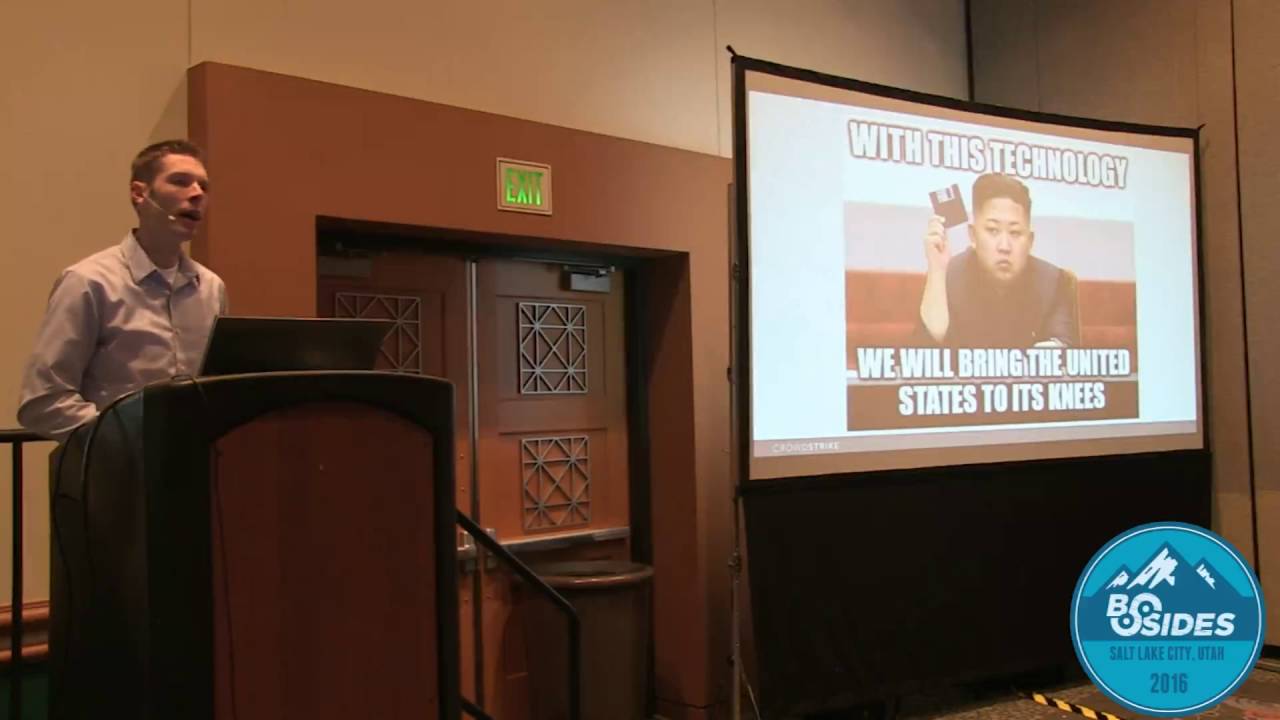
you probably will in the future because as you start upgrading for instance Server 2012 has power Sol moting turned on by default which now you've unleashed uh basically all powerful memory only malware or the capability let's say uh within your environment right and all you need now is domain admin creds and you've basically got kind of God level uh privileges without ever needing to drop kind of binaries on the in the environment anymore so very very scary stuff uh you know as as our friends in North Korea have showed us um it doesn't take much to cause an intense amount of damage you know and I think if like power show moting again if you've got po
show moting and your admins are using it in your environment that's awesome it's great for administration but it also takes probably a thre line script to now once I've got admin rights to basically run out and start having all your systems wipe themselves right and I haven't seen this actually happen in the while but I don't think we're very far from it so and we're seeing it across the board we're we're certainly seeing more advanced adversaries employ it so uh for for the last several years we've seen for instance Chinese adversaries uh at the at the upper level of the of the spectrum kind of moving more to Powershell because they know that it leaves less forensic artifacts uh but
now we're seeing it kind of go all the way down to the commodity level U there's several instances in this case this is Posh coder which is ransomware uh but a lot of commodity M I'm noticing is is starting to turn to PO show as well and largely because most of us don't have tools to actually even Discover it it's it's pretty stealthy out of the box which is also why red teamers like it so much okay so that's what we're dealing with we've got we've got a serious threat on the horizon or maybe already present in your network the the big kind of takeaway from that is well how am I going to find this and so there's a few
different ways who are my forensics folks I mean just a hand really one come on forensics folks are too shy to raise their hands I think but all right so if you were a forensics person you may know things like prefetch for instance we use this to show that things have been executed or app compatibility cach AKA shim cach or user assist so one of the first things I'm also often looking on the box is do I see things like powershell.exe running you know why is this account why is this standard user executing Powershell right that could be somewhat of a of a clue depending on how prevalent it is in your environment so we might be looking at these just to get
a feeling for if I need to look deeper right now if someone's been like double clicking on Powershell scripts you may see things like these link files or shortcut files for those scripts and you'll get the nice script names where it was run from uh you might also look for kind of some of the helper functions so of wmi in play you'll see this wmi priv uh process that that was running uh W script for kind of VB script which is often kind of coupled uh with our with our Powershell and then finally we'll talk a little bit about about memory which actually turns out to be one of the better places uh to find this
activity and so nobody want to self-identify of being forensics but if you were forensics you might have heard something called uh a super timeline and so what we do is we end up uh basically Gathering up hundreds and hundreds of different kind of artifacts in the Box putting them in a nice timeline and if we get to the right place or the right time they start to tell a story about what happened on a system and so kind of walking through here yeah I know this is kind of let's see if I can zoom it for folks in the back so we see for instance powershell.exe executed yeah we see immediately after that a couple of logs
appear to have been kind of written to don't get too excited because until you get to Powershell 5 you don't really get much of anything in there followed by ping.exe and net.exe right so I see Powershell run followed very closely by a couple of other kind of known commands right at this point I'd be making a guess but net maybe mounting shares so maybe they're mounting a share to go out maybe they ping to find a box and then mounting a share on that box uh followed very shortly thereafter by a creation for a file called win inet totally legit click here followed by a prefetched file that tells me that that new file was
executed followed by another command called Fine string what does fine string do it's kind of like a ghetto version of of grep for Windows so they're looking for something what do you think they were looking for we don't have the command for it what do you think they found anybody notice that directory Oracle database so they must have been looking for maybe fine string for some sort of Oracle type of um file names whatever they found it looks like shell bags tells us folders that a that an individual count has been in so looks like they've been pillaging around in the Oracle folders followed very closely by FTP that can't be good right and then
schedule tasks and another interesting um kind of file called SVC at the bottom created there but you notice within about like 10 or 12 lines we've got a pretty interesting idea of some things that have happened on this box right so what was this this was you know within about 20 minutes of Powershell kicking off I've got things being looked for I've got damage assessment information looks like they're looking for Oracle I've got a couple new kind of binaries that I need to look look at and a little bit of kind of tradecraft maybe they're mounting shares to move the environment but you notice a lot of May and probablies when I was talking through that and that's because for one
we don't have perfect information the other is that when someone drops into like Powershell or starts kind of running scripts all the sudden I don't have as many forensic artifacts as I typically would a lot of like the Powershell commandlets leave nothing right they they could have run a 100 Powershell commandlets in there and a whole script full of them and it won't show up in my in my my standard kind of timelining that we do in forensics and that's the real danger here is that if this is all I've got it becomes hard for me to piece together kind of what happened on the box so this is where memory is going to be really helpful to us if we have
access to Ram I don't know if any of you nobody wanted to self admit to being forensics how about memory forensics any reverse Engineers or people have done memory forensics it's one of the more exciting uh kind of Innovations in the field for a long time it's uh it's a game Cher because basically anything that ever happened on that system of Interest has a one time been in memory right so if I get lucky and I get memory and I can dig through it properly I might I might be able to identify what what actually happened and so this is an interesting command that you hope you don't see on your domain controllers looks like someone's dumping active
directory dumping credentials if you were to get to that box while that terminal was still up you could run a very simple command called dosi and it would actually show you the history of what was typed in that terminal right per user account or per session right the only problem is it only sits in memory that history and it actually goes away when that terminal gets closed or at least the the history goes away it still could be resident Ram right and so this is one thing we're going to be looking for and so a couple smart folks Stevens and Casey they did some some research on this and they came up with a way to basically carve out that command
buffer out of memory right and so that was kind of the stateoftheart until not too long ago um what they where they found it is it's actually in a a very reliable location it's in a place called conhost in Windows 7 and so this is the process that actually draws the window uh on your boxes so it's kind of draws the terminal window and it just turns out that history lives there right so if I can get access to that conhost process right I have a decent chance that maybe I can recover those old command lines that were actually typed by the attacker in there same with Powershell it's also nicely stored in the conhost by default
the last 64 commands that have been run in a in a Powershell terminal will be in that command history if we can get to it and then I threw one in there just for fun anybody had to deal with web shells pretty uh pretty ninja like small amounts of code thrown on a web server that basically turns it into a back door well depending how the webshell is written some of the web shells are basically just kicking off cmd.exe and you'll notice this some of you may recognize the w3wp process that's your I worker process that is not normal behavior right you start seeing command terminals dumping off of your is processes well that's a pretty good
indication you got issues the good news is in these situations we can also often recover command lines that were typed in a webshell because they're nicely using the same kind of terminals um that that an adversary on the console itself would be using so we'll be looking for kind of all those to try to piece together what happened on a system so I say this is kind of old school because this is the this was the state-of-the-art 12 years ago right I remember like dumping RAM on Linux boxes and searching through it with strings still just as effective today as it as it was then so what we often might do is take those conhost processes dump out
the process itself just pull strings across it just like you do when looking at a binary and in many cases you'll recover old command lines right turns out to be a pretty effective means and so I've got on the on the left over here some things that just this is only limited by your imagination but things like looking for file names you know exe HTP or FTP or raar if you've got an attacker that's actually roaring things up to to exfiltrate out of the environment so still very very effective uh the new school is going to be actually moving to like a true memory forensics tool has anyone ever used volatility before yeah it's uh it's by
far the definitive number one tool for doing memory forensics one of the nice things about memory forensics is that the best tools are all free right so if you want go uh do a search on volatility there's a ton of tutorials out there but an individual on that on that team wrote uh his name is Michael u h Lee and he took some of that initial research that Owens and casing did and said well if you tell me that it's in this process I should be able to go find what it looks like and just write a plugin to actually do it on the fight so I don't have to pull just strings out to do it and so
what he did is he went through and he wrote a plugin called command scan for volatility and what it'll do is go through all the csrss or conhost processes look for the signature for what would be a command history and try to parse it out right and so this is running on a system if I see this it looks like I've got a few commands here nothing terribly exciting there looks like someone went to a temp directory and tried to Output an a. text file now while he was doing this research he stumbled upon something that I don't know if anyone else had documented before he did which was there's not just that history buffer
that I've been talking about it turns out there's also what they call a consoles buffer and this records not what was typed but what was displayed in that terminal so now we get full duplex right we get both what was typed and what was actually displayed back to the user so now for instance we know looks like the specific username here was rlink right and I actually see the directory listing this is a lot more interesting to me than what we saw before because do those look the file names look legit I'll give you a hint you see ever see a one onel name of a dll executable I'll buy you a beer if it's not bad
right so um and since they typed out that a.exe you can't see it here it was snipped that was actually uh all the credentials that had been dumped and so you could actually see the output of what credentials they had actually gathered you know just by uh pulling it out of the command history so a couple really neat plugins uh now that was from a cmd.exe this is the exact same plugin being run and Gathering up Powershell data and so who's heard of invoke mimic cats that's from that power exploit project um it's ridiculous how often this is getting used now I mean both for advanced adversaries and like the just the run-of-the-mill seems like this is the
number one thing that everybody wants to run on a box these days when they get access to it now this G this gave us the entire contents including all the output uh for that invoked MIM cats command so that's all coming out of RAM and it's not just Windows you can also do it in things like Linux in facts in fact Unix has a much better if you're dealing with the bash World a much better history capability bash history is incredible you'll get thousands of commands often timestamped when the command was was actually run on the box and so this is another volatility plugin called Linux bash which just pulls that bash history at a
ram allowing us to to piece together kind of what uh what an attacker might have done on that box okay so that's one thing is we can kind of recover these command lines U now what if the command line was what we're looking at here right just a script name that doesn't really help me it's very pretty generic how am I going to actually recover the contents of what was in that script and so one option is we can actually go out and dump the Powershell process itself so use something like proc dump this is internals tool or your tool of choice to go just grab that process or grab all of RAM and and the reason why this is going
to be useful to us is you got to think of the way Powershell Works Powershell is basically a scripting engine built on top of net and net is not like a native binary right it needs to get compiled on the Fly kind of like Java and so what's happening is you're running these scripts they're getting compiled on the Fly where they're getting compiled or where they're living is actually in this Powershell process right I've dumped Powershell processes on systems that were 600 Megs in size just gigantic amounts of space encapsulating tons and tons of these scripts that have been run so now all we have to do is somehow search that process for something interesting and and to be honest that's
not easy because these scripts are just text and anybody who's ever done like string searching for text you know it's you know we're going to have in a 600 make process that's probably billions of strings in there I've got to search through um so just for fun what I did is I took the power spit project and I went through it to um try to identify the most common commandlets that were used across all of the uh the actual attack vectors in that project and so if you know Powershell it's this kind of verb noun type of methodology for commandlets you know get proc address write output and so I was trying to identify well which
ones might we just search for to actually try to figure out where the scripts are in that giant amount of data that we have to get through and it turns out there's probably some decent options in here you notice the ones that have uh the little kind of um cross next to them those are not native uh Powershell commandments so those would only be really um kind of in a in a power sploit uh type of piece the other one is like you notice the number one is out- null that turns out to not be a very commonly used commandlet it basically just dumps output to the the bit bucket uh those of you that write a bunch of scripts you
know sometimes you just don't want data to actually kind of display and so that's what gets that's why it gets used in a lot of the power exploit uh type of pieces but but the idea here is what we're we're thinking about strings that we might find if you know your attackers are using MIM cats well search for MIM cats right but um trying to just figure out some way to to get to the good stuff faster and so another thing we can do is we can also just search for those um Powershell script names and so simple rexes for things like PS1 uh might be useful I found this to be very very um
effective at pulling out kind of script names and sometimes full paths for those scripts so I can identify where my attackers are are kind of dumping those in the file system so here's an example so in this example dumped out the Powershell process here grabbed the Unicode strings out of it and simply just did a quick GP search for MIM cats right and this this case found the invoke MIM cats kind of script and was able to recover the entire script out of that uh process the reason why that that's a big deal is anybody that's used that script before that script is over 600k in size it includes both the 32-bit and the 64-bit versions
of mimat just B 64 encoded it's it's gigantic so if you can recover this out of ram you can pretty much recover any script if you just know what to look for right we got lucky here because we actually knew that the bad guys were using mimic cats right but you know whatever your string search was the better the better you know your adversary you know or what your attackers are likely have done the more likely you might hit Pay Dirt so this is just a simply looking for strings in that power shell process and then same idea taking that Powershell process now doing the regular expression looking for just PS1 files the Powershell scripts and you notice
well not only did they run MIM cats looks like they also ran git Vault credential credentials and invoke DL injection and now I've got a directory looks like they like to dump their tools into the temp folder that that we can then take advantage of all right so lots of uh lots of kind of clever ways that we can pull this data out um but of course every measure has counter measures and so instead of maybe actually using scripts one way that you can execute code in Powershell is you can use this encoded command option has anyone ever seen this before good if you haven't you're going to see it in a moment basically you can
just pass the Powershell instance a big list of Base 64 encoded script or functions and it will nicely run it that way never touches disc only run in memory right and and you can even if you have power show remoting do this now remotely across one or more systems in your environment right very very stealthy the good news is it is limited in the amount of characters that you can pass so for instance invoke Mimi cats is far too large to actually kind of encode this way uh the other good news is we can still recover these encoded commands in some cases easier than the other scripts because they look more unusual and once we recover them we can just unb
64 and we're good to go we can figure out what was actually run on the box and I don't know if anybody's deep into the weeds but now I'm noticing I don't want to deviate too far we got a lot to talk about but I the most recent kind of ninja activity now is not just encoding in b64 they're also now b64 in uh gzip which have shell coat in them and then on the Fly unzipping the Shell Code and executing uh the individual bite code on the fly all in Ram all from just kind of an encoded script right so it's getting yeah the the the attack is getting more advanced and more advanced
almost every day so anyway we can kind of find these you know one of the things I'm often looking for is things like uh encod Dash encoded command- andc one of the really frustrating parts of Powershell from a defense standpoint is it is so flexible right you can name your options almost anything you want as long as you can uh provide enough data to to be a unique match you can pretty much change your parameters to be anything you can't kind of there's not just one way to do an encoded command for instance right so you got to look for all these different permutations and variations uh which is kind of a nightmare the good news is
once you find one though very often your attacker will end up using the exact same way each time and that way you'll know to look for it in the future on other systems so this is what it kind of looks like it just turns out that if they actually use that Dash encoded command I found a really great string to look for is this raw argument string uh very commonly it will actually encapsulate the entire Bas 64 encoded script just nicely sitting there again in the out of the Powershell process all I got to do is take this now unb 64 and figure out what that script was so right now that tends to be a
pretty reliable way to pull that um those encoded scripts at a ram okay I mean that works really well right so hopefully you got a feeling that yeah I can pull out things like what scripts are run I might be able to even pull out encoded scripts or even the entire contents of a script like we saw with invoke MIM cats the only problem is you actually have to have Ram right and even if you have Ram how do you scale it right and so one of the big issues I see is yeah I can go and if you give me a box that you think is is owned I can rip through and a few hours later
have some great data for you but that doesn't really scale well you know one of the things that Powershell does really well from a red team side is it scales effortlessly right so how do I actually do this across thousands or tens of thousands of systems how do I search every box in my environment for malicious Powershell scripts and the simple answer is most people can't so I'm hoping that some of the takeaways that you'll walk away with today as you'll go back and what how are we going to deal with this right what are some options and and that's what this section is about trying to give you a sneak preview of of some options and I'll show
you some um I'm going to start showing you kind of a tool that that crowdstrike has called Falcon host and basically what it is is it's an inpoint flight recorder technology right so you'll see it uh you'll see what it looks like but it's very similar if you have carbon black or tanium or Microsoft cismon is a is another example of kind of a a free kind of flight recorder tool out there but what's happening is these tools are running at the kernel level and they're basically recording kind of a just an amazing kind of granularity of activity that's happening those systems including full command lines right which is how I got interested in all of this so let's
kind of take a look um the back end of Falcon host is actually Splunk and so all we're going to be doing is looking at kind of our Rod data sitting in Splunk and so those of you that are Splunk users this should look really familiar and all I've done here is you know do a quick search for you know wmic nothing too exciting looks like we get 48 hits within that time frame and then I can start to look at what the command lines look like so you'll see we looks like we've got a process call create for for net stat in this case right not nothing terribly exciting there now then I can start to use
something like my backend once I can I mean imagine that whatever you have you're pulling command lines from every box in your environment you're dumping them into a big database that's essentially what we're looking for looking at here now I can start to really pivot off that and kind of look for Trends look for anomalies once I find something look where else I've seen it in my environment right that's where we can actually start to to really make an impact here and so now I just said well show me WMC and show me all the different variations so I just just count them all up and show me what the most popular wmic commands are all right
and so you notice that net stat command at a count of 10 you know we've got these kind of uh different variations of commands going on there okay so now let's look at a real Attack so this was a command one of our analy stumble upon it said that looks really interesting what looked really interesting is a couple things one is how many have you ever seen a JPEG execute seems a little unusual right to be honest this actually turns out to be a really good indicator if you have a way to actually um identify everything that's executed like um let's say your in your event logs you're doing process creation events look for ones that don't
have an executable extension right why do I have w. jpeg executing from a command prompt the other thing is the full command line was actually this w. jpeg space. txt which I thought was kind of ninja I didn't even realize you could do that so the the actual output file name this was a a credential dumper if I remember correctly the output file name was txt so didn't it was just an extension not even a file name the other thing that's unusual about this is why is the parent process of cmd.exe when log on right do I have any uh Windows internals folks out there is that normal I can tell you it's not normal
does anyone know what what might cause it how do I get a command my log on process to actually spawn a command prompt see if uh my live demo will work here um got a I have a little VM anyone ever heard of sticky keys super old school attack literally walk up to a box hit shift five times see if it'll work says do you want to run sticky keys um yeah why not and you notice how it drop me straight to a command prompt so this is just a registry bit flip literally just change one registry key and now I can go to the accessibility options AKA sticky keys or onboard uh keyboard or on screen keyboard or
whatever that is and immediately drops me to a prompt if I do a who Ami on this you're going to see it actually drops me to a system level privileges right which oops let me get rid of this right so now I'm at system this is a fantastic way um from an attack perspective to create the ultimate back door let's imagine that you've had your adversaries have been in your environment for 3 months right you successfully remediate your environment you kick them out right so spear fishing starts again let's say two weeks later another user clicks on a link they're back in you remediated all your passwords though right so they don't have domain ab and cred they're
back to they're back to kind of square one again if they can actually say RDP to a box where they've set up sticky keys and you didn't clean that up they're immediately back to system they can dump creds Elevate and they're back in the game again and you don't even get an event log entry for it right so it's all before uh that actually all that happens right so anyway we're also looking for these kind of weird anomalies like cmd.exe running under the I thread or running under like the wind log process and so that's the kind of the the the value of recording this information in the back end is you get much more granular information about
these strange anomalies but anyway found that a couple different ways one was a very strange named executable another was why is my logon process dropping off command uh prompts and by the way this is this is the the change you have to make in the registry so you basically go software Microsoft Windows current version image file execution options and you just change this sethc.exe add a debugger to it what's the debugger command. exe right so now you also need a way to actually monitor all your registry keys through a new environment you should be looking for that and if you actually see any changes to that key you probably have something bad going on all right here's another example so
this was a Powershell process if I zoom in you'll actually see this Powershell process uh spawned off 103 different commands so whatever script it was running was pretty big deal we can get a little idea was just kind of kicking off a bunch of Nets pings and schedule tasks right so a little strange and what was happening here was this script was being used by attackers to essentially remotely push out credential dumping software through the environment dump credentials and then pull all the data back so basically they were looking for domain Aven crat so they were uh they were basically pushing out their M using scheduled tasks through a Powershell script and you can see the command down here it was
one of those uncoded commands and if you have the right tool it's should be pulling out the full command line so now all we had to do is just pull out that b 64 and do very very simple reversing to figure out what what was actually happening there right that alone should be unusual if you have this well I would just set up a trigger to basically show me whenever an uncoded command is run in my environment and tell your admins not to do that right please all right one more does anyone know what taskeng.exe what process that is your task Schuler and so this is Task Schuler kicking off Powershell we can see the command down
here this is another very very evil um or commonly evil Powershell this is invoke expression happening here and it's going out to the internet and downloading a script and this would be the URL or the IP where it's downloading it from right very very common so I don't even have to drop my script down I can actually just tell Powershell hey go to this location and pull my script and run it and in this case this was a a scheduled task every 2 hours it would run go out pull whatever script happened to be at that location at that time and execute it so it's essentially their command and control right very very simply implemented in
Powershell all right so of course once we kind of have if we're collecting all this data if you've got all this data in a in a database this is now just like saying well show me anything with these parameters power shell running with these parameters and now you can see these would be all your hosts that have likely been attacked by those adversaries because we're seeing every command uh that fits that that query being run on individual computers in the Enterprise this is where we have to get I don't care what tool you have to do it we've got to be collecting this data right it's the only way to really make it feasible to investigate this
stuff all right all right some good news um Microsoft has not been totally oblivious to this problem um they have actually implemented some um some free or or built-in Solutions uh to start doing this there may not be the most perfect Solutions but they're better than nothing right so some of you may be familiar that uh when Server 2012 came out we do have now a capability to actually turn on command line auditing if you don't have this on in your environment you should really go back and consider it figure out a way to do it right and so what this does is you do have to uh turn on process creation events which almost no one turns on
process tracking because it's it fills up the event log so quickly right it is Handy on its own but if you turn on process tracking and command lines well all of a sudden you've got a pretty good way to go back in time and identify any malicious command lines uh that have been run so it originally only worked on 2012 and windows 81 but it was so popular they've now gone back and ported it back so there was a patch you know four or five months ago that now Windows 7 and above can actually uh turn on this uh this tracking so this is what it looks like so we're just in the event logs you'll
get these event 4688 events yeah I'll just zoom in here and so this is just a process creation event for FTP and now you'll notice that we get the full process command line and so now I know not only FTP was run it looks like they were running using a series of commands and something called one. log sitting in the the C temp folder right much more information I would have had previously and then if you look at this other one this is another 4688 event this is for a Powershell event and this was a Powershell example using an encoded script and it will capture the entire contents of that encoded script that then we can piece together what
happened there so very very powerful it's just you're probably going to have to centralize your logs because the the amount of volume is going to be so big um you should be doing that anyway to be honest um and you got to get it turned on you got to get process tracking uh auditing in your environment and um the Powershell team has been trying to mitigate some of this um initial disaster that they've Unleashed and so we have had a series of each version of Powershell adding in a little better logging each time uh to be honest the old school Powershell version two um you could you could transcript but it was not a very nice way to do it
you could put in in your user profiles to start a transcript and record all their commands into a into a file um really hard to manage really easy to to get around if you're a bad guy so that's probably not very useful module logging showed up in in Powershell version 3 again the the data is really funky if it's all you got um turn it on but it's really hard to work with it's really noisy um I find it almost uh useless to be honest um finally though when we get to Powershell version 5 uh they just released what they call script Brock logging and like a transcription feature we'll see an example of it in a minute
this is finally getting the point where we can actually use uh Powershell logging uh the only downside is how many of you are on Powershell 5 in the in the Enterprise I bet zero I bet most of you are still sitting at Powershell 2 right but as we start to move to Windows 10 server 2016 that's all Powershell V5 by default so we're going to slowly get there right and so this is how you turn that auditing on so we're just in the uh the group policy and you can see now if you have powers show version 5 rolled out you can turn on script roock logging you can turn on the transcription capability and this is going to give
very very detailed information now in this Powershell log traditionally you'd have almost nothing of use in this log but if you've got Powershell version five with transcription or script box logging now you're going to get like the full contents of of every script so that's what we're seeing here this was a uh a key logger so we can kind of see here that was was being run actually from the power sploit project was just slightly opusc and we nicely get the entire block the entire function uh that was run by that attacker here right now I will tell you you run and voke MIM cats with Script Rock logging turned on it's like something like over aund events kickoff 5 gabes of
logs for one script it's crazy right it's almost the sad part is I don't think Microsoft had a place to put the data right they they stuffed it into event logs I you know they don't really have any other place to really log things effectively so it's probably the right choice but those of you that do event log analysis know it's really painful to get through event logs so now one script is going to create over a hundred logs event entries the good news is um this just recently came out it's a little GitHub project you point at that Powershell operational log it will grab all of the different script blocks put them all into one single entry output
them into CSV right so it either grab everything put it into one or per script that was run it'll dump out individual csvs for you so really really powerful capability to make it more
useful so I guess the uh the moral story is there's hope we have a long way to get there we need some way to collect command lines uh we need some way to to bring these all data all into a database put it in a readable format that we can actually analyze uh but I tell you once you do this is an incredibly powerful uh way to defeat um Advanced adversaries I mean we're seeing uh the old days of following the malware uh just simply isn't working anymore the the the attackers have realize that that's how we've been identifying where they've been right used to follow the bouncing ball follow where the malare has been
you can tell where the attack have been well you probably heard the the techniques of things like living off the land you know when you when I'm in a poers shell environment it's not even hard to live off the land the land is Bountiful right it's the land of milk and honey I can go and I can do anything right so this is why we're going to see this much much fewer binaries dropping on a box or malware and just attackers Moving Straight to Powershell if you don't have a way to collect this information uh you're going to be absolutely blind probably already are absolutely blind to be honest all right here's that uh that conference
I wanted to to tell you guys about so this is coming in was it is it June June of this year in Salt Lake as I mentioned we don't get them very often so we will have a bunch of great at night talks if you want to go you can go for free just go make sure to put your name on the list um I would love to take questions you guys have been kind of quiet I know it's after lunch but uh I know power Shell's not boring so there must be something exciting to talk about right yep a lot yeah the question is is the the slideshow going to be available I can
absolutely get it to you uh for one thing uh you can email me this is also being recorded um so the the recording will be up as well but yeah if you'd like a copy the deck or something feel free to to drop me a line I'll get it to you yes sir response uh yeah so Google rapid response uh it's a it's a neat project so Google ref response is really if you remember the Aurora attack that happened around I guess 2010 now so Google got hacked by China they were the first major company to come out and say hey we self admit we got owned right as part of that Google really really up their game
they hired I think some of the best in responders in the business they invested heavily in security they looked at a bunch of tools and they said we don't really see one that meets our needs we're going to build our own and that was Google rapid response um they're still actively using it actually it's not just them I know a lot of the big companies I know like Yahoo's using it I'm pretty sure Amazon's using it it's a they the wonderful thing is they open sourced it as well um so I think it's a fantastic project it's I still see it as Alpha I see very few organizations that have rolled it out um completely most
that I know of are using it um basically as a collection tool so they'll as you figure out a box as compromised they'll push out an agent collect data and then pull it back um It's very effective at that I think it's a it's a little harder to get it running kind of consistently across your whole your whole Enterprise you're going to need dedicated resources from what I hear to get that running but it's a really neat project I think everybody should be aware of it and should be looking at it because it's just getting better and better and they're they're investing a lot of resources into it so it's called Google rapid response what do you think power shell
good bad we all going to die we'll definitely have a job for the for seable future I'll tell you that uh it's um I I tell you it's I I really I think Microsoft has made some great gains you know from a security perspective I think they've really um taken security seriously over the last decade but somebody was asleep at the wheel when Powershell got released because how you would create something so amazing so incredible and then not really you know immediately have a way to lock it down and to audit it is just amazing like who who thought that was a good idea right I mean we're in trouble of course I know we have a lot of red teamers you're like
good I hope you don't have a way so but we're catching up with you so uh be careful all right well thank you everybody I'll be up here if anybody wants to ask questions enjoy the rest of the conference
Related talks
 56:25
56:25 41:28
41:28 1:00:45
 53:47
53:47 55:42
55:42 52:16
52:16