Auditing Security of Browser-Based Password Generators

Show transcript [en]
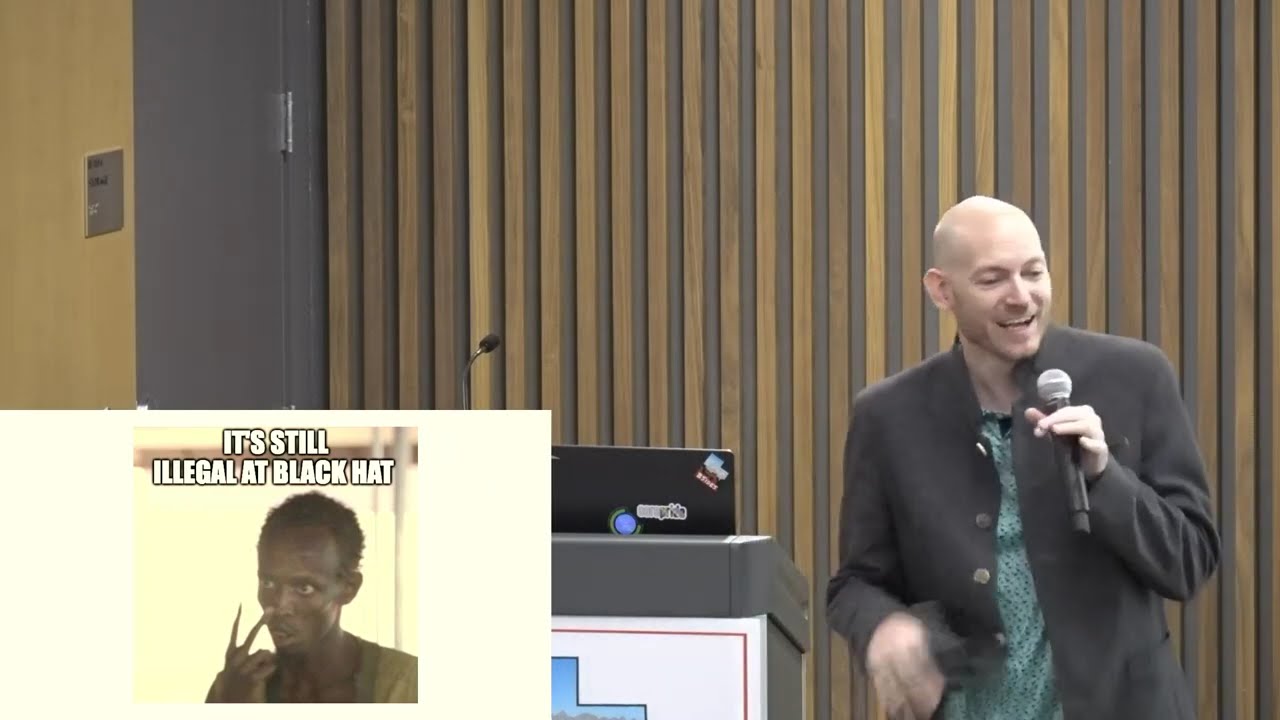
a couple years ago i had a laptop that vga and it was always fun trying to get that to work all right um so i'm going to talk about auditing web-based or browser-based password generators just a little bit of a warning i have some explicit slides i'm using memes from ethan birds so if you decide that vulgarity or profanity is not for you i will not be offended if you decide to leave that's perfectly okay otherwise be prepared for my god damned slides uh first a little bit of background i work for x mission it's a local isp out of salt lake city and about five or six seven years ago we hired a junior web developer fresh out
of high school and he was highly inexperienced i mean coming out of high school i guess it's not too surprising but he was also kind of cocky and his first task was to develop a password generator for our customers we have a control panel where they can manage their account including changing their password we wanted to provide a password generator in the web-based control panel and so that was his first task so he was asked to work with me i have a background in mathematics and cryptography as well as security so we were working on banging this out and getting this working and unfortunately he wasn't listening to the math i don't know what his
mathematics background was but i have a degree in mathematics it's kind of my passion and he wasn't trusting it he wasn't trusting it the math was holding up and he trusted his intuition more so we ended up banging heads and locking horns during this project regardless though we still ended up with a decent result and this is a screenshot if you go to xmission.com generator you can play around with it but you're presented with 15 random words you have to select at least three and then you just click generate and every time you click generate a new password pops up beneath the one above it and it also will separate those three words or more if
you choose more with numbers and special characters from the technical side of things the words are coming from a word list of 11 121 words and they're shuffled and then we give you say the top 15 out of that shuffle that means there won't be any duplicates right in the the presentation of the 15 words you have to collect select at least three you can select four more if you want and like i mentioned the words are separated by digits and special characters punctuation symbols for everyone column i'm only choosing 24 of them rather than the full set two digits have to be at least present in the result we require at least two numbers
so from the lowest security margin if the user only selects three passwords and the separated characters are all digits we have four digits then i can find out what the security margin is using the log base 2 function so i can take the log base 2 of 11 121 times it by 3 for the three words log base 2 of 10 times it by 4 and i get about 53 bits of security so the question is is 53 bits of security enough is this giving me the necessary security for my customers if you go to that url and i only created it for the slides i'm not interested in tracking your clicks so if someone wants to share the result
with the rest of the class that's perfectly fine but if you go to tinyurl.com 8 gtx 1080 this is a github gist basically a large paste of a hash cache benchmark from professional password cracker jeremy ghazni and he's got eight nvidia gtx 1080 gpus that he's benchmarking with hashcat the fastest hash in his result is ntlm no surprise and those eight gpus in concert can work through 513 gigahashes or 513.1 billion ntlm hashes per second okay so if my passwords were hashed with ntlm at xmission uh what would those 53 bits of security provide my customers well 513 billion hashes per second is effectively exhausting the key space of 38.9 bits of security every second and i
broke it down you can see it by second minute hour day up to about 63.8 bits per year now i'm assuming in this case that he's not blindly attacking the ntlm password hash that he has a copy of the 11 000 words he knows about the number and the character space separation so he's got an accurate hash cash hash cat mask for attacking these hashes okay he's not going at it blindly so it would only take him about five hours to completely guess every possible combination of passwords that can be generated with this scheme five hours is not great however yes i forgot the slide so this is to my co-worker you should stay in school and
remind me why i shouldn't just ignore your [ __ ] however xmission doesn't use ntlm we don't use ntlm to hash our passwords we use sha 512 crypt and maybe pete doesn't appreciate me sharing that with you but we use shaw five shelf crypt with the default five thousand rounds cost using that same github gist that jeremy gasney provided with his eight gpus that same benchmark can only work through about eighteen hundred eighteen fifty kilohashes or one point eight five million hashes of sha-512 crypts per second which is a far cry from the 513 billion ntlm we saw earlier okay so with the same setup then he can only exhaust a full key space again using the correct
hash cap mask he can only exhaust 48.5 bits per year to get up to that 53-bit benchmark it would actually take him a full 32 years to exhaust the key space so fair enough i will give credit where credit is due it turns out that what we have for our customers is a decent result it holds up okay that got me thinking here we are working on this project for x mission what would i do for a personal project if i were to design my own password generator and i would take my own advice that i was giving the junior developer when we were designing x missions what would mine look like okay what would my result look like
so initially i knew what i wanted i wanted a reasonable default security margin clearly defined okay that was that was very important to me as a mathematician the second i wanted something clean i wanted something clutter free i didn't want a lot of switches didn't want a lot of options i didn't want to confuse people with the ui which also meant that i wanted a pleasant user experience i don't want to frustrate them and trying to generate a password and i came up with some other ideas obviously i'm going to choose passphrases so i probably want to support multiple languages besides just english can i do that um is there a way to do visual versus audible unambiguity in
other words when i present a password visually is it visually distinct so there's no confusion as to what each character is but further what if i was in a noisy data center and i had to communicate that password to another system administrator can it be verbally distinct as well so he's not confused that it could be another word or another character so these are ideas that are working through my head and also different memorability approaches can i present the password in such a way that it's easy to recall later right so it's time for me to do some market research so the first thing is i did a duckduckgo search for secure password generator and the first result is passwords plural
passwordsgenerator.net and this is a screenshot of that webpage this is exactly what i don't want there's a lot of check boxes there's a lot of text there's quite a few buttons it just is a little overwhelming to me the text kind of blurs together and i just see this big wall of text i'm not really interested or motivated to read everything but one thing did catch my eye halfway down those check boxes that very bottom blue check mark says generate on your own device otherwise do not send it across the internet so this generator can either generate the password on the server and send it to your browser or you could generate it locally in the
browser make the server ignorant of what you're doing why would i want the server to generate the password for me and send it why why would i want that so this is something i didn't consider when i began doing you know some research into this let's look at a few others some heavy hitters like lastpass lastpass has a web-based password generator maybe some of you use lastpass this is their ui it's a lot more clean less cluttered the the password is prominent fewer check marks um if i go back to the previous i don't know if you can see right at the top the default password length is 16. however here the default password length for
lastpass is 12. so which is better is the 16 characters better or is the 12 characters better they're all using uppercase lowercase numbers and symbols so why did lastpass go with 12 when this other developer is going with 16. there is one password even more clean and what i like about this is they are color coding certain characters digits the numbers 0 through 9 are blue and if i had added symbols those would be red so visually it becomes very clear to me that oh this is a zero and not an o this is an l and not a one because the one would be blue right so visually i can look at that and
know immediately what each character is i kind of like that their default password length however is 20 without symbols so is that something worth considering here's bit warden another heavy hitter in the password manager space they have a web-based password generator i'm not a fan of their ui as much as one passwords or lastpasses it's a little maybe a little cluttered a little spacious but they copied the same idea color coding their digits as well as their special characters their default length is 14 characters and then one more that came across my radar which i kind of thought was kind of funny is dino pass a password generator for kids now why do kids get a different password
generator than adults like maybe the adult password generator could be profane and we don't want to put that in front of our kids i don't know the dyno pass just generates two random words in this case fuzzy and error and then appends two digits at the end and that's the entirety of the password they have another button for generating a strong password and that will randomize one of the words first character getting capitalized and then another character getting replaced with a visually similar symbol like for example an s could be a five or a t could be a plus sign something like that so in terms of all these password generators on the web security is
defined in a number of different ways we've got length anywhere from 12 to 20 characters complexity numbers uppercase lowercase digits punctuation bit warden and 1password also provide passphrase generators so is the security the same for the passphrase generator as it is for the password then we also have audience which is something i hadn't considered until i stumbled on dyno pass if a dino pass password is not secure for an adult why would it be secure for a child that's an interesting question so as the bird says i am in no mood for this [ __ ] today so let's see if we can't make an attempt at a formal definition okay i am doing market research again the whole
motivation is for me to design my own i don't like biting heads with my coworkers and coming up with something that i don't agree with 100 percent right so let's see if i can't make a formal definition before i start designing my own password generator so that means i'm going to start jumping into a slew of other generators and start auditing source code and learning from other people i want to see what they're doing so i'm going to be looking at their code and things stuck out immediately and we're going to look at some examples here we see uses of an insecure versus a secure random number generator when generating the password we also see
whether or not that generator is being used uniformly or in a biased approach so let's look at four code examples and these all come from password generators that i audited web based password generators these are all javascript copy pasted right into the slides so here's an example of a generator that's using an insecure random number generator and they're doing so not uniformly so if you don't read source code that's okay i'm going to walk you through it it's not too painful so we have this variable e that we're adding all of our uppercase characters to and then we're also appending the lowercase characters the digits and then some special characters the length of that string e ends up becoming
85 characters in length okay so we have an 85 character long variable e then i've got two for loops the outer for loop is actually generating a number of passwords that i request if i say give me 10 passwords that's what this outer for loop is doing it'll say all right here's your first one here's your second all the way through your 10th the inner for loop is actually constructing each individual password it's building the password itself um before moving out to the next the next one and then which is interesting is this generator was putting everything in a text area and so they're appending the carriage return and the new line at the end of
the password so in the text area each password that you request is one right after the other rather than all in one long string line okay so why is it insecure and why is it biased well first off it's insecure because it's using math.random math.random is not a cryptographically secure random number generator and when we're generating secrets in this case passwords for authentication websites we want them to be indistinguishable from true random white noise data and that's what cryptographically secure random number generators provide for me math.random is not that so if i observe enough of math.random's output i can predict all future output so for a password generator this is not a good idea second math.random is actually a 32-bit
random number generator and it turns out that 85 does not divide 2 to the 32 evenly there's a remainder in this case a remainder of 1. so that means that not everything is going to get treated equally if i were to generate 0 through 84 i would get zero one more time than i would 1 through 84 as i'm working all the way up to 2 to the 32nd power okay when i'm doing mod 85 arithmetic so in this generator specific case that uppercase a is going to get favored more than the rest of the characters in the password now it's it's it's favored by one i'll admit that and when you're generating billions of passwords
i mean the law of averages shows that is this really that big of a concern when it comes to cryptography and security yes actually it is everything needs to be as uniform as possible we should not be able to give any adversary an advantage in being able to predict or make guesses at what the output is going to be so we don't like this and they're doing that i'm going to go back a slide if you look at the code right in the center m plus equals e dot car at they're doing math.floor of math.random times the length math.random gives you a random number between zero and one not excluding one okay and because it's a 32-bit random number
generator that means there's 2 to the 32 possible decimal values between 0 including 0 and 1 exclusively so when i times it by 85 i could get 27.639 something so we take the floor of that even though it's 27.6 we don't round up we take the floor and i get 27 and then i say give me the character at 27th position in e okay so this what's called the multiply and floor method is a biased way of picking random data okay let's look at an insecure but uniform approach this comes from one where the guy was using your mouse as a source of entropy you would wiggle your mouse across the screen a little bar would grow and grow
and grow until it's green and then you can click generate and generate your password so as this function get random number that max variable is how many characters are in our string so previously it would have been 85 and then we have this variable bits needed and he's determining how many bits need to store that number so in the case of 85 let's use that as an example um six bits can get me up to 63 right zero to 63. i can represent 64 possible values with six bits seven bits though i can represent 128 values so for if max was 85 then bits needed would be seven i need seven bits to represent all 85 possible
values right so now we're going to go ahead and get one bit at a time with this little function called get random bit and we're going to expand that bit by multiplying it by two and then adding the new bit on the end okay it's very simple math in this regard where it becomes uniform is if that random number is greater than or equal to the max value in this case 85 if the result comes out as 86 or 87 then we discard it and we try again so we're only going to allow values that come between 0 and 84 as valid so that's where we're getting our uniform but what's unfortunate about this is
even though he's using it uniformly and you would think using mouse movement as entropy would be secure we can get into the details of this after the talk if you want but physical sources of randomness need to be whitened or decorrelated before they're put in use they need to be de-biased it's unfortunate but physical sources of randomness have a tendency to skew one way or the other it's just the way nature kind of behaves so we need to remove that skewing and we could do that with a simple hash we could hash it with sha-256 that would certainly be appropriate john von neumann the computer scientist of the 50s invented an algorithm where you can remove bias out of unfair
coin tosses called the von neumann debiasin algorithm we could apply that he's doing it one bit at a time that would certainly be appropriate but there are different approaches just so long as we de-bias that true input so if we had had decorrelated the mouse movement and then applied it it would have been secure there's another piece of code this is a secure random number generator but doing so biasedly oh that's a word not uniformly so he's using the web crypto api and right there in the top we have this function o and we're setting us a variable c to either be window.crypto or window.mscrypto before microsoft brought chromium into the edge browser and they were using their own engine i
think it was chakra maybe don't quote me on that an internet x411 and earlier they had their own version of the web crypto api via the window.mscrypto object so we're ensuring we catch everybody either firefox chrome browsers or early microsoft uh with that variable and then we're creating a 32-bit unsigned integer array and we're assigning just one space for it and then we're using the get random values function which is cryptographically secure because it's coming from that web crypto api to populate it and then we're returning it divided by 2 to the 32 so i want a number between 0 and 1. so it's kind of behaving like math.random in that regard instead of giving me a number like 15 612
i'm getting 0.416 or whatever and then there's my variable t with my characters and then finally in that for loop towards the bottom of the slide we can see that he's using again the multiply and floor method he's doing math.floor of my cryptographically secure function which returns a random number times the length of t in this specific case he is using crypto dot get random values that's cryptographically secure that's good but he's using the multiply and floor method which is a biased approach just like earlier 90 does not divide 2 to the 32 evenly in fact there are 76 remainders so we end up with well in this case because of the 90 the length of our string
we end up with those outputs being favored over everybody else again observing the output i can see we have some favored characters in my password versus some unfavored characters we don't want this final example here is a secure and uniform example this is the golden standard this is what we're chasing after this is what we want so again we are we have this function called uniform n is the number of characters in my string or a max number if you will like give me a number between 0 and n uh then we're instantiating a new 32-bit unsigned integer array in the variable a and then and we're forcing it to be a 32-bit number so that's kind of some javascript
uh bit manipulation fun but if n was larger than 2 to the 32 this would force it into that space okay and then we have this do while loop and i'm saying give me a random number and populate it in my array so long as it's less than m so what is m m is a minimum value and if you were to run that code in your browser it would be the same as taking uh 2 to the 32 mod n we're looking for a remainder and then we're setting that as my lowest value okay so what i'm ensuring then if i come to my next slide is that m to 2 to the 32
will always get evenly divided by n there will be no remainders and will always divide that range perfectly evenly so i'm not going to have any biased output i'm not going to have any favored numbers any favored characters and it doesn't matter what n is and can be completely variable we will always get uniform output so in the case of this example this was building a diceware passphrase dicework contains 7776 unique words so n is 7776. when i apply that math there on the third line or the fourth line m equals negative n it shifts to the right zero mod n i end up with 2560. so this becomes my minimum value so when i'm
generating random numbers they have to be between 2560 and 2 to the 32 minus 1. otherwise i have to regenerate but if it falls within that range i know it'll divide 7776 evenly i can go ahead and take that result mod 7776 and i will get a uniform output and what's great about this is you would think with that minimum with those 2560 numbers that we're rejecting that's kind of going to hang up the generator right like how many times am i going to be rejecting numbers because they didn't fall within that range well 2560 is 0.00006 percent to the 32 so effectively it's not going to happen you're not going to notice it all right
so that was just looking at cryptographically secure versus insecure generators and whether or not it's uniform but i began noticing in the audit seeing and from my early market research that there are generators that want to generate it on the server and then send it to me over https over a tls connection instead of doing it in the client it usually forces a browser refresh or a new post to the server but the server is doing the generation not the browser and i can't audit that i can't look at the source code that's running on the server unless it's open source and on a github repo or somewhere else i can't look at that source code i can't
see what random number generator it's using and i can't see if it's using it uniformly right so it's completely unknown to me it's a black box i don't know how the randomness is being handled i was also came across password generators that would do deterministic generation deterministically generate your password this is usually built from a master password you would come up with something in your head you know maybe like your mother's maiden name or something and then you would also supply like a username or an email address or a domain something and you would put these together in a form field and click generate my password and it gets hashed with a hashing function and then spits out the result
and as long as you provide the same parameters you'll always get the same output um i have some issues with deterministic generators though first off they can't accommodate different password policies without keeping state i don't know how many of you guys are fans of bruce snyder the security expert i follow his blog recently he blogged frustration where his password manager generated a password for him for a site and he went to supply it and the site rejected it because it did not contain two numbers it only had one and so he was frustrated with password policies that are seem ambiguous and arbitrary you can't do pastor apology pastor paul you cannot accommodate different password policies with deterministic
generators without keeping state if it doesn't provide the policy you'll need a counter or you'll need to be able to fiddle with your username or change the domain in some way so it gives you a different output that does match that policy but then you have to remember the state the next time you need to regenerate it in the future you can't handle uh breached passwords have i been pwned as a thing passwords getting stored in plain text is a thing getting password cracked is a thing if you get an alert from google that your password has been breached and you're using a deterministic generator you need some sort of counter some sort of state to change that password right
you need some variable in order to give you a new password you can't do that without keeping state and further and i think the worst fatal flaw is if the master password is exposed and the adversary is aware of your system for generating passwords then all of your prior passwords are now breached he doesn't even need knowledge of what they are because he has the core secret which is your master password so these are these are some concerns of mine at least with deterministic password generators but further most people will deterministically use fast hashing functions like md5 or sha-1 or sha-2 when in reality they probably should be using slow hashing functions like password-based key derivation functions
the reason is let's assume that the adversary does know my system but doesn't know my master password he knows the approach i use he's just trying to figure out my master pass we're trying to figure out my secret if the generator is using md5 then he can work through those guesses quickly but if the generator is using something like pb kdf2 or s-crypt or argon 2 these are things that are designed deliberately to be slow with cost factors then we can slow down that brute force attack we can prevent the adversary from being effective without spending more money distributing his workload that sort of thing um and i should this is a little nitpick that i put in the the final
bullet point on the slide key derivation functions are more appropriate in this specific use case than password hashing functions there's a subtle difference password hashing functions give you a static output like bcrypt or shaw 512 crypt like we use at x mission um sha-512 crypt gives you 512 bits of output and that's just static and that's how it is but with key derivation functions i can say i want 160 bits or 256 bits or 512 i can be completely variable how much data i want returned from the function so in the case of a deterministic password generator we don't need a lot of bits we're only generating what 12 16 character password strings we don't need
these massively large things so i can restrict this down to 70 bits 80 bits 90 bits of output rather than taking 512 and then truncating them all right what about security margins talked a little bit about that earlier if i go back to that cluster of eight nvidia gpus that jeremy ghazni has can i make reasonable assumptions about bit strength i think i can so remember i'm trying to make a password generator that is not messy it's clean in the ui and it's easy to understand for the lay person i don't want to confuse them so when it comes to bits that is maybe a necessary evil but i don't want to go 55 56 57 58 i think every five bits is
perfectly fine for the lay person so in terms of that ntlm hashing password hashing 55 bits is exhausted in 20 hours so i think anything less than a day will probably be considered broken 60 bits gets us 26 days it's a month i consider that a week because it only takes a couple people to decide to join in and help that can significantly lower that time but as we move every five bits we can see that full exhaustion of that key space gets exponentially longer 65 bits is that three years 70 bits is at 73 years and so forth so i decided and i am completely open to debate on this that because 60 bits might take a little bit
of work takes a month on an individual person or to get a team together to lower that threshold we could consider that weak 65 bits moderate because it would take more of a distributed clustered attack to really bring that within a workable manner but i think 70 bits and above in terms of password security we could consider strong that's certainly a good market or a good point to reach for so here's just a quick table i'm going to go through this quickly but in the columns i have the unique characters in each set so 10 characters would be my digits 26 would be the alphabet 52 be lowercase uppercase 94 would be every graphical ascii
character on my keyboard and then the rows are my bit strings so how many characters would i need in my password based on the characters in the set and the bit strength so for 94 characters if i wanted to hit 70 bits of security i would need at least an 11 character password okay randomly generated what's interesting about this table however is how many sites do you see when you're creating a new account that they say your password must be at least eight characters right and that means as we are well aware everyone will create an eight character password they won't go longer if they don't have to but do you see eight anywhere on that
table right we already considered 55 bits broken and if it's using all 94 graphical ascii characters on my keyboard i need at least nine to get to 55 bits eight's not even on the radar so it would be great if any of you are web developers this is just a cry if any of you are out there it'd be great to see us maybe bump that up to 10 or 11 or 12 as a minimum because you know the users are going to pick that you say 12 they're doing 12. they're not going to do 13 if they don't have to but if they are using their password generator in their manager or somewhere else
then we know what that security looks like right and we know what it looks like for eight characters same thing with passphrase security here's a number of unique words in a set versus my bits notice at 55 bits for 16 384 unique words i can get four words how many are familiar with the xkcd comic of correct horse battery stable right generate four random words good enough that's fine but four is 55 bits of security if your word list has 16 384 unique words and it was generated uniformly and securely but we already decided that 55 is broken so xkcd random monroe kind of hit the right tone in terms of memorability but the execution was sloppy four random
words just isn't enough right we need to move across that so to recap really quickly we started late i'm going to run a little bit late i apologize to the next presenter but i'm moving fast a secure password generator then can be defined as being generated in the client not on the server if it is deterministic it's using a proper key derivation function with a cost factor if it's random it's using a cryptographically secure number generator uniformly and we're defaulting to at least 70 bits of security all right yes i'm completely judging you so let's go further are there any other security concerns we can take about that's all the math right that's all the
big rocks what about some of the littler rocks well i think it should be obvious the page needs to be delivered over tls plain http opens up the user to injection attacks what's to prevent a man in the middle from compromising the entire security of the password generator system ads and javascript trackers in the web page also compromise the secrecy of the password generation process right these things are trying to track you across the web they're trying to build profiles of who you are so if these exist in the password generator it may already know details about who you are the social accounts you have you know and here we are now generating a password on this password generator
um it just shouldn't be something that they need to know sub resource integrity is a standard by the w3c where it guarantees that if you're calling a resource from a third-party server externally on the internet that when it gets delivered it gets delivered as you expect and so there's this integrity attribute in either an image tag a link tag or a script tag with a integrity hash either shot 256 sha-384 or sha-512 and when that resource comes off of that third-party server like the image the browser then can quickly hash the image and see if it matches what's in the html if it does we're good to go if not the browser will complain and not give you
the requested resource usability concerns do we have a mobile interface right mobile is a thing now it should be no surprise that we should have mobile interfaces on our web pages is the source code open source right people like me who are auditing these password generators and see legitimate flaws can patch it up and send patches to the developer but if it's not open source if i'm restricted my ability to use the software i can't make those improvements is there anything else worth noting comments like is it stable does it perform well okay so this is a lot to audit so i decided to do a simple scoring system out of 10 and i gave you one point for each of
those items you get a point if it's open source get a point if it's generated in the client a point if it's random not deterministic if it's using a cryptographically secured number generator uniformly https mobile interface no trackers and we're using or not requiring sri that's 9 out of the 10 for the 10th point i look at the security margin if it's less than 55 bits no points but if it's between 55 and 69 i give you half a point and if you reach that 70-bit security margin or better i give you a full point and this is by default i should mention i'm not deliberately trying to make your generator weak just saying what is delivered to the user so
when you click generate without mucking with anything what do we get so that left me now with what to audit so i started just searching and we've got passwords passphrases chrome extensions firefox extensions and bookmarklets and i'm going to pick on a couple people i hope he's not watching taylor hornby some of you may know him as defusek on twitter security researcher well known has a windows password generator you can go to that website defuse.capacion.htm and download the windows generator but on that page he also has up in the header a big web-based password generator and here's a screenshot of it just want a password copy and paste these or refresh the page to generate a
new set so let's hold taylor's taylor up to those security standards that we just defined okay if we're auditing his web-based generator he scores seven out of ten this is what he does well it's random not deterministic he's using a cryptographically secure random number january i'll talk about more than a second he's doing it uniformly over https the default security margin is 256 bits which in my opinion is overkill but that's fine point there's no ads or javascript trackers and he doesn't use or need sub resource integrity but where he could improve is even though the web source code is on github he doesn't have an explicit license to find now i don't know about canada copyright law but in
united states if you don't explicitly define a license then it is copyright you all rights reserved it's not open source it is proprietary so until a license is there unfortunately it's proprietary software also it's php it's not javascript so this is being done on the server and he's sending it to you through https and then finally he's missing a mobile mobile interface let's look at bit warden i mentioned that let's pick one of the heavier hitters bit warden in this case i'm showing off the passphrase generator interestingly enough their passphrase generator is weaker than their password generator by default well look at that they also get a 7 out of 10. they do well it's generated in the
client not the server it's random not deterministic they're using a cryptographically secure random number generator uniformly https they have a mobile interface and they don't need sub resource integrity where they can improve their web source code is nowhere to be found which is weird because the android the ios clients and the desktop clients and everything else is on github except for their password generator that the source code just doesn't exist other than getting delivered to your browser also the default security for the pass phrases is 51 bits but for the past words it's 83. so for the password generator he scores 8 out of 10 but for the past phrase we get 7 out of
10. and then finally it does have javascript trackers i would have expected better out of bit warden but they do have that on the website so now we come back to my generator and this is a screenshot kind of a bad one if you go to my url a7.stashg a7st is my amateur radio call sign so i just bought the dot st domain slash g for generator but this is what i ended up coming with the default there's my security margins on the top and then i have a bunch of different generators all of them meeting that security margin that you select it defaults to 70. and all you have to do is click generate copy and paste it and
you're good to go so how do i do probably not very fair i am the guy who's doing the auditing right i am the guy who's defining the standard but i guess that's just how the cookie crumbles but i did score a perfect uh 10 out of 10 but i did design my generator after the standard rather than dividing the fighting standard after the generator so i can be honest about that um all right the current audit status i'll show a quick screenshot i've currently audited 209 password generators 89 passphrase 114 chrome extensions 36 firefox extensions and 20 bookmarklets you can go to that tiny url it's a google spreadsheet and see the status of
every single one of them their urls will be there you can click on we'll play around with them tinyurl.com generator audit um one quick note extension score seven out of seven uh and when you look at the audit you'll see why but here is a screenshot of the passwords tab of the first part of the audit anyway and you can see the score on the left it's kind of small perfect 10 out of 10's get our color blue 9 green 8 through i think it's six or five are yellow and then below that is red and then on the right the green and the red and the yellow you can see uh how they scored right greens are a
point red or zero point uh the yellows might be a half point it depends and then there's notes on the side all right final topic i apologize for running late to the next presenter webex web applications are actually super dangerous very very dangerous why so even though my password generator that i built has a perfect 10 out of 10 and many others do as well you're all we're all trusting on the web server to deliver that code correctly what is preventing a disgruntled web administrator for sending javascript on a page refresh that compromises the entire stack nothing right it could be a perfect 10 out of 10. everything's done great and all it takes is one descriptive web
admin to say screw it i want a log of all the passwords so i am sending this javascript on the next page refresh you don't know that unless every time you refresh the page you're inspecting the source code this is why desktop apps minimize that vulnerability because they're strongly versioned they're compiled until you update to the newest version you know if you've audited it at least or trust someone who has you know that what you're using is what you expect okay until you update again um that's not the case with web apps anytime you hit that f5 you get a new version you could get a new version of the software so despite doing everything perfectly
these web-based generators are still vulnerable to this sort of attack all right and that is all i've got so i went through it quickly and we started late are there any comments questions or rude remarks nope all right thanks guys [Applause]
you
Related talks
 50:08
50:08 56:25
56:25 41:28
41:28 1:00:45
 53:47
53:47 55:42
55:42