Fiddling with Flash Drive Forensics
Show original YouTube description
Show transcript [en]
six we're going to be taking a look into the Windows registry and how we can trick windows into believing it's had a flash drive inserted that it has never seen before so I am Alexander club all a recent graduate of UTSA in the cyber security and information systems dual major with their College of Business I was on their panoply team we took second I was also a captain of the CCDC team and president of the computer security Association I consider myself a cyber enthusiast it is my goal to make the tech that we all use every day safer and more accessible for everyone and my master of puns you no one knows puns better than I know
puns we've got the best puns that was no good okay I'd like to make this talk you know a little me and you so don't be afraid to ask questions I don't know where everyone's going to be at they didn't I wasn't expected to be thrown into this track but I'm here anyway to talk to you guys today so if you have any questions you know just raise your hand if it's gonna be answered on the next slide I'm not gonna call on you if it's a dumb question I'm going to ignore it and move on but there's no such thing as stupid questions keep that in mind all right what's your question it can be
so today we're going to be talking about the registry does anybody not know what the Windows registry is okay well that's fine because I'm gonna tell you about it it is a hierarchical database that Windows uses to store all the config files for all the things every flash drive you've plugged in external media global settings it's used as an initialization file in the older days of Windows we used to have to have a little dot ini initialization file for each program you had installed the Windows registry takes that and says oh you know so we'll make it so that every user that logs on can have you know their own set of settings and we'll have these global
settings and everything's just pulled together it makes it so that you can also have less privileged users work just well on your machine so where is the registry located so we have these registry hive keys that's what they call them so you have the system key the Sam key security software your profiles and your 32 config this is where they actually reside on the disk on your hard disk so under C windows system32 config have I lost anybody yet good good today's focus we're going to be looking at the the local machine system keys for the current control set under what's been enumerated under the USB storage and under the USB keys itself the goal
as I had mentioned previously is to trick Windows into thinking that a flash drive such as this one or this one that the computer has not seen has actually been inserted into the system yes I'm getting to that why exploiting what can be done is always fun say it with me it's more can be done is always fun it also changes sort of the the narrative digital forensics investigations can have in you know some court cases if they look through and they see oh you know we're looking for a SanDisk Cruiser flash drive we can't find one but we think that there may be some evidence that could incriminate this guy let's go buy one from Walmart and find weasel
confession out of them anyway they'll go by an identical flash drive bring it in to the interrogation room we found your stuff boom full confession and this this talk kind of flips that upside down because so during my studies I took a digital forensics class with dr. Nicole baby you know huge forensics nun and she was talking about how in the Windows registry you have the list of USB drives that have been inserted into the system you can always delete the registry keys so the absence of a key doesn't mean the drive hasn't been plugged in but she had suggested that if the keys are there the drive has been plugged in I was the
first one to ask well can I just plant a key and the class discussion ended because my questions were to evil
so there is this neat little application it's free and open source it's called red shot what it will do it can take a snapshot of your registry before you make changes and after and run like a differential between the two so you can see what keys were modified what keys were added other files that were added and things like that whenever you install software uninstall software or insert a handy-dandy flash drive yes so you're saying that login Dee will actually take snapshots of the registry and all you to differ
it's something that I'll have to look into uh I'll talk more about it later but I have more that I want to do with this presentation so thank you I'll definitely look into it we took a snapshot here we I took a snapshot here with red shot and that was the pre snapshot plugged in my flash drive into a computer that's never seen it before and I was able to get a bunch of registry keys that were added these values were also modified and they added some files and modified attributes so now that we have these you know changes in the registry what can we do with them we can just take these keys pull them
from the registry and pop them into another computer but not if you're just an administrator you have to be more than that the registry exists at the low levels of Windows like the the internal the guts the heart the soul the reason that you're here is what the Windows registry is so as an administrator I had attempted to export and then import these flash drive registry keys I hadn't merged them into one key you can't do it as an administrator however you can as the system running command prompt as NT Authority being the boss I am the computer you can do it so how do you do that sysinternals anyone not familiar with sysinternals okay so uh Microsoft makes a bunch of
tools that are used for you know getting a better look at what's going on with your operating system the sysinternals suite is available for free you can check it out at live dot sysinternals they have prospects explorers elevation tools remote access tools all kinds of fun stuff so what we're using today is PS exec running it with the eye s and D flags allows you to elevate that command prompt that you'll pop as system so the flags we're going to talk about the eye flag first which lets the the program that you tell it to run so PS exec Flags what you're telling it to run everyone with me okay so the eye flag says okay
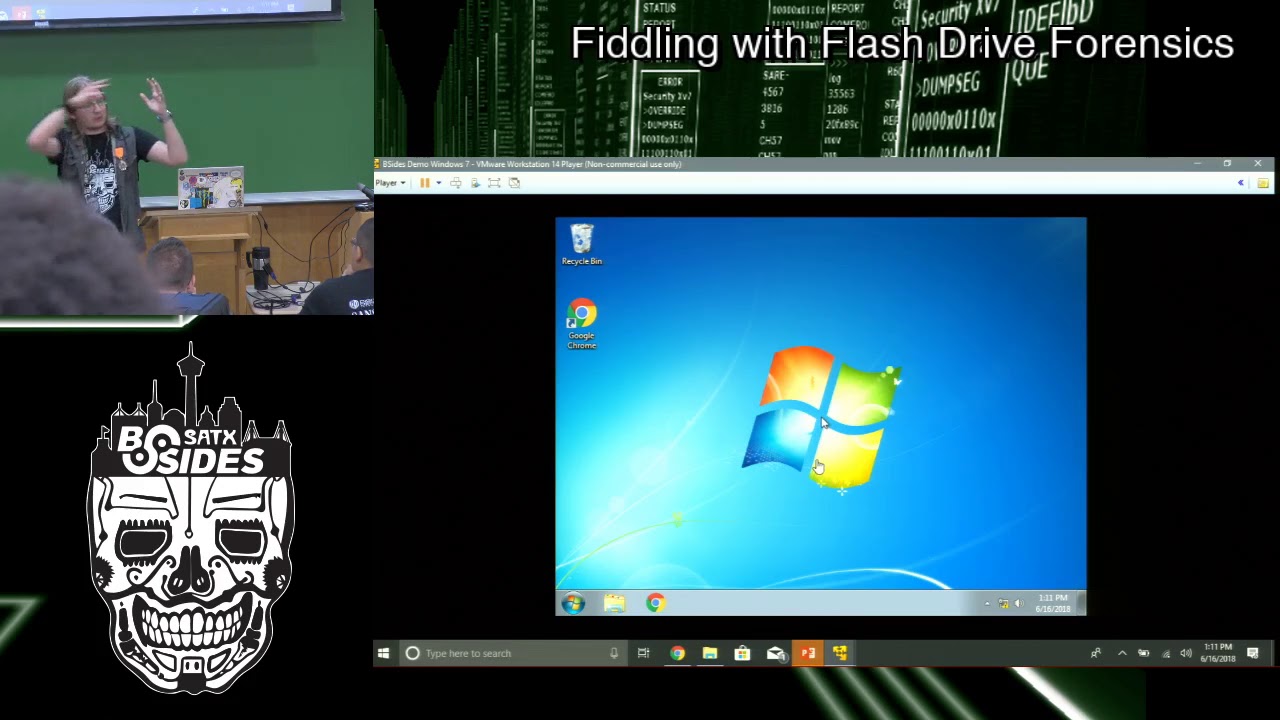
we'll run command prompt so it interacts with this desktop session on this system since we're not you know indicating a remote system it's this one right here the s and D flags I'm s is for system I'm gonna run it as the computer and D is don't let it terminate so we have i SD so now that we have these registry entries and we know that we can import them to a computer what can we do let's take a look at a live demo now I haven't done a demo before so I'm expecting it to not work at all just like the malware labs this morning if anyone was there so here's my jam oh
no it's not [Music] don't look at my Google Drive okay so while we wait for Windows to load I'm going to talk a little bit no go away while we wait for Windows to load I'm going to talk a little bit about you know where these registry keys are and how you can remove them from your system if you wanted to you know oh delete flash drives that were inserted into your computer so as I had said before it's located under H key local machine high key local machine system so if you go in there and then find your current control set you can then go to the USB store and then just delete followed that done yes right
yes so since Windows uses the NTFS filesystem there's always going to be you know little traces of everything everywhere nothing is ever truly deleted unless you purposefully zero out the drive or randomize the drive and that leaves artifacts of data deletion as well because it's a lot more suspicious to have zero zero zero zero zero zero zero or a bunch of random characters in your master file tables any other questions so far have I lost anyone is anyone completely lost excellent this is going great okay so there is this neat little free tool from a developer called near soft called us BD review D view if we open that up we can see this doesn't talk
about any USB storage devices and if we run regedit and we pull it up system this is the current control said you know we don't have a USB store key in other words this virtual machine that I just installed last night has not seen a flash drive I exported the keys that were created whenever I plugged this bad boy in to my gaming computer which has also never seen it so I was able to get the the red shot diff from that to put all of these keys in this neat little folder labeled demo and so we've got the the SanDisk keys if you just try to add it to the registry you know as a regular
user we'll say yes cuz you know we totally want to have these registry values you can't do it but you know who can yes both of those are correct is it's the same person so if we take a command prompt run it as administrator and let's CD over to my downloads directory yep one oh I'm sorry
so PSM Zek what will my flags thank you and we want CMD yes we agree to the terms and conditions of using winter rolls okay so as you saw you know whenever just the regular command prompt Who am I that's me this other command prompt women window that I made it spawn if we ask Who am I anti-authority system so if we use reg import gotta type the full path because I don't have it you know sitting in my system 32 me just gonna be one of those days demo and then we have SanDisk one rich successful two successful and now if we take this we close it out we close out of our I
get it and we wait and check this out we open up regedit now we have a USB store and now it talks about that SanDisk if we open up the USB DV
mass storage SanDisk USB we scroll it over slowly you get a serial number and that's the actual serial number of this drive that this computer has not had plugged
any questions yes yes okay so the the date you know is right now so that's something that I've had to look into I reached out to dr. bebe after I had you know successfully pulled this off I failed so many times trying to actually get this to work I didn't think it was possible whenever I finally did manage to get this besides was two days later so I was either gonna have a really cool presentation or a presentation about failure and how awesome that can be so I reached out to dr. Nicole Beebe at UTSA and she actually got me in touch with a mr. Harlan Carvey he's a Windows registry expert and a forensics author
he's given me some other things to look into and so I'm going to look into modifying you know the the created dates trying to see how I can fool the the set up API log and automate all of it with PowerShell that's next year's talk yes oh yes okay so one of them imports the the US beef store and the other one imports into the the USB key itself so if we do do do am I blind I'm blind open and regedit yes it also adds this set of keys in the the USB folder tree yes yes the question was it's working here in Windows 7 how about 8 or 10 the answer is not yet
haven't tried it yes sir it'll work all right
maybe I'll have to try and run the experiment running log MD see what it makes send oh so you can
then you'll realize that you can catch all that stuff see your activity right you could you could switch you know CMD instead HC and then pop stickykeys but I feel with that edits you have to be able to get to the Machine to be able to reboot it to be able to switch the I'll have to look into that thank you there's absolutely
yes I don't have enough information to answer your question the question was could this be done with other devices like network devices haven't tried it yes I'm sure it could if all you're doing is putting in the registry keys I don't see why not I'll add that to my list of things to try I probably went a little too fast I went way too fast does anybody have any other questions before we maybe yes
mm-hmm
creation different times of the day
mostly it's going to de tráfico he was great he's exactly the worse because great service get all the institutions are the tools of music seminars he'd want a more perverted way of doing that but you have to really understand what trails you made from databases it's think there's another way to go out for the guy who's potentially doing this and what Wi-Fi he uses maintains frontages another an innovation harvest another thing we do with for the network traffic stuff that's how you tell they draw nose on this Wi-Fi so I can't respond
now to be fair I'm normally a blue team defensive kind of guy I don't know how noisy the things I do would be this is really my first like foray into evidence manipulation if you will yes resources they have detected it's obviously an exploit that can be used in the real question is why is it even possible vs power for that I think the presentation is good to show it's a defense that you have to think about as a security practitioner about how you prevent someone from doing this kind of stewardship thank you yeah just just a little bit enough for you to freedom Mexico
were there any other questions I know I like completely blew through this time so we've got some more time if you guys one of the ask anything favorite color it depends on the day of the week I'm not using LP I are the last USB I plugged into this is from this wireless presenter now it may not it doesn't show up as a storage device so we wouldn't see it in this list here so the the data protections like that enterprise would have yeah sure I don't have access to that I haven't looked into too much of the open source and I definitely don't have the budget for enterprise I mean I just graduated give me a job please as far as what what
I really wanted to target with this case was more the individuals unless the corporation and you know the individual you know grandma down the street she's not gonna have us be signing protection I'm uh she's my grandma and I set it up for her
that's a great idea yes
that's up to you guys I just proved that it could be done you're going to figure out what to do with it right incriminating yourself well you can actually take your laptop online and be able to inject and Russ be attacked without having to worry about only being able to use the corporate issue USB because it would weren't even recognized and accepted by the system and that's usually over that overrides whatever my carbon black so it's actually another thing I plan on looking at important is so this serial number is the actual serial number I want to see if I can make a drive that doesn't actually exist one that literally doesn't exist not one that's
never been in the computer but one that doesn't have physical form change the serial makeup manufacturer things like that so I've got places for this talk to go but I didn't have my mentors get back to me soon enough so it's like I blew through all my slides too quick happens all the time yes so so these these created dates that's whenever I ran TS exact command import there may be a way for me to actually what was time stomped the the values to change the values that are reported and the registry because you can alter the the metadata to you know read right and accessed so we just changed that and this is a good first
step yes
let's find out okay so while I'm changing the system time next question I thought I saw a question over here
how did I what I'm not
come on yo ah it's opening too many I did like the lamb this morning okay well are you ready no sit down oh look it's Thursday let's open and regedit but let me delete it from see this is why live demos are always fun yes
there you go
is the sole NT yes haha
so there's no easy yes exact
but where's my right general where we go
VMware gotta love it right no wrong control set bad
so we didn't have a USB store before and now we don't so where was the key for this bad guys we open any all right get it just so I know where it is I didn't write it down yes I do appreciate y'all's patience it's an after-lunch talk you know kind of relaxed
now it's just believe everything
okay and so we've got our system time to Thursday we're in the past the mysterious past that that's uh come back over here Who am I I'm still in t authority let's import and import if we close that close that well do what oh that's what I get for not reading I haven't had enough coffee yet well I broke it
so to answer your question yes but how noisy is it probably very any last fall it's questions comments concerns all right well thanks for yes sorry I didn't see it
yes yes you can do that so either by modifying the the registry entries that are already there or doing this remove and insert the new one anybody else going once going twice class dismissed thanks for coming out
Related talks
 30:07
30:07 40:07
40:07 41:42
41:42 26:49
26:49 49:41
49:41 54:05
54:05