One Technique, Two Techniques, Red Technique, Blue Technique: Operationalizing MITRE ATT&CK

Show original YouTube description
Show transcript [en]
besides DC would like to thank all of our sponsors and a special thank you to all of our speakers volunteers and organizers for making 2018 a success thanks for having us besides those audience thank you for being here really appreciate it today we're gonna talk about Red Team Blue team and obviously in the context of attack so let's get going so name's Jamie slide says I like sports I like dogs and I like RAM talks by anything so if you want hit me up about comic like dark humour comedy anything like that feel free and I'm Daniel Weiss I've been in labor for a little over a year clearly I like emojis as well as
sports and all that kind of stuff travel I had never my sweat or hinder it handle as well so keep things sweet and short we're gonna go over three main topics today we're gonna talk about like what is attack I know I have been floating around you might have heard of it you might be using it hopefully add some value as well as operationalizing attack that's really the focus of our talk mostly focus on building a environment as well as assessing environment and hopefully setting you up for profiting and going forward with future success so our objective from the day is you've probably heard from attack you probably heard of the concept bumping around floating around in twitter space blogs
etc but obviously we're not gonna push it down your throat we don't want to prescribe something that you know might not be right for you but we do believe that this is a really good solution and hopefully through our talk today we can set you up and just kind of inspire you at least take a nibble you know is it applicable for your doing you know we're all security practitioners we have different needs but we do believe that attack is a great solution for a wide gamut of operations and requirements so once again key takeaways keep it short and simple three main points and we'll sort of go back this at the end just to
make sure we covered everything but first off you shouldn't just be focusing on initial access there's much more to adversary behavior than just initial access so if you're prepping your Alkatiri err wall for just stopping at a breach I don't think that's going to work and we can hopefully make a good case for what's the case secondly security star anything should account for and include post compromised activity so tying back to that first point not even just blue red teaming defense but also things like you know procurement management engineering security design etc you need to keep in mind that that post compromised perspective and finally you know attack tying it back to those first two points
is a common language and perspective that can tie all together and hopefully add value so like I said hopefully you try to make these three points and D just this year so you know what is this attack you know you might have seen it bounce around various different special characters it's the first thing to point out it is an a percent it is a um it is an acronym so it stands for adversary tactics techniques and common knowledge basically as the name implies the inspiration came from as a defender you know the one of the experiments we did with in mitre is breaking down and really understanding what adversary behavior is so be composing that into a
sort of cyber playbook basically one of the great things about attack is not just a cyber playbook based on the realm of possible but breaking that down to practical you know what is adversary behavior what is commonly done in public or been reported and where that might not be like publicly available information things that we can infer based on you know common reading practices and other like practitioner tricks basically the goal is aiding your defense with a knowledgeable threat of the adversary one of the things are one of our chief strategist always says is threat inform defense so you know you shouldn't be defending yourself without a really good idea of what the actual adversary is going to be doing so one
thing I mentioned in last slide is behaviors so why behaviors so this is a really important thing that we've seen there's been a really good there's really a blog post couple years ago from a guy David Bianco talking about the pyramid of pain if you're unfamiliar with that basically idea is when defending yourself one of things you want to do is think about how you're going to imply cost on your adversary so in this mate in this pyramid what you see there's the various different artifacts of an adversary starting the bottom with like hash values IPS things that are static going up to behaviors things that are kind of the nature of the actual execution and on the right
you see basically a gauge or sessemann of how much pain you're inflicting on adversary by making them differ and change these different characteristics the idea is you kind of as much as possible want to live at the top of this pyramid you know affecting the TTP's or behaviors rather than making you know targeting and your defenses things like hashes or IPS or domain names that could be easily changed so breaking down what our behavior is in the tech context what was done here is he broke down behaviors into basically wise and how in our nomenclature that's tactics and techniques tactics being is to see the 11 basically principle tactics of you know what why and adversaries doing what
they're doing it's kind of similar to a kill chain but really just breaking out the goal if you starting at initial access all the way to command and control and within what makes attack unique is within each tactic we're breaking down techniques basically implementations of said tactic saying you know not just you know initial access but in this slide as you can see we're breaking out like the different basically vectors or avenues which an adversary could address this goal so if you've seen an attack you this is probably full familiar same visualization but across the top we have the tactics basically wise and then break coming down from each tactic we have the techniques we have the granular
break out of each execution or execution of a tactic and one thing you may think about is if you mad at notice from that maybe you don't care about one of those flow attack has really done a great job not just like you know drinking the windows kool-aid but breaking it out into Mac Linux as well as mobile and they'll be called pre attack so that's the left of the room more like the you know doing open source of intelligence building capability staging etc so there was pretty much full spectrum adversary behavior so you know just kind of a highlight like what and actually the example of a technique would be so this is my favorite one
across the top again you can see there's like common fields like name a quick description of what it is so I can't abstract it here but it's basically you know the underlying technology why an adversary use it and then tying it back to you know why is this technique a part of said tactic in this case is defense evasion like I said before is is pointing back to a Treo adversary behavior so real-life examples that were sourcing to either malware etc as well as medications and detection so here's the more metadata based on that we tagged each technique with a unique identifier and like I said you can see it's mapped to a specific tactic
mapping it back to the platform and one of the important things to point out is the data sources so you can see like getting to what Dan's going to little later we're actually telling you no these are the data sources where the data were being that the data would be produced from as well as in detections we try to address those data sources and say you know this is kind of a longer break out of you know we're saying do api monitoring but what do we mean by that well these are the API calls you should be like that would be indicative of this technique as well as you know process monitoring that's pretty broad here's
some more information about what exactly you should be looking for and relevance of this so if you don't like the site or you're doing some programming like that we also make this data available through the API so if you're familiar with like Stix 2.0 everything's basically broke down into JSON so with a Python all this is available on our github but if you take check that out there's a Python until 'ti that will help you pull down information programmatically or if you're you just want it in a different format that's a pretty easily accessible as many as we have a pretty neat tool called a navigator which allows us to if you want a really quick view of a lot of
information without all the details you can fill this up it's available on our site it lets me see it's the visualization everything is pretty cool and you can also pull down the information from those adversary groups or malware and overlay it on the visualization as well as build your own you can change the colors it's pretty awesome so I mean I kind of blew that through that really quickly but you know might be thinking like oh that's kind of neat it's a good reference but like why is it so popular in industry like why is that cool and one of the big things we point out if you've checked out any of the information from this week's attack on
is what really attacks biggest value is that common language so rather it's just like whether it's like blue to red or like engineers to analyze or even analyze up to your C suite really the big I guess value added is that common language and the big value of that is it really does take a village when talking about cybersecurity one things were noticing is this is not just a department like function this it takes all the way from management procurement engineering admin of the host and network sense anyone across the gambit should be work on this and great movie quote engineers just really don't talk well with customers so having that common language that connects all these fibers is really
important so you know tax town and meet but like what now like we're talking about operationalizing you know it's not just a reference not something you just read and put between the ears how do you actually put this into practice to make value of it so back to the idea I mentioned before threaten formed in fact defense even a good idea like the point system on you know that's a great idea you should do that but why you shouldn't just take it on face value not just the justification you know it's a best industry best practice it's a good idea but really you should have a deep understanding of you know what does that afford me what capabilities is that ad
and then where the gaps and attack or something like that something a really good framework for making this decision so first step in deploying any type of environment or setting your setup for setting yourself up for success is really understanding your threat so how does that happen start checking out cgi so if you've ever looked at like one of the CPI reports and industry typically there's what their walls of text you know like they're really great content really important stuff but it's not really easily translated from you know this blog post and to you know how to write employ that into system on how do i you know how do i front based on this
how do i read to me and put my environment it's on this and like you familiar with being the beast like there's no pictures it sucks what do you do with this like there might be a picture of like a like some assembly code or a network diagram or something like that or even a couple vendors have put out like great like comics that it's like the kind of materialize the idea of like threat like gossip and and you get the visualization said no like you know that's the centralize everything and make sure we all understand we're talking about the same group but how do you really make use of this like great information so
attack you you know attack has already put together the framework and the foundation for taking this great knowledge and kind of taking it from unstructured data and putting it through that attack filter into something structured that can actually be operationalized and actually implemented in your environment so that same example the same wall attacks you know parse it you know it's this is something else definitely from the attack team and I was working in here but you know really that idea of the no reading through the lines and seeing the behavior seeing the TTP's pulling those out and being able to put those and to like network analytic network sensors etc that can actually use the environment and adding on top of
that it's kind of viewed kind of zooms out of it but back to that navigator idea of visualizing everything that's that paragraph that I took from just that one paragraph he'll say what a Mac it to attack in that way and gives me a better view of what I'm actually dealing with and talking about that through the canvas area and you can't just stop there I mean obviously there's no reporting and in this case I pulled the data from attack overlaid it now I have a really good picture of what that adversary actually doing and I'm really I'm that much closer to understanding defending and actually like making significant applications to this data that's been provided being so and also
big stuff is don't stop there so attack is a foundation of a lot of great intelligence and we're constantly working at updating it and improving it but there really shouldn't that shouldn't be the only CTR that you're getting you should be going out and it was more date available there's threat feeds there's a mole report that we might not be getting to in a timely fashion as well as some of the best data you might get is from your own environment you know no one really knows your own threats like yourself so the great place to look at your own logs your own sensor is realm analytics and making those determinations so from there you know 45 people start doing
stuff and handoff to down through it alright so Before we jump into actually emulating an adversary you don't want to do a deep dive into what you're actually collecting you really want to know what your sensors are able to see and what they're able to not so Jamie touched on the data sources before those are basically how and what and where you're going to be looking for the information and the sensors is actually going to be what's pulling that information into you into your logs and collection sources so the biggest thing with sensors is actually knowing what your sensors are collecting that's all harp on that again is you really want to know what your
sensors are collecting are they collecting everything from all the different data sources that they say they're supposed to are your whitelisting certain events and is there a reason why your whitelisting certain events is it because you guys have decided that this event is benign it always will be or is it super noisy and you guys whitelist it because you don't want to get all that fluff data other things you want to look into for your sensors is do you have any kind of storage limits if you're piping all this information on the cloud if you're paying for it you're going to want to take that into account as well one that I think is pretty
interesting is are your sensors or anywhere along the collection line are you suppressing events that you see and if you are why are you doing that are you suppressing them every day every week or every logon session if you're doing at every logon session that's kind of scary because me included I never log out of my system unless I'm required to for an update so if your sensor sees a command or something run and you never log out and you're suppressing all the events after that you're going to be blind to a lot of things so definitely take that into account lots of different options out there free and paid for Windows Event log if you're on Windows Enterprise is
probably your main source of collection it's baked into the operating system it comes by it comes standard by default and it'll give you a lot of information process creations Network events a file creation login logout all that kind of stuff another one I like to use is this internal suite system it's basically a beefed up Windows Event log I'm sure you guys don't know that's as long as same thing with auto runs basically gives you information if an adversary trying to persist in a bunch of different startup locations like the startup folder or registry run key stuff like that you also have EDR tools I'm not going to talk about talk too much about that
because a lot of those are paid for and then once you have all these sensors in place you're going to want to pipe all that data to a common framework or a common tool so a sim is a good thing see if that ETR tools have this baked in if you're not using an EDR tool you're going to want to use something like the Elks deck or Splunk just so you have all these different sources of data in one location so your analyst can query across a broad range in one place besides endpoint Monitor you're also going to look at net point network monitoring so that the difference type the different types of traffic you have all those sorts of
things and then you could also throw in IDS's pickup known bad stuff with the sensors as well as anomalies so now that I've talked a little bit about sensors I'm sure you guys already have a lot of those deployed in your environments how do you actually know your sensors are collecting the right things a few different ways to do that the easiest would be atomic testing I'll get into that later so I'm gonna skip over that for now Jamie will talk about red seeing an adversary emulation exercise later but just know that that gives more of an end-to-end assurance whereas atomic tests and you're basically just testing one attack technique to see if you have
visibility into that into that specific technique we've released an apt three adversary emulation plan you can check that out now on the miter attack site and if you want to kick start your first adversary emulation exercise you can use that one and the final thing that I'd suggest using is we're releasing results from our first round of attack based evaluations later in November we used apt 3 and didn't adversary emulation across a whole range of EDR and other defensive tools to try and give the consumer insight into what these tools are actually able to collect sense and log and all those sorts of things so atomic testing what is it actually I like to think of it as in school like
your homework so it's something you're gonna be doing quite often as compared to adversary emulation or red teaming those are more like your midterms and finals so you do those a few times a year the one nice thing about atomic testing is it's supposed to be super straightforward it's super easy to execute it's almost like a copy and paste you're usually testing one attack technique per test and the idea behind it is to give you visibility really quickly into what your sensors are actually collecting when you execute this technique a great resource for atomic testing is recognized on the red team they probably came out with this idea they cover 40 to 50 percent of the
attack matrix right now and you could go there you could look at all their different atomic test and start deploying them right now I also like the detection lab that is a good framework for if you don't want to do a ton of testing or any of these types of things in your own live environment this is just a bunch of VMs that stand up a DC Windows server for Windows event forwarding and then a workstation and there's a server on there for Splunk as well so if you want to do your atomic testing in this lab it's a really cool tool the atomic testing lifestyle a lifecycle so super straightforward first thing you're going
to do is obviously execute a test for one technique once you execute it you want to see what it's actually doing under the hood so you're gonna collect the evidence for it and then once you know where it's actually doing you're going to develop a detection so a big question we get is where do you start in general with the entire attack matrix especially with atomic testing you know where would your company start with atomic testing where do you want to fill in those visibility gaps and ensure you have coverage so you're able to see those different techniques my suggestion would be used real data so this is a example CrowdStrike they released a report earlier this year they analyzed a
bunch of intrusion cases across the first half of this year applauded them against attack and this is basically a heat map of the darker the color red orange that you see the more prevalent they saw that technique occur across all the different intrusion cases so obviously things like command-line interface and PowerShell and a bunch of different discovery techniques are obviously pretty common because all adversaries are doing that another real data set was from at-at Khan last week you guys can check that out on YouTube if you didn't already watch it attack IQ during a panel discussion brought up a metric showing the top protection failure attack TDPS that they see so this is just another example of a
real data set that you can use another example it's a pull data from would be as Jamie talked about would be a SETI to actually know what adversaries are doing in the wild and so if you blend I basically blended those two real data sets together just to give you guys some ideas of where to start and I wanted to pick at least one technique per tactic so if you were to atomically test all these different techniques you would have some and end coverage in the attack framework so I'm going to walk through an atomic test example now just to show you guys how simple it is or how complex it can be and show you how it will
benefit your defensive measures so this is the new attack website this is what a technique would look like on there if you clicked on it so I'm going to be walking through permission groups discovery basically when an adversary hops on your box they're going to want to see what groups they're a part of what groups they can join locally and domain we break it down Windows Mac Linux we give you examples which we call procedures which will actually be the atomic tests that we're executing of how you can go about and execute this technique and then we also show you the data sources that if you want to have visibility into this technique and know
that it's occurring you're going to want to monitor the API you're going to want to have process monitoring and you're going to want to be able to look for command line parameters so straightforward execute the test nothing too special here I'm just doing a net local group I'm looking for all the users within the administrators group on the local system pretty straightforward so once you execute the test you're gonna want to pull up look at your sensors see what you're collecting for this example I'm using Windows security event logs and system on the left is when is the windows about logs the right is the system on data so the first thing you see shouldn't be any surprise to you
guys is cm d's poppin net passing in the command line framers that we saw so you can see two of the data sources we have insight into a same thing on the system one side however system on also gives you the parent command line nothing too interesting here pretty straightforward but there is a second event to this atomic test so you guys might not all know that net actually creates a process called net one and that's actually what's doing the dirty work behind the students for this command so we can see net one a spy and that's what's running the local group administrators commit same thing on the system on side we're just also given the parent command
line there so once we've gathered our data and the evidence of the test we want to develop some kind of detection so this would be basically like your baseline detection and I like I like to split it up because all these sensors use different field names so we have a Windows security event log detection and we also have a system on detection pretty straightforward on the windows side we're looking for the creator process net spawning net one with the command line net one over administrators same thing on the system on side we're just also looking for the parent command line so this would be your baseline detection for this atomic test now a big misconception which
unfortunately a lot of people do is they're eager to go back to their attack matrix and fill in that technique with like a green circle I'm sure a lot of you have seen like the stoplight matrix so a lot of people want to go in and fill in like all the techniques Green and say we have coverage for all these things it's not a good idea to do that instead of saying you have coverage or you don't have coverage I would give a confidence kind of going back to that heat map maybe the darker the color pick one color and the darker the color the more confidence you have in having coverage and detecting that technique
because you'll never be able to detect a hundred percent all the different ways that adversaries are executing one technique if you take the naive approach or adversaries are basically gonna be laughing at you we won't take the naive approach we'll go back to the drawing board we're gonna recycle through that atomic testing lifecycle so a bunch of different resources out there red canary again you could use them see if they have any other atomic tests for this technique you can go back to the miter attack framework we had a few listed there as well but look at Twitter look at github look at Google look at other ways you put on your red hat and look at other ways that
you can execute this one technique because there are going to be other ways that you can do it on the bottom I just gave you some examples so we actually cheated it through command-line the command prompt but can you actually keep this there w meyer powershell or can you throw obvious Gatien in there to kind of throw off your defender all those kind of things you want to take into account so again we're going to go back through that lifecycle first thing we do is execute the test I tried to throw a bunch of different ways of throwing off the analytic in this one query all right it in this one command-line excuse me so the first thing is camel casing it
doesn't matter if you use capital letters or lowercase letters the command will still run you can put ticks you can put ticks in between or quotes in between characters that doesn't matter because it's all treated like strings you can put the caret escape character anywhere you want as long as you're not putting an escape character after that carrot it'll just drop it at runtime and then this was pretty cool if it's discovered by Daniel Hannan he wrote a blog post about it if you set the command you want to run to an environment variable and pass it in at runtime if the environment variable is numbers instead of letters it barfs on system on and I'll show you
that in a little bit so on the windows side we see the exact same thing we see the command we ran however on the system on side system doesn't know what the heck's going on it says the security ID structure is invalid it doesn't know what's going on when you pass in that environment variable so the first one we did was we set and in the first CMD spawn we set the environment variable and then we pass it into another CM didn't actually call that so this is what you'll see for there on the system on side again you're still blind to what's going on but the interesting thing is this one actually like figures
out what's going on because you see now the parent command line actually shows that you're trying to pass in that environment variable so that was kind of interesting and then finally you actually see that CMD passing in the environment variable and running net1 so the other thing we did was bypass calling net you don't have to call net you can just call it in that one right away and the good thing to know is this one actually figures out what and gives you that information as well so if we go back and try and update our detection query we learned that now we can't rely on net always being the parent process so I got to scratch that
out and scratch out the parent command line we can't always rely on that and with all the other obfuscation that I threw in there you're gonna have to do some things like either put it on a lower case but all their upper case replace the ticks all that kind of stuff so it gets pretty ugly looking so let me explain how you can make that better so what I would recommend is doing some event parsing so once your sensor collects the information before it ships it off to your sim or wherever you're looking at this data do some sort of parsing so trim down on the white spaces you don't need all these white spaces in
there remove balance quotes fix all the camel case all that kind of stuff you can do that with some pretty simple regex in the elk stack you can do that at the logstash level with crock parsing you can do that in splunk at the forwarder level before that forwarder actually routes the events to the indexer and if you actually implement that kind of stuff you can get detection queries or analytics or queries or whatever you wanna call it look at a lot cleaner and down to pretty simple queries so I just threw in there that's what I would do if you're able to implement all this stuff but just remember this is just one way that we
can execute that one technique so if we keep iterating through this atomic tests like well you're gonna start thinking it's a huge rabbit hole if you go down this you might open another world a door to another world and a lot of cases that is true so you are gonna have to sit down with your team and understand how far you want to go down in this rabbit hole if you guys want to go for a breadth of coverage across the attack framework first or drill down on techniques one by one until you go through the entire matrix those are two different options or you can go back and try and fill in more important
techniques things you think that happened a lot or things that happen that would actually be very have high severity so if you actually do drill down this is what one technique would look like and this doesn't account for obvious station or anything else so you can see it's pretty draining if you were to drill down on one technique there's so many different ways that you could execute that one technique to get the information that you want and it basically boils down to on the right hand side you can see I talked about that it's usually one technique per test which is true because we were testing for permission group discovery but there's a lot of different execution
methods that you could do to obtain those results so knowing all things in your environment but all right our approach is basically your red team picks off where that's left off you know these things if you're familiar with the concept of a purple team you should be having a blue or if I advocated just have your blue and red working together in harmony so as a red teamer I'm coming in I'm aware of these automata I've seen all this testing and now I can feel on top of that and it's my responsibility to build you know if they differently think better and even some cases think worse something like power show wife acute and PowerShell version two when I
can go down or five when I can go down to and avoid all that new like sexy like logging either he's annoyed so and not just you know building and expanding on this but now that when once we actually string together all these TTP's into a reading operation I can apply this knowledge back to the blue side and kind of contribute to the atomic test generation so you know when I actually did my engagement I learned these things and now until we come back because you know red teamers are limited resources or expensive you should test on these things so that next time I come it's actually that much harder and I can't just give you the same test that I gave
you last year so an example of that speaking of weird and liftoff you know now that we determine this environment and doing really great you know command line parsing where do I go so I'm gonna take a look at the extra executor the underlying like execution of the command and I've seen Dan did a great job connecting CMD to the actual like process telemetry but can I break that chain so typically and in the spirit purple team my company idea hey looking at attack all the execution vectors I'll check out this with T 1106 which is execution of your API there's something I can do through an API and try to obfuscate or lose hi Maggie
so you know very often I'll come an idea like that go to Dan show him something he thinks it's pretty cool we'll run it through sis my own crap I don't have the really cool zoom out but I was gonna see here you know I compiled my code my computer proof-of-concept test ran it as you can see the actual executable has the direct connection to Cal poppin so as you saw on the previous slide all I'm really doing is just trying to see if I can pop calc and hide that action in this case I didn't because you see my actual code is the directly connected to the artifact but you know that's not the
inner case take a look at attack look at all options and so you know API is a good idea because you know maybe not maybe they didn't see the actual API call that I made but they sell the artifact and if they're just seeing the artifact then is really irrelevant how I did it but maybe I can combine that with a different technique there's somewhere another avenue that I can take to try to like enhance my like Red Team behaviors so in this case I'll combine it with was at t10 47w am I so if I combine this to write a little bit of like stealthy toad how does this look so you know run it
same results take a look at the results you see the POC code running the t10 47 and then out of nowhere they threw this calc pop from this was it W my privacy secured embedded what is that so now I've basically established the fact that I can separate my compile code from the actual artifact so that's something I can work with but how does that actually apply to detecting environments and one of the first things you take a look at is you know and then like dad mentioned before the detection lab catches everything but how do common you know implementation of defenses stack up against this this is the part I was highlighting before the actual parent is
not the compiled code rather this random no system process that came out of nowhere so taking a look at a commonly deployed like config they actually have that line that W my service line that I'm actually leveraging is in the config but as you can see it might be a little brittle it's saying you know this is the actual command line not the parent so by circumventing the creation of this process I've maybe broke a couple like parent or a couple of parent-child relationships and maybe kind of highlighted a brittle analytic and just for sakes taking a look at that line googling it you know what would a real beauty mercy you google it this is a direct quote
from the blog post said basically maybe that's a line if you just ignore I'm not really sure what that is I didn't take it too good of a look down down like the actual interwebs and check that everything but if you were just a blue Teemo or somewhere in a stocking or working 12-hour shift this might be something they would overlook so maybe I'm on to something it's not quite a Johnson you know you can't see me moment but maybe I in bed asleep or I do some other office station and this is something that I can actually leverage work and then as I Blue Team Dan thinks he's like captured everything something I can throw at him and you know maybe
get a little win moment so and like red teaming and applying it to this approach doesn't just stop at the TCP level like we mentioned before attack covers Mac Linux mobile pre attack but there's no reason you can't apply this to the cloud IOT or any other domain that you might be interested in and with basically the same approach you know build the environment build up the detections run an actual exercise and use attack to capture analyze and tada Phi the results and add to the attack matrix and within your own environment thing you know this specific environment that we're interested in we've had our red team run and these are the things that we learned
that if an adversary was to step into this environment and was to operate post compromised these are the actions that they might take and these are the things that we should really consider and have mitigation intentions so going through the red teaming the adversary emulation and the atomic testing all that kind of stuff these would be after you have some results and data there's would be some interesting event logs and event IDs to look at I'm just gonna leave this as a reference for you guys in the sake of time I'm going to move on though so now we have all this data we're doing all these different tests we have our sensors deployed what do we actually do
with all this stuff so this is where analytics come into play so mitre came out with the cyber analytic repository a few years ago you can check that out it has a bunch of different analytics on their map to a bunch of different techniques but that should just be the start you guys as you can see in the picture down there that's might are basically pulling the rope for everybody so what we're planning on doing is moving car to github allowing for more of a community effort so people that have data that they're not publicly showing or whatever the case may be right analytics for that kind of stuff push it up to github up to github and
just have a better overall community engagement if we're able to do something like that obviously the whole goal here is to decrease the dwell time of adversaries on our networks have these analytics pops so we can go and threat hunt and look for them faster driving up their costs just some tips with analytics things to be aware of a lot of false positives when you write your analytics especially when we did the atomic testing example that first analytic might fire a lot depending on what your system sis admins do sis admins are doing in your power users you know if they're doing a lot of queries and stuff like that that alert might fire a lot PowerShell Power Cells a lot
of different what I like to call PowerShell isms a lot of commands have a lot of different aliases a lot of the flags you don't have to use you can obviously get the flags a lot of different things you can do with PowerShell so a lot of things to be aware of in PowerShell that you want to account for you know that process creation of file creations is not the end-all be-all for detecting adversary behavior yeah a lot of other things to look at so processes accessing other processes or remote threads and other processes and image loads an example that would be you know if you see a process accessing L SAS or remote there
and L SAS and a few unique DLL is being loaded that have to do with passwords and crypto and stuff like that maybe these credentials going on who knows a lot of things to look at API calls Jamie touched on dotnet and memory executions a pretty cool thing also and there's some other approaches to just note if you want to have that baseline analytic that's fine but you're going to have to handle obvious case if you want to handle it separately that's ok as well and then you're also going to want to handle renamed DX sees and dll's as well separately that's probably the easiest thing to do so now we have Cory analytics we have
hourly analytics the adversary stop right you know our analyst you're gonna fire about everything that's not the case unfortunately as a threat hunter we hope the needle in the haystack is huge in reality it's not but with the atomic testing with the red teaming with the adversary emulation with the analytics that we're developing you do have a chance if you have the correct sense there's all that kind of stuff you do have a chance of catching the adversary so for threat hunting obviously the first place you're gonna start using your analytics if your analytics don't fire you know I don't know where you're gonna start so you're gonna rely on analytics you want good analytics to
threat hunt you're gonna want your blue teamers to understand understand adversary behavior if they can think like an adversary you know and analytic fires they might be able to think with the next step and the adversary plan is going to be blue team should also have some kind of situational awareness they need to know whether what kind of industry they're in what the crown jewels are of the network and think you know is the adversary all my network and is their objective to go after that stuff and another thing is look for those anomalies and outliers in the data you know if Bob checks his email and goes on the Internet and for some reason
he's popping PowerShell and trying to talk to the DC you know something's probably up again use CGI and just that nobody adversaries are actually doing in the wild you know 42 from Palo Alto release playbooks that document adversary behavior so if you are in a specific industry and you know what kind of adversaries are after you like financial industry and you know Finch sevens after your something like that you can go on their playbook viewer and see what FinCEN is trying to do and kind of have a defensive play to stop their next offensive play and the last thing I would recommend doing is validate the analytics validate the detection alerts and all that kind of stuff that you have
when you're threatening so have you come across for example the adversary Rand net local groups but your would never fired or your detection career never saw that see why it didn't fire and then throw all that you still might not know with our names so this point if I think and you know great that sounds really manual but like where is the like 2018 sexy technology where's the blockchain where's the artificial intelligence where's the machine learning actually we got you covered on that as well and the Apple one or colleague recently released a really great blog post talking about basically the idea that you know these techniques these behaviors chained together in the same way that you can't walk before you
run or you can't run before you walk yeah sarva that um you also can't craig dump into your privilege and there's also just like natural like I guess co-occurrences behavior so he does a really great job I think he's recently just talked at Wild West hacking fest if you wanna check out that content as well but really just did a great job highlighting you know the idea basically there's requirements for technique as well as there's like consequences or like opportunities provided by technique and saying what same thing that Dan was talking about a minute ago if while your threat punting or why your do the defensive work you really need to be aware of these things so like you said
you see in this case you see like PowerShell well there's a high probability or at least according to most data sources there's a probability that adversaries in PowerShell might also be using similar techniques or techniques if you see PowerShell we might be looking for the PowerShell version of CREB dumping rather than just like standard anemic as binary and these are the considerations that can really help you out when you're building an automated or orchestrated you know defensive capability as well if you're doing something like an automated red teaming tool like we have our own caldera but I know there's a couple other than floating around and industry so you know I'm actually surprised we covered a lot of content so hopefully
you guys are okay we're actually a little concerned we actually I think at one point had 100 slides and someone got it under 70 so looks like we have a little time but hopefully everyone's okay at this point but just circling back to our main points hopefully you made the point that there is a lot more to defense than just initial access there's a whole gamut of data beyond that that you really need to consider not just as a security practice sugar not just as a defender but as a you know red team or adversary emulation and specialist in test what everyone call it manager engineer etc these are really important things and hopefully we made the point that
attack is a really good resources for tying this knowledge together and really making those connections so obviously we will hear a couple questions that you have but 15 minutes here are some great resources that we might have mentioned it's all linked from the tax site so you better attack that Meyer org we actually just released our new site it's really interesting but you'll see links to you know like I mentioned before the Navigator the vision tool the sticks API car the analyte repository as well as like caldera our automated Red Team tool a bunch of blogs from really smart people that explain a lot of what we talked about today in greater detail as well as you know other presentations and
conferences and videos etc and reach out to us via matter of attacked Twitter as well as the protector and more if you have any ideas we're always looking for contributions on the community on TTP's so if you have any ideas or have any idea for something that should be included your attack as well as updating you know sometimes you might have missed like a detection or mitigation if you have some really good idea that really should be included and shared within the community definitely some that outdoors and just know I saw a lot of people taking pictures of slides and stuff like that if you follow on Twitter miter attack we'll post a link later with
these slides up there so you can always view them in a later time and then I just rolled up all the tech references on one slide so you guys can check that out of it as well and from there we'll go with questions if there's anything to say you're gonna see on our site don't you subscribe to hear the attack information or the gist of for how we can read it or use it or it's a static repository so as this attack is up there hopefully will teach everything that same content in the form at any time you can like access the API pull that down the text like the car stop yeah so we are what was that oh so the
question was basically how does sticks work and if you have ideas for detections and other like you know operationalization of that data how do you contribute it so our answer would be you know sticks is a static github so you can as basically an API for all that attack content facing in a JSON format so you can write queries to the dialer you're interested in in terms of ideas for like detections and analytics hopefully that would go through like Dan said we're pushing out car at some point in the future to github so that would be a place to you know you have a good idea for a detection or alert for a specific technique that would be a great place to
be should be that is my pull request there was it able to detect basically what he was trying to make your faces this is funny it was a detective so it depends on the configuration it hasn't even say oh the question was the execution example the API WI would that be detected it also that's like I kind of like tried to explain it depends on the detection so something brittle where it's just looking for that w my command line has the actual executed command it wouldn't but in that case it's all the process create but there was really no connection between that and the POC executable so that would be the red team like when we try to leverage and like I
said throw asleep or some other off the station like I guess time to try to expand that out and separate those two events yeah it'll come down to your system on configuration as well depending on what you're including and excluding in the system I capture an API in general is pretty tricky I just met that no other questions I guess we'll hang around up here about the hallway but uh thank you for your time really sure [Applause]
Related talks
 38:25
38:25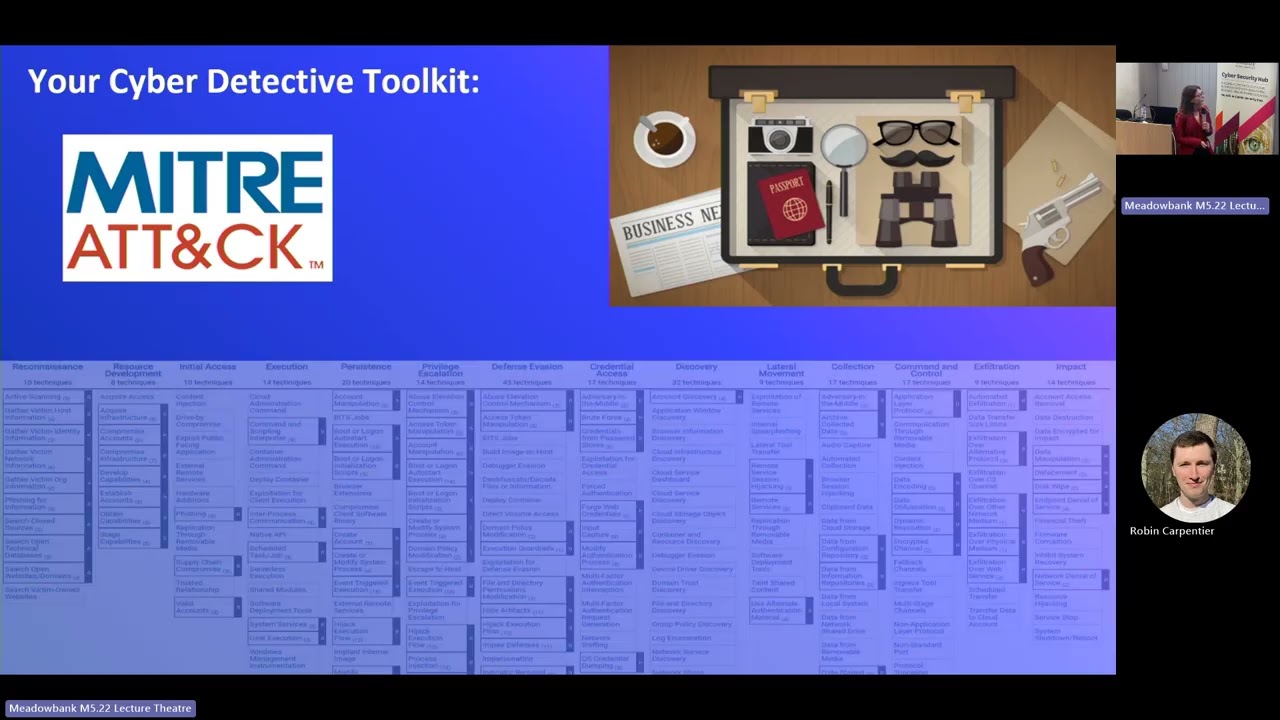 33:30
33:30 41:49
41:49 50:37
50:37 46:39
46:39 26:59
26:59