Hunting high-value targets in corporate networks - Patrick Fussell, Josh Stone
Show transcript [en]
all right is this audible all right excellent so as you said we're josh and patrick we won't be labor a long personal introduction we work for psc we do a lot of pci stuff but you know pci can mean a lot of things to different people i think you'll see you know our perspective on pen testing and uh it's fun to apply kind of a high road idea of pen testing what pen test really ought to be to the pci space so quickly you know what is pen testing after you've been doing it for a couple decades you start to feel like pen testing is where you hack stuff that's kind of the intuitive model
the industry wants it to be something more formalized and repeatable and so we have methodologies that say pen testing is this series of stages or something like that but unfortunately sometimes industry wants to take that and distill it into something that's maybe more profitable and so this talk is is really not about this kind of pin testing it's not about the you know do a scan on a few ips and then give a report and say you look good this year that's not really a pen test so in real life or at least conceptually what a pen test should always have is some sort of objective there's something that we're trying to achieve we're trying to answer a compliance question
or trying to find significant risks and we're going to do that by demonstrating through some series of techniques and that we can gain access to things we can escalate we can find our way to the crown jewels and answer those important questions so this talk isn't really about zero days it's not necessarily about tools what we're talking about is tactics or strategy we're talking about the thought process and how how do you take the fact that i did metasploit unleashed so i know how to how to compromise something but how do you turn that into you know finding the crown jewels and especially as networks scale most of the hacking classes that we take have little tiny test networks where
everything's pretty easy to find in real life you might have thousands or hundreds of thousands of systems on a network how do you in a couple weeks find those crown jewels that are scattered somewhere within that humongous space so we'll go through a number of scenarios illustrating some specific examples but hopefully trying to focus on the thought process the technique general solutions to finding your way through a network and find those crown jewels
all right so excuse me as we as a pentester when we first start our engagements one of the first things we want to hone in on or start thinking about as we kick it off is what's going to be our low hanging fruit or you know what's going to be our initial access point a lot of times it's something that's easy to find but i think something that we're recognizing now is that we're doing more organizations who have a more mature security program something where they've been through this process a few times and they've been able to harden a lot of these gaps and this low hanging fruit becomes a little bit harder to find
so as we kick off a a pen test also in this initial stages one of the things we're doing is sort of scanning enumeration as we start though we might not have a real clear picture of what the pen test or what the network environment looks like and um hopefully the driving force behind the enumeration attempts is can we clear up this picture a little bit so also as we uh as we kick off our pen test one of the things we're trying to feel for is um actually let's go ahead and jump into one of the recent pen tests that i did was one of these organizations who had a more maturity super more mature security
program uh they've probably done pen tests for five or six years they had hardened up a lot of these gaps so one of the things that i look for first one of the sort of low-hanging fruit approaches is is password-based attacks that can be look a lot different depending on what we're really talking about is web services where maybe we can do a little bit of googling to figure out some common password and user names in an active directory environment though one of the things we're going to hone in on is can we get a user list uh maybe if we can generate it because we know naming convention or we can enumerate it from somewhere
in this particular pen test where the the organization had hardened up a lot of those places where i would typically look so you know looking at a wiki did they have something posted do they have an intranet site where i could enumerate users because i connect to the dc and and cycle them off uh no no luck so i wasn't able to find any any users and so at this point i felt like let's step back and look what i do know about the environment to see if i can figure out how we can kick this off and the first thing that i noticed is looking at dns names it looked like quite a few
systems were tied to individual users so we could see that the user names were related to an individual host the problem here is yeah i see that but i don't know if these are actually user names and that is relevant because if i don't know that this fits their naming convention for active directory i don't know if this is going to be a relevant attack and we want to make sure that we're effective and efficient anything we're doing if i'm wasting time running a password-based attack against active directory with a bunch of users that don't exist what did i really accomplish i just burned a lot of time so the other thing that i took a look at
was a remote desktop now this isn't all that special everybody's seeing remote desktop and a corporate network what i did notice though is if you connect to one of these sessions if somebody is already there a lot of times you'll see who that user is we'll see the the domain that they're joined to and the username so now we can tie these two things together we can see the naming convention for the domain and we can see what the users are maybe they match exactly either way we can do a little locking and gripping and create a user list for the domain and what i want to point out here isn't that there's anything special about this
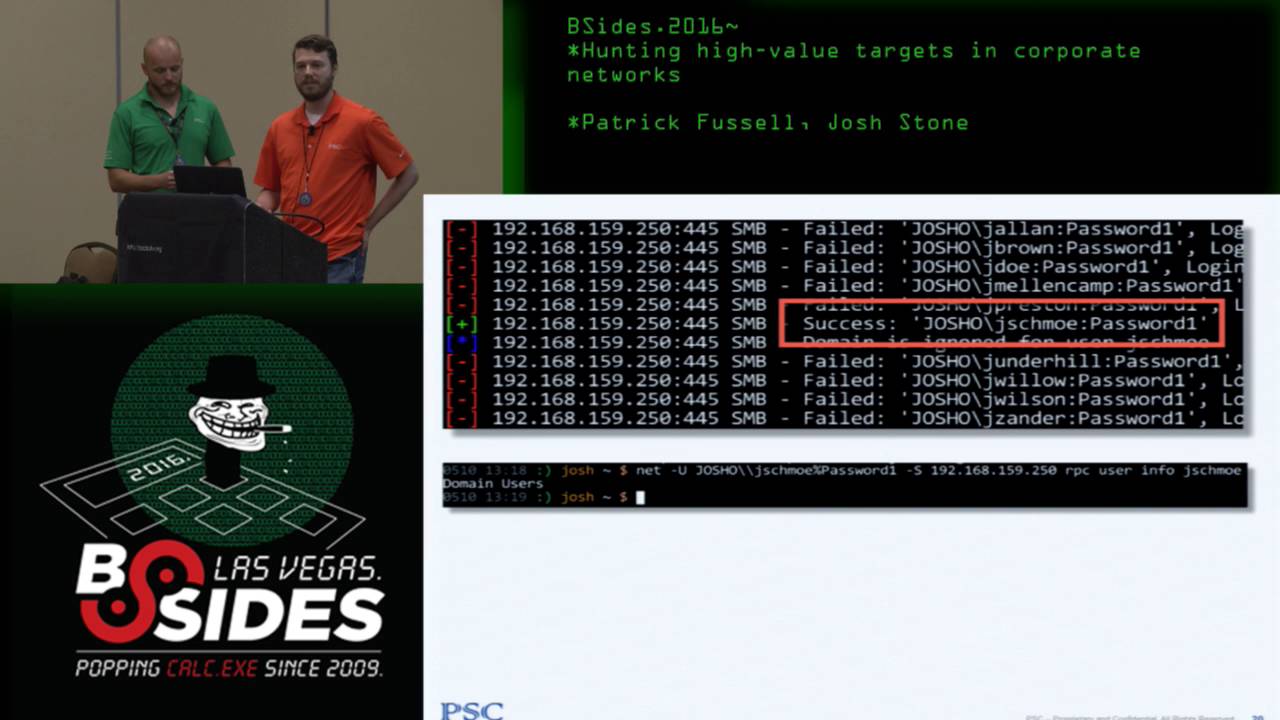
probably lots of people have followed something similar my point is as we're thinking about these initial entry points a lot of time the information we need to do them effectively and efficiently is out there we just have to be willing to look at some some uncommon places to find them all right so start starting roughly where that leaves off maybe we didn't find a lot of low hanging fruit we weren't able to llm and r we didn't find some tomcats and things but as patrick described maybe we found some accidental little information disclosure that gets us that list of usernames so we try a password this example i find that joe schmoe's password is password1
that's always very popular and what we find is in a little network with a few users you probably won't be so lucky by guessing a password or two but if you have thousands of users you'll probably get a lot with just about any password you think to guess you know so right now summer 2016 is real popular probably any network of a few thousand users or more is going to have tens of those very likely even if they were told not to do it before and so once we get this account we start thinking well what does this account get me i'm really really hoping that joe schmoe is going to be a domain admin but
unfortunately he's not we find that he's just a member of domain users and so we we let out this little sigh oh no i just got this completely useless account but if we step back for a second think you know i don't have anything else i don't have any good low hanging fruit and this is my first account do i want to keep going after passwords or is there something maybe the domain user gets me that gives me a good actionable path to the next layer of the pen test so one of the best concepts for pen testing i've run into is one halvar flake presented a few years ago called the compromise boundary and that
compromise boundary is the set of things that you control or could control with the information you have and so even though joe schmoe is not a domain admin and maybe not even a local admin anywhere he's still an interesting user because he's expanded our compromise boundary we now have access to some things that we wouldn't have had otherwise we'd like it if he controlled systems but usually domain user at least has access to lots of files and some files are more interesting than others so here are a couple examples of files that have credentials embedded in them finding passwords and files isn't the only thing that you might look for but it turns out that
the last 10 years of my pen testing career this has been probably my highest yield attack technique for escalating from a regular user to a powerful user because nobody ever gets the permissions right on their file shares the other fun thing about this is you can have a perfect security program but because file shares are so hard to control this vulnerability will live forever all it depends on is somebody creating a new share and putting a file somewhere and not realizing the default permissions are defined in ntfs as everyone read so on a little network it's pretty easy to case the file shares you get 30 users you might have a few servers you might have thousands of files to go
through and you can go through that in an afternoon it doesn't take too much time but as a network scales we get to bigger environments you go to 30 000 users you're not talking about thousands of files you're talking about thousands of shares each of which might have thousands of files used to be when i first started realizing the value of information that people throw into file shares i just use manual techniques go map the directory look through it with with normal clicking around but it'll probably drive you nuts if you try to do that in a big environment because it's very manual so then you think well let's automate that we'll find some smb client and we'll
just do a recursive spider in the file share but unfortunately you end up with this situation where file shares often run very deep and anything that does just your regular depth first recursive traversal of a tree like a file system is going to take forever and you'll end up punting pretty quickly because you've got these five or six thousand shares to go through and yeah the seventh one takes forever so a number of years ago i put together a tool been karting around for a while called plunder which uh has a couple features we do spidering of shares with some business logic built in to make the process make more sense so one is we limit recursion
depth you don't want to go too deep in the file shares another one you want to ignore errors and also you want have configurable target criteria you want to find the files that are most interesting are most likely to yield something anything named web.config is going to be a very interesting file once you do this so you get used to spidering yeah with this with the the current publicly available plunder you know i can effectively spider a few million files do a few thousand shares works quite well but you end up with another problem and that is after i have spidered a bunch of shares i got over 300 web.config files so who wants to smb
clients to each one of those cd into the directories that probably all have spaces in them so you have to quote them and it drives you nuts and you have to moor them and see if there's a password in it so plunder also has a feature that does automatic downloading and mirroring so the process looks like this you get a source of information about where shares might be run them through plunder to spider the shares get a list of all files that your user has access to and then run that list right back into plunder after you've filtered it out for the ones you're most interested in and automatically download and mirror them and then grep gets you your
passwords and this turns a process that's really intractable on a sizeable network in a short amount of time into a very straightforward and easy one i was really hoping that by the time we got to a presentation here that i have plunder 2 available it's just not quite completely user friendly yet like i can use it i've gotten some good success out of it it's not quite publishable but there are some enhancements that i i've got in plunder too that should be hitting soon once i release it and this is instead of doing depth first spidering do breadth first spidering because you want as much information about as many systems as possible as soon as as you can you don't want to get
bogged down into the batch processing server that has literally millions of files in a directory tree and do a couple other things like 100 retention of spidering data ability to scale up to millions of files i've indexed up to i think the last one i used it on was like 18 million files in probably three hours something like that truly isn't so bad when you think about what it takes to click through it and then also more complex identification of your target criteria so look for that if you're interested i've only been to three environments in the last 10 years that i know of where i didn't find something cool on a file share that was not supposed to be there
so it's another one of those infinite vulnerabilities that will never go away right so um like josh mentioned at the beginning one of the things that we tend to focus on is pci pen testing but i think we expand that out to thinking of it as a as goal based penetration testing because we look at some different scenarios and one of the things that they have in common or the way we approach it that they have in common is what we typically expect is that there is an area of high security where you put all the things that really matter and you have your area of low security where you put all your users maybe
and obviously they can be separated out lots of different ways but they're going to be some sort of boundary between these they could be implemented lots of different ways but typically this is going to be some sort of segmentation boundary uh you know network segmentation boundary that is but the reality is that the complexities of managing an environment once you get something that looks like this means that that there can be some problems we know for a fact that they're going to have to access this high security environment to administer it they're giving users access for different reasons so something that starts off looking like this over time ends up looking a little bit more like
this and so this is relevant because we know as pen testers when we when we approach the pen test we assume there is a hole somewhere the the the job uh our job is we have to make sure uh we can find it so let's talk about a situation or one of the first times i ran into this and had to sort of think through the process on a pen test so you know i think the scenario probably mimics what what would be uh common in a lot of situations did the initial scanning enumeration found a web application that was poorly secured it was able to get a shell find a local administrator account that was
common in a group use that to find some da creds great but that's pretty meaningless unless i went after the d.a cred for a very specific reason i want to use them to do something right so i just have da cres that doesn't really do anything for me i want to make sure i turn them into something so the question becomes how do i use da creds to give me access to this high security environment so i think we go back to the initial assumption that is there's holes in this network we just have to ask the the right question to help us to detect them so uh thinking about the so going to that what's the what's the question well
for me is are there any direct connections from these little security hosts that i already have access to to the high security host that i don't have access to access to yet and if i'm thinking about an individual system and the network connections that it has live the the first thing that pops in my head is is netstat that's a great way to see what's what's going on in any uh in any given environment so in this situation i um there's probably lots of ways that you could go about collecting a bunch of net sets right you could use powershell maybe you have interpreter open on a lot of different hosts there's i'm sure there's you guys
probably could think of some creative ways to go about this in this particular situation i just use when it win exe and a bash loop to grab them all the data so now i have uh netstat data from a a whole lot of systems what's the first thing i want to do maybe just run grep so what if i know what my high security networks look like i can just check to see are any of these ips present now unfortunately in the situation in the in the the first time i ran through this in a pen test this didn't pan out i didn't find any of these direct connections i've found since then that this is actually fairly common
that you will this will get you get you something this will help you find one of those places um so i had to kind of take this to the next level which was what do i do now that i know there are no direct connections or at least none that i was able to find and the answer for me was a a reference to josh a little bit we sort of talked through what some ways we could do something else with this data let's visualize it to come up with finding some patterns that may be a little bit less obvious than the network maybe it would tell me something that i didn't already know about what's going
on um so drop text came up with a little script that will parse through the netstat data and turn it into a graphics dot file with that dot file on hand we can create a picture of network connections given a specific port so why is this relevant or how does this help us there's lots of ways there's lots of patterns you might look for that are relevant if we see lots of connections coming in and out of an individual host maybe that means it's something significant like a file server or a database depending on on the port but i think the most interesting thing or the thing that matters the most in this situation is those hosts that the
it team or the network team either can't tell you about because they don't know or they don't want to tell you about so what you might do is apply this look to see is there a is there a host here that i didn't already know about based on previous enumeration can i look for something unique or individual here um and in this pen test the situation was there was an old bastion host that a handful or a small group of users was connecting to over rdp that was connecting to a production vlan that everyone could conveniently forgot about so once i was able to find that i already have credit for the environment uh and now i've got the access i'm
looking for yeah it's worth pointing out yeah just like patrick's saying you know a lot of times it's not malice it's that i.t is so complex and or networks grow the way they do kind of naturally they accrete complexity and so sometimes looking empirically at how systems are actually talking you find legacy things no one knew is there you find systems that are talking directly to databases in places they shouldn't you know i didn't know that guy had that spreadsheet with built-in credentials for oracle it's really really interesting when you start data mining this type of information so next there is a little bit a little bit different instead of being a pci scenario where we're trying to get into
a cardholder data environment and get all the credit card numbers i was working with a company that's concerned about product leaks specifically they had had some situations where someone had leaked information about products is very interesting scenario actually it's fun talking through what the actual damage of a product leak is because it affects things like the timing of product releases it might affect your old product when people know the new one is coming out all kinds of really interesting things so the objective in this case was to find the marketing assets for unreleased products they were interested to know how hard is it for somebody to find this information about new products if they started
poking around in the network so i don't know about you but for myself i tend to overly romanticize what i do and so i like to think of network as some sort of medieval kingdom and i figured if i could get the keys to the kingdom in this network then i could probably find myself haplessly in any random burg and find out what people are doing there and eventually find the folks who create this content and successfully obtain and then potentially exploit uh this new product marketing information uh the problem was i i made it there i became the king i had domain admin and yet i still couldn't find anything and i'm getting to the end of the pen
testing period and thinking this is kind of a soft environment i escalated very easily but man finding that information is kind of hard i don't really know what i'm looking for and so i'm kind of casting about trying every random little thing i can think of you know heart rate's going up i'm living in bullet time and i start going back over all the notes all the things i had collected as i was doing my scanning and escalation and one of the quirky things i had enumerated at one point i had taken a a snapshot of all the running services on a whole bunch of machines and everything in the domain and i think at the time i was casing
them for defensive suites trying to figure out you know what av are they running or something like that it had been essentially uninteresting but i started looking at the data and i thought you know i bet people who create marketing content maybe they're making you know 3d models for stuff they're doing graphics they're doing stuff maybe they have interesting software that other people don't have and since i have this information i thought i'd start poking into it do a little bit of data mining and so what i ended up doing was generating a little visualization showing how commonly each of the services that i had found in those files occurs so it's really uninteresting if you look
down at the lower left tail here there are a lot of services that run on every computer you know lsas is running on every computer for example the the browser service workstation service etc so obviously that's not going to help me discriminate specific and interesting targets on the other end of the spectrum on the top right oh i'm sorry i'm getting it backwards it's the top right that is running on all the machines if we look at the left we have some services that run on only a single box and that's just going to be the guy that has the radeon instead of the nvidia or it's too discriminating and i thought i bet the group of people
that i'm looking for is a team it's probably a handful of people and so i start thinking anything that shows up in about the team size set of systems might might indicate that these this is a group of boxes that are a little bit unique or interesting so as i go through i looked at everything that has i think between 10 and 20 instances across the domain and i found the solidworks licensing service anybody know what solidworks is if you're a 3d printer or if you ever worked for an engineering shop or something you probably know what it is solidworks is a 3d cad solution it's a very nice one it's very expensive i wish i could have
a copy but it yeah it's quite expensive and i thought well there you go people are running cad packages they're probably making product data you know maybe they're doing 3d models for the the new things or whatever so i have this list of 12 boxes that are all cad people and of course these people turn out to be the cad designers and the cad designers do something tricky that i had not really thought of and that was i'd plundered the tar out of all the file shares and never found their stuff because they store it on their local desktops and they don't use the shares i usually exclude c dollar shares because usually they're not all that interesting
when i'm spidering but once i had those that's the new product information and i have my success criteria what was fun about this and part of it was the joy of just problem solving during a pen test and figuring this thing out but really it has become a general strategy that i use in a lot of situations fundamentally there are many cases where you don't know what the next step is in the pen test so how do you how do you start generating some potential that you'll find that next layer and so there are a lot of situations where if i can identify some some data some information if i could have that information about the whole environment
maybe that would lead me somewhere or just help me figure out which groups are interesting then if there's some way i can collect that usually involves building a little ad hoc scanner or something coding skills are a plus and then once i get that data find some way to visualize or mine the data and figure out how can i winnow this down if i've got 40 000 users worth of information just looking at it in less is going to take forever and then of course once once you find the interesting thing you profit so you just start thinking of crazy things like what if i had a list of the network configuration of every adapter on all systems in the domain you
find people that have a secondary interface that's on a special vlan you find people that have you know virtual interfaces they're connecting to vpns or something those people become suddenly very interesting so if i can just get that data this may help me discriminate useful targets if i get a process listing from every system you know what can a process listing do for me yeah well finding interesting software especially once i know how they're connecting to interesting target areas in the network you know looking at a specific file or directories and files trajectories whether they exist or not like if you see this someone probably has cisco anyconnect installed so out of the 30 000 users the 129 of them that have
cisco anyconnect they're more likely to be connecting to my target zone so this is a generally applicable strategy to find a massive data mine it and use that to lead you to the next interesting thing so this one we don't trade scenario 5 is a little bit different title this one there will never be a cve for this because there are some things that as a pen tester as patrick said earlier as the environment gets more mature in their security practices and they have better defensive tools and less low-hanging fruit they incorporate security early on as they don't build stuff that's bad you can't really rely on having a useful exploits existing exploit code out there but there are a lot of things
that work as an attacker that you could never actually make a cve for because there's never going to be a patch and no one's ever going to admit responsibility so in this situation imagine a scenario where someone has their their pci cardholder data environment and in order to access it they use secure id or you know duo or one of these other multi-factor solutions and that makes it very difficult i have the whole domain i have domain admin i have all the passwords but i don't have these tokens or the mobile devices or whatever they're using to do that second factor and so i'm actually somewhat effectively stopped there was a time when i would kind of
just go ah they have mfa i guess you win but it turns out your mfa can be attacked there's a lot of interesting bypasses i did present a few of these a couple years ago at derby con i'm not going to talk about a bypass in this sense it's not going to be exactly the same kind of thing i'm going to talk about something that has actually become the first thing i try every time i see multi-factor in remote desktop and in order to to set up this story i have to introduce you to bob so bob is your standard everyday mark 1 regular user bob lives in the cube farm and eeks out his day doing whatever his regular tasks
are and uh generally it's not so bad except that bob is ruled by a harsh and unforgiving task mistress and that is his outlook calendar now his outlet calendar never actually looks like this it's filled up with all kinds of inane meetings that take up inordinate amounts of time but it's not all bad because he gets to go eat every once in a while and then you got these moments on the social calendar where you got to get out and talk to the co-workers and find out what's going on get the scuttlebutt and then of course there's the biological imperative to occasionally hit the restroom i was having trouble when i made it making a smaller slice and still fitting
the font in there so you know bob takes a half hour for bathroom but what it comes down to is that from bob's perspective if it wasn't for all of these intrusions on his calendar he could really get some work done and the fact is most of the time in the workday his computer looks like this and this we usually would think of as a security feature but actually what's behind this screen is a currently logged in multi-factor authenticated remote desktop session in the cde if i can only peel this back and get to that session i could just start clicking on it myself so i start thinking to myself i'm going to wait until bob connects the
cde and then i'm going to wait for him to lock his screen i can use maybe cass to get his password or crack it from the domain or whatever i want to do i'm going to rdp into his workstation and then use his remote desktop session into the cde find some persistence vector you know set up you know some icmp shell or i'll find that i can talk out to something or maybe out to the public internet or whatever it takes and once i have that i never have to beat multi-factor again and i have continuous access into the target zone so this is something that you can kind of do pretty easily with with a lot of
existing tools on a small network you got a relatively small number of employees a few of them are going to be connecting to this highly secured zone so i can probably park yeah mimi cats or something not maybe sorry interpreter or something on their boxes and watch for those scenarios but it gets a lot harder when you scale the network up you might have hundreds of people who are connecting to this zone or in some places think of like call centers and stuff you could have thousands of people and what's interesting is on the small side it doesn't happen very often you know it's a tough timing attack you could you could wait a whole week and
never actually have that scenario some people are very fastidious about locking their screens or logging out before they get up or other things but there's this curious thing that happens with scale and that is that the number of people who might be in this situation goes up and so the odds that at any given time there's somebody who has an active session the cde and that screen hasn't locked they have locked their desktop and they've walked away that actually happens quite often in a sizable network and so this strangely becomes one of the most reliable ways to get into the cde look for these you just have to have a big enough company so the the big question is on the large
scale how do i find people with locked screens if you google search for that stack overflow will tell you that hey maybe there's this win32 api call and so i can make an executable and i can throw that out to all the machines and that's kind of that's hard and not that i'm afraid of writing code but i'm going to do things the easy way if i can and i found it's just pretty easy to look for logon ui.exe remember i said think about what if i knew the process is running on all the systems in the domain well log on ui.exe indicates that the screen is locked so if i can correlate information patrick talked about how i find out when
they connect to the cde i can look at their netstat and now with this i can look and see when their screen is locked so i find connections to target zone by netstat whispering find people with their screen lock i can use the super elite hacking tool called grep to compare the two lists find the intersection and use the regular remote desktop session to connect so that what it comes down to is i can write a short script that at any given time pumps out a list of ips that meet these criteria big enough network there's always an ip in the list so there are a couple a couple of things to think about probably the biggest objection that i
get most often especially if i talk it through with a customer they'll say yeah but you know baby bear might come back and find that somebody's been sleeping in his bed it raised the alarm and how could that really be a useful attack and and that that's fair you know if if you came back to your desk and you saw desktop had extra windows in it yeah yeah or you see this big powershell one liner that i was in the middle of typing and the the run dialogue it would probably freak you out but it turns out it's actually not an issue because the first thing that i saw when i logged into his remote desktop
session was his calendar and i can see that he's going to be stuck in that change control meeting for a solid hour and man if you can't find a persistence vector in an hour then you have no business trying to do this type of attack so really this turns out to be so dumb it i can't believe it actually works but in because most environments are not just you know five people using their computers it's usually going to be hundreds or thousands or tens of thousands of people it means that we can play the numbers and we'll always find these types of situations if i can just figure out a way to detect them all
right this last situation um really kind of focuses in on looking for the target data um so you know you might have a full compromise and have lots of uh of great shells but unless you looked and found the the data that really matters to the customer what have you really accomplished uh so in this in this engagement um i had had effective full compromise of of the corporate and this was a pci pen test so the cardholder data networks i had domain admin everywhere i had shelves everywhere but i had become frustrated because i hadn't actually found any large caches of the data i was i was hunting for i looked at databases and
that's a that did i didn't feel good about what the results of the pen test were at that point so like i said i had uh i have um you know in in the process of of creating or uh of of going through the the exploitation um i had opened up quite a few interpreter shells and i i thought well maybe there's some some data that would point me in the right direction i just haven't thought about yet so i started thinking about okay who are the users who actually access this data because i know somebody's using the data i know somebody's accessing it who are they what groups might they be in is there some way i could i can
distinguish one from the other so i started looking at one of the first things i grabbed was a list of users and their group memberships i use i like to use the enumerable linux tool just because i like the the handy tool is pretty easy to grip through so look for who's a member of what groups and then kind of extending on josh's idea looking for the processes that they might have so at this point this is kind of a manual right i look for the look at the user or maybe look at the groups and i'm kind of kind of picking at random or looking for groups that might be interesting but i'm really this is a
an exceptionally large network so i wasn't have a lot of success but just kind of picking these things together and trying to correlate you know something useful out of it so uh like uh any good pentester i decided to write some some code um and the idea was uh to start by creating nested json objects that let me see what uh what the users were members of which groups and then being able to connect that to the processes they were running based on what i could see from the the nets that are from the um the task output uh and excuse me um unfortunately this tool isn't isn't uh ready for public consumption yet my goal is to have it
ready by the end of august but we'll i'll set the the publish date and so just follow me on twitter or something shameless plug so the idea here was i wanted to find a way to automate this process a little bit and actually find some some useful data and so what i did is applied some a clustering algorithm to those nested json objects to see were there distinct groups something that tied them together by process by user group something that helped me identify you know some who were the actual unique groups not just by active directory membership and so what i was able to do by by applying these clustering algorithms was turn something that was a little more
vague into something that was very specific so i was able to break down users what they were doing what kind of tasks they were running and the thing that was maybe kind of elusive about it initially was some of these processes are kind of generic everybody in the organization except for customer service is running chrome i see that there's one group of people who also have chrome and internet explorer open uh so maybe this is what they're using to access an application in their in their high security network or the cde the cardholder data network and based on the recommendation of one of my co-workers i i grabbed cc search which will pull down uh will help me
look for um credit card data and run it against the temporary uh internet files uh internet explorer and boom every single one of these users has information that's relevant to to uh to my pen test and now i feel like i've done something successful it turns out i probably didn't even need to access the their high security network because all the data is sitting right there in their low security network in the first place so now i don't have to ask the question of what's the actual profitable path for this pen test so i think what josh and i when we first started talking about what we were going to do with this this talk with the
presentation was try to apply something tactically uh our tactical mindset when we approach these security security problems that are keeping us from getting the data we want and actually attaching them to some practical process for bypassing these security flaws that we we hope that you can actually walk away with something useful from i'll also add in conclusion some of this if you think about it i i saw i think verizon just published another update to the data breach but i know the last one i had read from them said that your typical intruder resides in your network for something like eight months i think the average if anybody knows a better more precise figure let me know
but uh as a pen tester i don't have the luxury to just start you know combing through the environment one little bit at a time and so sometimes when we're trying to do a good job uh pen testing for a customer we're trying to make a safe marketable a professional process and help us understand the other process that it takes eight months and would cost too much if we could do that and so sometimes we have to come up with a solution a technique for finding that information much faster so a lot of this is about efficiency but also sometimes a lot of it is about building up an empirical model of the environment so that we can
see things that it doesn't see because they thought they built it right so anyway with that i think we have a little bit of time for questions feel free
good
Related talks
 51:51
51:51 32:48
32:48 33:48
33:48 54:33
54:33 31:06
31:06 20:51
20:51