Better Way to Threat Matrix

Show transcript [en]
hello folks uh thanks for coming uh my name is cody martin i'm a red team operator with black lantern security uh today i'm gonna talk about threat matrices which are products of risk assessments um thermal agencies calculate risk associated with different attack narratives that are kind of developed and maintained and burst out of doing those risk assessments um so what's the problem with these threat matrices um well while they're very important uh for conducting accurate modern assessments of risk uh their creation can be tedious complicated and often prone to bias which overall just results in poor risk assessment well we hope to be solving these issues with our new tool enter the matrix okay so when i'm talking about risk
assessments i'm referring to a nist special publication the guide to conducting risk assessments these assessments are meant to be executed regularly as major elements of organizational risk management processes one of the main products of these risk assessments are threat matrices okay and these risk assessments should typically be concerned with what are likely threats how those threats manifest themselves what are what's being attacked in these situations are those things vulnerable and are there any potential impacts from those things being attacked uh threat matrices organize these concerns into narratives which quantify the risk that an organization can utilize to better direct their often limited resources with okay so if you've not seen one this is a threat matrix
um we're covering you know the what is being attacked in the threat scenario and uh events column um what is um what's it vulnerable to and and how is it defended and the vulnerabilities predisposing conditions and mitigations columns uh also what the impact is felt uh from that event happening is in the uh impact column there at the end okay so why are these things difficult why do they tend to be difficult um for one it's hard to maintain consistency between and even within organizations also calculating certain values within the threat matrix can be kind of complicated uh this in turn can lead to bad assessments of risk and again kind of limit or waste resources
that are so often limited by organizations lastly just working with within excel in general provides its own challenges and provides an opportunity for unnecessary mistakes and often bias on part of the the operators uh creating these for their clients okay so haha this is you know me trying to fill out my first one and just kind of hating the day but uh yeah so here's a example scenario uh we've got apt-41 executing ransomware on a target organization these matrices typically involve multiple scenarios um each of these scenarios are a collection of events uh each of these events considers something being attacked you know its vulnerabilities its defenses and any possible impacts uh incurred by the
client each event also has a threat source as highlighted in the slide here um these threat sources would typically be like you'd want to think like a you know an apt or insider threat or something along those lines okay we've also uh strayed a little bit from the nist recommendations and included the minor attack ids to this nist template you can see they're hyperlinked here so whenever you click on those it'll take you to the um mitre attack website for full details on what that technique is um here we can see threat source characteristics which model your attacker's capability intent and level of targeting there's also a relevance column which shows how that particular event is relevant to
your client just as an example like a confirmed event would be something that the um the the team conducting the risk assessment uh successfully executed while doing the assessment whether that's landing a fishing campaign or getting domain admin you know whatever also we have the two base likelihood values for attack initiation and that event resulting in adverse impact these two combined yield and overall likelihood value we also have vulnerabilities predisposing conditions the vulnerability severity and pervasiveness of a predisposing condition also mitigations are called out here that were observed during the assessment uh and lastly impact which considers the depth at which a particular event affects your your client organization okay so how do we calculate risk
that kind of last column here there are three major factors that ultimately determine the overall risk the first two are those base likelihood values which are like i said before combined and they are evaluated to yield a overall likelihood value and then also the overall likelihood is combined with the level of impact um these two values are evaluated and yields a uh a value for overall risk uh you might be thinking like what's the point of all these other columns if really only three of them end up determining your overall risk it's kind of important to take into account those other columns particularly attack initiation likelihood benefits a great deal from taking the threat source
threat source characteristics into account um the likelihood of an event leading to you know adverse impact uh benefits from taking the relevancy of that event into account um yeah and then whenever you're deciding the value for level of impact uh you'd want to take into account you know what vulnerabilities did you discover were there any predisposing conditions in place when doing the assessment and did you run into any mitigations that uh impeded or blocked that event from happening altogether uh one last thing about threat matrices that i really want to bring out they are really meant to just ensure that that leadership uh product owners defenders and assessors are all working from within the same reality um threat matrices
should typically be considered a single point of truth uh between all parties and there really needs to be good sound reasoning in place before changing um the contents of one okay so all that brings us to uh our tool uh etm or uh enter the matrix it was created to make the entire threat matrix process as painless as possible while increasing overall consistency within an assessing organization it's also updatable as ttps change um like the miter attack framework it's changing at a pretty quick clip over time etm has grown to include graph generation and also improved consistency within the community resulting in better data for all of our clients hopefully uh if you want to give it a try
it's over on the black lantern security github repo it's a web application it's written in csharp on.net core uses as the database uh it supports local authentication or ldap integration for for authenticating to the application um also graphis and d3 javascript library are used on the backend for generating the graphs okay so how do we go about fixing some of the problems that um that we've identified um for one the the uh user interface uh should hopefully reduce the pain felt by the end user by removing their need to interact directly with the within excel also we've included helper dialogs for each factor which eliminates the need to cross-reference with outside information particularly the tables found in nist
documentation we also added our own bls descriptions just to make it a little more easy to understand easy to follow etm also will automatically generate spreadsheets for you which removes the need for you to you know fuss with formatting inside of excel it also takes care of the calculations that i mentioned before for the overall likelihood and overall risk values just based on you know the other values that you put into the application etm provides a repository of past assessments that you can learn from and pull from to maintain a little bit more consistency over time within your organization you can also create templates in etm this allows you to reuse threat sources and events that
you had used in the past and something we aim to improve uh over time uh is consistency within the community uh we think we can do this with template packs templating out different threat sources different attack narratives and these can be imported and exported from the tool a part of the attack narratives you can also generate graphs alongside them this makes presenting the results of your assessment a little bit easier to non-technical audiences etm also generates threat trees uh it goes through and accumulates all of the miter techniques that were used during an assessment and it allows the end user to connect them in any way they wish custom categories as many links as you
want um you can change the overall style and yeah yeah so yeah um graph features um they kind of allows your tree to have a wide amount a wide array of customization this affects the shape size direction and style of your graph also each node has a wide selection of options to choose from that changes how each technique is presented with inside your graph spreadsheets the etm exports are can be considered living so as clients improve their security posture over time they can return back to these threat matrices and update them and as they update them those calculated fields for overall likelihood and overall risk are handled automatically within the spreadsheet and lastly etm can export threat
matrices to printable pdf form if for whatever reason a digital copy of a threat matrix isn't isn't preferred okay so i'm going to switch over to a demo hopefully let's see
okay hopefully this is still getting shared we can see your virtual machine loading up awesome great news
okay kind of a wonky resolution but it'll be okay so like i mentioned before um etm has a local authentication in place so you can go ahead and log in as your admin user and claim right
hopefully
okay just wanted to hang okay well just a second uh it's also uh made to run with docker so that's kind of cool
we go cool okay
okay so we can go ahead and log in with our admin user uh you can create new users
go ahead and log out log back in with our newly created user all right and this is the main landing page you can go to assessments you can view your templates just viewing over to assessments you can see that past repository of assessments that have been done let's see go to awesomecorp because they're awesome and these are the scenarios that have been uh started for this assessment uh we've got an over privileged web app and the apt-41 ransomware that i was uh referring to in the slides let's go ahead and look at apt-41 ransomware um here you can see all of the events involved in that particular attack narrative i do want to throw out that if you if
you're making one of these and they're kind of out of order if you want to reorder them you can totally just drag and drop them around and put them in whatever order you you need them to be in um also just want to point out here that we are missing the last step for them actually deploying ransomware um so we'd have to create an event um here's where you would see templates to pull from if you had any uh you could also create just from new if you wanted to but we actually have templates for this so let's go ahead and import there we go 1841 ransomware go ahead and import that in there we go we can see we've got abt41
deploys ransomware there so we can go back to our assessment and create an event and now that list is populated as filters so if you want to do ransomware apt-41 of course it's in all of those but yeah ransomware import it uh pretty much everything in here is already filled out because it's it was a templated out event um let's say this is the this is how we're supporting mitre attack uh you can go through and these are just kind of accordion categories that you can go through and select from um each of these little helper icons as you can see will take you to the micro attack website if you need more information about it before you
make your choice if you already know what you're looking for you can just type up in here the name of what you're looking for we're looking for data encrypted for impact which is already selected it's awesome um i also want to shout out that we are supporting attack for ics uh i think in the last talk um colonial pipeline and stuff was was detect and i think it's going to be uh the area of more focus hopefully in the future but um yeah so [Music] oh and then the other hyper helper dialogues that i mentioned in the talk um like attacker intent uh here you can see nist descriptions of what a very high uh attacker attempt would be
um they like to use terms like um you know severely impede um impede uh yeah it can just kind of be a little bit vague so we took initiative and just kind of created our own um a little bit easier to understand descriptions here [Music] okay the only thing that's not included in these templates is the graph information for the attack narrative graphs so whenever you import them just you just want to collect or select what icons you want to use this is a set of completely custom icons that we made for the tool um [Music] okay and then the description here is the description that will actually show up in the graph um keep it pretty simple
and then the proceeded by area you can have as many or as few as one links leading to this this event occurring in your graph so if you um you know if you wanted to show off that you know you have to execute four things simultaneously to lead to um one vulnerability being exploited um you can totally do that with this um right here we're just connecting domain admin to deploy ransomware go ahead and save that um oh also if you do create an event manually you can go ahead and save that out as a template if you want okay so all right so we can go ahead and show the graph uh these are made um
they utilize the d3 javascript library on the back end um it's pretty neat you can just kind of click and drag your graph wherever you want it and it'll it'll stick there there we go to make it look as neat or unorganized as you want double clicking releases all these icons for you this will when you click the save button it'll it'll save as a transparent background so you can use it in any kind of watermark documents that you want to use um also there's a markdown button we have another tool called right hat that we developed to kind of replace the need to use like word processing tools also incorporates a technical finding repository and
keeping track of findings during an assessment um utilizes markdown so it behooved us to just generate um a lot of things and mark down in our other tools um this automatically you know generates that markdown based on the event descriptions for each of those events
what else [Music] um uh next i can show off the threat tree um so like i said earlier uh these accumulate all of the uh attack techniques that were used across the assessment and presents them to the end user um most values can be left as default uh just to make a nice pretty graph but um they they do need to be connected though by the end user um so we can scroll down to the bottom here and see the event that we just added which was data encrypted for impact we can go ahead and enable that in our graph um we can change we can select a category for it but we don't really have an
impact category so i'm going to go ahead and save our change there and then we can edit the category and just go ahead and add it in so say impact and let's see and for whatever reason um firefox doesn't like rendering this color in the drop down list um so that's kind of annoying but uh in chrome it works a lot better so go ahead and save that and we'll go back down to our node and plop it into the correct category there we go and then we're also going to connect it to uh proceeding techniques [Music] okay there we go [Music] and there we go okay and i also want to point out that
um a lot of these options like making the graph ranked or making graph clustered or directed we don't expect anybody to really know what that means so we included helper dialogues here too so if you want to make your graph ranked um you see on the left here that's that's kind of what it would look like with their if you had a and b ranked together and c and d ranked together and yeah so we give examples for what all these options mean um you can also just kind of play around with them and see what different kinds of uh kinds of graphs you you end up with kind of cool um okay we'll go ahead and save changes and
export the graph um go ahead and zoom out here my resolution is crazy but you can kind of see here that you've got your recon phase your initial access techniques happening here escalating privilege gaining persistence then also impact these arrows can be changed to a wide selection of different styles how these edges are merged or not merged or styled can all be changed so yeah go ahead and go back [Music] okay so i think lastly we want to look at actually exporting the threat matrix um first we can see exporting to html or print to pdf first you'll kind of get this html page super high contrast you can review your threat matrix here going to print
if you want if you want colors and stuff you'll have to go over here to more settings print backgrounds you can kill the headers and footers if you want switch it over to landscape and now it's a lot prettier um but yeah that's how you do that and
and then exporting we can also export as the um original deliverable uh a nice pretty spreadsheet um we're running in windows right or not we're running in linux right here so it's going to open up in open office and look kind of um kind of less and i've noticed that whenever opening this up in openoffice you kind of have to highlight some stuff and and get it to expand but when opening it in powerpoint like we normally would um it doesn't have that issue um but yeah there's the threat matrix um and like i mentioned uh these guys are clickable so whoever you hand this off to can click these and look and go oh
okay um gathering victim network information you know what are the mitigations that we can go ahead and put in place so yeah um yeah i think that um kind of concludes the the demo portion let me see if i can get this back over to presenting yeah looks like it worked okay cool so yeah all i have left is really just you know if anybody has any questions feel free to reach out um you can check out our website blacklinersecurity.com we also i know i mentioned right hat one of our other tools but we have um a whole heaping load of uh free tools over at github slash black lantern security um this tool obviously over at under the
matrix if you want to contact me um i've got a little website wfank.com uh you'd also find me on twitter debbiefrank14 um so yeah i'll just kind of leave it open for questions if anybody has any but uh thanks for having me
Related talks
 54:04
54:04 33:49
33:49 57:30
57:30 39:44
39:44 38:05
38:05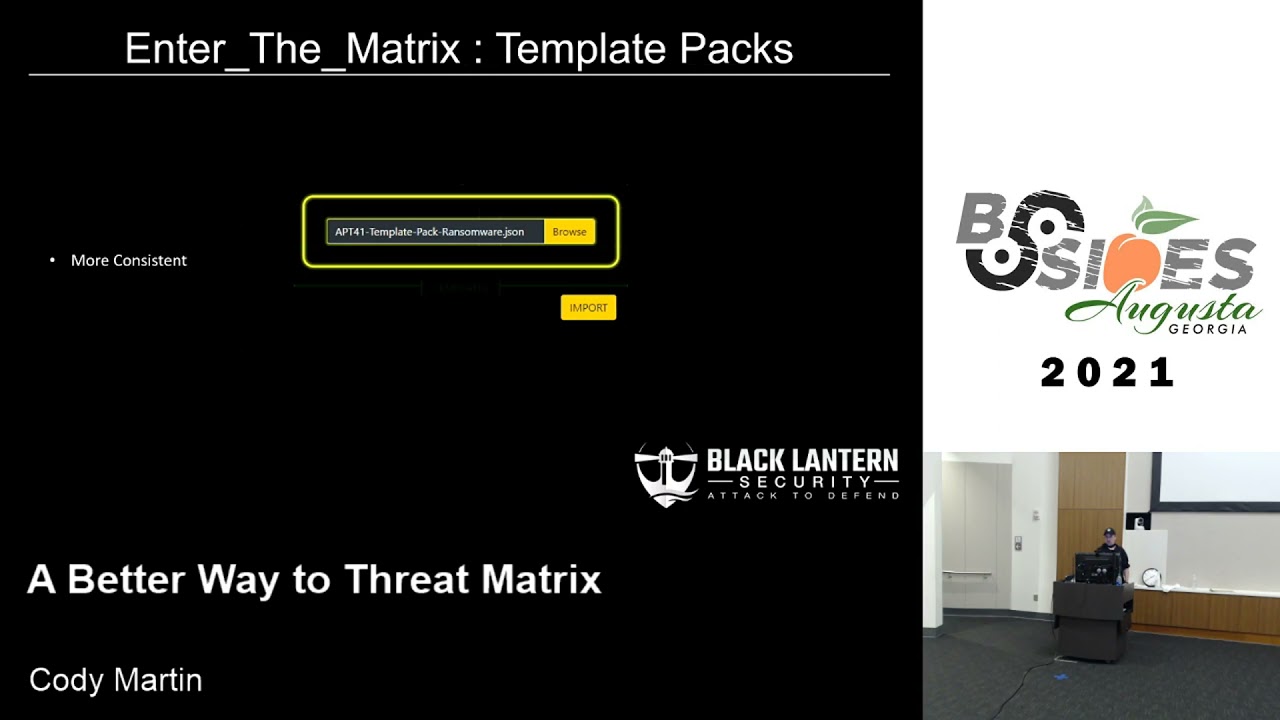 28:07
28:07