MFA: It's 2017 and You're Still Doing It Wrong
Show transcript [en]
welcome everyone welcome to Philly b-sides that was loud you are at mfa its 2017 and you're still doing it wrong if you're here for anything other than multi-factor authentication you thought MFA stood for something else you should probably go to the Russian talk because we're talking a lot about multi-factor authentication I'm Chris Salerno that's mr. um yeah I yeah I like mine better anyway I am a director of security risk advisors and some of you may know me as not a defensive guy and instead as an offensive guy but I can I'm here to tell you and make the official announcement for everybody who's confused I am 100% defense now I lead our 24 by 7 cyber
sock at security risk advisors I'm Dan asked her I'm a senior consultant on her technical assessments team and perform penetration testing red teaming stuff like that so focuses offense all right we've got an agenda we're gonna cover these things the slide isn't terribly important besides we're gonna talk about mfa a quick overview we're not gonna go into detail about what everything mfa has to offer and all the solutions and all that good stuff we're just going to give a quick overview for everybody and then we're gonna walk through some war stories some things we see in the wild how you're probably not doing MFA as well as you think you might be and then we're gonna wrap things up in a neat
tidy little bow and send you on your way so overview hit the next multi-factor authentication as I mentioned we're not gonna go into deeply what this is but you should all pretty much have a good idea here we had username and password I know that's two things but we call that single factor authentication so this is everything in addition to a username and password so things like push notification your cell phone things like soft tokens hard tokens up until pretty recently SMS but NIST kind of said never mind don't use SMS because of all the fun things you can do over SMS like steal things so anyway we're down to some a few of these now you see
search on here with a question mark next to and the reason why it's got a question mark raise of hands who thinks certs are a viable multi-factor solution oh man smart crowd okay fine yeah it's not it's not it's it's what we it's what we you know kind of term one-and-a-half factor solution right and why is that why are certs not as good as the other something else's if you'll notice everything else in this list here that's temporary it's a one-time thing it's a one-time in it's a one-time passcode it only exists for a little while hopefully a very short amount of time sometimes we see them exist for way longer than they should but certificates they're pretty
permanent right you can issue new ones of course and you do but as far as permanence someone can steal one off of somebody else's computer put it on another computer and you can pretty much in the same level of access without too much trouble MFA the reason you know one of the reasons we're having this talk and I'll go into a couple more it's it's hard to do this isn't like something you just slap on and make sure and everybody it works and everybody's happy this is something that is difficult to do you have to really balance the usability versus the security aspect like everything we do in our industry you have to make that balance work so you
have to think about hey you know how many times how often are we gonna ask users to reallocate and use multi-factor how often we're going to annoy them doing this and are we gonna use things like adaptive authentication things that might make this a little bit easier for the end user but what are we losing as far as security goes when we use those types of things so this isn't difficult we're gonna show you why it's not difficult but let's let's talk about why we're here so we're sort of past this right no way it can't be Jesus Christ that is just baby town frolics yeah so we're sort of past that I mean that
still works sometimes right but like most of the time it doesn't so we've thought of hey how can we do this better and it was multi-factor authentication so we're still having this talk because I've made the bold pretty every year for the past five years that our red team and penetration testers would have a much more difficult time going from external to internal and it simply hasn't been the case we're having this talk because some people think a disaster recovery VPN means that you're not on the internal network you definitely are you're just in a different subnet and we can move to other places it's called lateral movement it's one of those things in the
kill chain you've also told me at least my client said that you've got a group of users where multi-factor authentication hey it doesn't apply to them it's too difficult for them to do you know it might be the c-suite where they're like yeah we can't bother them with an extra factor like they're not gonna do it or there's even a group of people who they say they don't have phones and I just I don't tell you if you don't have a phone I don't know anyway really what we're gonna talk about are the next five or six things that Dan is going to go into much more detail about and these are real-world scenarios we've seen it our our with our
red teams and penetration testing in how we either bypass kind of sidestep or otherwise just ignore the fact that there's multi-factor authentication out there and still gain access to internal networks so the first stuff is email and we're going to talk about email and when our clients do multi-factor authentication a multi-factor everything they consider to be a remote access portal for some reason people don't really lump email into the whole remote access portal thing and it's because I guess it doesn't give you access to the internal network it does however give you a lot of interesting access so then sure yeah so like Christmas say and we see email out there they multi-factor all the remote access portals but email
still hanging out there or they do put multi-factor on there and then we'll kind of talk through a couple different ways typically with this we're going to talk about office 365 OWA if you're still using Lotus Notes gonna help you uh-huh I mean it's still there right like some of you are still using it anybody who creates with hands who's still using Lotus nope sorry I'm really sorry stop by the booth we'll give you one of those bottle workers so you can crack a beer later we'll pray for you yeah yeah and so our typical attack for these is once we identify sort of the you know the portal or the service we'll do something like
passwords brain so taking a bunch of usernames writing a single password against this but what we do see is this is rarely detected I mean it's difficult to detect based on some of the the architectures that are in place you know sometimes you have your OWA server that's authenticating to your DC and you're only getting DCI logs and so the source IP is always showing as coming from the OWA server so you're never getting that true source IP so it's always a failed login from the OWA server you're not never seen oh you know we're getting tons of hits from this particular IP but you're not seeing that because it's all the OWA server if you
zone out for the rest of this talk remember this one thing go back to whatever company you're you're from and configure a rule that detects when someone guesses like a thousand passwords against your endpoints and then gets in just configure that rule and everything will be a little bit better cool so the first thing we're going to talk about is W a this is Outlook Web Access application so when we see this out there it's typically fairly easy to identify you can just sort of do some searches for subdomains like web mail there's also the auto discover feature if you're not familiar with it you can sort of just plug it in and it's what something like
the outlook client or some of the other services can use to identify the exchange server the other thing with this is not only do they have the the web portal that's accessible but you also have the backend services for exchange to connect into and the interesting thing with exchange is there's a couple different mechanism that you can use to connect to so if you don't necessarily have access to that web portal or if the web portal is multi-factor don't forget to try and connect with different services because you might be able to just connect to them over a single factor so we'll kind of walk through that so they just there is basically try to use like the thick
client for Outlook that will use a different method to authenticate rather than just the portal there's also tools like and male sleeper that will also connect directly to the service instead of going through that web portal so here we have just like a quick screen shot so this was an Outlook Web Access portal and with this it was behind something like an f5 device or some type of SSO to further you know past the users access through so with this we see they have a username and then in addition to the password that passcode which it makes it a multi-factor authentication for it but the interesting thing was we did a password spray on a different portal and
we found a set of credentials that worked we couldn't log into anything sensitive with that so we tried just sticking like the thick client and then you just pull down the entire users inbox to your local system with the user and password this would also help with we do this with like mobile apps so using Outlook on your phone or using like ActiveSync yeah so just so you just multi factoring the front end doesn't mean there's not another service listening that you can connect to so office 365 this is something that we're starting to see a lot of people starting to transition to office 365 is pretty easy to identify if someone's actually using it or not you can just go to any
of the office 365 logins like portal office or login dot Microsoft online and all you have to do is just put in test at you know whatever domain com you want to check and then you just hit tab down to the password field and the nice thing with that is they will either redirect you to the actual URL for their login if they're doing something like a DFS or it will just you know pop in their logo on that Microsoft login page and then from there you can just login you can do password sprays against that and then this isn't necessarily saying you know MFA is bad on this and a bypass for its once you get access to office 365
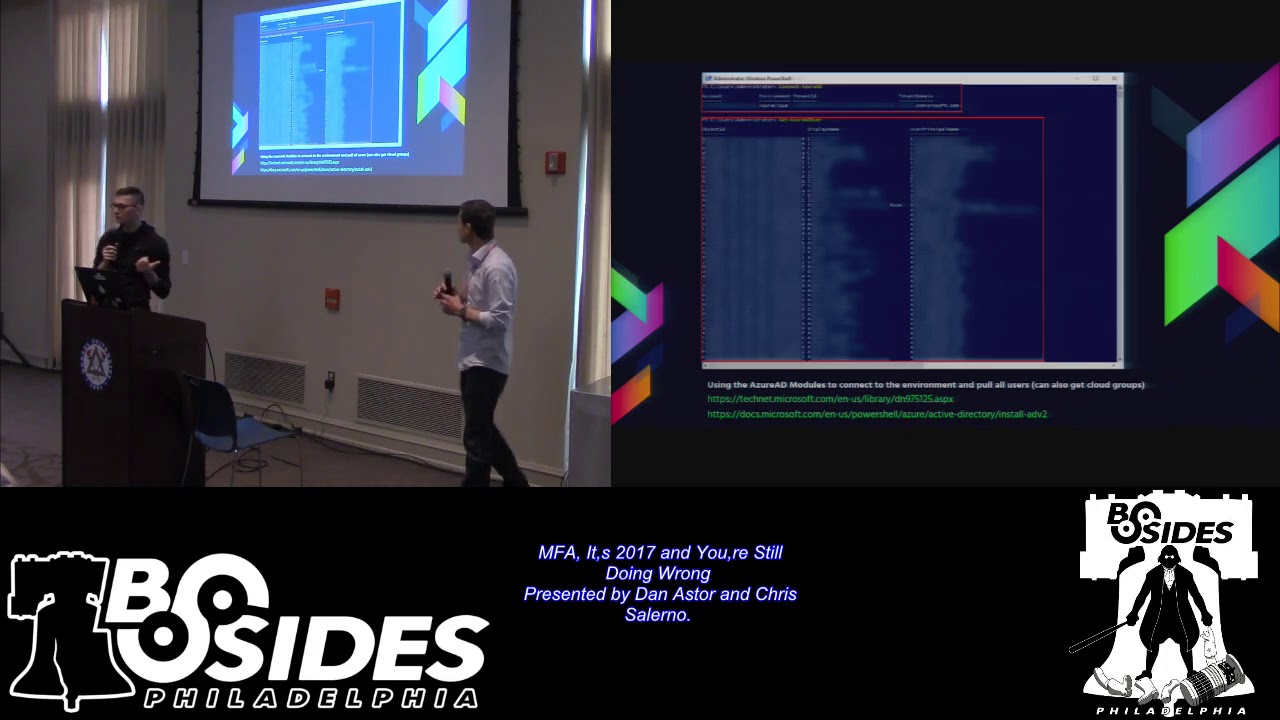
there's a lot of damage you can do and we're starting to see a lot of people transitioned office 365 and they're like well we don't have a lot of users using it yet why do we need to multi-factor it and so the next slide using the powershell modules for as your a D and M solve microsoft services online you can actually connect into an environment with the username and password you can then pull down the entire user list you can pull out cloud groups that are you know sent out through federated with as your you can pull those down and then you don't only get like your initial 500 users that you did that password spray against you get
all you know let's say like two hundred thousand in the entire domain or a couple domains that are also you know federated out so you get everything yeah this is yeah what was that yeah it's all know this is authenticated so you still have to authenticate with the username and password but once you do it's just like ad you know query in it so yeah you ad query this and the point of this isn't that so it's what Dan was saying you would like started an office 365 project and you federated your domain out to o365 and you maybe have like three users that can use it but guess what like you can still log in you
federated all of your information with office 365 at that point and if you can get just one user you can then dump the the backend and get all the users now you're not getting passwords out of this but again you're gonna go back and redo a password spread based on this information the other cool thing with this too is they don't necessarily have to have like the mail service or the different apps for that user just because they have an account on here that's all you need to go in and actually authenticate and query it so we see that a lot to where they're like well none of the accounts that you use have access to mail or we
don't have mail or Skype or something like that and you don't need that you can you know authenticate to it and then pull the info out you want and then there's the links to the modules if you want to try them out so what do you do once you get access to someone's email because it's not the end what you want to do is you want to start to pilfer for data so things that you want to look for you might find like emanated for mergers and acquisitions you might find a bunch of SSNs if you got into an HR person's email credit cards things like that a lot of sensitive data just kind of
sitting in files the other thing you don't want to do for too is do searches for things like password a couple of multi-factor solutions RSA duo things like that MFA VPN if you didn't find that VPN portal already chances are there might be an email that has a direct link to it that you can then click on and then there's a tool called mail sniper that actually helps with this process so you just feed it credentials and then you know specify or based off of what you specify it'll go through and start to look for things like passwords things like that and then export it to a CSV file and you might get something like this so this is a
good example of doing pilfering for that so we did a search for RSA and we found an RSA soft token that was you know sent to the user so we just downloaded that stuck it in our via our attacker VM and then connected to their their VPN solution now the interesting thing with the soft token is you still have to guess the pin at least for the way that this RSA was configured he's not to guess a pin that's assigned to that soft token and so there was a nice email that was sent out before this that said hey the defaults nine nine nine nine changed that so one two three four obviously worked yeah of course and then the other
thing too is and I based on different talks I've had with people this is something that might be new to them but through outlook you can actually get shells from systems too so what you can do is you can go in and create a malicious form that's going to leverage something like a VBA a malicious VBA file or code that then gets executed and you would trigger that with a rule or you can just configure a malicious rule you know that executes on a certain given trigger and then executes the code and then you can get a remote shell that way so next up is one of my favorites self service and sometimes self service
doesn't go exactly as you hoped it would go you're giving your users a little bit of power here and the reason why you're giving them some power is because self-service portals are designed to do what they're designed to allow someone to reset their own password so they don't have to bother the helpdesk is the help Dex has other things to worry about except for besides password resets and so that's why they're out there it's to lessen the burden on your service desk or helpdesk great so this is an external service and you should have MFA on this but what happens when you don't have MFA on the thing that controls them if a well then you here's our SA self-service
we have picked on RSA twice this isn't like just their problem this is a lot of different ones this just happens to be the example we were using maybe this service shouldn't be exposed to the internet yeah maybe that maybe you should only be able to reset this when you're on the internal network I don't know there's a couple different ways to deal with this but you enter a user ID here then you get the next screen and you get a password prompt and sometimes you can do a password spray against this but sometimes you can't you have to your password spray somewhere else and then you come back here and then you can enter in the username password but then
yeah please tell me the RSA ones is smart enough where it will sort of send you on to guess the security question for each user sometimes so yeah it'll can't really do user inu through it which is good so the fun thing to do is self-service portals so once you gain access to it there's a couple of different things you can do you could register a new device like yours for their account the the only caveat with this is you usually have to have access to their email so if you are able to gain access to their email you can then go ahead and create a new device which will sort of step through in the next
scenario the other fun thing you can do with this and I know this is for RSA I'm sure do over some other of multi-factor solutions also have a similar feature but these are emergency access tokens and there's a great blog post by Alex Leary from net spy on this but basically what you can do with an emergency access token so if you can configure this through the portal this is a code that you can then use to basically put in place of your regular pass curve the the pin that cycles on your MFA solution it's a master code yeah yeah so like I was saying you can go ahead and create a new device so in this scenario we were
able to gain access to the self-service portal we went through and said hey when I create a new I know soft token specified iPhone and then you just have to create a pin the interesting thing about creating a pin is it also tells you you can't use a pin that you previous used so you haven't tried this yet but based on that it seems like you might be able to figure out what the user's previous pin was and also notice it's only asking you to create a new one and confirm it it doesn't care what your old one was like we're back to lie but ten years ago when people were just asking you create new things without
verifying the old thing so that's probably a flaw that should be corrected yep and then there's just a field for a reason for a request so for that we just filled out we said hey we got a new phone I want to you know add this the one thing I will say is it might be helpful to include what we have there is our binding ID so if you download the RSI up on your phone you just pop it open and there's a binding ID that they need to create the token with so it might be helpful to just include that in there that way when they go ahead and go through the whole process it's already
there they don't have to contact the user to get it yeah so a bunch of things went wrong here right in order to pull off this type of attack one we were able to get into this portal too we were able to register a new device did not belong to the employee that originally you know had these devices registered and when we registered that new device do you think that employee was notified that a new device got registered under their account no no they weren't they just had a new device and they had no idea there was a new device in there unless they logged in and looked at the list of devices that existed yep and then the
the process to actually get it approved in this case was automated so basically if you did this they went through a queue and the instructions for the Service Desk were if you ever see these come in just automatically approve them that's somebody trying to get a new device when with their multi-factor authentication solution you're good to go so there's a lot of a lot of steps here that kind of could have been stopped when we were doing this attack that just led us through and and and made it made it happen for us yep so we just got an email with the new URL string that we just download and pop it in our phone and then syncs with it and
we get our ID what we did here though we created a mailbox rule that basically said if there's anything coming from RSA in like the subject line just automatically mark it as read and send it to the deleted items and we'll just check the deleted items warts so the user doesn't see it right Microsoft Remote app is anyone heard of this use it know what it is I saw some yeses okay so a Microsoft Remote app is basically like Citrix it's basically the same thing only Microsoft produced it we don't see this a ton but we see it enough that we thought we should include it in these slides here so basically what happens is you log into Microsoft
Remote app you have that nice pane of glass which displays all the applications you're allowed to connect to yeah it looks like that so you can access all the versions of ie you would ever need to access for whatever reason and once you're in this it's basically like having access to the internal network so we're moving ahead a little from just you know kind of identifying things that may get you access the internal network to things that will get you access the internal network yep so it's going to be similar to Citrix and the user that you login with this way can have access to the apps that they have published to them remote desktop sessions something like
that so the cool thing that we figured out with remote app is and you can stick this behind something like an SSO for multi-factor solution because it supports sort of passed them off from some other provider I'm sending it through and then you can also do direct MFA on it with something like a duo plugin where it gets included with that sign-on from the actual web portal the interesting thing that we found out what this is well that's all done on the web site sort of similar to the OWA scenario that we were talking about if you can connect directly to the connection broker you can log in directly with just your username and password it completely
bypasses that SSO portal so what does that look like so Microsoft actually provided a slick tool our a client that will allow you to do this directly so if you're running something like Windows 8 and I think up from there yeah if we did this on Windows 10 but I believe it was in Windows 8 that you just opened the control panel or your Start menu and just search for a remote app and it pops up this client which you can then just paste in your email address or a URL to the remote app server that you want to give it to and this will actually go against the service itself instead of going through that web portal so you
just log into it that way and then you get the listing of applications just with username and password and then you know you just pick the application you want to launch it launches it in sort of an RDP session but it's not a Ford if you session it's just the application spawning so on the server at that point you just do your breakout and you're on the internal network and this one was super easy dan mentioned you can enter an email address and just want to make sure everybody caught that that means you didn't even have to know where the service end point was it auto discovers based on your email address and your domain where the
service endpoint is and just connects you to it without the multi-factor portion yeah ah social engineering many uses in the red teaming and penetration testing world that's yeah and it's a it's even more useful now for things like multi-factor authentication and bypassing multi-factor authentication we've used over the years social engineering to break into buildings to get just usernames and passwords to get sensitive information from our clients but in this case that Dan's gonna walk you through we're gonna use this specifically to bypass their multi-factor authentication solution and gain access when we definitely shouldn't have access so social engineering is probably one of my favorite attacks to do but so the scenario for this is the
first thing you're gonna want to do is start to perform some os-- and some open source Intel for a person that fits the role that you want to find or that you want to access and so with this particularly targeting like a VPN or some type of remote access portal I'll typically go through and be like alright so which type of employee is always going to be on the road and you know it's gonna have to have access to these type of services they might call to helpdesk a lot and they might not be the best person to call to help desk because I hope the help desk hates them salespeople how many people have sales
people in their environment you know that use these remote solutions and always have issues sometimes you have to like airdrop a laptop because it gets crypto vault or something like to a hotel yeah that happens I work support before so I know salespeople are usually a pain so I try to find a salesperson and then from there you know get some info about them that I can call in with the other thing you need to do is you need to find the help desk sometimes this might just be as easy as being displayed on some type of you know sort of employee site that's externally facing sometimes you have to call a couple numbers so maybe try calling the
reception desk at a couple of different offices and sometimes the nice stuff just to pass you through or give you the actual number to call so from there once you obtain the number calling into the Service Desk and then what you have to do is get a password reset sometimes you actually need that get them to give you the proper username because it's not going to be you know first initial last name like you expect maybe it's you know your full name or maybe it's some random string of characters so you might have to do that you're then gonna have to get a password reset assuming that you know you don't already know the password so
getting a password reset and then the icing on the cake getting an mfa choke and reset so you have a couple of things you have to do but I will say don't forget about the web-based chats that are out there if you find a support site that has sort of like the instant message client you know built into the web browser don't forget about those sometimes they're actually easier to use than calling in so I've discovered some helpful tips that sort of might aid you in social engineering the first is play dumb and when I say play dumb I mean really dumb sort of the more frustrated you can get the helpdesk person the better for you she's one of
those like unethical life pro tips yeah mm-hmm so basically the service rep is going to what to get you off the phone as soon as possible because they're usually their performance is based on metrics so how many tickets they get through in a given day or a given time period something like that so the quicker they get you off the phone the quicker they can get to some of someone else and like I was saying the more frustrated typically the easier it is for you to get what you want we did this one time and one of our guys actually got this one late he's so frustrated she just stops and says sir it's a thinking
problem it's not an issue on our end which you know sort of after that she was more willing to give us what we want that's work yeah don't get a guilty conscience when you do this yes it's fine but like I was saying you know this using the instant-message clients so this is an example of using the instant-message client basically we said hey and you know where this user where a sales rep we're trying to get access to some portal we saw they're launching some portal I think it was like Yammer or something which was like really unrelated yeah and we're like we want to get access to the Yammer and you know in once access to Yammer by the way no one
like this guy was a little confused at first and he started walking him through and we basically got him to tell us oh you're using the wrong username so all right cool and then like we still can't log in any sly q1 the VPN or like no and so he resets our password just a winter 2017 and then he's like it's still not working he's like you have like what's your credential ID for Symantec VIP and so we just like pulled it up on as we download the Apple on our phone and we put it there and we didn't tell him to do this but he just like coded that into the users MFA for Symantec and he's like
oh try again now with the code on your phone and it just worked so so when you download that semantic gap everybody gets like a unique ID and he needed that that just clarified okay the one thing I will say is if you are gonna do this it's really helpful if you just go ahead and download like every multi-factor app out there so you have it already I just have a read on your phone so basically we took this from what access portal which was a Citrix portal with a username password and then the Symantec VIP token and then from there we had him reset everything for us and we just walked in and the funny thing was this
didn't just work once like we did this and it worked like six times so it did did Oh shared FFA this is my story time isn't it this picture will make sense in just a sec so we're at we were doing assessment probably one of my favorite stories from 2017 we were doing a test for a client and we were hammering away on a single factor portal and we were doing our thousand password guesses you know one pass per guest per thousand users as to not lock out anybody have some favorite passwords they like to use any red teamers or pen testers yell it out no so summer 17 rows the other one alright they're all good
anyway we were using fall 2017 because you know that one works probably most more often than that and we were getting some hits and you know how when you're using if you're an avid user of Bert proxy you're your length is all the same and then all of a sudden it's not you get super excited and you're like oh man we got one so that happened like five times and we're like oh this is spectacular let's go to the portal and log in so we try the first one it didn't work all right that's weird so try the second one and the second one worked and we're like so excited that's great we got on
so we tried the rest of them and they were like intermittently working we like couldn't figure it out so we were like all right whatever so we'll just go with the first one so we had like three of our testers log in and use the first one and so we had three different connections going because we like the crowdsource or our penetration testing and we couldn't we went through the whole thing we got internal network access we moved laterally escalated privileges we did the whole thing and we wrote it up for the client and we sent it to him and the title of it was single factor access to the internal network and the client got the report
was like guys what are you talking about we don't have single factor access we upgraded everything to multi factor access but like this isn't this can't be right and they're like okay well what what's the URL maybe we're using a backup or something no no that's the URL that's the right thing and everybody is using our multi-factor solution so well what is it it's phone factor does anybody know what phone factor does phone factor calls you yeah it calls you and and so what we found out was this was in a hospital setting which makes it a little bit more funny for all of us and the doctor used a cell phone that he he registered with phone factor and
crowd-sourced his multi-factor authentication to his entire department he basically said if this phone rings pick it up press the number and that's all you have to do and so we couldn't figure out why this one was working every time and we must have didn't live that's like all times of the day and night and so like some intern at like 2:00 a.m. was probably uh one click hang up so anyway the moral the story is don't crowdsource your multi-factor authentication there's not much technically you could have done to prevent that except for teach it's a teachable moment it's what we're here for teachable moments next we want to make sure we touch on of course internal MFA
we all those other examples were internet facing multi-factor authentication but as we move to more secure organizations and securing the stack we we want to focus on internal MFA as well why you've got zones you want to protect you've got a PCI zone you might have HIPAA data in a certain zone or other really sensitive things that might you might want to configure a jump box or some other type of configuration that prevents just normal users from accessing that zone and a great way to do that is with multi-factor authentication but it doesn't always go as planned by the way this is this is of the external ones external isn't easy this is even less
less easy this is harder to do so the first thing we're going to talk about is remote desktop so like Chris was saying you might have some you know highly sensitive zone that's supposed to be segmented from the internal network we see a lot of people moving to jump boxes to sort of be an intermediary between the two zones so you jump to it in this particular scenario and we've seen this a couple of different places where they put something like RSA or duo multi-factor on the actual you know remote desktop for an interactive login so if you're actually I go up to a computer it would also have it there for interactive logins but for this case it
was remote desktop so you wants the remote desktop session because we had a bunch of Doc's that we found that sort of had info on how to connect to the jump box and were like okay so we just pop a remote desktop session to it and we're like oh okay multi-factor makes sense the weird thing was we're like well how does this communicate with like the DC on our network you know how does this you know get updates and things like that and so we started looking into it we're like oh there's no like firewall in front of this jump box to restrict ports or anything so you can just still connect to it you know over your standard SMB
you know using our PC ports to sort of like run like women or some other commands on it and they still work with single-factor so this is sort of what it looks like so we Remote Desktop in and we see this but then we're like okay let's see if we can just run some commands on that remotely from our system which is in you know user land and we see we can just run like task list on that remote host with a username and password give me to run ass and we're like oh okay interesting so we just get a shell on that system you know without having to actually log into it and from there we just pivot from there
into you know they're highly sensitive Network yeah so if you are gonna do something like this make sure you're actually creating something you know that actually restricts users from using the services that you know they can still access which aren't necessarily multi factored all right hypervisors this is a bit of an interesting one and we see this at a few places and it's it's a bit different but basically you have this highly sensitive zone will say this client has done everything properly they have you know ecl's in front of everything they're using an ssh jump box with you know ssh key pairs in addition to their username and password to log into it then once you log into the jump
box you still have to go and configure a port forward session to you know connect from your computer and push it through to whatever server you want to hit so in this environment we started to look around because we're like alright we're not gonna find a direct way into it so we started to look for the hypervisors and something like vCenter vSphere Zend server something's going to control things so we started looking and we found this vSphere application that was accessible from the user land this wasn't unlike a management network or anything so we just hit this and we were surprised to see that not only did it have sort of all the servers in that
zone there but you could just launch a remote console on it and there was no login there was already an open session on every single one of their servers so at that point you didn't even have to off to it it was a different domain so we didn't have the credentials for it but what we did have was you know a server admin log into vSphere and then there's open session already on the server so you can just do whatever you want at that point so the moral of the story is for this one if you are going to manage stuff you know from the same hypervisor making sure that you're doing you know some type of MFA on that or you're
segmenting the hypervisor access from the standard user land okay and then the last area that we have here is around dual NIC to monitoring servers and so when I say dual nichts I mean something that has multiple network interfaces that are connected to different zones and so for this it's the same set up we found this client had you know properly done everything and we're sort of looking around getting access to different things just to sort of see what we could get access to and we came across the Nagios server is anyone familiar with Nagios in here okay so Nagios is it's sort of a performance monitoring server so you know it can tell you when your CPU on
you know X server is being pegged at like a hundred percent so it's like health monitoring for servers and what we saw once we logged into this from the user land was hey the PCI servers are listed in here does this have direct access to the PCI zone and so we basically did this we said all right we'll log into this Nagios server which was a linux box and then we just did a couple of discovery things to see if we could hit you know PCI servers and we could so from there we just did a port forward through our our SSH session from our attacking workstation to the PCI sequel database and from there were able
to exfil credit cards and the funny thing with this was because we were not going through the standard jump box we weren't going through the standard method that that client had already configured for this is how you access PCI and it completely bypassed all of their monitoring solutions so they didn't get a single alert for all of this you know the logins to the sequel server because they're doing interactive logins to the actual system so all of these connections directly to the sequel service weren't even you know logged in their sim yeah they weren't happy about this one yeah it was funny too because we you know we've been doing this it's like 7:30 at night we're still
there and we see this and we're like all right and we're waiting for someone to come down and like yell at us or get a phone call or something it never happened and we're like okay so we told about the next day and like we didn't see anything yeah so as promised we're gonna sum things up here so you just saw Dan described a bunch of different ways that you can either bypass multi-factor authentication ignore multi-factor authentication so five things to remember MFA all the things I'm what we mean by that is don't you know consider things like email not to be a remote access portal you want to have multi-factor authentication on anything that might contain sensitive data or
allow an attacker to use that as a jumping off point great you want to have people have access to email that's spectacular put it behind the multi-factor authentication solution you don't have to put MFA on the email itself put it behind the portal that you've already configured to have MFA test your service desk your service desk has a script and they're gonna follow that script and if the script says automatically approve all these requests that come through guess what they're gonna do automatically approve all the requests that come through the most important thing here that we see throughout these tests is that there's not a proper method that a service desk can use to verify that you are who you
say you are it seems like it's disparate it nobody really has that like nailed down three things that they need to ask in order identify somebody is who they say they are and you have to make sure that those pieces of information can't be easily gleaned from other sources like LinkedIn Facebook etc things that are already on the internet or you know hey what's your username like I can figure out the username it's not going to be difficult there's if you go to like email - format com like that tells us your email format and then it also tells you the username scheme the probable one so make sure you test that process start to finish and see if
there's any areas for improvement there and test yourself service portal walk through it yourself walk through it and see is there any point in this self-service portal setup in which an attacker who isn't me could simply inject a new device in and gain access and pretend to be me 3 is super important it's around monitoring a lot of these things could have been detected I'm not gonna say prevented necessarily but definitely detected with proper logs going to a sim or doing threat hunting with EDR solutions these types of activities are super important you're not going to get everything to be perfect it's it is still 2017 and we you know the purpose of this talk wasn't to
say your MFA should be perfect now it's these are some of the things to think about but also do lots of monitoring to find out what the bad guys are doing on your network expire OTPs I mentioned earlier we see a lot of these lasts way too long they sit in email we can pull them out once we get into email and just use them as a one-time pin in particular those registration emails to get set up for the first time make sure those expire and last but not least for everybody in this room makes sense think like an attacker walk through all these processes as a penetration tester or red team or wood or bring in somebody to
help you do that that's done it lots and lots before they'll help you identify the gaps shore up the solution and make things go a little bit better when you're implementing your multi-factor authentication solution yeah my Christmas saying you know when you're implementing these try to think about the other things like the services where you're sticking in SSO in front of it you're like oh it's multi-factor but then you have these services you can just directly access you know from the internet so this scenarios that we walk through they work for us your mileage may vary of course and you know these were just with different configurations so you can actually you know do it
properly it's just making sure that your config actually makes sense and you know you're restricting things that you should so thanks all we'll take questions if there are any yeah two questions
the so I think the question was and correct me if I'm wrong have we tried attacking Windows 10 with the picture and pin login sure I mean if you're using the pin it's just a bunch of numbers and then eventually lock you out we haven't done extensive testing to see if that's like you know a flaw that Microsoft has in there you know authentication scheme but if you're using something other than the password picture you know I'm sure there's lots of folks who have done research to tell whether or not that's that's good enough you've got the fun Apple stuff now that's way more advanced than anything I think Microsoft had come out with when
they thought about doing those picture things yeah we also don't see that rolled out in the enterprise that much it still is they're very rare I don't think I've ever seen it in an enterprise environment
yeah it's a good question and he said you know some of these things were were you know just one additional factor what about a more factors on top of that I think as you saw with some of the examples and particularly the ways we sidestep all multi-factor authentication you can those are still applicable you could put seven layers of multi-factor on there but if we're not using it at all and we're just going in a different direction we're stepping around the the the landmine it's not going to matter how many layers you have any other questions questions questions questions all right well thanks
if you do have questions we'll be walking around later so feel free to stop us
Related talks
 48:57
48:57 18:50
18:50 57:04
57:04 40:23
40:23 41:33
41:33 18:17
18:17