The Katz Out Of The Bag
Show original YouTube description
Show transcript [en]
Hello, Big Size Budapest. I'm very happy to be here. Today I will talk about Mimikatz, the famous security audit or credential harvesting tool. Not just the well-known offensive side of the story, but also from the defensive one. How it works, how to detect it, how to detect the presence on your system, and how to harden your system against it. First, let me introduce myself just a couple of sentences. I'm the CEO of White Hat IT Security, which is a quite new Hungarian IT security company. And in my spare time, I'm also a visiting lecturer at Obuda University, Budapest. Why I'm talking about Mimikets? Because during my daily job, my team and I often meet credential
harvester tools, mostly Mimikets. During incidence response, we met Mimikets many times. During red team assessment, we used Mimikets many times. During blue team development, we teach environmental hardening against it. And in our Enterprise Defender course, we also teach how to detect the usage of Mimikets in an enterprise network. Another reason is the NCSC joint report. Last year in October, the British and CSC, which is the National Cyber Security Center of England, in collaboration with other Five Eyes countries, released a joint report about limiting the five most effective hacking tools commonly used by malicious actors. In this report, you can find GBI Frost, China Chopper, PowerShell Empire Age Trend, and for sure, Mimikets. That gave me the idea to bring you this talk today. So what is Mimikatz?
As I say, it's a security tool from my perspective. It is developed by Benjamin Delpy. Mr. Delpy identifies himself as a programmer, but not a security guy. He started to develop Mimikatz just to improve his knowledge and to prove Microsoft that somehow they have to change old habits. To be honest, I really like this mentality. Sometimes researchers have to force vendors to do some development on that side. The problem that Mimikatz is also used by cybercriminals, since it is easy to use, it is open source, so easy to modify, easy to obfuscate, so hide against antivirus and different kind of tools. and it is possible to expand with other new features. Mimikatz was released in 2011
May, but that time as a source code program. But after a strange encounter, it become open sourced. According to the Wired Magazine, Mr. Delpy visited the Positive Hack Days conference in Moscow, Russia 2012,
Two days before his talk, he found a stranger in his room in front of his computer, and when he asked the guy what he was doing, he just left. Then after the conference, a more professional black suit guy demanded the source code and the presentation from Mr. Delpy. That was the point when he handed it over because of his fear in his physical safety. But before he left the country, he released the code on GitHub. So since that time, the Mimicats is open source. Let's see the evolution of credential management in Windows. Sorry, I have to start the story with Windows 2K, but you will understand why. User secrets in Windows 2K were not really protected. I would say it is not really protected
at all. And our user secrets just were in the memory, waiting for anyone to grab. But let's see what are the user secrets exactly. I'm pretty sure that you know, that you can tell me some kind of secrets that could be stored within the LSA process. Obviously not just our very strong user passwords, but the service account, system account keys, encryption keys, and the credential manager.
One process handle it all, as I mentioned, the LSA. The formal name of this process is lsass.exe, which is the local security authority subsystem service. In Windows 2000, the LSA SS contain LM and NTLM hashes
without any protection, so as the form as it is. The user and other passwords are in there too, but I would say don't worry, guy, because they are encrypted with the one byte XOR key. Of course, because of this fact, several tools do the dumping from the memory, from the LSCSS process, simple XOR did back and the code get back to the attackers. Jumping to Windows XP, in XP introduces the Windows authentication packages. These serves as a connector between the authentication platform and the LSCSS. So new modules appeared in connection with the LSCSS. Each package is used by protocol, something like RDP and web service, for example. Let's just see the process MSV1.0, which is responsible for
machine logins. It gets the username and the hashit password, checks in the SAM if it is correct, and if it is correct, it creates a logon session, a logon identifier, and passes it directly to the LSA. A more interesting package is the WDigest, which handle the digest authentication in this Windows version. For the digest authentication to work properly, WDigest needs the password in clear text. So, in Windows XP, the passwords are protected by the LSE Encrypt Memory function. This function uses either DES and RC4 algorithm,
to encrypt the passwords in memory, but unfortunately the keys and the IVs, the initialization vectors are still there. So as we said that we told, it is something like storing sensitive encrypted information in an email and the password for the encryption is same email. So doesn't make sense. Wdigest carves out the password and the corresponding keys and IVs and just decrypt them. As you can see, because of the symmetric nature of the algorithm, the decrypt function is the same as the encrypt function, just called with a zero parameter. So Mimicat do exactly the same and gets our user passwords. Jumping about six years in time, Windows Vista and Windows 7 has appeared, but there are no real changes
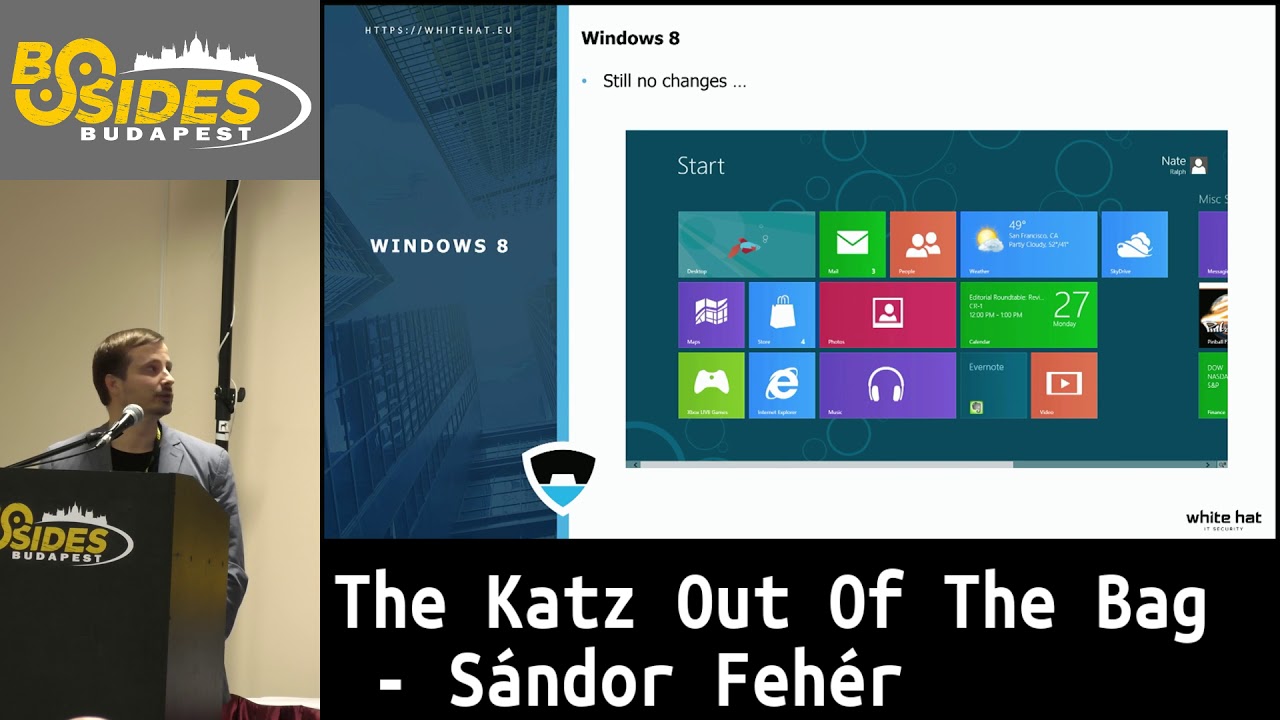
in the terms of credential security at all. our sensitive passwords are still in the process memory without encryption or without defense. Only new development in Windows 7 is the new authentication packages that were introduced. From the red teamers and from the attackers perspective, everything remained the same. Mimicat still works and it's fine. I hope you remember Windows 8 with the beautiful tiles without start menu.
The real developments came with Windows 8.1. The encrypted passwords are no longer in the memory, which is fine. Wdigest is turned up by default, which is also fine. A cache cleaner was implemented to erase some of the credentials from time to time. Remote desktop connections, for the remote desktop connections, restricted admin mode is the new feature. To put it simple, if you are RDP in a machine within the domain, you are a domain user and your account is a part of the administrator group on that local machine, it will transparently switch off your credentials, so you won't reach domain resources, but it is also good because your credentials can be stolen from that machine you logged on. It is good, less harm can be done, more on that
later, we will get RDP back soon. Continuing with Windows 8.1 features,
LSA protection now only allows LSA plugins to be loaded if they are signed by Microsoft, which sounds great, but Mimikatz kernel driver could solve the situation somehow. You know, this security feature by Microsoft handed in a kernel. Mimikatz has also a kernel driver, so they just modify one byte in a kernel and you don't need signature at all. So that's it. The positive thing that, another positive thing that a protective user group was implemented in Windows 8.1. This is really great. No credentials are stored in the memory. Some of the weaker protocols are disabled by default, which is also great. probably have to type your password every minute when you try to reach a resource
or a domain resource, so it's not convenient, I would say.
Entering Windows 10 and Credential Guard era. Credential Guard is a security feature lying deep within the kernel level. I hope you see it, I tried to highlight it with a pointer. Great.
Here, so credential manager here is in connection with the operation system kernel through the hypervisor. Microsoft uses its own hypervisor to create the virtual secure mode to prevent sensitive information lying in the credential manager. By default, the LSA here and the two code integrity processes are in the credential manager. The isolated LSA here, I hope you see it, it's a little bit small. The isolated LSA in a host needs connection to it. The LSA is in connection with the isolated, is in connection with the isolated LSA is in connection with the isolated LSA. We arrived at a time when no credentials are available at the host machine memory. You can dump it from the LSCSS since it is
just an encrypted blob, which is great. Do you think if it solves the problem or not? Who think it solved the problem? Okay, you're absolutely right. It doesn't solve the problem. After a long journey, we have arrived that point, but it's not the 100% solution, I would say. Back to the story of Mr. Delpy. After the release of Windows 10 and the credential guard, he was able to find, again, a weak point in the credential security. And he releases a new version of Mimikatz right before the Microsoft PNUL conference blue hat. You can imagine how funny it was when he released the new version of Mimikatz on that conference at Microsoft, the Microsoft Blue Hat
conference. Actually, I have a friend from Microsoft who were there at that conference, and he told me it wasn't funny at all. They make a decision not to publish the video of the presentation of Mr. Delpy, you can imagine. Okay, with Mimikatz, you can still, you can't dump
credentials directly from LSA-SS, but there is a second option. Always there is a second option. A new SSP could be installed, and the credentials will go through your own custom SSP to the secure LSA-SS. So it means that your credentials are in the secure storage within the, under the hypervisor and within the secure LSA, you give that information to the LSA. So that's it. In Mimicat's term, it's called memssp. And not to mention that there are also some alternative, I mean, I would say old-fashioned way to get the credentials. You can get it from SAM on the local machine, and you can still get it from the ntdh.dit at the domain controller. Sorry.
The next awesome thing in Windows 10 is the remote credential guard. It is, the remote credential guard protects you against a compromised host that you are about to log in via RDP. But before I would go into the detail, let's have a quick review on the normal RDP connection. With the normal RDP connection, your credentials are stored on the remote machine. and stays there after you log off from that machine in a potentially unwanted way. Let's see what have been improved with the Remote Credential Guard. Recall the restricted admin mode, it is only work if your account is in the administrator group on that remote machine. It means
If it is okay, the RDP doesn't require password from your side, but only hashes. It means the attackers could get only your hashes, not your password, which means, sorry for that, that the hash-based, all the hash-based attacks, like pass the hash ECT, are still working. But with Remote Credential Guard, on the other hand, it is always fully interactive, works with the user accounts, and prevent leaving your credentials on the potentially compromised machine. Kerberos-based authentication is forced, which is great. For sure, service tickets and access tokens are still on that remote machine, and they will remain there as long as your session is alive. So all the Kerberos-based attack is still available, but in a more complex way.
Despite all the countermeasures, with Mimikads, the attacker could also get the credentials from the domain controller in an enterprise network. The method being used is the DCSync methodology. DCSync uses the directory replication service remote protocol to force the domain controller to give away the content of the active directory. So no more memory dumping, ingesting code, registry parsing, just a compromised high privileged account with the replicating directory changes permission.
Limitation of the DCSync attack is that the attacker can't inject new object to the targeted domain since DCSync is a semi-passive way. But there is a nasty active way to put a fake domain controller into the network. And it is a really good way to hide yourself against advanced CM systems because your domain controller will never send log entries to the CM system. So you can make your own domain admin without sending event from it to the CM systems. Let's see what really need to register a domain controller. You should obtain a high privilege document for sure. you need to set the two required service principal names on that computer account and order a special domain controller object in the
configuration partition and that's all. Fun fact that you don't need to be member of the domain controller group to register a domain controller, which is insane. Let's see what really need to run a domain controller. you should impersonate a system account, use its SPNs. You have to run a listener to get the answers from the legit domain controller. And you have to force the replication or wait 15 minutes and it will happen by itself. Okay, I prepared a short demo just to show you how an attacker could use Mimikatz in an enterprise network. First, let's see who I am. I'm the client1 user. It is a compromised domain admin account. So we were not surprised that
client1 is a part of the domain admin group.
Let's start Mimiket, and since we are in the domain administrator group, we can get information all the other users. I try to get information from client two, but as you see, all the password is hashed, and he or she, her or her, so the password won't expire. I want to get the password in cleartext, so I need an administrator command line interface. I use a tiny PowerShell application to bypass UAC.
Okay, I have the administrator level command line interface. So now I can use Mimiket.
If you remember, to run a domain controller, you need system privilege to get the required SPNs. So I grab the system privilege tokens with the process token command, and that's it. Now I'm system. Okay.
And since I'm system now, I have the system privileges, I mean, I can impersonate the domain controller and also can send configurations to the domain controller through our fake domain controller. I need to push two different values to the active directory. One with the first parameter, I force the active directory to store the
user passwords in clear text, since I don't want to waste my GPU time to revert back hashes.
The other parameter which I push to the Active Directory is to force the user to change its password, because that's needed in case of seeing the user password in clear text.
Okay? Since I configured the Active Directory as I wanted, I just wait for the user to log in and change its password. And if it is happened, it's happened in the background. So the user changes password, and we just list it and there is the administrator password in clear text.
And this is why you see it in a clear text. So it's not a real complex method, I would say. Very effective. Let's talk about the defensive side, as I promised before. Blue teams need to have the capability to detect anomalies not only from the log or from the CM systems, but from configuration as well. Because as I told you before, the fake domain controllers don't send DC-related log to the CM system. For example, if you create a new domain admin, as we can do it with the previous mentioned methods, it will be hide forever and you will only have logs that the DCs replicated and synchronized with each other. Let's see how to detect
DC shadow operations. For example, you can detect that the new configuration partition is added. It works, absolutely. From the network side of the story, DC sync, we can trigger the intrusion detection system that we want to be alerted if any other machine who is not part of the DC IP range use special commands. This is only good work. Worth mentioning that the free DCSync application and the Windows Advanced Endpoint Protection code Windows Defender ATP also detect the DC shadow operations. During my previous demo, I did all the mentioned defensive steps. This is a simple Windows event-based detection method. You can see that special Windows ID and the RDSService class and the Global Catalog Service principal names. You
can make an alert trigger for your system to be alerted when DCSync is used. Another detection method is the DCSync monitor application based alert. You should run it in the domain controller and this application will alert you if an attacker using DCSync and it will also tell you which IP used by the attacker. SIRT detection is the Uncover DC Shadow PowerShell application. gives an alert you every time when a new object created within the Active Directory and also if it is deleted.
I think that's all from the defensive side. I just assembled some conclusion to provide you a takeaway. In my opinion, we need to change our mindset on the defensive side. It is not enough to use only the event, not enough to use the logs and use just only event-based alert systems. We should be aware of current threats and tools. In my experience, incidence handling depends mainly on preparedness. Mimikets could came in very, in many forms, I would say, from Metas, Freud, PowerShell, Packed, Obfuscated, and the list goes on. This is why we have to be aware of the techniques, not the tools itself.
I listed some of my references, if you are interested in to this topic.
And that's all for me. Finally, I would like to thank you to Mr. Delpy for creating and maintaining Mimiket. Thank you for your kind attention. Feel free to reach out to me, my social media accounts. Thank you for having me today.
Related talks
 30:07
30:07 51:35
51:35 1:05:41
 51:46
51:46 36:58
36:58 1:12:47