Abusing Normality: Data Exfiltration in Plain Sight
Show transcript [en]
you
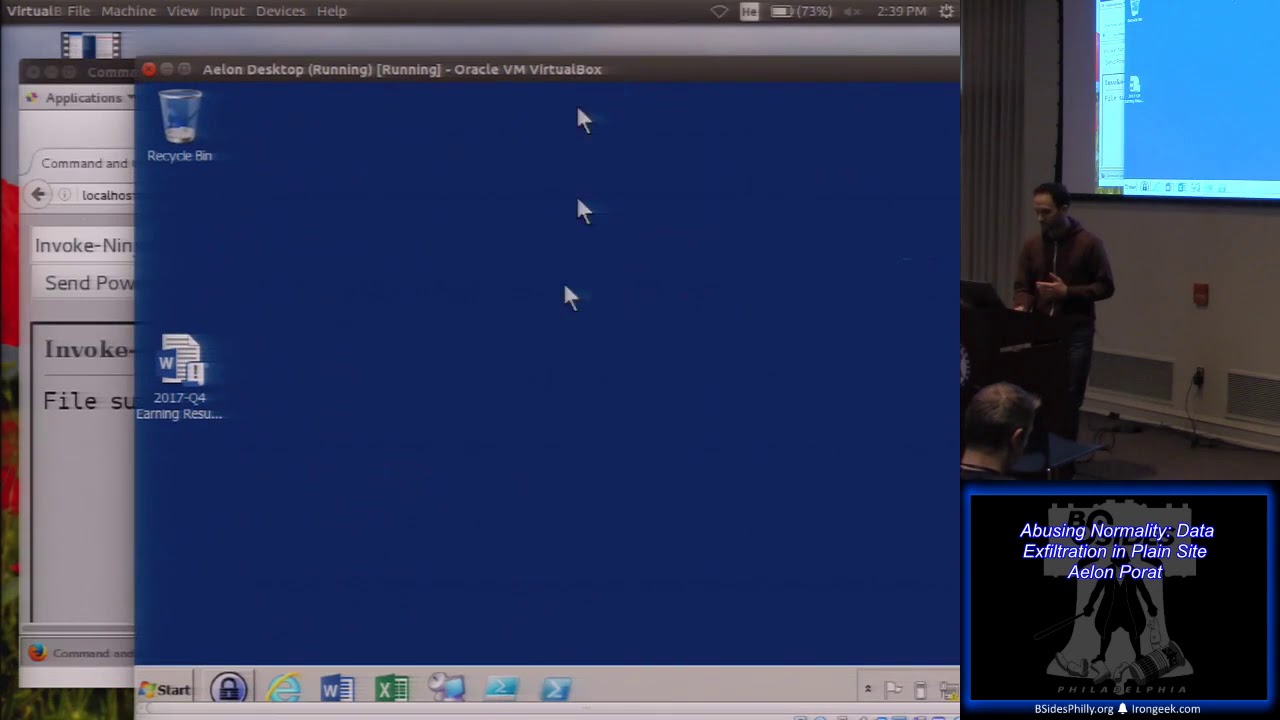
here we look for the same documents instead of encrypting them we'll just steal them it's nicer and you don't give the user a notification you just steal them so we got a list of the Excel spreadsheets text documents pictures PowerPoint presentations and that's kind of cool but can we do something with it yes we can let's now start uploading files from the computer into my machine over here that I control as an attacker so let's take this file that I'm interested in operating systems not installed dot CSV and I'm going to use a upload local file command and that should tell my partial script to fetch that document and upload it to my machine over here which you did
I can now open it if you're really interested I can open it export it and so on let's go back to that page again with a list of documents if there's anything else that might be valuable to us as an attacker if you want to go further into the environment network diagram it's probably something that as an attacker I'm pretty interested in seen so let's upload the document as well yeah make sure the people hackers cool and this is the file it's a network diagram which again as an attacker may or may not be useful for us there was another file that I saw and I'm kind of interested in that file I don't know about you guys it seemed kind
of suspicious to me seems like a code name for some project this run kangaroo dot chief let's see what it says I feel like it's secret NSA project because in the other room which by the way I don't know if you know I just heard so where is it besides God you guys so if you fill out all the you go to all the vendors more than this and you you you get an iPad right okay you get you get an iPad so the people who spawned the honor if you know but it's an NSA pre-owned iPad so I'm just joking huh refurbished it's an NSA refurbished iPad so let's let's look at that secret
document kangaroo chief who have uploaded it let's see what this file is it looks extremely suspicious it's probably some sort of a secret document that's released to give
yeah yeah that's right playtime is over we're gonna get serious a little bit and we're going to get serious by starting doing some interesting more interesting stuff so for example let's why not run a keylogger and logs everything that the users type on their machine so let's do that I'm going to invoke keylogger and I'm going to invoke that for let's say 30 seconds cool and now whatever I the user types over here would be registered and what's your name then then was here so that's a you know it's sort of like a nice and quick and easy way to capture everything that the user types and we can do different things with it I'll get
to that in a second but it's kind of nice to log everything that the user types in their machine and then move it on to a completely different server for example I can key log passwords right I can key log secret information whatever the information is let's let's start by maybe see how we can get some passwords are in the environment something that as an attacker I'm always interested in before I do that let's see I'm just gonna make sure that the user that I'm running in the context of is actually an admin on my machine and yes I am and that's great as I said before that we can now do many more things we
were not able to do before for example I'm going to take and it's an old trick I'm sure you're familiar with already I'm going to I'm going to get a dump of the local security subsystem service which is a process that essentially facilitates authentication in Windows in some Windows versions that process also saves in clear-text the username and passwords so if you in your corporate environment and someone lost their password and you want to recover that password you can just go to a server or a machine that they logged into you dump that process you gotta have admin privileges for that and then you can use a program mimic at this one program there's different programs that
read that the dump of the LSS process and can they and can then extract the clear text passwords out of it so I have an admin access I'm dumping Alsace and I'm uploading it back to my machine and now we take one now that I have an access to that file I can move it on to a different utility and extract the clear text passwords out of it another nice thing that I can do is get a copy of the Sam so Sam is the security Account Manager it's a file essentially a registry hive but it's a file that sits right here
this file over here and this file contains the hashes of pretty much the local users and so on from the windows locks that file so if I try to copy it and notice that I'm an admin on my machine right now even if I try to copy it somewhere else I get it no-no-no don't copy that's the best alert obscene seriously
so just a funny story when I when I when I had my first internship ever I was doing some completely non important walk and I was just killing time on the computer and I remember the secretary she told me whatever it is that you do don't go to random websites and you know I was still in school and I had no clue what you know where should what what I should do so I said okay she she says don't go to any web sites they're probably watching everything that I do so I'm not gonna go anywhere and you know it got little boring and then after a after a while you know I opened the
browser and then I went to espn.com because there was something I was following and you know type espn.com I hit enter in the second I hit enter the fire alarm goes off kind of what happened here and and I was freaking out and I mainly closed the browser I wasn't even thinking that that you know what I did I've said nothing to do with it I just closed the browser and I was just standing there waiting for the police to come and arrest me because I are going to the wrong website alright so I'm going to continue we are obviously not going to do everything but let's finish up with some cool stuff we left off where we try to grab passwords
and if you remember I try to dump the sim which was the security account manager I trotted down to the LCS get clear passwords out of there so we doing all these tricks in order to get a user's password and that's okay but why go through all this trouble when I can just ask the user for the password so let's do just that
so I'm just gonna go here and the second I hit enter and I'm asked for my password if you working in any type of environment something like that pops up like 20 times a day or just the network connection happens or whatever and just asking you for your password so we're just initiating that password window and when I type my password which would be down in a volume my password password this password right pass fast for 2017 hi it's an easy one and I get back the password immediately and I can do different things with it as you notice over here we have a password vault as well which we can do stuff with and passive vaults usually walk by
sometimes in the case KeePass walk with the clipboard so if I go to keep ass and let's say pretend that notepad is a website that accepts user name and passwords I'm going to go into my key pass I'm going to copy the username paste it into notepad and then I'm going to go to keep us again and copy the password paste it's ok pass will do it automatically for me in both ways the key pass interacts with the browser or whatever form I have to fill using the clipboard so let's take advantage of that let's do let's start monitoring the clipboard and we can monitor the clipboard in this case for let's say 30 seconds and
anything that I type into the keyboard clipboard will come over here so if I go back to my key pass and again I'm going to my website and keep ass feels automatically the password for me in this case I'm just going to copy and paste it I'm going to copy the username paste it into the website copy the password paste it into the website again and me as an attacker now have access to the username and password that a user just copied and pasted into the website it's kind of cool but you know there's a problem with that and the problem is that I can't really wait for the user to keep copying and pasting all the
passwords right it's not very efficient as an attacker so let's do something else let's steal the key pass file and get all the passwords at the same time so for that I'm going to go back into my box and I'm going to find password volts and similar to the other command that looked for documents this function looks for all the files that have a password vault extension and it will also go into the registry and look at the places or password vaults all registered in this case we have this password KDX file and remember how we stole some documents before that I'm going to do the same thing again over here with my upload local file
and I now have the password vote in my head the way that contains all the passwords but what's the problem with it I'm missing one thing I have the password vote what am I missing what's that the password to the Kinect so I'm missing the password to the vote and I really need it otherwise the password vault file would be so refused list for me that's that's the point of a vault so one way again just ask the user for the password and I'm going to do it like that I'm going to combine a few functions that I showed before I'm going to kill the process kill the keypad process I'm going to display a crash window across measure
the crash notification on the screen reactivate key pass and then use the key logger to wait for the user to type the password I combine all these functions into one function which are just called display crash window and I'm going to put the name of the process I want to crash and when I do that
keepass maybe keep a store Exe Oh crash windows and maybe pipe over here
indication it stopped walking and as the user you know again happens all the time I'm just going to click on enter pops up again from the attacker side I'm going to use my key logger and when the user types their password I now have it over here from the attacker side which I can then open the vault with so that's kind of cool and not I have ok I have a bunch of things I hate it when in presentations you go in and the guy says oh I have all this amazing stuff but I but I can't show you that because I never believed them but I swear to God I really did have a bunch of stuff to show
you but that's ok so I'm going to skip a few and I'm going to go towards the end remember how we controlled the keyboard I'm now going to see if I can control the mouse and for that I just created a function which is just called control mouse and as when I run it no hands my mouse is moving again just for demonstration purposes I move the mouse kind of randomly I'm going to click the mouse as well yep and move it again you can imagine the potential there this kind of control heads we control the keyboard now we control the mouse we have a controller pretty much everything except for maybe the screen it's one we do that
let's get a control over the screen as well using get screenshots and for that what I really do I want to see everything that the user sees on their computer so I'm going to say for the next I know 30 seconds or so just show me everything that a user does on their computer as well oops screenshots
and now everything that the user does I can essentially see on from the attacker from the attacker side and I'm doing it by taking screenshots one after another and going back to the diagram we saw before that where I can those screenshots are being sent to my command and control center every second or so which gives the attacker an idea of what the user does real-time cool so I have I have the signs over there save me that that I need to sort of finish the presentation at this point so is this sort of like an abrupt ending to my to my presentation but guys it's pretty much it thank you before we finish and I take questions I
know I have just few questions to take this thing just a plug I'm working now with a major training provider let's just keep it a debt for three-day training that sort of goes over that lets users that C and C to learn PowerShell I think it's going to be cool but that's going to come out pretty soon follow me on Twitter or get my contact information later if that's something you're interested in doing and I think that that's pretty much it thank you we have time for one or two questions all right just just one or two questions if anyone has anything anybody have a question so yeah so the question the question was well was what's the best
defense so I'm big fan of whitelisting which means that everything that is not whitelisted and permitted to run just cannot run problem is that PowerShell is a whitelisted process because it's signed by Microsoft in order to defend against that specific type of attack I will try to monitor against macros that run and spin another process that's something that whitelisting for our tools do let you do that's for that specific attack that will do that also watch for any additional partial processes any powerful process that runs in a hidden window which is what we have over here would be probably an indicator that something bad is happening so when I go here to my I'm just gonna run another
another PowerShell so we should have only one powershell process running right but there's two one powershell process is the one i just read but we see that there's another one and the other powerful process started at let's see what time yeah started just a couple of minutes ago 256 that's us that's the start time of the other process so we see we have two powerful processes running one of them started 20 minutes ago obviously a cold it's not something something something is happening that's it all right
right
Related talks
 1:05:41
 30:35
30:35 34:04
34:04 33:12
33:12 41:38
41:38 52:47
52:47