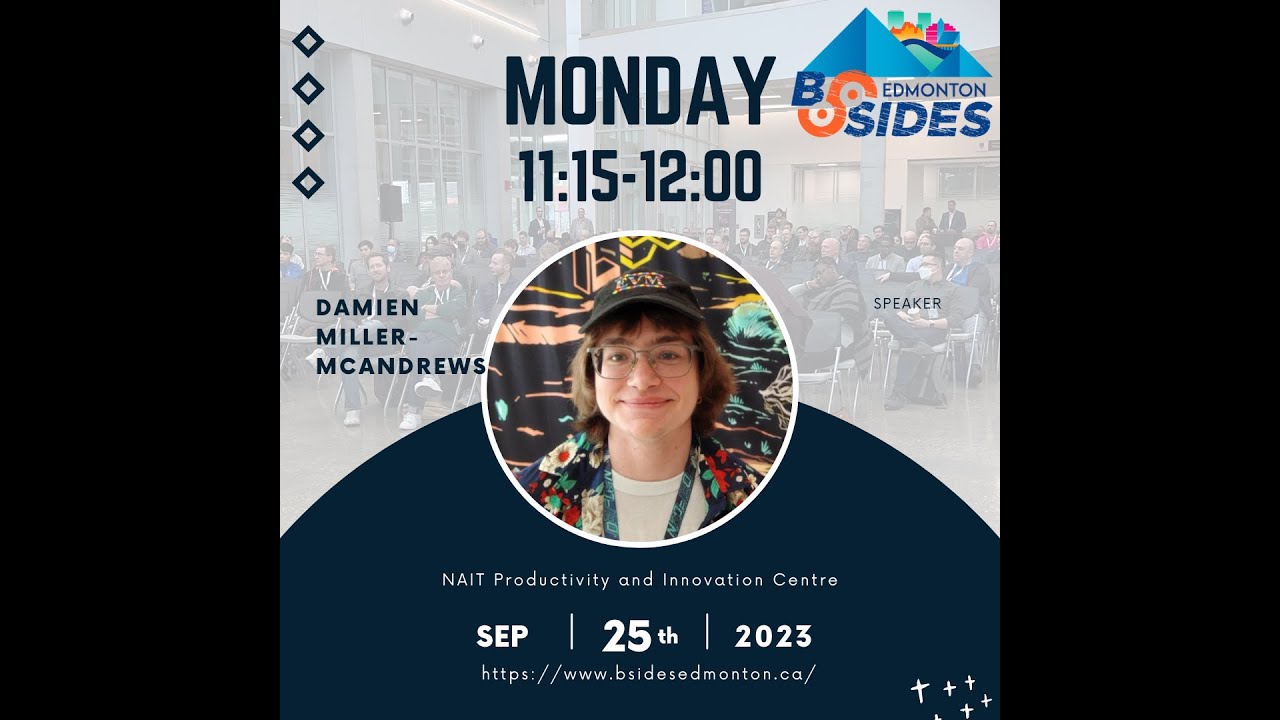
The Million Dollar CEO Fraud: Anatomy of a Business Email Compromise: Damien Miller-McAndrews
Show transcript [en]
thank you all for coming to my talk which is called the million dooll CEO fraud anatomy of a business email compromise we're going to get right into it now starting with just a little bit of self-promo so my name is Daman but you'll likely find me online under some form of the username sign as render mentioned I work at a local MSP which is acurate Network Services as a security analyst I'm a two-time Nate grad with a diploma in it systems Administration from the digital median it program as well as a post- diploma certificate in cyber security I'm also ISC certified in cyber security which is I know the the most impressive CT of all time to
get and I have five random Microsoft CTS only four of which are the fundamentals so you're dealing with a real professional here so my main areas of interest within cyber security specifically are incident response forensics malare analysis Cloud security and ENT just for something a little different so this is all just because I really enjoy puzzles I mean not physical puzzles I'm really bad at those but to me there's something so deeply satisfying about taking in data or hunting it down uh putting it together and writing up a report and um yes I was bullied for being a nerd in school thank you I run a Blog which is cyber corner. Tech where um if I published it in time
you could read the article version of this talk it should be up in a few days or maybe never will see um I have some other articles as well including a more beginner or limited resource focused guide on even investigating a 365 business email compromise as well as a deep dive investigation that I did on a specific um malicious Azure app I really highly recommend that one my blog also has links to all of my socials so you can feel free to um connect with me on LinkedIn follow me on Blue Sky that's how you know I'm super Elite and uh shoot me any email just whatever you want oh there's too many people here now
I was happy when it was just like 10 but I guess um welcome that's fine I'll just continue um and before we get started I just have one house rule um please save any questions until the question period because like most it people I have ADHD and if you get me off track I'm not coming back for like 10 minutes and then to provide some structure this is what we'll be discussing today first I'll tell you about the incident that this talk got its name from then I'll tie the incident to the miter attack Cloud Matrix I'll then go over common indicators of compromise and malicious activity for business email compromise I'll then cover some technical and administrative
controls for managing the risk around business email compromise and finally if all of that was not enough I will do some more preaching about why business email compromise is such a big deal and why you should care about it and after that we have questions and then after after that it's lunch so that'll be nice and then I should preface this by saying that this is not just a hypothetical talk that I made up for this or hypothetical incident that I made up for this talk as uh unbelievable as that seems to be to some people including myself sometimes thinking about it um I've anonymized this company so I won't be saying its name or
mentioning details like its industry or size I should also mention that when you look up what people actually call CEO fraud this is not technically it but it was a CEO's account doing fraud so I figured uh I could get away with it so what was the incident first discovery this is just something to kind of set the scene so January 10th 2023 it was a day like any other I mean I was doing an audit specifically I was doing an audit for a customer which I will call company X part of my job is to do security audits for our customers based roughly on the CIS baselines now to be completely honest I do find audits to be one of the most
boring and tedious parts of my job but I mean somebody has to do it I was actually working through a backlog that I definitely only occasionally let build up so I'd been spending the last few days mainly just doing audits considering all of that can you blame me for going sniffing around for some trouble I mean an audit is a great time to do a threat hunt and checking for a few indicators of compromise wouldn't actually take me that long right so truthfully I remember thinking something exactly like God I'm so bored with all of these audits I wish I had something more interesting to do like a business email compromise so I checked the most common
indicator of compromise within Microsoft 365 which is what company X uses as their productivity suite and this ioc is suspicious signin and you can export them from the all users signin login Azure so once you do that you just open it up in Excel filter out the known good IP addresses and cities after I did this I was left with one account that had several strange locations in their sign-in log the log showed successful sign-ins from Edmonton and Los Angeles within a few hours when I used an IP lookup tool on the suspicious IP addresses they match known VPN or proxy servers among other things now company X had an internal it type person so I sent him the signin logs for
the certain user and asked him if this was expected Behavior he got back to me surprisingly quickly and confirmed that the sign-ins were not legitimate and asked if I could provide a record of file access oh I was so happy right now I said absolutely and then I also worked with him to reset the user's password and just other compromised account remediation steps so next I need to complete an incident RCA or root cause analysisc document this is basically where I just put together all the details about the incident from Discovery remediation why it happened but most importantly what actually happened during the incident so what happened and how did I reach my
conclusion so it wasn't until I had actually begun my investigation that I realized that the affected user was actually the CEO of company X I was reviewing the file access records when I noticed a lot of access to the executive SharePoint site and this prompted me to check the user job title in Azure SL entra I suppose at this point so you can imagine that this pretty much immediately raised the stakes of everything quite a bit so first I requested 90 days inbound and outbound message trace for the compromised account that gave me just over 3,000 results I then started the export for 90 days of the user activity from the unified audit log or the U this
gave me about 175 thousand results so this isn't a lot to me now definitely but at the time since i' had only done a couple investigations this was more than I'd ever really gotten I knew I needed something to make my investigation easier so after some research I started using the hawk forensics tool for investigating Microsoft 365 business email compromise haul provided me with several more logs including a more granular mailbox audit log with specific email access all nice and cleaned up containing about 11 half thousand records and then finally Hawk also provided me with what is my favorite uh feature of it which makes it worth the tool in my opinion which is the
converted authentication log this uses an IP lookup API to match authentication activity from the audits to the city and Country automatically as you can see this found 875 IP addresses so I'm very glad that I did not have to do all of that manually I also grabbed some other random logs such as the user the user audit in Azure and I eventually e discovered some emails so everybody who's investigated an email compromise knows the next steps you just have to review the audit logs separate records from known good and suspicious IP addresses you do it with all the other audit logs and pretty much anything that you can actually categorize so now I have a whole pile of
information in front of me and I just have to put it all together so let's look at this in a timeline after some investigation I determined that November 7th 2022 was the likely date of initial access although because I had 90 days of records from the U I actually had records going back to October 12th this was the first suspicious sign in on the account but there was also a 365 Defender alert about a malicious URL click on the CEO's account this means is that what what this means is that it's likely that the CEO fell victim to a fishing email which at the time was not caught by the spam filter but at a later
time Microsoft realized that the URL was malicious generally through safe links and sent an alert about it unfortunately it was too late then if you remember January 10th 2023 was the date of discovery and the start of my investigation so what happened between going back to November 7th the next account access was on November 11th where many emails and files specifically about company X's dealings with a specific financial company were accessed obviously our threat actor had a plan because they created an inbox rule to redirect all email from the financial company to the RSS Subs descriptions folder classic after this there weren't any specific actions on the account for several weeks I classify this time
period from November 12th to November 29th as reconnaissance as there were several sign-ins with various files and emails accessed invoices contracts templates internal documents that sort of stuff November 30th is when things start to pick up the thread actor emails the finance company with a request to add a new authorized signer and asks what information is required the finance company responds with a list of personal data that's needed and some documents to sign December 2nd the threat actor responds with the information and the signed documents it's on this email that the threat actor C sees the supposed new Treasurer who using an email address with a custom domain name that would be the type of thing an independent CPA
would use which is what they were claiming this treasurer's background was on December 5th the finance company responds with several more documents need to be signed for the new signer to be added December 7th the threat actor provides the signed copies of the documents but the finance company sees a problem with one of them and it needs to be resigned December 12th the thread actor sends the proper documents they also register another domain this time a copycat or a typo squat of company X's main domain um they also create more inbox rules to similarly redirect email from the fake CPA domain and the copycat domain after this there there's a lot of just general back and forth primarily
while the financial company asks some clarifying questions the threat actor is also very impatiently emailing the financial company every few days asking when the authorized signer is going to be added December 21st the threat actor emails once again asking for an update the finance company advises that the national banking independent Network or the nbin has gotten involved which is kind of like a overseer for portfolio and Investment Management firms small finance companies that sort of thing uh they've requested more information which is provided finally on December 23rd the new Treasurer was added to the finance accounts as an authorized signer so I should mention that if you haven't if you can't tell up to this
point all communication about this Happ been via email at no point did anybody from the financial company just pick up the phone and call the CEO or any of the other numerous signers on the account to confirm they didn't even CC any of the other signers on the account in the email chain they also didn't get the uh company X's account manager at the financial company involved so now it gets serious the threat actor took a break for Christmas and New Year's it seems because the next account activity was actually on January 4th and this was when the threat actor started to initiate a wire transfer with the CEO's account advising them to coordinate with
the fake treasurer they also asked what information would be required after some back and forth the fake treasur initiated a wire transfer to a bank account in Hong Kong for $710,000 USD which at the time with exchange rate was roughly $950,000 Canadian on January 6th the transfer was finalized Psych on January 9th the threat actor sent an email advising that the wire was not received which it was not it was resubmitted and then this time it actually went through as I mentioned earlier January 10th was the date of discovery and the start of my investigation but I wasn't able to complete on that day I continued my investigation on January 11th according to my ticket notes at
approximately 11:50 a.m. meanwhile on also on January 11th um oops the uh at at roughly I believe 10:36 a.m. the threat actor sent another wire transfer to a different bank account in Hong Kong this time for roughly $1.3 million Canadian so I had discovered the January 4th wire transfer first and I knew at this point that this one had already gone through so instead of call the CEO and internal it I said I just need to finish my investigation and then I'll call them to kind of drop the bomb pretty quickly after I discovered that the second wire transfer had been sent at this point roughly 2 hours earlier so I hoped that there was still
time to stop this I called internal it who just happened to be in the CEO's office and I asked the CEO if he was aware that two wire transfers had been made from company X's account to a bank in Hong Kong I mean would it surprise you to hear that he obviously was not um with as much professional urgency in my voice as I could muster I told him to call the financial company and cancel the transfer which he thankfully did so after this I just continued on I completed my investigation and put together an incident RCA document I sent the RCA document and all of the logs and exported emails to company X and
eventually at their request law enforcement as well now the good news is that company or that the financial company refunded company X for the money that was stolen weeks after the incident I got more information from company X's account manager at acurate who told me that the financial company did not follow their internal process for adding new signers to an account or doing large fund transfers additionally anybody who actually looked at company X's records would have seen that the transfer to Hong Kong was unprecedented I can't say what company X does but I can assure you that there is no reason for them to be doing any sort of business with Hong Kong so who hacked
company X I have no idea and I don't think I'll ever know I'm not certain if it was sort of advanced persistent threat but this was not a simple Heist like changing an employees banking details the documents for adding the signer and doing the transfer were complicated these would need several hours or tens of hours of research and a good knowledge of Banking and Financial systems General and also just specifically in Canada they knew the lingo and they knew to wait until New Year's ascending a wire transfer on December 26th would have probably looked a little suspicious this was not somebody working alone but like I said we'll probably never know and all we can do is learn
from this and improve our security posture so that we don't become this threat actor's next
victim so we're going to Pivot a little bit miter attack is a framework for classifying malicious activity around an incident it was originally developed for use in AP caused incidents but anybody can really use it using the Matrix we can view specific techniques and tactics within categories as well as suggested mitigations which that is very helpful you can also use the navigator to actually visualize an incident So within the minor matrices there's specifically a cloud Matrix that contains techniques from General SAS and is incidents as well as Office 365 Google workspace Azure a/ entra ID I found that it's not as detailed as some of the other matrices but I mean maybe it'll be improved in the
future um I'm only going to go over specific categories with techniques relevant to this incident today but if you've never heard of miter attack I recommend you just you know take a look try it out play around first we'll begin with initial access this was via a fishing link because as I mentioned earlier I found the Defender alert buried in the global administrator mailbox since this was an Office 365 account we would classify this as a valid account sub technique Cloud account next we'll look at persistence MFA was enabled on the account but it was bypassed either via adversary in the middle fishing website or another bypass method I could not conclusively say once they were in the account the threat
actor added an additional MFA method for persistence under defense evasion we have the technique of hiding artifacts and the sub technique email hiding rules also known as filters we also have the technique indicator removal and the sub technique to clear mailbox data emails were frequently deleted by the threat actor but thankfully I was able to recover them finally under collection we have the technique of collecting data from information repositories specifically SharePoint SharePoint and one drive were where large amounts of sensitive company data were accessed from and this data was used during the fraud we also have the technique of email collection specifically remote email collection I have records of various email access through various protocols and it's very likely that
emails were exfiltrated at various times so the last section we went over some of the activity that a thread actor will do on a compromised email account but I want to discuss indicators of compromise or ioc and other malicious activity further to assist with this at a later time I very painfully reviewed every single business email compromise I've responded to and transferred it all into a spreadsheet and I can use that spreadsheet to visualize some data to demonstrate how prevalent certain activities are at least in my experience overwhelmingly the most common indicator of compromise for a business email compromise is impossible travel or other suspicious authentication locations of properties when a user who only accesses
from Edmonton suddenly starts using a sketchy proxy server from China or a user who only accesses from a specific Windows device suddenly starts using a Linux device you know something strange is happening so what do thread actors do once they're in the account forwarding changes and mail rules or filters are one of the most common forms of malicious activity during a business email compromise these either redirect certain senders are subjects to a folder or just delete all incoming mail the lad is used pretty much exclusively in cases where the email is just sending out spam emails being read unexpectantly or deleted from certain folders such as the trash or the sent items is just another
ioc so often when an account is accessed you'll see records for email and file access around sensitive information email compromise tools used by hackers often have the ability to just automatically search the Inbox and Cloud file storage for items with specific keywords such as password invoice credit Visa Etc sometimes this is toine invoices so they can craft their own lookalike but other times it's defined lists of passwords in an Excel spreadsheet stored in SharePoint CU that never happens right and this last one is one that I've seen in increasing frequency at least its second usage which is oath application usage this is either for oath fishing by the user themselves consenting to an unknown malicious
application or by the thread actor for persistence mailbox exfiltration or Auto sending this is one of the activities that I really dread the most as some of the research I found has found that the common applications used by thread actors could do something like download the entire user mailbox to PST I've also recently been seeing being within 365 environment specifically application registration directly within the tenant and this was finally covered by Microsoft with a pretty good threat intelligence article that you can actually only access from the security admin Center of course so if you uh want that hit me up cuz I stole it so how common are some of these activities I will show you this I just learned how to
use pivot tables a week ago and this looks really ugly I'm sorry I couldn't make it look nicer but this graph shows most of the incidents I've handled up until the end of of August I'm missing records from former offboard customers as you can see at first the most common incident was spam mass mailing but the last time I responded to an incident with Spam mask mailing was actually in March January 2023 which internally we like to call hack apocalypse um saw a large increase in not only incidents but also incidents specifically where sensitive data was accessed January was actually closer to 11 but you know off boarded November was the first time that I saw threat actor consent to a
malicious application which was specifically an auto sender application and that is the purple then finally light green shows incidents where there was very limited activity on the account once it was compromised and thankfully this was usually because some form of alerting actually caught the incident and I was able to remediate it before it escalated further so this even uglier chart shows some more granular data on application usage by threat actors you can see that in July I had both an app called perfect software which is used for mailbox exfiltration but also that aure registered app which I mentioned um and I was only actually alerted to the Azure app because Microsoft disabled it inbox rules were created in about
2third of the incidents and they're generally consistent redirecting mail to the RSS subscriptions or conversation history folder or just deleting all incoming emails spam emails were sent in about a quarter of the incidents generally containing either link to a fishing website via a fake PDF or DocuSign link but also once just a fake PDF with a redirect stored directly in the users one note that was interesting and finally this chart makes me cry inside and has been a big source of problems lately it is MFA status on compromised accounts but MFA protects accounts 100% right and it's there's nothing wrong with it um so if an account had MFA it was purple and if not
it's red so you can see that July and August were actually the first months where more accounts with MFA were successfully compromised not just an attempt than we're not yeah um we're trying to figure out how to fix that right now so I have limited data on how often MFA has actually protected accounts but with the rise in the adversary in the middle fishing kits I'm guessing it's probably a lot less than the 99.9% of times that Microsoft still claims so now that we've gone over an email compromise incident and some of the activity that happens during it what are some of the controls that we can use to mitigate risk around this type of
incident when it comes to technical controls one of the best ones is fishing resistant MFA this is MFA that is resistant to token theft or social engineering and PH2 Hardware tokens are a great example of this another control I really like is stricter authentication requirements and controls and these are known as conditional access and 365 or actually Contex aware access in Google workspace doing something like Geo fencing to the company Network or restricting access to sensitive resources from only secured verified company devices really is a great way to prevent any further access once a threat actor has already gotten in the front door both Azure and Google allow you to place restrictions on thirdparty app
access to data and this helps you avoid consent fishing and other malicious uses of OAS applications and this one seems pretty basic but another good control I think is important is just a good spam filter if you harden the one that comes with your email platform or use a third party one actually preventing the fishing emails from even reaching the inbox in the first place already helps you reduce risk and then finally one of my favorite controls that I think is actually the most vital behind MFA is just alerting they're alerting for suspicious activities within most cloud email systems and they aren't all exclusively for the use of Enterprise organizations you don't need a SIM solution and that
sort of thing um there are native aler of solutions available in cloud email systems which may or may not have some licensing limitations but there are also thirdparty solutions for both third or sorry thirdparty solutions for both solo it MSP large company small company it's likely that enabling alerting for all customers instead of just a subset which we had before and we did this in January 2023 is probably a large reason why we've seen an increase in email compromise activities admittedly and the not sponsored but blumera has let us abuse their free tier for longer than most companies would and their MSP Focus 365 alerting which is the free tier has prevented many incidents from actually
reaching the point where they've become more severe next we'll look at administrative controls I'll always preach this but I think that security awareness training is a very important administrative control I mean provided that it's done right nobody really enjoys doing security awareness training right but if you can make it so that your employees see it as more than just a boring thing that they're forced to do once a year they're going to actually retain the information better run fishing simulations regularly to test the effectiveness of your program adapting your simulations to the fishing emails targeting your organization I mean who has not seen the increase in QR code fishing emails right so that means it's
time to send out some education and simulations about QR code fishing emails then there's every everybody's favorite which is policies and procedures you should have policies and procedures for things like how your organization stores sensitive data email security and changes to financial information if a vendor emails you asking to change the account where payments go what are you going to do to confirm the veracity of this request if anything the same for employees if an employee wants to um change their direct deposit information do you require them to come in person and sign a document or are you okay if they send HR an email from a personal Gmail account you'll also want to ensure that
the companies you partner with take your financial security seriously will your bank actually call you to confirm large changes such as adding a new authorized signer what compliance standards do they have to follow and then do they actually follow them all of these and more are things to consider when thinking about how to protect your organization from a potentially company ruining incident so maybe some of you are thinking this or more likely know somebody who thinks this way or this is just a strawman argument I made up but um why should I care somebody's email gets hacked and they send some spam they view a few invoices maybe we lose $500 or $5,000 right well large company or small
company nonprofit or Law Firm The Fallout from a business email compromise can still be highly damaging to a business had the second wire transfer gone through company X would have struggled to make payroll which was in 3 days if your email gets hacked and a customer pays to a fake banking account do you think they're going to be happy about it especially if it was your fault in the first place do you think I feel safe doing business with a company that had a hacked account send me a fishing email no I'm forwarding that to the Privacy commissioner right and speaking of the Privacy commissioner do you think that an email compromise is a privacy breach well we
don't store any personal data in our emails so we're fine now I'm definitely not a lawyer but according to the Alberta office of the information and privacy commissioner you might not be so a decision from the oipc in January 2023 hopefully that's that's kind of readable um describes an incident where an employee of the Calgary Urban project Society or cups was successfully fished and their account just sent out like 15 spam emails that's it the oipc still determined and I quote there is a real risk of significant harm to the individuals affected by this incident just emails right and they were required to do breach notification which if anybody has gotten has anybody gotten a letter from
the Dental Association breach you imagine how many they sent out not cheap um cups and I believe the Dental Association weren't required to do um credit monitoring but you can imagine that's extra not cheap so here's a picture of their summary decision but I want to quote what was said specifically on harm in their more in-depth analysis when it comes to the harm from this incident this is what the oipc had to say in my view a reasonable person would consider that the contact and identity information at issue could be used to cause the harms of identity theft and fraud email addresses could be used for the purposes of fishing in increasing vulnerability to identity
theft and fraud these are all significant harms and trust me you can check out the link that I've posted that is far from the only decision about just spam email sending that says essentially the same thing there's like two from last month so in my kind of uneducated opinion the current legislation around privacy breaches specifically in Alberta and Canada are relatively toothless or at least in their enforc ment but a new bill which is the Canadian privacy protection act proposes stronger penalties for both the negligence causing the breach but also failing to report the breach so hopefully that is enough to give some of you what you need to convince your boss to move to fishing
resistant MFA so what did we learn well having an email compromise can turn out very very badly absolutely shocking I know they are pred ictable and their goal is generally to just keep compromising accounts hopping from account to account until one with the correct access is found there's only actually a handful of malicious actions that actually take place on an account which is helpful for our next point which is that they are preventable or at least you can mitigate the risk around them alerting on likely or known malicious actions is still one of the best technical controls that I recommend and finally although this thinking might be more prevalent in SMB if it's not let me know um they're more
serious than you might think I'd guess that there's at least a handful of people in this room who had no idea that the oipc considered an email simply sending spam to be a privacy breach okay thank you that's all and some original content memes I made because somebody told me I need more memes on my PowerPoint okay thank you do we have any questions I don't know if anybody we have a microphone I don't need just repeat the question okay the the original abach that you described what's Your Gut if you were to do attribution I don't know if you really want to even say it but what's Your Gut who was actually targeting this
company uh Chinese state sponsored hackers I don't know this specific group I'd have to look at like you know some some more threat intelligence but I mean who else would send it to a bank in Hong Kong right I mean
maybe why you think
okay so are you basically asking there are organizations that have some pretty pretty heavy email filtering multi-layered Solutions so with that in place why should they consider anything more than like basic MFA why should they kind of move to fishing resistant MFA is that what you're kind of asking um I mean what what did um Alysa Knight say in the keynote thinking that you're secure is more dangerous than being not secure I think something like that even the best email filtering solution is still going to have false positives and false negatives um I can't say that we really use the best email filtering solution but I mean look at even the QR code fishing I've
seen on Reddit like one provider so far say we can prevent the QR code fishing so and you also have to consider that this isn't especially for larger organizations a lot of this isn't going to be simple stuff the fishing might not even come from email it might come from an actual like state sponsored agent who's done like 6 months of ENT and knows exactly how to get into to your organization so in that case fishing resistant MFA might not even prevent it at that point you're like Enterprise level threat intelligence hello um you said you were checking the IPS and you cheing location what's your goto tool um I just Google free IP lookup and click
the one at the top of the page the the the API that Hawk uses as IP stack um I I'm trying I tried to rewrite it to include a different API but I'm bad at programming I think you were first timeline was more than luy fory do you think so you mentioned that it all started with you doing a do you think they had some Clues but something was going on and ask for audit or was something
that so at Accurate we do an annual audit for customers and then during onboarding or post project or pre-sales which for company X was actually it was a pre-sales audit because we wanted to sell them on improving their security so it I I and so afterwards I got asked I was like so somebody pulled me a sign they're like are you sure this wasn't you and I was like if I got $950,000 do you think I would still be here like seriously um I think see that ADHD I think I answered your question sort of a two-part question as far as timelines go with company X was this before after disa te and the second part is were they
behind the e52 payall that requires um oh what do you Devin was this pre or post this well yeah I felt like this was well post um Legacy off deprecation and then they were not un oh getting getting companies on P2 and and E5 when you're small MSP and you're working with small companies very difficult they had P1 which is for a lot the best that we can get them on if that really oh that Mak she makes me feel a little better and then just cuz I know that I didn't have quite have time to go into this but some people are like oh but you said alerting but then you said that there was alerting and there was a
Defender alert cut so what happened so when you're an MSP and you've co-managed some times they just do things without your knowledge and one of that was making like a ton of random um like alerts and data loss prevention things that all flooded the global administrator mailbox the day that the alert for the malicious URL click was triggered there was like 35 other alerts in the inbox so if you ever heard of alert fatigue that's exactly it cuz surrounding that were forwarding changes that were just Microsoft doing Microsoft things and because we're in MSP and we manage like 150 customers if we sent the global administrator mailbox to our support email we'd get like hundreds of
emails a day so that's where we have blumera and other tools like P2 thankfully for some customers that Target the alerting more but you know so if you have alerting make sure that you're you have a goodly or a well configured alerting solution and you're not susceptible to something like alert fatigue I this is
adol not really any technical or administrative controls for preventing something like MFA fatigue you you need to look and see why your users are being fatigued why are they being prompted five times a day in the company Network you know I think I hate when people say zero trust or all of those buzzwords but you do have to consider hey we're in the company office we're on a company device can we start saying hey can we do less prompts or can we start moving to methods like password list or phto to authentication or certificate authentication where it's a lot I mean at least i' I've struggled with PH2 and in 365 I'm still working on
it but when you've configured things correctly um it's a lot more of a seamless user experience so that they might not even know that they're actually doing MFA or they just have to you know fingerprint reader and then they're good for like two hours or hopefully the rest of the day actually I can give you an example of that I don't say which company I work for but where I work we have what's called MFA day so every 60 days you have to re authenticate all your MFA everything you do on the computer every Apper my MF oh the next thing got to get another one so we're doing like 10 MFA entries every 60 days in a single day
so I suppose that's also that's also where oo kind of comes in because you know ooth is sometimes a risk but if you only have one identity provider for like 10 apps then that's if you've configured it correctly only one MFA for 10 apps you mentioned uh authentication irregularities and you also mention alert fatigue um in my experience these kinds of alerting can a lot of fatig because you're constantly validating with the user and you have to like the person who's coing it has to check up with everybody there could be all sorts of reasons uh especially with the CEO because CEOs travel a lot so my question is in terms of validating that and
staying on top of like seet and DS like you know because this could have just blown around theat travels all the time so what do youest we don't really have a good solution at Accurate cuz we're still pretty small um my favorite solution is I just tell the help desk to call the user and I'm like cuz I don't want to call the user and they call the and they call the user because we have like 20 help cigarettes like Oh no you're going to make me call the user again yes thank you for calling the user cigarette um but so sometimes you can leverage other staff to to to do it but I'm sure this
is also a thing that Enterprise struggles with eventually I also just end up asking the help us because they know I'm like hey does this person travel a lot did you notice like that they have a VPN installed I'll go check the rmm tool I'll see oh they have nordvpn installed and they're connecting to the same Nord server or they're connecting their VPN is Nord they have Nord installed they're always connecting to Vancouver they're probably just being random and and connecting to VPN sometimes
Related talks
 44:49
44:49 45:38
45:38 32:14
32:14 29:06
29:06 40:05
40:05 56:31
56:31